fuel consumption TOYOTA RAV4 2016 XA40 / 4.G Owners Manual
[x] Cancel search | Manufacturer: TOYOTA, Model Year: 2016, Model line: RAV4, Model: TOYOTA RAV4 2016 XA40 / 4.GPages: 741, PDF Size: 14.31 MB
Page 2 of 741
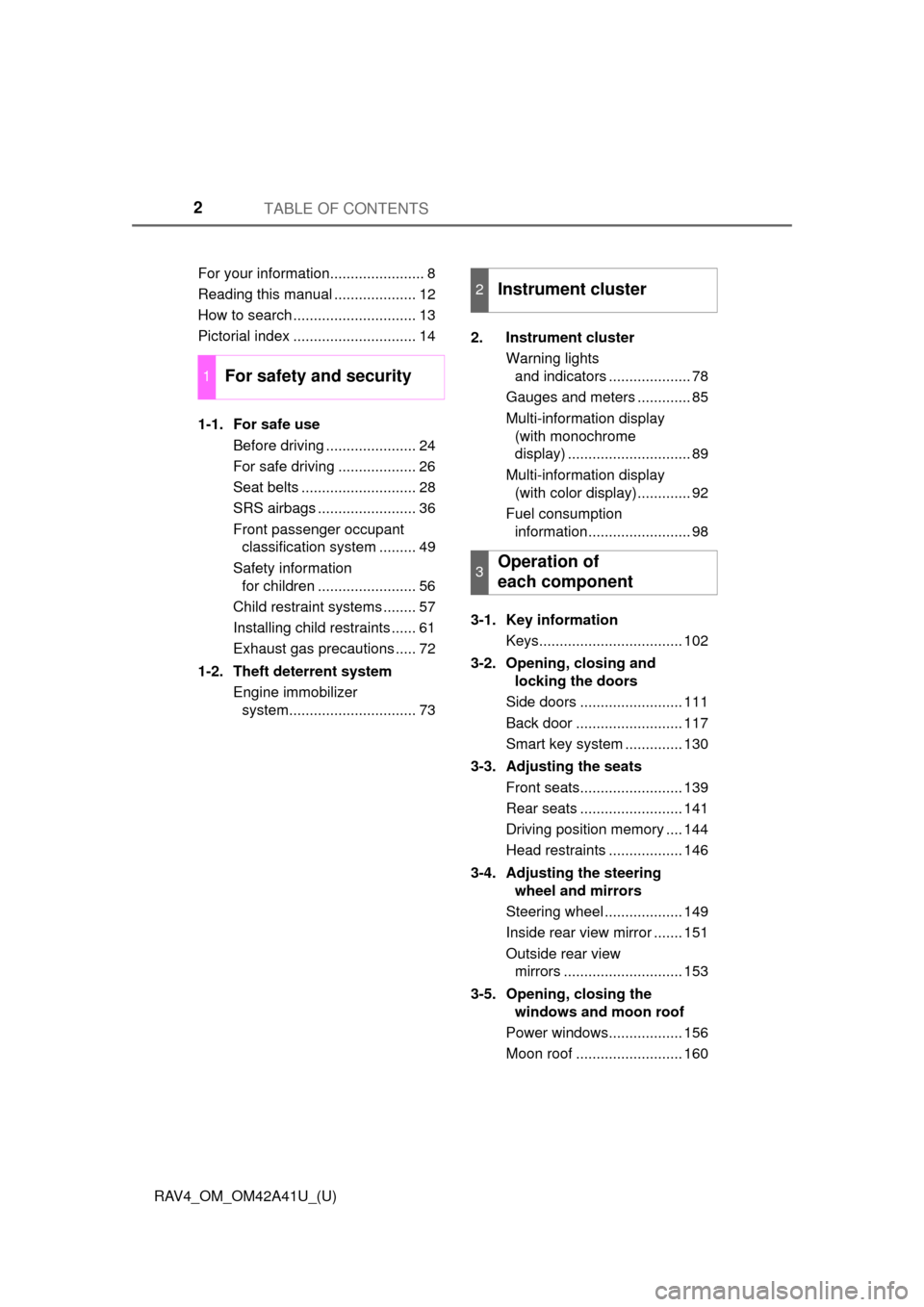
TABLE OF CONTENTS2
RAV4_OM_OM42A41U_(U)For your information....................... 8
Reading this manual .................... 12
How to search .............................. 13
Pictorial index .............................. 14
1-1. For safe use
Before driving ...................... 24
For safe driving ................... 26
Seat belts ............................ 28
SRS airbags ........................ 36
Front passenger occupant classification system ......... 49
Safety information for children ........................ 56
Child restraint systems ........ 57
Installing child restraints ...... 61
Exhaust gas precautions ..... 72
1-2. Theft deterrent system Engine immobilizer system............................... 73 2. Instrument cluster
Warning lights and indicators .................... 78
Gauges and meters ............. 85
Multi-information display (with monochrome
display) .............................. 89
Multi-information display (with color display)............. 92
Fuel consumption information......................... 98
3-1. Key information Keys................................... 102
3-2. Opening, closing and locking the doors
Side doors ......................... 111
Back door .......................... 117
Smart key system .............. 130
3-3. Adjusting the seats Front seats......................... 139
Rear seats ......................... 141
Driving position memory .... 144
Head restraints .................. 146
3-4. Adjusting the steering wheel and mirrors
Steering wheel ................... 149
Inside rear view mirror ....... 151
Outside rear view mirrors ............................. 153
3-5. Opening, closing the windows and moon roof
Power windows.................. 156
Moon roof .......................... 160
1For safety and security
2Instrument cluster
3Operation of
each component
Page 77 of 741
77
RAV4_OM_OM42A41U_(U)
Instrument cluster2
2. Instrument clusterWarning lights and indicators ................... 78
Gauges and meters ............ 85
Multi-information display (with monochrome
display) ............................. 89
Multi-information display (with color display) ............ 92
Fuel consumption information ........................ 98
Page 89 of 741
89
RAV4_OM_OM42A41U_(U)
2. Instrument cluster
2
Instrument cluster
Multi-information display (with mono-
chrome display)
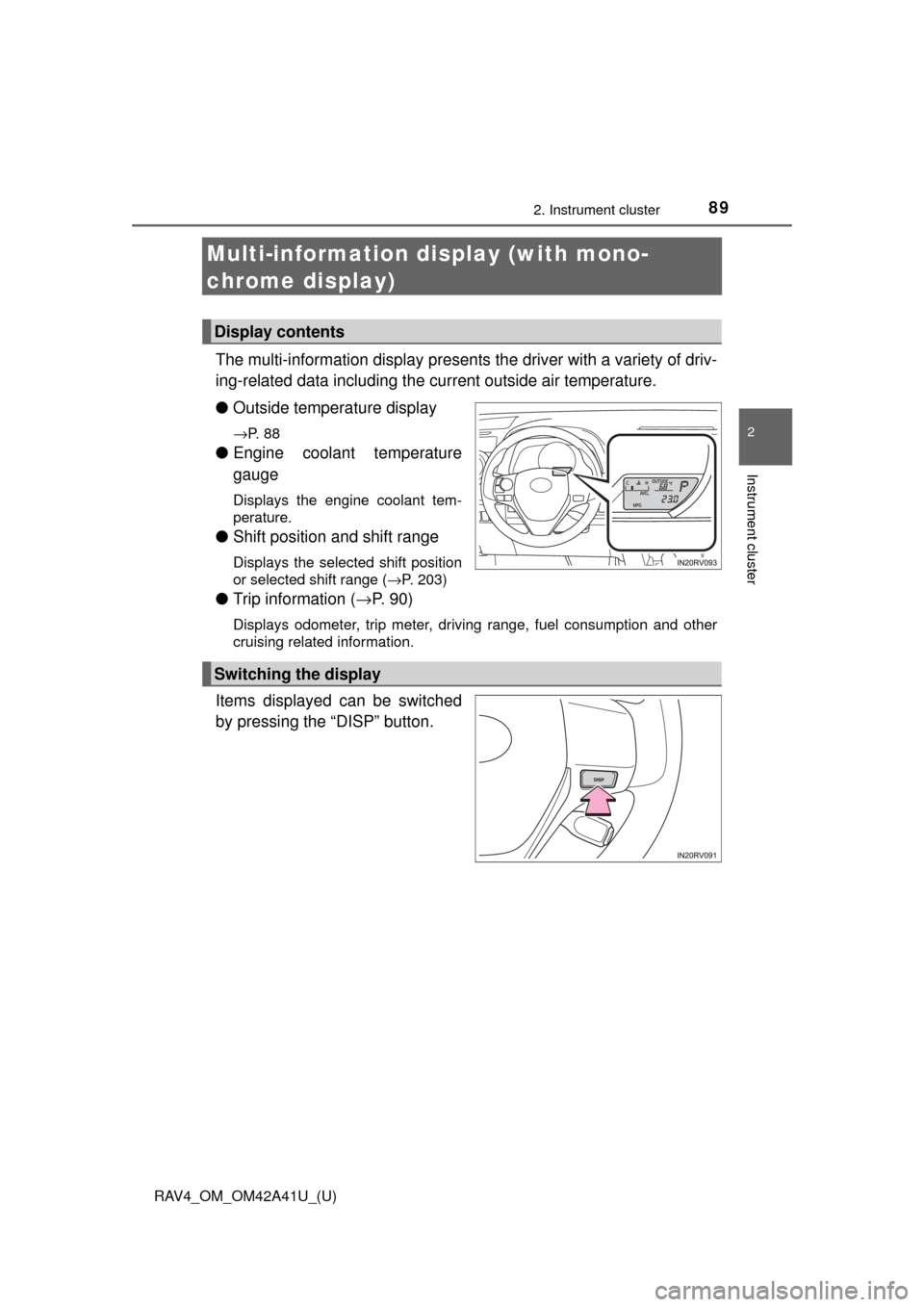
The multi-information display presents the driver with a variety of driv-
ing-related data including the current outside air temperature.
● Outside temperature display
→P. 8 8
●Engine coolant temperature
gauge
Displays the engine coolant tem-
perature.
●Shift position and shift range
Displays the selected shift position
or selected shift range ( →P. 203)
●Trip information ( →P. 9 0 )
Displays odometer, trip meter, driving range, fuel consumption and other
cruising related information.
Items displayed can be switched
by pressing the “DISP” button.
Display contents
Switching the display
Page 90 of 741

90
RAV4_OM_OM42A41U_(U)
2. Instrument cluster
●Odometer
Displays the total distance the vehicle has been driven.
● Trip meters “A” and “B”
Displays the distance the vehicl e has been driven since the meter
was last reset. Trip meters “A” and “B” can be used to record and
display different distances independently.
Pressing and holding the “DISP” button will reset the trip meter that is
currently displayed.
● Current fuel consumption
Displays the current rate of fuel consumption.
● Average fuel consumption
Displays the average fuel consum ption since the function was
reset.
• The function can be reset by pressing the “DISP” button for longer than 1 second when the average fuel consumption is displayed.
• Use the displayed average fuel consumption as a reference.
● Average vehicle speed
Displays the average vehicle speed since the engine was last
started.
● Driving range
Displays the estimated approxim ate distance that can be driven
with the quantity of fuel remaining.
• This distance is computed based on your average fuel consumption. As a result, the actual distance that can be driven may differ from that dis-
played.
• When only a small amount of fuel is added to the tank, the display may not be updated.
When refueling, turn the engine switch off. If the vehicle is refueled with-
out turning the engine switch off, the display may not be updated.
Trip information
Page 91 of 741
RAV4_OM_OM42A41U_(U)
912. Instrument cluster
2
Instrument cluster
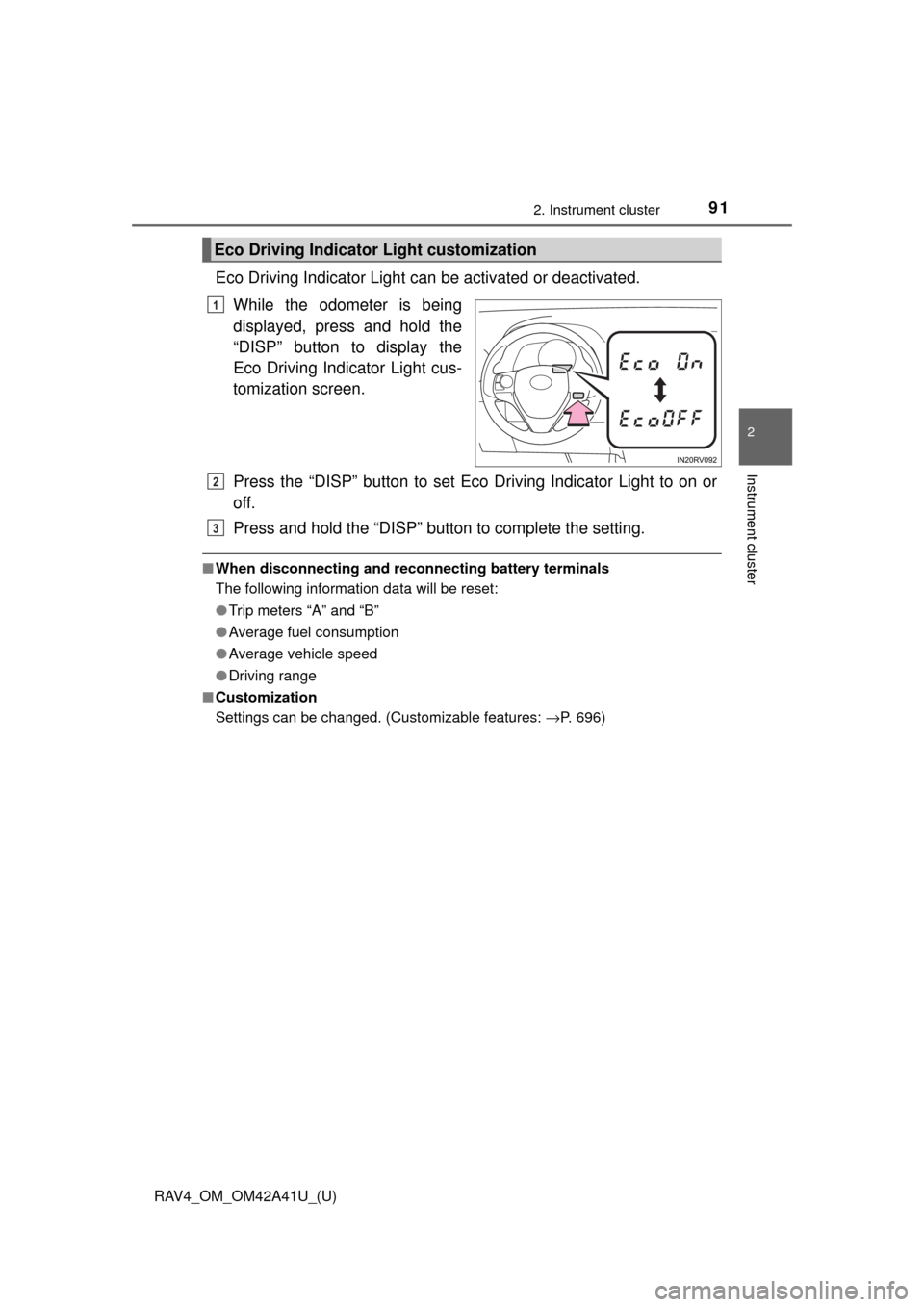
Eco Driving Indicator Light can be activated or deactivated.While the odometer is being
displayed, press and hold the
“DISP” button to display the
Eco Driving Indicator Light cus-
tomization screen.
Press the “DISP” button to set Eco Driving Indicator Light to on or
off.
Press and hold the “DISP” button to complete the setting.
■When disconnecting and reco nnecting battery terminals
The following information data will be reset:
● Trip meters “A” and “B”
● Average fuel consumption
● Average vehicle speed
● Driving range
■ Customization
Settings can be changed. (Customizable features: →P. 696)
Eco Driving Indicator Light customization
1
2
3
Page 93 of 741

RAV4_OM_OM42A41U_(U)
932. Instrument cluster
2
Instrument cluster
Warning message display
Select to display warning messages and measures to be taken if a
malfunction is detected. (→P. 626)
Settings display
Select to change the system settings and meter display settings.
(→P. 95)
*: If equipped
The multi-information display is
operated using the meter control
switches.
Enter/Set
Select an item/change pages
Return to the previous screen
Items displayed can be switched by pressing or of the meter
control switches to select and pressing or .
■Average fuel economy (after start/after reset*1/after refuel)
Displays the average fuel co nsumption since the engine was
started, the function was rese t and the vehicle was refueled,
respectively
Use the displayed average fuel consumption as a reference.
Operating the meter control switches
1
2
3
Drive information
Page 95 of 741
RAV4_OM_OM42A41U_(U)
952. Instrument cluster
2
Instrument cluster
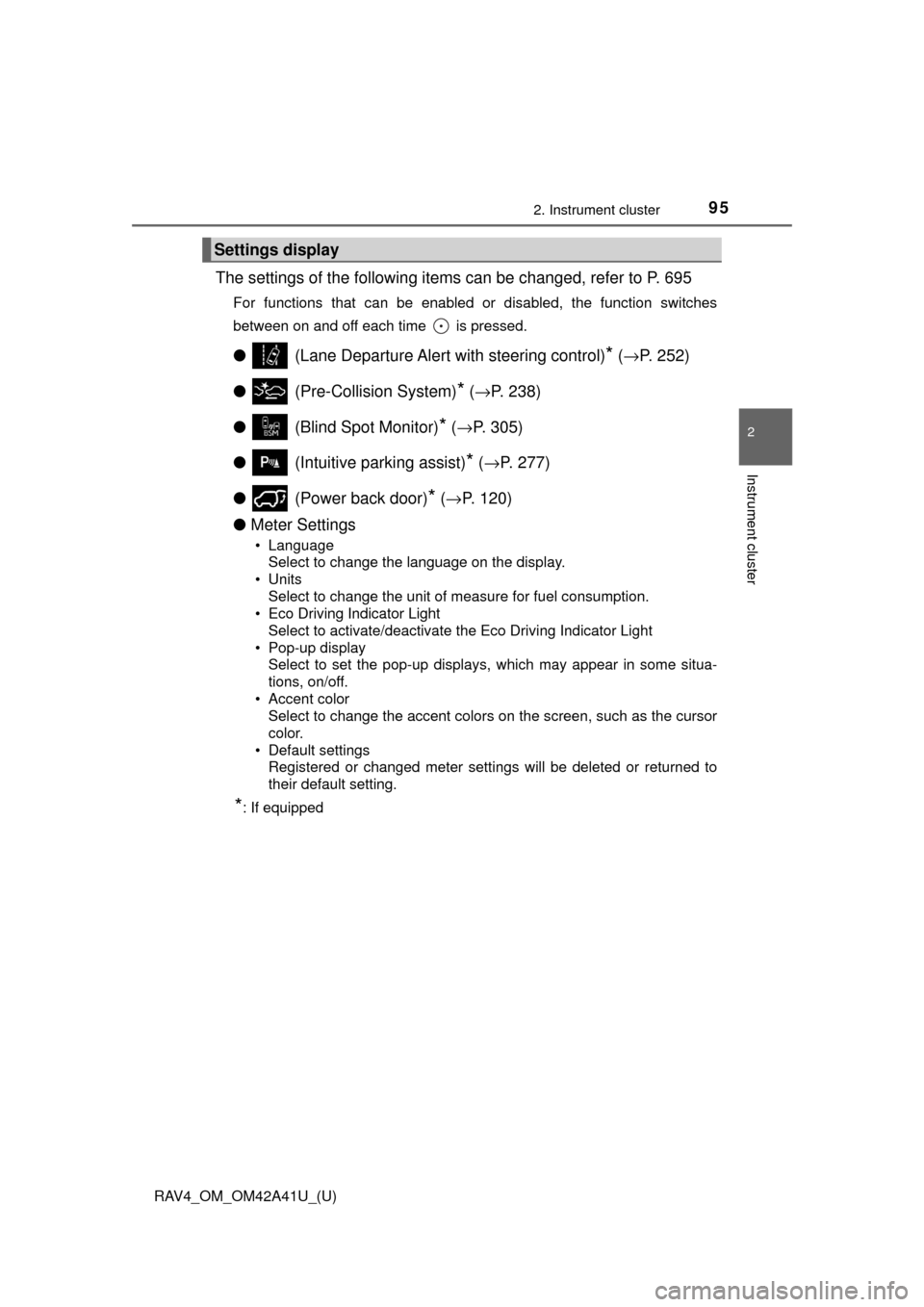
The settings of the following items can be changed, refer to P. 695
For functions that can be enabled or disabled, the function switches
between on and off each time is pressed.
●(Lane Departure Alert with steering control)* (→ P. 252)
● (Pre-Collision System)
* (→ P. 238)
● (Blind Spot Monitor)
* (→ P. 305)
● (Intuitive parking assist)
* (→ P. 277)
● (Power back door)
* (→ P. 120)
● Meter Settings
• Language
Select to change the language on the display.
•Units
Select to change the unit of measure for fuel consumption.
• Eco Driving Indicator Light Select to activate/deactivate the Eco Driving Indicator Light
• Pop-up display Select to set the pop-up displays, which may appear in some situa-
tions, on/off.
• Accent color Select to change the accent colors on the screen, such as the cursor
color.
• Default settings Registered or changed meter settings will be deleted or returned to
their default setting.
*: If equipped
Settings display
Page 98 of 741

98
RAV4_OM_OM42A41U_(U)
2. Instrument cluster
Fuel consumption information
Vehicles with Entune Audio
Press the “CAR” button.
Vehicles with Entune Premium Audio with Navigation and Entune
Audio Plus
Press the “APPS” button, and t hen select “Eco” on the screen.
If the “Trip Information” screen does not appear, select “Trip Informa-
tion”. Reset the trip information data
Previous fuel consumption per
minute
Current fuel consumption
“Past Record” screen appears
Cruising range
Elapsed time
Average vehicle speed
Average fuel consumption for the past 15 minutes is divided by color
into past averages and averages at tained since the engine switch was
last turned to the “ON” position (vehicles without smart key system) or
IGNITION ON mode (vehicles with smart key system). Use the dis-
played average fuel consumption as a reference.
These images are examples only, an d may vary slightly from actual
conditions.
The fuel consumption informat ion can be displayed on Entune
Premium Audio with Navigation and Entune Audio screen.
Display the trip information or past record screen
Trip information
1
2
3
4
5
6
7
Page 99 of 741
RAV4_OM_OM42A41U_(U)
992. Instrument cluster
2
Instrument cluster
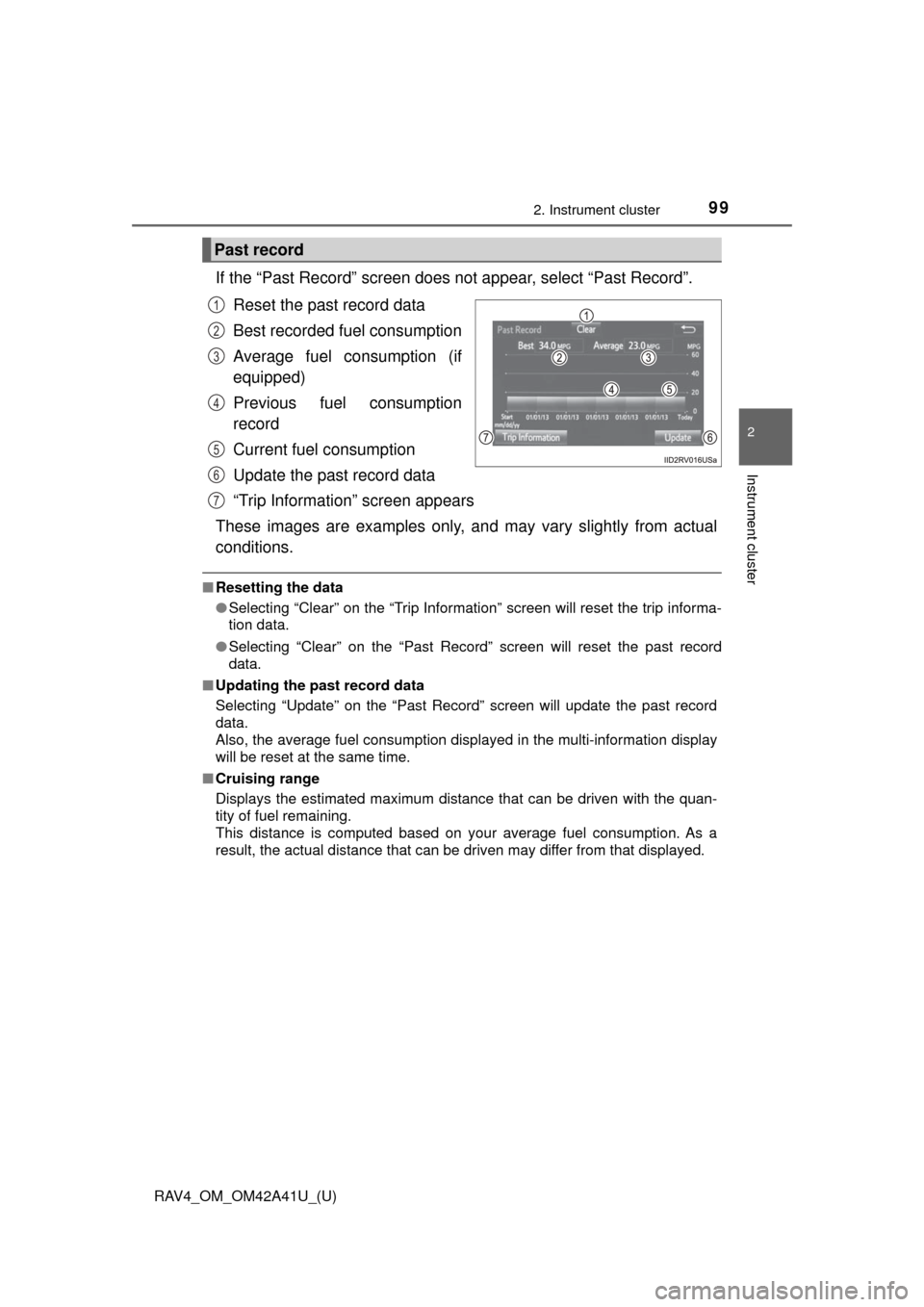
If the “Past Record” screen does not appear, select “Past Record”.
Reset the past record data
Best recorded fuel consumption
Average fuel consumption (if
equipped)
Previous fuel consumption
record
Current fuel consumption
Update the past record data
“Trip Information” screen appears
These images are examples only, an d may vary slightly from actual
conditions.
■ Resetting the data
●Selecting “Clear” on the “Trip Information” screen will reset the trip informa-
tion data.
● Selecting “Clear” on the “Past Record” screen will reset the past record
data.
■ Updating the past record data
Selecting “Update” on the “Past Record” screen will update the past record
data.
Also, the average fuel consumption displa yed in the multi-information display
will be reset at the same time.
■ Cruising range
Displays the estimated maximum distance that can be driven with the quan-
tity of fuel remaining.
This distance is computed based on your average fuel consumption. As a
result, the actual distance that can be driven may differ from that displayed.
Past record
1
2
3
4
5
6
7
Page 205 of 741
RAV4_OM_OM42A41U_(U)
2054-2. Driving procedures
4
Driving
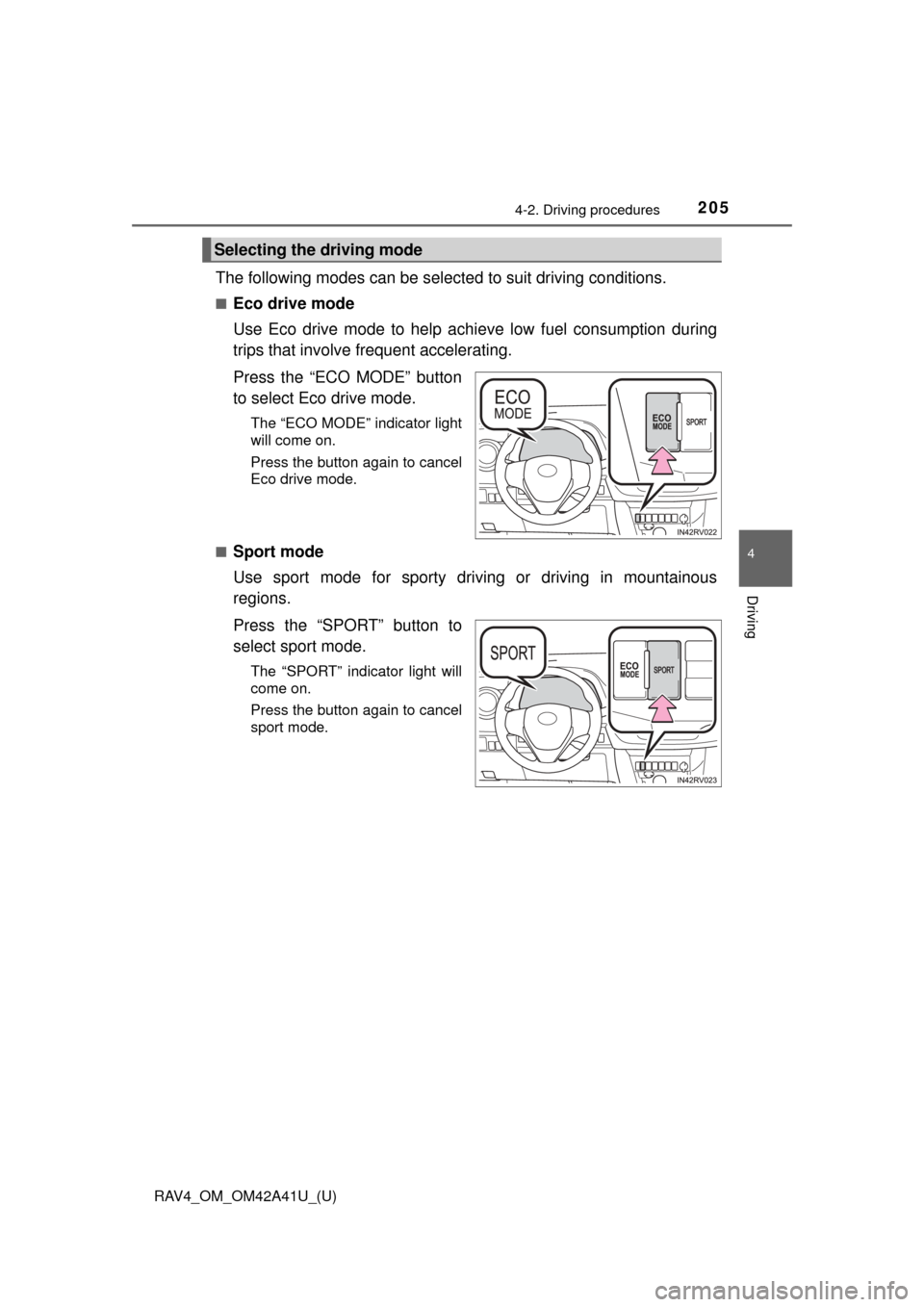
The following modes can be selected to suit driving conditions.
■Eco drive mode
Use Eco drive mode to help achieve low fuel consumption during
trips that involve frequent accelerating.
Press the “ECO MODE” button
to select Eco drive mode.
The “ECO MODE” indicator light
will come on.
Press the button again to cancel
Eco drive mode.
■
Sport mode
Use sport mode for sporty driving or driving in mountainous
regions.
Press the “SPORT” button to
select sport mode.
The “SPORT” indicator light will
come on.
Press the button again to cancel
sport mode.
Selecting the driving mode