navigation TOYOTA RAV4 2017 XA40 / 4.G User Guide
[x] Cancel search | Manufacturer: TOYOTA, Model Year: 2017, Model line: RAV4, Model: TOYOTA RAV4 2017 XA40 / 4.GPages: 741, PDF Size: 19.55 MB
Page 326 of 741
RAV4_OM_OM0R005U_(U)
3255-1. Basic Operations
5
Audio system
Vehicles without Entune Premium Audio with Navigation or Entune
Audio Plus or Entune Audio
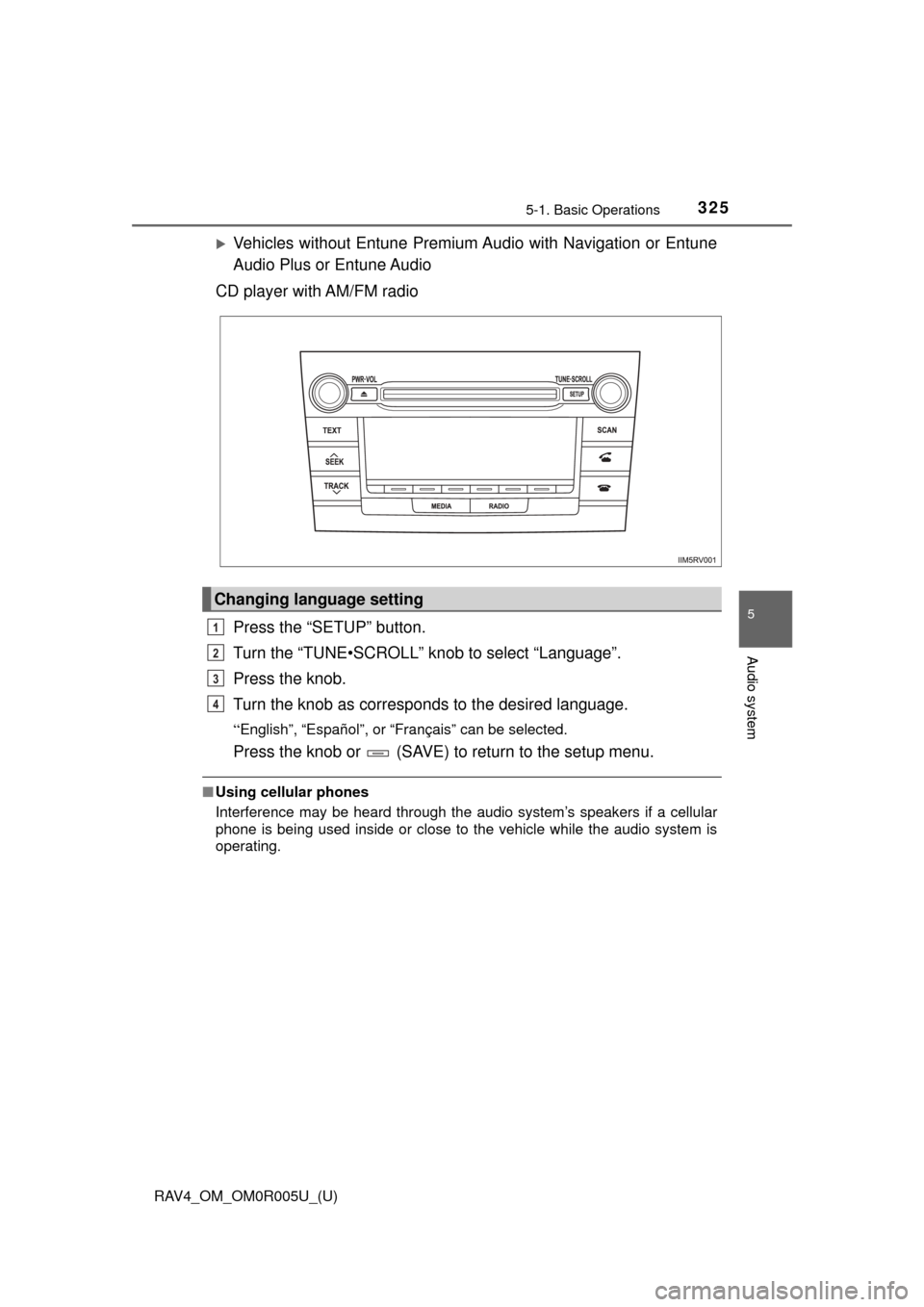
CD player with AM/FM radio
Press the “SETUP” button.
Turn the “TUNE•SCROLL” knob to select “Language”.
Press the knob.
Turn the knob as corresponds to the desired language.
“English”, “Español”, or “Français” can be selected.
Press the knob or (SAVE) to return to the setup menu.
■Using cellular phones
Interference may be heard through the audio system’s speakers if a cellular
phone is being used inside or close to the vehicle while the audio system is
operating.
Changing language setting
1
2
3
4
Page 328 of 741
327
RAV4_OM_OM0R005U_(U)
5-1. Basic Operations
5
Audio system
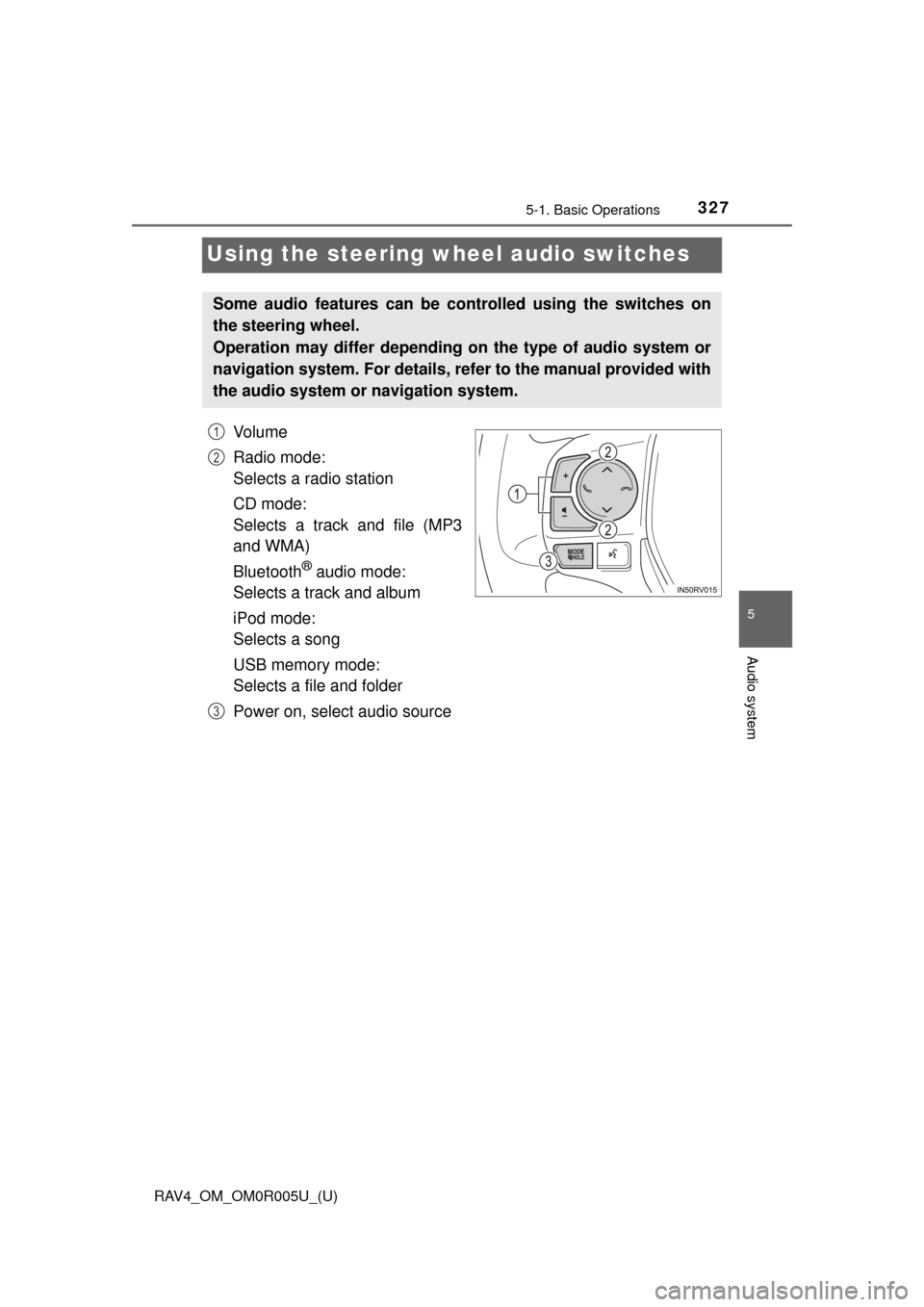
Using the steering wheel audio switches
Vo l u m e
Radio mode:
Selects a radio station
CD mode:
Selects a track and file (MP3
and WMA)
Bluetooth
® audio mode:
Selects a track and album
iPod mode:
Selects a song
USB memory mode:
Selects a file and folder
Power on, select audio source
Some audio features can be c ontrolled using the switches on
the steering wheel.
Operation may differ depending on the type of audio system or
navigation system. For details, refer to the manual provided with
the audio system or navigation system.
1
2
3
Page 393 of 741
392
RAV4_OM_OM0R005U_(U)
5-12. Basic Operations
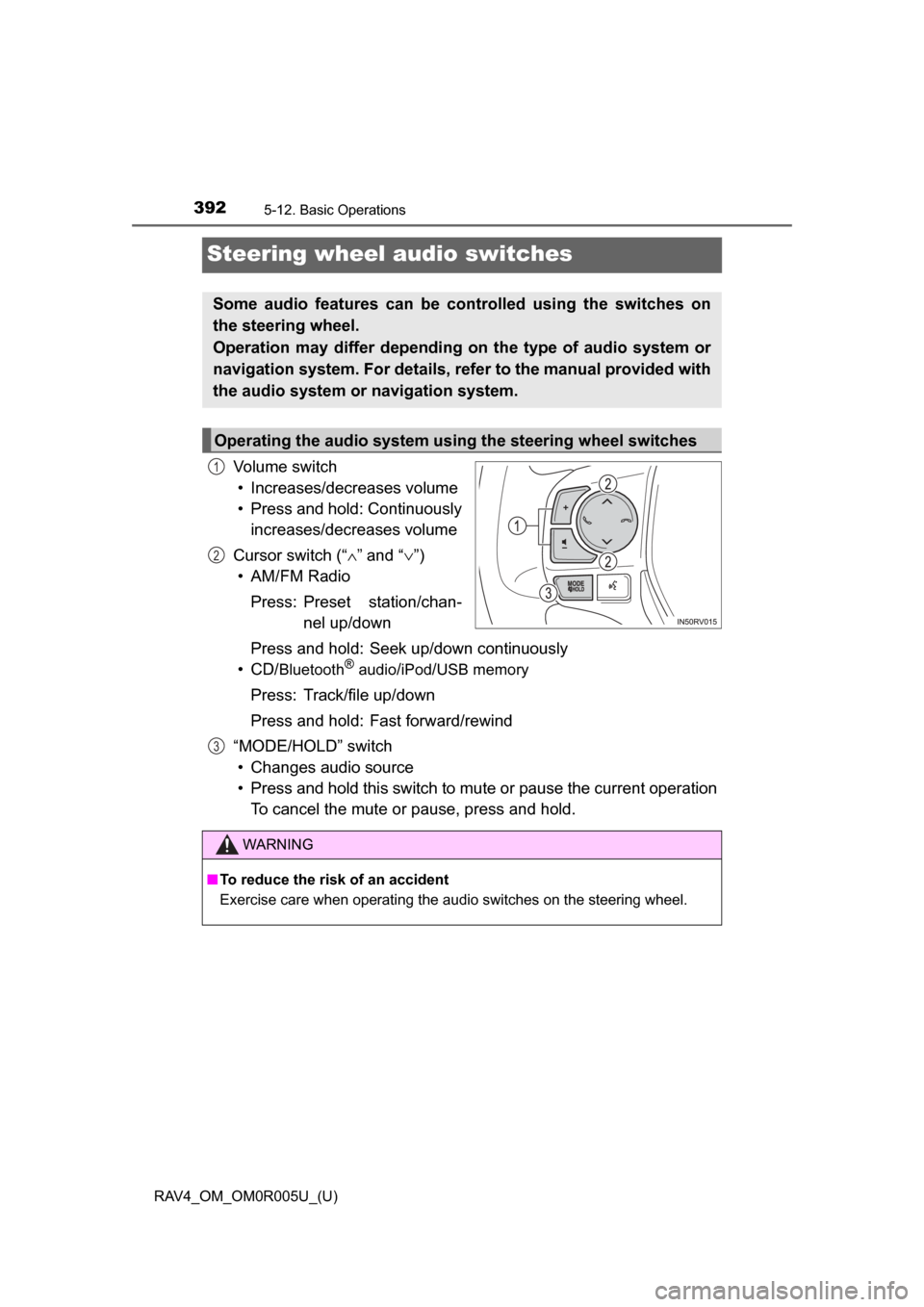
Steering wheel audio switches
Volume switch• Increases/decreases volume
• Press and hold: Continuously increases/decreases volume
Cursor switch (“ ∧” and “ ∨”)
• AM/FM Radio
Press: Preset station/chan- nel up/down
Press and hold: Seek up/down continuously
• CD/
Bluetooth®audio/iPod/USB memory
Press: Track/file up/down
Press and hold: Fast forward/rewind
“MODE/HOLD” switch • Changes audio source
• Press and hold this switch to mute or pause the current operation To cancel the mute or pause, press and hold.
Some audio features can be controlled using the switches on
the steering wheel.
Operation may differ depending on the type of audio system or
navigation system. For details, refer to the manual provided with
the audio system or navigation system.
Operating the audio system using the steering wheel switches
1
2
3
WARNING
■ To reduce the risk of an accident
Exercise care when operating the audio switches on the steering wheel.
Page 399 of 741
398
RAV4_OM_OM0R005U_(U)
5-13. Setup
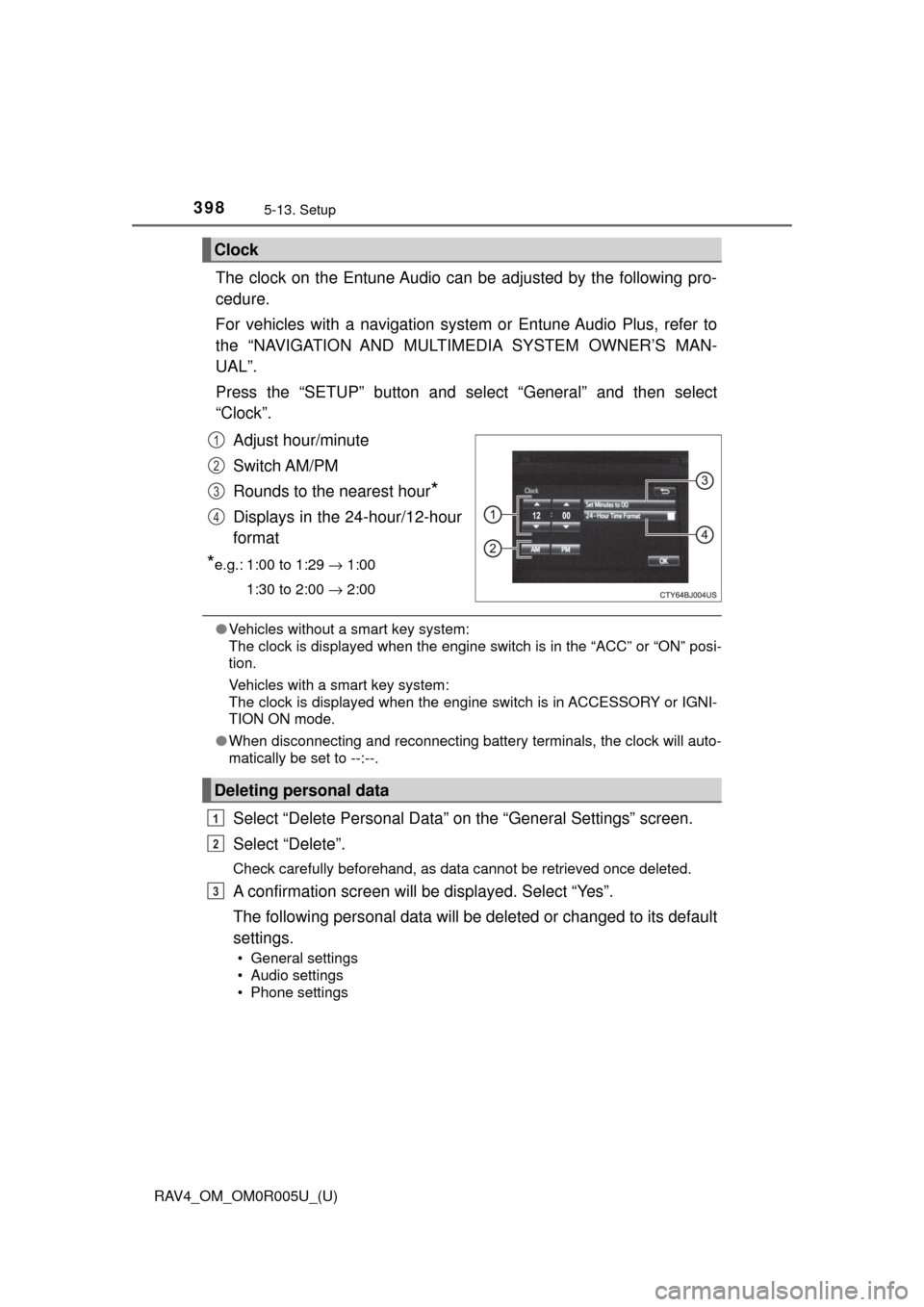
The clock on the Entune Audio can be adjusted by the following pro-
cedure.
For vehicles with a navigation system or Entune Audio Plus, refer to
the “NAVIGATION AND MULTIMEDIA SYSTEM OWNER’S MAN-
UAL”.
Press the “SETUP” button and select “General” and then select
“Clock”.
Adjust hour/minute
Switch AM/PM
Rounds to the nearest hour
*
Displays in the 24-hour/12-hour
format
*e.g.: 1:00 to 1:29 → 1:00
1:30 to 2:00 → 2:00
●Vehicles without a smart key system:
The clock is displayed when the engine switch is in the “ACC” or “ON” posi-
tion.
Vehicles with a smart key system:
The clock is displayed when the engine switch is in ACCESSORY or IGNI-
TION ON mode.
● When disconnecting and reconnecting battery terminals, the clock will auto-
matically be set to --:--.
Select “Delete Personal Data” on the “General Settings” screen.
Select “Delete”.
Check carefully beforehand, as data cannot be retrieved once deleted.
A confirmation screen will be displayed. Select “Yes”.
The following personal data will be deleted or changed to its default
settings.
• General settings
• Audio settings
• Phone settings
Clock
1
2
3
4
Deleting personal data
1
2
3
Page 452 of 741

RAV4_OM_OM0R005U_(U)
4515-20. Bluetooth® Phone
5
Audio system
■Receiving a message
●Depending on the cellular phone used for receiving messages, or its regis-
tration status with the navigation system, some information may not be dis-
played.
● The pop up screen is separately available for incoming e-mail and SMS/
MMS messages under the following conditions:
E-mail:
• “Incoming E-mail Display” is set to “Full Screen”. ( →P. 466)
• “E-mail Notification Popup” is set to on. ( →P. 466)
SMS/MMS:
• “Incoming SMS/MMS Display” is set to “Full screen”. (→P. 466)
• “SMS/MMS Notification Popup” is set to on. ( →P. 466)
Page 483 of 741

482
RAV4_OM_OM0R005U_(U)
5-23. Other function
■Notes about Mobile Assistant
●The available features and functions may vary based on the iOS version
installed on the connected device.
● Some Siri
® features are limited in Eyes Free mode. If you attempt to use an
unavailable function, Siri® will inform you that the function is not available.
● If Siri
® is not enabled on the cellular phone connected via Bluetooth®, an
error message will be displayed on the screen.
● While a phone call is active, the Mobile Assistant cannot be used.
● If using the navigation feature of the cellular phone, ensure the active audio
source is Bluetooth
® audio or iPod in order to hear turn by turn direction
prompts.
Page 653 of 741
6528-2. Steps to take in an emergency
RAV4_OM_OM0R005U_(U)
WARNING
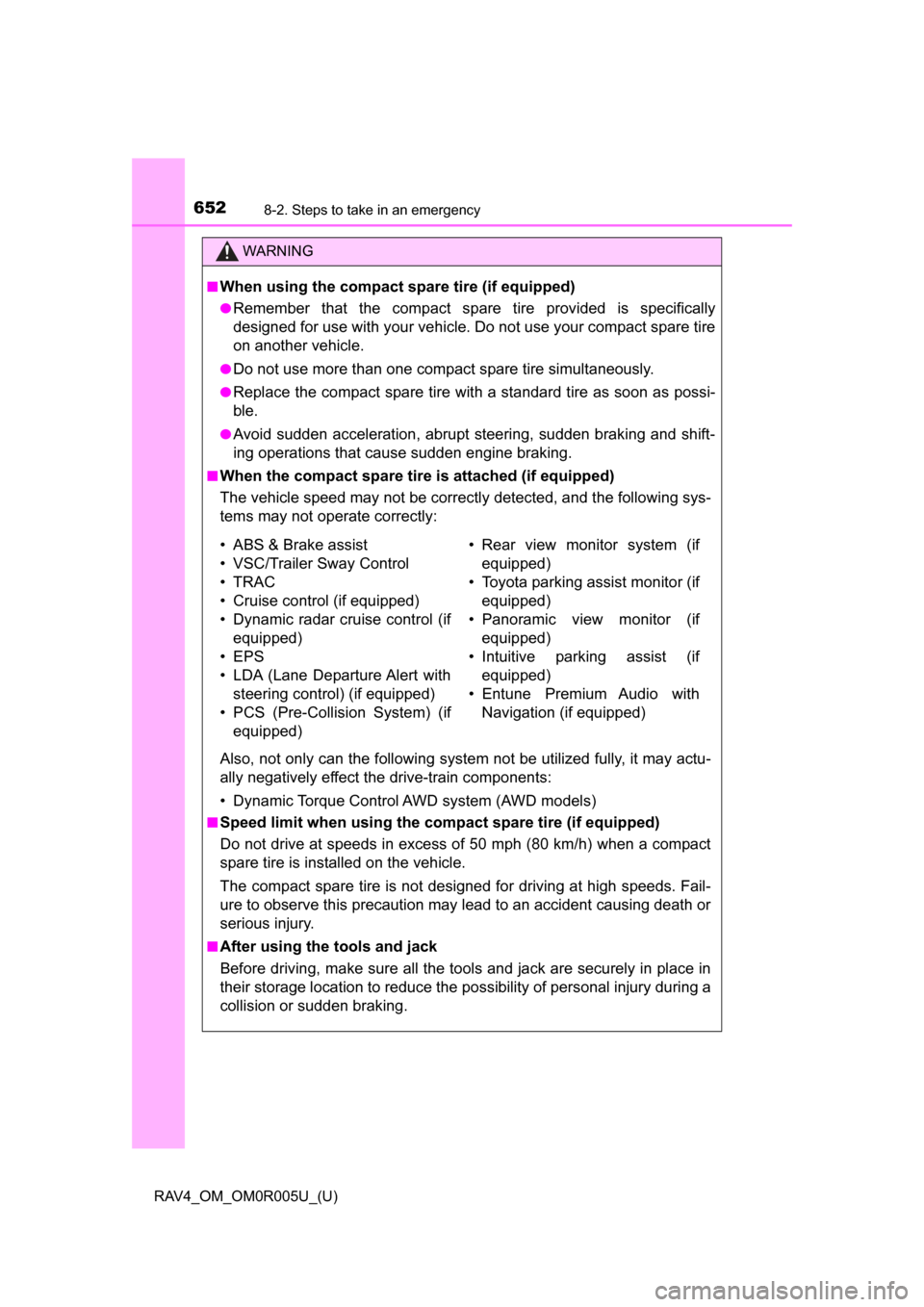
■When using the compact spare tire (if equipped)
●Remember that the compact spare tire provided is specifically
designed for use with your vehicle. Do not use your compact spare tire
on another vehicle.
●Do not use more than one compact spare tire simultaneously.
●Replace the compact spare tire with a standard tire as soon as possi-
ble.
●Avoid sudden acceleration, abrupt steering, sudden braking and shift-
ing operations that cause sudden engine braking.
■When the compact spare tire is attached (if equipped)
The vehicle speed may not be correctly detected, and the following sys-
tems may not operate correctly:
Also, not only can the following system not be utilized fully, it may actu-
ally negatively effect the drive-train components:
• Dynamic Torque Control AWD system (AWD models)
■Speed limit when using the compact spare tire (if equipped)
Do not drive at speeds in excess of 50 mph (80 km/h) when a compact
spare tire is installed on the vehicle.
The compact spare tire is not designed for driving at high speeds. Fail-
ure to observe this precaution may lead to an accident causing death or
serious injury.
■After using the tools and jack
Before driving, make sure all the tools and jack are securely in place in
their storage location to reduce the po ssibility of personal injury during a
collision or sudden braking.
• ABS & Brake assist
• VSC/Trailer Sway Control
• TRAC
• Cruise control (if equipped)
• Dynamic radar cruise control (if equipped)
• EPS
• LDA (Lane Departure Alert with steering control) (if equipped)
• PCS (Pre-Collision System) (if equipped)
• Rear view monitor system (if
equippedF
• Toyota parking assist monitor (if equipped)
• Panoramic view monitor (if equipped)
• Intuitive parking assist (if equipped)
• Entune Premium Audio with Navigation (if equipped)
Page 661 of 741
6608-2. Steps to take in an emergency
RAV4_OM_OM0R005U_(U)■
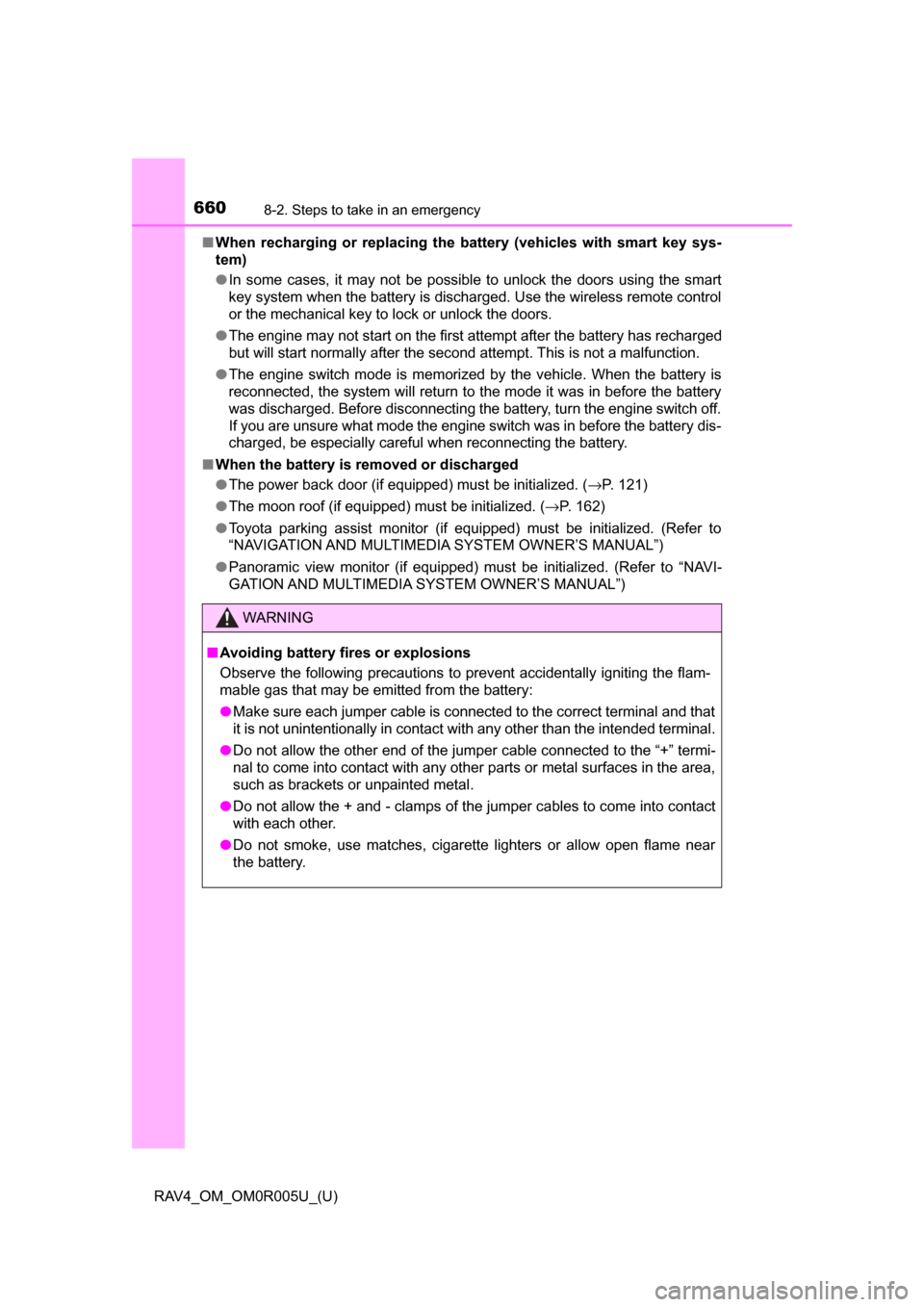
When recharging or replacing the ba ttery (vehicles with smart key sys-
tem)
● In some cases, it may not be possible to unlock the doors using the smart
key system when the battery is discharged. Use the wireless remote control
or the mechanical key to lock or unlock the doors.
● The engine may not start on the first attempt after the battery has recharged
but will start normally after the second attempt. This is not a malfunction.
● The engine switch mode is memorized by the vehicle. When the battery is
reconnected, the system will return to the mode it was in before the battery
was discharged. Before disconnecting the battery, turn the engine switch off.
If you are unsure what mode the engine switch was in before the battery dis-
charged, be especially careful when reconnecting the battery.
■ When the battery is removed or discharged
●The power back door (if equipped) must be initialized. ( →P. 121)
● The moon roof (if equipped) must be initialized. ( →P. 162)
● Toyota parking assist monitor (if equipped) must be initialized. (Refer to
“NAVIGATION AND MULTIMEDIA SYSTEM OWNER’S MANUAL”)
● Panoramic view monitor (if equipped) must be initialized. (Refer to “NAVI-
GATION AND MULTIMEDIA SYSTEM OWNER’S MANUAL”)
WARNING
■Avoiding battery fires or explosions
Observe the following precautions to prevent accidentally igniting the flam-
mable gas that may be emitted from the battery:
● Make sure each jumper cable is connected to the correct terminal and that
it is not unintentionally in contact with any other than the intended terminal.
● Do not allow the other end of the jumper cable connected to the “+” termi-
nal to come into contact with any other parts or metal surfaces in the area,
such as brackets or unpainted metal.
● Do not allow the + and - clamps of the jumper cables to come into contact
with each other.
● Do not smoke, use matches, cigarette lighters or allow open flame near
the battery.
Page 694 of 741
693
RAV4_OM_OM0R005U_(U)
9-2. Customization
9
Vehicle specifications
Customizable features
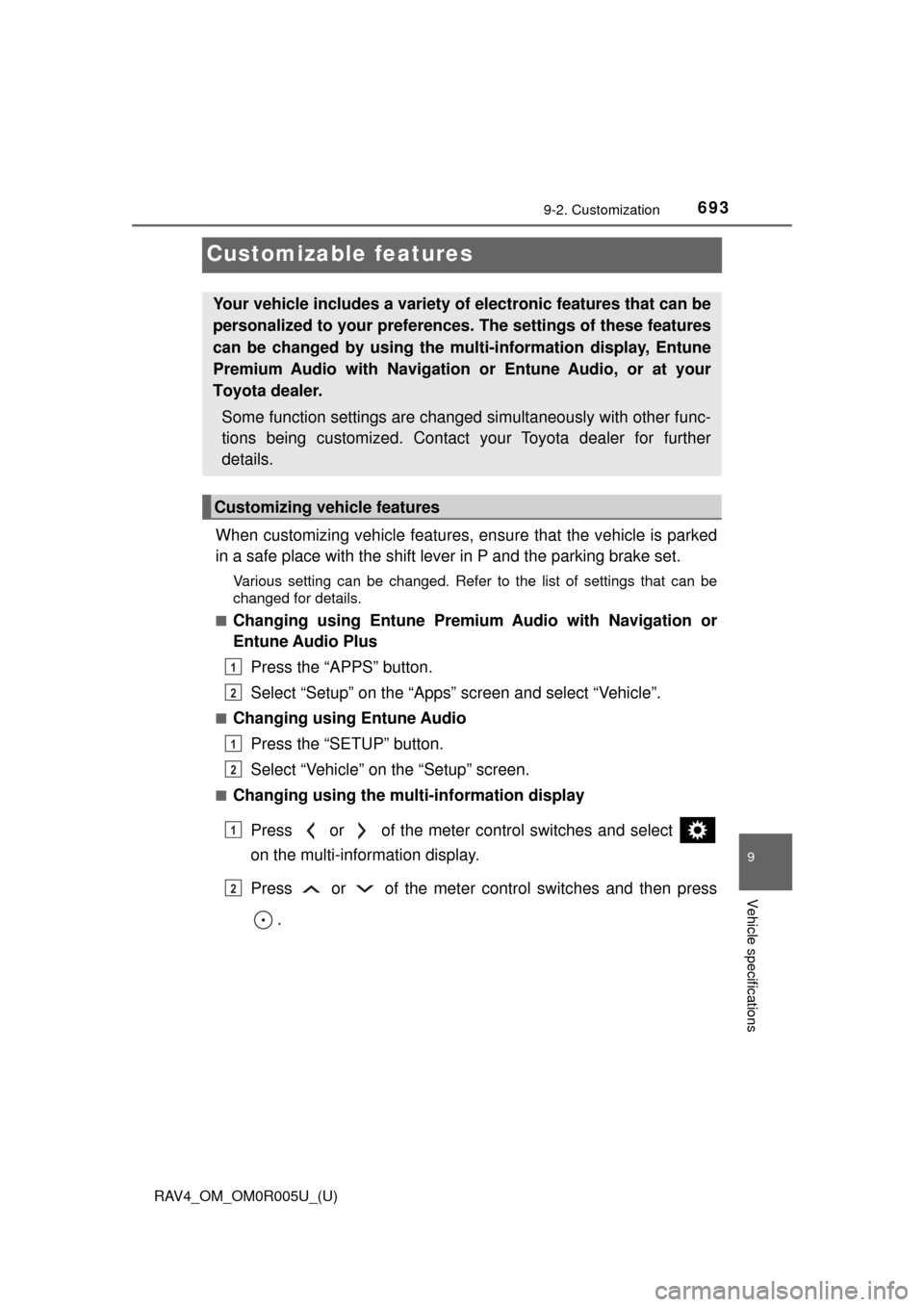
When customizing vehicle features, ensure that the vehicle is parked
in a safe place with the shift lever in P and the parking brake set.
Various setting can be changed. Refer to the list of settings that can be\
changed for details.
■
Changing using Entune Premiu m Audio with Navigation or
Entune Audio Plus
Press the “APPS” button.
Select “Setup” on the “Apps” screen and select “Vehicle”.
■Changing using Entune AudioPress the “SETUP” button.
Select “Vehicle” on the “Setup” screen.
■Changing using the multi-information display
Press or of the meter control switches and select
on the multi-information display.
Press or of the meter cont rol switches and then press
.
Your vehicle includes a variety of electronic features that can be
personalized to your preferences. The settings of these features
can be changed by using the mu lti-information display, Entune
Premium Audio with Navigation or Entune Audio, or at your
Toyota dealer.
Some function settings are changed simultaneously with other func-
tions being customized. Contact your Toyota dealer for further
details.
Customizing vehicle features
1
2
1
2
1
2
Page 695 of 741
694
RAV4_OM_OM0R005U_(U)
9-2. Customization
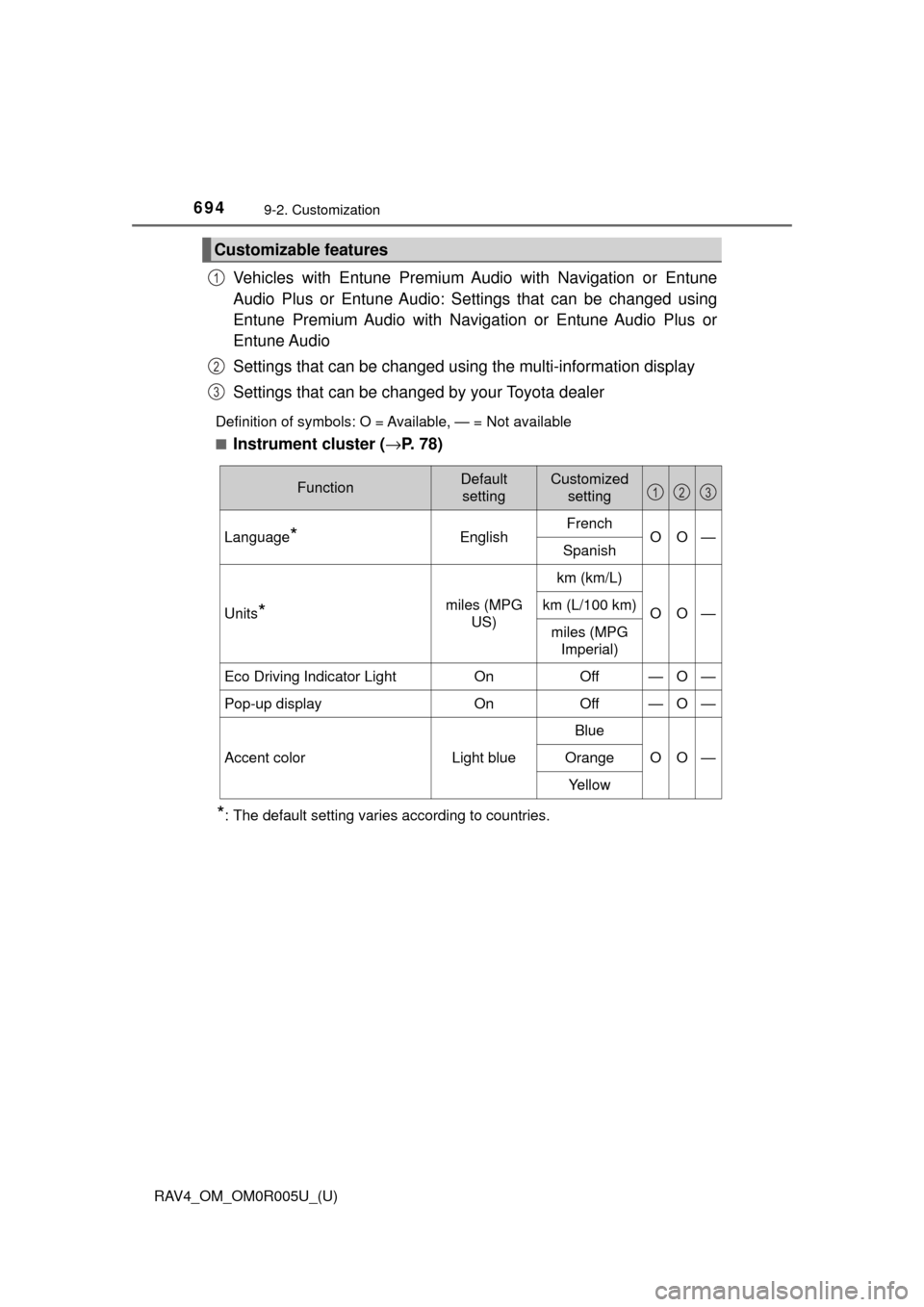
Vehicles with Entune Premium Audio with Navigation or Entune
Audio Plus or Entune Audio: Se ttings that can be changed using
Entune Premium Audio with Naviga tion or Entune Audio Plus or
Entune Audio
Settings that can be changed using the multi-information display
Settings that can be changed by your Toyota dealer
Definition of symbols: O = Available, — = Not available
■
Instrument cluster ( →P. 78)
*: The default setting varies according to countries.
Customizable features
1
2
3
FunctionDefault
settingCustomized setting
Language*EnglishFrenchOO—Spanish
Units*miles (MPG US)
km (km/L)
OO—km (L/100 km)
miles (MPG Imperial)
Eco Driving Indicator LightOnOff—O—
Pop-up displayOnOff—O—
Accent colorLight blue
Blue
OO—Orange
Ye l l o w
123