automatic transmission TOYOTA RAV4 2018 Owners Manual (in English)
[x] Cancel search | Manufacturer: TOYOTA, Model Year: 2018, Model line: RAV4, Model: TOYOTA RAV4 2018Pages: 744, PDF Size: 13.78 MB
Page 3 of 744
3
RAV4_OM_OM0R012U_(U)
1
9 8
7
6 4 3
2
10
5
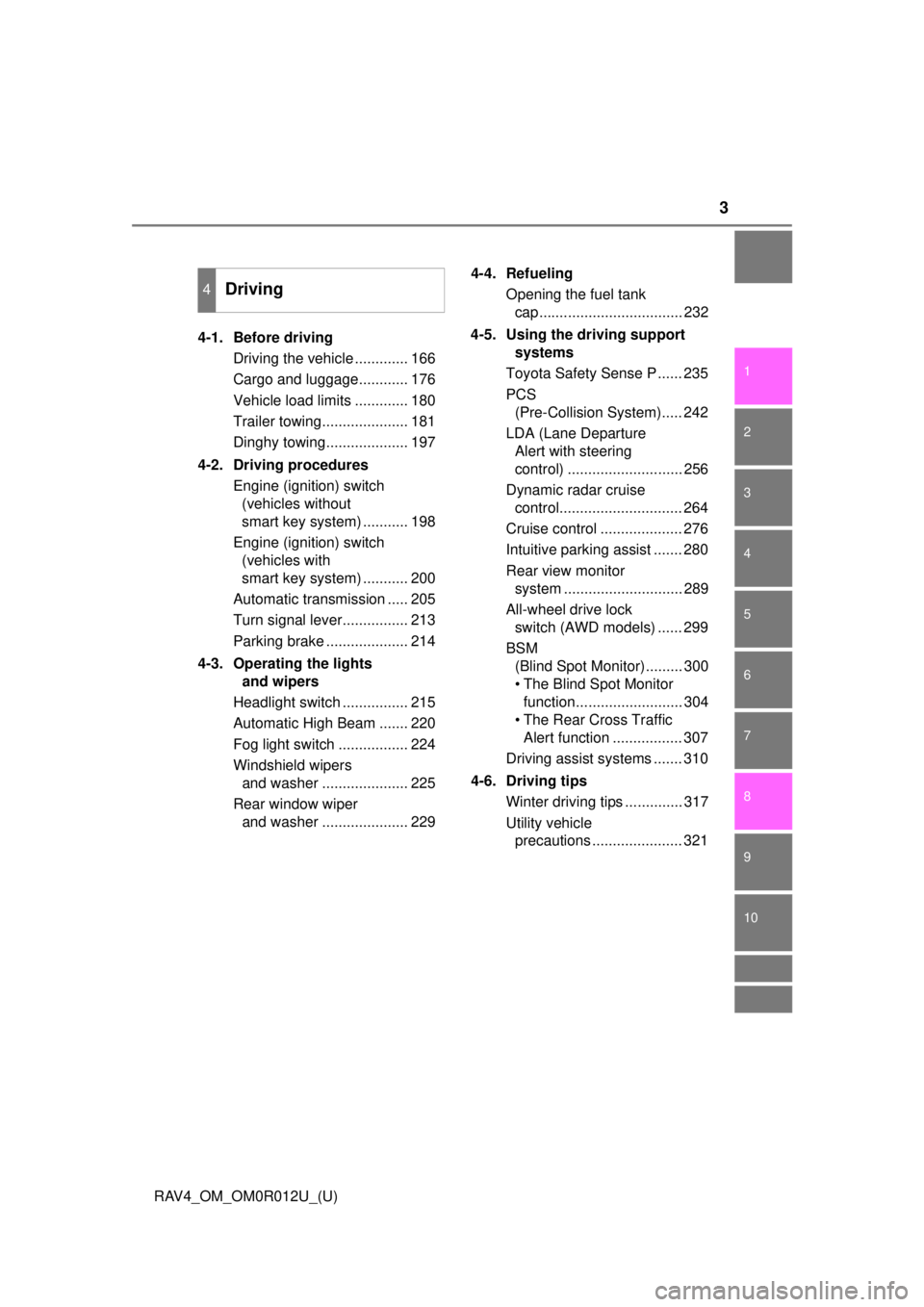
4-1. Before drivingDriving the vehicle ............. 166
Cargo and luggage............ 176
Vehicle load limits ............. 180
Trailer towing..................... 181
Dinghy towing.................... 197
4-2. Driving procedures Engine (ignition) switch (vehicles without
smart key system) ........... 198
Engine (ignition) switch (vehicles with
smart key system) ........... 200
Automatic transmission ..... 205
Turn signal lever................ 213
Parking brake .................... 214
4-3. Operating the lights and wipers
Headlight switch ................ 215
Automatic High Beam ....... 220
Fog light switch ................. 224
Windshield wipers and washer ..................... 225
Rear window wiper and washer ..................... 229 4-4. Refueling
Opening the fuel tank cap................................... 232
4-5. Using the driving support systems
Toyota Safety Sense P ...... 235
PCS (Pre-Collision System)..... 242
LDA (Lane Departure Alert with steering
control) ............................ 256
Dynamic radar cruise control.............................. 264
Cruise control .................... 276
Intuitive parking assist ....... 280
Rear view monitor system ............................. 289
All-wheel drive lock switch (AWD models) ...... 299
BSM (Blind Spot Monitor)......... 300
• The Blind Spot Monitor function.......................... 304
• The Rear Cross Traffic Alert function ................. 307
Driving assist systems ....... 310
4-6. Driving tips Winter driving tips .............. 317
Utility vehicle precautions ...................... 321
4Driving
Page 165 of 744

165
RAV4_OM_OM0R012U_(U)
4Driving
4-1. Before drivingDriving the vehicle ............. 166
Cargo and luggage ........... 176
Vehicle load limits ............. 180
Trailer towing..................... 181
Dinghy towing ................... 197
4-2. Driving procedures Engine (ignition) switch (vehicles without
smart key system) ........... 198
Engine (ignition) switch (vehicles with
smart key system) ........... 200
Automatic transmission ..... 205
Turn signal lever................ 213
Parking brake .................... 214
4-3. Operating the lights and wipers
Headlight switch ................ 215
Automatic High Beam ....... 220
Fog light switch ................. 224
Windshield wipers and washer ..................... 225
Rear window wiper and washer ..................... 229 4-4. Refueling
Opening the fuel tank cap .................................. 232
4-5. Using the driving support systems
Toyota Safety Sense P ..... 235
PCS (Pre-Collision System) .... 242
LDA (Lane Departure Alert with steering
control) ............................ 256
Dynamic radar cruise control ............................. 264
Cruise control .................... 276
Intuitive parking assist....... 280
Rear view monitor system ............................ 289
All-wheel drive lock switch (AWD models) ..... 299
BSM (Blind Spot Monitor) ........ 300
• T he Blind Spot Monitor
function ......................... 304
• T he Rear Cross Traffic
Alert function ................. 307
Driving assist systems ...... 310
4-6. Driving tips Winter driving tips ............. 317
Utility vehicle precautions ..................... 321
Page 205 of 744
205
RAV4_OM_OM0R012U_(U)
4-2. Driving procedures
4
Driving
Automatic transmission
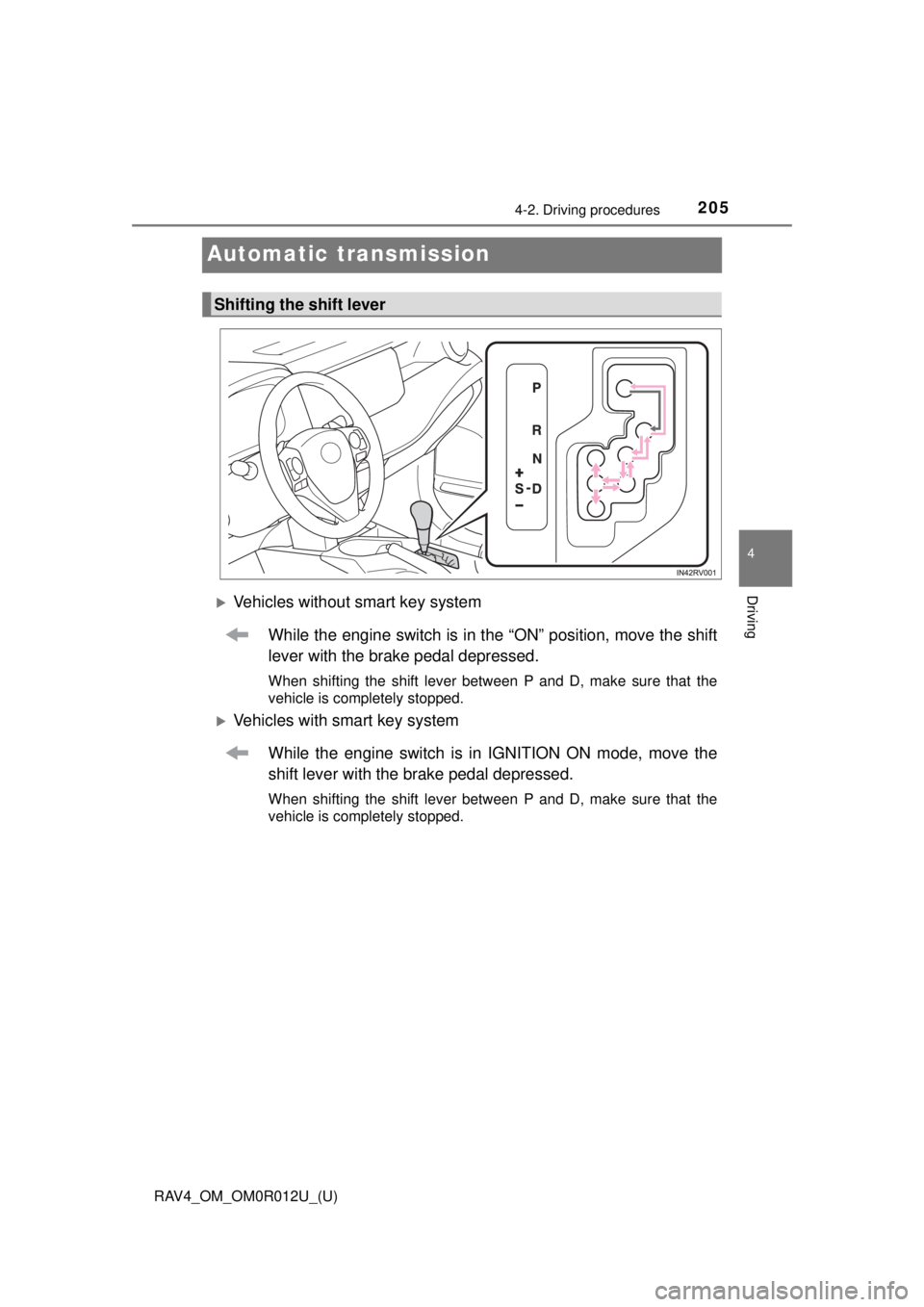
Vehicles without smart key systemWhile the engine switch is in t he “ON” position, move the shift
lever with the brake pedal depressed.
When shifting the shift lever between P and D, make sure that the
vehicle is completely stopped.
Vehicles with smart key system
While the engine switch is in IGNITION ON mode, move the
shift lever with the brake pedal depressed.
When shifting the shift lever between P and D, make sure that the
vehicle is completely stopped.
Shifting the shift lever
Page 210 of 744

210
RAV4_OM_OM0R012U_(U)
4-2. Driving procedures
■S mode
●When the shift range is 4 or lower, holding the shift lever toward “+” sets the
shift range to 6.
● To prevent the engine from over-revving, upshifting may automatically
occur.
● To protect the automatic transmission, a higher shift range may automati-
cally selected when the fluid temperature is high.
■ Downshifting restrictions warning buzzer
To help ensure safety and driving performance, downshifting operation may
sometimes be restricted. In some circumstances, downshifting may not be
possible even when the shift lever or paddle shift switch (if equipped) is oper-
ated. (A buzzer will sound twice.)
■ Operation of the air conditio ning system in Eco drive mode
Eco drive mode controls the heating/cooling operations and fan speed
* of the
air conditioning system to enhance fuel efficiency ( →P. 492, 499). To improve
air conditioning performance, adjust the fan speed
* or turn off Eco drive
mode.
*: Vehicles with automatic air conditioning system only
■ Deactivation of the driving mode
●Eco drive mode will not be canceled until the “ECO MODE” button is
pressed, even if the engine is turned off after driving in Eco drive mode.
● Sport mode will be canceled if the engine is turned off after driving in sport
mode.
■ When driving with cruise control or dynamic radar cruise control acti-
vated (if equipped)
Even when performing the following actions with the intent of enabling engine
braking, engine braking will not activate because cruise control or dynamic
radar cruise control will not be canceled.
● While driving in S mode, downshifting to 5 or 4. ( →P. 209)
● While driving in the D position, downshifting to 5 or 4.
(Vehicles with paddle shift switches only: → P. 208)
● When switching the driving mode to sport mode while driving in D.
(→P. 207)
■ Shift lock system
The shift lock system is a system to prevent accidental operation of the shift
lever in starting.
The shift lever can be shifted from P only when the engine switch is in the
“ON” position (vehicles without smar t key system) or IGNITION ON mode
(vehicles with smart key system) and the brake pedal is being depressed.
Page 211 of 744
RAV4_OM_OM0R012U_(U)
2114-2. Driving procedures
4
Driving
■If the shift lever canno t be shifted from P
First, check whether the brake pedal is being depressed.
If the shift lever cannot be shifted with your foot on the brake pedal, there may
be a problem with the shift lock system. Have the vehicle inspected by y\
our
Toyota dealer immediately.
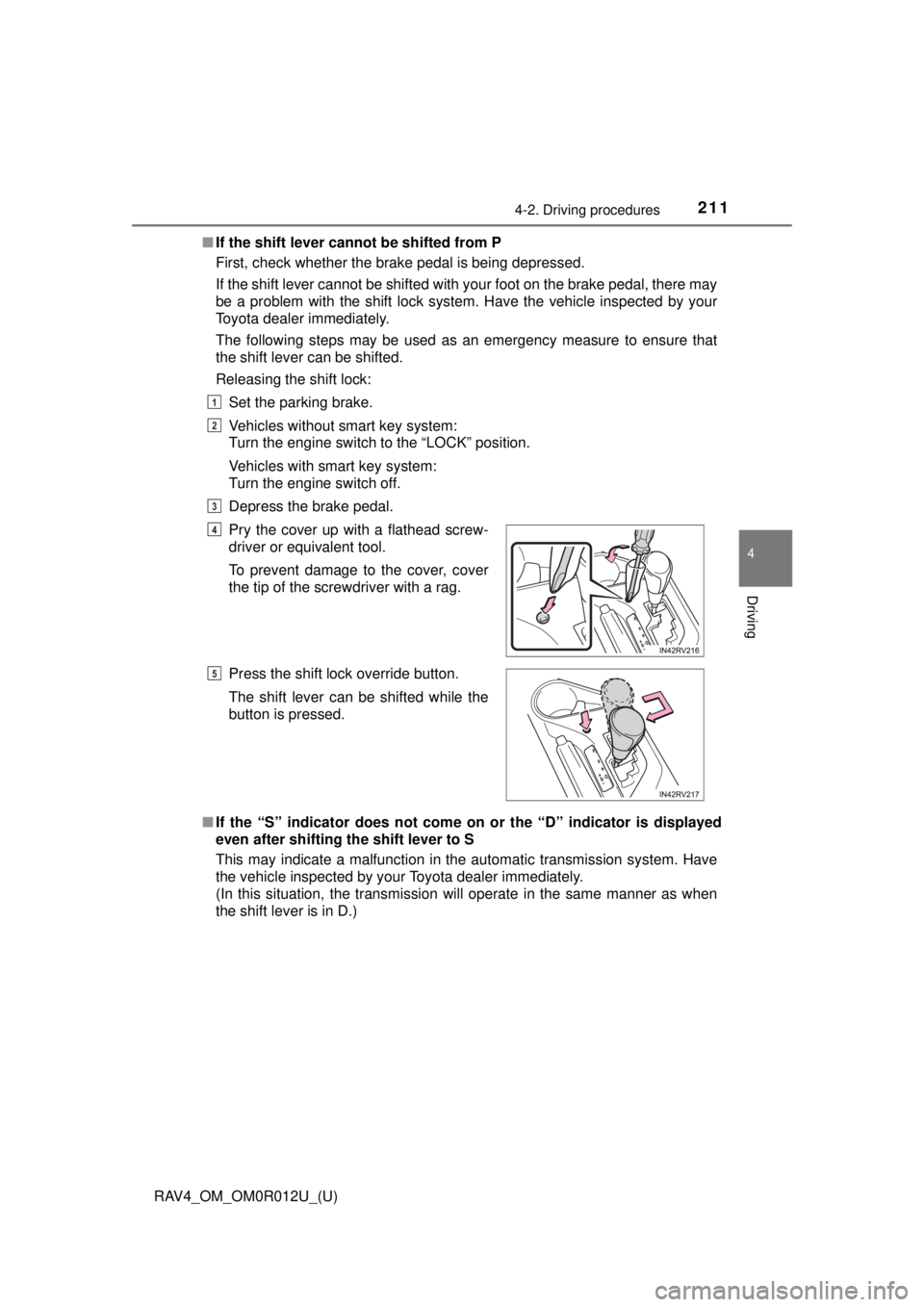
The following steps may be used as an emergency measure to ensure that
the shift lever can be shifted.
Releasing the shift lock:
Set the parking brake.
Vehicles without smart key system:
Turn the engine switch to the “LOCK” position.
Vehicles with smart key system:
Turn the engine switch off.
Depress the brake pedal.
■ If the “S” indicator does not come on or the “D” indicator is displayed
even after shifting the shift lever to S
This may indicate a malfunction in the automatic transmission system. Have
the vehicle inspected by your Toyota dealer immediately.
(In this situation, the transmission will operate in the same manner as when
the shift lever is in D.) Pry the cover up with a flathead screw-
driver or equivalent tool.
To prevent damage to the cover, cover
the tip of the screwdriver with a rag.
Press the shift lock override button.
The shift lever can be shifted while the
button is pressed.
1
2
3
4
5
Page 212 of 744
212
RAV4_OM_OM0R012U_(U)
4-2. Driving procedures
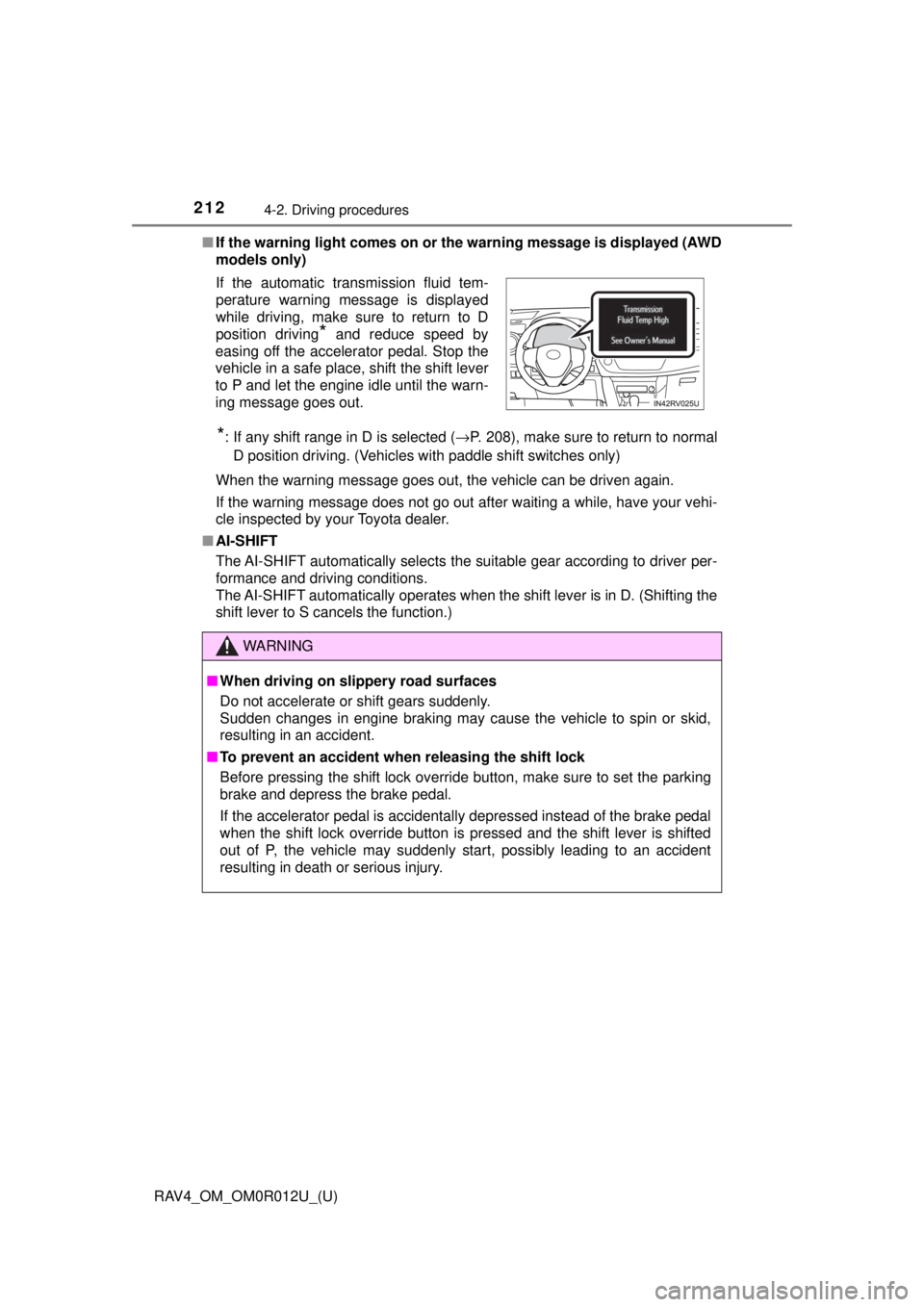
■If the warning light comes on or the warning message is displayed (AWD
models only)
*: If any shift range in D is selected ( →P. 208), make sure to return to normal
D position driving. (Vehicles with paddle shift switches only)
When the warning message goes out, the vehicle can be driven again.
If the warning message does not go out after waiting a while, have your vehi-
cle inspected by your Toyota dealer.
■ AI-SHIFT
The AI-SHIFT automatically selects the suitable gear according to driver per-
formance and driving conditions.
The AI-SHIFT automatically operates when the shift lever is in D. (Shifting the
shift lever to S cancels the function.) If the automatic transmission fluid tem-
perature warning message is displayed
while driving, make sure to return to D
position driving
* and reduce speed by
easing off the accelerator pedal. Stop the
vehicle in a safe place, shift the shift lever
to P and let the engine idle until the warn-
ing message goes out.
WARNING
■ When driving on slippery road surfaces
Do not accelerate or shift gears suddenly.
Sudden changes in engine braking may cause the vehicle to spin or skid,
resulting in an accident.
■ To prevent an accident when releasing the shift lock
Before pressing the shift lock override button, make sure to set the parking
brake and depress the brake pedal.
If the accelerator pedal is accidentally depressed instead of the brake pedal
when the shift lock override button is pressed and the shift lever is shifted
out of P, the vehicle may suddenly start, possibly leading to an accident
resulting in death or serious injury.
Page 324 of 744
324
RAV4_OM_OM0R012U_(U)
4-6. Driving tips
NOTICE
■To prevent the water damage
Take all necessary safety measures to ensure that water damage to the
engine or other components does not occur.
● Water entering the engine air intake will cause severe engine damage.
● Water entering the automatic transmission will cause deterioration in shift
quality, locking up of your transmission accompanied by vibration, and ulti-
mately damage.
● Water can wash the grease from wheel bearings, causing rusting and pre-
mature failure, and may also enter the differentials, transmission and
transfer case (AWD models), reducing the gear oil’s lubricating qualities.
■ When you drive through water
If driving through water, such as when crossing shallow streams, first check
the depth of the water and the bottom of the riverbed for firmness. Drive
slowly and avoid deep water.
■ Inspection after off-road driving
● Sand and mud that has accumulated around brake drums and around
brake discs may affect braking efficiency and may damage brake system
components.
● Always perform a maintenance inspection after each day of off-road driv-
ing that has taken you through rough terrain, sand, mud, or water. For
scheduled maintenance information, refer to the “Scheduled Maintenance
Guide” or “Owner’s Manual Supplement”.
Page 550 of 744
550
RAV4_OM_OM0R012U_(U)
7-2. Maintenance
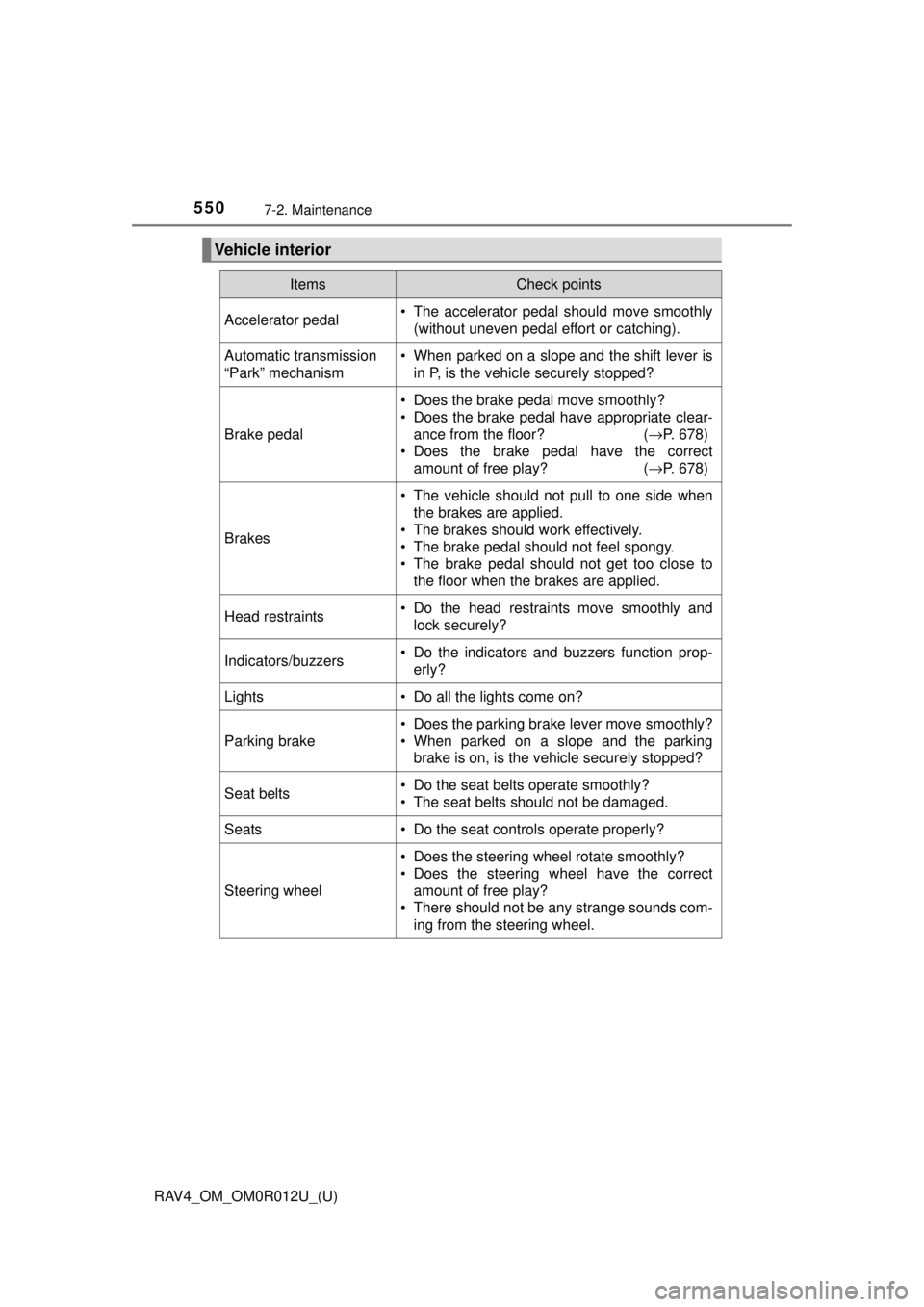
Vehicle interior
ItemsCheck points
Accelerator pedal• The accelerator pedal should move smoothly(without uneven pedal effort or catching).
Automatic transmission
“Park” mechanism• When parked on a slope and the shift lever isin P, is the vehicle securely stopped?
Brake pedal
• Does the brake pedal move smoothly?
• Does the brake pedal have appropriate clear-
ance from the floor? ( →P. 678)
• Does the brake pedal have the correct amount of free play? ( →P. 678)
Brakes
• The vehicle should not pull to one side when
the brakes are applied.
• The brakes should work effectively.
• The brake pedal should not feel spongy.
• The brake pedal should not get too close to the floor when the brakes are applied.
Head restraints• Do the head restraints move smoothly andlock securely?
Indicators/buzzers• Do the indicators and buzzers function prop-erly?
Lights• Do all the lights come on?
Parking brake
• Does the parking brake lever move smoothly?
• When parked on a slope and the parkingbrake is on, is the vehicle securely stopped?
Seat belts• Do the seat belts operate smoothly?
• The seat belts should not be damaged.
Seats• Do the seat controls operate properly?
Steering wheel
• Does the steering wheel rotate smoothly?
• Does the steering wheel have the correctamount of free play?
• There should not be any strange sounds com-
ing from the steering wheel.
Page 619 of 744
619
RAV4_OM_OM0R012U_(U)
8-2. Steps to take in an emergency
8
When trouble arises
If a warning light turns on or a warning
buzzer sounds
Calmly perform the following actions if any of the warning lights
comes on or flashes. If a light comes on or flashes, but then
goes off, this does not necessarily indicate a malfunction in the
system. However, if this continues to occur, have the vehicle
inspected by your Toyota dealer.
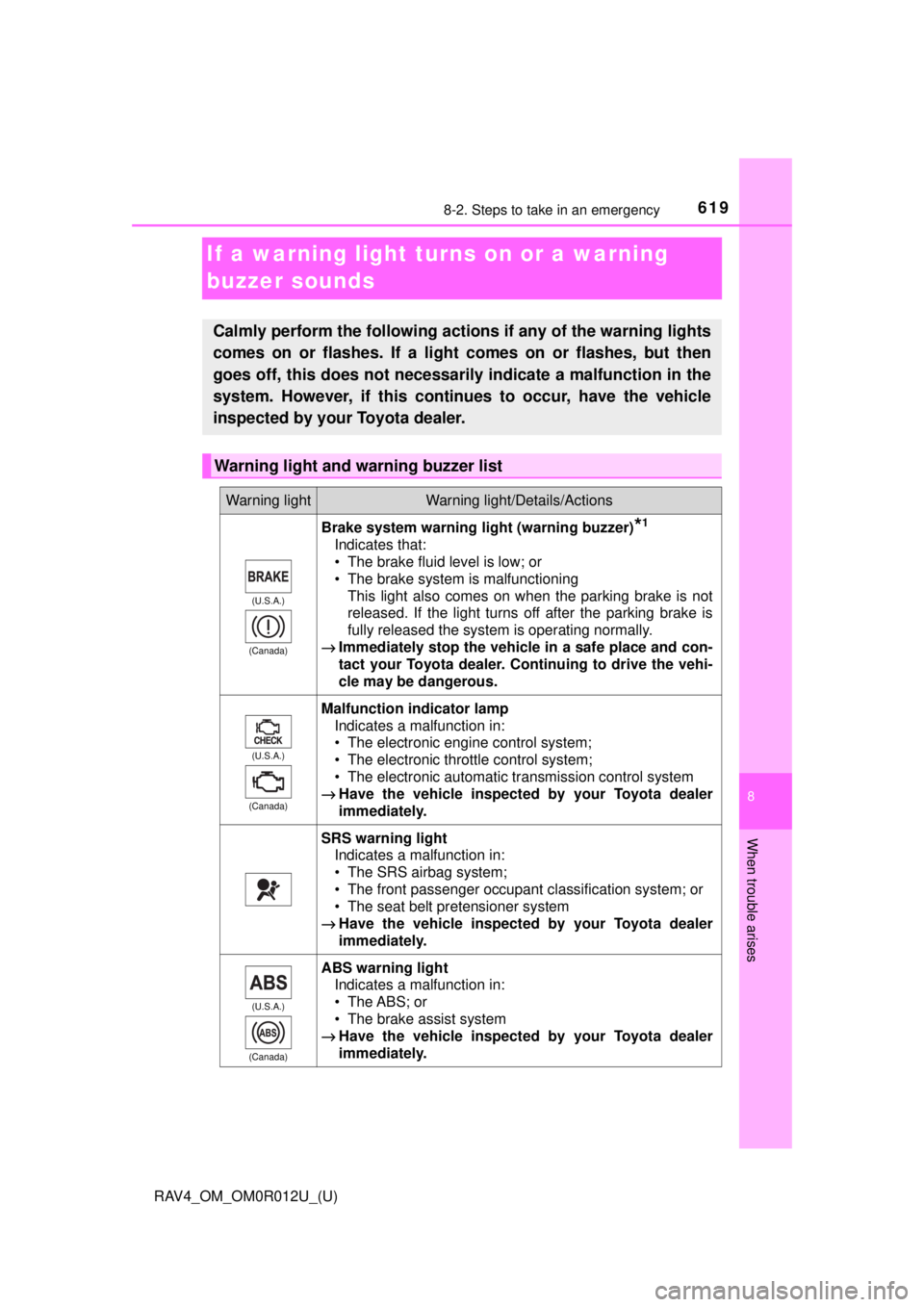
Warning light and warning buzzer list
Warning lightWarning light/Details/Actions
(U.S.A.)
(Canada)
Brake system warning light (warning buzzer)*1
Indicates that:
• The brake fluid level is low; or
• The brake system is malfunctioning This light also comes on when the parking brake is not
released. If the light turns off after the parking brake is
fully released the system is operating normally.
→ Immediately stop the vehicle in a safe place and con-
tact your Toyota dealer. Continuing to drive the vehi-
cle may be dangerous.
(U.S.A.)
(Canada)
Malfunction indicator lamp Indicates a malfunction in:
• The electronic engine control system;
• The electronic throttle control system;
• The electronic automatic transmission control system
→ Have the vehicle inspected by your Toyota dealer
immediately.
SRS warning light
Indicates a malfunction in:
• The SRS airbag system;
• The front passenger occupant classification system; or
• The seat belt pretensioner system
→ Have the vehicle inspected by your Toyota dealer
immediately.
(U.S.A.)
(Canada)
ABS warning light Indicates a malfunction in:
• The ABS; or
• The brake assist system
→ Have the vehicle inspected by your Toyota dealer
immediately.
Page 636 of 744
6368-2. Steps to take in an emergency
RAV4_OM_OM0R012U_(U)
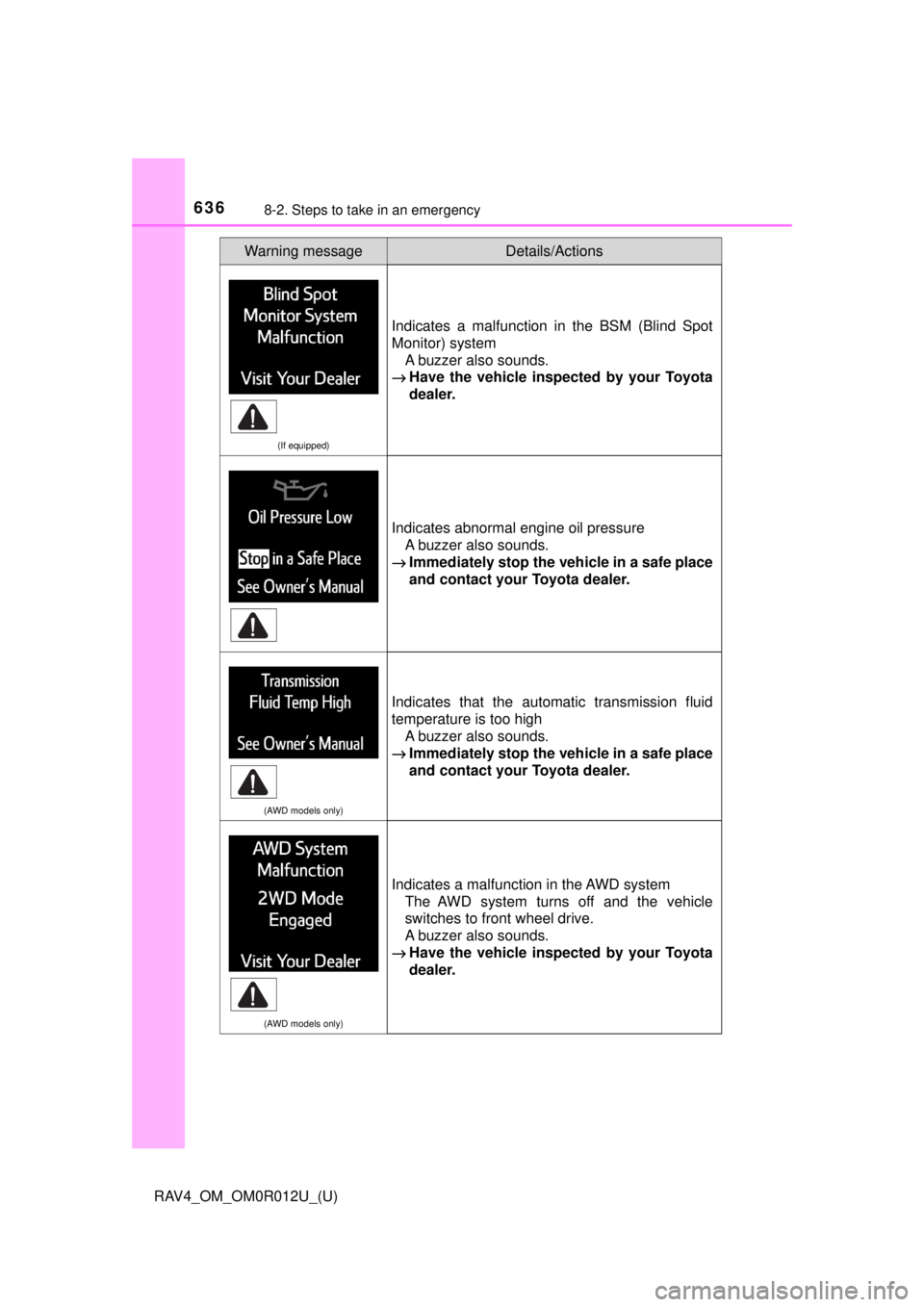
(If equipped)
Indicates a malfunction in the BSM (Blind Spot
Monitor) systemA buzzer also sounds.
→ Have the vehicle inspect ed by your Toyota
dealer.
Indicates abnormal engine oil pressure
A buzzer also sounds.
→ Immediately stop the vehicle in a safe place
and contact your Toyota dealer.
(AWD models only)
Indicates that the automatic transmission fluid
temperature is too high A buzzer also sounds.
→ Immediately stop the vehicle in a safe place
and contact your Toyota dealer.
(AWD models only)
Indicates a malfunction in the AWD system The AWD system turns off and the vehicle
switches to front wheel drive.
A buzzer also sounds.
→ Have the vehicle inspect ed by your Toyota
dealer.
Warning messageDetails/Actions