check engine TOYOTA RAV4 2020 Owners Manual (in English)
[x] Cancel search | Manufacturer: TOYOTA, Model Year: 2020, Model line: RAV4, Model: TOYOTA RAV4 2020Pages: 736, PDF Size: 30.79 MB
Page 5 of 736
5TABLE OF CONTENTS
1
2
3
4
5
6
7
8
9
10
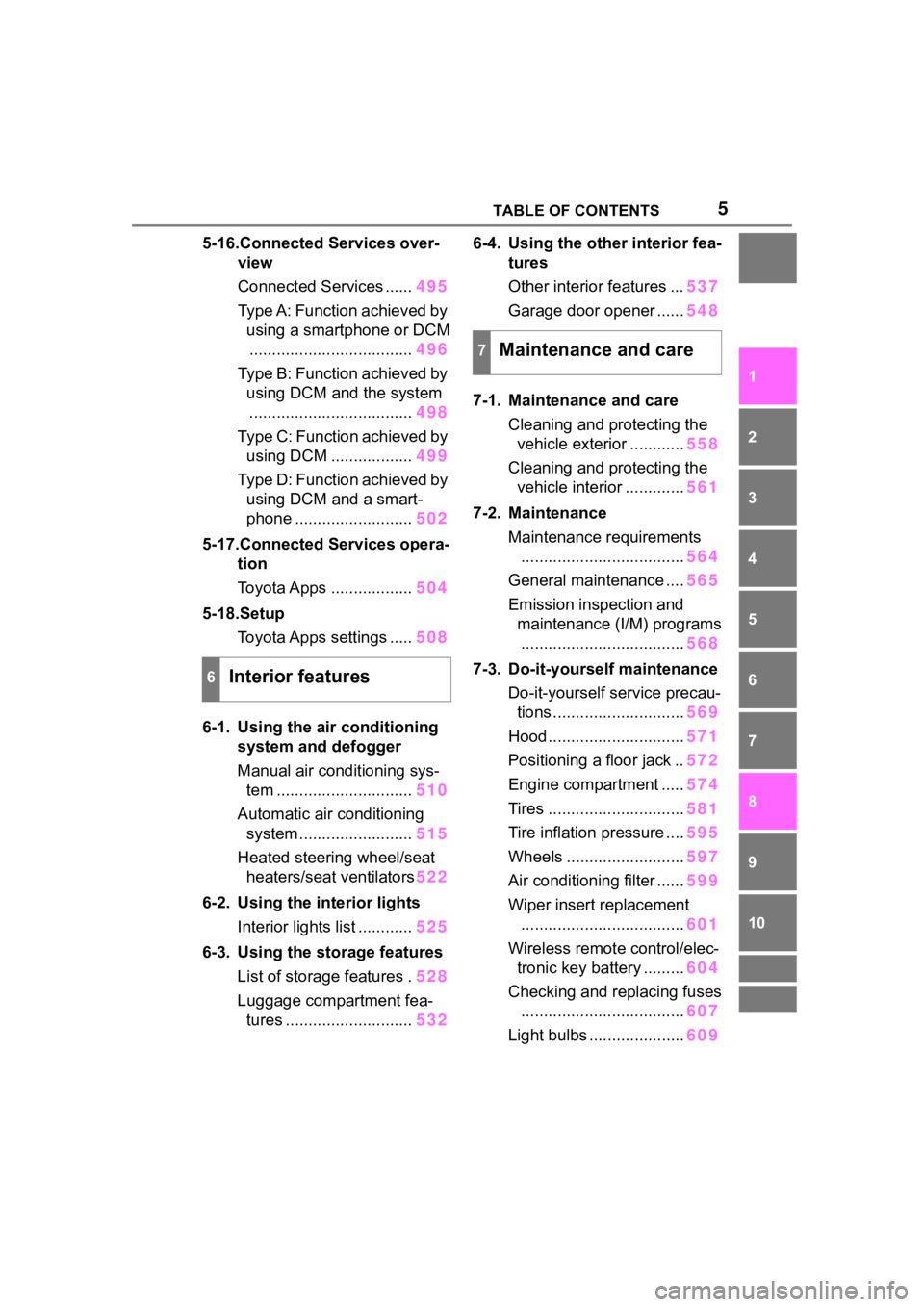
5-16.Connected Services over-view
Connected Services ...... 495
Type A: Function achieved by using a smartphone or DCM.................................... 496
Type B: Function achieved by using DCM and the system
.................................... 498
Type C: Function achieved by using DCM .................. 499
Type D: Function achieved by using DCM and a smart-
phone .......................... 502
5-17.Connected Services opera- tion
Toyota Apps .................. 504
5-18.Setup Toyota Apps settings ..... 508
6-1. Using the air conditioning
system and defogger
Manual air conditioning sys- tem .............................. 510
Automatic air conditioning system ......................... 515
Heated steering wheel/seat heaters/seat ventilators 522
6-2. Using the interior lights Interior lights list ............ 525
6-3. Using the storage features List of storage features . 528
Luggage compartment fea- tures ............................ 5326-4. Using the other interior fea-
tures
Other interior features ... 537
Garage door opener ...... 548
7-1. Maintenance and care Cleaning and protecting the vehicle exterior ............ 558
Cleaning and protecting the vehicle interior ............. 561
7-2. Maintenance Maintenance requirements.................................... 564
General maintenance .... 565
Emission inspection and maintenance (I/M) programs.................................... 568
7-3. Do-it-yourself maintenance Do-it-yourself service precau-tions ............................. 569
Hood .............................. 571
Positioning a floor jack .. 572
Engine compartment ..... 574
Tires .............................. 581
Tire inflation pressure .... 595
Wheels .......................... 597
Air conditioning filter ...... 599
Wiper insert replacement .................................... 601
Wireless remote control/elec- tronic key battery ......... 604
Checking and replacing fuses .................................... 607
Light bulbs ..................... 609
6Interior features
7Maintenance and care
Page 8 of 736
8
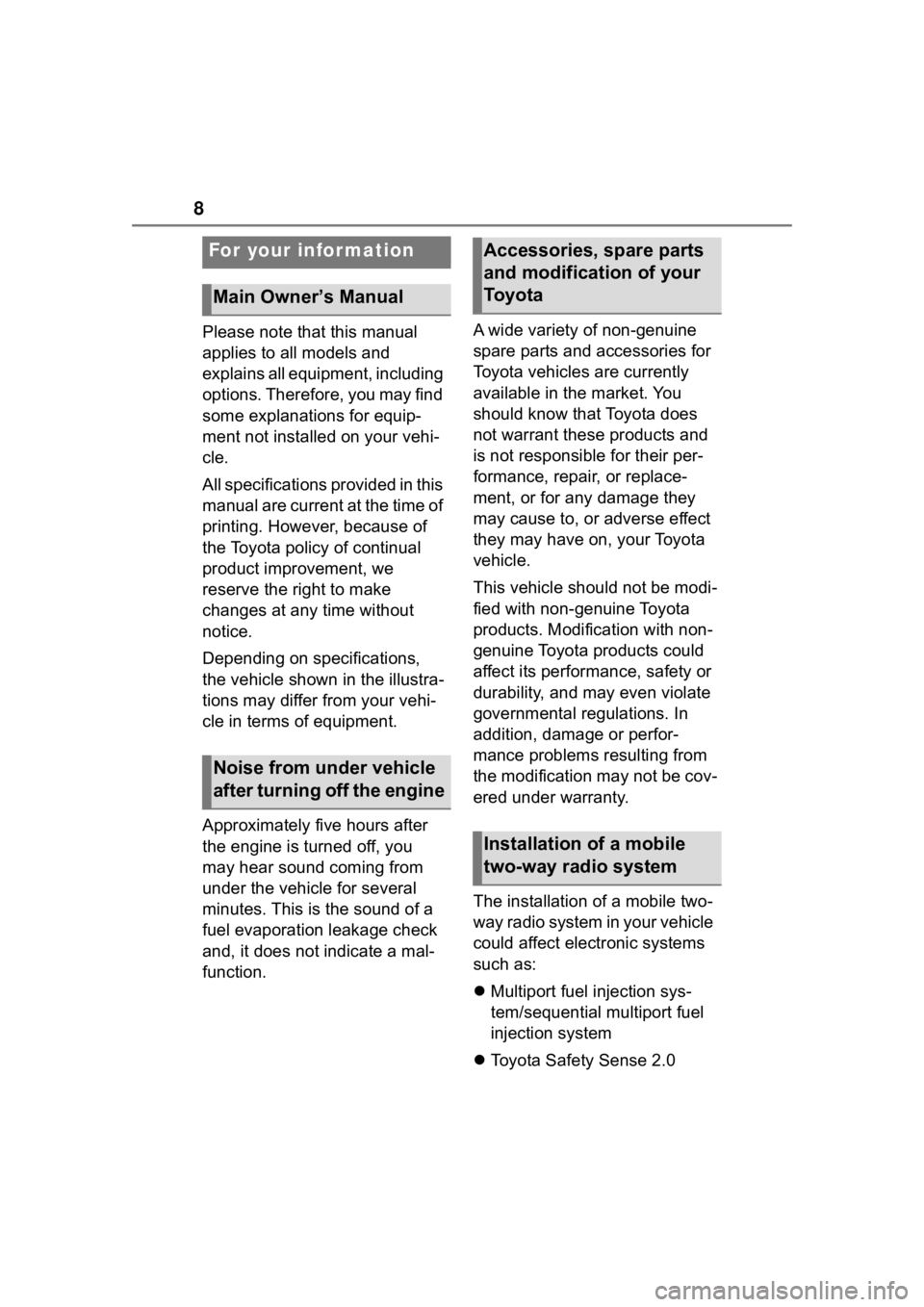
Please note that this manual
applies to all models and
explains all equipment, including
options. Therefore, you may find
some explanations for equip-
ment not installed on your vehi-
cle.
All specifications provided in this
manual are current at the time of
printing. However, because of
the Toyota policy of continual
product improvement, we
reserve the right to make
changes at any time without
notice.
Depending on specifications,
the vehicle shown in the illustra-
tions may differ from your vehi-
cle in terms of equipment.
Approximately five hours after
the engine is turned off, you
may hear sound coming from
under the vehicle for several
minutes. This is the sound of a
fuel evaporation leakage check
and, it does not indicate a mal-
function.A wide variety of non-genuine
spare parts and accessories for
Toyota vehicles are currently
available in the market. You
should know that Toyota does
not warrant these products and
is not responsible for their per-
formance, repair, or replace-
ment, or for any damage they
may cause to, or adverse effect
they may have on, your Toyota
vehicle.
This vehicle should not be modi-
fied with non-genuine Toyota
products. Modification with non-
genuine Toyota products could
affect its performance, safety or
durability, and may even violate
governmental regulations. In
addition, damage or perfor-
mance problems resulting from
the modification may not be cov-
ered under warranty.
The installation of a mobile two-
way radio system in your vehicle
could affect electronic systems
such as:
Multiport fuel injection sys-
tem/sequential multiport fuel
injection system
Toyota Safety Sense 2.0
For your information
Main Owner’s Manual
Noise from under vehicle
after turning off the engine
Accessories, spare parts
and modification of your
To y o t a
Installation of a mobile
two-way radio system
Page 9 of 736
9
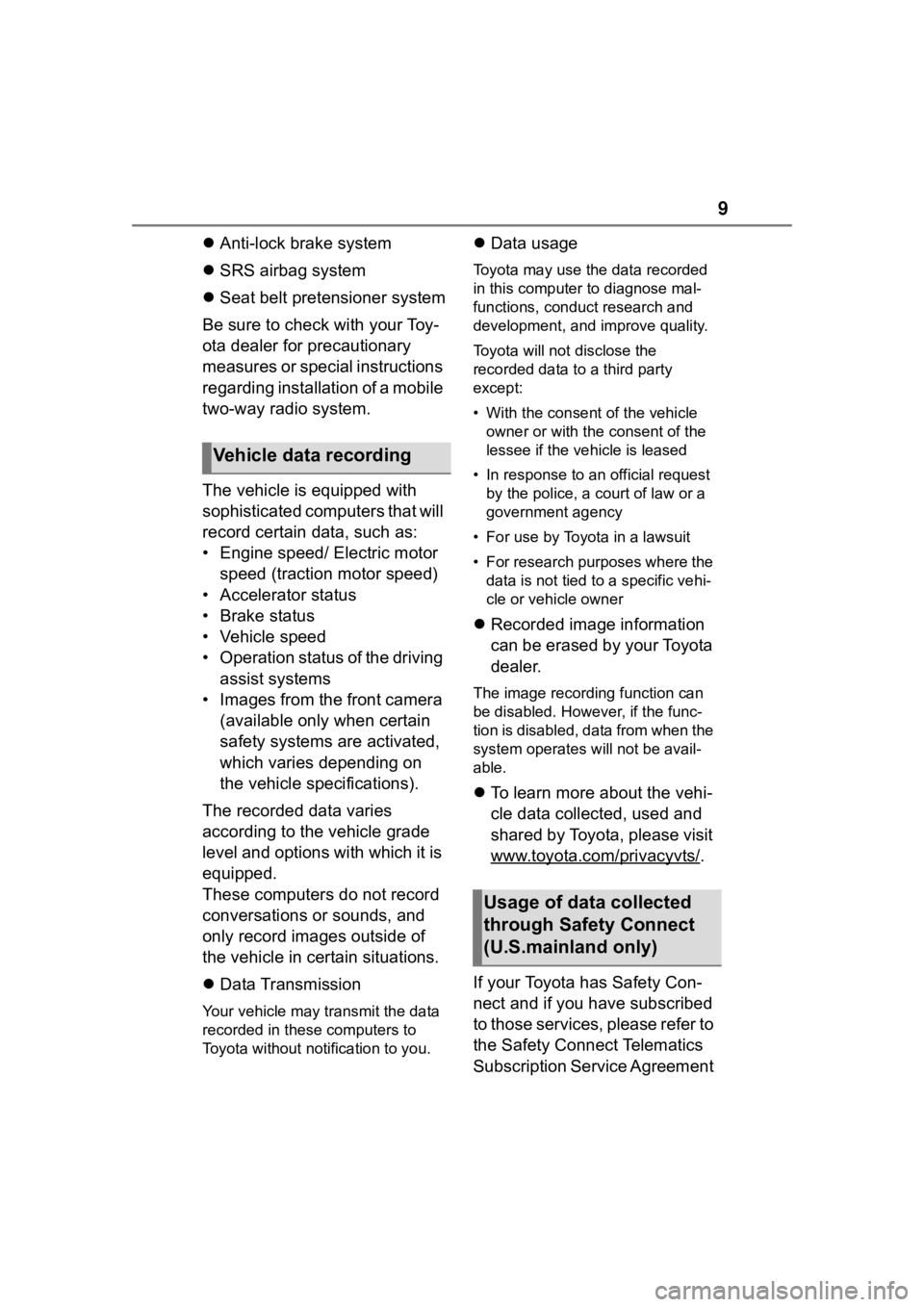
Anti-lock brake system
SRS airbag system
Seat belt pretensioner system
Be sure to check with your Toy-
ota dealer for precautionary
measures or special instructions
regarding installation of a mobile
two-way radio system.
The vehicle is equipped with
sophisticated computers that will
record certain data, such as:
• Engine speed/ Electric motor speed (traction motor speed)
• Accelerator status
• Brake status
• Vehicle speed
• Operation status of the driving assist systems
• Images from the front camera (available only when certain
safety systems are activated,
which varies depending on
the vehicle specifications).
The recorded data varies
according to the vehicle grade
level and options with which it is
equipped.
These computers do not record
conversations or sounds, and
only record images outside of
the vehicle in certain situations.
Data Transmission
Your vehicle may transmit the data
recorded in these computers to
Toyota without notification to you.
Data usage
Toyota may use the data recorded
in this computer to diagnose mal-
functions, conduct research and
development, and improve quality.
Toyota will not disclose the
recorded data to a third party
except:
• With the consen t of the vehicle
owner or with the consent of the
lessee if the vehicle is leased
• In response to an official request by the police, a court of law or a
government agency
• For use by Toyota in a lawsuit
• For research purposes where the data is not tied to a specific vehi-
cle or vehicle owner
Recorded image information
can be erased by your Toyota
dealer.
The image recording function can
be disabled. However, if the func-
tion is disabled, data from when the
system operates will not be avail-
able.
To learn more about the vehi-
cle data collected, used and
shared by Toyota, please visit
www.toyota.com/privacyvts/
.
If your Toyota has Safety Con-
nect and if you have subscribed
to those services, please refer to
the Safety Connect Telematics
Subscription Service Agreement
Vehicle data recording
Usage of data collected
through Safety Connect
(U.S.mainland only)
Page 15 of 736
15Pictorial index
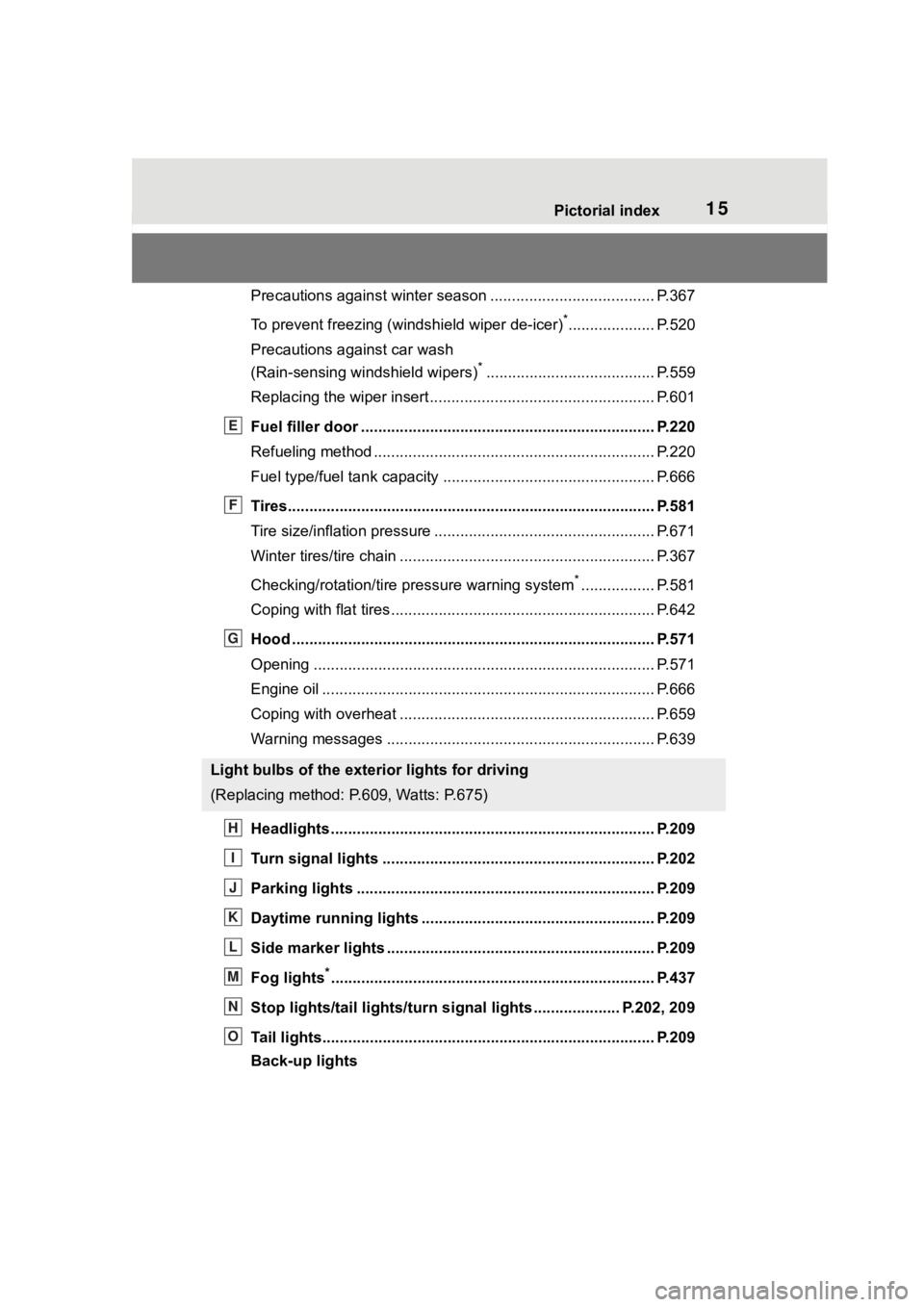
Precautions against winter season ...................................... P.367
To prevent freezing (windshield wiper de-icer)
*.................... P.520
Precautions against car wash
(Rain-sensing windshield wipers)
*....................................... P.559
Replacing the wiper insert ..................................... ............... P.601
Fuel filler door ............................................... ..................... P.220
Refueling method ............................................... .................. P.220
Fuel type/fuel tan k capacity ................................... .............. P.666
Tires.......................................................... ........................... P.581
Tire size/inflation pressure ................................... ................ P.671
Winter tires/tire chain ........................................ ................... P.367
Checking/rotation/tire pressure warning system
*................. P.581
Coping with flat tires......................................... .................... P.642
Hood ........................................................... ......................... P.571
Opening ............................................................................... P.571
Engine oil ..................................................... ........................ P.666
Coping with overheat ........................................... ................ P.659
Warning messages ............................................... ............... P.639
Headlights..................................................... ...................... P.209
Turn signal lights ............................................. .................. P.202
Parking lights ................................................. .................... P.209
Daytime running lights .. .................................................... P.209
Side marker lights ............................................. ................. P.209
Fog lights
*............................................................... ............ P.437
Stop lights/tail lights/turn s ignal lights .................... P.202, 209
Tail lights.................................................... ......................... P.209
Back-up lights
Light bulbs of the exterior lights for driving
(Replacing method: P.609, Watts: P.675)
E
F
G
H
I
J
K
L
M
N
O
Page 27 of 736
271-1. For safe use
1
For safety and security
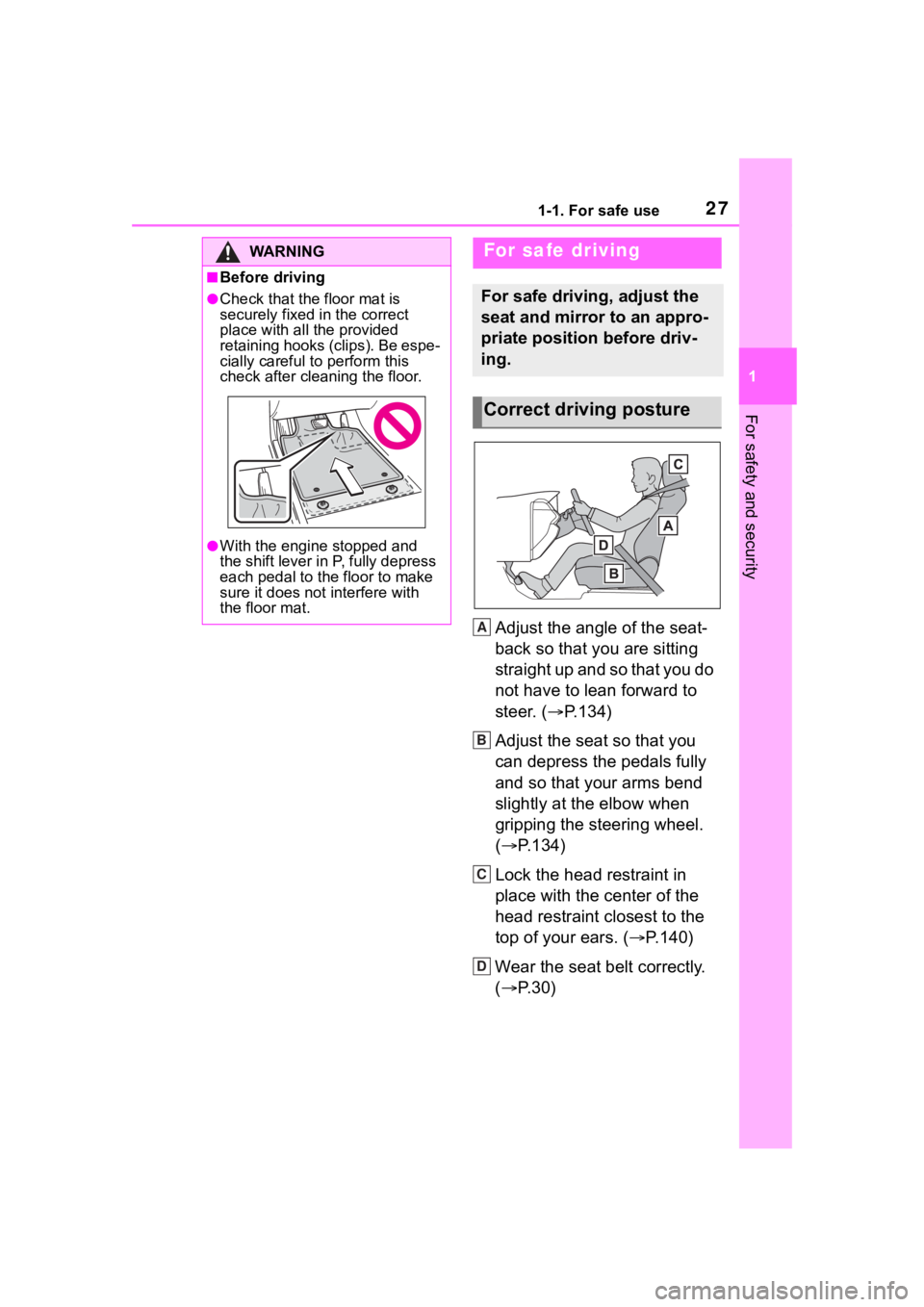
Adjust the angle of the seat-
back so that you are sitting
straight up and so that you do
not have to lean forward to
steer. (P.134)
Adjust the seat so that you
can depress the pedals fully
and so that your arms bend
slightly at the elbow when
gripping the steering wheel.
( P.134)
Lock the head restraint in
place with the center of the
head restraint closest to the
top of your ears. ( P.140)
Wear the seat belt correctly.
( P.30)
WA R N I N G
■Before driving
●Check that the floor mat is
securely fixed in the correct
place with all the provided
retaining hooks (clips). Be espe-
cially careful to perform this
check after cleaning the floor.
●With the engine stopped and
the shift lever in P, fully depress
each pedal to the floor to make
sure it does not interfere with
the floor mat.
For safe driving
For safe driving, adjust the
seat and mirror to an appro-
priate position before driv-
ing.
Correct driving posture
A
B
C
D
Page 48 of 736
481-1. For safe use
Exhaust gas precau-
tions
Harmful substance to the
human body is included in
exhaust gases if inhaled.
WA R N I N G
Exhaust gases contain harmful
carbon monoxide (CO), which is
colorless and odorless. Observe
the following precautions.
Failure to do so may cause
exhaust gases to enter the vehicle
and may lead to an accident
caused by light-headedness, or
may lead to death or a serious
health hazard.
■Important points while driving
●Keep the back door closed.
●If you smell exhaust gases in
the vehicle even when the back
door is closed, open the side
windows and have the vehicle
inspected at your Toyota dealer
as soon as possible.
■When parking
●If the vehicle is in a poorly venti-
lated area or a closed area,
such as a garage, stop the
engine.
●Do not leave the vehicle with
the engine running for a long
time.
If such a situation cannot be
avoided, park the vehicle in an
open space and ensure that
exhaust fumes do not enter the
vehicle interior.
●Do not leave the engine running
in an area with snow build-up,
or where it is snowing. If snow-
banks build up around the vehi-
cle while the engine is running,
exhaust gases may collect and
enter the vehicle.
■Exhaust pipe
The exhaust system needs to be
checked periodically. If there is a
hole or crack caused by corro-
sion, damage to a joint or abnor-
mal exhaust noise, be sure to
have the vehicle inspected and
repaired by your Toyota dealer.
Page 73 of 736
731-4. Theft deterrent system
1
For safety and security
*: If equipped
■Items to check before lock-
ing the vehicle
To prevent unexpected trigger-
ing of the alarm and vehicle
theft, make sure of the following:
Nobody is in the vehicle.
The side windows and moon
roof (if equipped) or pan- oramic moon roof (if
equipped) are closed before
the alarm is set.
No valuables or other per-
sonal items are left in the
vehicle.
■Setting
Close the doors and hood, and
lock all the doors. The system
will be set automatically after 30
seconds.
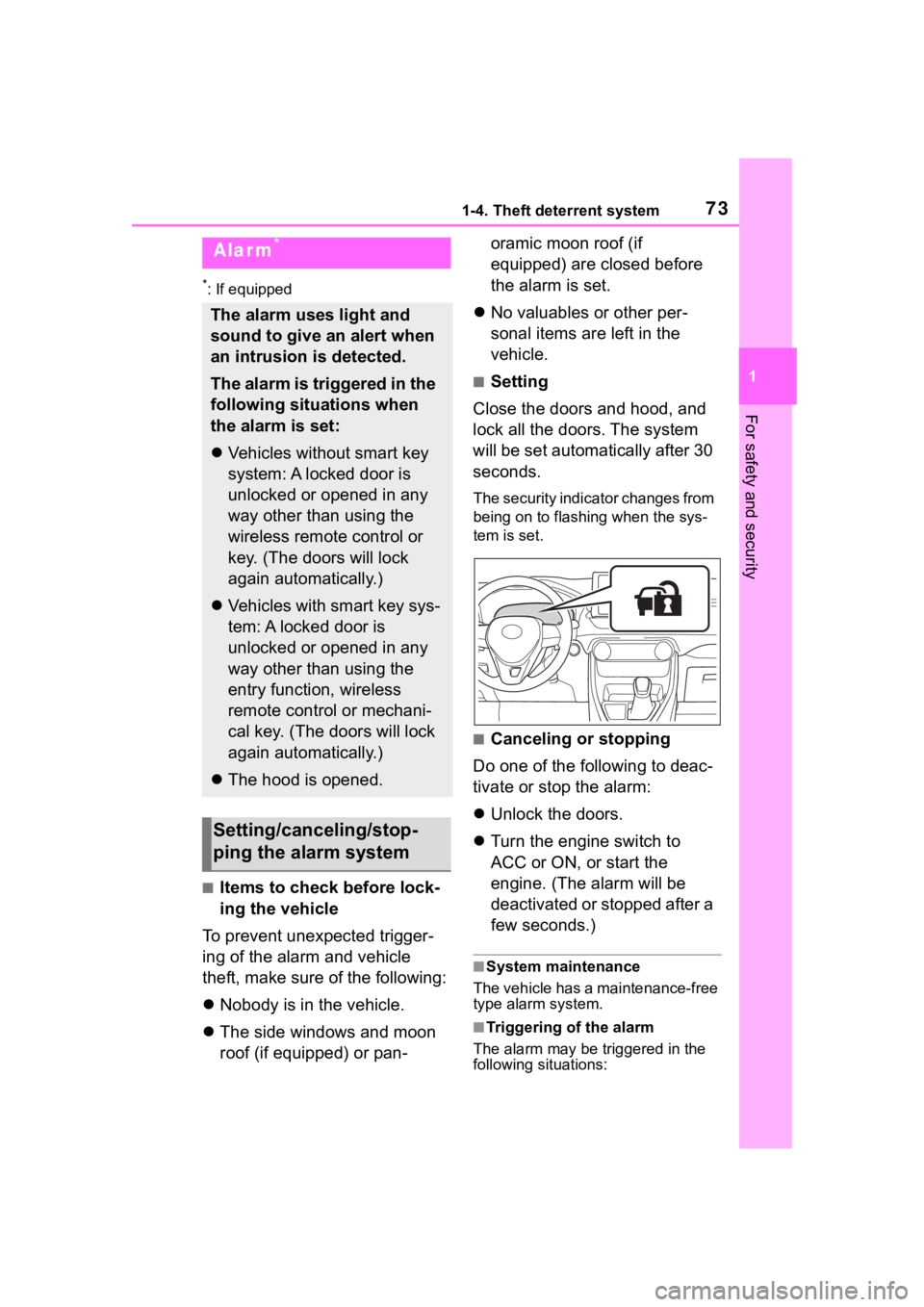
The security indicator changes from
being on to flashing when the sys-
tem is set.
■Canceling or stopping
Do one of the following to deac-
tivate or stop the alarm:
Unlock the doors.
Turn the engine switch to
ACC or ON, or start the
engine. (The alarm will be
deactivated or stopped after a
few seconds.)
■System maintenance
The vehicle has a maintenance-free
type alarm system.
■Triggering of the alarm
The alarm may be triggered in the
following situations:
Alarm*
The alarm uses light and
sound to give an alert when
an intrusion is detected.
The alarm is triggered in the
following situations when
the alarm is set:
Vehicles without smart key
system: A locked door is
unlocked or opened in any
way other than using the
wireless remote control or
key. (The doors will lock
again automatically.)
Vehicles with smart key sys-
tem: A locked door is
unlocked or opened in any
way other than using the
entry function, wireless
remote control or mechani-
cal key. (The doors will lock
again automatically.)
The hood is opened.
Setting/canceling/stop-
ping the alarm system
Page 79 of 736
792-1. Instrument cluster
2
Vehicle status information and indicators
indicate that a system check is
being performed. They will turn
off after the engine is started, or
after a few seconds. There may
be a malfunction in a system if
the light does not come on, or
turn off. Have the vehicle
inspected by your Toyota dealer.
*2: This light illuminates on the multi-informatio n display with a
message.
*3: Intuitive parking assist OFF indi- cator turns on when the engine
switch is turned to ON while the
Intuitive parking assist function is
on. It will turn off a fter a few sec-
onds.
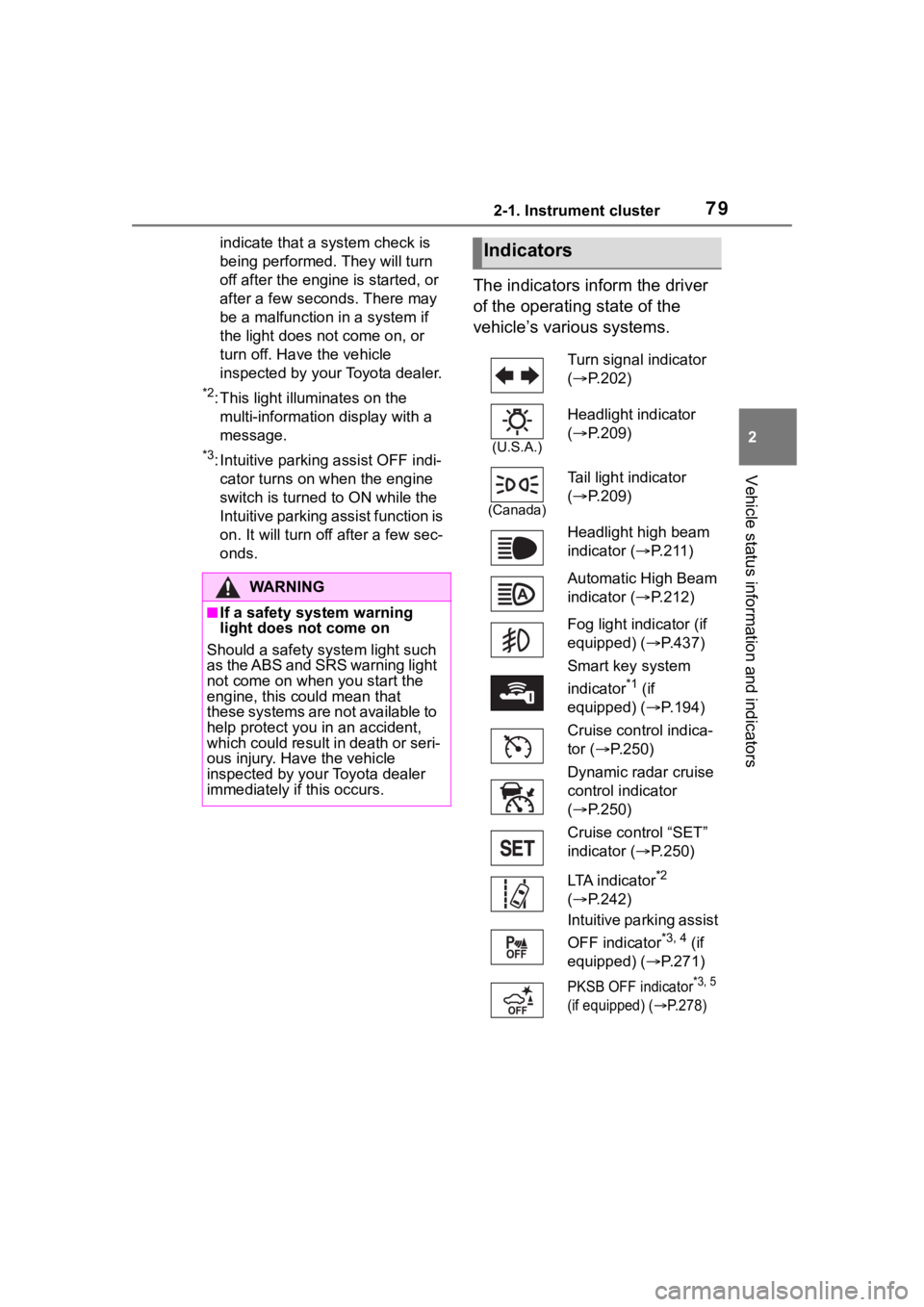
The indicators inform the driver
of the operating state of the
vehicle’s various systems.
WA R N I N G
■If a safety system warning
light does not come on
Should a safety system light such
as the ABS and SRS warning light
not come on when you start the
engine, this could mean that
these systems are not available to
help protect you in an accident,
which could result in death or seri-
ous injury. Have the vehicle
inspected by your Toyota dealer
immediately if this occurs.
Indicators
Turn signal indicator
( P.202)
(U.S.A.)
Headlight indicator
( P.209)
(Canada)
Tail light indicator
( P.209)
Headlight high beam
indicator ( P. 2 1 1 )
Automatic High Beam
indicator ( P.212)
Fog light indicator (if
equipped) ( P.437)
Smart key system
indicator
*1 (if
equipped) ( P.194)
Cruise control indica-
tor ( P.250)
Dynamic radar cruise
control indicator
( P.250)
Cruise control “SET”
indicator ( P.250)
LTA indicator
*2
( P.242)
Intuitive parking assist
OFF indicator
*3, 4 (if
equipped) ( P.271)
PKSB OFF indicator*3, 5
(if equipped) (
P.278)
Page 80 of 736
802-1. Instrument cluster
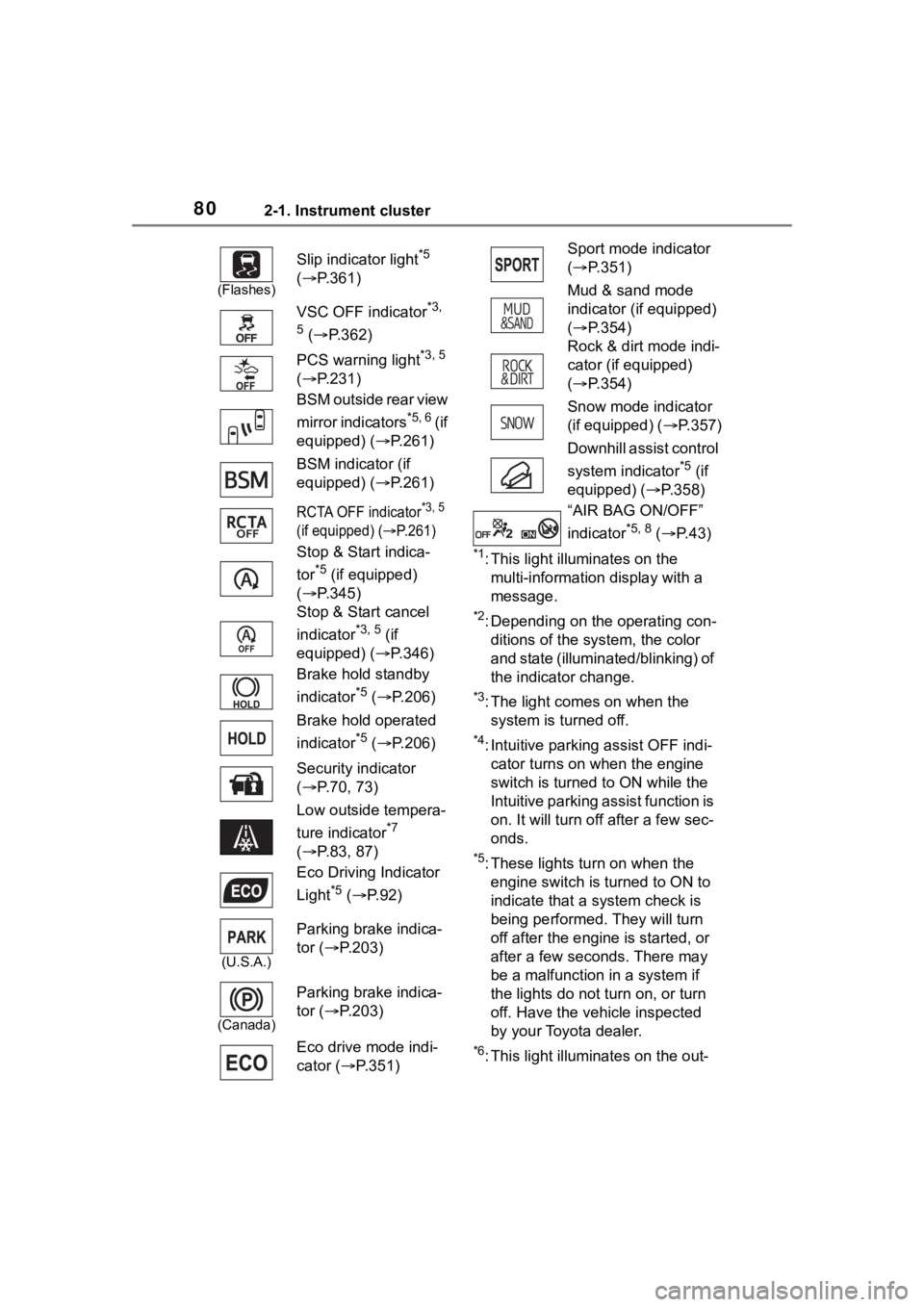
*1: This light illuminates on the multi-information display with a
message.
*2: Depending on the operating con-ditions of the system, the color
and state (illuminat ed/blinking) of
the indicator change.
*3: The light comes on when the system is turned off.
*4: Intuitive parking assist OFF indi-cator turns on wh en the engine
switch is turned t o ON while the
Intuitive parking assist function is
on. It will turn off after a few sec-
onds.
*5: These lights tu rn on when the
engine switch is turned to ON to
indicate that a system check is
being performed. They will turn
off after the engine is started, or
after a few seconds. There may
be a malfunction in a system if
the lights do not turn on, or turn
off. Have the vehicle inspected
by your Toyota dealer.
*6: This light illuminates on the out-
(Flashes)
Slip indicator light*5
( P.361)
VSC OFF indicator
*3,
5
( P.362)
PCS warning light
*3, 5
( P.231)
BSM outside rear view
mirror indicators
*5, 6 ( i f
equipped) ( P.261)
BSM indicator (if
equipped) ( P.261)
RCTA OFF indicator*3, 5
(if equipped) (
P.261)
Stop & Start indica-
tor
*5 (if equipped)
( P.345)
Stop & Start cancel
indicator
*3, 5 (if
equipped) ( P.346)
Brake hold standby
indicator
*5 ( P.206)
Brake hold operated
indicator
*5 ( P.206)
Security indicator
( P.70, 73)
Low outside tempera-
ture indicator
*7
( P.83, 87)
Eco Driving Indicator
Light
*5 ( P.92)
(U.S.A.)
Parking brake indica-
tor ( P.203)
(Canada)
Parking brake indica-
tor ( P.203)
Eco drive mode indi-
cator ( P.351)
Sport mode indicator
( P.351)
Mud & sand mode
indicator (if equipped)
( P.354)
Rock & dirt mode indi-
cator (if equipped)
( P.354)
Snow mode indicator
(if equipped) ( P.357)
Downhill assist control
system indicator
*5 (if
equipped) ( P.358)
“AIR BAG ON/OFF”
indicator
*5, 8 ( P. 4 3 )
Page 83 of 736
832-1. Instrument cluster
2
Vehicle status information and indicators
reset. Trip meters “A” and “B” can be used to record and displa y different
distances independently.
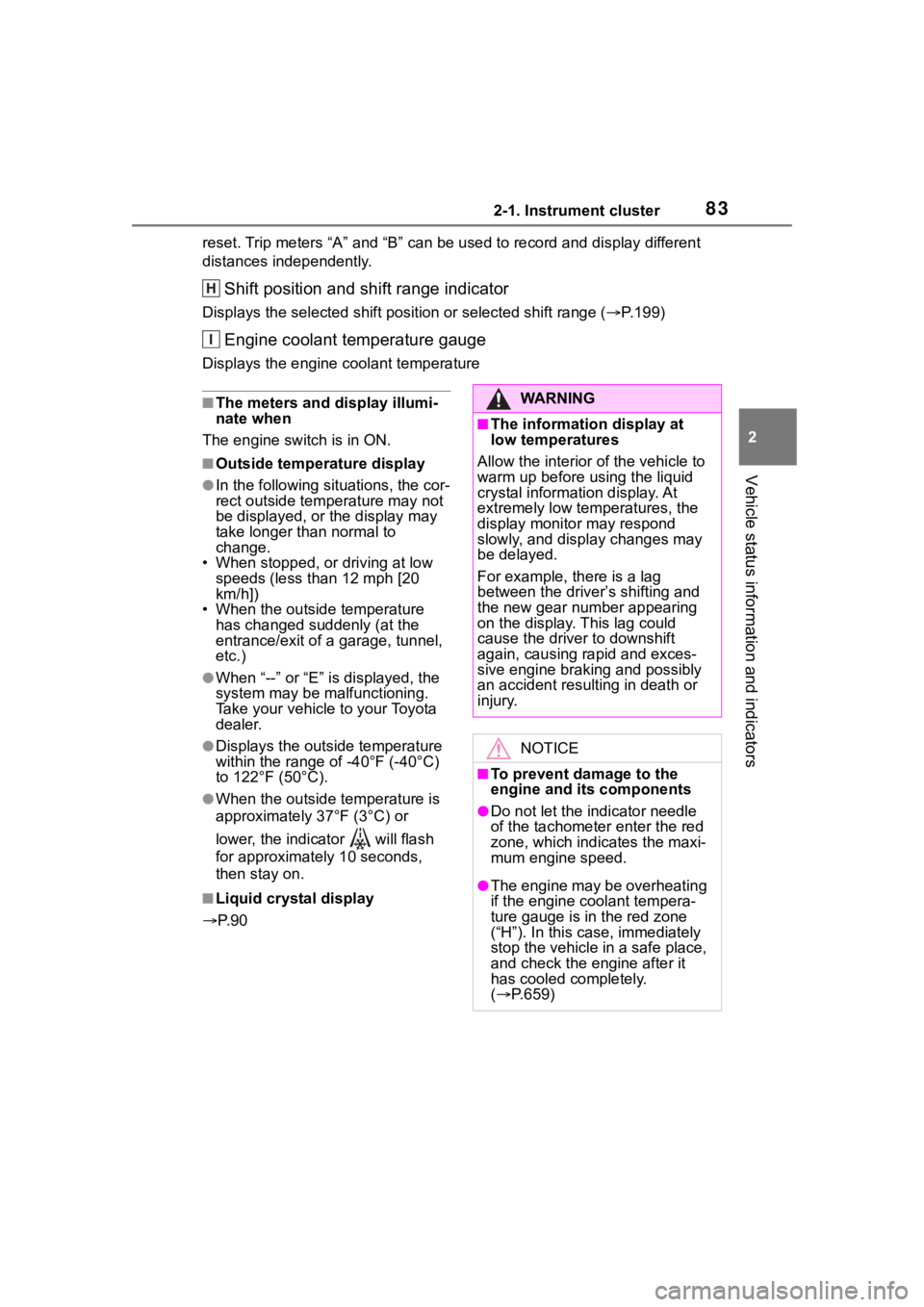
Shift position and shift range indicator
Displays the selected shift posit ion or selected shift range (P.199)
Engine coolant temperature gauge
Displays the engine c oolant temperature
■The meters and display illumi-
nate when
The engine switch is in ON.
■Outside temperature display
●In the following si tuations, the cor-
rect outside tempe rature may not
be displayed, or the display may
take longer than normal to
change.
• When stopped, or driving at low
speeds (less than 12 mph [20
km/h])
• When the outside temperature
has changed su ddenly (at the
entrance/exit of a garage, tunnel,
etc.)
●When “--” or “E” is displayed, the
system may be malfunctioning.
Take your vehicle to your Toyota
dealer.
●Displays the outside temperature
within the range of -40°F (-40°C)
to 122°F (50°C).
●When the outside temperature is
approximately 37°F (3°C) or
lower, the indicator will flash
for approximately 10 seconds,
then stay on.
■Liquid crystal display
P. 9 0
H
I
WA R N I N G
■The information display at
low temperatures
Allow the interior of the vehicle to
warm up before using the liquid
crystal information display. At
extremely low temperatures, the
display monitor may respond
slowly, and display changes may
be delayed.
For example, there is a lag
between the driver’s shifting and
the new gear number appearing
on the display. This lag could
cause the driver to downshift
again, causing rapid and exces-
sive engine braking and possibly
an accident resulting in death or
injury.
NOTICE
■To prevent damage to the
engine and its components
●Do not let the indicator needle
of the tachometer enter the red
zone, which indicates the maxi-
mum engine speed.
●The engine may be overheating
if the engine coolant tempera-
ture gauge is in the red zone
(“H”). In this case, immediately
stop the vehicle in a safe place,
and check the engine after it
has cooled completely.
( P.659)