check transmission fluid TOYOTA RAV4 2020 Owners Manual (in English)
[x] Cancel search | Manufacturer: TOYOTA, Model Year: 2020, Model line: RAV4, Model: TOYOTA RAV4 2020Pages: 736, PDF Size: 30.79 MB
Page 566 of 736
5667-2. Maintenance
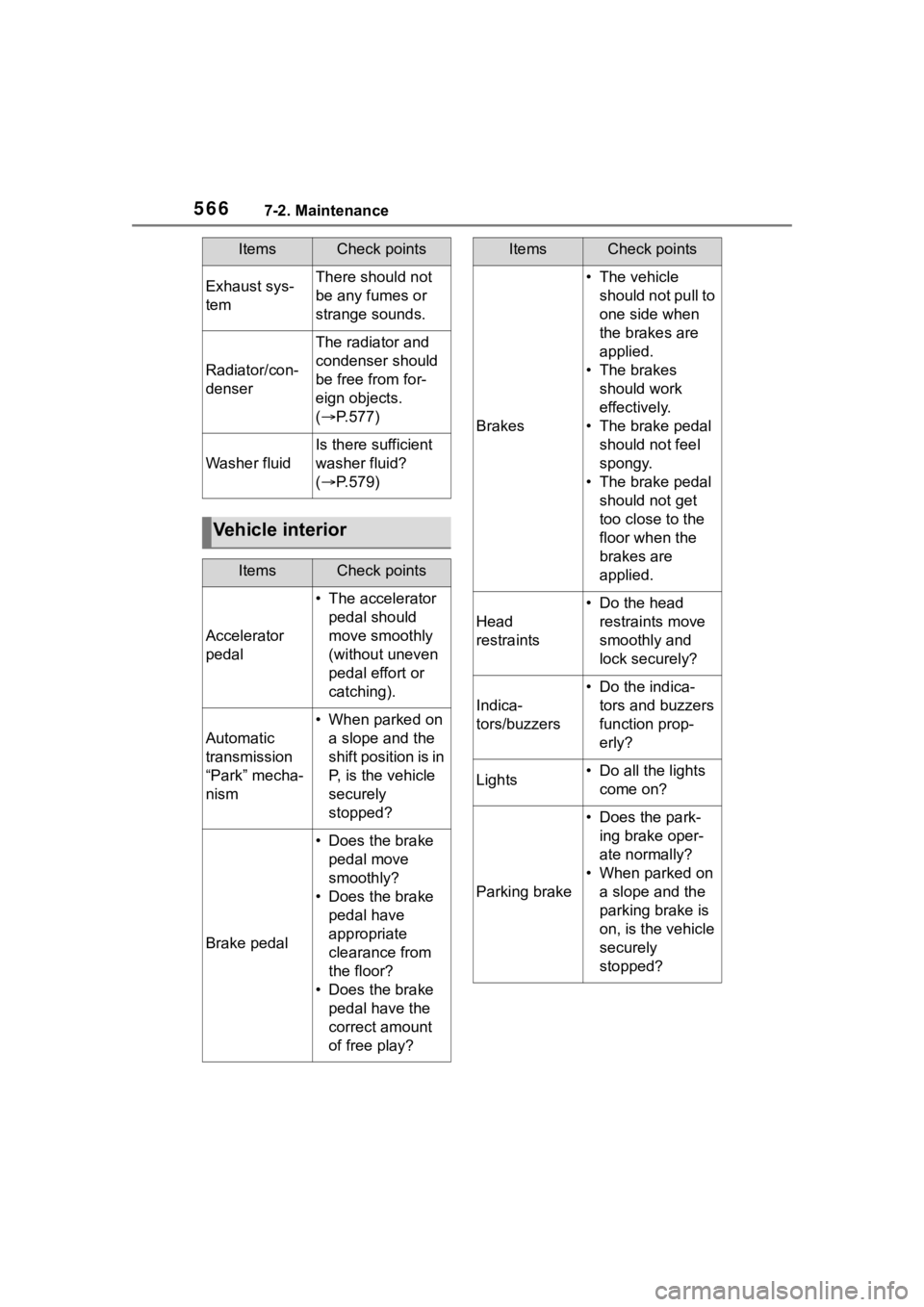
Exhaust sys-
temThere should not
be any fumes or
strange sounds.
Radiator/con-
denser
The radiator and
condenser should
be free from for-
eign objects.
( P.577)
Washer fluid
Is there sufficient
washer fluid?
( P.579)
Vehicle interior
ItemsCheck points
Accelerator
pedal
• The accelerator
pedal should
move smoothly
(without uneven
pedal effort or
catching).
Automatic
transmission
“Park” mecha-
nism
• When parked on a slope and the
shift position is in
P, is the vehicle
securely
stopped?
Brake pedal
• Does the brake pedal move
smoothly?
• Does the brake pedal have
appropriate
clearance from
the floor?
• Does the brake pedal have the
correct amount
of free play?
ItemsCheck points
Brakes
• The vehicle should not pull to
one side when
the brakes are
applied.
• The brakes should work
effectively.
• The brake pedal should not feel
spongy.
• The brake pedal should not get
too close to the
floor when the
brakes are
applied.
Head
restraints
• Do the head restraints move
smoothly and
lock securely?
Indica-
tors/buzzers
• Do the indica-tors and buzzers
function prop-
erly?
Lights• Do all the lights come on?
Parking brake
• Does the park-ing brake oper-
ate normally?
• When parked on a slope and the
parking brake is
on, is the vehicle
securely
stopped?
ItemsCheck points
Page 640 of 736
6408-2. Steps to take in an emergency
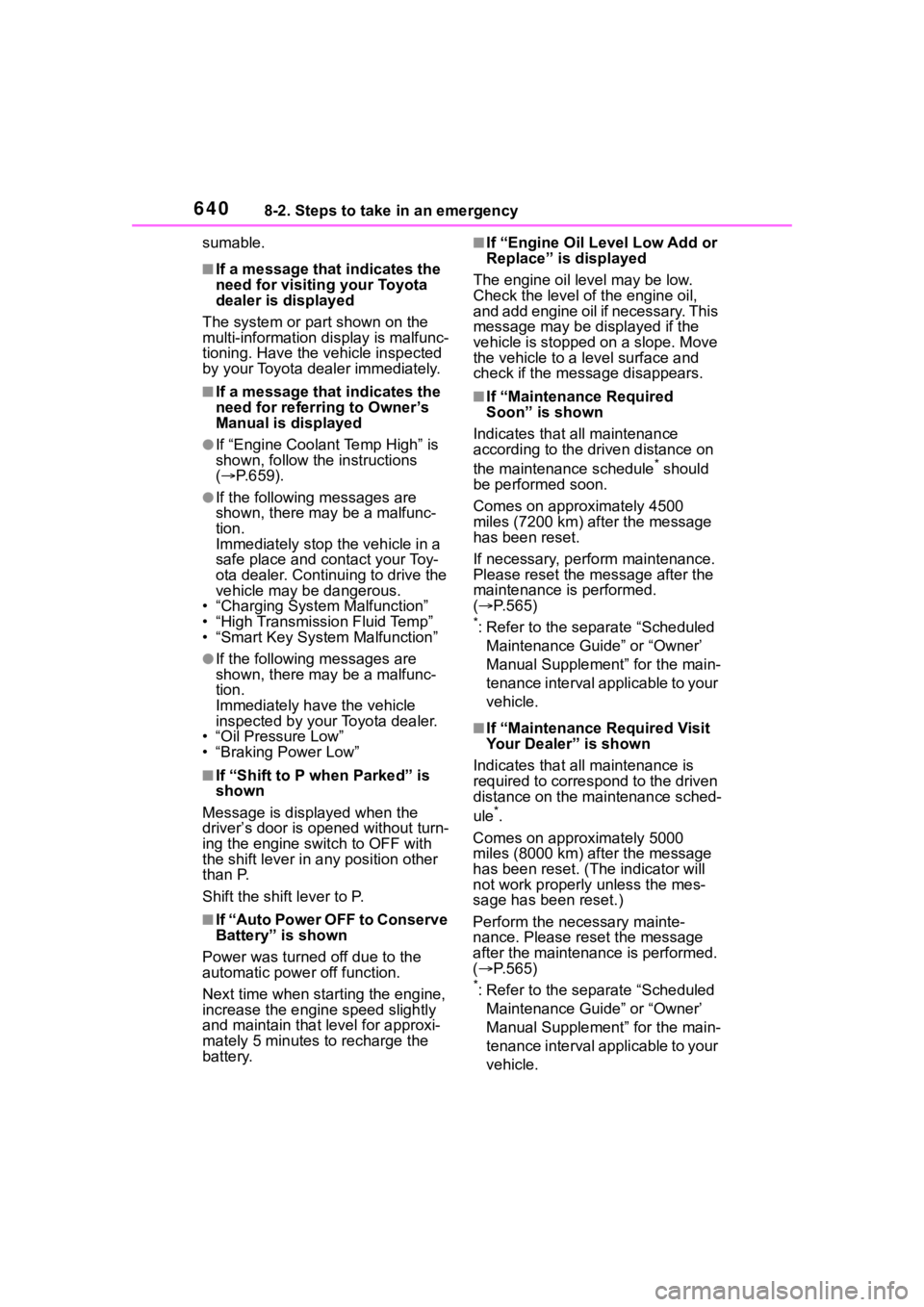
sumable.
■If a message that indicates the
need for visiting your Toyota
dealer is displayed
The system or part shown on the
multi-information di splay is malfunc-
tioning. Have the vehicle inspected
by your Toyota dealer immediately.
■If a message that indicates the
need for referring to Owner’s
Manual is displayed
●If “Engine Coolant Temp High” is
shown, follow the instructions
( P.659).
●If the following messages are
shown, there may be a malfunc-
tion.
Immediately stop t he vehicle in a
safe place and co ntact your Toy-
ota dealer. Continuing to drive the
vehicle may be dangerous.
• “Charging System Malfunction”
• “High Transmission Fluid Temp”
• “Smart Key System Malfunction”
●If the following messages are
shown, there may be a malfunc-
tion.
Immediately have the vehicle
inspected by you r Toyota dealer.
• “Oil Pressure Low”
•“Braking Power Low”
■If “Shift to P when Parked” is
shown
Message is displayed when the
driver’s door is opened without turn-
ing the engine switch to OFF with
the shift lever in any position other
than P.
Shift the shift lever to P.
■If “Auto Power OFF to Conserve
Battery” is shown
Power was turned off due to the
automatic power off function.
Next time when starting the engine,
increase the engin e speed slightly
and maintain that level for approxi-
mately 5 minutes to recharge the
battery.
■If “Engine Oil Level Low Add or
Replace” is displayed
The engine oil le vel may be low.
Check the level o f the engine oil,
and add engine oil if necessary. This
message may be displayed if the
vehicle is stopped on a slope. Move
the vehicle to a l evel surface and
check if the message disappears.
■If “Maintenance Required
Soon” is shown
Indicates that all maintenance
according to the driven distance on
the maintenance schedule
* should
be performed soon.
Comes on approximately 4500
miles (7200 km) after the message
has been reset.
If necessary, perform maintenance.
Please reset the m essage after the
maintenance is performed.
( P.565)
*: Refer to the separate “Scheduled
Maintenance Guide” or “Owner’
Manual Supplement” for the main-
tenance interval applicable to your
vehicle.
■If “Maintenance Required Visit
Your Dealer” is shown
Indicates that all maintenance is
required to correspond to the driven
distance on the maintenance sched-
ule
*.
Comes on approximately 5000
miles (8000 km) after the message
has been reset. (The indicator will
not work properly unless the mes-
sage has been reset.)
Perform the necessary mainte-
nance. Please reset the message
after the maintenance is performed.
( P.565)
*: Refer to the separate “Scheduled
Maintenance Guide” or “Owner’
Manual Supplement” for the main-
tenance interval applicable to your
vehicle.
Page 718 of 736

718Alphabetical Index
Audio button (Setup screen) ... ........... 380, 444
AUDIO button.......................... 375
Audio buttons overview......... 375
Audio settings ........................ 444
Automatic air conditioning sys- tem ......................................... 515Air conditioning filter ............. 599
Eco air conditioning mode .... 516
Automatic High Beam ............ 212
Automatic light control system ............................................... 210
Automatic transmission ........ 199 S mode ................................. 201
Auxiliary boxes ....................... 530
Average fuel consumption ...... 99
Average fuel economy ............. 91
Average vehicle speed....... 93, 99
B
Back door ................................ 114 Hands Free Power Back Door........................................... 119
Power back door .................. 118
Wireless remote control ....... 118
Back-up lights Replacing light bulbs ............ 609
Wattage ................................ 670
Battery Checking .............................. 579
If the vehicle battery is dis-charged .............................. 655
Preparing and c hecking before
winter.................................. 367
Replacing ............................. 657
Warning light ........................ 628
Blind Spot Monitor (BSM) ...... 260 Blind Spot Monitor function .. 264
Rear Cross Traffic Alert function........................................... 267
Bluetooth
® button (Setup screen) ...................................380
Bluetooth
® details settings ...394
Bluetooth
® setup screen.......395
Connecting a Bluetooth
® device
...........................................395
Deleting a Bluetooth
® device397
Detailed settings screen .......399
Displaying the Bluetooth
® setup
screen.................................394
Editing the Bluetooth
® device
information..........................398
Registering a Bluetooth
® device
...........................................397
Bluetooth
® device information
...............................................398
Bluetooth
® hands-free system
...............................................465
Bluetooth
® phone message func-
tion .........................................476 Calling the message sender .479
Checking received messages ...........................................477
Displaying the message screen ...........................................476
Receiving a mess age ...........477
Replying to a message (dicta- tion reply)............................478
Replying to a message (quick reply) ..................................479
Bottle holders .........................530
Brake Brake Hold ............................206
Fluid......................................577
Parking brake .......................203
Warning light.........................628
Brake assist ............................360
Brake Hold...............................206
Break-in tips ............................170
Brightness control Instrument panel light