immobilizer TOYOTA RAV4 2020 Owners Manual (in English)
[x] Cancel search | Manufacturer: TOYOTA, Model Year: 2020, Model line: RAV4, Model: TOYOTA RAV4 2020Pages: 736, PDF Size: 30.79 MB
Page 2 of 736
2TABLE OF CONTENTS
For your information...................8
Reading this manual ................ 12
How to search .......................... 13
Pictorial index .......................... 14
1-1. For safe use Before driving ................... 26
For safe driving ................ 27
Seat belts ......................... 29
SRS airbags ..................... 33
Front passenger occupant classification system ...... 43
Exhaust gas precautions.. 48
1-2. Child safety Riding with children .......... 49
Child restraint systems..... 50
1-3. Emergency assistance Safety Connect ................ 65
1-4. Theft deterrent system Engine immobilizer system....................................... 70
Alarm................................ 73
2-1. Instrument cluster Warning lights and indicators....................................... 76
Gauges and meters (with 4.2- inch display) ................... 82
Gauges and meters (with 7- inch display) ................... 85
Multi-information display .. 89Fuel consumption information
....................................... 99
3-1. Key information Keys .............................. 102
3-2. Opening, closing and lock- ing the doors
Side doors ..................... 108
Back door ...................... 114
Smart key system .......... 128
3-3. Adjusting the seats Front seats .................... 134
Rear seats ..................... 135
Driving position memory 137
Head restraints .............. 140
3-4. Adjusting the steering wheel and mirrors
Steering wheel............... 142
Inside rear view mirror ... 143
Digital Rear-view Mirror . 145
Outside rear view mirrors .................................... 154
3-5. Opening, closing the win- dows and moon roof
Power windows ............. 156
Moon roof ...................... 159
Panoramic moon roof .... 162
4-1. Before driving Driving the vehicle ......... 169
Cargo and luggage ........ 175
Vehicle load limits .......... 178
1For safety and security
2
Vehicle status
information and
indicators
3Before driving
4Driving
Page 25 of 736
25
1
1
For safety and security
For safety and security
1-1. For safe useBefore driving ................. 26
For safe driving .............. 27
Seat belts ....................... 29
SRS airbags ................... 33
Front passenger occupant classification system .... 43
Exhaust gas precautions 48
1-2. Child safety Riding with children ........ 49
Child restraint systems... 50
1-3. Emergency assistance Safety Connect .............. 65
1-4. Theft deterrent system Engine immobilizer system..................................... 70
Alarm.............................. 73
Page 70 of 736
701-4. Theft deterrent system
1-4.Theft deterrent system
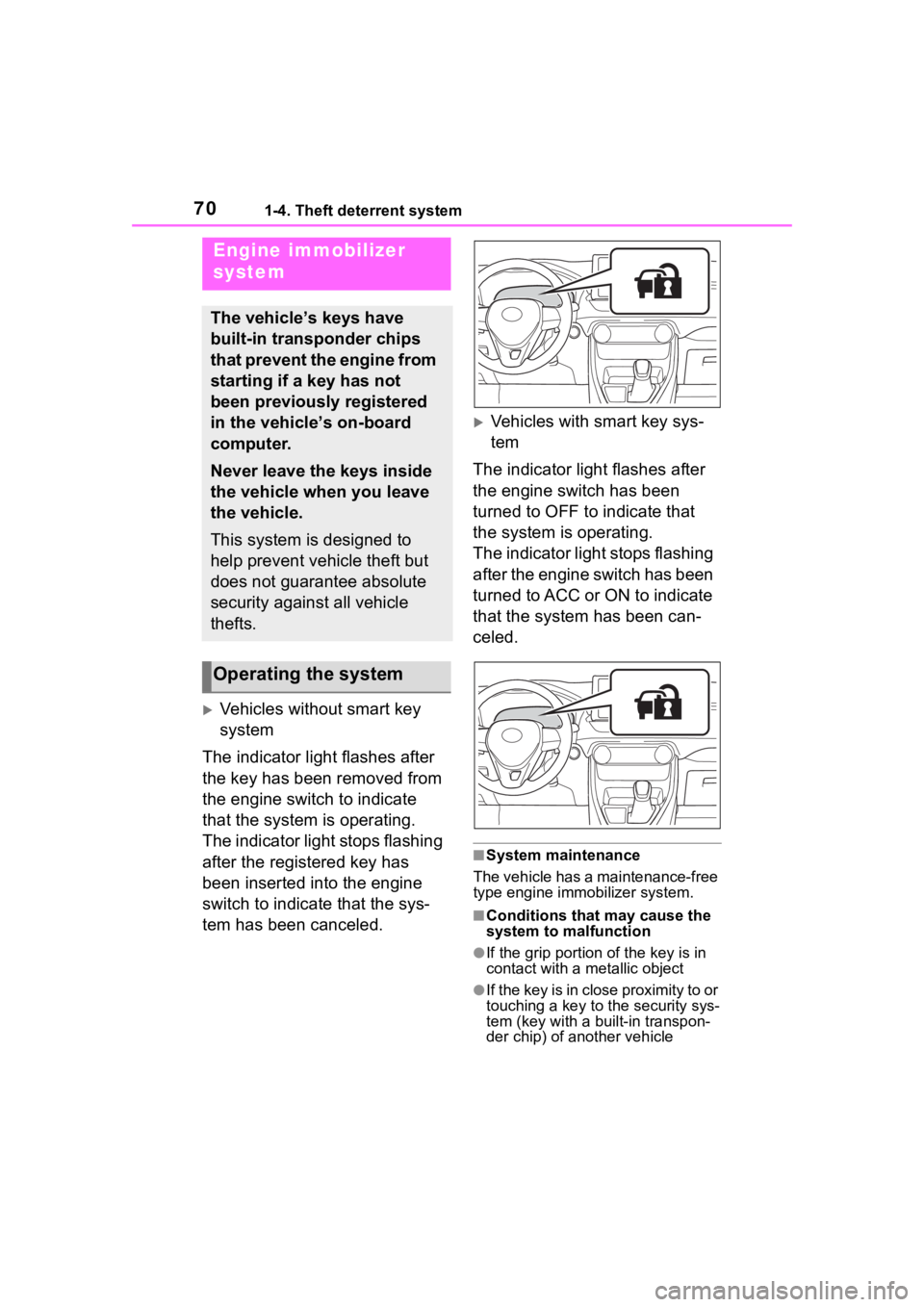
Vehicles without smart key
system
The indicator light flashes after
the key has been removed from
the engine switch to indicate
that the system is operating.
The indicator light stops flashing
after the registered key has
been inserted into the engine
switch to indicate that the sys-
tem has been canceled.
Vehicles with smart key sys-
tem
The indicator light flashes after
the engine switch has been
turned to OFF to indicate that
the system is operating.
The indicator light stops flashing
after the engine switch has been
turned to ACC or ON to indicate
that the system has been can-
celed.
■System maintenance
The vehicle has a maintenance-free
type engine immo bilizer system.
■Conditions that may cause the
system to malfunction
●If the grip portion of the key is in
contact with a metallic object
●If the key is in close proximity to or
touching a key to the security sys-
tem (key with a built-in transpon-
der chip) of another vehicle
Engine immobilizer
system
The vehicle’s keys have
built-in transponder chips
that prevent the engine from
starting if a key has not
been previously registered
in the vehicle’s on-board
computer.
Never leave the keys inside
the vehicle when you leave
the vehicle.
This system is designed to
help prevent vehicle theft but
does not guarantee absolute
security against all vehicle
thefts.
Operating the system
Page 71 of 736
711-4. Theft deterrent system
1
For safety and security
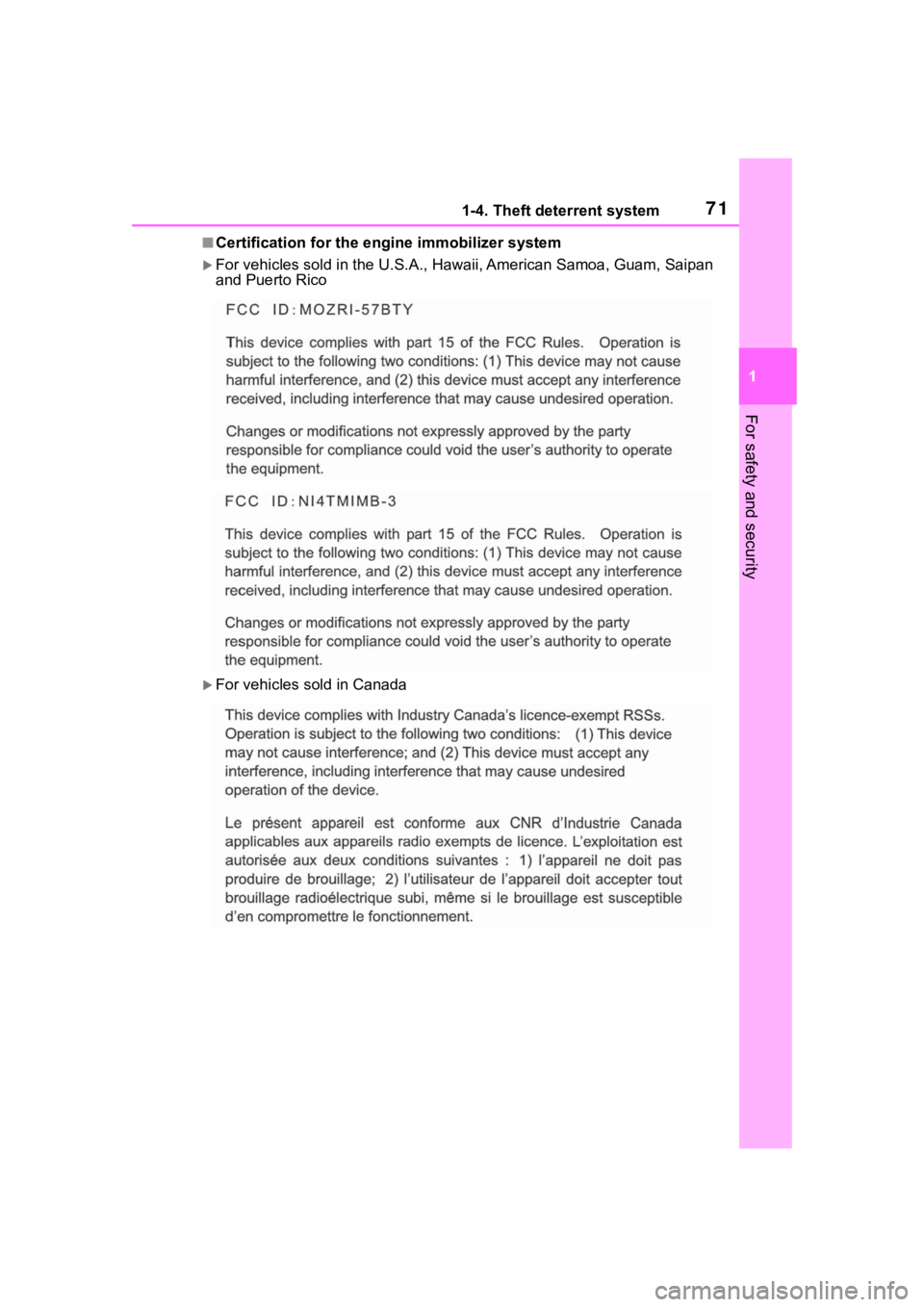
■Certification for the engine immobilizer system
For vehicles sold in the U.S.A., Hawaii, Ame rican Samoa, Guam, Saipan
and Puerto Rico
For vehicles sold in Canada
Page 129 of 736
1293-2. Opening, closing and locking the doors
3
Before driving
●When an exterior alarm sounds
once for 5 seconds
●When an interior alarm pings con-
tinuously
■Battery-saving function
The battery-saving function will be
activated in order to prevent the
electronic key battery and the bat-
tery from being discharged while the
vehicle is not in op eration for a long
time.
●In the following situations, the
smart key system may take some
time to unlock the doors.
• The electronic key has been left in
an area of approximately 6 ft. (2
m) of the outside of the vehicle for
10 minutes or longer.
• The smart key system has not been used for 5 days or longer.
●If the smart key system has not
been used for 14 days or longer,
the doors canno t be unlocked at
any doors except the driver’s door.
In this case, take hold of the
driver’s door handle, or use the
wireless remote control or the mechanical key, to unlock the
doors.
■Turning an electronic key to
battery-saving mode
●When battery-saving mode is set,
battery depletion is minimized by
stopping the electronic key from
receiving radio waves.
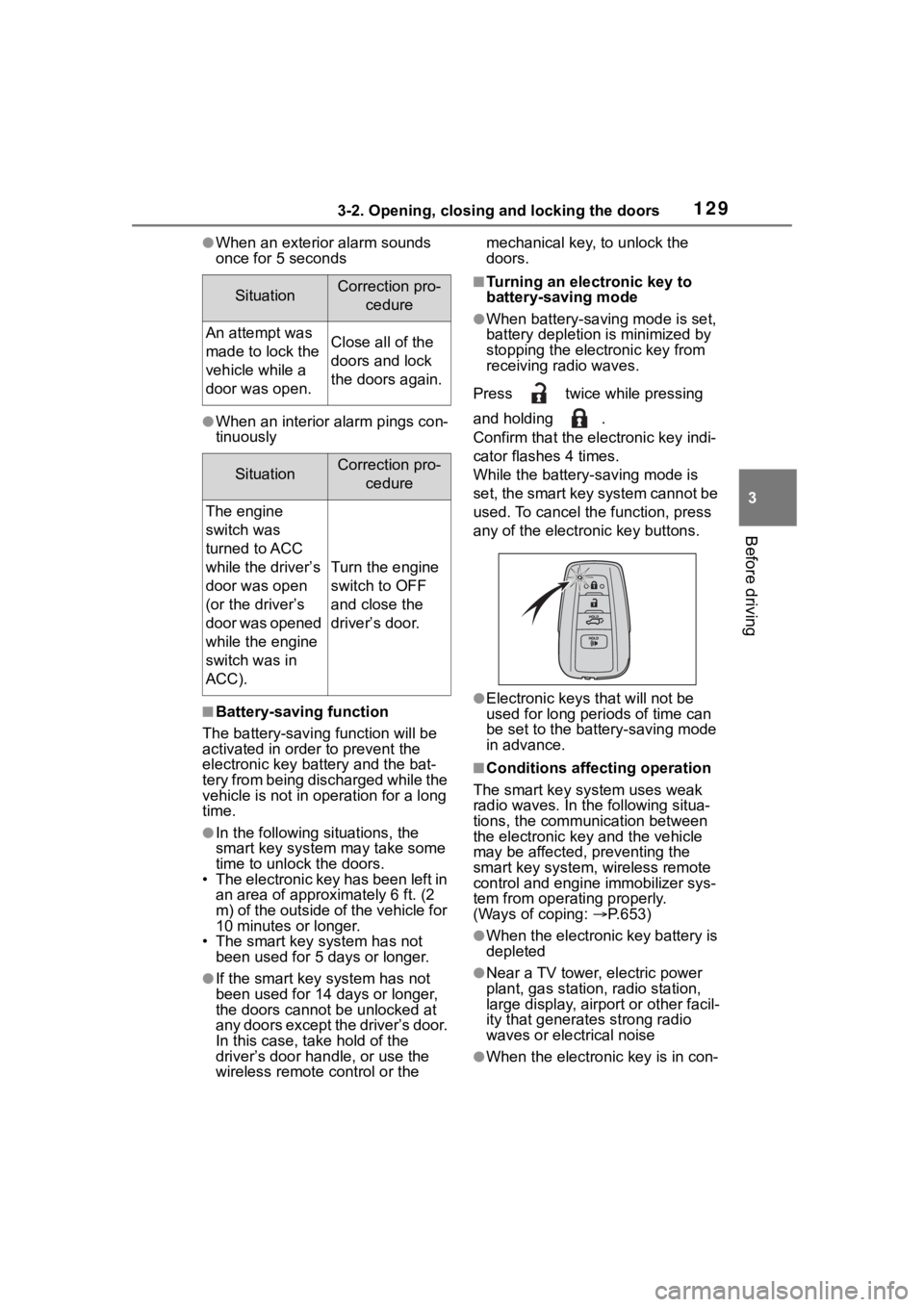
Press twice while pressing
and holding .
Confirm that the ele ctronic key indi-
cator flashes 4 times.
While the battery-saving mode is
set, the smart key system cannot be
used. To cancel the function, press
any of the electronic key buttons.
●Electronic keys that will not be
used for long periods of time can
be set to the battery-saving mode
in advance.
■Conditions affecting operation
The smart key system uses weak
radio waves. In the following situa-
tions, the communication between
the electronic key and the vehicle
may be affected, preventing the
smart key system, wireless remote
control and engi ne immobilizer sys-
tem from operating properly.
(Ways of coping: P.653)
●When the electronic key battery is
depleted
●Near a TV tower, electric power
plant, gas station, radio station,
large display, airpo rt or other facil-
ity that generates strong radio
waves or electrical noise
●When the electronic key is in con-
SituationCorrection pro-
cedure
An attempt was
made to lock the
vehicle while a
door was open.Close all of the
doors and lock
the doors again.
SituationCorrection pro-cedure
The engine
switch was
turned to ACC
while the driver’s
door was open
(or the driver’s
door was opened
while the engine
switch was in
ACC).
Turn the engine
switch to OFF
and close the
driver’s door.
Page 193 of 736
1934-2. Driving procedures
4
Driving
4-2.Driving procedures
1Pull the parking brake switch
to check that the parking
brake is set. ( P.203)
The parking brake indicator will
come on.
2Check that the shift lever is
set in P.
3 Firmly depress the brake
pedal.
4 Turn the engine switch to
START to start the engine.
■If the engine does not start
The engine immobilizer system may
not have been deactivated. ( P. 7 0 )
Contact your Toyota dealer.
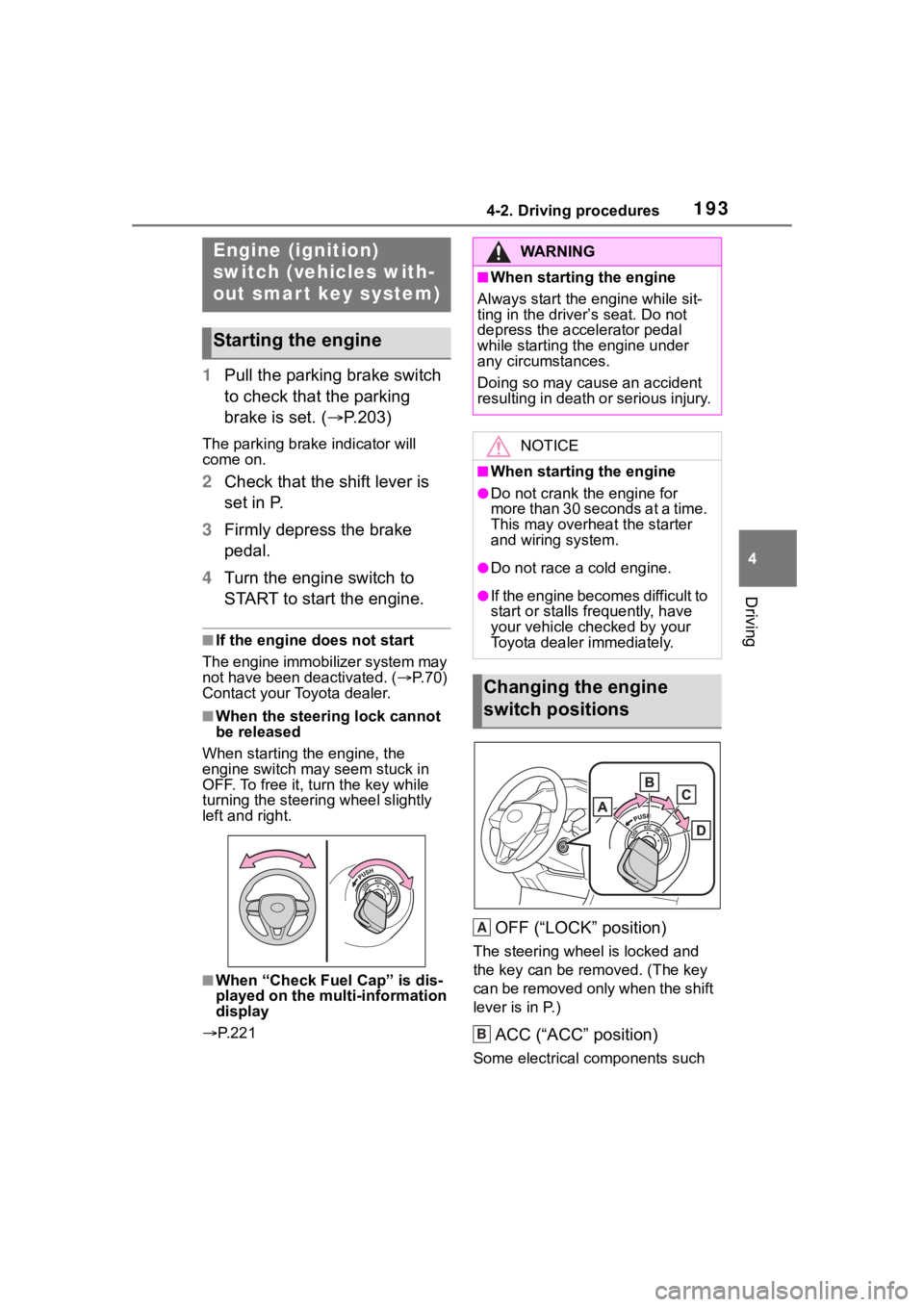
■When the steering lock cannot
be released
When starting the engine, the
engine switch may seem stuck in
OFF. To free it, turn the key while
turning the steerin g wheel slightly
left and right.
■When “Check Fuel Cap” is dis-
played on the multi-information
display
P. 2 2 1
OFF (“LOCK” position)
The steering wheel is locked and
the key can be re moved. (The key
can be removed only when the shift
lever is in P.)
ACC (“ACC” position)
Some electrical components such
Engine (ignition)
switch (vehicles with-
out smart key system)
Starting the engine
WA R N I N G
■When starting the engine
Always start the engine while sit-
ting in the driver’s seat. Do not
depress the accelerator pedal
while starting the engine under
any circumstances.
Doing so may cause an accident
resulting in death o r serious injury.
NOTICE
■When starting the engine
●Do not crank the engine for
more than 30 seconds at a time.
This may overheat the starter
and wiring system.
●Do not race a cold engine.
●If the engine becomes difficult to
start or stalls frequently, have
your vehicle checked by your
Toyota dealer immediately.
Changing the engine
switch positions
A
B
Page 195 of 736
1954-2. Driving procedures
4
Driving
engine switch mode.
■If the engine does not start
●The engine immobilizer system
may not have been deactivated.
( P. 7 0 )
Contact your Toyota dealer.
●If a message related to start-up is
shown on the multi-information
display, read the message and fol-
low the instructions.
■If the battery is discharged
The engine cannot be started using
the smart key system. Refer to
P.655 to restart the engine.
■Electronic key battery depletion
P. 1 0 2
■Conditions affecting operation
P. 1 2 9
■Note for the entry function
P. 1 3 0
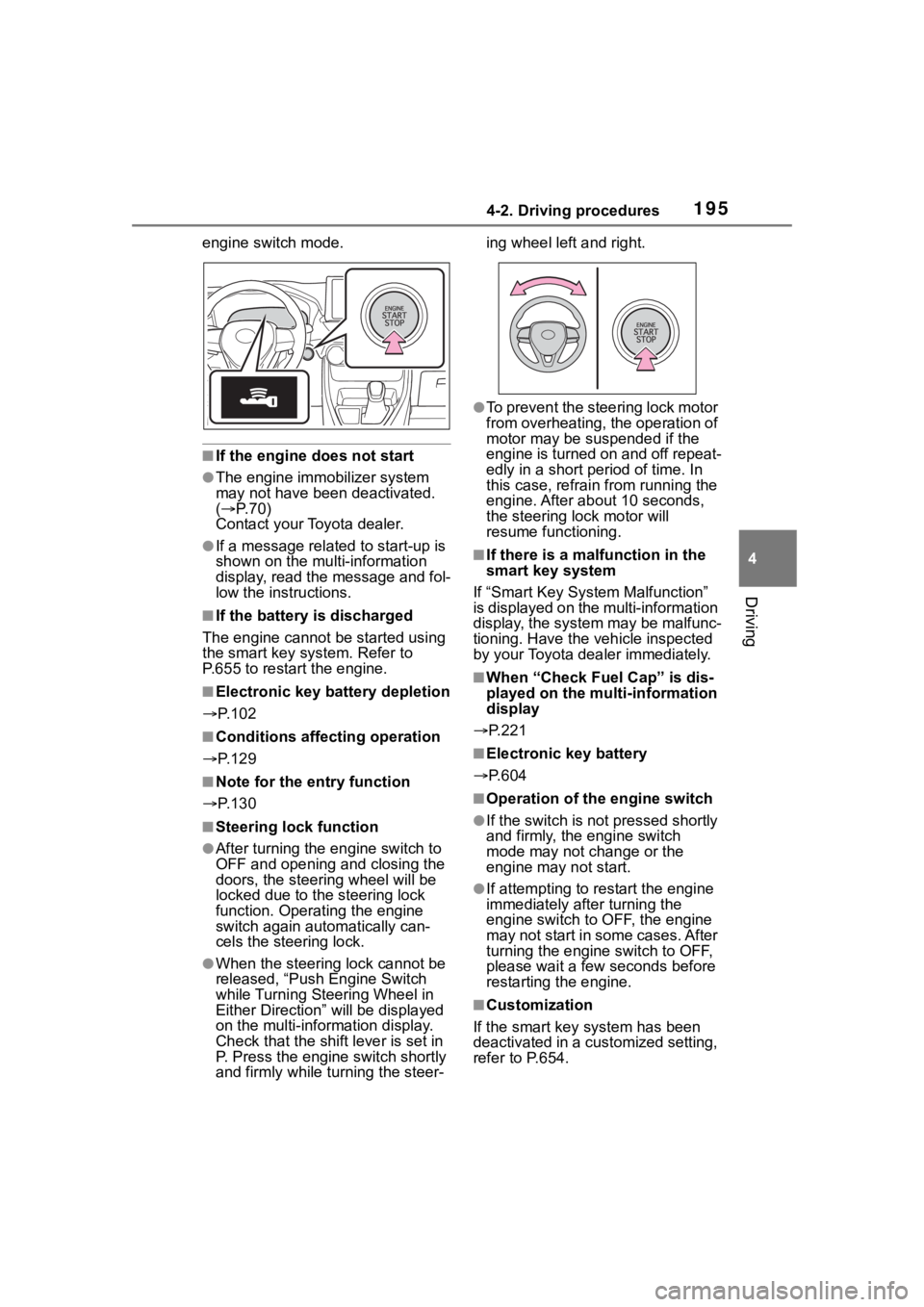
■Steering lock function
●After turning the engine switch to
OFF and opening and closing the
doors, the steer ing wheel will be
locked due to the steering lock
function. Operating the engine
switch again automatically can-
cels the steering lock.
●When the steering lock cannot be
released, “Push Engine Switch
while Turning Steering Wheel in
Either Direction” will be displayed
on the multi-information display.
Check that the shift lever is set in
P. Press the engine switch shortly
and firmly while turning the steer- ing wheel left and right.
●To prevent the steering lock motor
from overheating, the operation of
motor may be suspended if the
engine is turned on and off repeat-
edly in a short period of time. In
this case, refrain from running the
engine. After about 10 seconds,
the steering lo
ck motor will
resume functioning.
■If there is a malfunction in the
smart key system
If “Smart Key System Malfunction”
is displayed on the multi-information
display, the system may be malfunc-
tioning. Have the vehicle inspected
by your Toyota dealer immediately.
■When “Check Fuel Cap” is dis-
played on the multi-information
display
P.221
■Electronic key battery
P.604
■Operation of the engine switch
●If the switch is not pressed shortly
and firmly, the engine switch
mode may not change or the
engine may not start.
●If attempting to res tart the engine
immediately after turning the
engine switch to OFF, the engine
may not start in some cases. After
turning the engine switch to OFF,
please wait a few seconds before
restarting the engine.
■Customization
If the smart key system has been
deactivated in a customized setting,
refer to P.654.
Page 651 of 736
6518-2. Steps to take in an emergency
8
When trouble arises
One of the following may be the
cause of the problem:
There may not be sufficient
fuel in the vehicle’s tank.
Refuel the vehicle.
The engine may be flooded.
Try to restart the engine again
following correct starting pro-
cedures. ( P.193, 194)
There may be a malfunction
in the engine immobilizer sys-
tem. ( P.70)
One of the following may be the
cause of the problem:
The battery may be dis-
charged. ( P.655)
NOTICE
■When replacing the tires
(vehicles with tire pressure
warning system)
When removing or fitting the
wheels, tires or the tire pressure
warning valve and transmitter,
contact your Toyota dealer as the
tire pressure warning valve and
transmitter may be damaged if not
handled correctly.
If the engine will not
star t
If the engine will not start
even though correct starting
procedures are being fol-
lowed ( P.193, 194), con-
sider each of the following
points:
The engine will not start
even though the starter
motor operates normally
The starter motor turns
over slowly, the interior
lights and headlights are
dim, or the horn does not
sound or sounds at a low
volume
Page 721 of 736

Alphabetical Index721
If a warning light turns on ..... 628
If a warning message is dis-played................................. 639
If the electronic key does not operate properly ................. 653
If the engin e will not start ..... 651
If the vehicle battery is dis- charged .............................. 655
If the vehicle is trapped in rising water .................................. 619
If you have a flat tire ............. 642
If you lose your keys ............ 653
If you think something is wrong ........................................... 626
If your vehicle becomes stuck ........................................... 661
If your vehicle has to be stopped in an emergency................. 618
If your vehicle needs to be towed ........................................... 621
If your vehicle overheats ...... 659
Emergency flashers ............... 618
Engine ACC.............................. 193, 197
Compartment ....................... 574
Engine switch ............... 193, 194
Fuel pump shut off system ... 627
Hood..................................... 571
How to start the engine 193, 194
Identification number ............ 665
If the engin e will not start ..... 651
If your vehicle has to be stopped in an emergency................. 618
Ignition switch (Engine switch) ................................... 193, 194
Overheating.......................... 659
Tachometer ...................... 82, 85
Engine coolant Capacity ............................... 668
Checking .............................. 576
Preparing and c hecking before
winter.................................. 367 Warning light.........................629
Engine coolant temperature gauge .................................82, 85
Engine immobilizer system .....70
Engine oil Capacity ...............................666
Checking ..............................574
Preparing and checking before winter ..................................367
Warning light.........................629
Engine switch .................193, 194 Auto power off fun ction .........198
Changing the engine switch modes.................................197
Changing the engine switch positions .............................193
If your vehicle has to be stopped in an emergency .................618
Enhanced Vehicle Stability Con- trol (Enhanced VSC ) .............360
Enhanced VSC (Enhanced Vehi- cle Stability Control).............360
Entering letters and numbers/list screen operation...................385Entering letters and numbers385
List screen ............................386
EPS (Electric Po wer Steering)
Function................................360
Warning light.........................630
Establishing an Android Auto connection .......... ..................408
Establishing an Apple CarPlay connection .......... ..................407
Event data recorder (EDR) .......10
F
Flat tire.....................................642 Tire pressure w arning system
...........................................584
Floor mats .................................26
Fluid Automatic transm ission ........669
Page 723 of 736

Alphabetical Index723
HOME button .......................... 384
Home screen ........................... 384
Hood ........................................ 571
HooksCargo hooks ......................... 532
Coat hooks ........................... 548
Retaining hooks (floor mat) .... 26
Horn ......................................... 142
I
I/M test ..................................... 568
Identification Engine .................................. 665
Vehicle.................................. 665
Ignition switch (Engine switch) ....................................... 193, 194Auto power off function ........ 198
Changing the engine switch modes ................................ 197
Changing the engine switch positions ............................. 193
If your vehicle has to be stopped in an emergency................. 618
Starting the engine ....... 193, 194
Immobilizer system .................. 70
Indicators .................................. 76
Info button (Menu screen) ..... 377
Initialization Items to initialize................... 699
Maintenance......................... 565
Moon roof ............................. 160
Panoramic moon roof ........... 163
Parking Support Brake ......... 281
Power back door .................. 123
Power windows .................... 156
Tire pressure warning system........................................... 590
Initial screen ........................... 381 Caution screen ..................... 381
Restarting the system .......... 381
Inside rear view mirror... 143, 145
Instrument panel light control ...............................84, 88
Interior lights...........................525 Switch ...................................525
Wattage ................................670
Intuitive parking assist Function................................270
Warning message.................273
iPod/iPhone (Apple CarPlay) .434
J
Jack Positioning a floor jack .........572
Vehicle-equipped jack ..........643
Jack handle .............................643
Jam protection function Electronic sunshade .............163
Moon roof .............................159
Panoramic moon r oof ...........163
Power back door ..................121
Power windows ....................156
K
Keyless entry Smart key system .................128
Wireless remote control........104
Keys .........................................102 Battery-saving function .........129
Electronic key .......................102
Engine switch ...............193, 194
If the electronic key does not operate properly .................653
If you lose your keys.............653
Key number plate .................102
Keyless entry ................104, 128
Mechanical key.....................107
Replacing the battery ...........604
Warning buzzer ....................128
Wireless remote control key .104
Knee airbags .............................33