phone TOYOTA RAV4 2020 Owners Manual (in English)
[x] Cancel search | Manufacturer: TOYOTA, Model Year: 2020, Model line: RAV4, Model: TOYOTA RAV4 2020Pages: 736, PDF Size: 30.79 MB
Page 1 of 736
RAV4_OM_OM0R024U_(U)
1
2
3
4
5
6
7
8
9
10
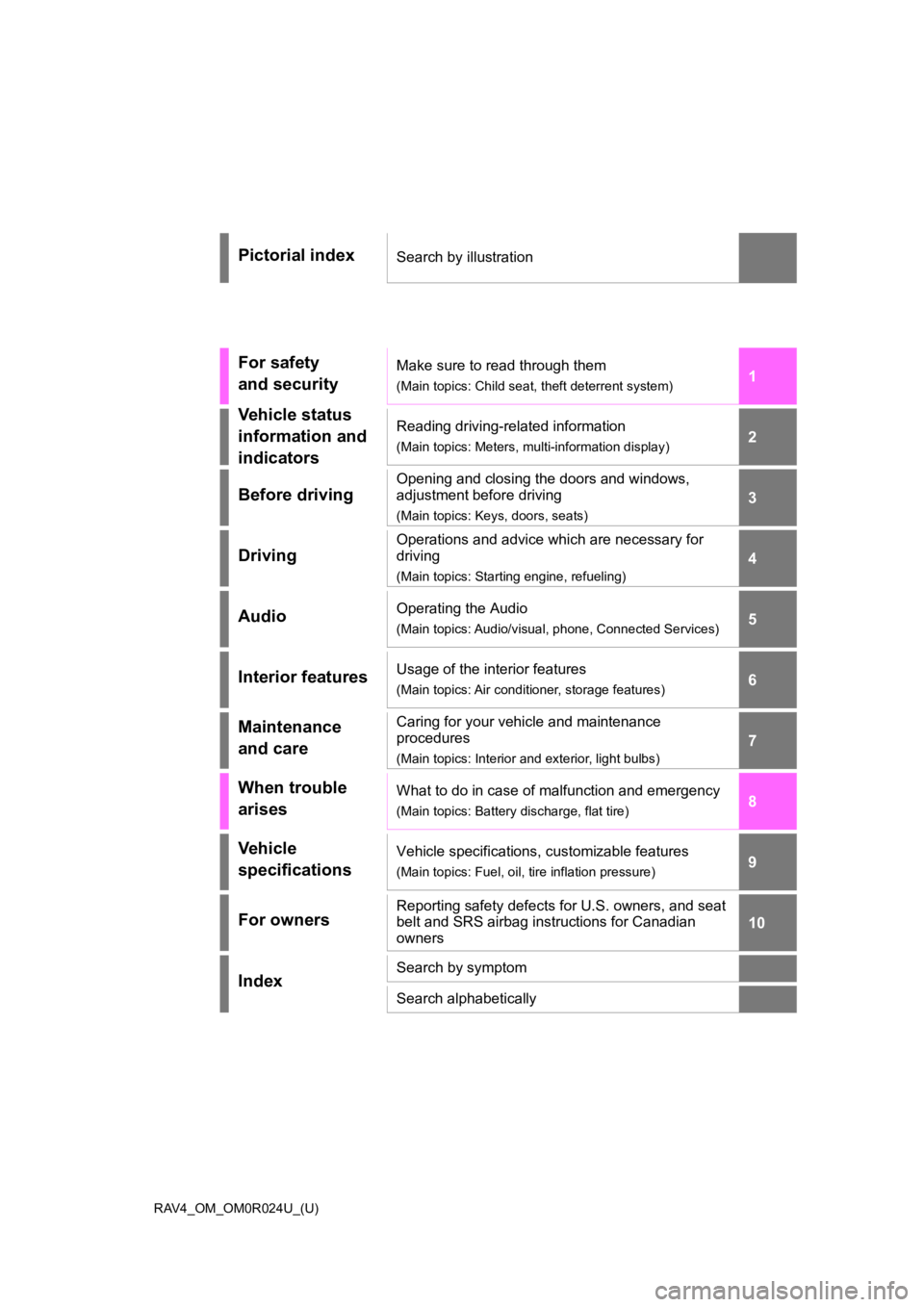
Pictorial indexSearch by illustration
For safety
and securityMake sure to read through them
(Main topics: Child seat, theft deterrent system)
Vehicle status
information and
indicatorsReading driving-related information
(Main topics: Meters, multi-information display)
Before driving
Opening and closing the doors and windows,
adjustment before driving
(Main topics: Keys, doors, seats)
Driving
Operations and advice which are necessary for
driving
(Main topics: Starting engine, refueling)
AudioOperating the Audio
(Main topics: Audio/visual, phone, Connected Services)
Interior featuresUsage of the interior features
(Main topics: Air conditioner, storage features)
Maintenance
and careCaring for your vehicle and maintenance
procedures
(Main topics: Interior and exterior, light bulbs)
When trouble
arisesWhat to do in case of malfunction and emergency
(Main topics: Battery discharge, flat tire)
Vehicle
specificationsVehicle specifications, customizable features
(Main topics: Fuel, oil, tire inflation pressure)
For ownersReporting safety defects for U.S. owners, and seat
belt and SRS airbag instructions for Canadian
owners
IndexSearch by symptom
Search alphabetically
Page 4 of 736
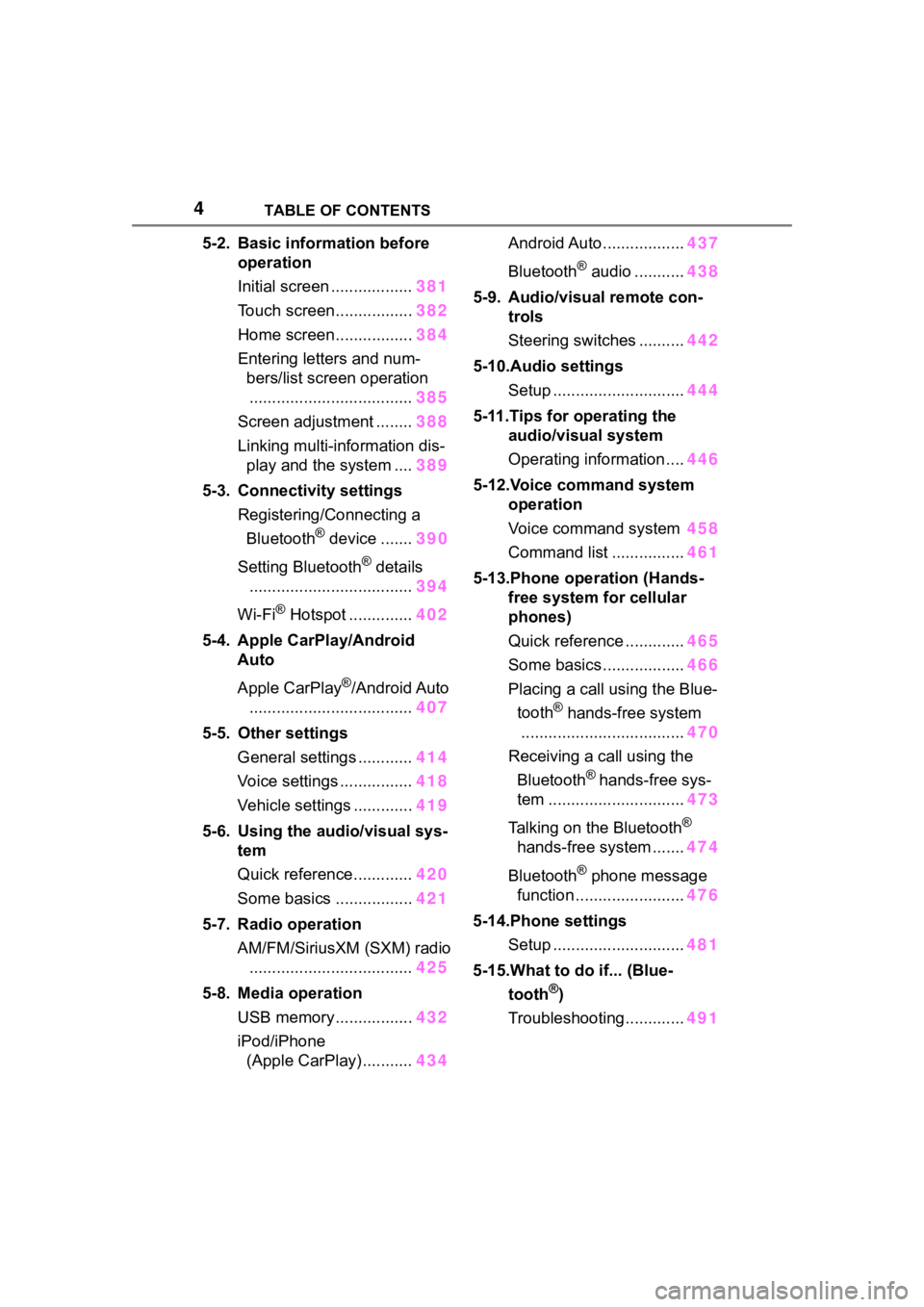
4TABLE OF CONTENTS
5-2. Basic information before operation
Initial screen .................. 381
Touch screen................. 382
Home screen................. 384
Entering letters and num- bers/list screen operation
.................................... 385
Screen adjustment ........ 388
Linking multi-information dis- play and the system .... 389
5-3. Connectivity settings Registering/Connecting a Bluetooth
® device ....... 390
Setting Bluetooth
® details
.................................... 394
Wi-Fi
® Hotspot .............. 402
5-4. Apple CarPlay/Android Auto
Apple CarPlay
®/Android Auto
.................................... 407
5-5. Other settings General settings ............ 414
Voice settings ................ 418
Vehicle settings ............. 419
5-6. Using the audio/visual sys- tem
Quick reference............. 420
Some basics ................. 421
5-7. Radio operation AM/FM/SiriusXM (SXM) radio.................................... 425
5-8. Media operation USB memory................. 432
iPod/iPhone (Apple CarPlay) ........... 434Android Auto ..................
437
Bluetooth
® audio ........... 438
5-9. Audio/visual remote con- trols
Steering switches .......... 442
5-10.Audio settings Setup ............................. 444
5-11.Tips for operating the audio/visual system
Operating information .... 446
5-12.Voice command system operation
Voice command system 458
Command list ................ 461
5-13.Phone operation (Hands- free system for cellular
phones)
Quick reference ............. 465
Some basics .................. 466
Placing a call using the Blue- tooth
® hands-free system
.................................... 470
Receiving a call using the Bluetooth
® hands-free sys-
tem .............................. 473
Talking on the Bluetooth
®
hands-free system ....... 474
Bluetooth
® phone message
function ........................ 476
5-14.Phone settings Setup ............................. 481
5-15.What to do if... (Blue- tooth
®)
Troubleshooting............. 491
Page 5 of 736
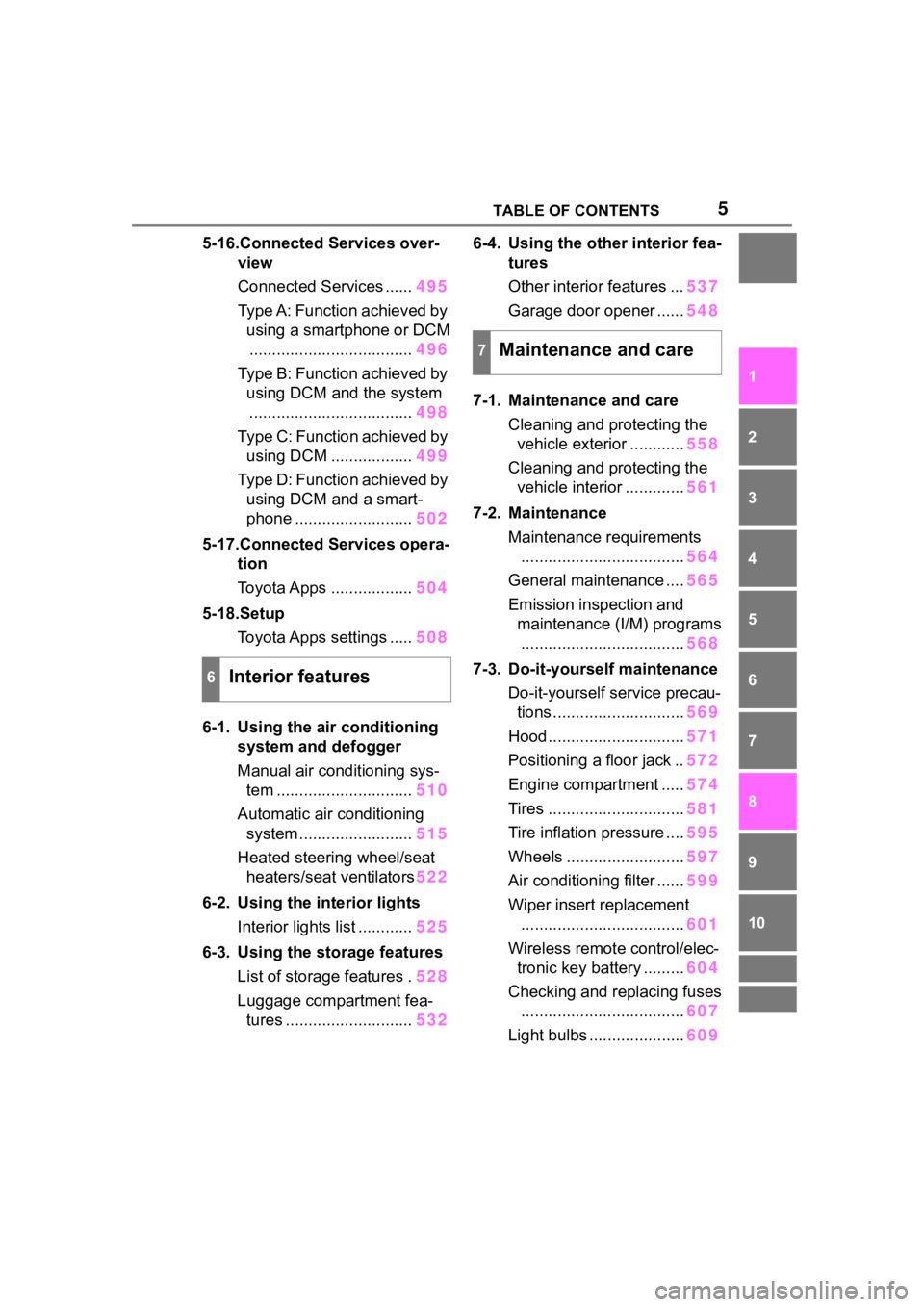
5TABLE OF CONTENTS
1
2
3
4
5
6
7
8
9
10
5-16.Connected Services over-view
Connected Services ...... 495
Type A: Function achieved by using a smartphone or DCM.................................... 496
Type B: Function achieved by using DCM and the system
.................................... 498
Type C: Function achieved by using DCM .................. 499
Type D: Function achieved by using DCM and a smart-
phone .......................... 502
5-17.Connected Services opera- tion
Toyota Apps .................. 504
5-18.Setup Toyota Apps settings ..... 508
6-1. Using the air conditioning
system and defogger
Manual air conditioning sys- tem .............................. 510
Automatic air conditioning system ......................... 515
Heated steering wheel/seat heaters/seat ventilators 522
6-2. Using the interior lights Interior lights list ............ 525
6-3. Using the storage features List of storage features . 528
Luggage compartment fea- tures ............................ 5326-4. Using the other interior fea-
tures
Other interior features ... 537
Garage door opener ...... 548
7-1. Maintenance and care Cleaning and protecting the vehicle exterior ............ 558
Cleaning and protecting the vehicle interior ............. 561
7-2. Maintenance Maintenance requirements.................................... 564
General maintenance .... 565
Emission inspection and maintenance (I/M) programs.................................... 568
7-3. Do-it-yourself maintenance Do-it-yourself service precau-tions ............................. 569
Hood .............................. 571
Positioning a floor jack .. 572
Engine compartment ..... 574
Tires .............................. 581
Tire inflation pressure .... 595
Wheels .......................... 597
Air conditioning filter ...... 599
Wiper insert replacement .................................... 601
Wireless remote control/elec- tronic key battery ......... 604
Checking and replacing fuses .................................... 607
Light bulbs ..................... 609
6Interior features
7Maintenance and care
Page 11 of 736
11
vehicle safety performance
• Disclose the data to a third party for research purposes without
disclosing information about the
specific vehicle or vehicle owner
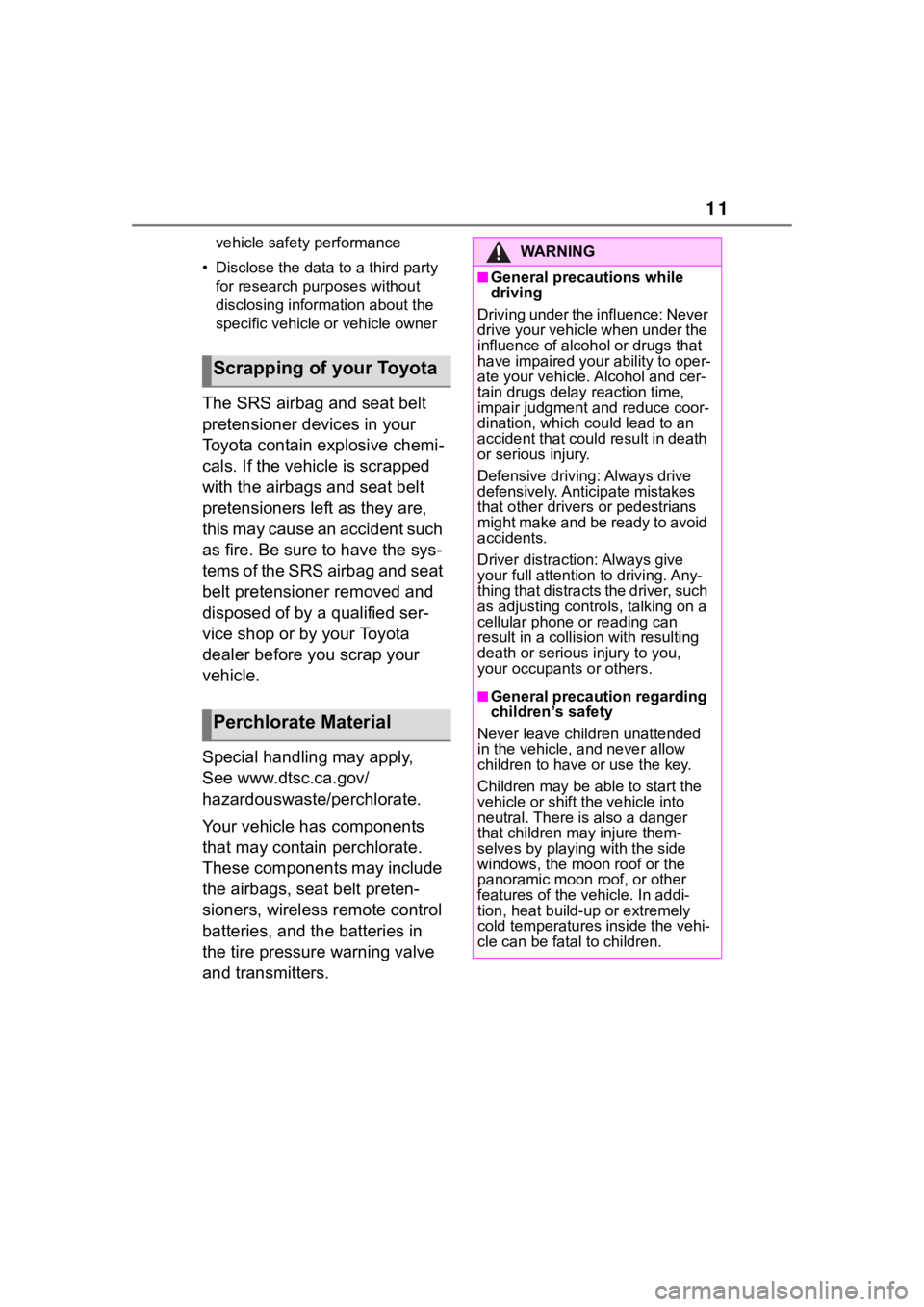
The SRS airbag and seat belt
pretensioner devices in your
Toyota contain explosive chemi-
cals. If the vehicle is scrapped
with the airbags and seat belt
pretensioners left as they are,
this may cause an accident such
as fire. Be sure to have the sys-
tems of the SRS airbag and seat
belt pretensioner removed and
disposed of by a qualified ser-
vice shop or by your Toyota
dealer before you scrap your
vehicle.
Special handling may apply,
See www.dtsc.ca.gov/
hazardouswaste/perchlorate.
Your vehicle has components
that may contain perchlorate.
These components may include
the airbags, seat belt preten-
sioners, wireless remote control
batteries, and the batteries in
the tire pressure warning valve
and transmitters.
Scrapping of your Toyota
Perchlorate Material
WA R N I N G
■General precautions while
driving
Driving under the influence: Never
drive your vehicle when under the
influence of alcohol or drugs that
have impaired your ability to oper-
ate your vehicle. Alcohol and cer-
tain drugs delay reaction time,
impair judgment and reduce coor-
dination, which c ould lead to an
accident that could result in death
or serious injury.
Defensive driving: Always drive
defensively. Anticipate mistakes
that other drivers or pedestrians
might make and be ready to avoid
accidents.
Driver distraction: Always give
your full attentio n to driving. Any-
thing that distracts the driver, such
as adjusting controls, talking on a
cellular phone or reading can
result in a collision with resulting
death or serious injury to you,
your occupants or others.
■General precaution regarding
children’s safety
Never leave children unattended
in the vehicle, and never allow
children to have or use the key.
Children may be able to start the
vehicle or shift the vehicle into
neutral. There is also a danger
that children ma y injure them-
selves by playing with the side
windows, the moon roof or the
panoramic moon roof, or other
features of the vehicle. In addi-
tion, heat build-up or extremely
cold temperatures inside the vehi-
cle can be fatal to children.
Page 20 of 736
20Pictorial index
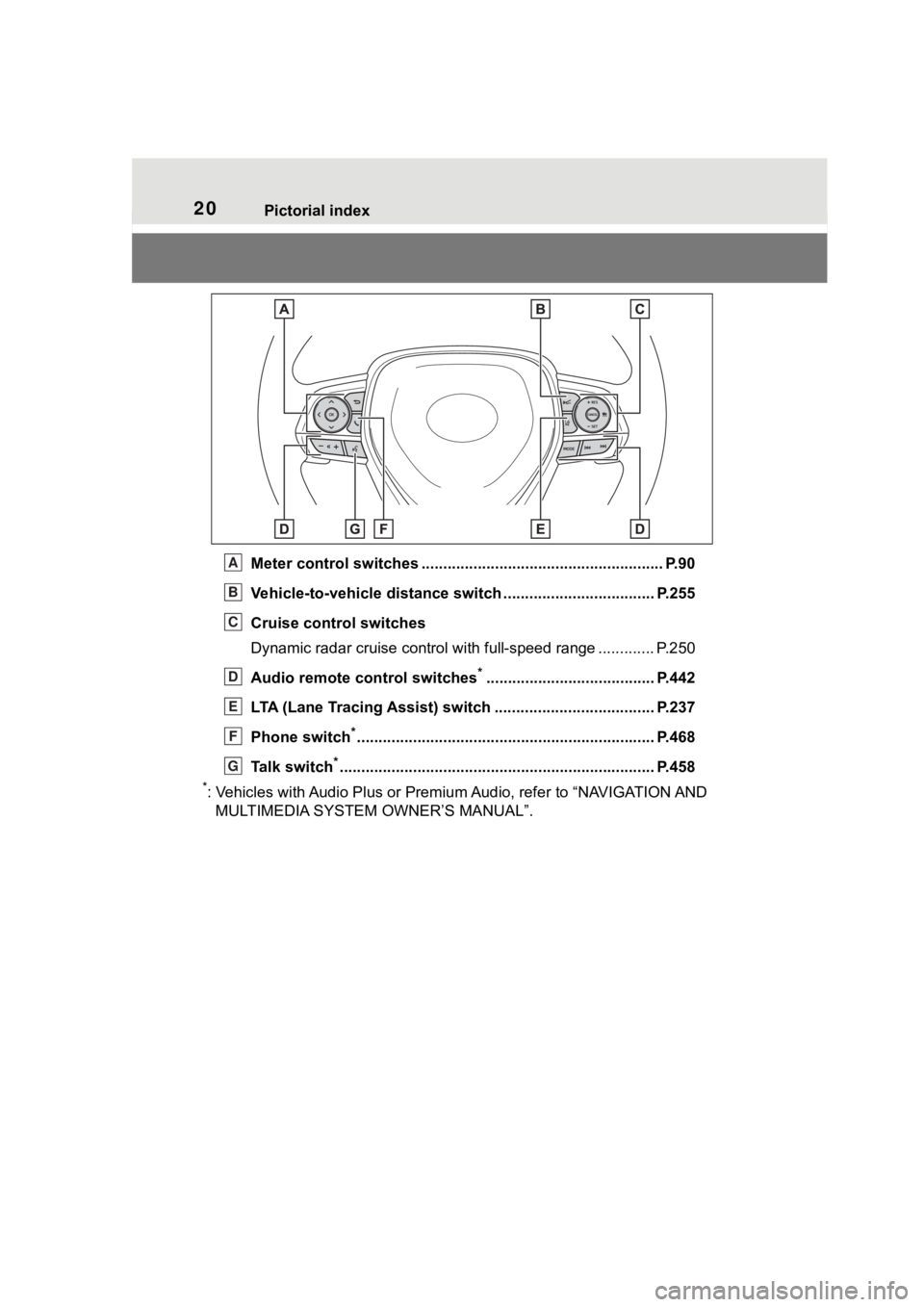
Meter control switches ........................................................ P.90
Vehicle-to-vehicle distance switch ................................... P.255
Cruise control switches
Dynamic radar cruise control with full-speed range ............. P. 2 5 0
Audio remote control switches
*....................................... P.442
LTA (Lane Tracing Assist) switch ............................... ...... P.237
Phone switch
*............................................................... ...... P.468
Talk switch
*............................................................... .......... P.458
*: Vehicles with Audio Plus or Premium Audio, refer to “NAVIGATION AND
MULTIMEDIA SYSTEM OWNER’S MANUAL”.
A
B
C
D
E
F
G
Page 65 of 736
651-3. Emergency assistance
1
For safety and security
1-3.Emergency assistance
*: If equipped
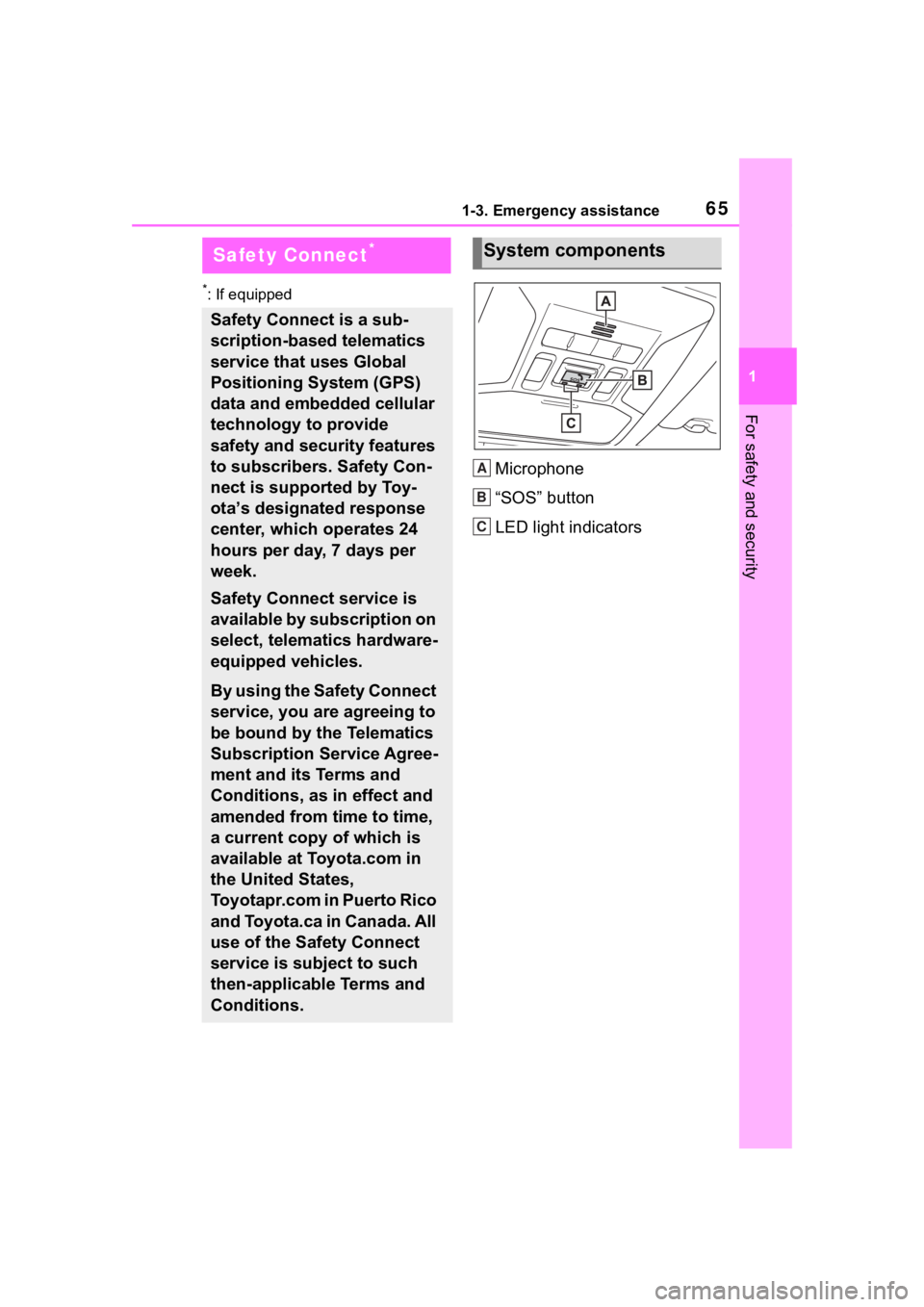
Microphone
“SOS” button
LED light indicators
Safety Connect*
Safety Connect is a sub-
scription-based telematics
service that uses Global
Positioning System (GPS)
data and embedded cellular
technology to provide
safety and security features
to subscribers. Safety Con-
nect is supported by Toy-
ota’s designated response
center, which operates 24
hours per day, 7 days per
week.
Safety Connect service is
available by subscription on
select, telematics hardware-
equipped vehicles.
By using the Safety Connect
service, you are agreeing to
be bound by the Telematics
Subscription Service Agree-
ment and its Terms and
Conditions, as in effect and
amended from time to time,
a current copy of which is
available at Toyota.com in
the United States,
Toyotapr.com in Puerto Rico
and Toyota.ca in Canada. All
use of the Safety Connect
service is subject to such
then-applicable Terms and
Conditions.
System components
A
B
C
Page 67 of 736
671-3. Emergency assistance
1
For safety and security
(“SOS”)
Connects drivers to response-cen-
ter support. (
P. 6 8)
Enhanced Roadside Assis-
tance
Provides drivers various on-road
assistance. (
P. 6 9)
After you have signed the
Telematics Subscription Service
Agreement and are enrolled,
you can begin receiving ser-
vices.
A variety of subscription terms
are available for purchase. Con-
tact your Toyota dealer, call the
following appropriate Customer
Experience Center or push the
“SOS” button in your vehicle for
further subscription details.
The United States
1-800-331-4331
Canada
1-888-869-6828
Puerto Rico
1-877-855-8377
■Safety Connect Services Infor-
mation
●Phone calls using the vehicle’s
Bluetooth® technology will not be
possible when Safety Connect is
active and in use.
●Safety Connect is available begin-
ning Fall 2009 on select Toyota
models (in the contiguous United
States only). Contact with the
Safety Connect response center is dependent upon
the telematics
device being in operative condi-
tion, cellular connection availabil-
ity, and GPS satellite signal
reception, which can limit the abil-
ity to reach the response center or
receive emergency service sup-
port. Enrollment and Telematics
Subscription Service Agreement
are required. A variety of subscrip-
tion terms are available; charges
vary by subscription term selected
and location.
●Automatic Collision Notification,
Emergency Assistance and Stolen
Vehicle Location are available in
the United States, including
Hawaii and Alaska , Puerto Rico
and Canada, and Enhanced
Roadside Assist ance are avail-
able in the United States, Puerto
Rico and Canada.
●Automatic Collision Notification,
Emergency Assistance, Stolen
Vehicle and Enhanced Road
Assistance are not available in the
U.S. Virgin Islands.
For vehicles first sold in the U.S.
Virgin Islands, no Safety Connect
services will function in or outside
the U.S. Virgin Islands.
●Safety Connect services are not
subject to section 255 of the Tele-
communications Act and the
device is not TTY compatible.
■Languages
The Safety Connect response cen-
ter will offer suppor t in multiple lan-
guages. The Safety Connect system
will offer voice prom pts in English,
Spanish, and French. Please indi-
cate your language of choice when
enrolling.
■When contacting the response
center
You may be unable to contact the
response center if the network is
busy.
Subscription
Page 69 of 736
691-3. Emergency assistance
1
For safety and security
ing agent will determine your
vehicle’s location, assess the
emergency, and dispatch the
necessary assistance required.
If you accidentally press the “SOS”
button, tell the response-center
agent that you are not experiencing
an emergency.
■Enhanced Roadside Assis-
tance
Enhanced Roadside Assistance
adds GPS data to the already
included warranty-based Toyota
roadside service.
Subscribers can press the
“SOS” button to reach a Safety
Connect response-center agent,
who can help with a wide range
of needs, such as: towing, flat
tire, fuel delivery, etc. For a
description of the Enhanced
Roadside Assistance services
and their limitations, please see
the Safety Connect Terms and
Conditions, which are available
at Toyota.com in the United
States, Toyotapr.com in Puerto
Rico and Toyota.ca in Canada.
Important! Read this informa-
tion before using Safety Con-
nect.
■Exposure to radio fre-
quency signals
The Safety Connect system
installed in your vehicle is a low- power radio transmitter and
receiver. It receives and also
sends out radio frequency (RF)
signals.
In August 1996, the Federal
Communications Commission
(FCC) adopted RF exposure
guidelines with safety levels for
mobile wireless phones. Those
guidelines are consistent with
the safety standards previously
set by the following U.S. and
international standards bodies.
ANSI (American National
Standards Institute) C95.1
[1992]
NCRP (National Council on
Radiation Protection and
Measurement) Report 86
[1986]
ICNIRP (International Com-
mission on Non-Ionizing Radi-
ation Protection) [1996]
Those standards were based on
comprehensive and periodic
evaluations of the relevant sci-
entific literature. Over 120 scien-
tists, engineers, and physicians
from universities, and govern-
ment health agencies and
industries reviewed the avail-
able body of research to
develop the ANSI Standard
(C95.1).
The design of Safety Connect
complies with the FCC guide-
lines in addition to those stan-
dards.
Safety information for
Safety Connect
Page 97 of 736
972-1. Instrument cluster
2
Vehicle status information and indicators
Select to change the units of mea-
sure displayed.
“Meter Type” (7-inch display)
Select to change the speedometer
display.
(Eco Driving Indicator
Light) ( P.92)
Select to activate/deactivate the
Eco Driving Indicator Light.
(Driving information dis-
play settings)
Select to change the display on
Fuel Economy ( P. 9 1 ) .
(Audio settings) (if
equipped)
Select to enable/disable
screen.
(Vehicle information dis-
play settings)
• “Display Contents”
Select to enable/disable the AWD
system display ( P.94). (AWD
models)
• “Drive Info Type”
Select to change the drive informa-
tion type display between trip and
total. ( P. 9 3 ) .
• “Drive Info Items”
Select to set the items on the upper
and lower side of the drive informa-
tion screen. from three items, aver-
age speed, distance and total time.
“Pop-Up Display”
Select to enable/d isable the follow-
ing pop-up displays, which may
appear in some situations. • Intersection guidance display of
the navigation s ystem-linked sys-
tem (if equipped)
• Incoming call display of the hands-free phone system (if
equipped)
• Audio operation (if equipped)
• Volume operation (if equipped)
• Voice control (if equipped)
• Stop & Start system duration (if equipped)
• Stop & Start system status (if equipped)
“MID OFF”
A blank screen is displayed
“Default Settings”
Select to reset the meter display
settings.
■Suspension of the settings dis-
play
●In the following situations, opera-
tion of the settings display will be
temporarily suspended.
• When a warning message appears on the multi-information
display
• When the vehicle begins to move
●Settings for functions not
equipped to the vehicle are not
displayed.
●When a function is turned off, the
related settings for that function
are not selectable.
Page 103 of 736
1033-1. Key information
3
Before driving
• The smart key system or the wire-less remote control does not oper-
ate.
• The detection area becomes
smaller.
• The LED indicator on the key sur-
face does not turn on.
You can replace the battery by your-
self ( P.604). However, as there is
a danger that the electronic key may
be damaged, it is recommended
that replacement is carried out by
your Toyota dealer.
●To avoid serious deterioration, do
not leave the electronic key within
3 ft. (1 m) of the following electri-
cal appliances t hat produce a
magnetic field:
•TVs
• Personal computers
• Cellular phones, cordless phones and battery chargers
• Table lamps
• Induction cookers
■If a message regarding the state
of the electronic key or engine
switch mode, etc. is shown
(vehicles with smart key sys-
tem)
To prevent trapping the electronic
key inside the vehicle, leaving the
vehicle carrying the electronic key
on your person without turning the
engine switch to OFF or other pas-
sengers from unintentionally taking
the key out of the vehicle, etc., a
message that prompts the user to
confirm the state of the electronic
key or engine switch mode may be
shown on the multi -information dis-
play. In those cases, follow the
instructions on the display immedi-
ately.
■If “Key Battery Low Replace
Key Battery” is displayed on
the multi-information display
(vehicles with smart key sys-
tem)
The electronic key has a low battery.
Replace the electronic key battery. (
P.604)
■Replacing the battery
P.604
■Confirmation of the registered
key number
The number of keys already regis-
tered to the vehi cle can be con-
firmed. Ask your Toyota dealer for
details.
■If “A New Key has been Regis-
tered Contact Your Dealer for
Details” is dis played on the
multi-information display (vehi-
cles with smart key system)
This message will be displayed
each time the driver’s door is
opened when the doors are
unlocked from the outside for
approximately 10 days after a new
electronic key has been registered.
If this message is displayed but you
have not had a new electronic key
registered, ask your Toyota dealer to
check if an unknown electronic key
(other than those in your posses-
sion) has been registered.
NOTICE
■To prevent key damage
●Do not drop the keys, subject
them to strong shocks or bend
them.
●Do not expose the keys to high
temperatures for long periods of
time.
●Do not get the keys wet or wash
them in an ultrasonic washer,
etc.
●Do not attach m etallic or mag-
netic materials to the keys or
place the keys close to such
materials.
●Do not disassemble the keys.