ECU TOYOTA RAV4 2021 Accessories, Audio & Navigation (in English)
[x] Cancel search | Manufacturer: TOYOTA, Model Year: 2021, Model line: RAV4, Model: TOYOTA RAV4 2021Pages: 240, PDF Size: 9.35 MB
Page 180 of 240
1807-1. Phone operation (Hands-free system for cellular phones)
name is displayed.
●Number-withheld calls are also
memorized in the system.
●International phone calls may not
be made depending on the type of
Bluetooth
® phone you have.
●The list should group together
consecutive entries with the same
phone number and same call
type. For example, two calls from
John’s mobile would be displayed
as follows: John (2)
Calls can be made using regis-
tered contacts which can be
selected from a contact list.
( P.180)
1 Display the phone top
screen. ( P.174)
2 Select “Favorites” and select
the desired contact.
3 Select the desired number.
4 Check that the dialing screen
is displayed.
Calls can be made by using
contact data which is transferred
from a registered cellular phone.
( P.192)
Up to 5000 contacts (maximum
of 4 phone numbers, e-mail
addresses and addresses per
contact) can be registered in the
contact list.
1 Display the phone top
screen. ( P.174) 2
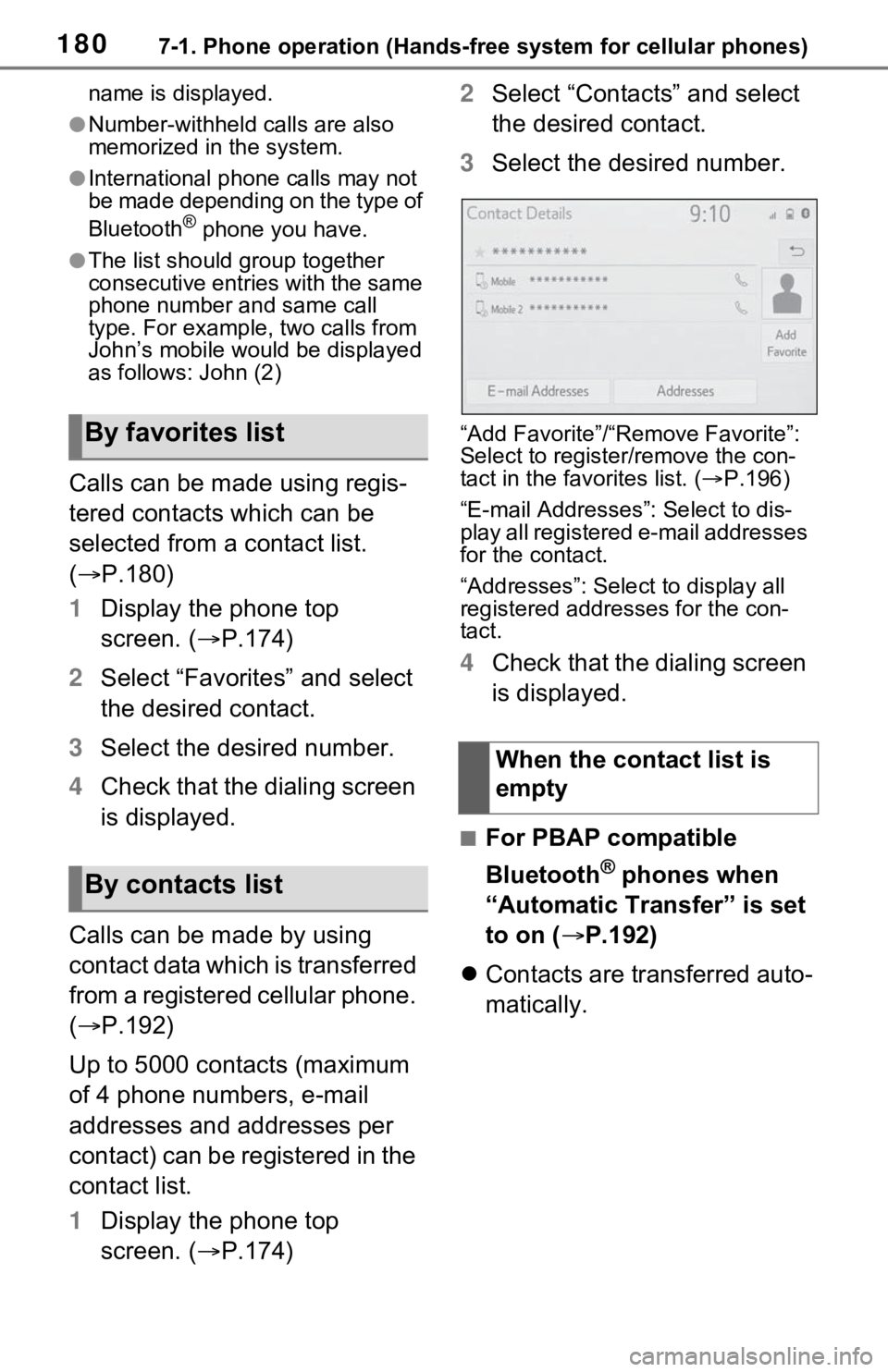
Select “Contacts” and select
the desired contact.
3 Select the desired number.
“Add Favorite”/“Remove Favorite”:
Select to register/remove the con-
tact in the favo rites list. (P.196)
“E-mail Addresses”: Select to dis-
play all registered e-mail addresses
for the contact.
“Addresses”: Select to display all
registered addresses for the con-
tact.
4 Check that the dialing screen
is displayed.
■For PBAP compatible
Bluetooth
® phones when
“Automatic Transfer” is set
to on ( P.192)
Contacts are transferred auto-
matically.
By favorites list
By contacts list
When the contact list is
empty
Page 203 of 240
2037-3. What to do if...
7
Phone
■In other situations
The Bluetooth
® connection sta-
tus is displayed at the top of the
screen each time the engine
switch
or ON.
Even though all conceivable
measures have been taken, the
symptom status does not
change.
●For details, refer to the owner’s
manual that came with the cellular
phone.
Likely causeSolution
Connection con-
firmation display
on this system is
set to on.
To turn off the
display, set con-
nection confir-
mation display
on this system to
off. ( P.46)
Likely causeSolution
The cellular
phone is not
close enough to
this system.Bring the cellu-
lar phone closer
to this system.
Radio interfer-
ence has
occurred.
Turn off Wi-Fi®
devices or other
devices that may
emit radio
waves.
The cellular
phone is the
most likely cause
of the symptom.
Turn the cellular
phone off,
remove and rein-
stall the battery
pack, and then
restart the cellu-
lar phone.
Enable the cellu-
lar phone’s
Bluetooth
® con-
nection.
Disable the
Wi-Fi
® connec-
tion of the cellu-
lar phone.
Stop the cellular
phone’s security
software and
close all applica-
tions.
Before using an
application
installed on the
cellular phone,
carefully check
its source and
how its operation
might affect this
system.
Likely causeSolution
Page 210 of 240
2108-1. Connected Services overview
*: Vehicles equipped with DCM
■Subscription
After you have signed the Telematics Subscription Ser-
vice Agreement and are
enrolled, you can begin
receiving services. A variety
of subscription terms are
available. Contact your
Toyota dealer, or call 1-800-
331-4331 in the United
States, 1-888-869-6828 in
Canada, and 1-877-855-8377
in Puerto Rico, for further sub-
scription details. (
P.208)
■Availability of functions
Destination Assist is avail-
able in the contiguous United
States, Washington D.C.,
Puerto Rico, Hawaii, the
United States Virgin Islands,
Canada, and limited areas of
Alaska for vehicles that con-
tain the appropriate map data.
Dynamic Navigation is avail-
able in the contiguous United
States, Washington D.C. and
Alaska.
Dynamic Navigation is not
available in Puerto Rico, Can-
ada, and the United States
Virgin Islands.
Wi-Fi
® Hotspot is available in
the contiguous United States,
Washington D.C., Alaska and
Hawaii.
Wi-Fi
® Hotspot is not avail-
able in Puerto Rico, Canada,
and the United States Virgin
Islands.
Type B: Function
achieved by using
DCM and the system
*
The functionality of Destina-
tion Assist, Dynamic Navi-
gation, and Wi-Fi
® Hotspot
is made possible through
the shared work of the DCM
and the system.
Destination Assist and
Dynamic Navigation are
subscription-based telemat-
ics services that use Global
Positioning System (GPS)
data and embedded cellular
technology to provide safety
and security as well as con-
venience features.
These services are avail-
able by subscription on
select, telematics hardware-
equipped vehicles and sup-
ported by the Toyota
response center, which
operates 24 hours a day, 7
days a week.
For details about:
Dynamic Navigation:
P.85, 94, 117
Wi-Fi
® Hotspot: P.48
Before using the function