engine TOYOTA RAV4 2022 Owners Manual
[x] Cancel search | Manufacturer: TOYOTA, Model Year: 2022, Model line: RAV4, Model: TOYOTA RAV4 2022Pages: 748, PDF Size: 22.93 MB
Page 343 of 748

3434-5. Using the driving support systems
4
Driving
the vehicle is stopped by the
dynamic radar cruise control with
full-speed range when in vehicle-
to-vehicle distance control mode)
• The D shift position is selected.
• The driver’s seat belt is fastened.
• The driver’s door is closed.
• The selected driv ing mode is not
snow mode (AWD models).
• Mud & Sand or Rock & Dirt mode is not selected for Multi-terrain
Select (AWD models).
• The windshield defogger is off. (vehicles without a manual air
conditioning system)
• The accelerator pedal is not being depressed.
• The engine is adequately warmed
up.
• The outside temperature is 23°F (- 5°C) or higher.
• The hood is closed. ( P.344)
●In the following situations, the
engine may not be stopped by the
Stop & Start syste m. This is not a
malfunction of the Stop & Start
system.
• When the air conditioning system is being used.
• When the battery is undergoing a periodic recharge.
• When the battery is not sufficiently
charged, such as if the vehicle
has been parked for a long time
and the battery charge has
decreased, the e lectric load is
large, the battery fluid tempera-
ture is excessively low or the bat-
tery has deteriorated.
• When the brake booster vacuum is low.
• When the elapsed time since the engine was restarted is short.
• When the vehicle is stopped fre-
quently, such as when in a traffic
jam.
• When the engine coolant tem- perature or transmission fluid tem-
perature is extremely low or high.
• When the vehicle is stopped on a steep incline.
• When the steering wheel is being operated.
• When the vehicle is being driven in a high altitude area.
• When the battery fluid tempera- ture is extremely low or high.
• For a while after the battery termi- nals have been disconnected and
reconnected.
●When the engine is stopped by
the Stop & Star t system, the
engine will be restarted automati-
cally if any of the following condi-
tions are met:
(To enable the engine to be
stopped by the Stop & Start sys-
tem again, drive the vehicle.)
• The air conditioning system is turned on. (vehicles without a
manual air conditioning system)
• The windshield defogger is turned on. (vehicles without a manual air
conditioning system)
• The shift lever is shifted from D or P.
• The shift lever is shifted from P.
(When the engine is stopped by
the Stop & Start system when the
shift lever is in P.)
• The driver’s seat belt is unfas- tened.
• The driver’s door is opened.
• The driving mode is changed to
snow mode (AWD models).
• Mud & Sand or Rock & Dirt mode
is selected for Mult i-terrain Select
(AWD models).
• The Stop & Start cancel switch is
pressed.
• The steering wheel is operated.
• The accelerator pedal is depressed.
• The vehicle starts to roll on an incline.
●When the engine is stopped by
the Stop & Star t system, the
engine may restart automatically
in the following situations: (To
enable the engine to be stopped
by the Stop & Start system again,
drive the vehicle.)
• When the brake pedal is pumped
or strongly depressed.
• When the air conditioning system is being used.
• When a switch of the air condition-
Page 344 of 748
3444-5. Using the driving support systems
ing system is operated (windshield
defogger switch, etc.).
• If the battery charge becomes low.
■When the hood is opened
●If the hood is opened while the
engine is stopped by the Stop &
Start system, the engine will stall
and will not be able to be restarted
by the automatic engine start
function. In this case, restart the
engine using the normal engine
starting procedure. ( P.191, 192)
●If the hood is closed after the
engine is started with the hood
open, the Stop & Start system will
not operate. Close the hood, turn
the engine switch t o OFF, wait 30
seconds or more, and then start
the engine.
■Air conditioning system opera-
tion while the engine is stopped
by the Stop & Start system
Vehicles with an automatic air con-
ditioning system: When the air con-
ditioning is in automatic mode and
the engine is stopped by the Stop &
Start system, the fan may operate at
a low speed in order to prevent the
temperature in the cabin from
increasing or decreasing or may be
stopped.
To prioritize air conditioning system
performance when the vehicle is
stopped, disable the Stop & Start
system by pressing the Stop & Start
cancel switch.
●If the windshield is fogged up
Turn the windshield defogger on.
( P.509, 516)
If the windshield fogs up frequently,
press the Stop & Start cancel switch
to disable the Stop & Start system.
●If an odor is emitted from the air
conditioning system
• Vehicles with a manual air condi- tioning system:
If the idling stop time setting is set
to “Extended”, change it to “Stan-
dard”. If an odor is emitted when the idling stop time setting is set to
“Standard”, press the Stop & Start
cancel switch to deactivate the
Stop & Start system.
• Vehicles with an automatic air
conditioning system:
Press the Stop & Start cancel
switch to deactivate the Stop &
Start system.
■Changing the idling stop time
with the air conditioning system
on
The length of time the Stop & Start
system will operate when the air
conditioning system is on can be
changed in of the multi-informa-
tion display ( P.94). (The length of
time the Stop & Start system will
operate when the a ir conditioning
system is off cann ot be changed.)
■Displaying the Stop & Start sys-
tem status
After Start:
Displays the cumulative time that
the engine is stopped by the Stop &
Start system from when the engine
is started until the engine is
stopped.
This item is reset each time the
engine stops.
■Multi-information display mes-
sages
If the following situations,
and a message may be displayed
on the multi-information display.
●When the engine cannot be
stopped by the Stop & Start sys-
tem “Press Brake More to Acti-
vate”
• The brake pedal is not sufficiently depressed.
If the brake pedal is depressed
further, the system will operate.
Page 345 of 748
3454-5. Using the driving support systems
4
Driving
“Non-Dedicated Battery”
• A battery not designed for use with a Stop & Start system may
have been installed.
Have the vehicl e inspected by
your Toyota dealer.
“Battery Charging”
• The battery charge may be low.
Stopping of the engine is tempo-
rarily prohibited to prioritize charging
of the battery. After the engine runs
for a certain amount of time, the
system will be enabled.
• A refresh charge may be occur- ring (Examples: For a while after
the battery terminals have been
disconnected and reconnected.
For a while after the battery has
been replaced. etc.)
After a refresh charge for up to
an hour completes, the system can
be operated.
• If displayed continuously for a long time (more than an hour)
The battery may be deteriorated.
Contact your Toyota dealer for
details.
“Stop & Start System
Unavailable”
• The Stop & Start system is tempo- rarily disabled.
Allow the engine to run for some
time.
• The engine may have been started with the hood open.
Close the hood , turn the engine
switch to OFF, wait for 30 seconds
or more, and then start the engine.
“In Preparation” • The vehicle is being driven in a
high altitude area.
• The brake booster vacuum is low.
When the brake booster vacuum
reaches a predeter mined level, the
system will be enabled.
“For Climate Control”
• The air conditioning system is being used when the ambient
temperature is high or low.
If the difference between the set
temperature and cabin temperature
becomes small, the system will be
enabled.
• The windshield defogger is on.
●When the engine automatically
restarts while stopped by the Stop
& Start system
“In Preparation”
• The brake pedal has been depressed further or pumped.
The system will be enabled after
the engine runs and the brake
booster vacuum reaches a predeter-
mined level.
“For Climate Control”
• The air conditioning system has been turned on o r is being used.
• The windshield defogger has
been turned on.
“Battery Charging”
• The battery charge may be low.
The system will be enabled after
the engine runs to sufficiently
charge the battery.
■When the buzzer sounds
If the driver’s door is opened when
the engine is stopped by the Stop &
Page 346 of 748
3464-5. Using the driving support systems
Start system and the shift lever is in
D, a buzzer will sound and the Stop
& Start system indicator will flash.
To stop the buzzer, close the
driver’s door.
■The Stop & Start system protec-
tion function
●When the volume of the audio
system is excessively high, sound
output from the audio system may
suddenly be cut off in order to
reduce battery consumption. To
prevent the audio system from
being cut off, keep the volume of
audio system at a moderate level.
If the audio system has been cut
off, turn the engine switch to OFF,
wait for 3 secon ds or more and
then turn it to ACC or ON to re-
enable the audio system.
●The audio system may not be acti-
vated if the battery terminals are
disconnected an d then recon-
nected. If this o ccurs, turn the
engine switch to OFF and then
repeat the following operation
twice to activate the audio system
normally.
• Turn the engine switch to ON and
then to off.
■Replacing the battery
P.652
■If the Stop & Start cancel indica-
tor flashes continuously
The system may be malfunctioning.
Have the vehicle inspected by your
Toyota dealer.
■If “Stop & Start System Mal-
function Visit Your Dealer” is
displayed on the multi-informa-
tion display
The system may be malfunctioning.
Have the vehicle inspected by your
Toyota dealer.
WARNING
■When the Stop & Start system
is operating
Make sure to disable the Stop &
Start system while the vehicle is
in a poorly ventilated area.
If not disabled, the engine may be
automatically restarted unexpect-
edly, causing exhaust gases to
collect and enter the vehicle, pos-
sibly resulting in death or a seri-
ous health hazard.
●Do not leave the vehicle while
the engine is stopped by the
Stop & Start system (while the
Stop & Start indicator is on). An
accident may occur due to the
automatic engine start function.
●Depress the brake pedal and
apply the parking brake when
necessary while the engine is
stopped by the Stop & Start sys-
tem (while the Stop & Start indi-
cator is on).
NOTICE
■To ensure the system oper-
ates correctly
If any of the follo wing situations
occur, the Stop & Start system
may not operate c orrectly. Have
your vehicle inspected by your
Toyota dealer.
●While the driver’s seat belt is
fastened, the driver’s and front
passenger’s seat belt reminder
light flashes.
●Even though the driver’s seat
belt is not fastened, the driver’s
and front passenger’s seat belt
reminder light does not illumi-
nate.
Page 348 of 748
3484-5. Using the driving support systems
Eco drive mode indicator illumi-
nates on the multi-information dis-
play.
2Normal mode
Suitable for normal driving.
The driving mode returns to normal
mode if the switch is pressed while
in Eco drive mode or sport mode.
3Sport mode
Controls the steering feeling and
engine to create an acceleration
response that is su itable for sporty
driving. Suitable for when crisp
handling is desired, such as when
driving on mountainous roads.
When the switch is pressed while
not in sport mode, the system
switches to sport mode and the
sport mode indicator illuminates on
the multi-inform ation display.
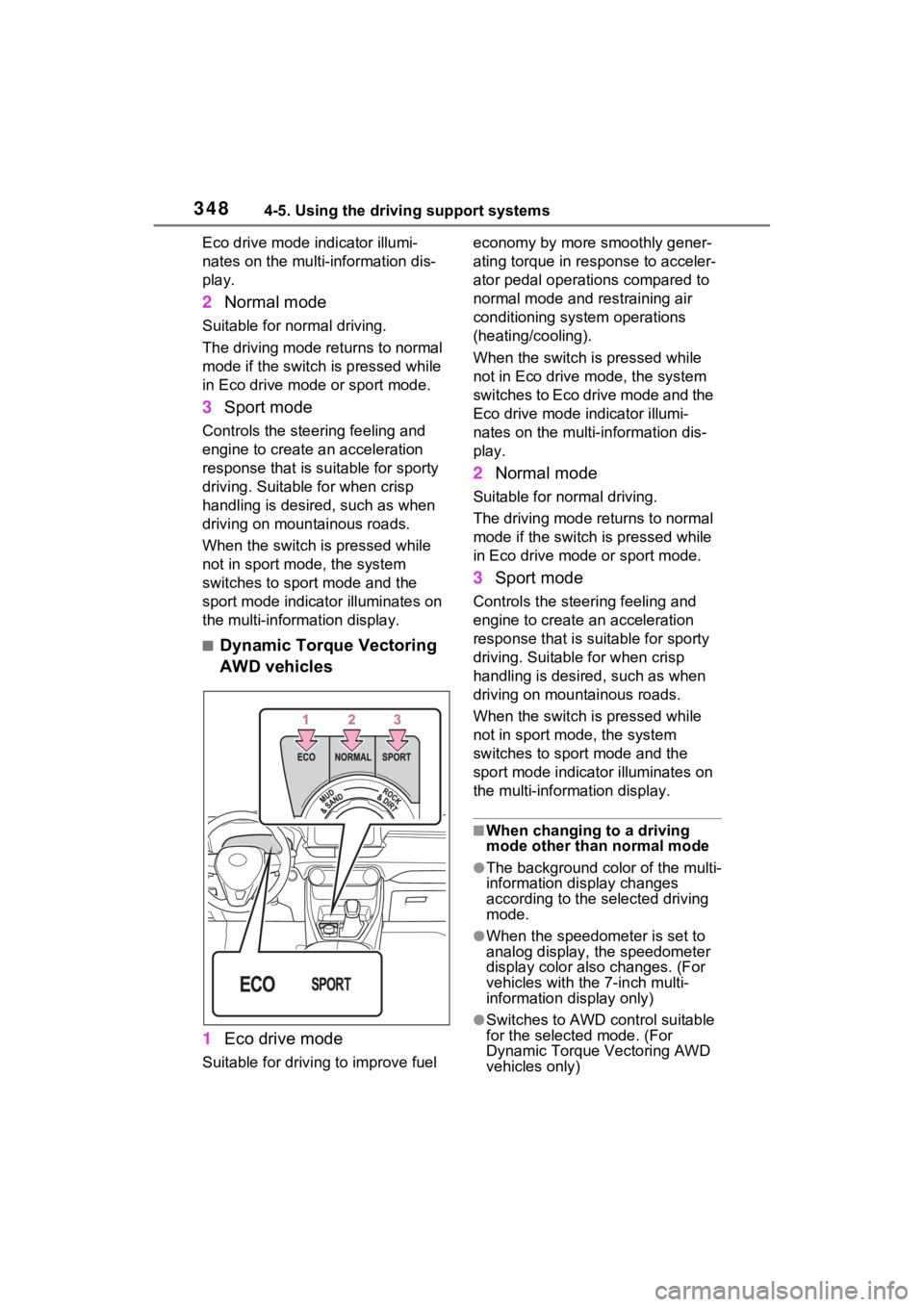
■Dynamic Torque Vectoring
AWD vehicles
1 Eco drive mode
Suitable for driving to improve fuel economy by more
smoothly gener-
ating torque in response to acceler-
ator pedal operations compared to
normal mode and restraining air
conditioning system operations
(heating/cooling).
When the switch is pressed while
not in Eco drive mode, the system
switches to Eco drive mode and the
Eco drive mode i ndicator illumi-
nates on the multi-information dis-
play.
2 Normal mode
Suitable for n ormal driving.
The driving mode returns to normal
mode if the switch i s pressed while
in Eco drive mode or sport mode.
3 Sport mode
Controls the steering feeling and
engine to create an acceleration
response that is suitable for sporty
driving. Suitable for when crisp
handling is desired, such as when
driving on mountainous roads.
When the switch is pressed while
not in sport mode, the system
switches to sport mode and the
sport mode indicat or illuminates on
the multi-information display.
■When changing to a driving
mode other than normal mode
●The background color of the multi-
information display changes
according to the selected driving
mode.
●When the speedometer is set to
analog display, the speedometer
display color also changes. (For
vehicles with the 7-inch multi-
information di splay only)
●Switches to AWD control suitable
for the selected mode. (For
Dynamic Torque Vectoring AWD
vehicles only)
Page 349 of 748
3494-5. Using the driving support systems
4
Driving
■Air conditioning system opera-
tion in Eco drive mode
In Eco drive mode, heating/cooling
operations and the fan speed is con-
trolled to improve fuel efficiency.
Perform the following procedures to
increase the air conditioning perfor-
mance.
●Vehicles with automatic air condi-
tioning system: Turn eco air condi-
tioning mode off ( P.515)
●Adjust the fan speed ( P.508,
515)
●Cancel Eco drive mode
■Canceling a driving mode
●Sport mode is automatically can-
celed and the driving mode
returns to normal mode when the
engine switch is turned off.
●Normal mode and Eco drive mode
are not canceled until another
driving mode is sel ected. (Even if
the engine switch is turned off,
normal mode and Eco drive mode
will not be automatically can-
celed.)
Select a mode that is appropri-
ate for the road condition.
■Mud & Sand mode
Suitable for driving on roads
with increased driving resis-
tance in which tires could
become stuck, such as sandy
roads, muddy roads, etc.
Multi-terrain Select
(AWD vehicles)
Multi-terrain Select is
designed to control AWD,
brake and driving force sys-
tems in accordance with the
road condition. Use the sys-
tem when driving over
muddy, sandy or rough road
surfaces.
WARNING
■Before using Multi-terrain
Select
Make sure to observe the follow-
ing precautions. Failure to
observe these precautions may
result in an unexp ected accident.
●Check that the Mud & Sand and
Rock & Dirt indicators are illumi-
nated before driving.
●Multi-terrain Select is not
intended to expand the limit per-
formance of the vehicle. Thor-
oughly check the road
conditions and driving route
before driving, and drive with
caution.
Control in each mode
Page 351 of 748
3514-5. Using the driving support systems
4
Driving
• Mud & Sand mode
Mud & Sand mode indicator, VSC
OFF indicator (P.79) and PCS
warning light ( P.77) illuminate.
•Rock & Dirt mode
Rock & Dirt mode indicator illumi-
nates.
•Normal mode
The indicators and/or warning lights
above turn off.
■Multi-terrain Select
●Multi-terrain Sele ct is intended for
use when driving on rough roads.
Drive in Normal mode during nor-
mal driving.
●The Mud & Sand and Rock & Dirt
modes control the vehicle so that
it can maximize the drive force
and improve the drive force on
rough roads. As a result, fuel effi-
ciency may diminish when com-
pared to driving in Normal mode.
■When Multi-terrain Select brake
control is operating
The slip indicator flashes when
Multi-terrain Selec t brake control is
operating.
■AWD control for Mud & Sand
and Rock & Dirt modes
If the vehicle s peed exceeds the
speeds listed below, the same level
of AWD control for Normal mode is
performed, even if Mud & Sand or
Rock & Dirt mode is selected.
●Mud & Sand mode: Vehicle speed
is approximately 25 mph (40
km/h) or more
●Rock & Dirt mode: Vehicle speed
is approximately 16 mph (25
km/h) or more
If the vehicle speed drops below the
above speeds, the system automati-
cally returns to the AWD control for
each mode.
■When “Traction Control Turned
OFF” is displaye d on the multi-
information display
Multi-terrain Select brake control is
temporarily stopped due to overheat
of the brakes.
Stop the vehicle in a safe location
as soon as possible and wait until
the message disappears from the
multi-informat ion display.
■When the system switches to
Normal mode automatically
In the following situ ations, the sys-
tem switches to N ormal mode auto-
matically:
●When the driving mode is
changed ( P.347)
●When the engine switch is turned
off
■Sounds and vibrations when
driving in Mud & Sand or Rock
& Dirt mode
Any of the following conditions may
occur when Multi-terrain Select is
operating. None of these indicates
that a malfunction has occurred:
●Vibrations may be felt throughout
the vehicle or steering wheel
●Sounds may be heard from the
engine compartment
■When the slip indicator illumi-
nates
The system may be malfunctioning.
Have the vehicle inspected by your
Toyota dealer immediately.
■When the indicator for each
mode does no t illuminate
The system may be malfunctioning
if the indicator does not illuminate
when selecting the mode other than
Normal mode. Have the vehicle
inspected by your Toyota dealer
immediately.
Page 353 of 748
3534-5. Using the driving support systems
4
Driving
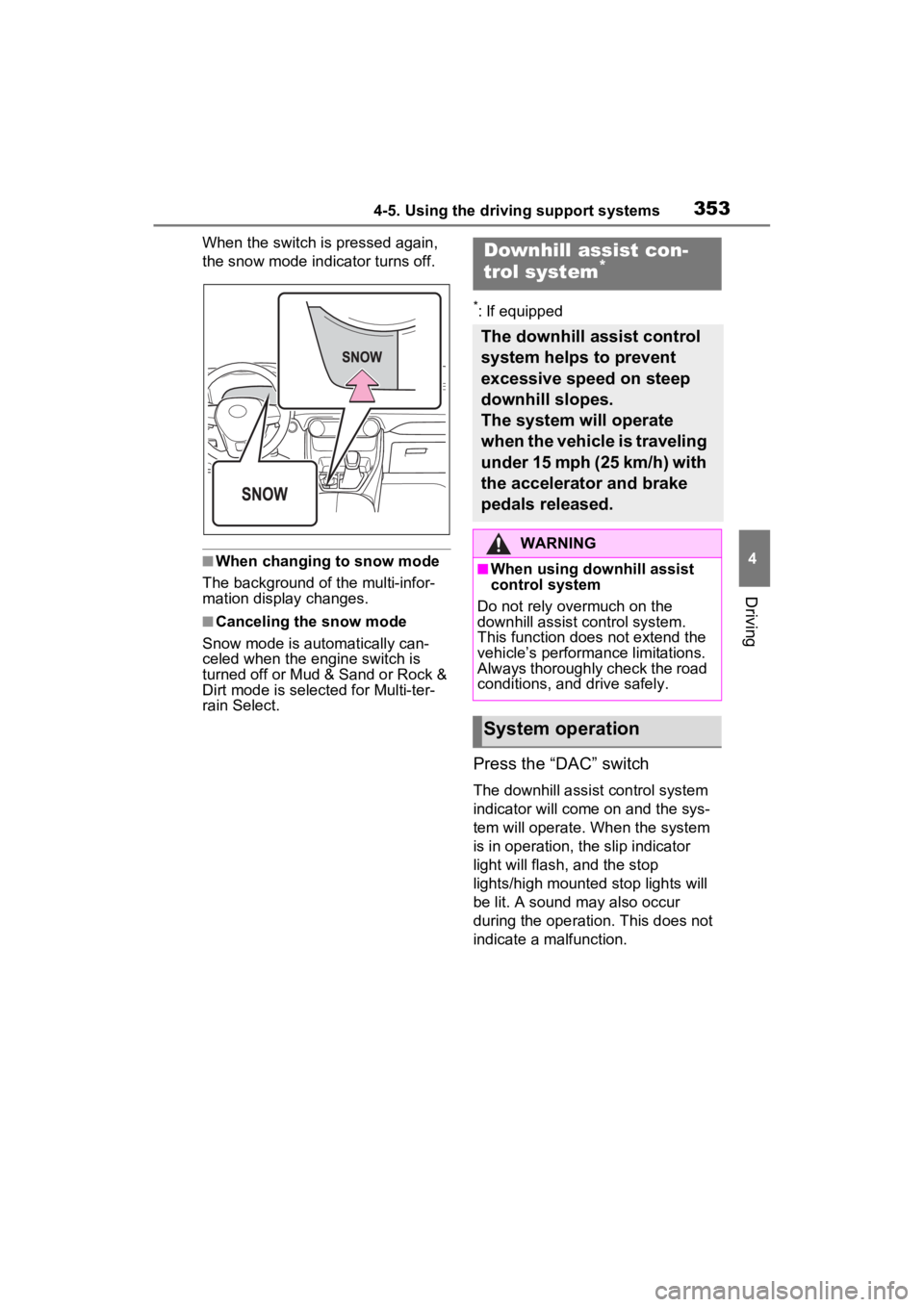
When the switch is pressed again,
the snow mode indicator turns off.
■When changing to snow mode
The background of the multi-infor-
mation display changes.
■Canceling the snow mode
Snow mode is automatically can-
celed when the engine switch is
turned off or Mud & Sand or Rock &
Dirt mode is selec ted for Multi-ter-
rain Select.
*: If equipped
Press the “DAC” switch
The downhill assist control system
indicator will come on and the sys-
tem will operate. When the system
is in operation, the slip indicator
light will flash, and the stop
lights/high mounted stop lights will
be lit. A sound may also occur
during the operati on. This does not
indicate a malfunction.
Downhill assist con-
trol system*
The downhill assist control
system helps to prevent
excessive speed on steep
downhill slopes.
The system will operate
when the vehicle is traveling
under 15 mph (25 km/h) with
the accelerator and brake
pedals released.
WARNING
■When using downhill assist
control system
Do not rely overmuch on the
downhill assist control system.
This function does not extend the
vehicle’s performance limitations.
Always thoroughly check the road
conditions, and drive safely.
System operation
Page 354 of 748
3544-5. Using the driving support systems
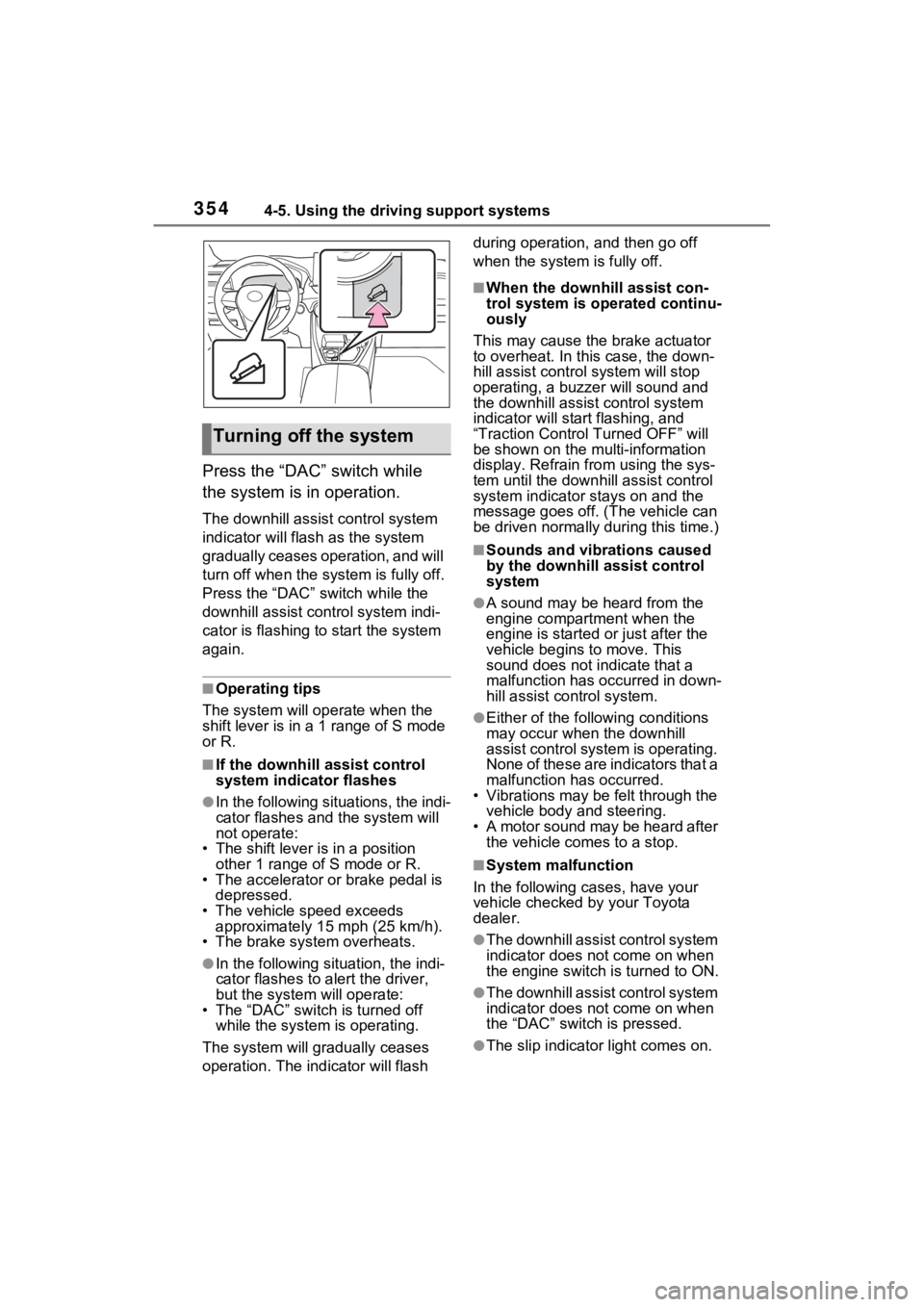
Press the “DAC” switch while
the system is in operation.
The downhill assist control system
indicator will flash as the system
gradually ceases operation, and will
turn off when the system is fully off.
Press the “DAC” switch while the
downhill assist control system indi-
cator is flashing to start the system
again.
■Operating tips
The system will op erate when the
shift lever is in a 1 range of S mode
or R.
■If the downhill assist control
system indicator flashes
●In the following situations, the indi-
cator flashes and the system will
not operate:
• The shift lever is in a position other 1 range of S mode or R.
• The accelerator or brake pedal is depressed.
• The vehicle speed exceeds
approximately 15 mph (25 km/h).
• The brake system overheats.
●In the following si tuation, the indi-
cator flashes to a lert the driver,
but the system will operate:
• The “DAC” switch is turned off
while the system is operating.
The system will gr adually ceases
operation. The indicator will flash during operation,
and then go off
when the system is fully off.
■When the downhill assist con-
trol system is operated continu-
ously
This may cause the brake actuator
to overheat. In thi s case, the down-
hill assist control system will stop
operating, a buzze r will sound and
the downhill assist control system
indicator will start flashing, and
“Traction Contro l Turned OFF” will
be shown on the mu lti-information
display. Refrain from using the sys-
tem until the downhill assist control
system indicator stays on and the
message goes off. (The vehicle can
be driven normally during this time.)
■Sounds and vibrations caused
by the downhill assist control
system
●A sound may be heard from the
engine compartment when the
engine is started or just after the
vehicle begins to move. This
sound does not indicate that a
malfunction has occurred in down-
hill assist control system.
●Either of the following conditions
may occur when the downhill
assist control system is operating.
None of these are indicators that a
malfunction has occurred.
• Vibrations may be felt through the
vehicle body and steering.
• A motor sound may be heard after the vehicle comes to a stop.
■System malfunction
In the following ca ses, have your
vehicle checked by your Toyota
dealer.
●The downhill assist control system
indicator does not come on when
the engine switch is turned to ON.
●The downhill assist control system
indicator does not come on when
the “DAC” switch is pressed.
●The slip indicator light comes on.
Turning off the system
Page 357 of 748
3574-5. Using the driving support systems
4
Driving
detects a collision and the sys-
tem operates, the brakes and
brake lights are automatically
controlled to reduce the vehicle
speed and help reduce the pos-
sibility of further damage due to
a secondary collision.
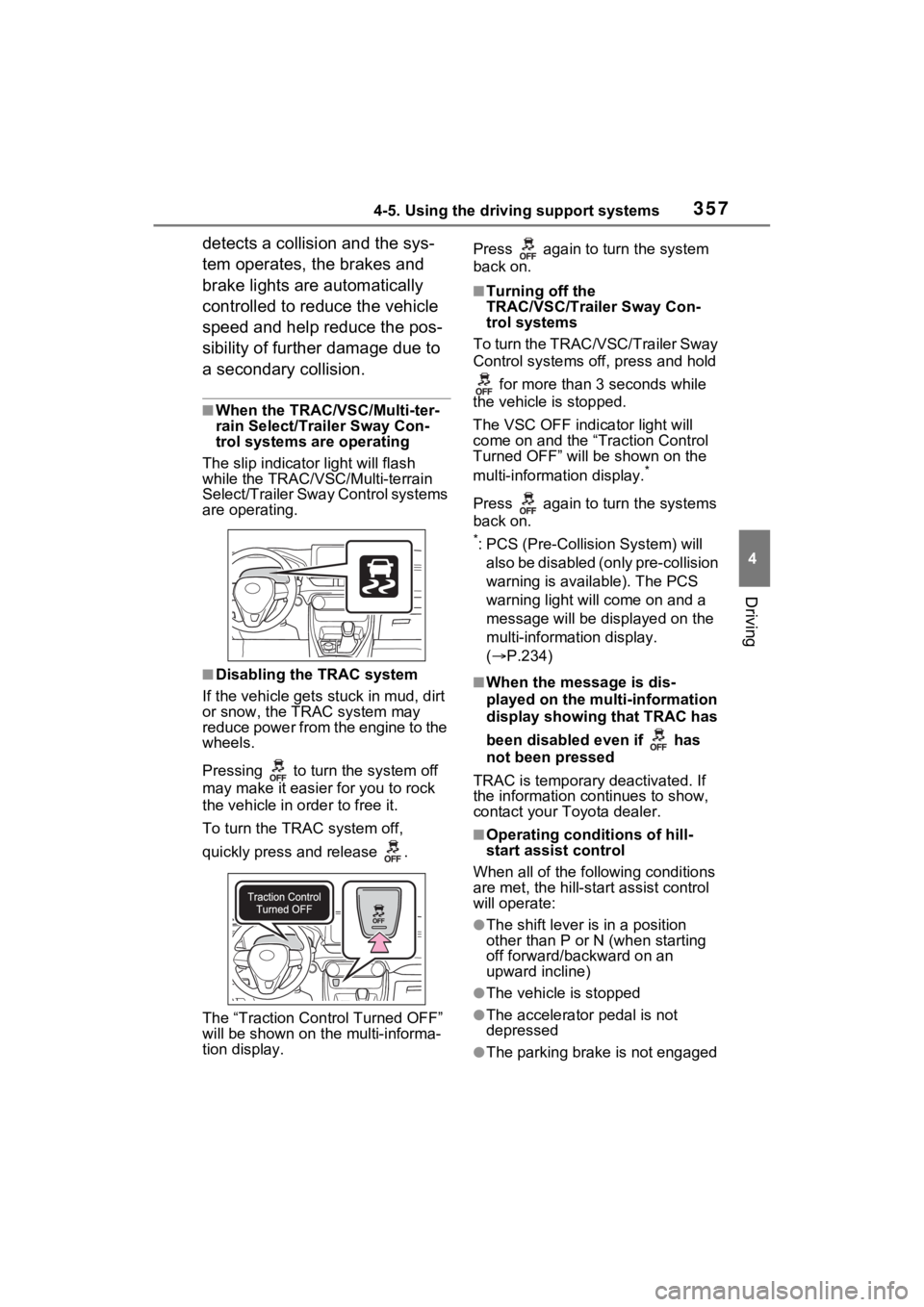
■When the TRAC/VSC/Multi-ter-
rain Select/Trailer Sway Con-
trol systems are operating
The slip indicator light will flash
while the TRAC/VSC/Multi-terrain
Select/Trailer Sway Control systems
are operating.
■Disabling the TRAC system
If the vehicle gets stuck in mud, dirt
or snow, the TRAC system may
reduce power from the engine to the
wheels.
Pressing to turn the system off
may make it easier for you to rock
the vehicle in order to free it.
To turn the TRAC system off,
quickly press and release .
The “Traction Control Turned OFF”
will be shown on the multi-informa-
tion display. Press again to turn the system
back on.
■Turning off the
TRAC/VSC/Trailer Sway Con-
trol systems
To turn the TRAC/VSC/Trailer Sway
Control systems of f, press and hold
for more than 3 seconds while
the vehicle is stopped.
The VSC OFF indicator light will
come on and the “Traction Control
Turned OFF” will be shown on the
multi-informat ion display.
*
Press again to turn the systems
back on.
*: PCS (Pre-Collision System) will
also be disabled (only pre-collision
warning is available). The PCS
warning light will come on and a
message will be disp layed on the
multi-information display.
( P.234)
■When the message is dis-
played on the multi-information
display showing that TRAC has
been disabled even if has
not been pressed
TRAC is temporary deactivated. If
the information continues to show,
contact your Toyota dealer.
■Operating conditions of hill-
start assist control
When all of the fo llowing conditions
are met, the hill-star t assist control
will operate:
●The shift lever is in a position
other than P or N (when starting
off forward/backward on an
upward incline)
●The vehicle is stopped
●The accelerator pedal is not
depressed
●The parking brake is not engaged