charging TOYOTA RAV4 2022 Owner's Manual
[x] Cancel search | Manufacturer: TOYOTA, Model Year: 2022, Model line: RAV4, Model: TOYOTA RAV4 2022Pages: 748, PDF Size: 22.93 MB
Page 577 of 748
5777-3. Do-it-yourself maintenance
7
Maintenance and care
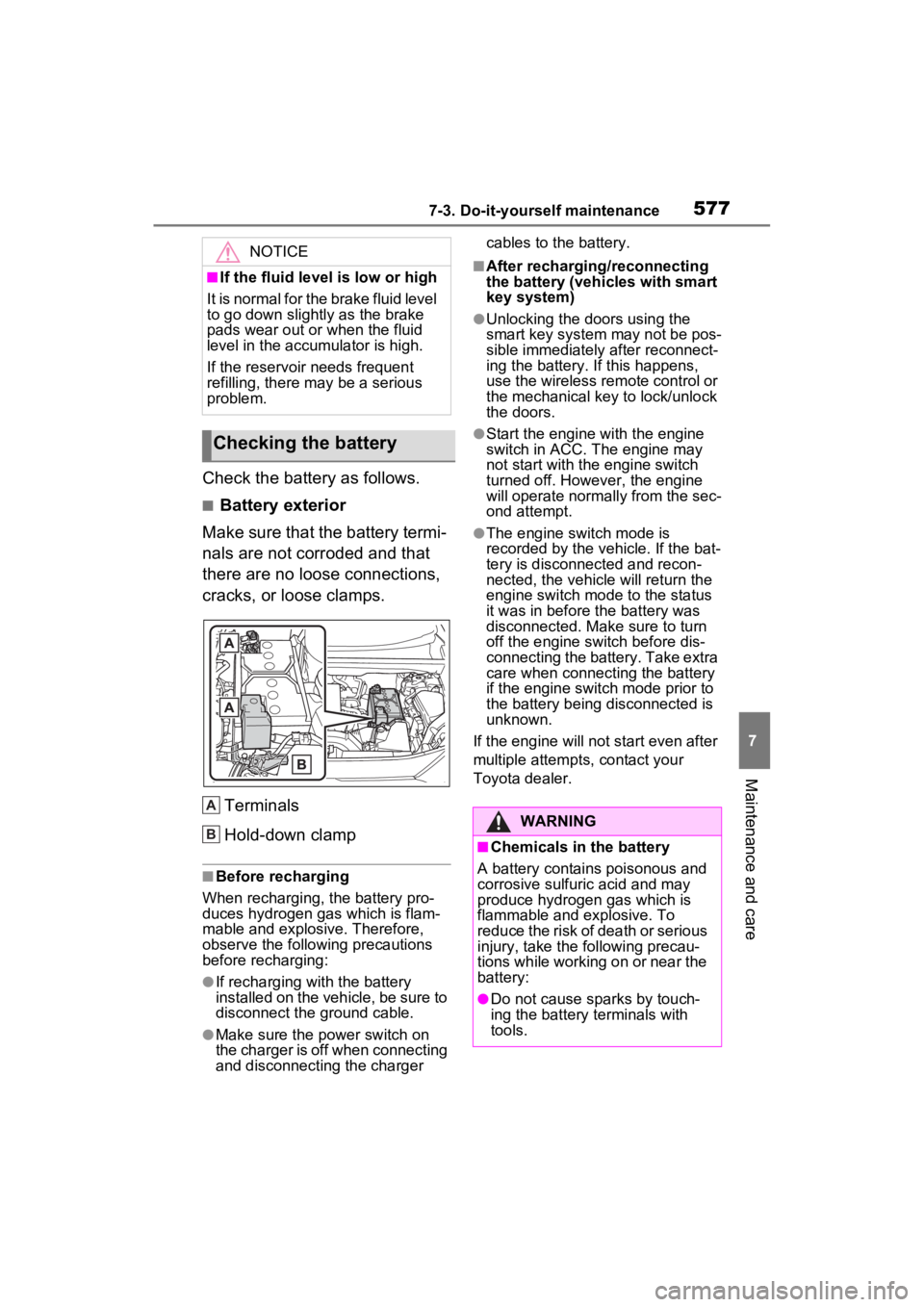
Check the battery as follows.
■Battery exterior
Make sure that the battery termi-
nals are not corroded and that
there are no loose connections,
cracks, or loose clamps.
Terminals
Hold-down clamp
■Before recharging
When recharging, t he battery pro-
duces hydrogen ga s which is flam-
mable and explosive. Therefore,
observe the following precautions
before recharging:
●If recharging wi th the battery
installed on the vehicle, be sure to
disconnect the ground cable.
●Make sure the power switch on
the charger is off when connecting
and disconnecting the charger cables to the battery.
■After recharging/reconnecting
the battery (vehicles with smart
key system)
●Unlocking the doors using the
smart key system may not be pos-
sible immediately
after reconnect-
ing the battery. If this happens,
use the wireless remote control or
the mechanical key to lock/unlock
the doors.
●Start the engine with the engine
switch in ACC. T he engine may
not start with th e engine switch
turned off. However, the engine
will operate normally from the sec-
ond attempt.
●The engine switch mode is
recorded by the vehicle. If the bat-
tery is disconnected and recon-
nected, the vehicle will return the
engine switch mode to the status
it was in before t he battery was
disconnected. Make sure to turn
off the engine switch before dis-
connecting the battery. Take extra
care when connecting the battery
if the engine switch mode prior to
the battery being disconnected is
unknown.
If the engine will no t start even after
multiple attempts, contact your
Toyota dealer.
NOTICE
■If the fluid level is low or high
It is normal for the brake fluid level
to go down slightly as the brake
pads wear out or when the fluid
level in the accumulator is high.
If the reservoir needs frequent
refilling, there may be a serious
problem.
Checking the battery
A
B:$51,1*
■Chemicals in the battery
A battery contains poisonous and
corrosive sulfur ic acid and may
produce hydrogen gas which is
flammable and explosive. To
reduce the risk of death or serious
injury, take the following precau-
tions while working on or near the
battery:
●Do not cause sparks by touch-
ing the battery terminals with
tools.
Page 578 of 748
5787-3. Do-it-yourself maintenance
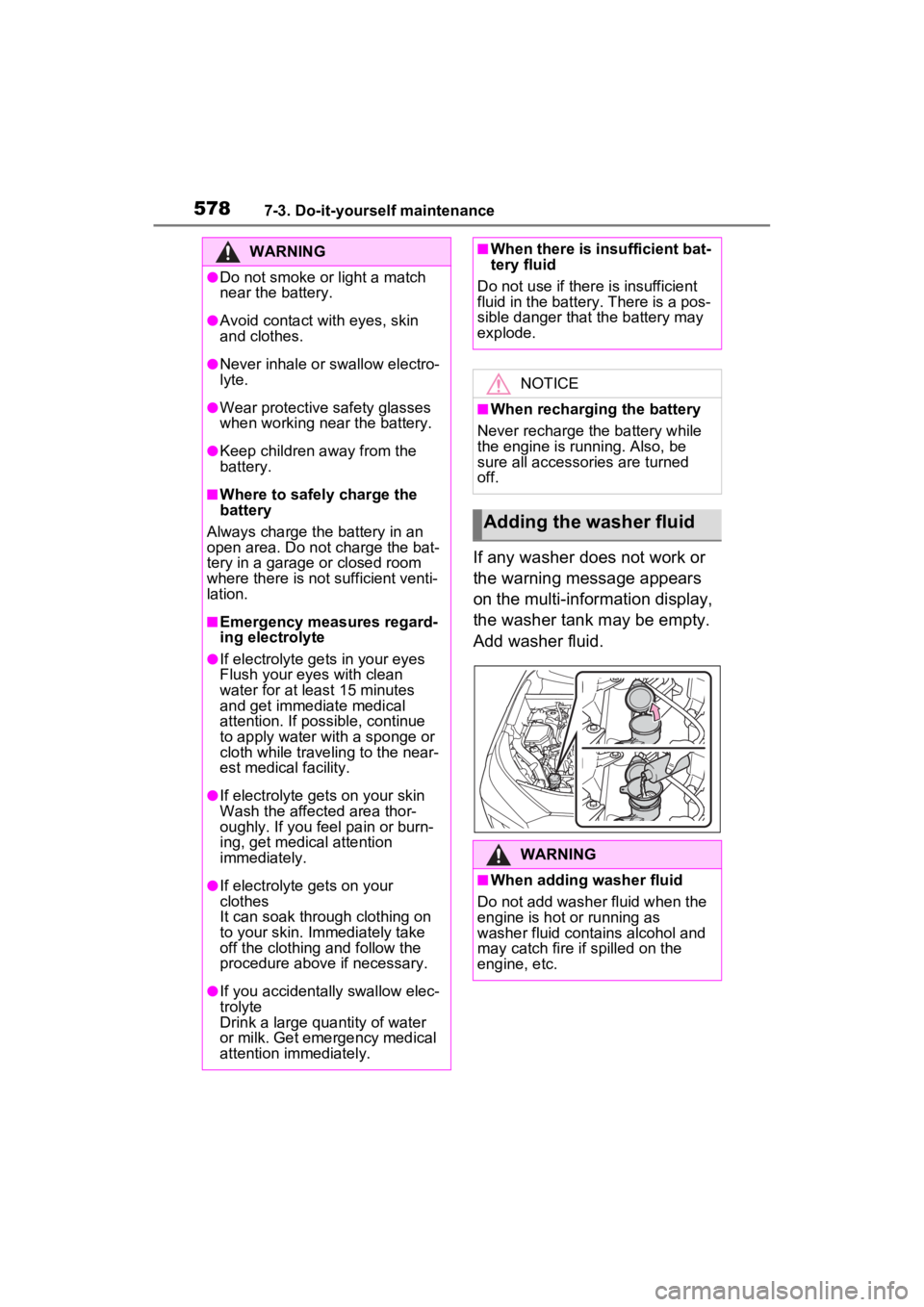
If any washer does not work or
the warning message appears
on the multi-information display,
the washer tank may be empty.
Add washer fluid.
WARNING
●Do not smoke or light a match
near the battery.
●Avoid contact with eyes, skin
and clothes.
●Never inhale or swallow electro-
lyte.
●Wear protective safety glasses
when working near the battery.
●Keep children away from the
battery.
■Where to safely charge the
battery
Always charge the battery in an
open area. Do not charge the bat-
tery in a garage or closed room
where there is not sufficient venti-
lation.
■Emergency measures regard-
ing electrolyte
●If electrolyte gets in your eyes
Flush your eyes with clean
water for at least 15 minutes
and get immediate medical
attention. If possible, continue
to apply water with a sponge or
cloth while traveling to the near-
est medical facility.
●If electrolyte gets on your skin
Wash the affected area thor-
oughly. If you feel pain or burn-
ing, get medical attention
immediately.
●If electrolyte gets on your
clothes
It can soak through clothing on
to your skin. Immediately take
off the clothing and follow the
procedure above if necessary.
●If you accidentally swallow elec-
trolyte
Drink a large quantity of water
or milk. Get emergency medical
attention immediately.
■When there is insufficient bat-
tery fluid
Do not use if ther e is insufficient
fluid in the battery. There is a pos-
sible danger that the battery may
explode.
NOTICE
■When recharging the battery
Never recharge the battery while
the engine is running. Also, be
sure all accessories are turned
off.
Adding the washer fluid
WARNING
■When adding washer fluid
Do not add washer fluid when the
engine is hot or running as
washer fluid contains alcohol and
may catch fire if spilled on the
engine, etc.
Page 622 of 748
6228-2. Steps to take in an emergency
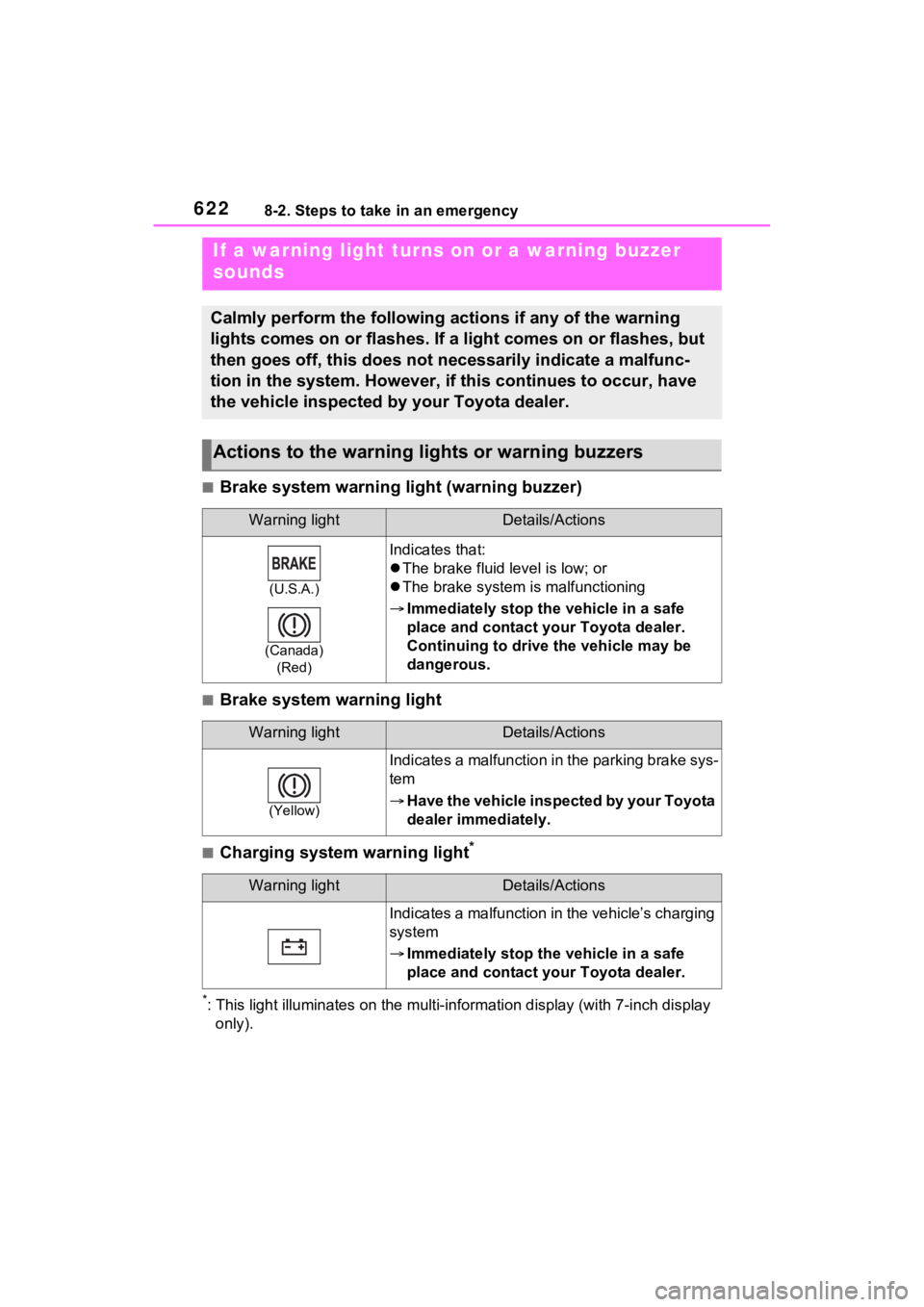
■Brake system warning light (warning buzzer)
■Brake system warning light
■Charging system warning light*
*: This light illuminates on the mu lti-information display (with 7-inch display
only).
If a warning light turns on or a warning buzzer
sounds
Calmly perform the following actions if any of the warning
lights comes on or flashes. If a light comes on or flashes, but
then goes off, this does not necessarily indicate a malfunc-
tion in the system. However, if this continues to occur, have
the vehicle inspected by your Toyota dealer.
Actions to the warning lights or warning buzzers
Warning lightDetails/Actions
(U.S.A.)
(Canada) (Red)
Indicates that:
The brake fluid level is low; or
The brake system is malfunctioning
Immediately stop the vehicle in a safe
place and contact your Toyota dealer.
Continuing to drive the vehicle may be
dangerous.
Warning lightDetails/Actions
(Yellow)
Indicates a malfunction in the parking brake sys-
tem
Have the vehicle inspected by your Toyota
dealer immediately.
Warning lightDetails/Actions
Indicates a malfunction in the vehicle’s charging
system
Immediately stop the vehicle in a safe
place and contact your Toyota dealer.
Page 634 of 748

6348-2. Steps to take in an emergency
port systems such as PCS (Pre-
Collision system) or the dynamic
radar cruise control with full-speed
range is operating. If a warning
message is shown, be sure to
decelerate the vehicle or follow an
instruction show n on the multi-
information display.
• A warning message is shown
when Brake Override System
operates. ( P.168)
• A warning message is shown
when Drive-Start Control or Park-
ing Support Brake (if equipped)
( P.172, 278) operates. Follow
the instructions o n the multi-infor-
mation display.
●If a message about an operation
of the engine switch is shown (if
equipped)
An instruction for operation of the
engine switch is shown when the
incorrect procedure for starting the
engine is performed or the engine
switch is operated incorrectly. Fol-
low the instructi ons shown on the
multi-information display to operate
the engine switch again.
●If a message abou t a shift lever
operation is shown
To prevent the shift lever from being
operated incorrectly or the vehicle
from moving unexpectedly, a mes-
sage that requires shifting the shift
lever may be sho wn on the multi-
information display. In that case, fol-
low the instruction of the message
and shift the shift lever.
●If a message or image about an
open/close state of a part or
replenishment of a consumable is
shown
Confirm the part indicated by the
multi-information display or a warn-
ing light, and then perform the cop-
ing method such as closing the
open door or replenishing a con- sumable.
■If a message that indicates the
need for visiting your Toyota
dealer is displayed
The system or part shown on the
multi-information di splay is malfunc-
tioning. Have the vehicle inspected
by your Toyota dea ler immediately.
■If a message that indicates the
need for referring to Owner’s
Manual is displayed
●If “Engine Coolant Temp High” is
shown, follow the instructions
( P.654).
●If the following messages are
shown, there may be a malfunc-
tion.
Immediately have the vehicle
inspected by your Toyota dealer.
• “Charging System Malfunction”
• “High Transmission Fluid Temp”
• “Smart Key System Malfunction”
●If the following messages are
shown, there may be a malfunc-
tion.
Immediately stop the vehicle in a
safe place and contact your
Toyota dealer. Continuing to drive
the vehicle may be dangerous.
• “Oil Pressure Low”
• “Braking Power Low”
■If “Shift to P when Parked” is
shown (if equipped)
Message is displayed when the
driver’s door is opened without turn-
ing the engine s witch to OFF with
the shift lever in any position other
than P.
Shift the shift lever to P.
■If “Auto Power OFF to Conserve
Battery” is shown (if equipped)
Power was turned off due to the
automatic power off function.
Next time when starting the engine,
increase the engine speed slightly
and maintain that level for approxi-
mately 5 minutes t o recharge the
battery.
Page 636 of 748
6368-2. Steps to take in an emergency
WARNING
■If a warning light comes on or
a warning buzzer sounds
when a warning message is
shown on the multi-informa-
tion display
P.631
NOTICE
■“High Power Consumption
Partial Limit On AC/Heater
Operation” is frequently
shown
There is a possible malfunction
relating to the charging system or
the battery may be deteriorating.
Have the vehicle inspected by
your Toyota dealer.
Page 652 of 748
6528-2. Steps to take in an emergency
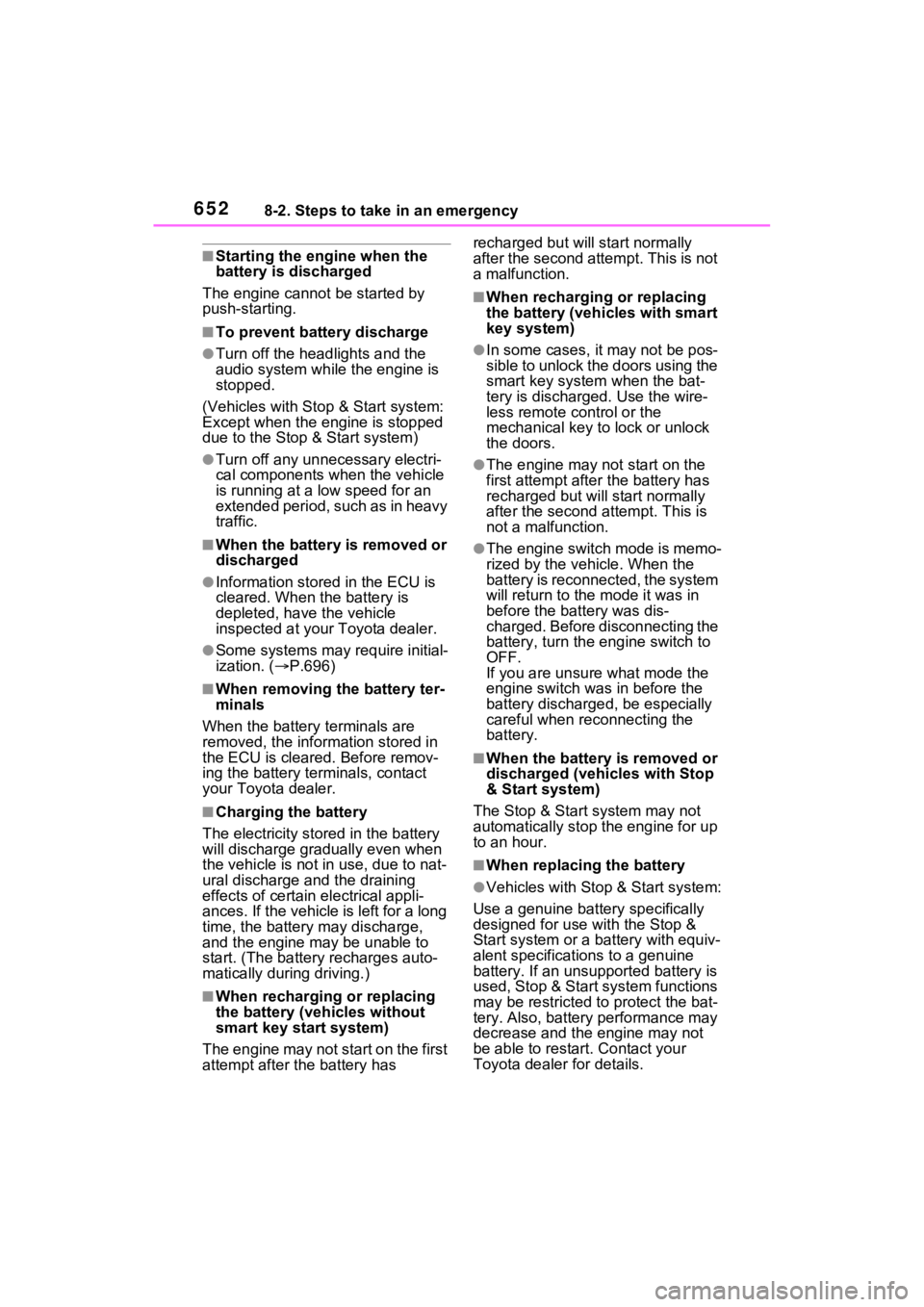
■Starting the engine when the
battery is discharged
The engine cannot be started by
push-starting.
■To prevent battery discharge
●Turn off the headlights and the
audio system while the engine is
stopped.
(Vehicles with Stop & Start system:
Except when the engine is stopped
due to the Stop & Start system)
●Turn off any unnec essary electri-
cal components when the vehicle
is running at a low speed for an
extended period, such as in heavy
traffic.
■When the battery is removed or
discharged
●Information stor ed in the ECU is
cleared. When the battery is
depleted, have the vehicle
inspected at your Toyota dealer.
●Some systems may require initial-
ization. ( P.696)
■When removing the battery ter-
minals
When the battery terminals are
removed, the information stored in
the ECU is cleared . Before remov-
ing the battery terminals, contact
your Toyota dealer.
■Charging the battery
The electricity stor ed in the battery
will discharge gradu ally even when
the vehicle is not i n use, due to nat-
ural discharge and the draining
effects of certain electrical appli-
ances. If the vehicle is left for a long
time, the battery may discharge,
and the engine ma y be unable to
start. (The battery recharges auto-
matically during driving.)
■When recharging or replacing
the battery (vehicles without
smart key start system)
The engine may not start on the first
attempt after the battery has recharged but will start normally
after the second attempt. This is not
a malfunction.
■When recharging or replacing
the battery (vehicles with smart
key system)
●In some cases, it may not be pos-
sible to unlock the doors using the
smart key system when the bat-
tery is discharged. Use the wire-
less remote control or the
mechanical key to lock or unlock
the doors.
●The engine may not start on the
first attempt after
the battery has
recharged but will start normally
after the second attempt. This is
not a malfunction.
●The engine switch mode is memo-
rized by the vehicle. When the
battery is reconnected, the system
will return to the mode it was in
before the bat tery was dis-
charged. Before disconnecting the
battery, turn the engine switch to
OFF.
If you are unsure what mode the
engine switch wa s in before the
battery discharged, be especially
careful when reconnecting the
battery.
■When the battery is removed or
discharged (vehicles with Stop
& Start system)
The Stop & Start system may not
automatically stop the engine for up
to an hour.
■When replacing the battery
●Vehicles with Stop & Start system:
Use a genuine battery specifically
designed for use with the Stop &
Start system or a battery with equiv-
alent specifications to a genuine
battery. If an unsup ported battery is
used, Stop & Start system functions
may be restricted to protect the bat-
tery. Also, battery performance may
decrease and the engine may not
be able to restart. Contact your
Toyota dealer for details.
Page 664 of 748
6649-1. Specifications
*: The coolant capacity is the quantity of reference.If replacement is necessary, contact y our Toyota dealer.
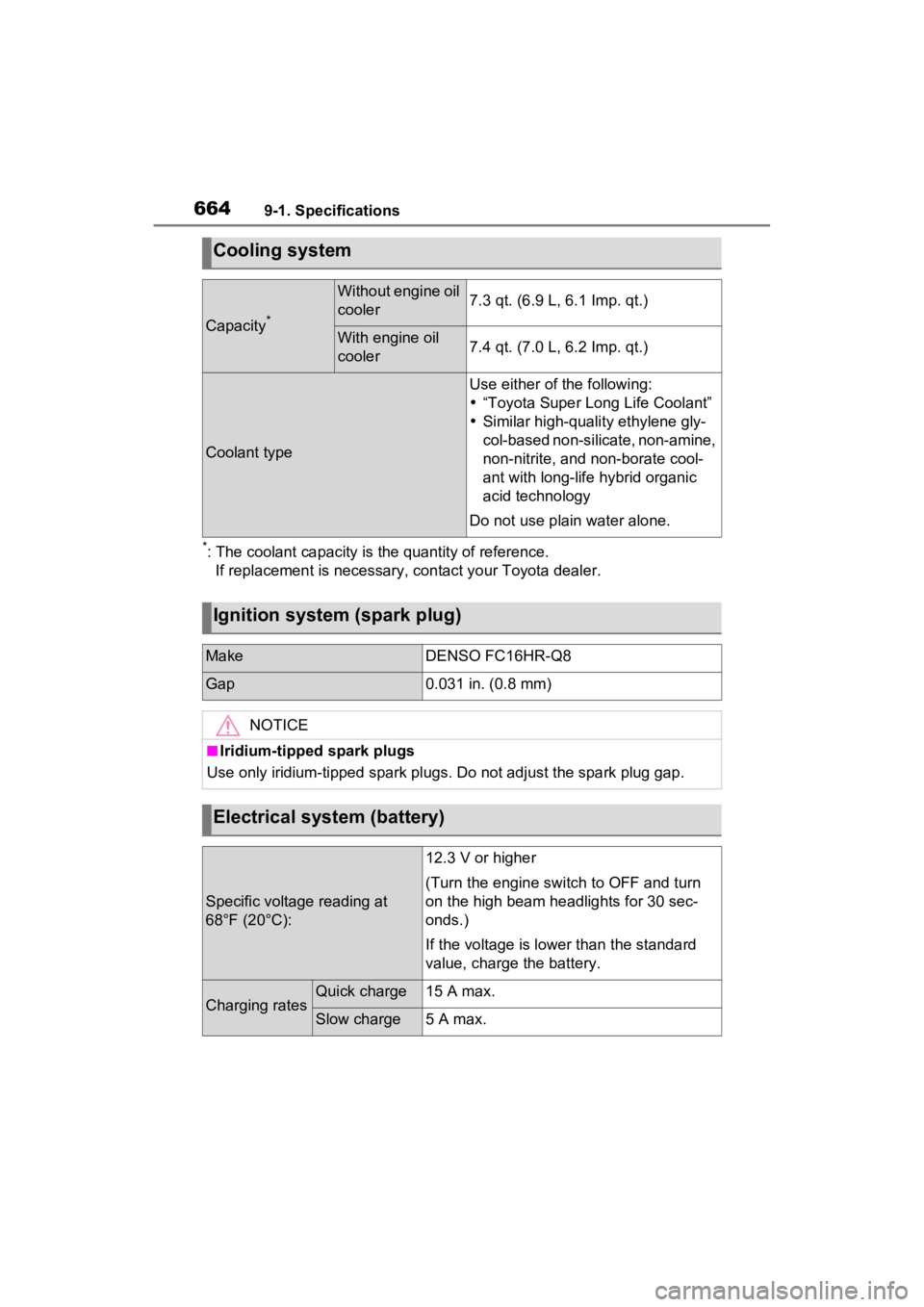
Cooling system
Capacity*
Without engine oil
cooler7.3 qt. (6.9 L, 6.1 Imp. qt.)
With engine oil
cooler7.4 qt. (7.0 L, 6.2 Imp. qt.)
Coolant type
Use either of the following:
“Toyota Super Long Life Coolant”
Similar high-quality ethylene gly-
col-based non-silicate, non-amine,
non-nitrite, and non-borate cool-
ant with long-life hybrid organic
acid technology
Do not use plain water alone.
Ignition system (spark plug)
MakeDENSO FC16HR-Q8
Gap0.031 in. (0.8 mm)
NOTICE
■Iridium-tipped spark plugs
Use only iridium-tipped spark plugs. Do not adjust the spark pl ug gap.
Electrical system (battery)
Specific voltage reading at
68°F (20°C):
12.3 V or higher
(Turn the engine switch to OFF and turn
on the high beam headlights for 30 sec-
onds.)
If the voltage is lower than the standard
value, charge the battery.
Charging ratesQuick charge15 A max.
Slow charge5 A max.
Page 729 of 748
Alphabetical Index729
Driving precautions .............. 296
Estimated course line display mode .................................. 299
Parking assist gui de line display
mode .................................. 300
Screen display...................... 297
Things you should know....... 306
Toyota parking assist monitor precautions......................... 302
Using the system.................. 298
Toyota Safety Sen se 2.0 ........ 222
Automatic High Beam .......... 210
Dynamic radar cruise control with full-speed range .......... 248
LTA (Lane Tracing Assist).... 235
PCS (Pre-Collision System) . 227
RSA (Road Sign Assist) ....... 245
TRAC (Traction Control) ........ 356
Traction Control (TRAC) ........ 356
Trailer sway control ............... 356
Trailer towing .......................... 177
Transmission Automatic transmission ........ 197
Driving mode select switch... 347
S mode ................................. 199
Trip meters .......................... 82, 85
Troubleshooting In other situations ................. 492
When making/receiving a call........................................... 490
When registering/connecting a cellular phone ..................... 489
When using the Bluetooth
® mes-
sage function ...................... 491
When using the hands-free sys-
tem with a Bluetooth
® device
........................................... 489
When using the phonebook . 490
Turn signal lights Replacing light bulbs ............ 604
Turn signal lever................... 200
Wattage ................................ 670
U
USB charging ports ................538
USB memory ...........................428
USB port ..................................418
Utility vehicle pre cautions .....365
V
Vanity lights
Vanity lights ..........................536
Vanity mirrors .........................536
Vehicle button (Setup screen) ...............................................376
Vehicle data recordings .............9
Vehicle identification number661
Vehicle Stability Control (VSC) ...............................................355
Ventilators (seat ventilators) .521
Voice button (Setup screen) ..376
Voice command system.........454 Voice command system opera-tion......................................455
VSC (Vehicle Stab ility Control)
...............................................355
W
Warning buzzers Approach warning ................255
Brake hold ............................627
Brake Override System ........627
Brake system ........................622
Downshifting .........................200
Drive-Start Control ................627
Electric power steering .........624
High coolant temperature .....623
Intuitive parking assist OFF indi- cator ...................................625
Intuitive parking assist ..........270
Low engine oil pressure .......623
LTA (Lane Tracing Assist) ..235, 625
Page 730 of 748
730Alphabetical Index
LTA indicator ........................ 625
Open door ............................ 111
Open hood ........................... 111
Open window ....................... 156
PKSB OFF indicator ............. 626
Pre-collision warning ............ 227
RCTA (Rear Cross Traffic Alert) ........................................... 260
RCTA OFF indicator............. 626
Seat belt reminder ................ 629
Vehicle sway warning........... 239
Warning lights ABS ...................................... 624
Brake hold operated indicator........................................... 627
Brake Override System ........ 627
Brake system ....................... 622
Charging system .................. 622
Drive-Start Control ............... 627
Electric power steering ......... 624
Engine .................................. 623
High coolant temperature ..... 623
Inappropriate pedal operation ........................................... 627
Intuitive parking assist OFF indi- cator ................................... 625
Low engine oil pressure ....... 623
Low fuel level ....................... 628
LTA indicator ........................ 625
Malfunction indicator lamp ... 623
Parking brake indicator ........ 628
PCS warning light................. 624
PKSB (Parking Support Brake) ........................................... 626
PKSB OFF indicato r ............. 626
RCTA OFF indicator............. 626
Seat belt reminder light ........ 629
Slip indicator......................... 627
SRS ...................................... 623
Stop & Start cancel indicator 625
Tire pressure ........................ 628
Warning messages ................ 633 Washer
Checking ..............................578
Low washer fluid warning mes-sage............................578, 633
Preparing and checking before winter ..................................362
Switch ...........................214, 217
Washing and waxing ..............556
Weight Cargo capacity .............173, 176
Load limits ............................176
Weight ..................................660
Wheels .....................................590 Replacing wheels .................590
Size ......................................667
Wi-Fi
®.......................................398
Connecting a device to the in- vehicle access point ...........398
Operating hints .....................401
Wi-Fi
® button (Setup screen) 376
Wi-Fi
® Hotspot ........................398
Window glasses Power windows ....................155
Window lock switch ...............157
Windows Power windows ....................155
Rear window defogger .509, 516
Washer .........................214, 217
Windshield defog ger ......509, 516
Windshield wipers Intermittent windshield wipers...........................................214
Position.........................214, 217
Rain-sensing windshield wipers ...........................................214
Replacing the wiper insert ....594
Winter driving tips ..................362
Wiper insert .............................594
Wireless charger.....................539
Wireless remote control.........104 Battery-saving function .........128
Locking/Unlocking ................104