trailer TOYOTA RAV4 2022 Owner's Guide
[x] Cancel search | Manufacturer: TOYOTA, Model Year: 2022, Model line: RAV4, Model: TOYOTA RAV4 2022Pages: 748, PDF Size: 22.93 MB
Page 627 of 748
6278-2. Steps to take in an emergency
8
When trouble arises
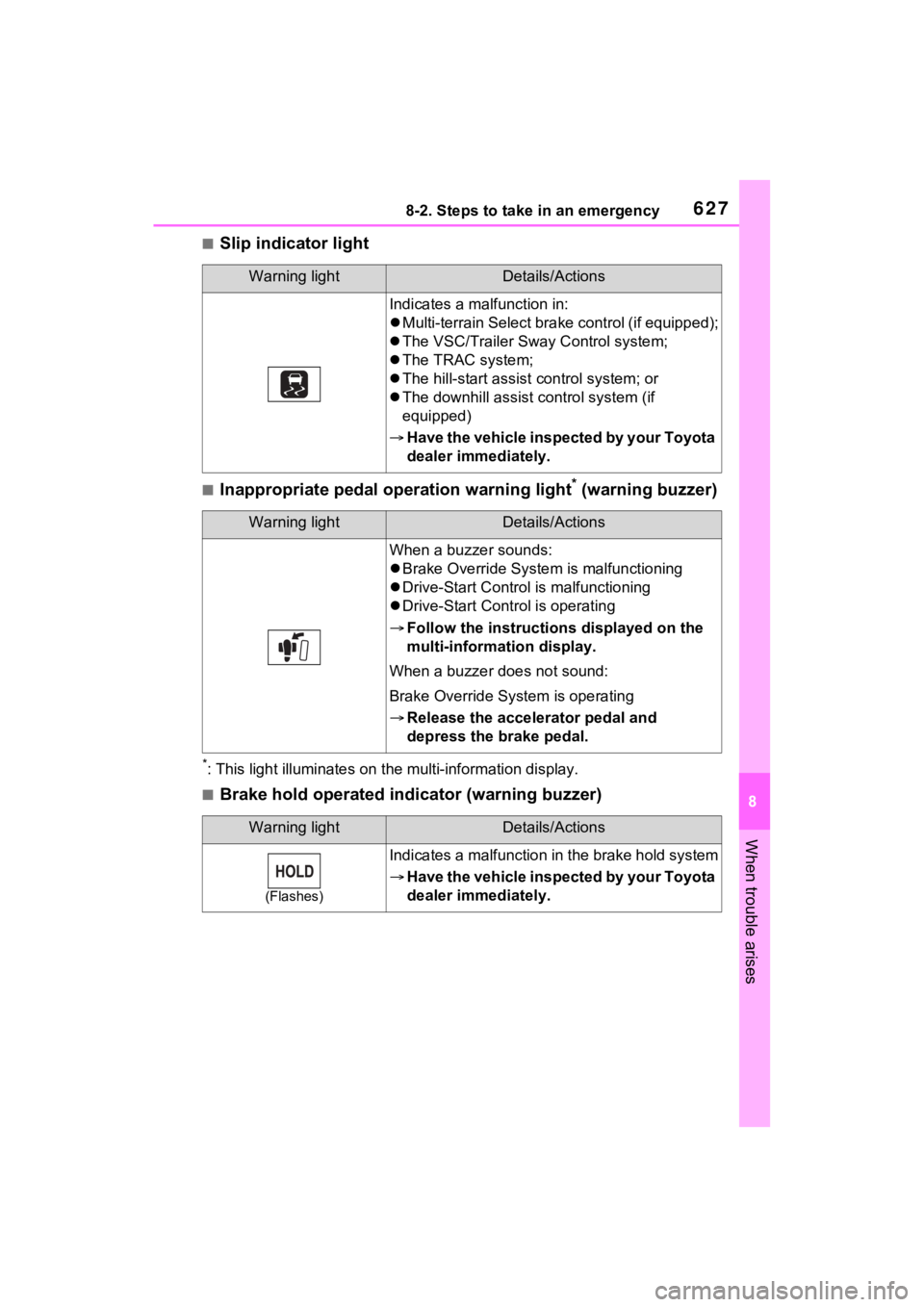
■Slip indicator light
■Inappropriate pedal operation warning light* (warning buzzer)
*: This light illuminat es on the multi-information display.
■Brake hold operated indicator (warning buzzer)
Warning lightDetails/Actions
Indicates a malfunction in:
Multi-terrain Select bra ke control (if equipped);
The VSC/Trailer Sway Control system;
The TRAC system;
The hill-start assist control system; or
The downhill assist control system (if
equipped)
Have the vehicle inspected by your Toyota
dealer immediately.
Warning lightDetails/Actions
When a buzzer sounds:
Brake Override System is malfunctioning
Drive-Start Control is malfunctioning
Drive-Start Control is operating
Follow the instructions displayed on the
multi-information display.
When a buzzer does not sound:
Brake Override System is operating
Release the accelerator pedal and
depress the brake pedal.
Warning lightDetails/Actions
(Flashes)
Indicates a malfunction in the brake hold system
Have the vehicle inspected by your Toyota
dealer immediately.
Page 645 of 748
6458-2. Steps to take in an emergency
8
When trouble arises
WARNING
●Avoid sudden acceleration,
abrupt steering, sudden brak-
ing and shifting operations that
cause sudden engine braking.
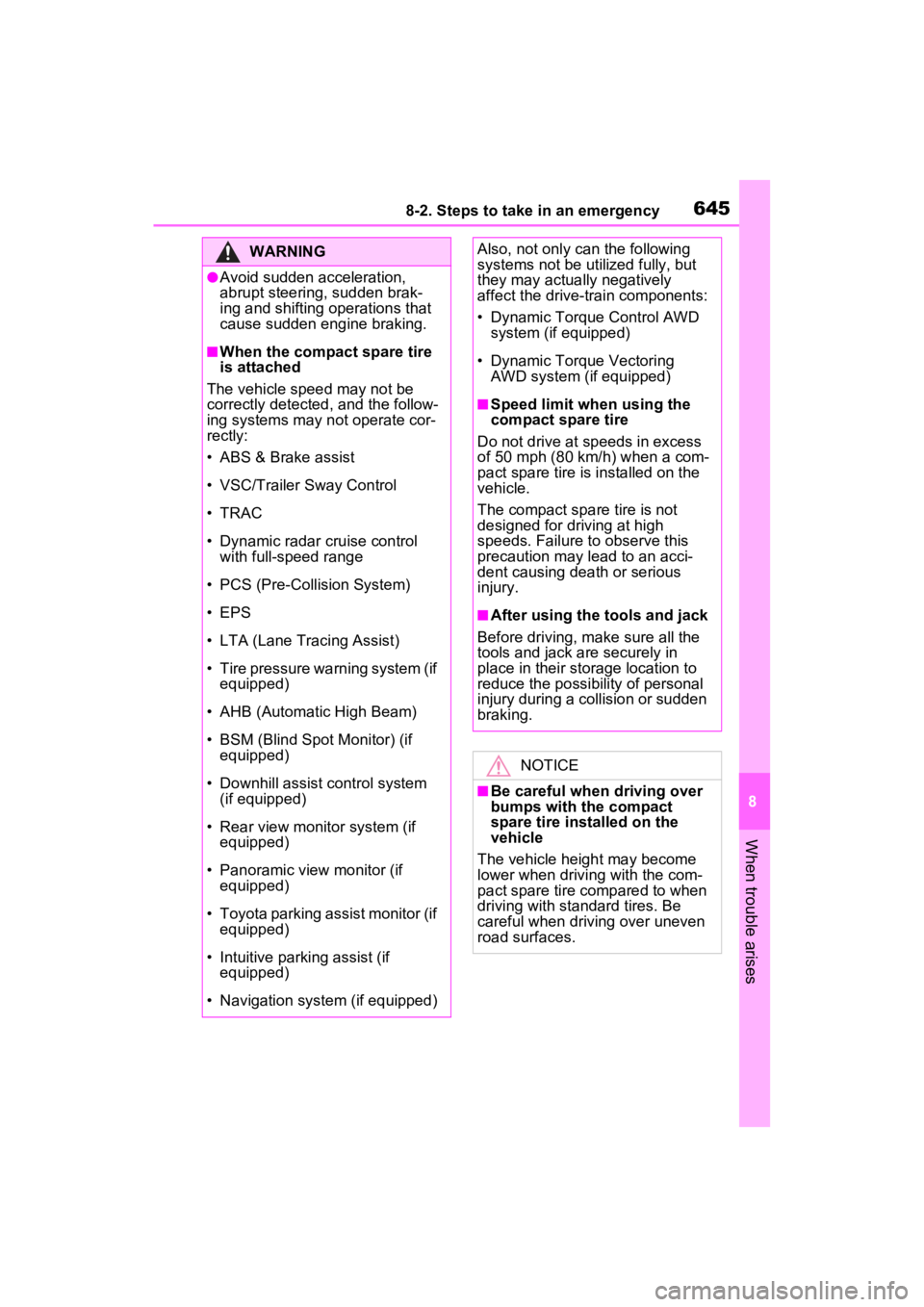
■When the compact spare tire
is attached
The vehicle speed may not be
correctly detecte d, and the follow-
ing systems may not operate cor-
rectly:
• ABS & Brake assist
• VSC/Trailer Sway Control
• TRAC
• Dynamic radar cruise control with full-speed range
• PCS (Pre-Collision System)
• EPS
• LTA (Lane Tracing Assist)
• Tire pressure warning system (if equipped)
• AHB (Automatic High Beam)
• BSM (Blind Spot Monitor) (if equipped)
• Downhill assist control system (if equipped)
• Rear view monitor system (if equipped)
• Panoramic view monitor (if equipped)
• Toyota parking assist monitor (if equipped)
• Intuitive parking assist (if equipped)
• Navigation system (if equipped)
Also, not only c an the following
systems not be ut ilized fully, but
they may actually negatively
affect the drive-train components:
• Dynamic Torque Control AWD system (if equipped)
• Dynamic Torque Vectoring AWD system (if equipped)
■Speed limit when using the
compact spare tire
Do not drive at speeds in excess
of 50 mph (80 km /h) when a com-
pact spare tire is installed on the
vehicle.
The compact spare tire is not
designed for driving at high
speeds. Failure to observe this
precaution may lead to an acci-
dent causing death or serious
injury.
■After using the tools and jack
Before driving, ma ke sure all the
tools and jack are securely in
place in their storage location to
reduce the possibility of personal
injury during a collision or sudden
braking.
NOTICE
■Be careful when driving over
bumps with the compact
spare tire installed on the
vehicle
The vehicle height may become
lower when drivi ng with the com-
pact spare tire compared to when
driving with standard tires. Be
careful when driving over uneven
road surfaces.
Page 661 of 748
6619-1. Specifications
9
Vehicle specifications
*1: Unladen vehicle
*2: Vehicles without 235/55R19 tires
*3: Vehicles with 235/55R19 tires
*4: Vehicles without towing package
*5: Vehicles with towing package
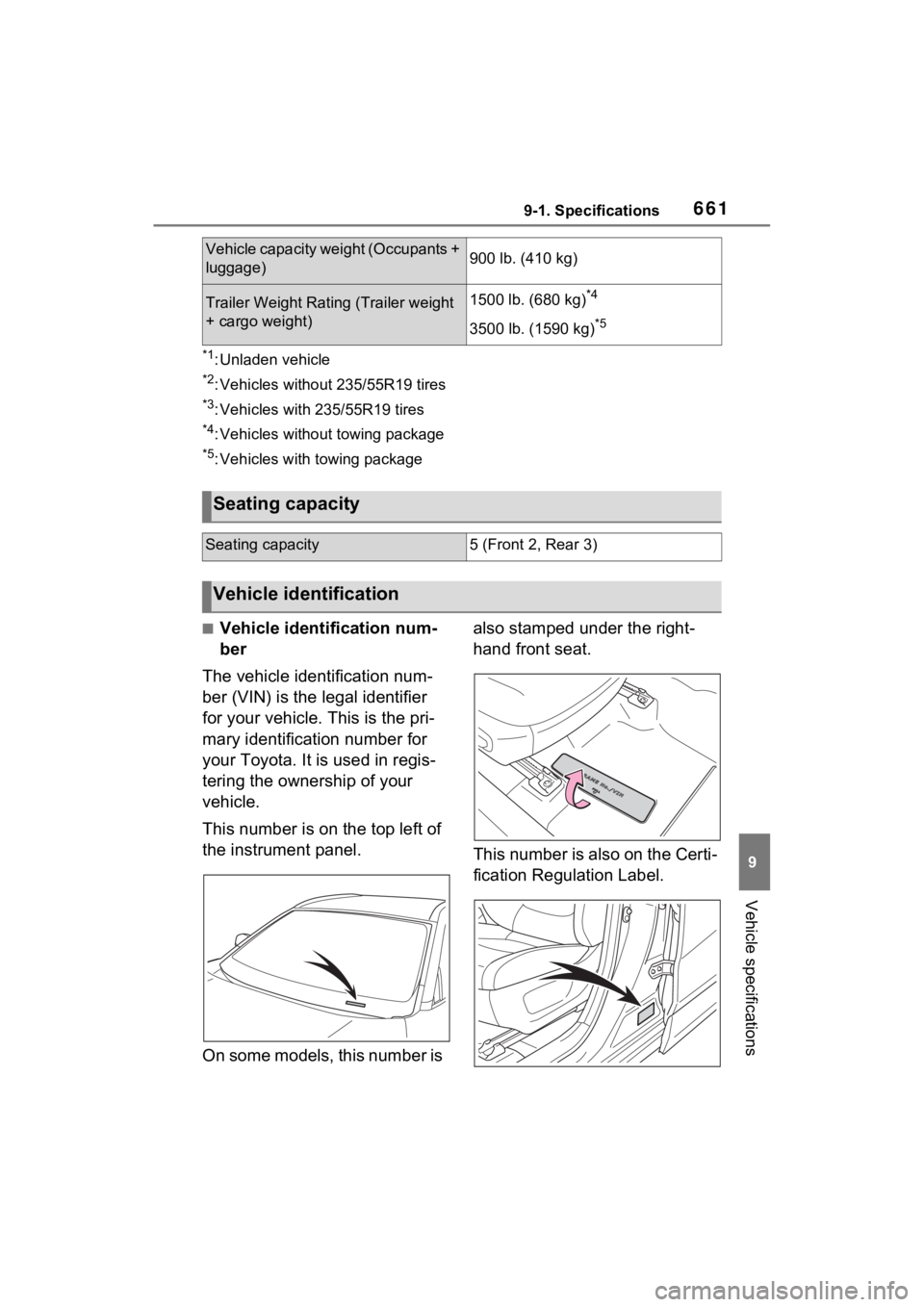
■Vehicle identification num-
ber
The vehicle identification num-
ber (VIN) is the legal identifier
for your vehicle. This is the pri-
mary identification number for
your Toyota. It is used in regis-
tering the ownership of your
vehicle.
This number is on the top left of
the instrument panel.
On some models, this number is also stamped under the right-
hand front seat.
This number is also on the Certi-
fication Regulation Label.
Vehicle capacity weight (Occupants +
luggage)900 lb. (410 kg)
Trailer Weight Rating (Trailer weight
+ cargo weight)1500 lb. (680 kg)*4
3500 lb. (1590 kg)*5
Seating capacity
Seating capacity5 (Front 2, Rear 3)
Vehicle identification
Page 728 of 748

728Alphabetical Index
Tire pressure warning reset switch ................................. 584
Vehicle-to-vehicle distance switch ................................. 248
VSC OFF switch................... 357
Window lock switch .............. 157
Windshield defogger switch 509, 516
Windshield wipers and washer switch ................................. 214
Wireless charger switch ....... 539
T
Tachometer ......................... 82, 85
Tail lights Light switch .......................... 207
Replacing light bulbs ............ 604
Talking on the Bluetooth
®
hands-free system ............... 472 Call screen operation ........... 472
Incoming call waiting ............ 474
Sending tones ...................... 473
Transmit volume setting ....... 473
Theft deterrent system Alarm ...................................... 72
Engine immobilizer system .... 71
Tire inflati on pressure
Maintenance data................. 667
Tire inflation pressure display function............................... 582
Warning light ........................ 628
Tire information ...................... 674 Glossary ............................... 678
Size ...................................... 676
Tire identification number ..... 675
Tire section names ............... 676
Tire pressure warning system Function ............................... 582
Initializing ............................. 584
Installing tire pressure warning valves and transmitters ...... 583 Registering ID codes ............586
Warning light ........................628
Tires .........................................579 Chains ..................................364
Checking ..............................579
Glossary ...............................678
If you have a flat tire .............637
Inflation pressure ..................588
Information ......... ..................674
Replacing .............................637
Rotating tires ........................581
Size ......................................667
Snow tires.............................362
Spare tire ..............................637
Tire identification number .....675
Tire inflation pressure display function ...............................582
Tire pressure warning system ...........................................582
Uniform Tire Qua lity Grading 677
Warning light ........................628
Tools ........................................638
Top tether strap ........................63
Total load capacity .........173, 176
Touch screen ..........................378 Touch screen gestures .........378
Touch screen operation........379
Towing Dinghy towing .......................189
Emergency towing ................618
Towing eyelet ...............618, 638
Trailer sway control ..............356
Trailer towing ........................177
Toyota Apps ............................502 Entering keyword ..................504
Toyota Apps button (Setup screen) ...................................376
Toyota Apps setting s .............506
Toyota parking assist monitor ...............................................296Distance guide line display mode ...........................................301
Page 729 of 748

Alphabetical Index729
Driving precautions .............. 296
Estimated course line display mode .................................. 299
Parking assist gui de line display
mode .................................. 300
Screen display...................... 297
Things you should know....... 306
Toyota parking assist monitor precautions......................... 302
Using the system.................. 298
Toyota Safety Sen se 2.0 ........ 222
Automatic High Beam .......... 210
Dynamic radar cruise control with full-speed range .......... 248
LTA (Lane Tracing Assist).... 235
PCS (Pre-Collision System) . 227
RSA (Road Sign Assist) ....... 245
TRAC (Traction Control) ........ 356
Traction Control (TRAC) ........ 356
Trailer sway control ............... 356
Trailer towing .......................... 177
Transmission Automatic transmission ........ 197
Driving mode select switch... 347
S mode ................................. 199
Trip meters .......................... 82, 85
Troubleshooting In other situations ................. 492
When making/receiving a call........................................... 490
When registering/connecting a cellular phone ..................... 489
When using the Bluetooth
® mes-
sage function ...................... 491
When using the hands-free sys-
tem with a Bluetooth
® device
........................................... 489
When using the phonebook . 490
Turn signal lights Replacing light bulbs ............ 604
Turn signal lever................... 200
Wattage ................................ 670
U
USB charging ports ................538
USB memory ...........................428
USB port ..................................418
Utility vehicle pre cautions .....365
V
Vanity lights
Vanity lights ..........................536
Vanity mirrors .........................536
Vehicle button (Setup screen) ...............................................376
Vehicle data recordings .............9
Vehicle identification number661
Vehicle Stability Control (VSC) ...............................................355
Ventilators (seat ventilators) .521
Voice button (Setup screen) ..376
Voice command system.........454 Voice command system opera-tion......................................455
VSC (Vehicle Stab ility Control)
...............................................355
W
Warning buzzers Approach warning ................255
Brake hold ............................627
Brake Override System ........627
Brake system ........................622
Downshifting .........................200
Drive-Start Control ................627
Electric power steering .........624
High coolant temperature .....623
Intuitive parking assist OFF indi- cator ...................................625
Intuitive parking assist ..........270
Low engine oil pressure .......623
LTA (Lane Tracing Assist) ..235, 625