parking brake TOYOTA RAV4 2023 Owners Manual
[x] Cancel search | Manufacturer: TOYOTA, Model Year: 2023, Model line: RAV4, Model: TOYOTA RAV4 2023Pages: 574, PDF Size: 17.31 MB
Page 3 of 574
3TABLE OF CONTENTS
1
2
3
4
5
6
7
8
9
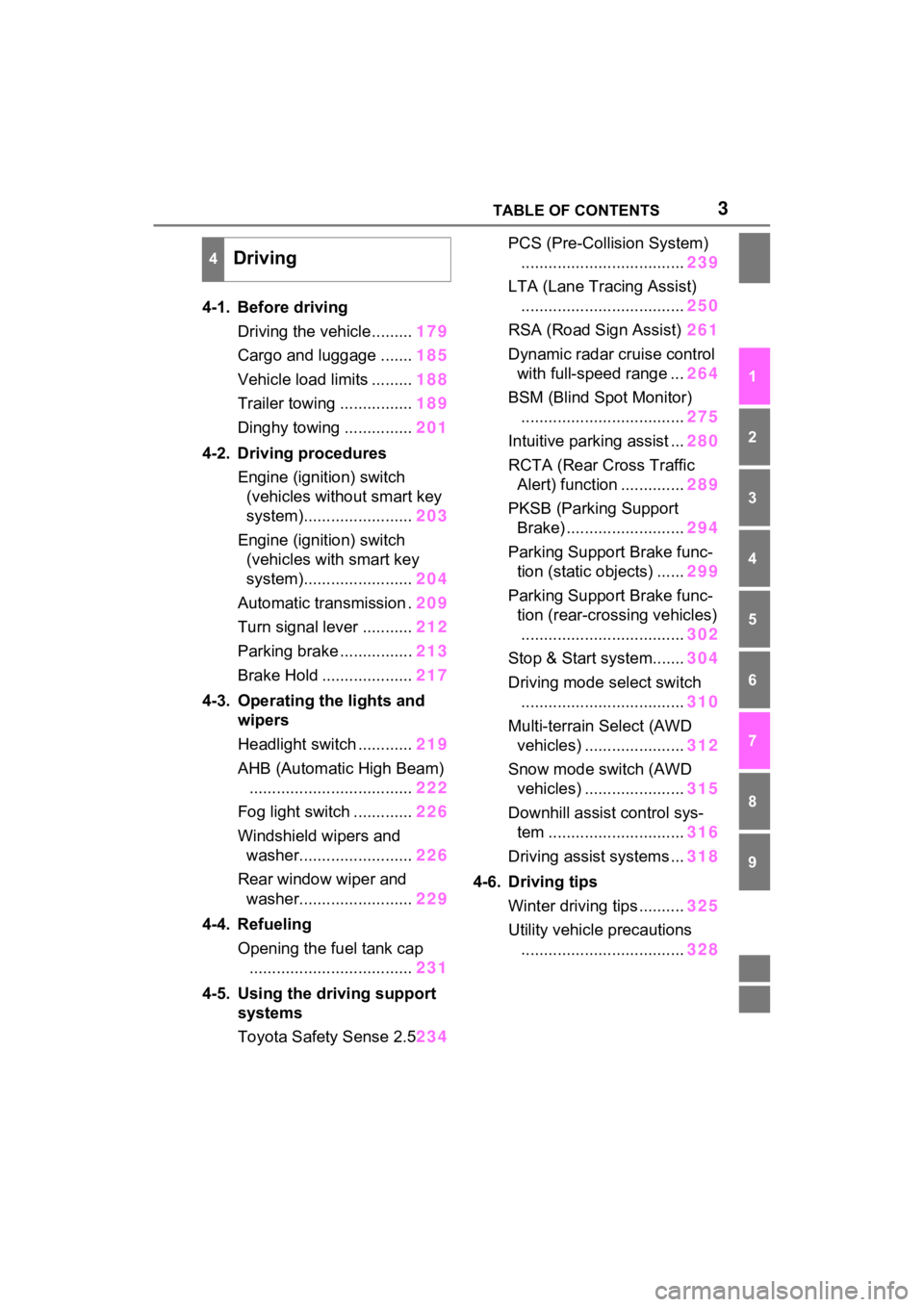
4-1. Before drivingDriving the vehicle......... 179
Cargo and luggage ....... 185
Vehicle load limits ......... 188
Trailer towing ................ 189
Dinghy towing ............... 201
4-2. Driving procedures Engine (ignition) switch (vehicles without smart key
system)........................ 203
Engine (ignition) switch (vehicles with smart key
system)........................ 204
Automatic transmission . 209
Turn signal lever ........... 212
Parking brake ................ 213
Brake Hold .................... 217
4-3. Operating the lights and wipers
Headlight switch ............ 219
AHB (Automatic High Beam) .................................... 222
Fog light switch ............. 226
Windshield wipers and washer......................... 226
Rear window wiper and washer......................... 229
4-4. Refueling Opening the fuel tank cap.................................... 231
4-5. Using the driving support
systems
Toyota Safety Sense 2.5 234PCS (Pre-Collision System)
.................................... 239
LTA (Lane Tracing Assist) .................................... 250
RSA (Road Sign Assist) 261
Dynamic radar cruise control with full-speed range ... 264
BSM (Blind Spot Monitor) .................................... 275
Intuitive parking assist ... 280
RCTA (Rear Cross Traffic Alert) function .............. 289
PKSB (Parking Support Brake) .......................... 294
Parking Support Brake func- tion (static objects) ...... 299
Parking Support Brake func- tion (rear-crossing vehicles)
.................................... 302
Stop & Start system....... 304
Driving mode s elect switch
.................................... 310
Multi-terrain Select (AWD vehicles) ...................... 312
Snow mode switch (AWD vehicles) ...................... 315
Downhill assist control sys- tem .............................. 316
Driving assist systems ... 318
4-6. Driving tips Winter driving tips .......... 325
Utility vehicle precautions .... ...
............................. 328
4Driving
Page 21 of 574
21Pictorial index
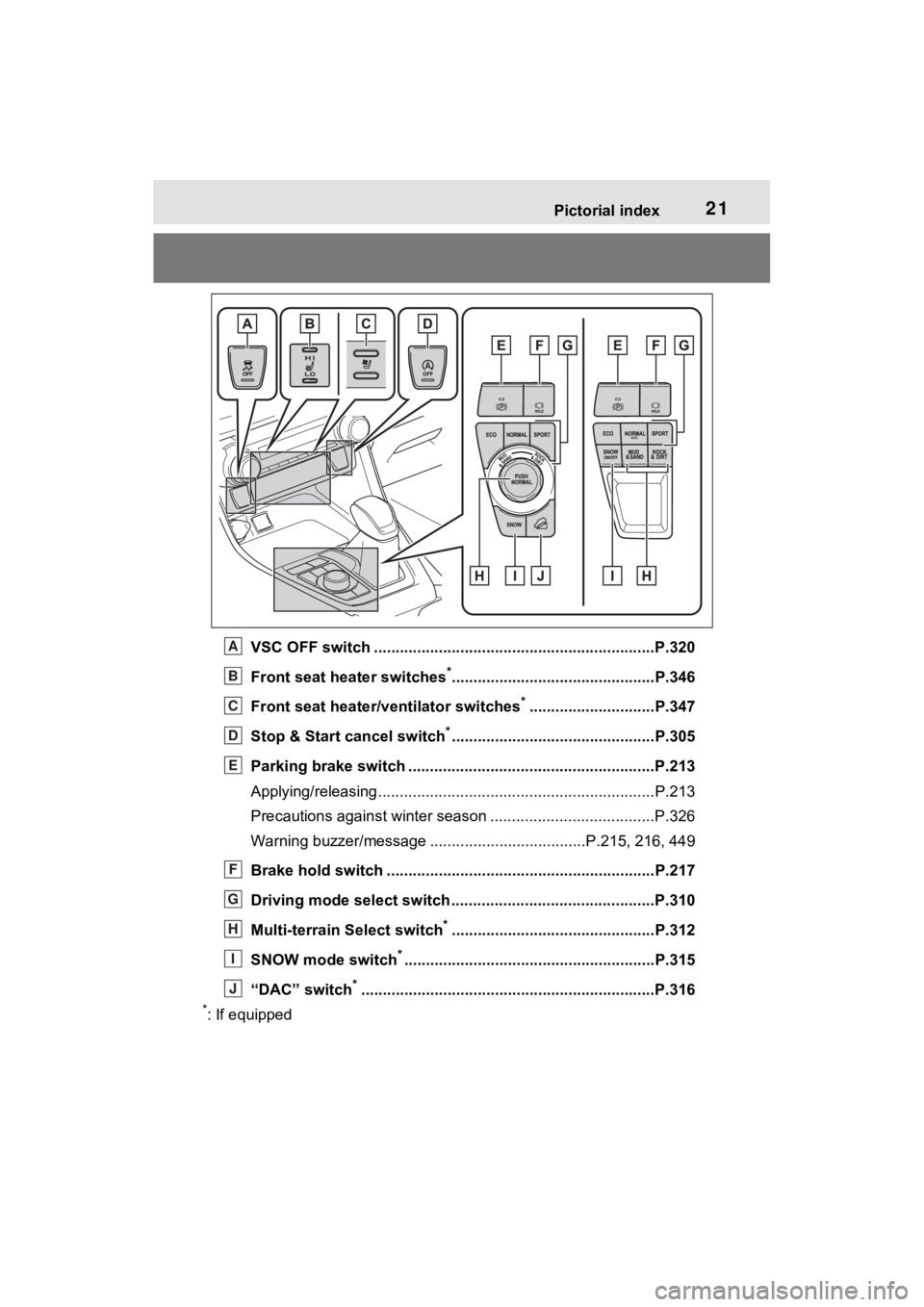
VSC OFF switch .................................................................P.320
Front seat heater switches
*...............................................P.346
Front seat heater/ventilator switches
*.............................P.347
Stop & Start cancel switch
*...............................................P.305
Parking brake switch ........................................... ..............P.213
Applying/releasing............................................. ...................P.213
Precautions against winter season .............................. ........P.326
Warning buzzer/message ....... .............................P.215, 216, 449
Brake hold switch .............................................. ................P.217
Driving mode select switch ..................................... ..........P.310
Multi-terrain Select switch
*...............................................P.312
SNOW mode switch
*..........................................................P.315
“DAC” switch
*............................................................... .....P.316
*: If equipped
A
B
C
D
E
F
G
H
I
J
Page 79 of 574
792-1. Instrument cluster
2
Vehicle status information and indicators
*1: These lights turn on when the
engine switch is turned to ON to
(Yellow)
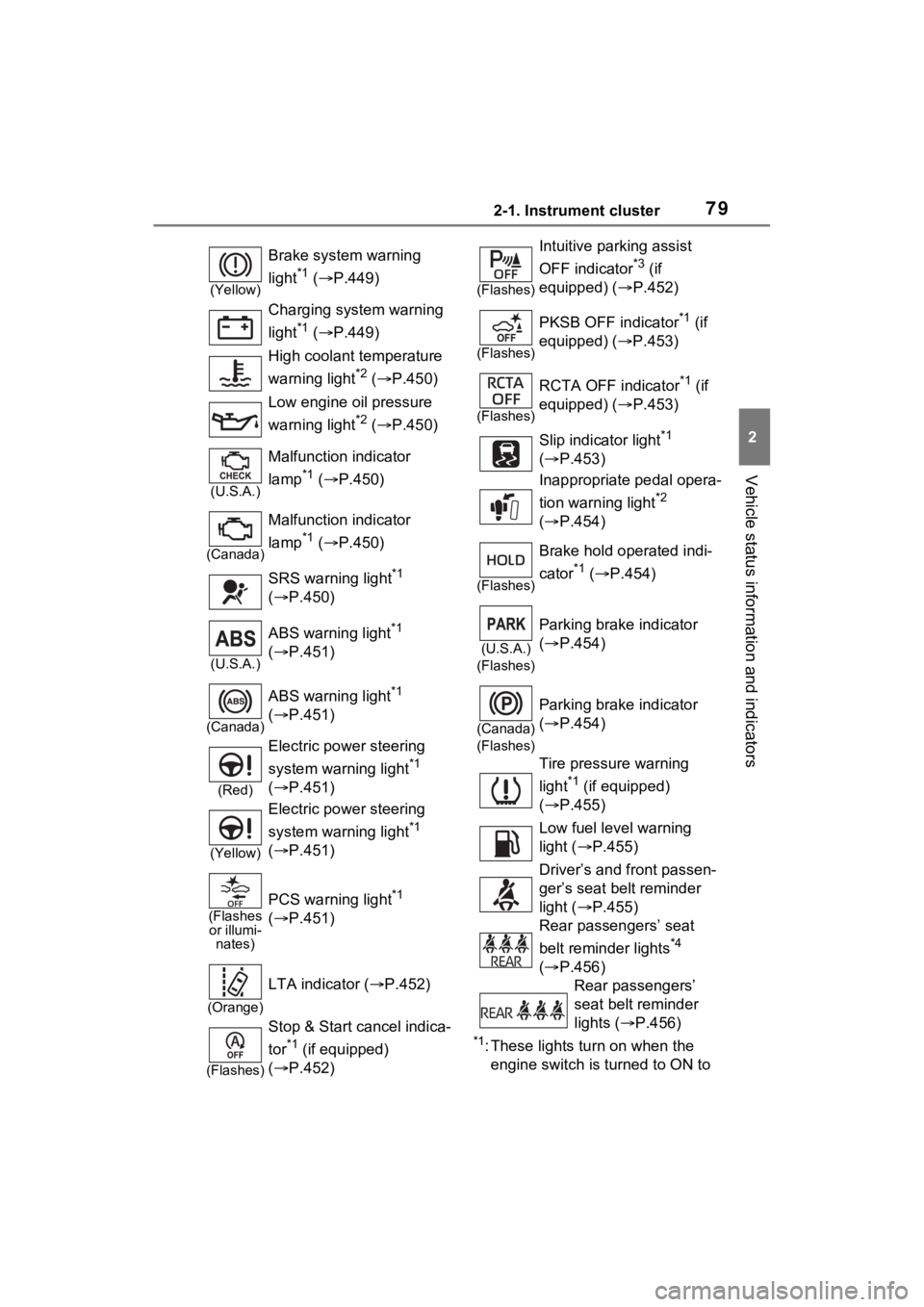
Brake system warning
light
*1 ( P.449)
Charging system warning
light
*1 ( P.449)
High coolant temperature
warning light
*2 ( P.450)
Low engine oil pressure
warning light
*2 ( P.450)
(U.S.A.)
Malfunction indicator
lamp
*1 ( P.450)
(Canada)
Malfunction indicator
lamp
*1 ( P.450)
SRS warning light
*1
( P.450)
(U.S.A.)
ABS warning light*1
( P.451)
(Canada)
ABS warning light*1
( P.451)
(Red)
Electric power steering
system warning light
*1
( P.451)
(Yellow)
Electric power steering
system warning light
*1
( P.451)
(Flashes
or illumi- nates)
PCS warning light*1
( P.451)
(Orange)
LTA indicator ( P.452)
(Flashes)
Stop & Start cancel indica-
tor
*1 (if equipped)
( P.452)
(Flashes)
Intuitive parking assist
OFF indicator
*3 (if
equipped) ( P.452)
(Flashes)
PKSB OFF indicator*1 (if
equipped) ( P.453)
(Flashes)
RCTA OFF indicator*1 (if
equipped) ( P.453)
Slip indicator light
*1
( P.453)
Inappropriate pedal opera-
tion warning light
*2
( P.454)
(Flashes)
Brake hold operated indi-
cator
*1 ( P.454)
(U.S.A.)
(Flashes)
Parking brake indicator
( P.454)
(Canada)
(Flashes)
Parking brake indicator
( P.454)
Tire pressure warning
light
*1 (if equipped)
( P.455)
Low fuel level warning
light ( P.455)
Driver’s and front passen-
ger’s seat belt reminder
light ( P.455)
Rear passengers’ seat
belt reminder lights
*4
( P.456)
Rear passengers’
seat belt reminder
lights ( P.456)
Page 81 of 574
812-1. Instrument cluster
2
Vehicle status information and indicators
*1: This light illuminates on the multi-information display with a
message.
*2: Depending on the operating con-ditions of the system, the color
and state (illuminat ed/blinking) of
the indicator change.
*3: The light comes on when the system is turned off.
*4: Intuitive parking assist OFF indi-
cator turns on wh en the engine
switch is turned t o ON while the
Intuitive parking assist function is
on. It will turn off after a few sec-
onds.
*5: These lights tu rn on when the
engine switch is turned to ON to
indicate that a system check is
being performed. They will turn
off after the engine is started, or
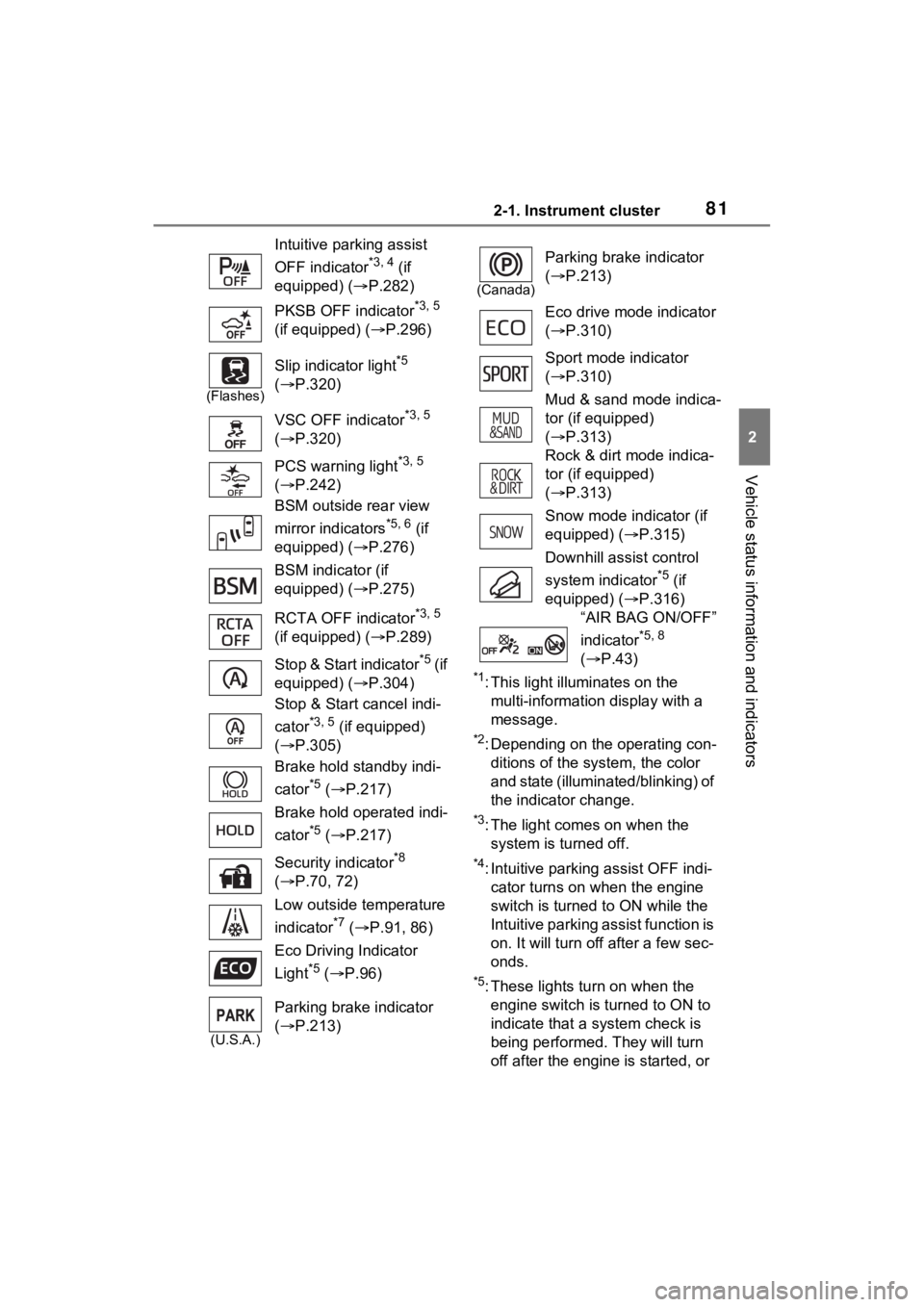
Intuitive parking assist
OFF indicator
*3, 4 (if
equipped) ( P.282)
PKSB OFF indicator
*3, 5
(if equipped) ( P.296)
(Flashes)
Slip indicator light*5
( P.320)
VSC OFF indicator
*3, 5
( P.320)
PCS warning light
*3, 5
( P.242)
BSM outside rear view
mirror indicators
*5, 6 (if
equipped) ( P.276)
BSM indicator (if
equipped) ( P.275)
RCTA OFF indicator
*3, 5
(if equipped) ( P.289)
Stop & Start indicator
*5 (if
equipped) ( P.304)
Stop & Start cancel indi-
cator
*3, 5 (if equipped)
( P.305)
Brake hold standby indi-
cator
*5 ( P.217)
Brake hold operated indi-
cator
*5 ( P.217)
Security indicator
*8
( P.70, 72)
Low outside temperature
indicator
*7 ( P.91, 86)
Eco Driving Indicator
Light
*5 ( P.96)
(U.S.A.)
Parking brake indicator
( P.213)
(Canada)
Parking brake indicator
( P.213)
Eco drive mode indicator
( P.310)
Sport mode indicator
( P.310)
Mud & sand mode indica-
tor (if equipped)
( P.313)
Rock & dirt mode indica-
tor (if equipped)
( P.313)
Snow mode indicator (if
equipped) ( P.315)
Downhill assist control
system indicator
*5 (if
equipped) ( P.316)
“AIR BAG ON/OFF”
indicator
*5, 8
( P.43)
Page 99 of 574
992-1. Instrument cluster
2
Vehicle status information and indicators
centering function.
“Sensitivity”
Select to set the lane departure
alert sensitivity.
“Sway Warning”
Select to enable/disable the vehicle
sway warning.
“Sway Sensitivity”
Select to set the vehicle sway warn-
ing sensitivity.
■ PCS (Pre-Collision Sys-
tem) ( P.239)
Select to set up the following
items.
PCS on/off
Select to enable/disable the pre-
collision system.
“Warning timing”
Select to change t he pre-collision
warning timing.
■ BSM (Blind Spot Moni-
tor) (if equipped) ( P.275)
Select to set up the following
items.
BSM (Blind Spot Monitor)
on/off
Select to enable/disable the BSM
system.
“Brightness”
Select to switch the brightness of
the outside rear view mirror indica-
tors. ( P.276)
“Sensitivity”
Select to change the alert timing for
an approaching vehicle.
■ (Intuitive parking
assist) (if equipped)
( P.280)
Select to set up the following
items.
Intuitive parking assist on/off
Select to enable/d isable the Intui-
tive parking assist.
“Volume”
Select to set the volume of the
buzzer which sounds when the
Intuitive parking assist is operated.
■RCTA (Rear Cross Traffic
Alert) (if equipped)
( P.289)
RCTA (Rear Cross Traffic
Alert) on/off
Select to enable /disable the RCTA
system.
“Volume”
Select to change the RCTA buzzer
volume.
■ PKSB (Parking Sup-
port Brake System) (if
equipped) ( P.294)
Select to enable/disable the
Parking Support Brake function.
■ RSA (Road Sign
Assist) (if equipped)
( P.261)
Select to set up the following
items.
Road Sign Assist on/off
Select to enable /disable the RSA
system.
Page 109 of 574
1092-1. Instrument cluster
2
Vehicle status information and indicators
■PKSB (Parking Sup-
port Brake System) (if
equipped) ( P.294)
Select to enable/disable the
Parking Support Brake function.
■RSA (Road Sign Assist)
(if equipped) ( P.261)
Select to set up the following
items.
Road Sign Assist on/off
Select to enable/disable the
RSA system.
“Notification Method”
Select to change each notifi-
cation method used to notify
the driver when the system
recognizes excess speed and
Do Not Enter sign.
“Notification Level”
Select to change each notifi-
cation level used to notify the
driver when the system recog-
nizes a speed limit sign.
■ Vehicle Settings
PBD (Power Back Door)
(if equipped) ( P.138)
Select to set up the following items.
• System settings
Select to enable/disable the
power back door system.
• “Hands Free”
*
Select to enable/disable the
Hands Free Power Back Door.
• “Opening Adjustment” Select the open position when
power back door is fully open. •“Volume”
Select to set the volume of the
buzzer which sounds when the
power back door system oper-
ates.
*: Vehicles with Hands Free Power Back Door
Stop & Start system (if
equipped) ( P.304)
Select to set the length of time the
Stop & Start system will operate
when the “A/C” switch of the air
conditioning system is on.
“Scheduled Maintenance”
( P.388)
Select to reset the scheduled
maintenance information
(message indicating mainte-
nance is required and dis-
tance until the next
maintenance) after all mainte-
nance is performed.
Rear Seat Reminder
( P.388)
Select to enable/disable the
rear seat reminder function.
“TPWS” (Tire Pressure Warn-
ing System) ( P.410)
• “Set Pressure”
Select to initialize the tire pres-
sure warning system.
• “Change Wheel” Select to change the tire pressure
warning system sensor ID code
set. To enable this function, a
second set of tire pressure warn-
ing system sensor ID codes must
be registered by a Toyota dealer.
For information regarding chang-
ing the registered ID code set,
Page 132 of 574
1323-2. Opening, closing and locking the doors
bumper while the back door is
opening/closing, the back door will
stop moving.
If a foot is moved under the rear
bumper again during the halted
operation, the back door will per-
form the reverse operation.
■Luggage compartment light
●The luggage compartment light
turns on when the back door is
opened.
●When the engine switch is turned
to OFF, the light will go off auto-
matically after 20 minutes.
■Back door closer
In the event that the back door is left
slightly open, the back door closer
will automatically close it to the fully
closed position.
Whatever the state of the engine
switch, the back door closer oper-
ates.
■Power back door operating con-
ditions
The power back door can automati-
cally open and close under the fol-
lowing conditions:
●When the power back door sys-
tem is enabled. ( P.98)
●When the engine switch is in ON,
in addition to the above for the
opening operations, the back door
operates for any of the following
conditions:
• Parking brake is engaged
• The brake pedal is depressed
• The shift lever is in P.
■Operation of the power back
door
●A buzzer sounds and the emer-
gency flashers flash twice to indi-
cate that the back door is
opening/closing.
●When the power back door sys-
tem is disabled, the power back
door does not ope rate but it can
be opened and closed by hand.
●When the power back door auto-
matically opens, if an abnormality
due to people or objects is
detected, operation will stop.
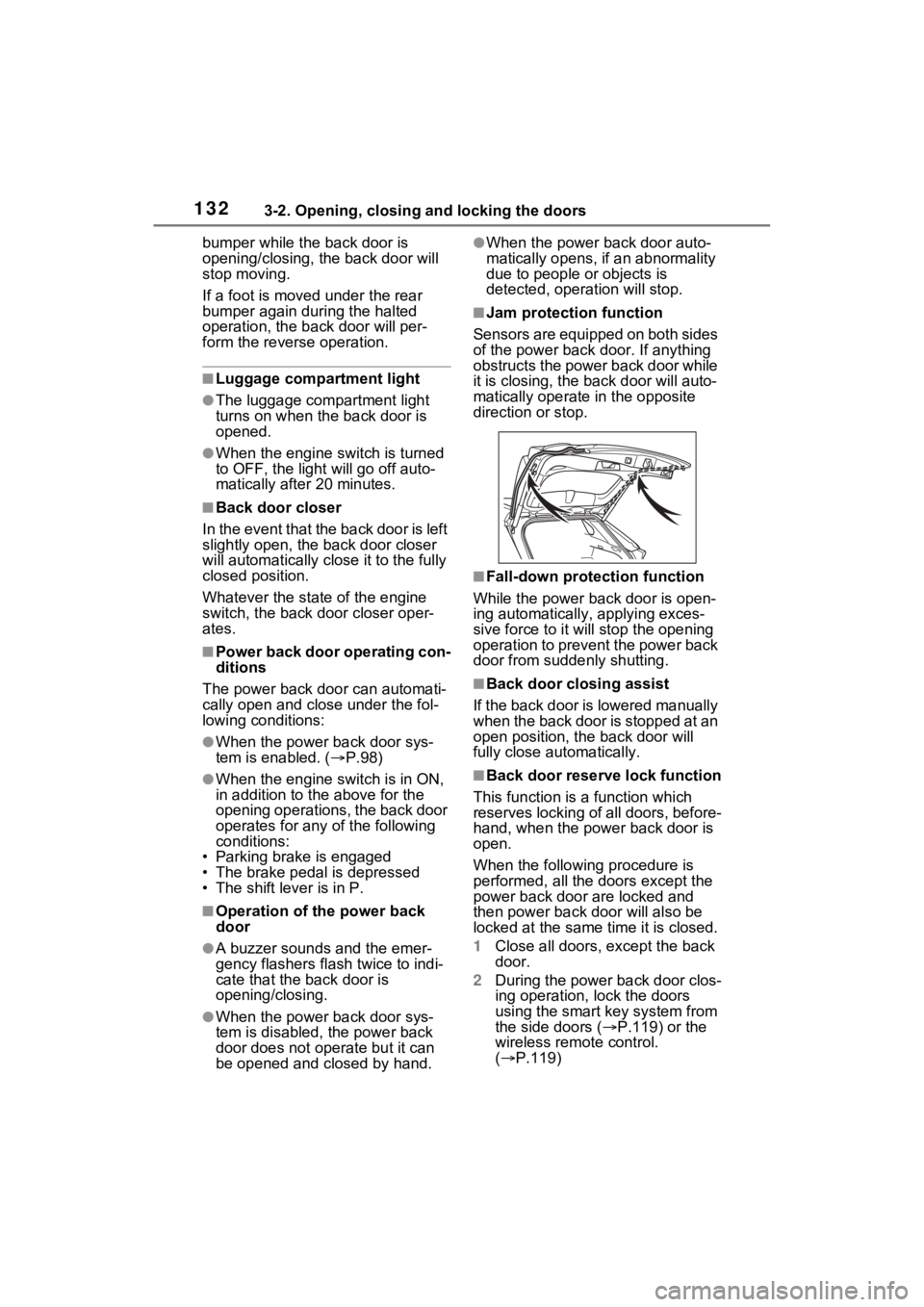
■Jam protection function
Sensors are equipped on both sides
of the power back door. If anything
obstructs the power back door while
it is closing, the back door will auto-
matically operate in the opposite
direction or stop.
■Fall-down protection function
While the power back door is open-
ing automatically, applying exces-
sive force to it will stop the opening
operation to prevent the power back
door from suddenly shutting.
■Back door closing assist
If the back door is lowered manually
when the back door is stopped at an
open position, the back door will
fully close automatically.
■Back door reserve lock function
This function is a function which
reserves locking of all doors, before-
hand, when the power back door is
open.
When the following procedure is
performed, all the doors except the
power back door are locked and
then power back door will also be
locked at the same time it is closed.
1 Close all doors, except the back
door.
2 During the power back door clos-
ing operation, lock the doors
using the smart key system from
the side doors ( P.119) or the
wireless remote control.
( P.119)
Page 146 of 574
1463-3. Adjusting the seats
■Before folding down the
seatbacks
1 Park the vehicle in a safe
place.
Apply the parking brake ( P.213)
and shift the shift lever to P.
( P.210)
2 Adjust the position of the
front seat and the angle of
the seatback. ( P.144)
Depending on the position of the
front seat, if the seatback is folded
backward, it may interfere with the
operation of the rear seat.
3 Lift up and push down the
head restraints of the rear
outboard seats, and lower
the head restraint of the rear
center seat. ( P.150)
4 Stow the armrest of the rear
seat if it is pulled out.
( P.369)
This step is not necessary when
operating the left side seat only.
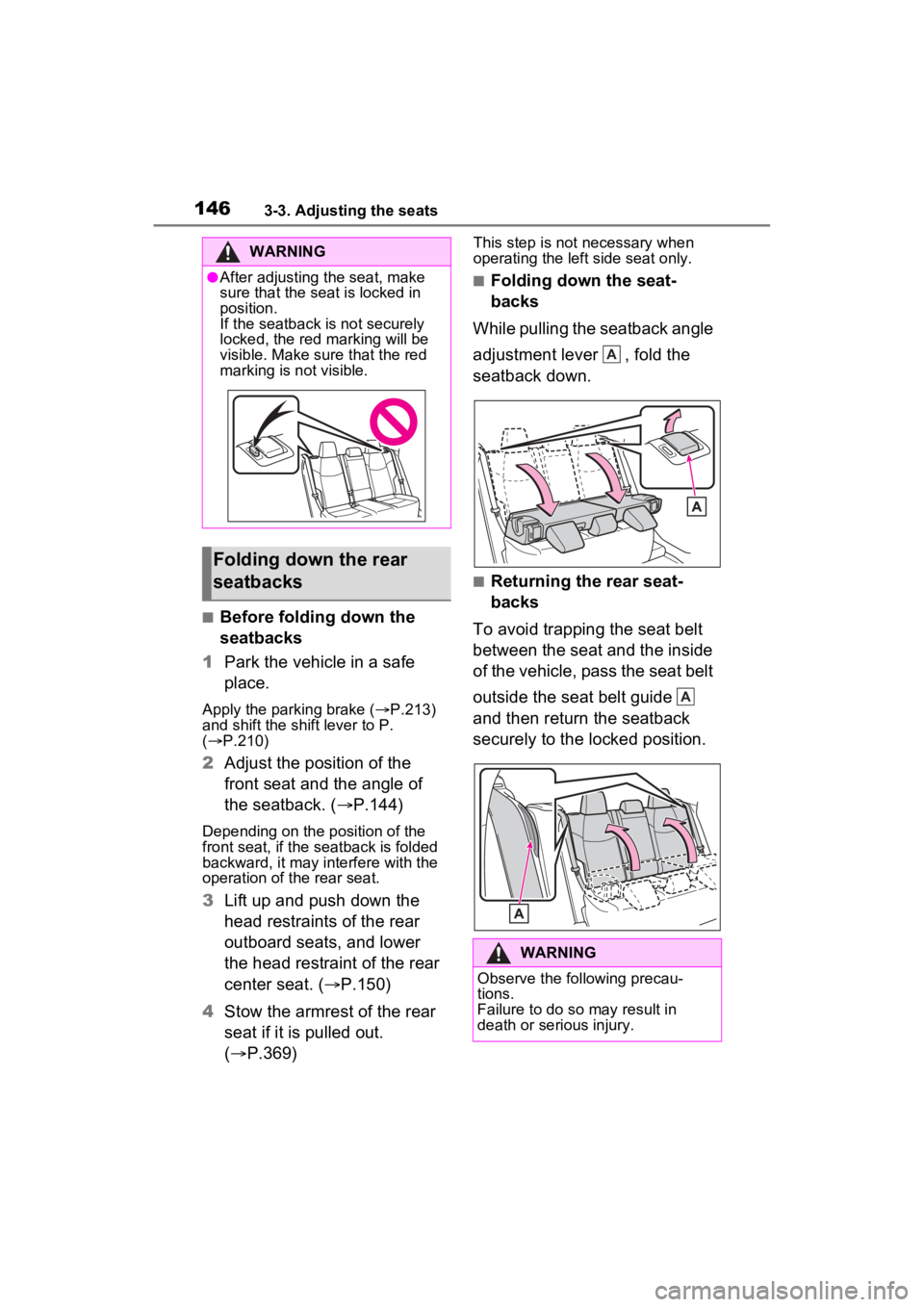
■Folding down the seat-
backs
While pulling the seatback angle
adjustment lever , fold the
seatback down.
■Returning the rear seat-
backs
To avoid trapping the seat belt
between the seat and the inside
of the vehicle, pass the seat belt
outside the seat belt guide
and then return the seatback
securely to the locked position.
WARNING
●After adjusting the seat, make
sure that the seat is locked in
position.
If the seatback is not securely
locked, the red marking will be
visible. Make sure that the red
marking is not visible.
Folding down the rear
seatbacks
WARNING
Observe the following precau-
tions.
Failure to do so may result in
death or serious injury.
A
A
Page 147 of 574
1473-3. Adjusting the seats
3
Before driving
*: If equipped
■Recording procedure
1 Check that the shift lever is in
P.
2 Turn the engine switch to
ON.
3 Adjust the driver’s seat to the
desired positions.
4 While pressing the “SET” but-
ton, or within 3 seconds after
the “SET” button is pressed,
press button “1” or “2” until
the buzzer sounds.
If the selected button has already
been preset, the previously
recorded positio n will be overwrit-
WARNING
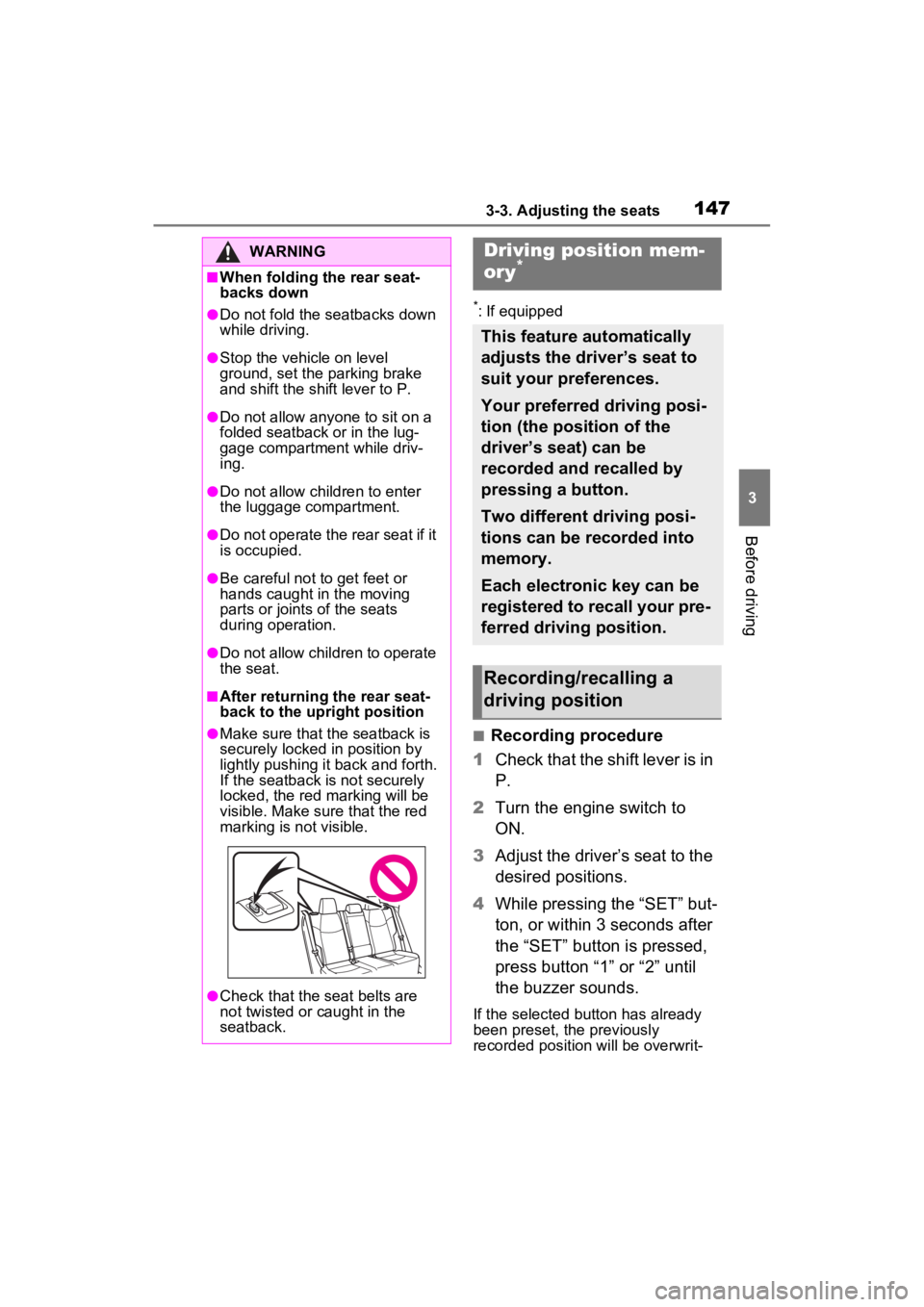
■When folding the rear seat-
backs down
●Do not fold the seatbacks down
while driving.
●Stop the vehicle on level
ground, set the parking brake
and shift the shift lever to P.
●Do not allow anyo ne to sit on a
folded seatback or in the lug-
gage compartment while driv-
ing.
●Do not allow child ren to enter
the luggage compartment.
●Do not operate the rear seat if it
is occupied.
●Be careful not to get feet or
hands caught in the moving
parts or joints of the seats
during operation.
●Do not allow children to operate
the seat.
■After returning the rear seat-
back to the upright position
●Make sure that the seatback is
securely locked in position by
lightly pushing it back and forth.
If the seatback is not securely
locked, the red marking will be
visible. Make sure that the red
marking is not visible.
●Check that the seat belts are
not twisted or caught in the
seatback.
Driving position mem-
ory*
This feature automatically
adjusts the driver’s seat to
suit your preferences.
Your preferred driving posi-
tion (the position of the
driver’s seat) can be
recorded and recalled by
pressing a button.
Two different driving posi-
tions can be recorded into
memory.
Each electronic key can be
registered to recall your pre-
ferred driving position.
Recording/recalling a
driving position
Page 177 of 574
177
4
4
Driving
Driving
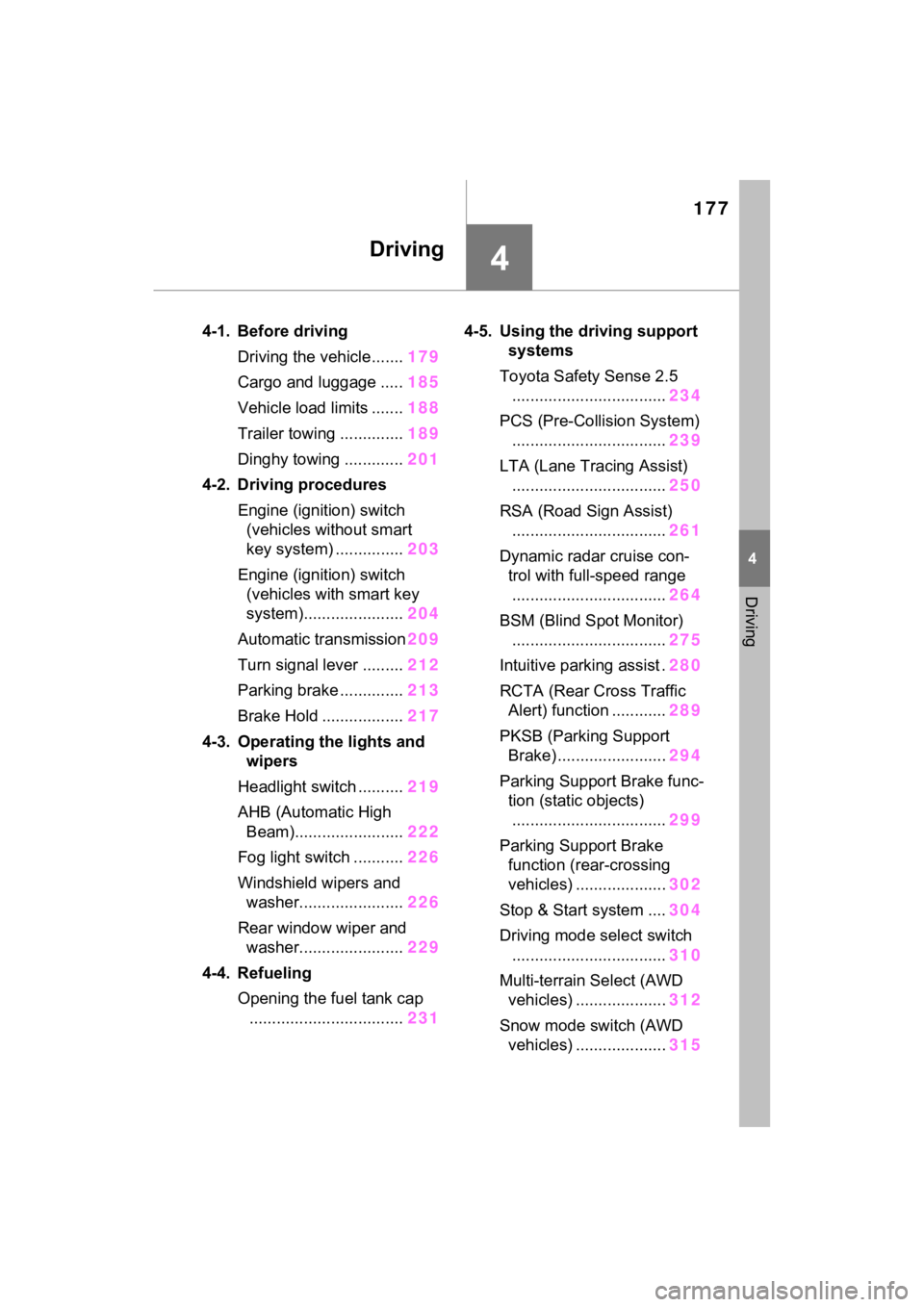
4-1. Before drivingDriving the vehicle....... 179
Cargo and luggage ..... 185
Vehicle load limits ....... 188
Trailer towing .............. 189
Dinghy towing ............. 201
4-2. Driving procedures Engine (ignition) switch (vehicles without smart
key system) ............... 203
Engine (ignition) switch (vehicles with smart key
system)...................... 204
Automatic transmission 209
Turn signal lever ......... 212
Parking brake .............. 213
Brake Hold .................. 217
4-3. Operating the lights and wipers
Headlight switch .......... 219
AHB (Automatic High Beam)........................ 222
Fog light switch ........... 226
Windshield wipers and washer....................... 226
Rear window wiper and washer....................... 229
4-4. Refueling Opening the fuel tank cap.................................. 2314-5. Using the dr
iving support
systems
Toyota Safety Sense 2.5 .................................. 234
PCS (Pre-Collision System) .................................. 239
LTA (Lane Tracing Assist) .................................. 250
RSA (Road Sign Assist) .................................. 261
Dynamic radar cruise con- trol with full-speed range
.................................. 264
BSM (Blind Spot Monitor) .................................. 275
Intuitive parking assist . 280
RCTA (Rear Cross Traffic Alert) function ............ 289
PKSB (Parking Support Brake) ........................ 294
Parking Support Brake func- tion (static objects)
.................................. 299
Parking Support Brake function (rear-crossing
vehicles) .................... 302
Stop & Start system .... 304
Driving mode select switch .................................. 310
Multi-terrain Select (AWD vehicles) .................... 312
Snow mode switch (AWD vehicles) .................... 315