change time TOYOTA RAV4 EV 2012 1.G User Guide
[x] Cancel search | Manufacturer: TOYOTA, Model Year: 2012, Model line: RAV4 EV, Model: TOYOTA RAV4 EV 2012 1.GPages: 520, PDF Size: 8.29 MB
Page 244 of 520
244 2-4. Using other driving systems
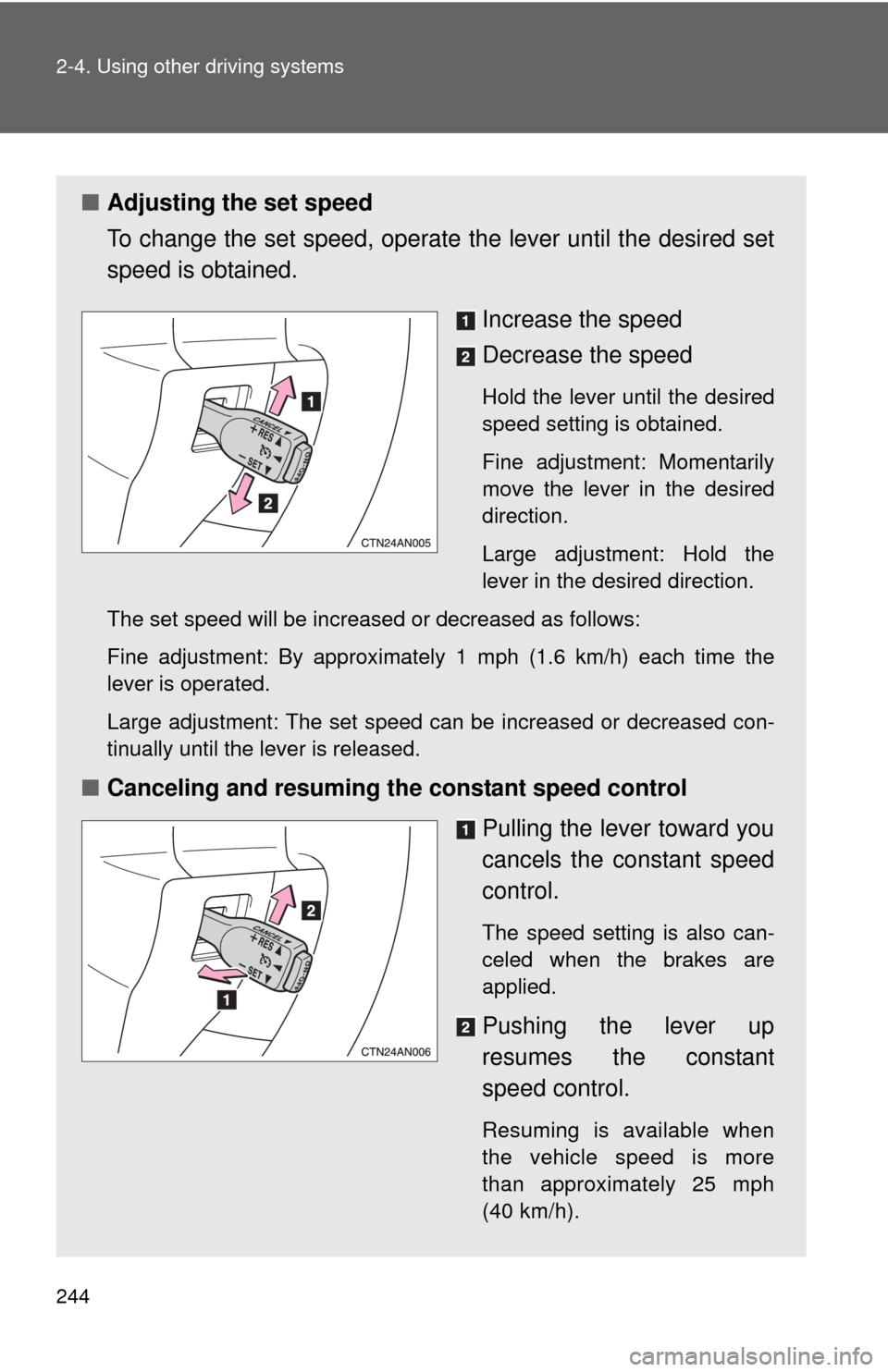
■Adjusting the set speed
To change the set speed, operate the lever until the desired set
speed is obtained.
Increase the speed
Decrease the speed
Hold the lever until the desired
speed setting is obtained.
Fine adjustment: Momentarily
move the lever in the desired
direction.
Large adjustment: Hold the
lever in the desired direction.
The set speed will be increased or decreased as follows:
Fine adjustment: By approximately 1 mph (1.6 km/h) each time the
lever is operated.
Large adjustment: The set speed can be increased or decreased con-
tinually until the lever is released.
■ Canceling and resuming the constant speed control
Pulling the lever toward you
cancels the constant speed
control.
The speed setting is also can-
celed when the brakes are
applied.
Pushing the lever up
resumes the constant
speed control.
Resuming is available when
the vehicle speed is more
than approximately 25 mph
(40 km/h).
Page 279 of 520
279
3-1. Using the air conditioning system
and defogger
3
Interior features
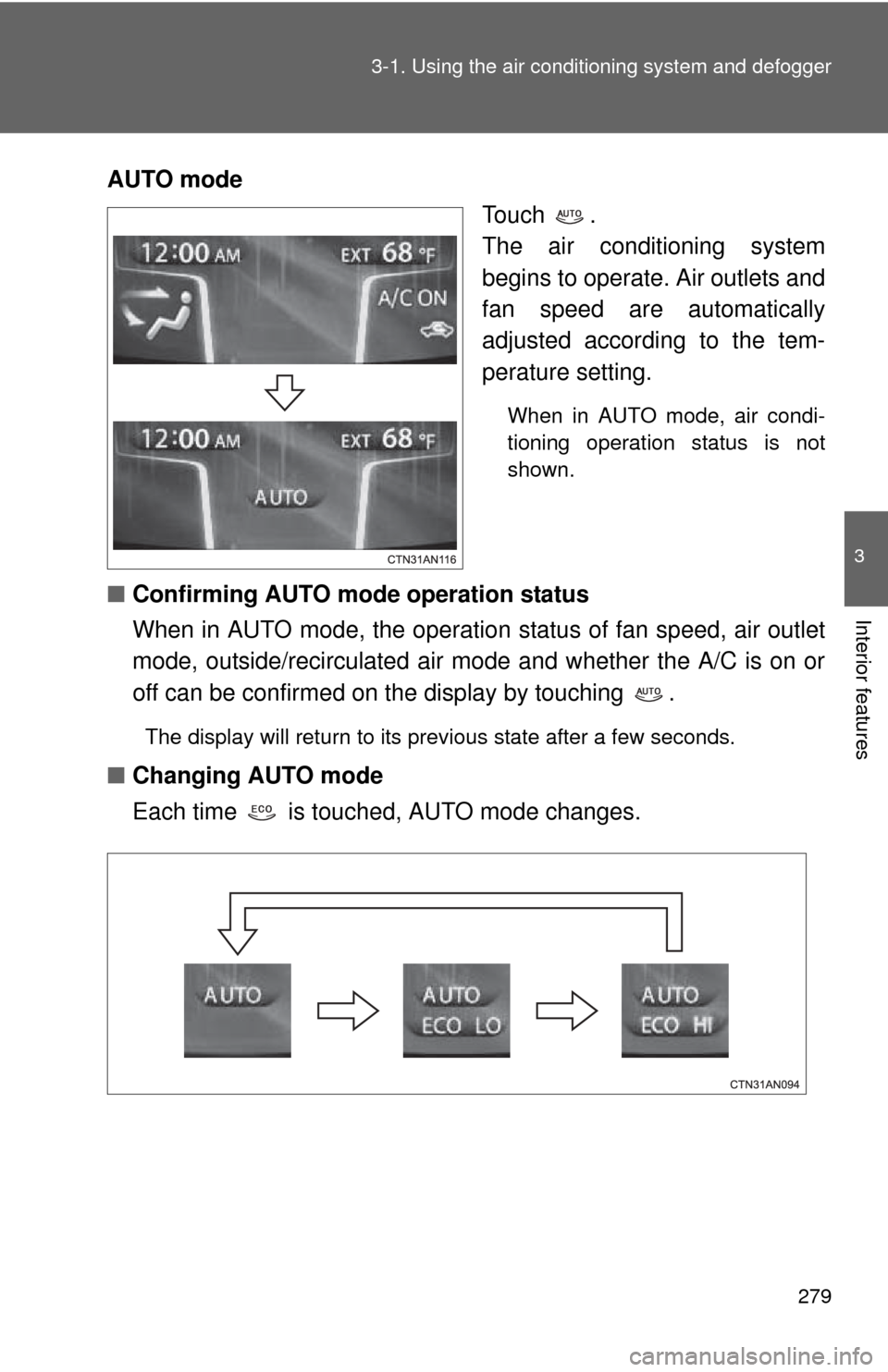
AUTO mode
Touch .
The air conditioning system
begins to operate. Air outlets and
fan speed are automatically
adjusted according to the tem-
perature setting.
When in AUTO mode, air condi-
tioning operation status is not
shown.
■Confirming AUTO mode operation status
When in AUTO mode, the operation status of fan speed, air outlet
mode, outside/recirculated air mode and whether the A/C is on or
off can be confirmed on the display by touching .
The display will return to its previous state after a few seconds.
■Changing AUTO mode
Each time is touched, AUTO mode changes.
Page 280 of 520
280 3-1. Using the air conditioning system and defogger
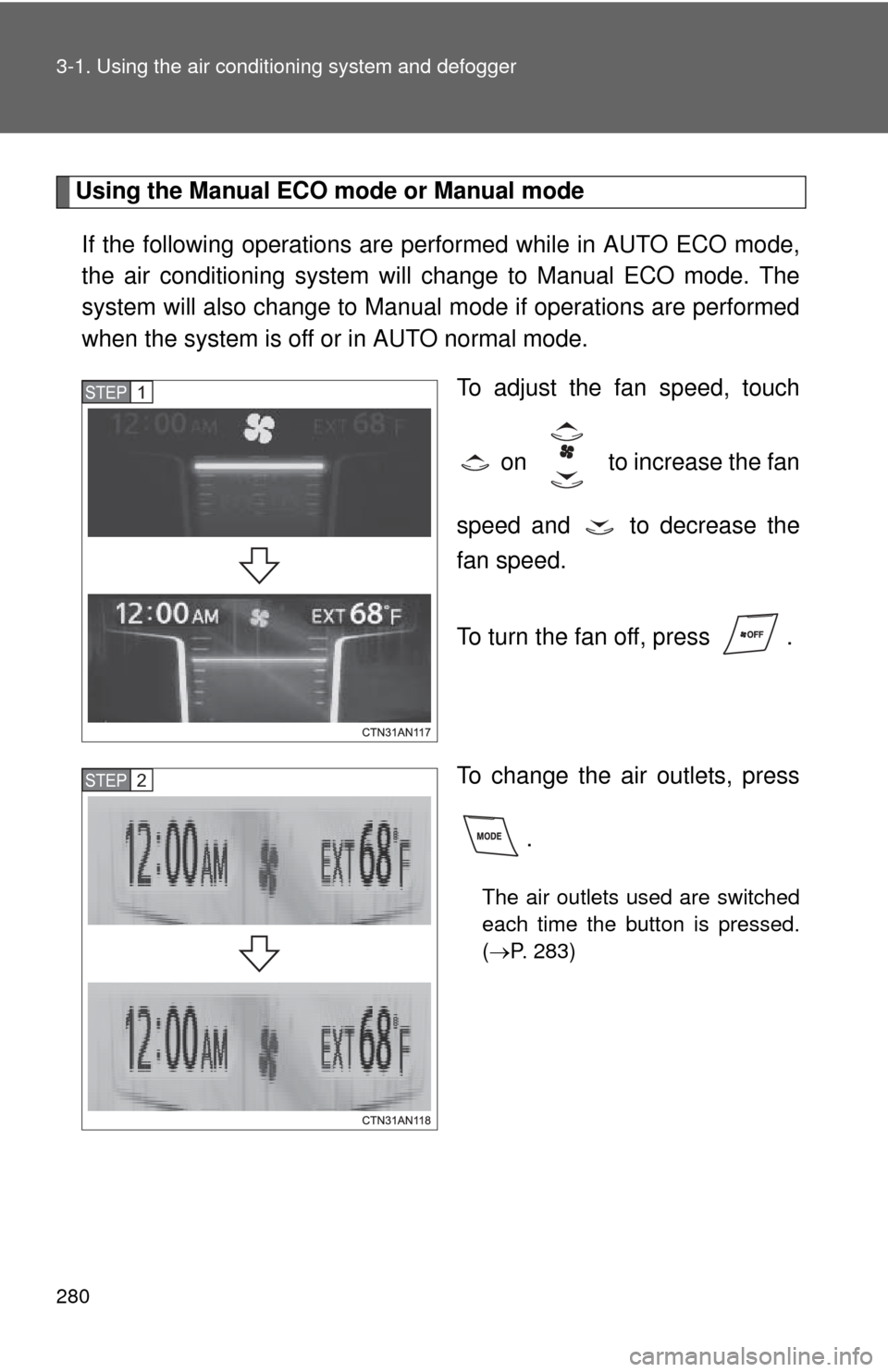
Using the Manual ECO mode or Manual mode
If the following operations are performed while in AUTO ECO mode,
the air conditioning system will change to Manual ECO mode. The
system will also change to Manual mode if operations are performed
when the system is off or in AUTO normal mode.
To adjust the fan speed, touch
on to increase the fan
speed and to decrease the
fan speed.
To turn the fan off, press .
To change the air outlets, press .
The air outlets used are switched
each time the button is pressed.
(P. 283)
STEP 1
STEP 2
Page 282 of 520
282 3-1. Using the air conditioning system and defogger
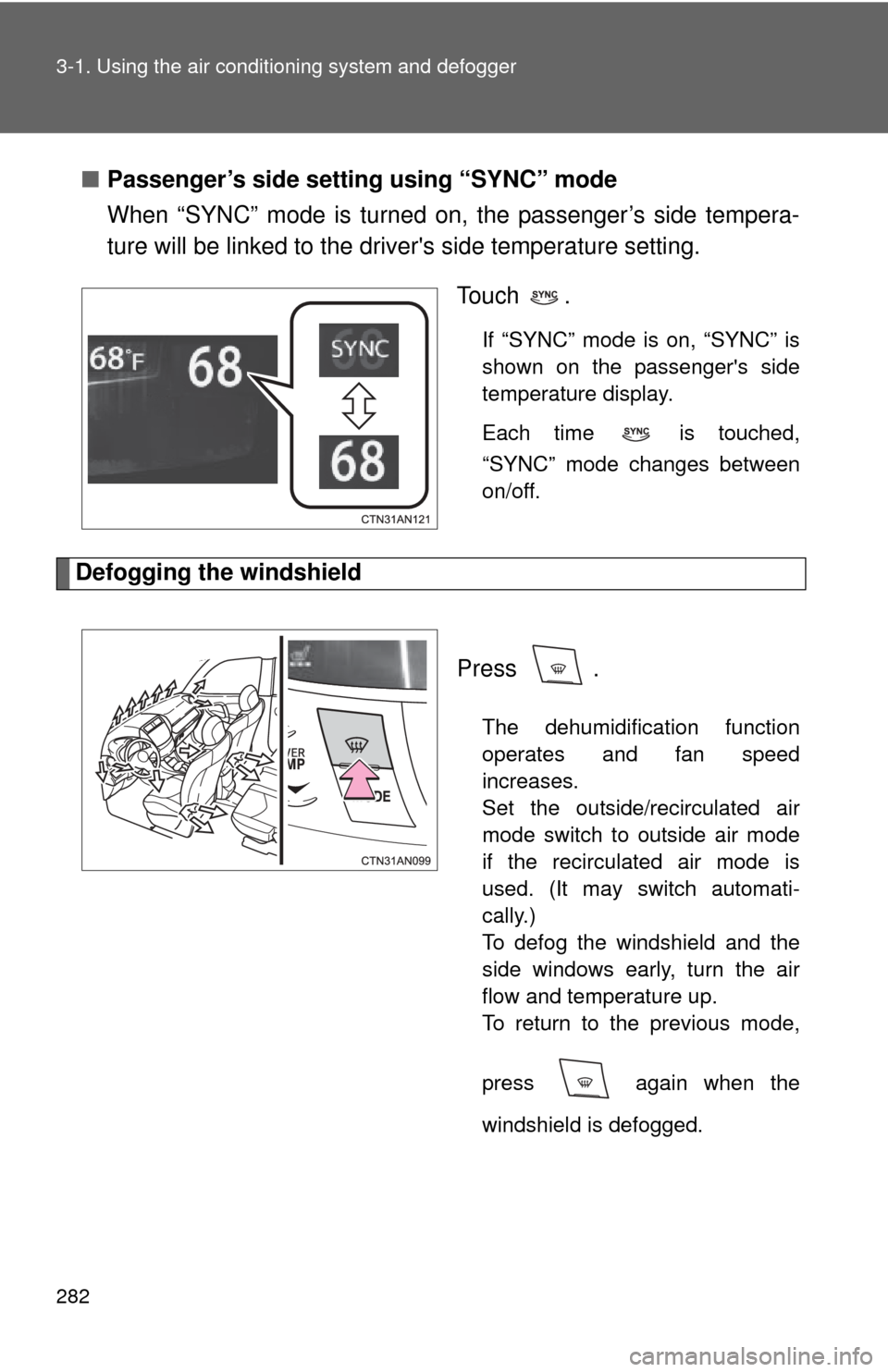
■Passenger’s side setting using “SYNC” mode
When “SYNC” mode is turned on, the passenger’s side tempera-
ture will be linked to the driv er's side temperature setting.
To u c h .
If “SYNC” mode is on, “SYNC” is
shown on the passenger's side
temperature display.
Each time is touched,
“SYNC” mode changes between
on/off.
Defogging the windshield
Press .
The dehumidification function
operates and fan speed
increases.
Set the outside/recirculated air
mode switch to outside air mode
if the recirculated air mode is
used. (It may switch automati-
cally.)
To defog the windshield and the
side windows early, turn the air
flow and temperature up.
To return to the previous mode,
press again when the
windshield is defogged.
Page 295 of 520
295
3-2. Using the interior lights
3
Interior features
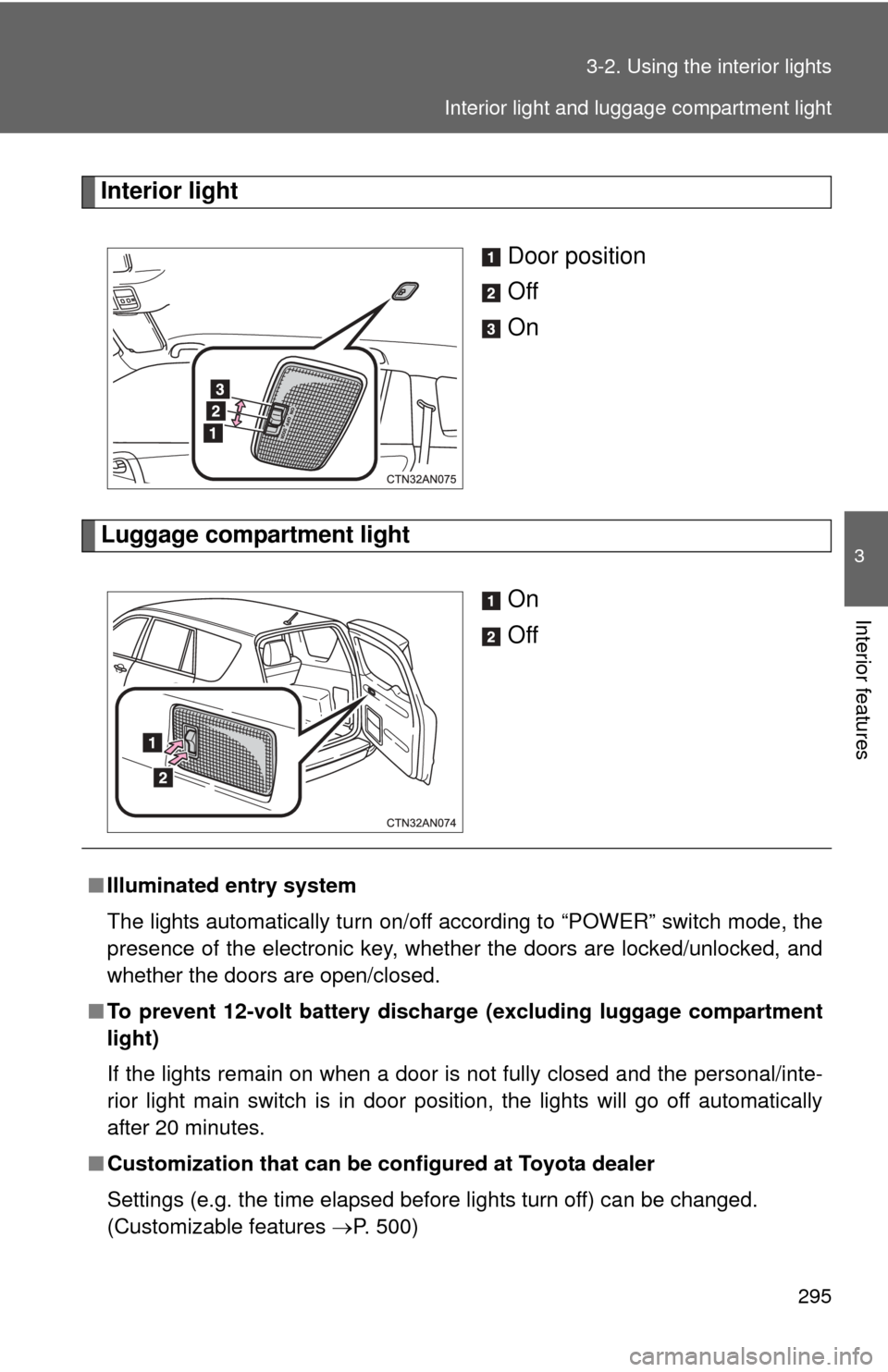
Interior light
Door position
Off
On
Luggage compartment lightOn
Off
■Illuminated entry system
The lights automatically turn on/off according to “POWER” switch mode, the
presence of the electronic key, whether the doors are locked/unlocked, and
whether the doors are open/closed.
■ To prevent 12-volt battery discharge (excluding luggage compartment
light)
If the lights remain on when a door is not fully closed and the personal/inte-
rior light main switch is in door position, the lights will go off automatically
after 20 minutes.
■ Customization that can be co nfigured at Toyota dealer
Settings (e.g. the time elapsed before lights turn off) can be changed.
(Customizable features P. 500)
Interior light and luggage compartment light
Page 311 of 520
311
3-4. Other interior features
3
Interior features
■
The seat heaters can be used when
The “POWER” switch is in ON mode.
■ When not in use
Turn the seat heater off.
■ Front passenger seat heater
●When the air-conditioning is in ECO LO or ECO HI mode, the seat heater
automatically turns on/off depending on whether the front passenger seat
is occupied or not.
● When the seat heater is operating in manual mode, it does not automati-
cally turn on/off depending on whether the front passenger seat is occu-
pied or not.
● In order to prevent unintended seat heater operation, do not place lug-
gage on the passenger seat.
The sensor may mistakenly judge the seat to be occupied and turn the
seat heater on.
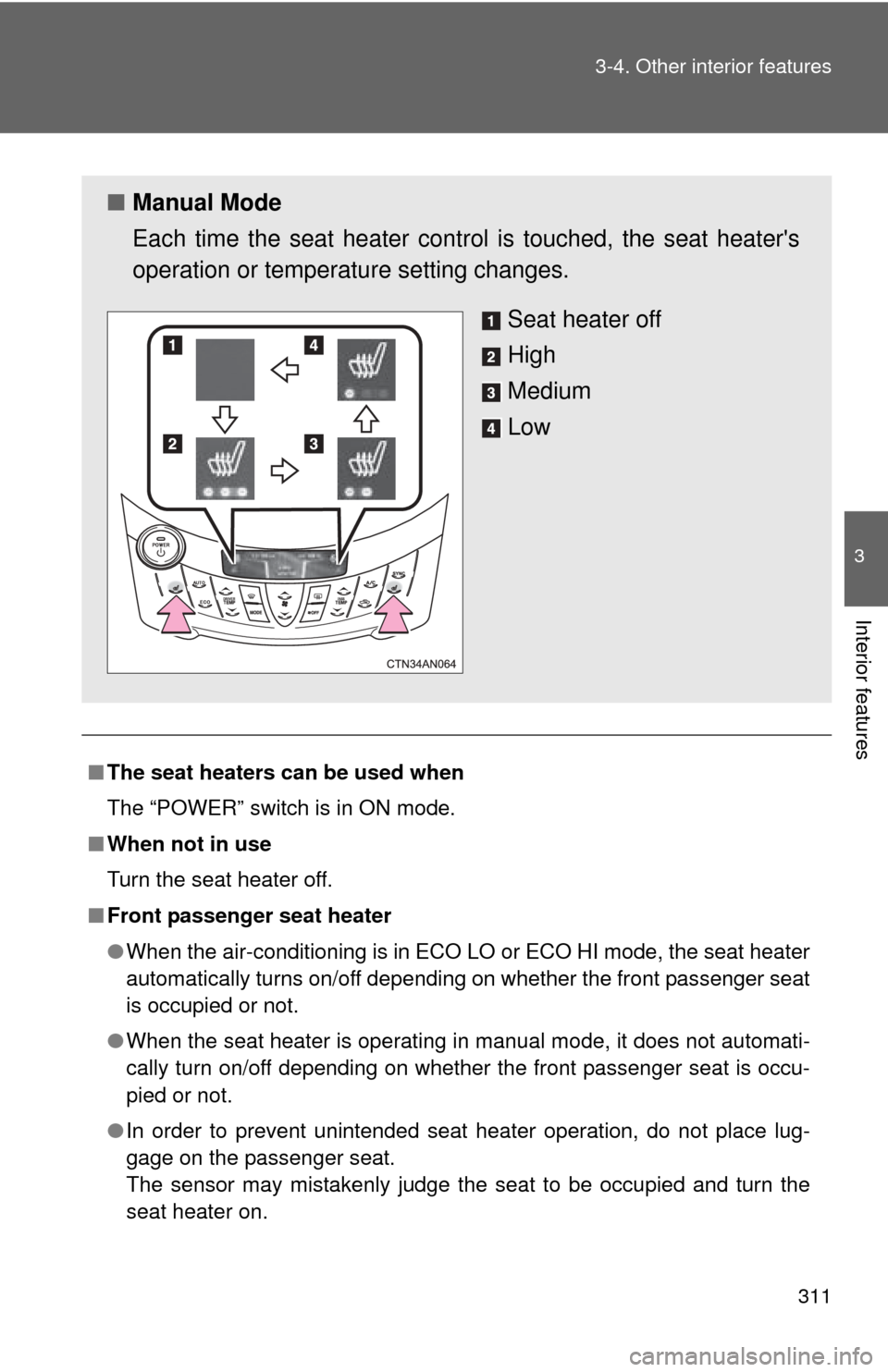
■ Manual Mode
Each time the seat heater cont rol is touched, the seat heater's
operation or temperature setting changes.
Seat heater off
High
Medium
Low
Page 469 of 520

5
When trouble arises
469
5-2. Steps to take in an emergency
To change “POWER” switch modes:
Within 10 seconds of the buzze
r sounding, release the brake
pedal and press the “POWER” switch. Modes can be changed
each time the switch is pressed. ( P. 202)
To start the EV system:
Press the “POWER” switch within 10 seconds of the buzzer
sounding, keeping the brake pedal depressed.
In the event that the EV system still cannot be operated, contact your
Toyota dealer.
■ Stopping the EV system
Set the parking brake, push the P position switch and press the “POWER”
switch as you normally do when stopping the EV system.
■ Replacing the key battery
As the above procedure is a temporary measure, it is recommended that the
electronic key battery be replaced immediately when the battery is depleted.
(P. 383)
STEP 3
Page 479 of 520
5
When trouble arises
479
5-2. Steps to take in an emergency
If your vehicle has to be stopped in an emergency
CAUTION
■If the EV system has to be turned off while driving
Power assist for the brakes and steering wheel will be lost, making the brake
pedal harder to depress and the steering wheel heavier to turn. Decelerate
as much as possible before turning off the EV system.
Only in an emergency, such as if it becomes impossible to stop the
vehicle in the normal way, stop the vehicle using the following pro-
cedure:
Steadily step on the brake pedal with both feet and firmly
depress it.
Do not pump the brake pedal repeatedly as this will increase the
effort required to slow the vehicle.
Shift the shift position to N.
If the shift position is changed to N After slowing down, stop the vehi cle in a safe place by the
road.
Stop the EV system.
If the shift position cannot be changed to N Keep depressing the brake pedal with both feet to reduce
vehicle speed as much as possible.
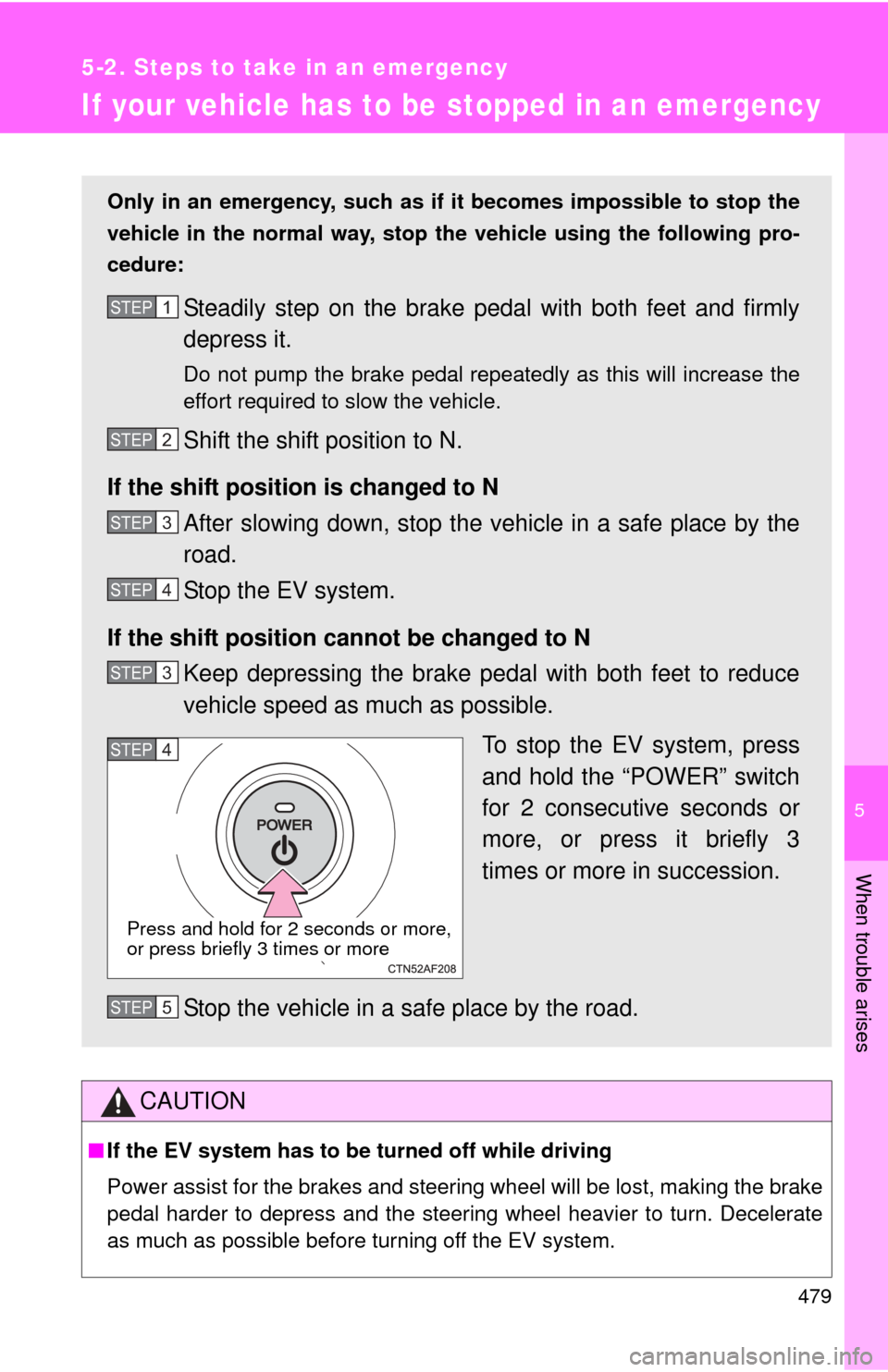
To stop the EV system, press
and hold the “POWER” switch
for 2 consecutive seconds or
more, or press it briefly 3
times or more in succession.
Stop the vehicle in a safe place by the road.
STEP 1
STEP 2
STEP 3
STEP 4
STEP 3
STEP 4
Press and hold for 2 seconds or more,
or press briefly 3 times or more
STEP 5
Page 500 of 520
500
6-2. Customization
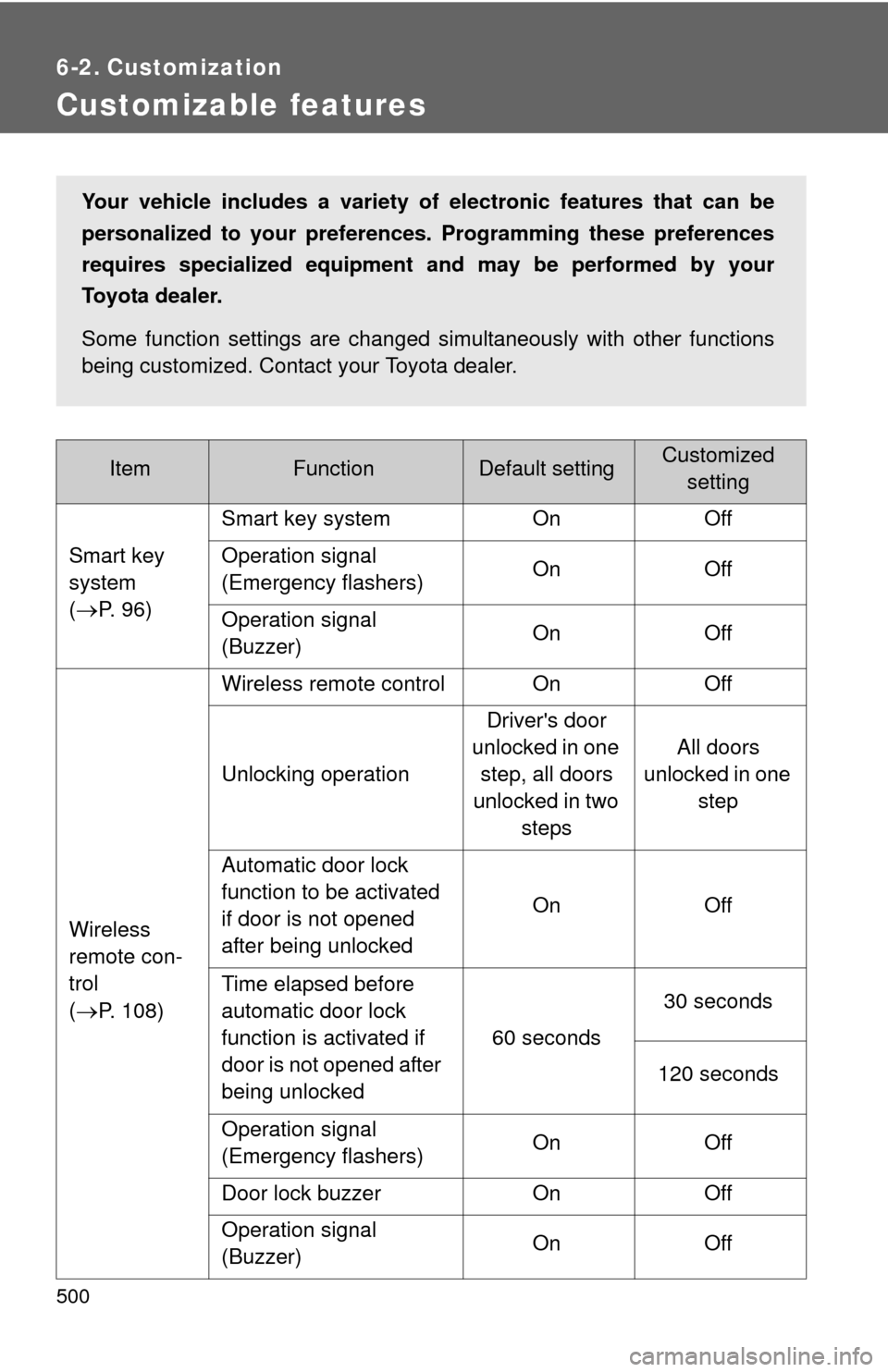
Customizable features
ItemFunctionDefault settingCustomizedsetting
Smart key
system
(
P. 96) Smart key system On Off
Operation signal
(Emergency flashers)
On Off
Operation signal
(Buzzer) On Off
Wireless
remote con-
trol
(
P. 108) Wireless remote control On Off
Unlocking operation
Driver's door
unlocked in one step, all doors
unlocked in two steps All doors
unlocked in one step
Automatic door lock
function to be activated
if door is not opened
after being unlocked On Off
Time elapsed before
automatic door lock
function is activated if
door is not opened after
being unlocked 60 seconds
30 seconds
120 seconds
Operation signal
(Emergency flashers) On Off
Door lock buzzer On Off
Operation signal
(Buzzer) On Off
Your vehicle includes a variety of
electronic features that can be
personalized to your preferen ces. Programming these preferences
requires specialized equipment and may be performed by your
Toyota dealer.
Some function settings are changed simultaneously with other functions
being customized. Contact your Toyota dealer.