lock TOYOTA RAV4 EV 2012 1.G Repair Manual
[x] Cancel search | Manufacturer: TOYOTA, Model Year: 2012, Model line: RAV4 EV, Model: TOYOTA RAV4 EV 2012 1.GPages: 520, PDF Size: 8.29 MB
Page 204 of 520
204 2-1. Driving procedures
■If the EV system does not start
●The immobilizer system may not have been deactivated. ( P. 149)
Contact your Toyota dealer.
● The charging cable may be connected to the vehicle. ( P. 82)
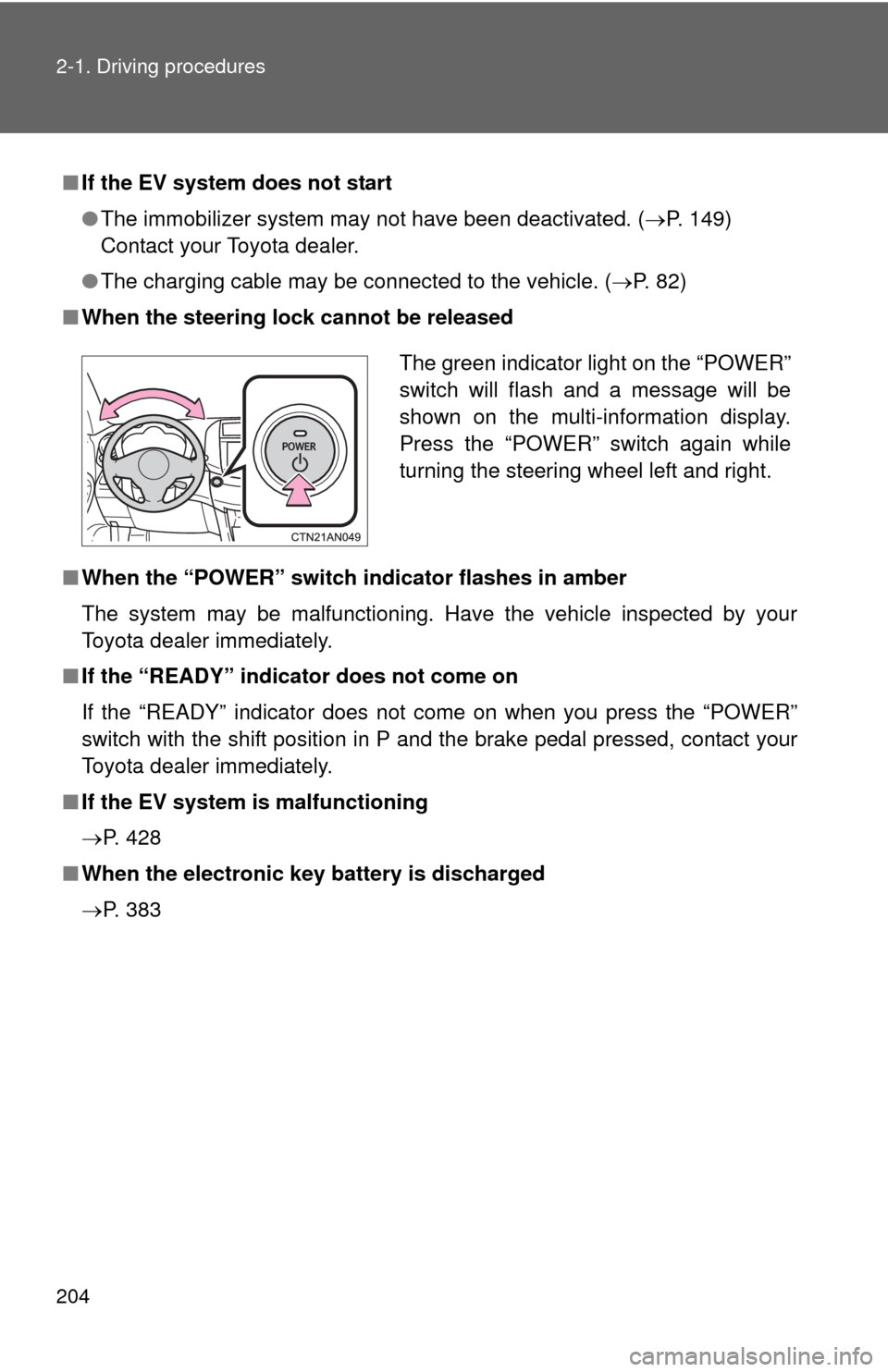
■ When the steering lock cannot be released
■ When the “POWER” switch in dicator flashes in amber
The system may be malfunctioning. Have the vehicle inspected by your
Toyota dealer immediately.
■ If the “READY” indicator does not come on
If the “READY” indicator does not come on when you press the “POWER”
switch with the shift position in P and the brake pedal pressed, contact your
Toyota dealer immediately.
■ If the EV system is malfunctioning
P. 428
■ When the electronic key battery is discharged
P. 383
The green indicator light on the “POWER”
switch will flash and a message will be
shown on the multi-information display.
Press the “POWER” switch again while
turning the steering wheel left and right.
Page 214 of 520

214 2-1. Driving procedures
CAUTION
■To avoid an accident
Do not hang objects on or attach objects to the shift lever.
Doing so may cause the shift lever to move and the shift position to change.
■ For the shift lever
Do not remove the shift lever knob or use anything but a genuine Toyota shift
lever knob. Also, do not hang anything on the shift lever.
Doing so could prevent the shift lever from returning to position, causing
unexpected accidents to occur when the vehicle is in motion.
■ P position switch
Do not press the P position switch while the vehicle is moving.
If the P position switch is pressed when driving at very low speeds (for
example, directly before stopping the vehicle), the vehicle may stop sud-
denly when the shift position switches to P, which could lead to an accident.
NOTICE
■Situations where P position control system malfunctions are possible
If any of the following situations occur, P position control system malfunc-
tions are possible.
Immediately stop the vehicle in a safe place on level ground, apply the park-
ing brake, and then contact your Toyota dealer.
●When the “P Lock Malfunction” warning message appears on the multi-
information display. (
P. 429)
● When the shift position symbols (such as P and R) are extinguished and
the frames surrounding the shift position symbols are flashing on the shift
position indicator.
● When the shift position indicator remains off.
■ Notes regarding shift lever an d P position switch operation
Avoid repeatedly operating the shift lever and P position switch in quick suc-
cession.
The system protection function may activate and it will not be temporarily
possible to shift the shift position other than P. If this happens, please wait
for a while before attempting to change the shift position again.
Page 217 of 520
217
2-1. Driving procedures
2
When driving
Hor n
■After adjusting the steering wheel
Make sure that the steering wheel is securely locked.
The horn may not sound if the steering wheel is not securely locked.
(P. 140)
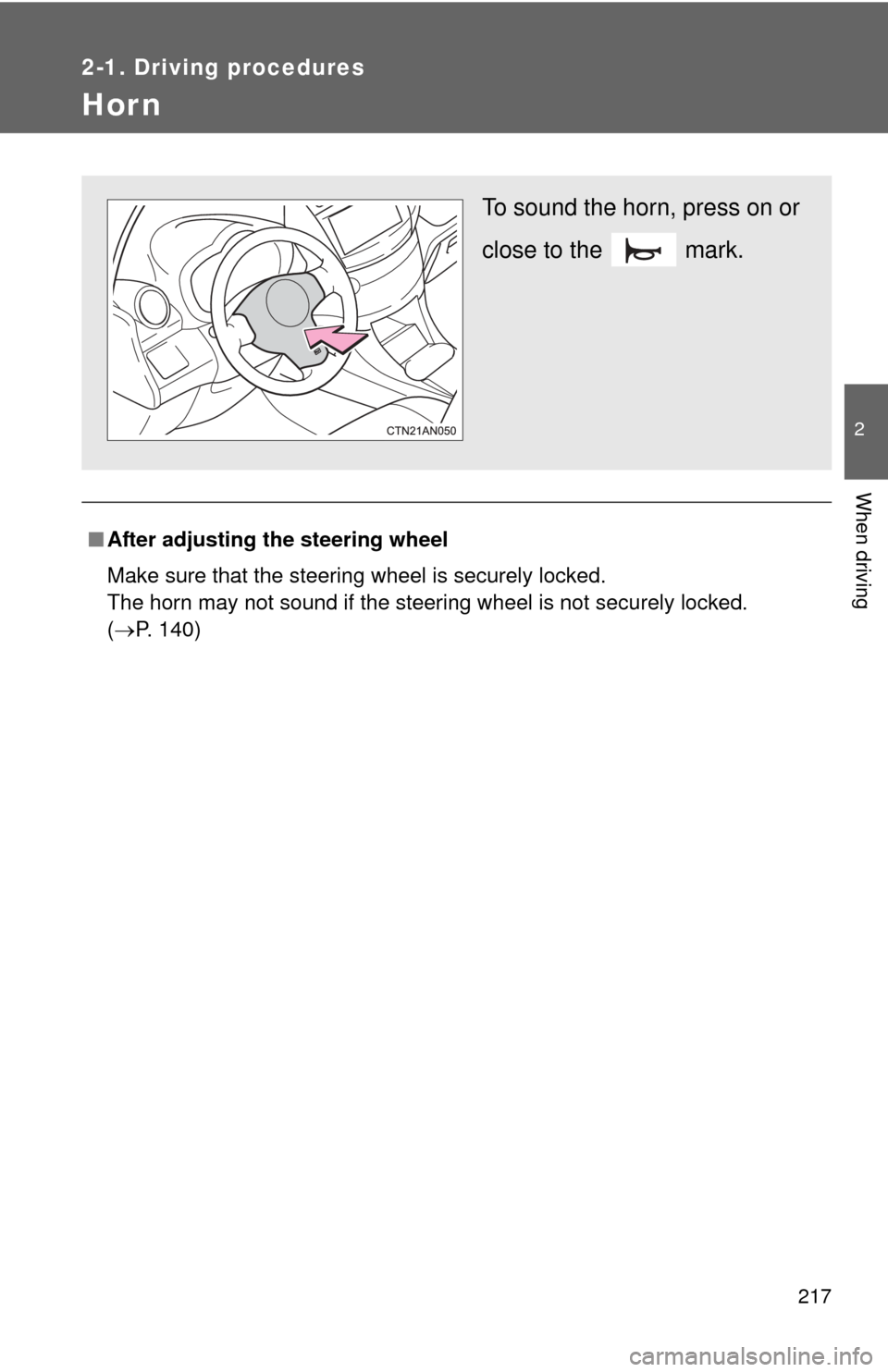
To sound the horn, press on or
close to the mark.
Page 236 of 520
236 2-3. Operating the lights and wipers
■Guide to dial settings
■Daytime running light system
●To make your vehicle more visible to other drivers, the daytime running
lights turn on automatically whenever the EV system is started and the
parking brake is released. Daytim e running lights are not designed for
use at night.
● Compared to turning on the headlights, the daytime running light system
offers greater durability and consumes less electricity, so it can help
improve power consumption.
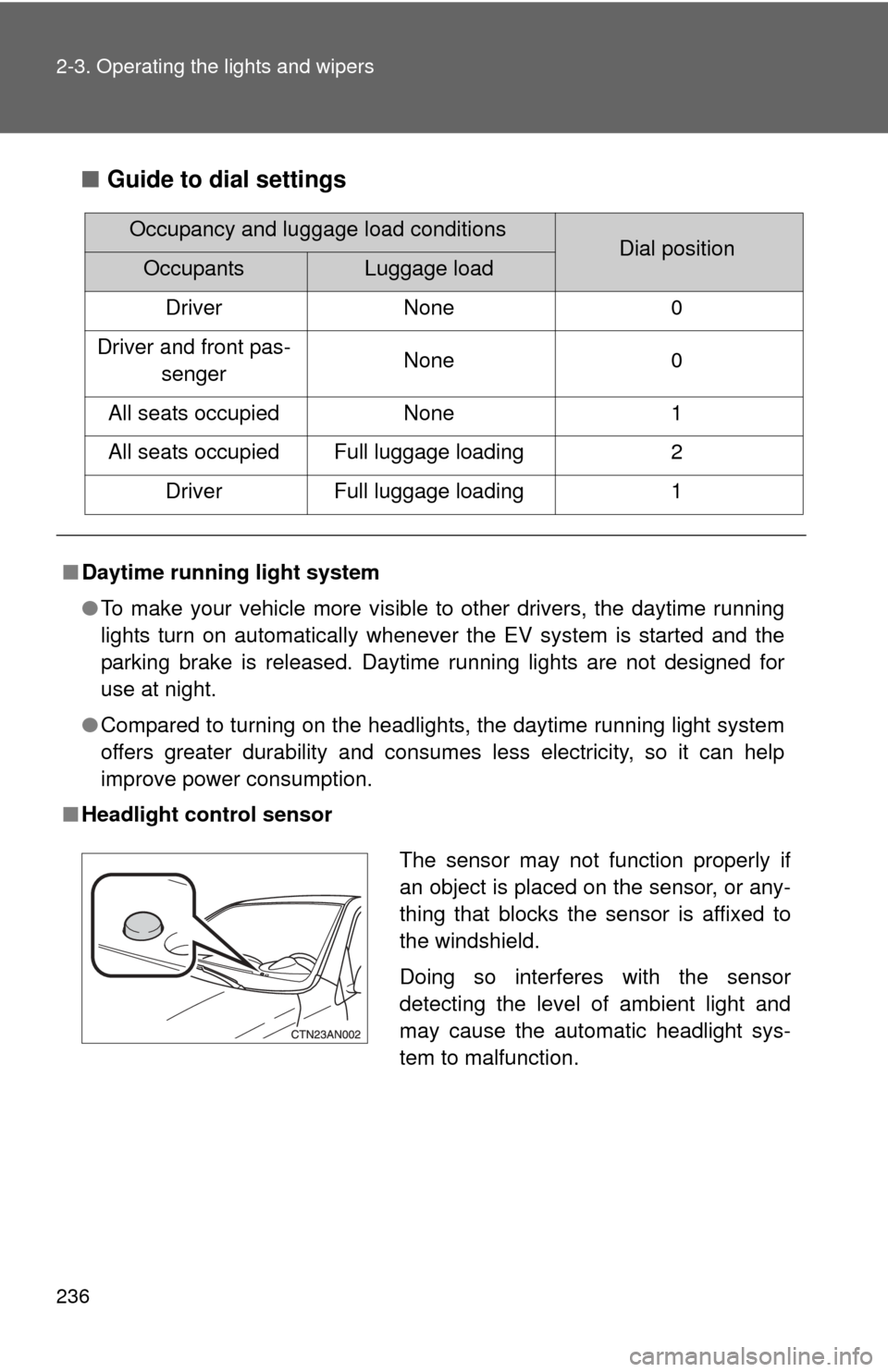
■ Headlight control sensor
Occupancy and luggage load conditionsDial positionOccupantsLuggage load
Driver None 0
Driver and front pas- senger None
0
All seats occupied None1
All seats occupied Full luggage loading 2
Driver Full luggage loading 1
The sensor may not function properly if
an object is placed on the sensor, or any-
thing that blocks the sensor is affixed to
the windshield.
Doing so interferes with the sensor
detecting the level of ambient light and
may cause the automatic headlight sys-
tem to malfunction.
Page 239 of 520
239
2-3. Operating the lights and wipers
2
When driving
■
The windshield wipers and washer can be operated when
The “POWER” switch is in ON mode.
■ If no windshield washer fluid sprays
Check that the washer nozzles are not blocked and if there is washer fluid in
the windshield washer fluid reservoir.
CAUTION
■Caution regarding the use of washer fluid
When it is cold, do not use the washer fluid until the windshield becomes
warm. The fluid may freeze on the windshield and cause low visibility. This
may lead to an accident, resulting in death or serious injury.
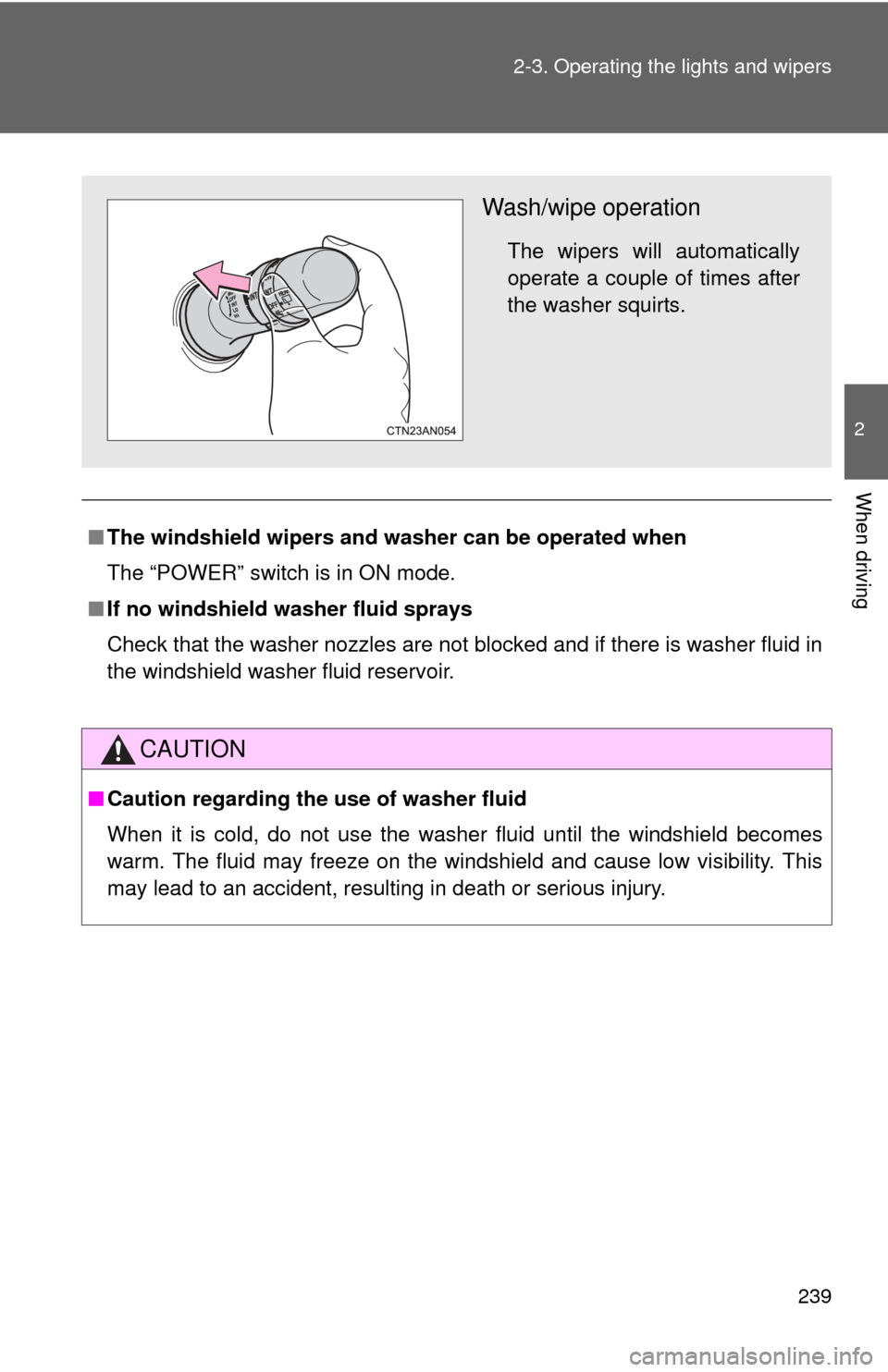
Wash/wipe operation
The wipers will automatically
operate a couple of times after
the washer squirts.
Page 240 of 520

240 2-3. Operating the lights and wipers
NOTICE
■When the windshield is dry
Do not use the wipers, as they may damage the windshield.
■ When the washer fluid tank is empty
Do not operate the switch continually as the washer fluid pump may over-
heat.
■ When a nozzle becomes blocked
In this case, contact your Toyota dealer.
Do not try to clear it with a pin or other object. The nozzle will be damaged.
Page 241 of 520
241
2-3. Operating the lights and wipers
2
When driving
Rear window wiper and washer
■The rear window wiper and washer can be operated when
The “POWER” switch is in ON mode.
■ If no washer fluid sprays
Check that the washer nozzle is not blocked if there is washer fluid in the
washer fluid reservoir.
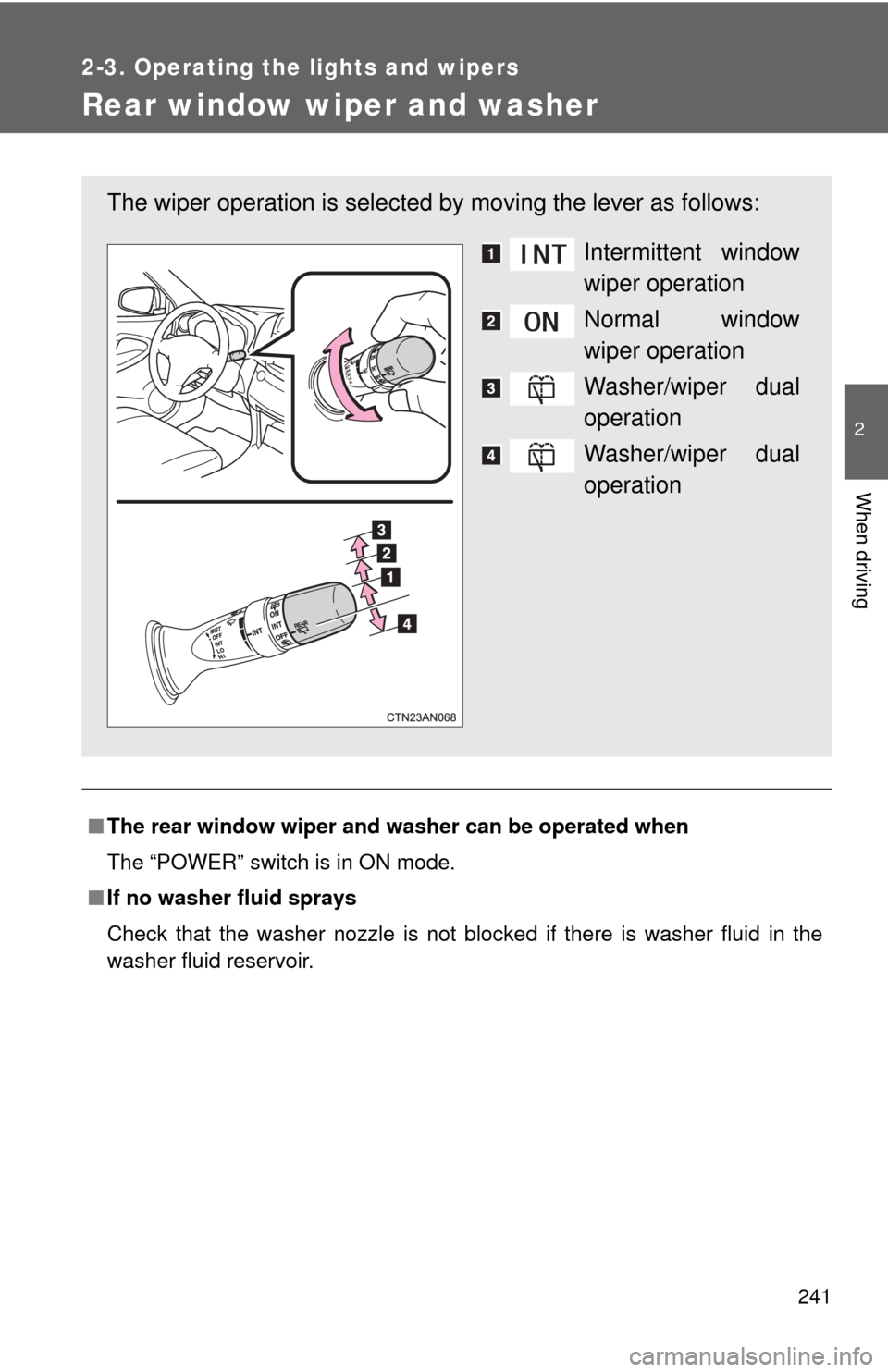
The wiper operation is selected by moving the lever as follows:
Intermittent window
wiper operation
Normal window
wiper operation
Washer/wiper dual
operation
Washer/wiper dual
operation
Page 242 of 520

242 2-3. Operating the lights and wipers
NOTICE
■When the rear window is dry
Do not use the wipers, as they may damage the rear window.
■ When the washer fluid tank is empty
Do not operate the switch continually as the washer fluid pump may over-
heat.
■ When a nozzle is blocked
Do not try to clear it with a pin or other object. The nozzle will be damaged.
Page 251 of 520
251
2-4. Using other driving systems
2
When driving
Driving assist systems
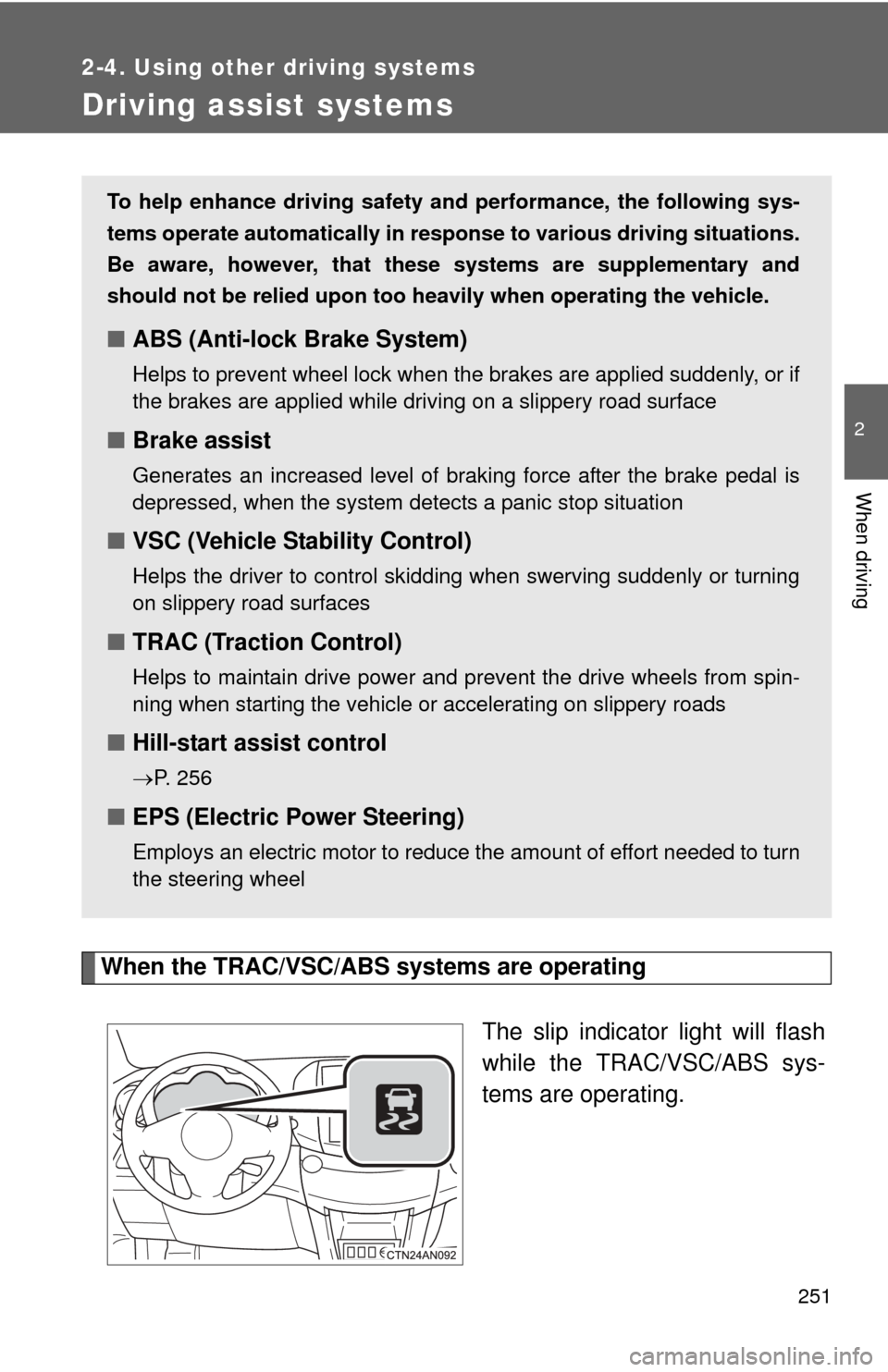
When the TRAC/VSC/ABS systems are operatingThe slip indicator light will flash
while the TRAC/VSC/ABS sys-
tems are operating.
To help enhance driving safety and performance, the following sys-
tems operate automatically in res ponse to various driving situations.
Be aware, however, that these systems are supplementary and
should not be relied upon too heavi ly when operating the vehicle.
■ABS (Anti-lock Brake System)
Helps to prevent wheel lock when the brakes are applied suddenly, or if
the brakes are applied while driving on a slippery road surface
■Brake assist
Generates an increased level of braking force after the brake pedal is
depressed, when the system detects a panic stop situation
■VSC (Vehicle Stability Control)
Helps the driver to control skidding when swerving suddenly or turning
on slippery road surfaces
■TRAC (Traction Control)
Helps to maintain drive power and prevent the drive wheels from spin-
ning when starting the vehicle or accelerating on slippery roads
■Hill-start assist control
P. 256
■EPS (Electric Power Steering)
Employs an electric motor to reduce the amount of effort needed to turn
the steering wheel
Page 265 of 520

265
2-5. Driving information
2
When driving
As shown in the example above
, if the number of occupants
increases, the cargo and luggage load will be reduced by an amount
that equals the increased weight du e to the additional occupants. In
other words, if an increase in th e number of occupants causes an
excess of the total load capacity (combined weight of occupants plus
cargo and luggage load), you must reduce the cargo and luggage on
your vehicle.
CAUTION
■Things that must not be carried in the luggage compartment
The following things may cause a fire if loaded in the luggage compart-
ment.
●Receptacles containing gasoline
●Aerosol cans
■Storage precautions
Observe the following precautions.
Failure to do so may result in death or serious injury.
●Stow cargo and luggage in the luggage compartment whenever possi-
ble.
●Do not stack anything in the luggage compartment higher than the
seatbacks.
Such items may be thrown about and possibly injure people in the
vehicle in the event of sudden braking or in an accident.
●Do not place cargo or luggage in or on the following locations as the
item may get under the brake or accelerator pedal and prevent the
pedals from being depressed properly, block the driver’s vision, or hit
the driver or passengers, causing an accident:
• At the feet of the driver
• On the front passenger or rear seats (when stacking items)
• On the instrument panel
• On the dashboard