phone TOYOTA RAV4 EV 2014 1.G User Guide
[x] Cancel search | Manufacturer: TOYOTA, Model Year: 2014, Model line: RAV4 EV, Model: TOYOTA RAV4 EV 2014 1.GPages: 521, PDF Size: 7.44 MB
Page 329 of 521

328 3-4. Other interior features
■Safety Connect Services Information
●Phone calls using the vehicles Bluetooth
® technology will not be possible
during Safety Connect.
● Safety Connect is available beginning Fall 2009 on select Toyota models.
Contact with the Safety Connect response center is dependent upon the
telematics device being in operative condition, cellular connection avai\
l-
ability, and GPS satellite signal reception, which can limit the ability to
reach the response center or receive emergency service support. Enroll-
ment and Telematics Subscription Service Agreement required. A variety
of subscription terms is available; charges vary by subscription term
selected.
● Automatic Collision Notification, Emergency Assistance, Stolen Vehicle
Location, and Enhanced Roadside Assistance will function in the United
States, including Hawaii and Alaska, and in Canada. No Safety Connect
services will function outside of the United States in countries other than
Canada.
● Safety Connect services are not subject to section 255 of the Telecom-
munications Act and the device is not TTY compatible.
■ Languages
The Safety Connect response center will offer support in multiple languages.
The Safety Connect system will offer voice prompts in English and Spanish.
Please indicate your language of choice when enrolling.
■ When contacting the response center
You may be unable to contact the response center if the network is busy.
Page 332 of 521

331
3-4. Other interior features
3
Interior features
Safety information for Safety Connect
Important! Read this information before using Safety Connect.
■ Exposure to radio frequency signals
The Safety Connect system installed in your vehicle is a low-power
radio transmitter and receiver. It receives and also sends out radio
frequency (RF) signals.
In August 1996, the Federal Communications Commission (FCC)
adopted RF exposure guidelines with safety levels for mobile wire-
less phones. Those guidelines are consistent with the safety stan-
dards previously set by the fo llowing U.S. and international
standards bodies.
● ANSI (American National Stand ards Institute) C95.1 [1992]
● NCRP (National Council on Radiation Protection and Measure-
ment) Report 86 [1986]
● ICNIRP (International Commiss ion on Non-Ionizing Radiation
Protection) [1996]
Those standards were based on comprehensive and periodic eval-
uations of the relevant scientific literature. Over 120 scientists,
engineers, and physicians from universities, and government
health agencies and industries reviewed the available body of
research to develop the ANSI Standard (C95.1).
The design of Safety Connect complies with the FCC guidelines in
addition to those standards.
Page 447 of 521
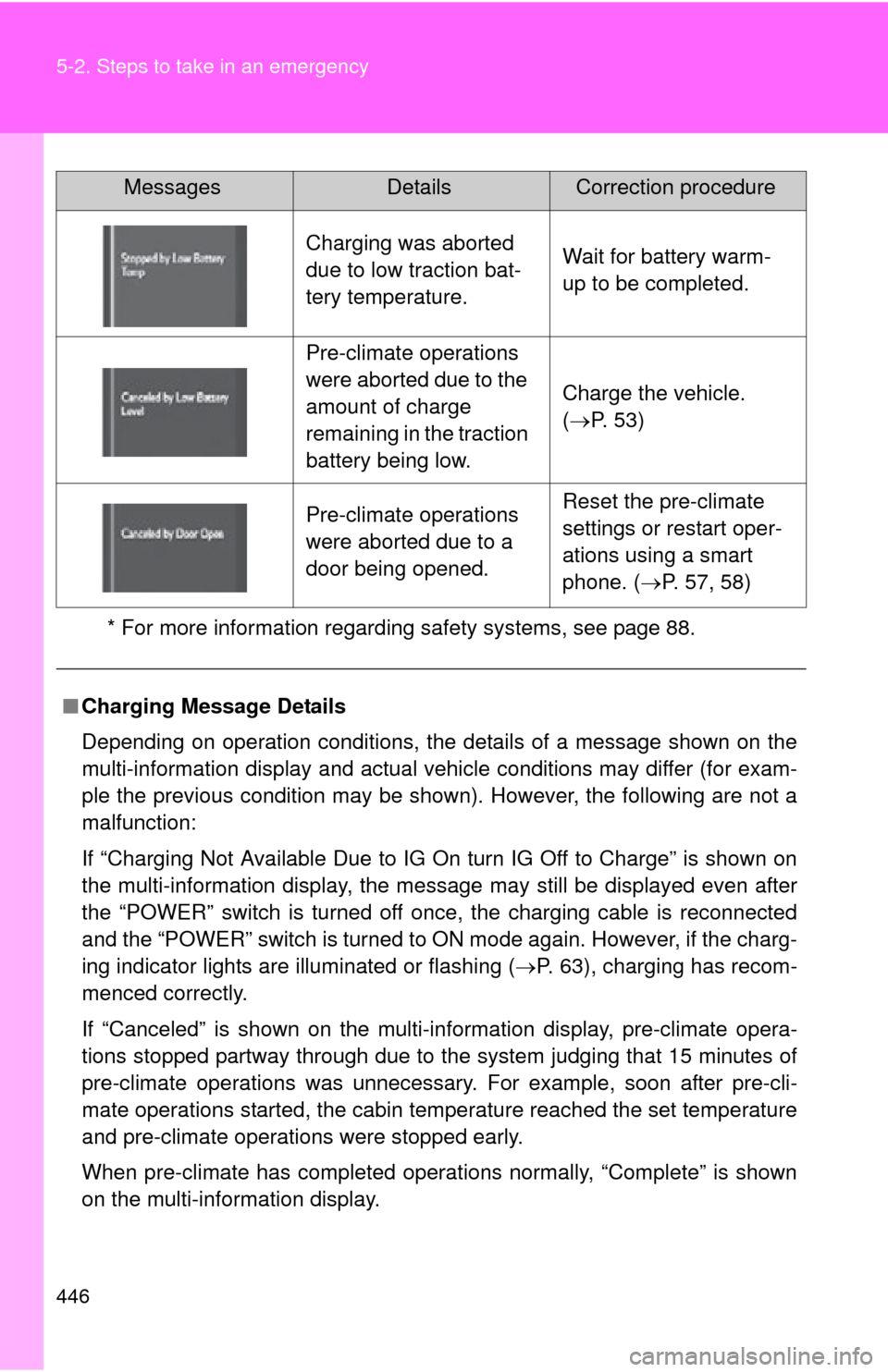
446 5-2. Steps to take in an emergency
* For more information regarding safety systems, see page 88.
Charging was aborted
due to low traction bat-
tery temperature.Wait for battery warm-
up to be completed.
Pre-climate operations
were aborted due to the
amount of charge
remaining in the traction
battery being low.
Charge the vehicle.
(P. 53)
Pre-climate operations
were aborted due to a
door being opened.Reset the pre-climate
settings or restart oper-
ations using a smart
phone. ( P. 57, 58)
■ Charging Message Details
Depending on operation conditions, the details of a message shown on the
multi-information display and actual vehicle conditions may differ (for exam-
ple the previous condition may be shown). However, the following are not a
malfunction:
If “Charging Not Available Due to IG On turn IG Off to Charge” is shown on
the multi-information display, the message may still be displayed even after
the “POWER” switch is turned off once, the charging cable is reconnected
and the “POWER” switch is turned to ON mode again. However, if the charg-
ing indicator lights are illuminated or flashing ( P. 63), charging has recom-
menced correctly.
If “Canceled” is shown on the multi-in formation display, pre-climate opera-
tions stopped partway through due to the system judging that 15 minutes of
pre-climate operations was unnecessary . For example, soon after pre-cli-
mate operations started, the cabin temperature reached the set temperature
and pre-climate operations were stopped early.
When pre-climate has completed operations normally, “Complete” is shown
on the multi-information display.
MessagesDetailsCorrection procedure