yellow TOYOTA RAV4 EV 2014 1.G Owners Manual
[x] Cancel search | Manufacturer: TOYOTA, Model Year: 2014, Model line: RAV4 EV, Model: TOYOTA RAV4 EV 2014 1.GPages: 521, PDF Size: 7.44 MB
Page 62 of 521
62 1-3. Charging
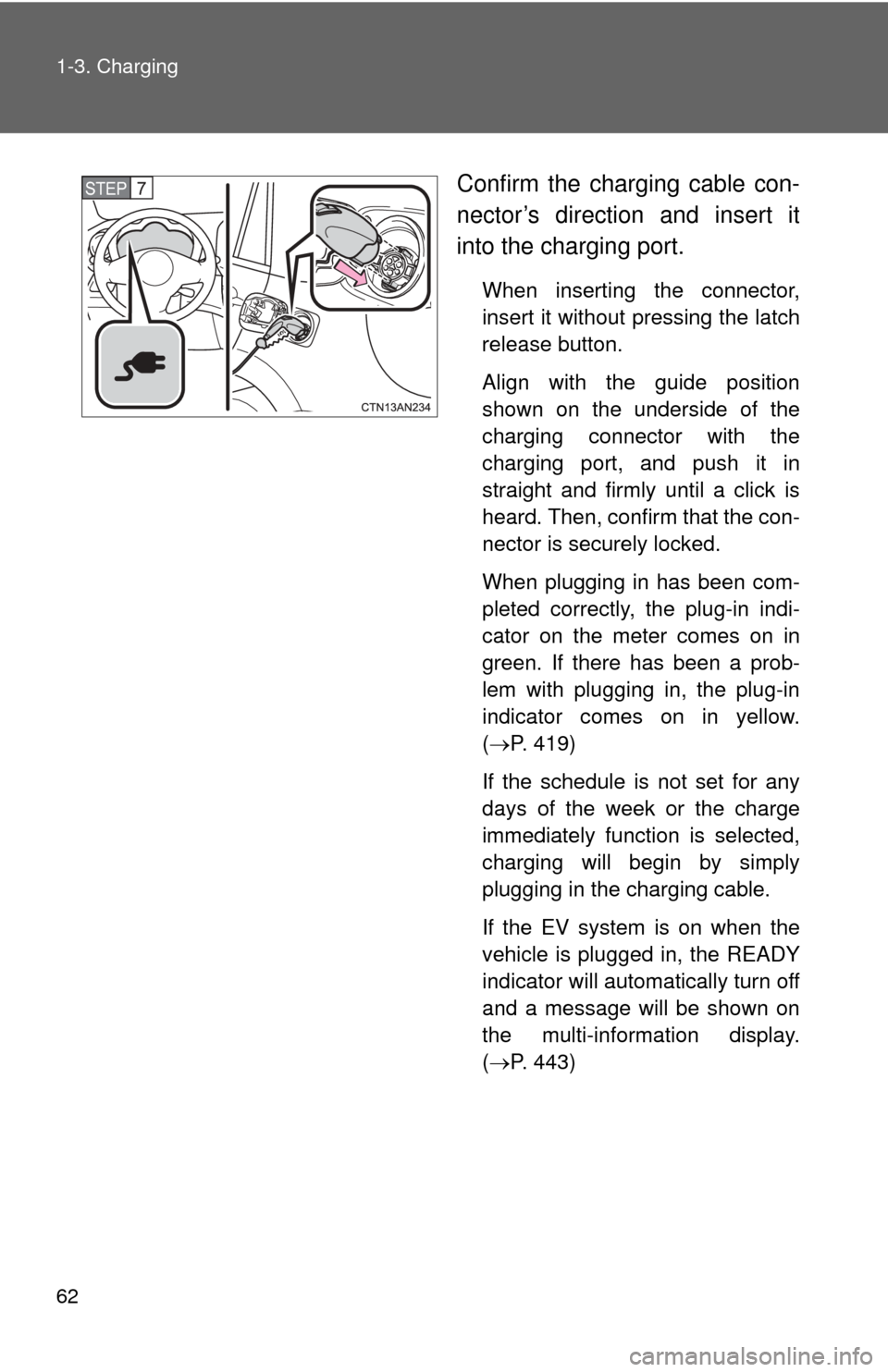
Confirm the charging cable con-
nector’s direction and insert it
into the charging port.
When inserting the connector,
insert it without pressing the latch
release button.
Align with the guide position
shown on the underside of the
charging connector with the
charging port, and push it in
straight and firmly until a click is
heard. Then, confirm that the con-
nector is securely locked.
When plugging in has been com-
pleted correctly, the plug-in indi-
cator on the meter comes on in
green. If there has been a prob-
lem with plugging in, the plug-in
indicator comes on in yellow.
(P. 419)
If the schedule is not set for any
days of the week or the charge
immediately function is selected,
charging will begin by simply
plugging in the charging cable.
If the EV system is on when the
vehicle is plugged in, the READY
indicator will automatically turn off
and a message will be shown on
the multi-information display.
( P. 443)
STEP 7
Page 226 of 521
226 2-2. Instrument cluster
CAUTION
■If a safety system warning light does not come on
Should a safety system light such as the ABS and SRS airbag warning light
not come on when you start the EV system, this could mean that these sys-
tems are not available to help protect you in an accident, which could result
in death or serious injury. Have the vehicle inspected by your Toyota dealer
immediately if this occurs.
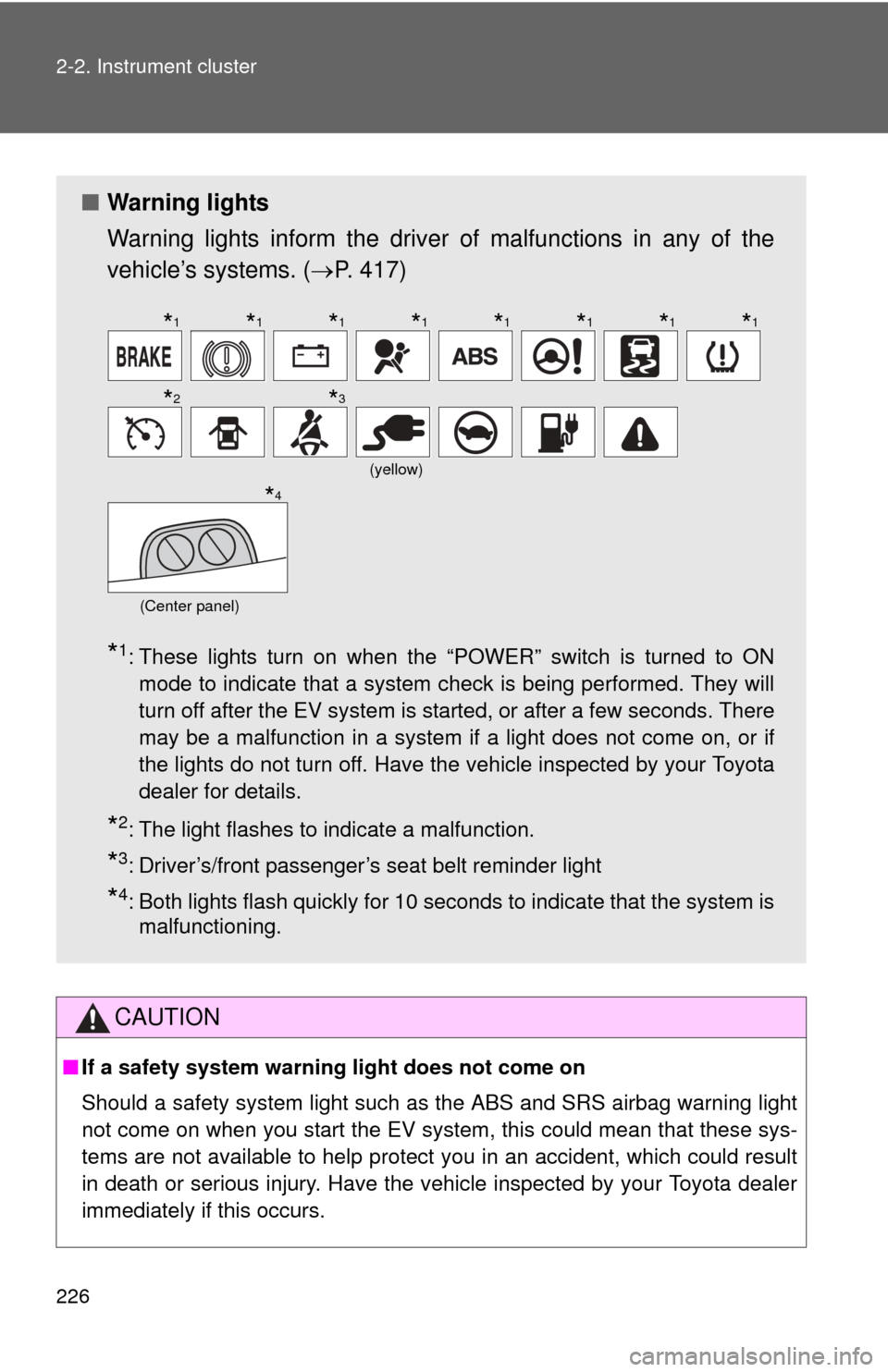
■ Warning lights
Warning lights inform the driver of malfunctions in any of the
vehicle’s systems. ( P. 417)
*1: These lights turn on when the “POWER” switch is turned to ON
mode to indicate that a system check is being performed. They will
turn off after the EV system is started, or after a few seconds. There
may be a malfunction in a system if a light does not come on, or if
the lights do not turn off. Have the vehicle inspected by your Toyota
dealer for details.
*2: The light flashes to indicate a malfunction.
*3: Driver’s/front passenger’s seat belt reminder light
*4: Both lights flash quickly for 10 seconds to indicate that the system ismalfunctioning.
(yellow)
(Center panel)
*1*1*1*1*1*1*1*1
*2*3
*4
Page 420 of 521
5
When trouble arises
419
5-2. Steps to take in an emergency
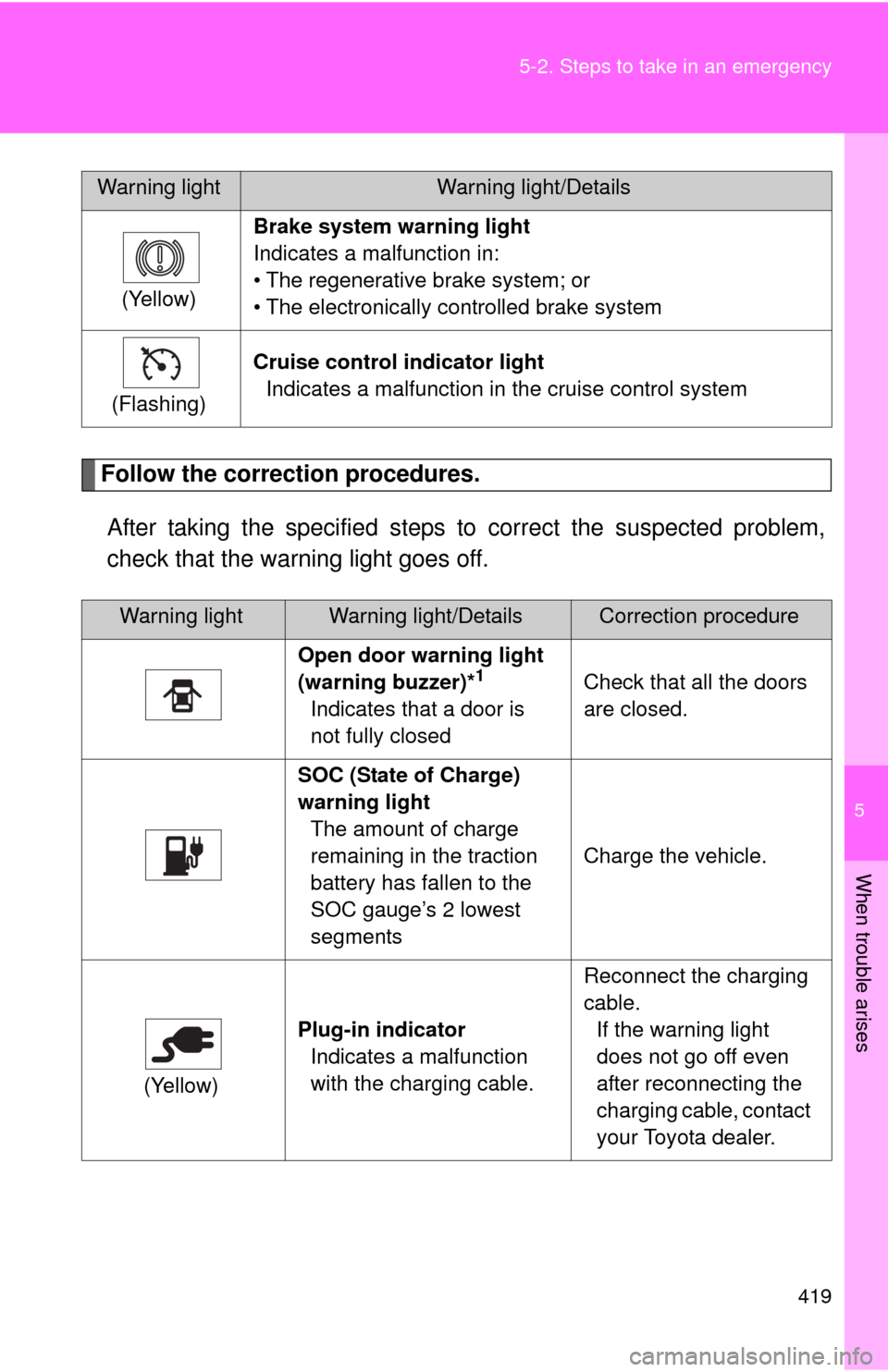
Follow the correction procedures.
After taking the specified steps to correct the suspected problem,
check that the warning light goes off.
(Yellow) Brake system warning light
Indicates a malfunction in:
• The regenerative brake system; or
• The electronically controlled brake system
(Flashing) Cruise control indicator light
Indicates a malfunction in the cruise control system
Warning lightWarning light/DetailsCorrection procedure
Open door warning light
(warning buzzer)*
1
Indicates that a door is
not fully closed Check that all the doors
are closed.
SOC (State of Charge)
warning light The amount of charge
remaining in the traction
battery has fallen to the
SOC gauge’s 2 lowest
segments Charge the vehicle.
(Yellow) Plug-in indicator
Indicates a malfunction
with the charging cable. Reconnect the charging
cable.
If the warning light
does not go off even
after reconnecting the
charging cable, contact
your Toyota dealer.
Warning lightWarning light/Details
Page 520 of 521
519
What to do if...
■
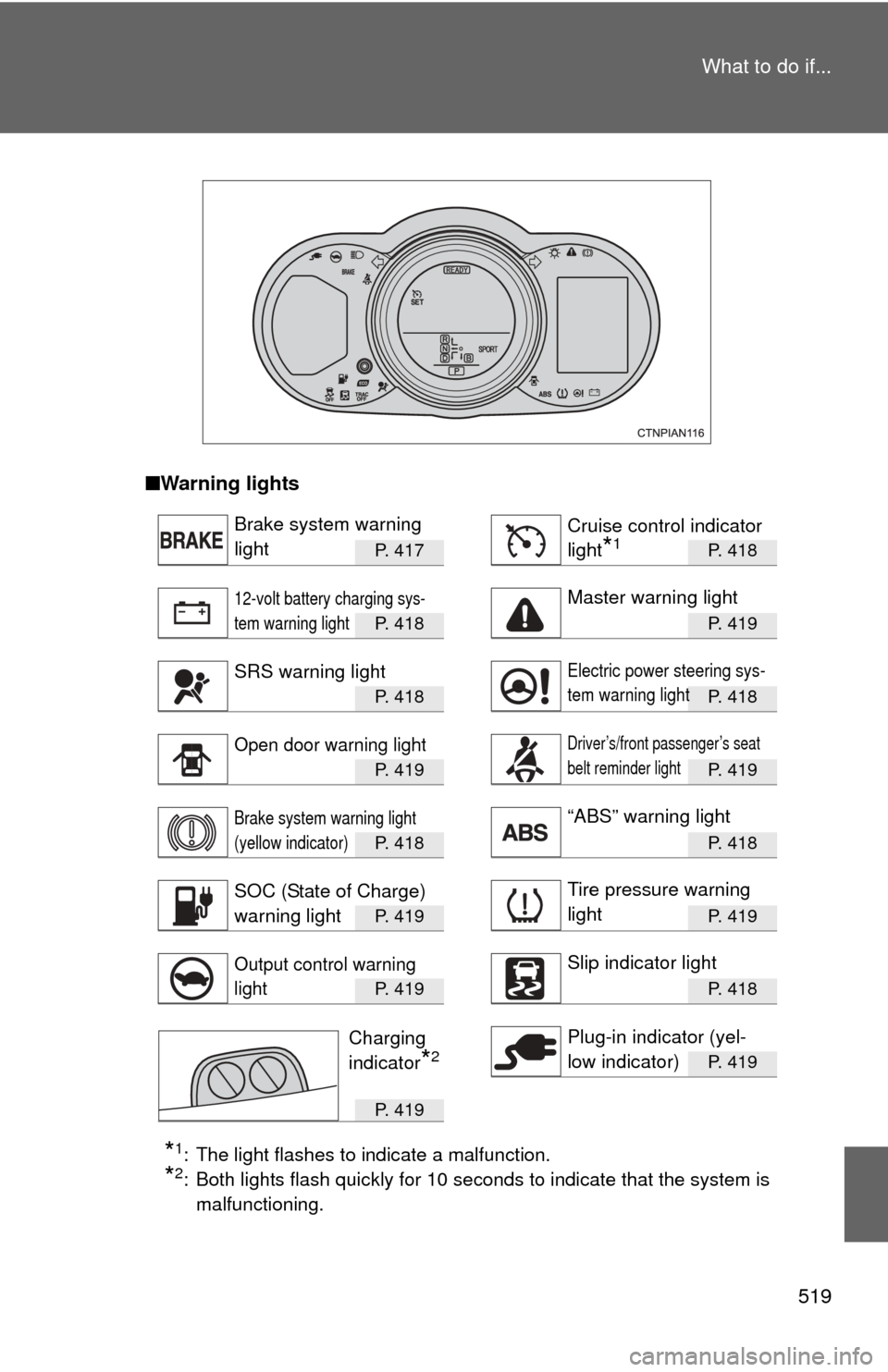
Warning lights
P. 4 1 7P. 418
P. 4 1 8P. 419
P. 4 1 8P. 418
P. 4 1 9P. 419
P. 4 1 8P. 418
P. 4 1 9P. 419
P. 4 1 9P. 418
P. 419
P. 4 1 9
*1: The light flashes to indicate a malfunction.
*2: Both lights flash quickly for 10 seconds to indicate that the system is
malfunctioning.
Brake system warning
lightCruise control indicator
light
*1
12-volt battery charging sys-
tem warning lightMaster warning light
SRS warning lightElectric power steering sys-
tem warning light
Open door warning lightDriver’s/front passenger’s seat
belt reminder light
Brake system warning light
(yellow indicator)“ABS” warning light
SOC (State of Charge)
warning lightTire pressure warning
light
Output control warning
lightSlip indicator light
Plug-in indicator (yel-
low indicator)Charging
indicator
*2