phone TOYOTA RAV4 HYBRID 2016 XA40 / 4.G Owner's Manual
[x] Cancel search | Manufacturer: TOYOTA, Model Year: 2016, Model line: RAV4 HYBRID, Model: TOYOTA RAV4 HYBRID 2016 XA40 / 4.GPages: 660, PDF Size: 12.38 MB
Page 364 of 660
364
RAV4-HV_OM_OM42A56U_(U)
5-7. Connecting Bluetooth®
Connecting a Bluetooth® device
Press the “SETUP” button.
Select “Bluetooth*”.
*: Bluetooth is a registered trademark of Bluetooth SIG, Inc.
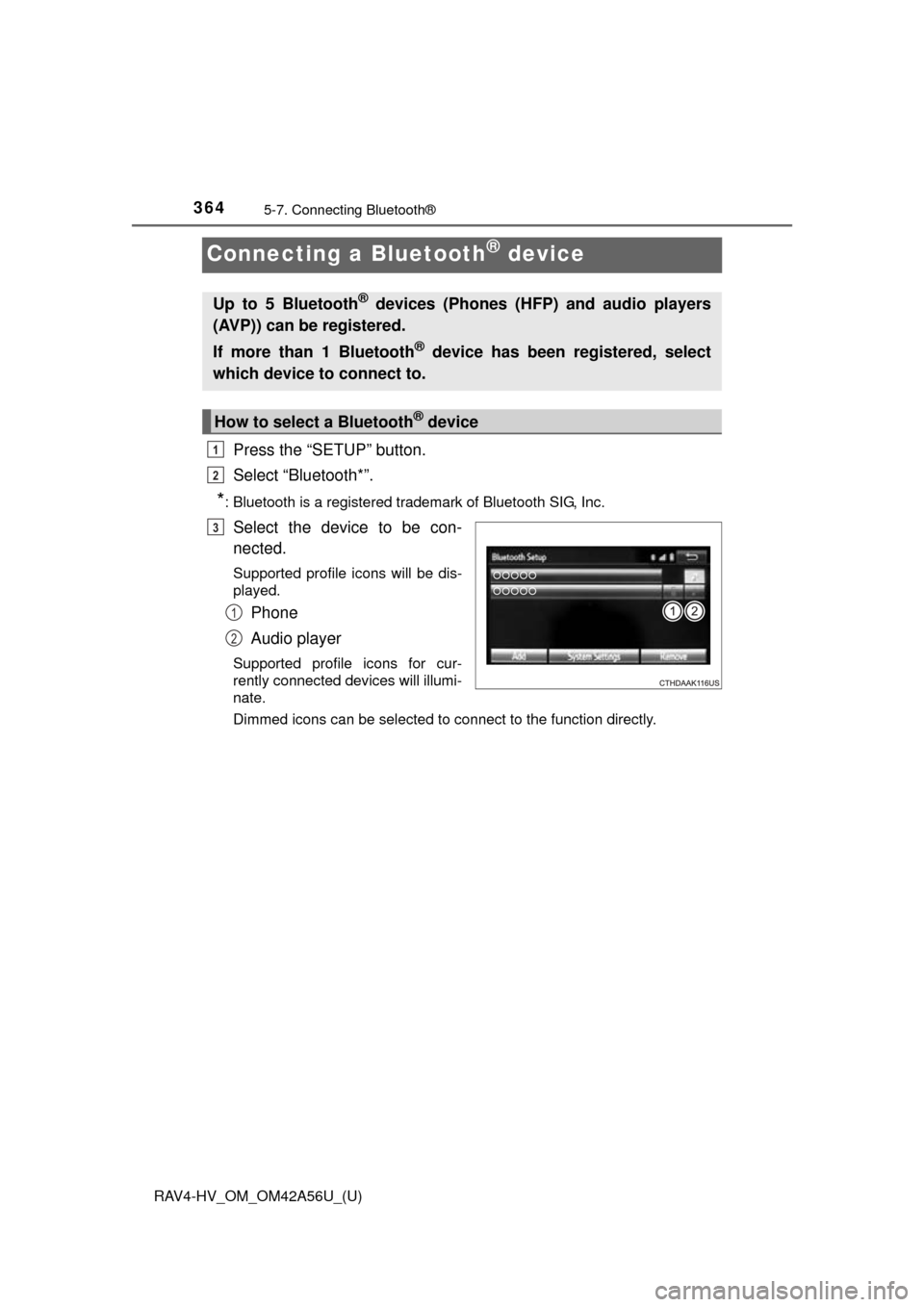
Select the device to be con-
nected.
Supported profile icons will be dis-
played.
Phone
Audio player
Supported profile icons for cur-
rently connected devices will illumi-
nate.
Dimmed icons can be selected to connect to the function directly.
Up to 5 Bluetooth® devices (Phones (HFP) and audio players
(AVP)) can be registered.
If more than 1 Bluetooth
® device has been registered, select
which device to connect to.
How to select a Bluetooth® device
1
2
3
1
2
Page 365 of 660
RAV4-HV_OM_OM42A56U_(U)
3655-7. Connecting Bluetooth®
5
Audio system
To turn auto connection mode on, set “Bluetooth* Power” to on.
( P. 367)
When you register a phone, auto co nnection will be activated. Always
set it to this mode and leave the Bluetooth
® phone in a place where a
connection can be established.
When the power switch is turned to ON mode, the system will search for a
nearby cellular phone you have registered.
Next, the system automatically connects with the most recent of the
phones connected to in the past. Then, the connection result is displayed.
*: Bluetooth is a registered trademark of Bluetooth SIG, Inc.
When auto connection has failed or “Bluetooth* Power” is turned off,
you must connec t the Bluetooth® device manually.
*: Bluetooth is a registered trademark of Bluetooth SIG, Inc.
Follow the steps in “Connecting a Bluetooth® device” from .
( P. 364)
■When connecting from the Bluetooth® audio control screen
Registering an additional device
Select “Select Device” on the Bluetooth
® audio control screen.
For more information: P. 3 6 2
Selecting a registered device
Select “Select Device” on the Bluetooth
® audio control screen.
For more information: P. 3 6 4
■Reconnecting a Bluetooth® phone
If the system cannot connect due to poor signal strength with the power
switch in ON mode, the system will automatically attempt to reconnect.
If the phone is turned off, the system will not attempt to reconnect. In this
case, the connection must be made manually, or the phone must be rese-
lected.
Auto connection
Manual connection
1
Page 366 of 660
366
RAV4-HV_OM_OM42A56U_(U)
5-7. Connecting Bluetooth®
Displaying a Bluetooth® device details
Display the “Bluetooth* Setup” screen. (P. 359)
*: Bluetooth is a registered trademark of Bluetooth SIG, Inc.
Select the device.
Select “Device Info”.
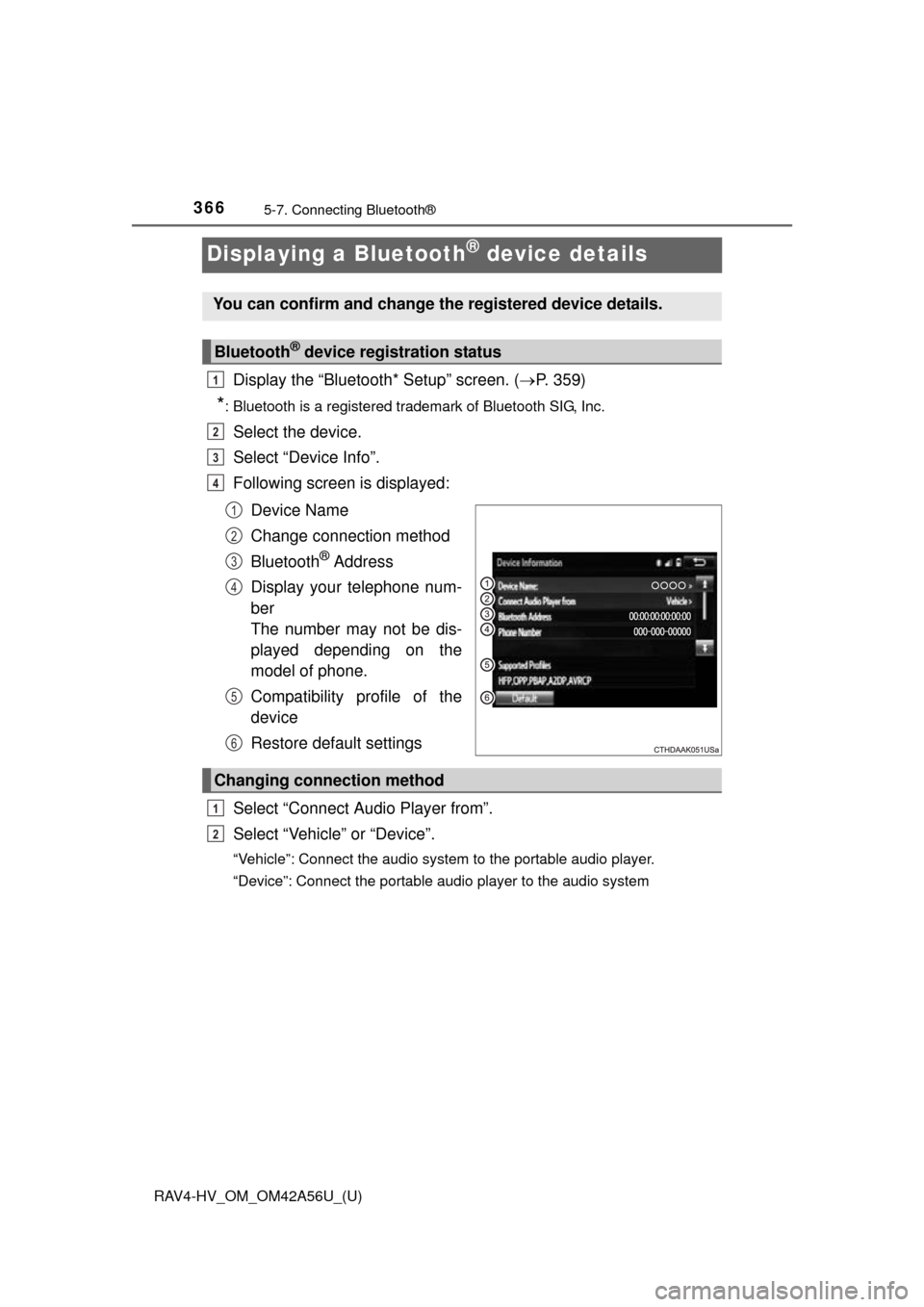
Following screen is displayed:
Device Name
Change connection method
Bluetooth
® Address
Display your telephone num-
ber
The number may not be dis-
played depending on the
model of phone.
Compatibility profile of the
device
Restore default settings
Select “Connect Audio Player from”.
Select “Vehicle ” or “Device”.
“Vehicle”: Connect the audio system to the portable audio player.
“Device”: Connect the portable audio player to the audio system
You can confirm and change the registered device details.
Bluetooth® device registration status
1
2
3
4
1
2
3
4
5
6
Changing connection method
1
2
Page 367 of 660
367
RAV4-HV_OM_OM42A56U_(U)
5-7. Connecting Bluetooth®
5
Audio system
Detailed Bluetooth® settings
Display the “Bluetooth* Setup” screen. (P. 359)
Select “System Settings”.
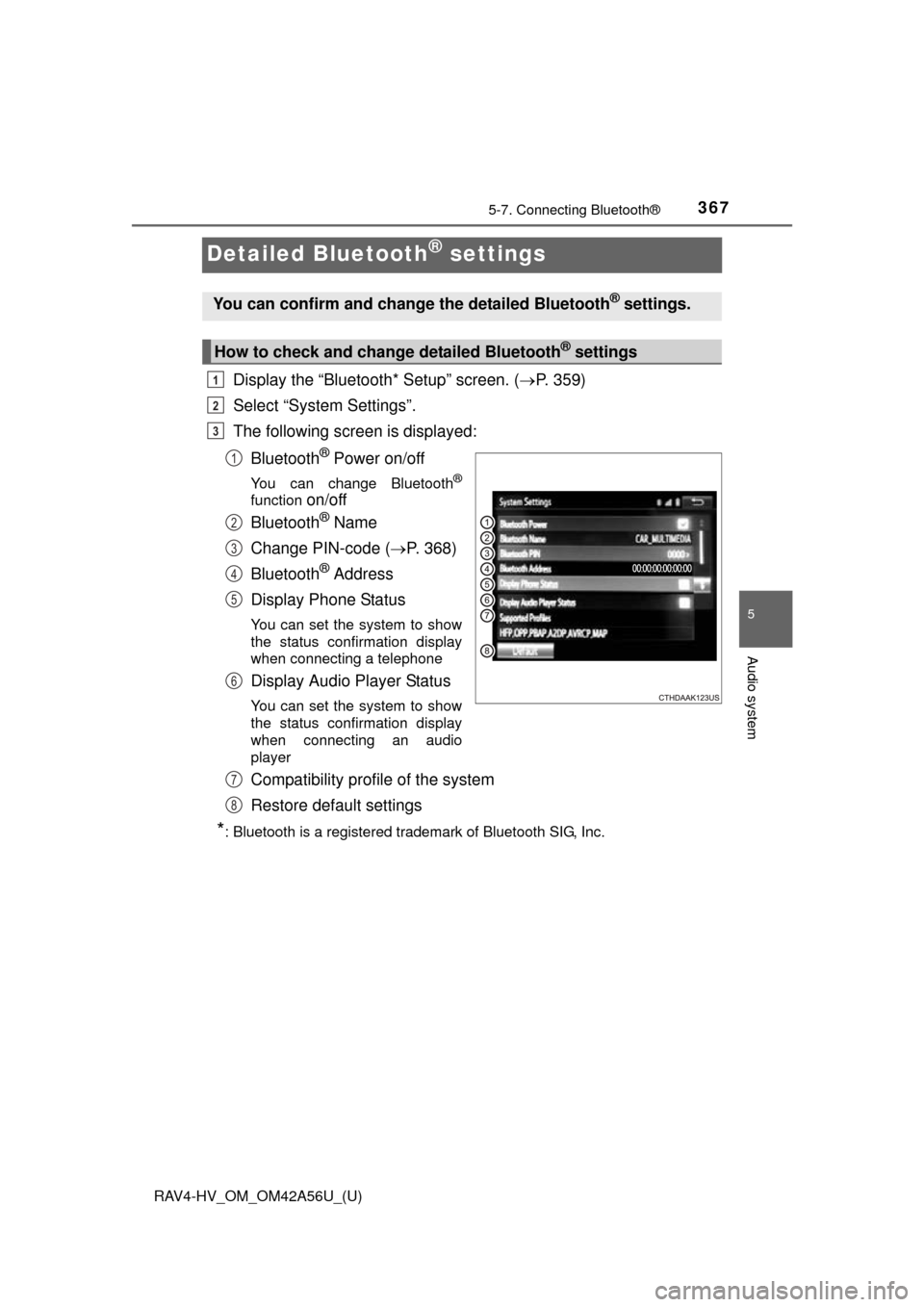
The following screen is displayed:
Bluetooth
® Power on/off
You can change Bluetooth®
function on/off
Bluetooth
® Name
Change PIN-code ( P. 368)
Bluetooth
® Address
Display Phone Status
You can set the system to show
the status confirmation display
when connecting a telephone
Display Audio Player Status
You can set the system to show
the status confirmation display
when connecting an audio
player
Compatibility profile of the system
Restore default settings
*: Bluetooth is a registered trademark of Bluetooth SIG, Inc.
You can confirm and change the detailed Bluetooth® settings.
How to check and change detailed Bluetooth® settings
1
2
3
1
2
3
4
5
6
7
8
Page 371 of 660
371
RAV4-HV_OM_OM42A56U_(U)
5-9. Bluetooth® Phone
5
Audio system
Using a Bluetooth® Phone
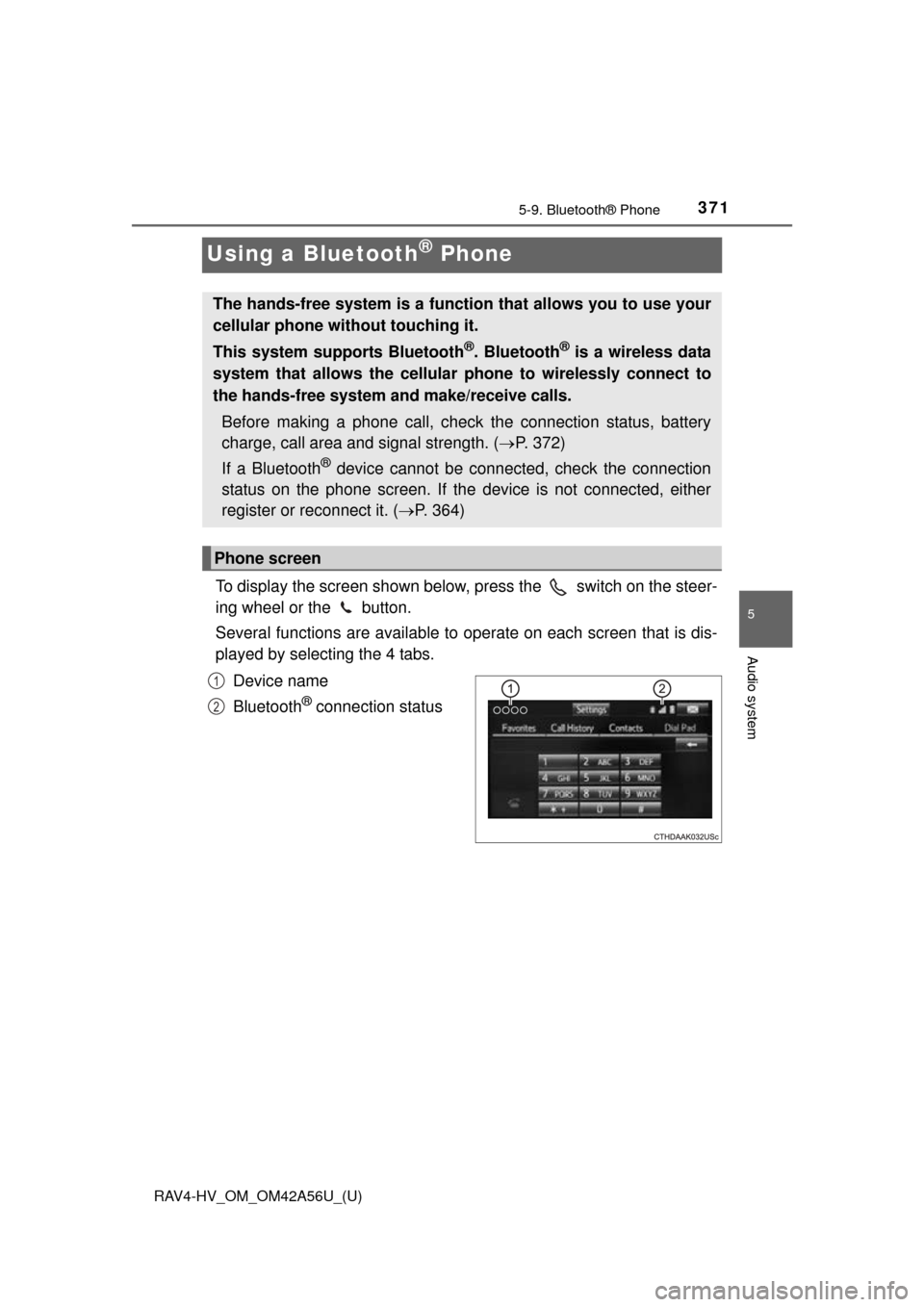
To display the screen shown below, press the switch on the steer-
ing wheel or the button.
Several functions are available to operate on each screen that is dis-
played by selecting the 4 tabs.
Device name
Bluetooth
® connection status
The hands-free system is a function that allows you to use your
cellular phone without touching it.
This system supports Bluetooth
®. Bluetooth® is a wireless data
system that allows the cellular phone to wirelessly connect to
the hands-free system and make/receive calls.
Before making a phone call, check the connection status, battery
charge, call area and signal strength. ( P. 372)
If a Bluetooth
® device cannot be connected, check the connection
status on the phone screen. If th e device is not connected, either
register or reconnect it. ( P. 364)
Phone screen
1
2
Page 372 of 660
372
RAV4-HV_OM_OM42A56U_(U)
5-9. Bluetooth® Phone
■Telephone switch (P. 385)
■Microphone
The vehicle’s built in micro-
phone is used when talking on
the phone.
The person you are speaking to
can be heard from the front
speakers.
To use the hands-free system,
you must register your
Bluetooth
® phone in the sys-
tem. ( P. 362)
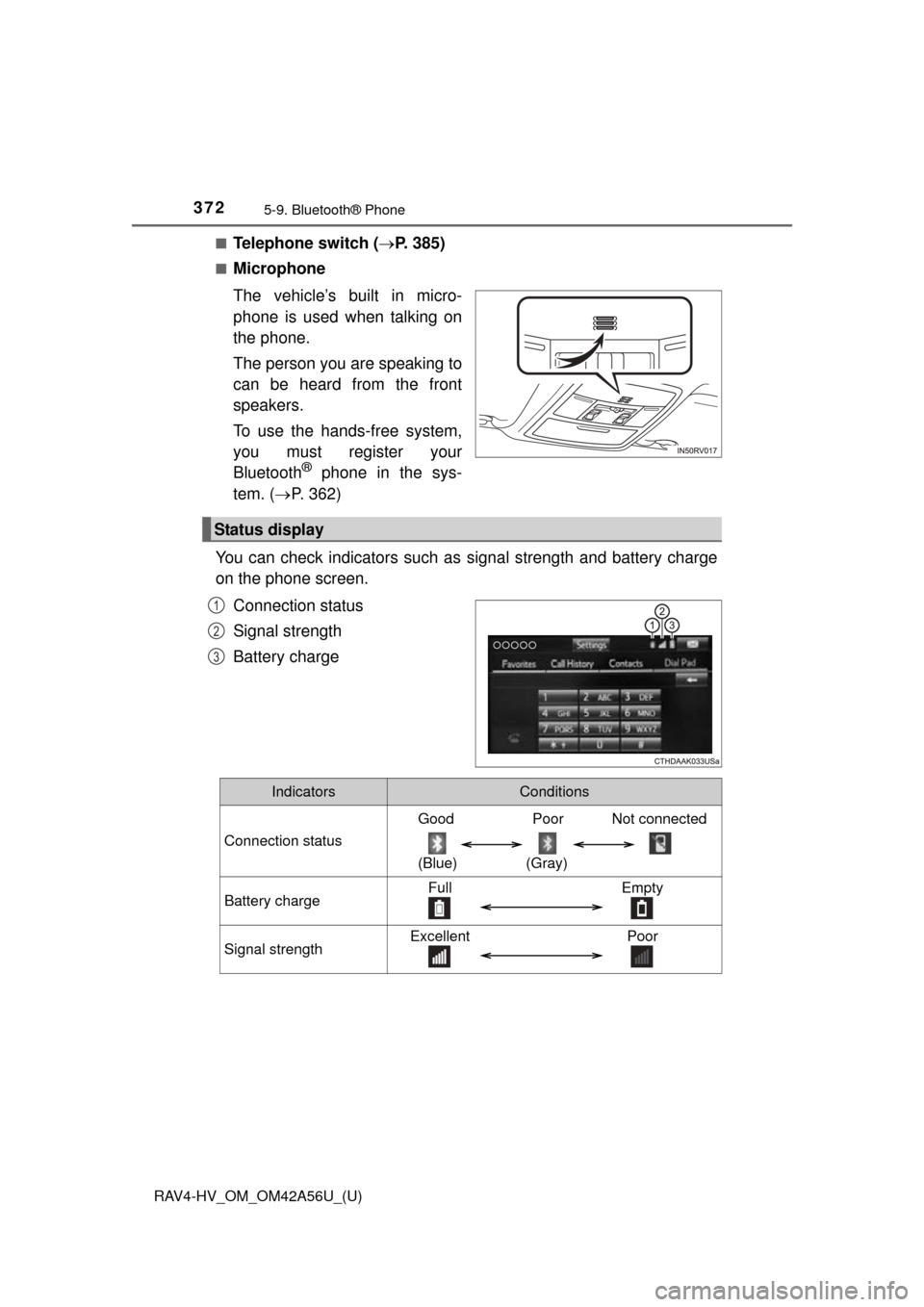
You can check indicators such as signal strength and battery charge
on the phone screen.
Connection status
Signal strength
Battery charge
Status display
1
2
3
IndicatorsConditions
Connection status
Good Poor Not connected
(Blue) (Gray)
Battery chargeFull Empty
Signal strengthExcellent Poor
Page 373 of 660
373
RAV4-HV_OM_OM42A56U_(U)
5-9. Bluetooth® Phone
5
Audio system
Making a call
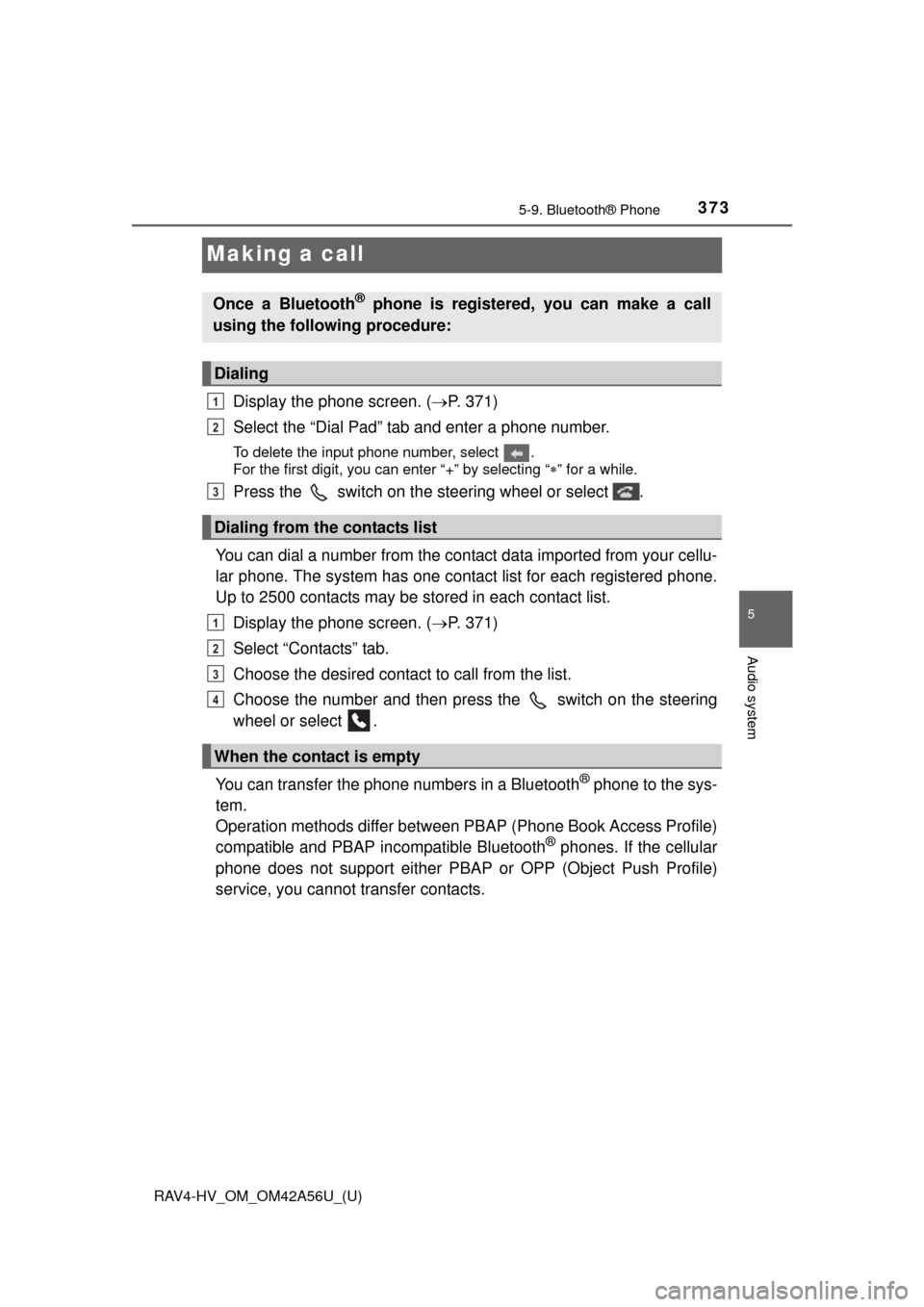
Display the phone screen. (P. 371)
Select the “Dial Pad” tab and enter a phone number.
To delete the input phone number, select .
For the first digit, you can enter “+” by selecting “ ” for a while.
Press the switch on the steering wheel or select .
You can dial a number from the contact data imported from your cellu-
lar phone. The system has one contact list for each registered phone.
Up to 2500 contacts may be stored in each contact list. Display the phone screen. ( P. 371)
Select “Contacts” tab.
Choose the desired contact to call from the list.
Choose the number and then press the switch on the steering
wheel or select .
You can transfer the phone numbers in a Bluetooth
® phone to the sys-
tem.
Operation methods differ between PBAP (Phone Book Access Profile)
compatible and PBAP incompatible Bluetooth
® phones. If the cellular
phone does not support either PBAP or OPP (Object Push Profile)
service, you cannot transfer contacts.
Once a Bluetooth® phone is registered, you can make a call
using the following procedure:
Dialing
Dialing from the contacts list
When the contact is empty
1
2
3
1
2
3
4
Page 374 of 660
374
RAV4-HV_OM_OM42A56U_(U)
5-9. Bluetooth® Phone
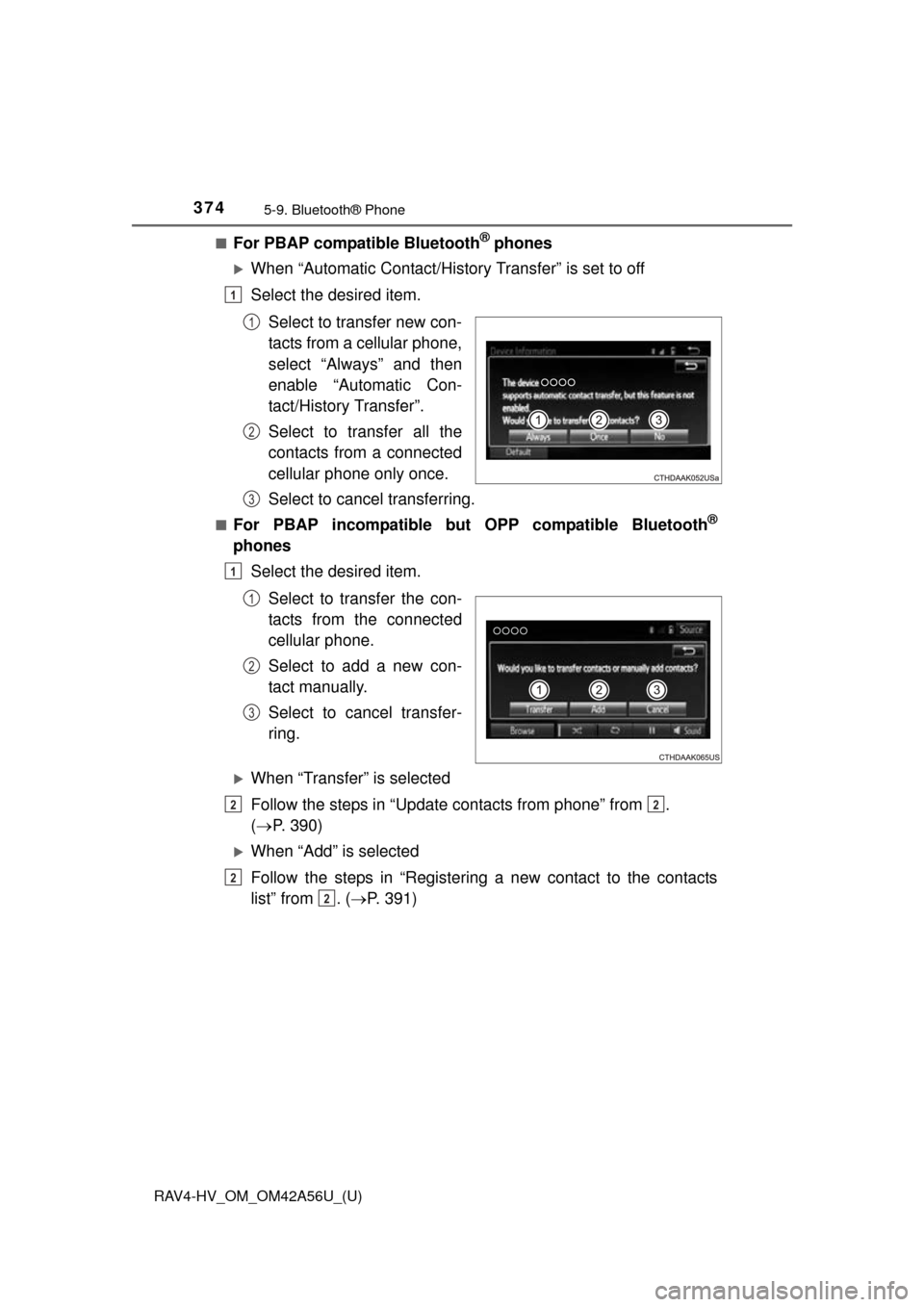
■For PBAP compatible Bluetooth® phones
When “Automatic Contact/History Transfer” is set to off
Select the desired item.
Select to transfer new con-
tacts from a cellular phone,
select “Always” and then
enable “Automatic Con-
tact/History Transfer”.
Select to transfer all the
contacts from a connected
cellular phone only once.
Select to cancel transferring.
■For PBAP incompatible but OPP compatible Bluetooth®
phonesSelect the desired item.
Select to transfer the con-
tacts from the connected
cellular phone.
Select to add a new con-
tact manually.
Select to cancel transfer-
ring.
When “Transfer” is selected
Follow the steps in “Update contacts from phone” from .
( P. 390)
When “Add” is selected
Follow the steps in “Registering a new contact to the contacts
list” from . ( P. 391)
1
1
2
3
1
1
2
3
22
2
2
Page 375 of 660
RAV4-HV_OM_OM42A56U_(U)
3755-9. Bluetooth® Phone
5
Audio system
You can make a call using numbers registered in the contact.Display the phone screen. ( P. 371)
Select “Favorites” tab.
Select the desired number to make a call.
You can make a call using the call history, which has the 3 functions
below. : calls which you missed
: calls which you received
: calls which you made
Display the phone screen. ( P. 371)
Select “Call History” tab.
Select or the desired entry from the list.
When is selected
Check that the “Call” screen is displayed.
When the desired contact is selected
Select the desired number.
Check that the “Call” screen is displayed.
■Call history list
●If you make a call to or receive a call from a number registered in the contact
list, the name is displayed in the call history.
● If you make multiple calls to the same number, only the last call made is dis-
played in the call history.
■ International calls
You may not be able to make international calls, depending on the mobile
phone in use.
Calling using favorites list
Dialing from call history
1
2
3
1
2
3
4
4
5
Page 376 of 660
376
RAV4-HV_OM_OM42A56U_(U)
5-9. Bluetooth® Phone
Receiving a call
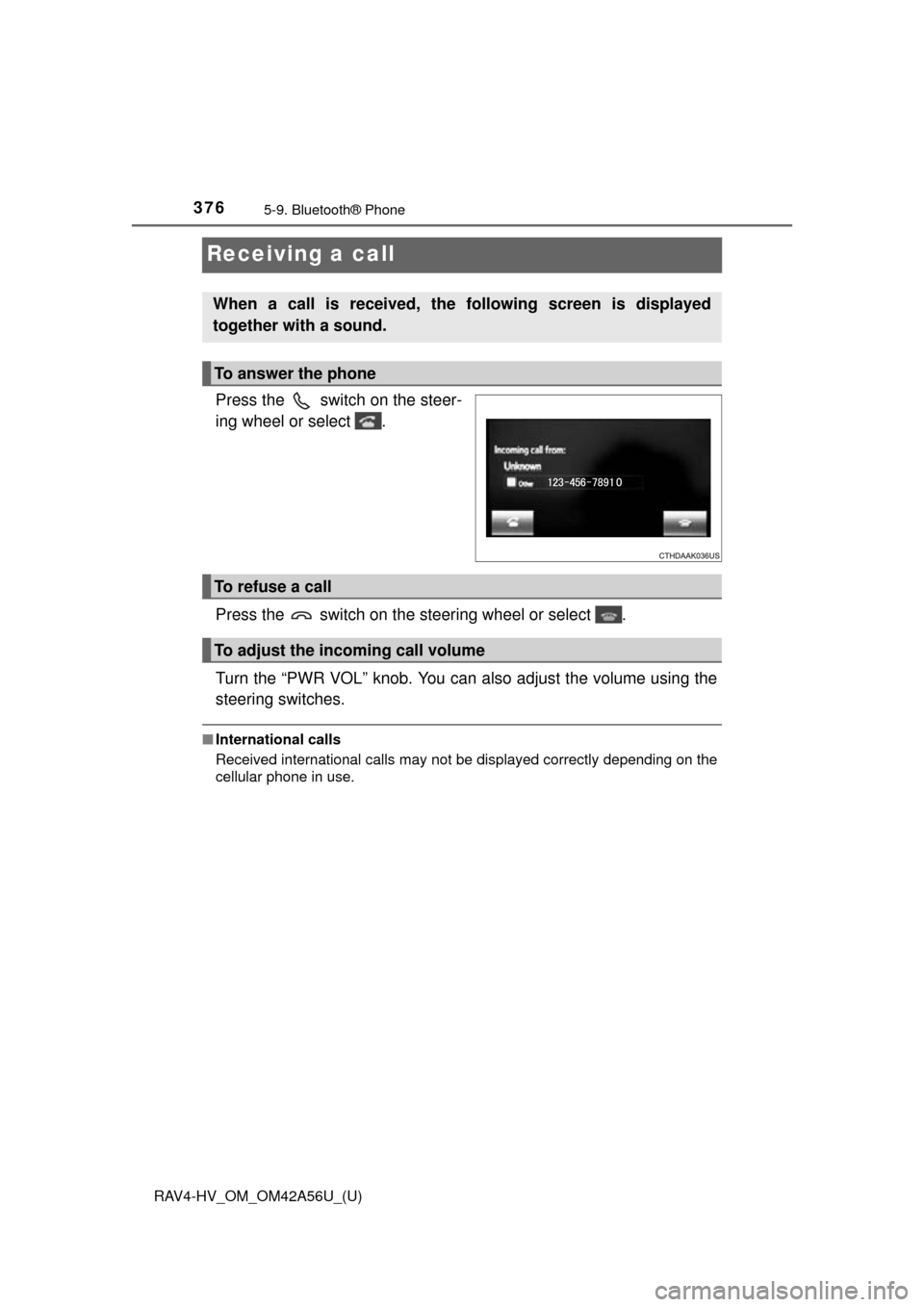
Press the switch on the steer-
ing wheel or select .
Press the switch on the steering wheel or select .
Turn the “PWR VOL” knob. You can also adjust the volume using the
steering switches.
■International calls
Received international calls may not be displayed correctly depending on the
cellular phone in use.
When a call is received, the following screen is displayed
together with a sound.
To answer the phone
To refuse a call
To adjust the incoming call volume