wheel TOYOTA RAV4 HYBRID 2017 XA40 / 4.G Repair Manual
[x] Cancel search | Manufacturer: TOYOTA, Model Year: 2017, Model line: RAV4 HYBRID, Model: TOYOTA RAV4 HYBRID 2017 XA40 / 4.GPages: 676, PDF Size: 18.91 MB
Page 329 of 676
329
RAV4-HV_OM_OM42B03U_(U)
5-1. Basic Operations
5
Audio system
Audio system∗
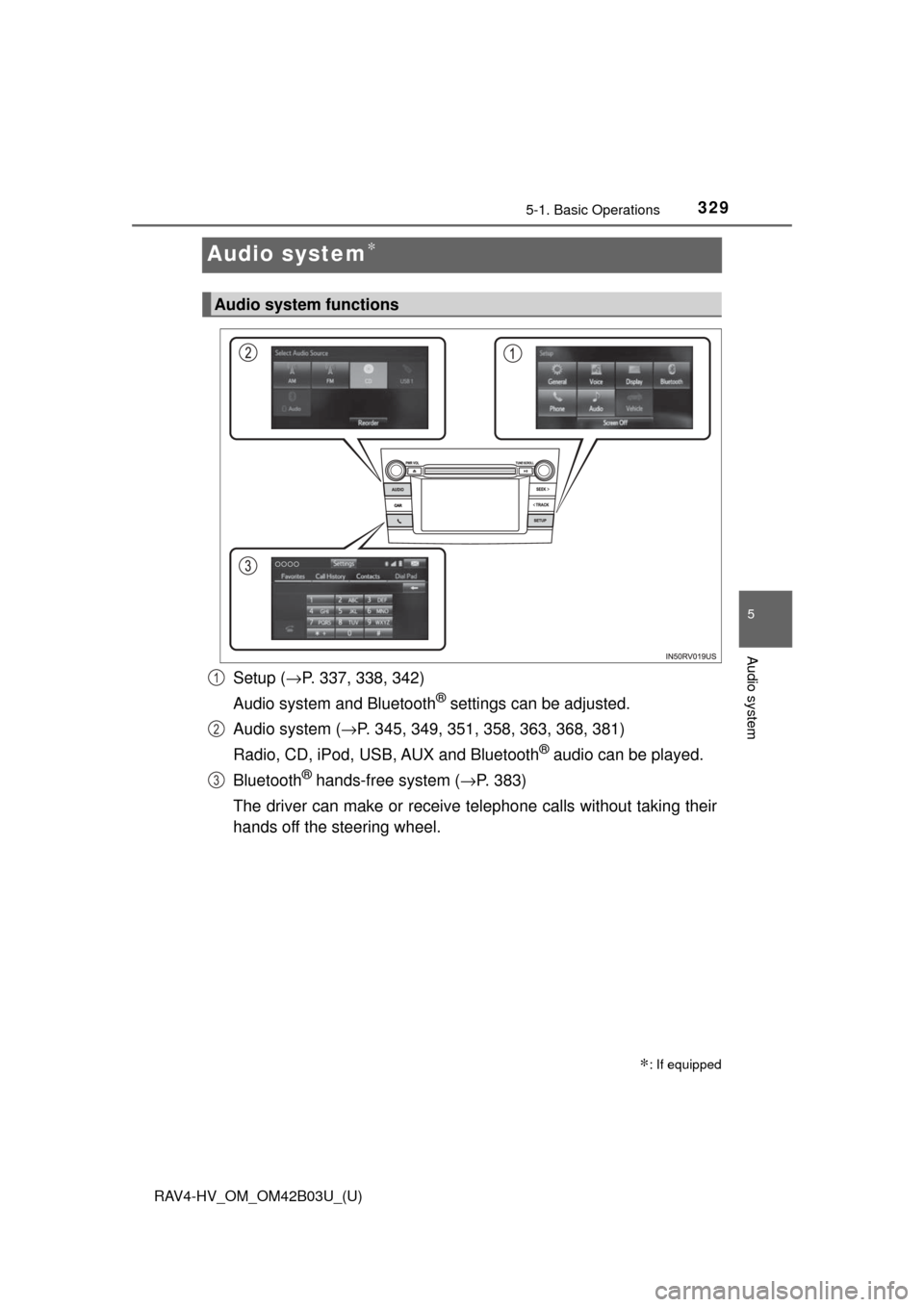
Setup (→P. 337, 338, 342)
Audio system and Bluetooth
® settings can be adjusted.
Audio system ( →P. 345, 349, 351, 358, 363, 368, 381)
Radio, CD, iPod, USB, AUX and Bluetooth
® audio can be played.
Bluetooth
® hands-free system (→ P. 383)
The driver can make or receive telephone calls without taking their
hands off the steering wheel.
∗: If equipped
Audio system functions
1
2
3
Page 333 of 676
333
RAV4-HV_OM_OM42B03U_(U)
5-1. Basic Operations
5
Audio system
Steering wheel audio switches
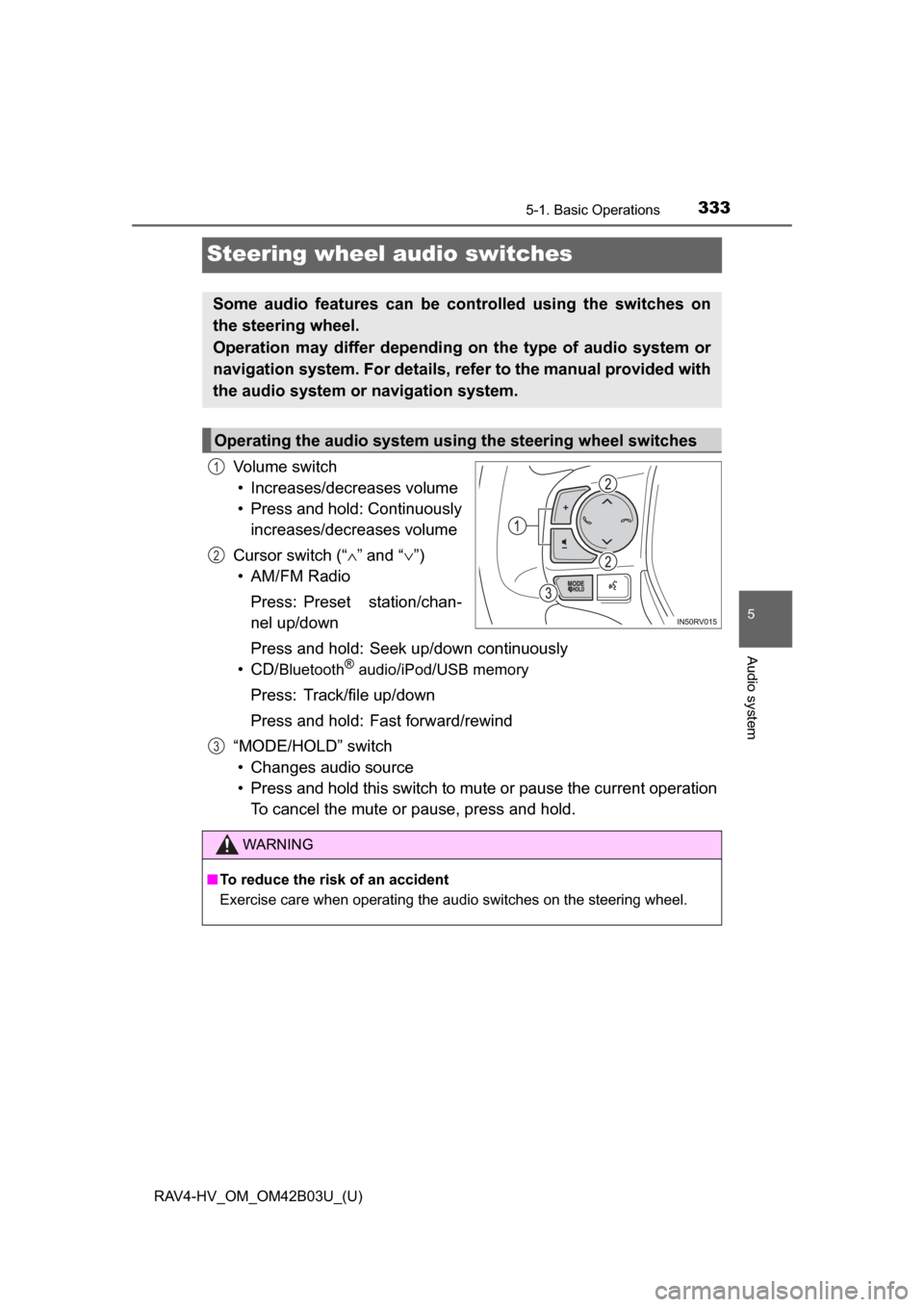
Volume switch• Increases/decreases volume
• Press and hold: Continuously increases/decreases volume
Cursor switch (“ ∧” and “ ∨”)
• AM/FM Radio
Press: Preset station/chan-
nel up/down
Press and hold: Seek up/down continuously
• CD/
Bluetooth®audio/iPod/USB memory
Press: Track/file up/down
Press and hold: Fast forward/rewind
“MODE/HOLD” switch • Changes audio source
• Press and hold this switch to mute or pause the current operation To cancel the mute or pause, press and hold.
Some audio features can be controlled using the switches on
the steering wheel.
Operation may differ depending on the type of audio system or
navigation system. For details, refer to the manual provided with
the audio system or navigation system.
Operating the audio system using the steering wheel switches
1
2
3
WARNING
■ To reduce the risk of an accident
Exercise care when operating the audio switches on the steering wheel.
Page 345 of 676
345
RAV4-HV_OM_OM42B03U_(U)
5-3. Using the audio system
5
Audio system
Selecting the audio source
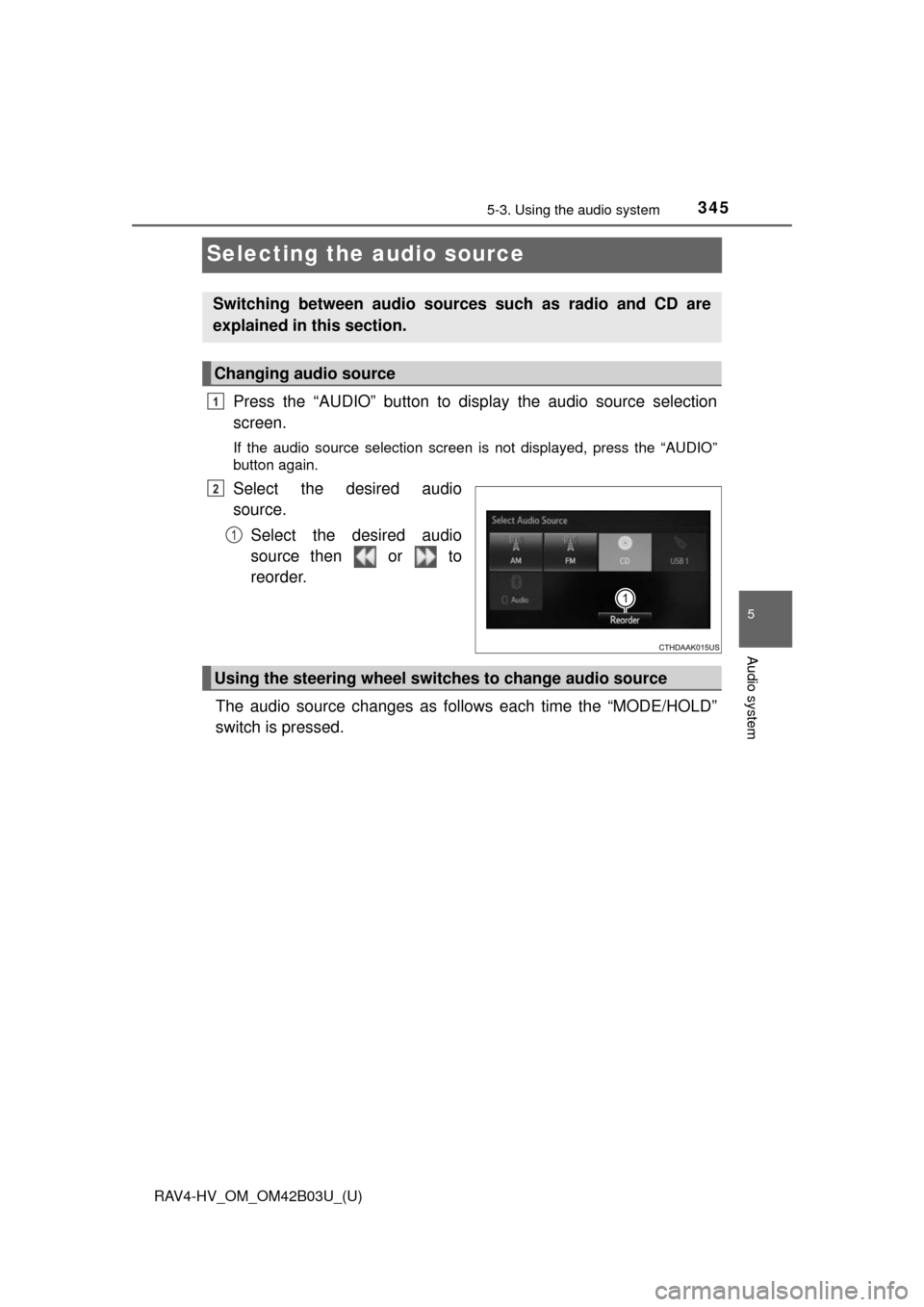
Press the “AUDIO” button to display the audio source selection
screen.
If the audio source selection screen is not displayed, press the “AUDIO”
button again.
Select the desired audio
source.
Select the desired audio
source then or to
reorder.
The audio source changes as follows each time the “MODE/HOLD”
switch is pressed.
Switching between audio sources such as radio and CD are
explained in this section.
Changing audio source
1
2
1
Using the steering wheel switches to change audio source
Page 383 of 676
383
RAV4-HV_OM_OM42B03U_(U)
5-9. Bluetooth® Phone
5
Audio system
Using a Bluetooth® Phone
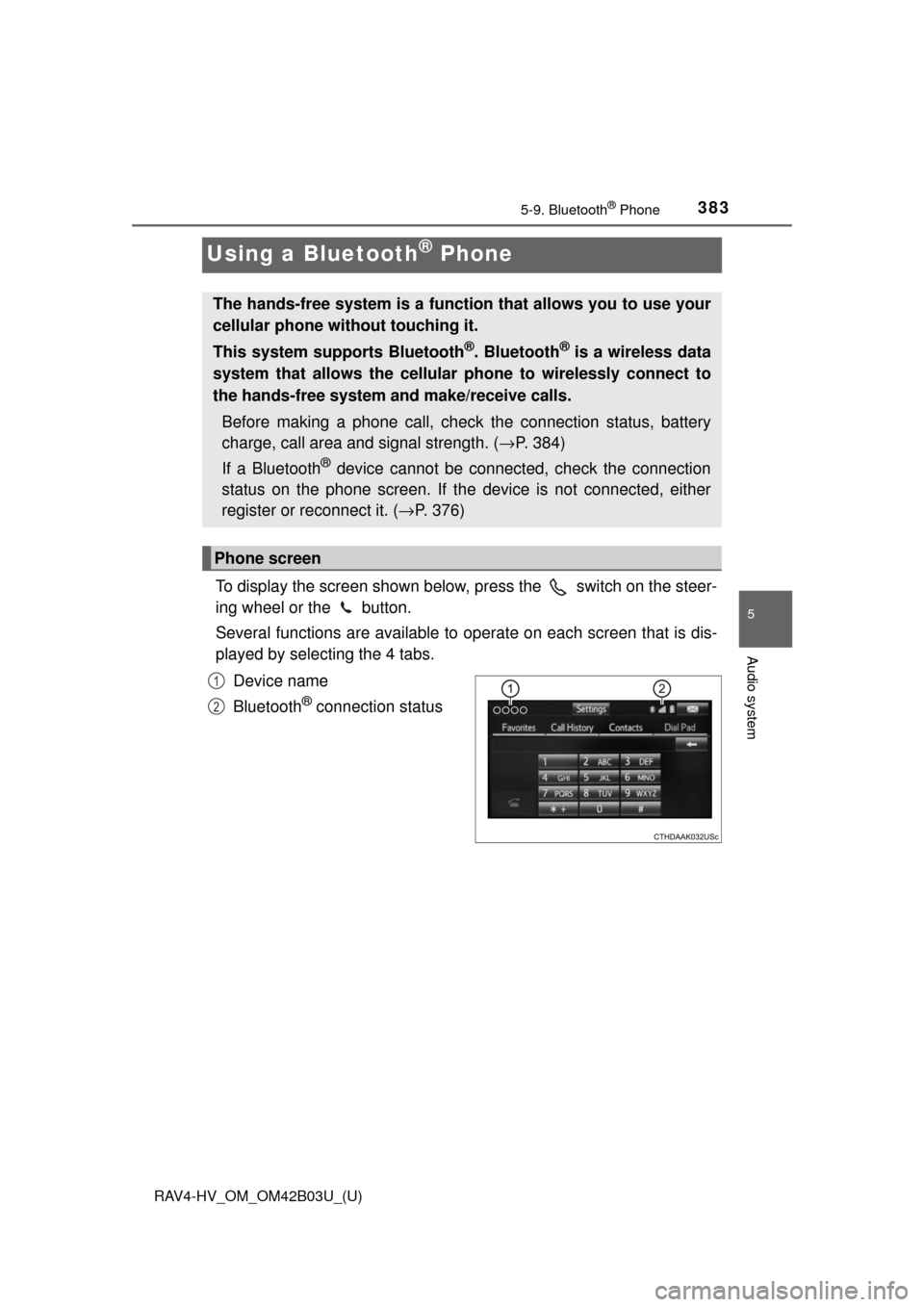
To display the screen shown below, press the switch on the steer-
ing wheel or the button.
Several functions are available to operate on each screen that is dis-
played by selecting the 4 tabs.
Device name
Bluetooth
® connection status
The hands-free system is a function that allows you to use your
cellular phone without touching it.
This system supports Bluetooth
®. Bluetooth® is a wireless data
system that allows the cellular phone to wirelessly connect to
the hands-free system and make/receive calls.
Before making a phone call, check the connection status, battery
charge, call area and signal strength. ( →P. 384)
If a Bluetooth
® device cannot be connected, check the connection
status on the phone screen. If th e device is not connected, either
register or reconnect it. ( →P. 376)
Phone screen
1
2
Page 385 of 676
385
RAV4-HV_OM_OM42B03U_(U)
5-9. Bluetooth® Phone
5
Audio system
Making a call
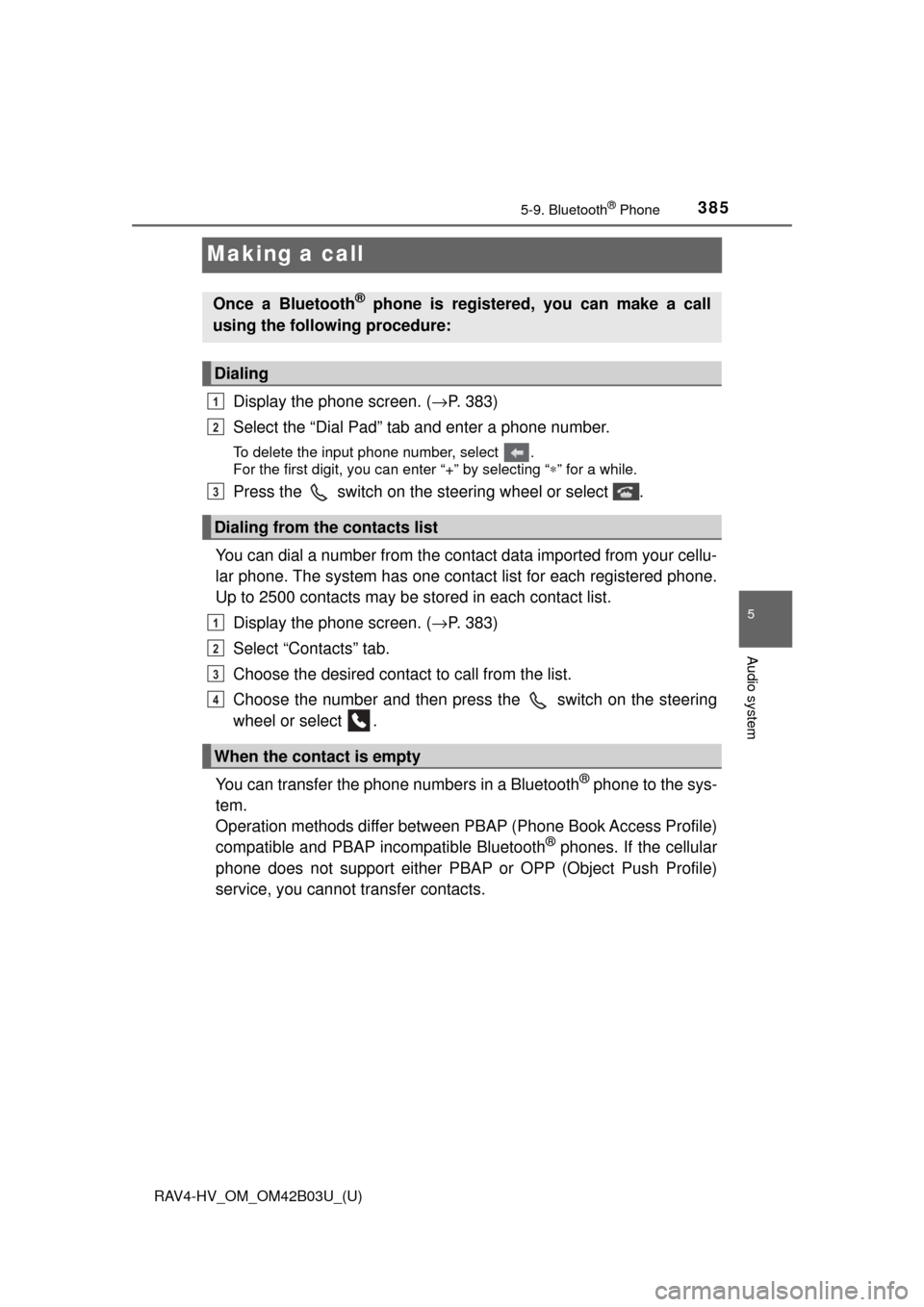
Display the phone screen. (→P. 383)
Select the “Dial Pad” tab and enter a phone number.
To delete the input phone number, select .
For the first digit, you can enter “+” by selecting “ ∗” for a while.
Press the switch on the steering wheel or select .
You can dial a number from the contact data imported from your cellu-
lar phone. The system has one contac t list for each registered phone.
Up to 2500 contacts may be stored in each contact list.
Display the phone screen. ( →P. 383)
Select “Contacts” tab.
Choose the desired contact to call from the list.
Choose the number and then press the switch on the steering
wheel or select .
You can transfer the phone numbers in a Bluetooth
® phone to the sys-
tem.
Operation methods differ between P BAP (Phone Book Access Profile)
compatible and PBAP incompatible Bluetooth
® phones. If the cellular
phone does not support either PB AP or OPP (Object Push Profile)
service, you cannot transfer contacts.
Once a Bluetooth® phone is registered, you can make a call
using the following procedure:
Dialing
Dialing from the contacts list
When the contact is empty
1
2
3
1
2
3
4
Page 388 of 676
388
RAV4-HV_OM_OM42B03U_(U)
5-9. Bluetooth® Phone
Receiving a call
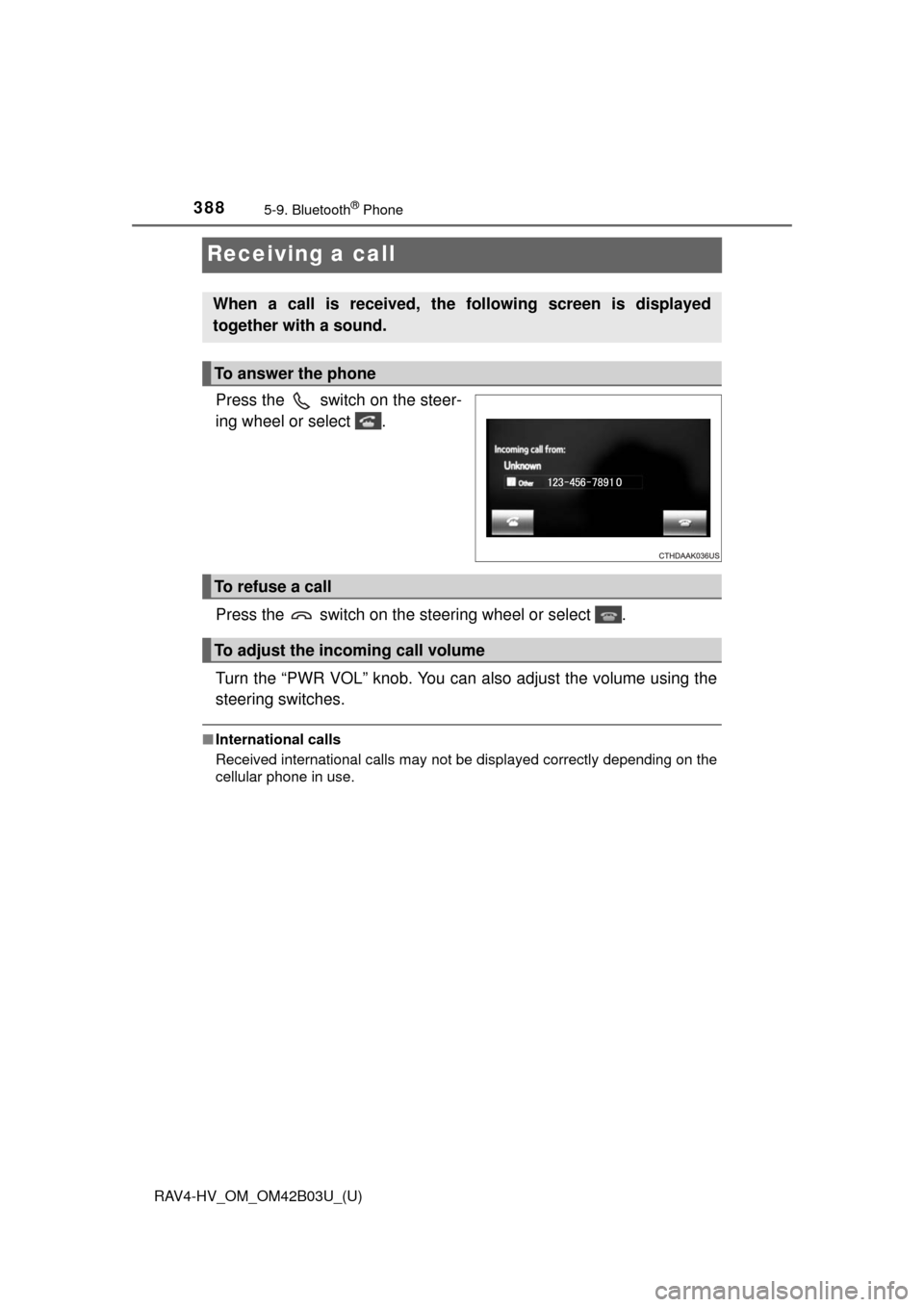
Press the switch on the steer-
ing wheel or select .
Press the switch on the steering wheel or select .
Turn the “PWR VOL” knob. You can also adjust the volume using the
steering switches.
■International calls
Received international calls may not be displayed correctly depending on the
cellular phone in use.
When a call is received, the following screen is displayed
together with a sound.
To answer the phone
To refuse a call
To adjust the incoming call volume
Page 390 of 676
390
RAV4-HV_OM_OM42B03U_(U)
5-9. Bluetooth® Phone
■Release Tones
●A continuous tone signal is a character string that consists of numbers and
the characters p or w. (e.g.056133w0123p#1 ∗)
● When the “p” pause tone is used, the tone data up until the next pause tone
will be automatically sent after 2 seconds have elapsed. When the “w”
pause tone is used, the tone data up until the next pause tone will be a\
uto-
matically sent after a user operation is performed.
● Release tones can be used when automated operation of a phone based
service such as an answering machine or bank phone service is desired. A
phone number with continuous tone signals can be registered in the contact
list.
● Tone data after a “w” pause tone can be operated on voice command during
a call.
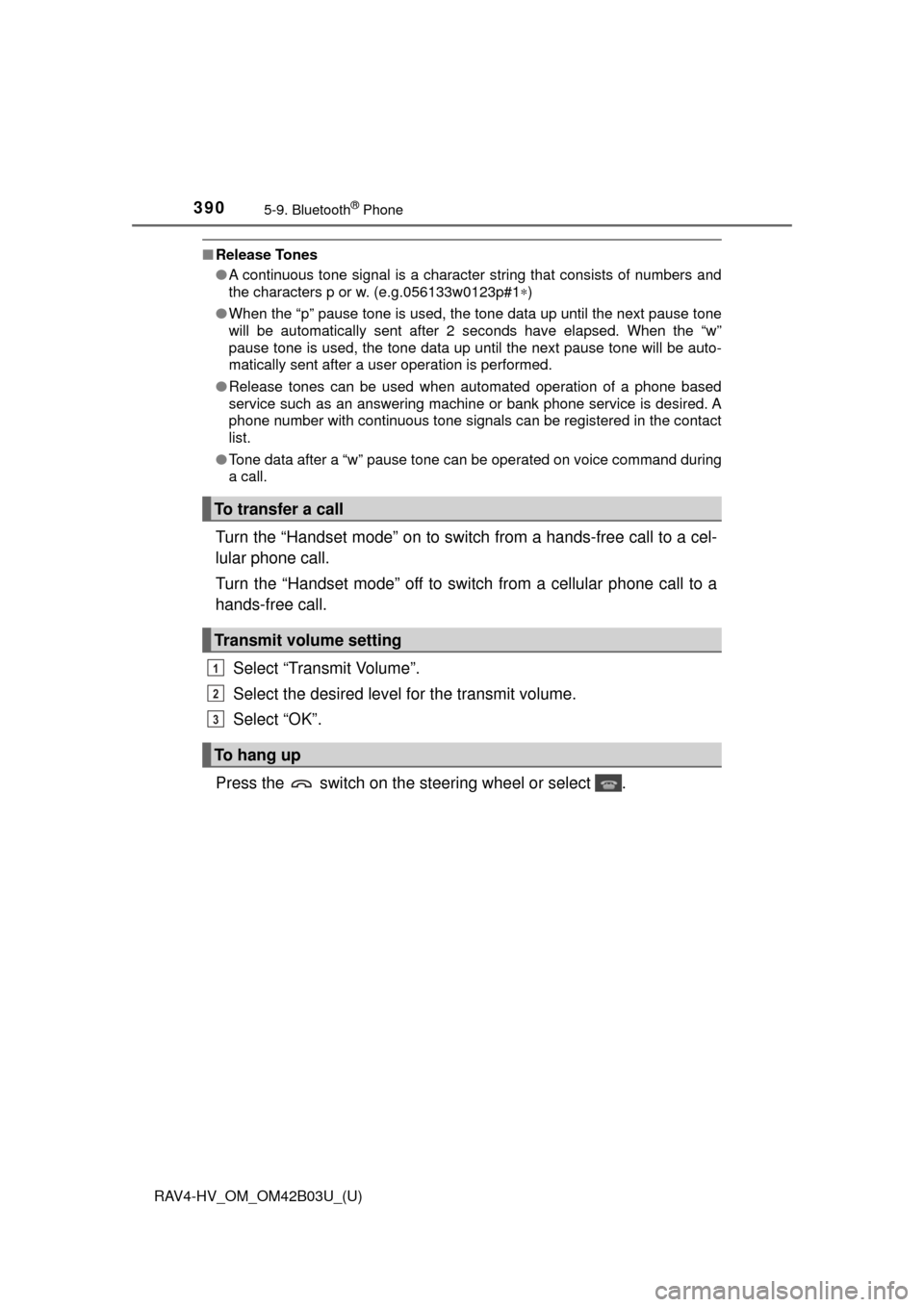
Turn the “Handset mode” on to switch from a hands-free call to a cel-
lular phone call.
Turn the “Handset mode” off to switch from a cellular phone call to a
hands-free call.
Select “Transmit Volume”.
Select the desired level for the transmit volume.
Select “OK”.
Press the switch on the steering wheel or select .
To transfer a call
Transmit volume setting
To hang up
1
2
3
Page 391 of 676
RAV4-HV_OM_OM42B03U_(U)
3915-9. Bluetooth® Phone
5
Audio system
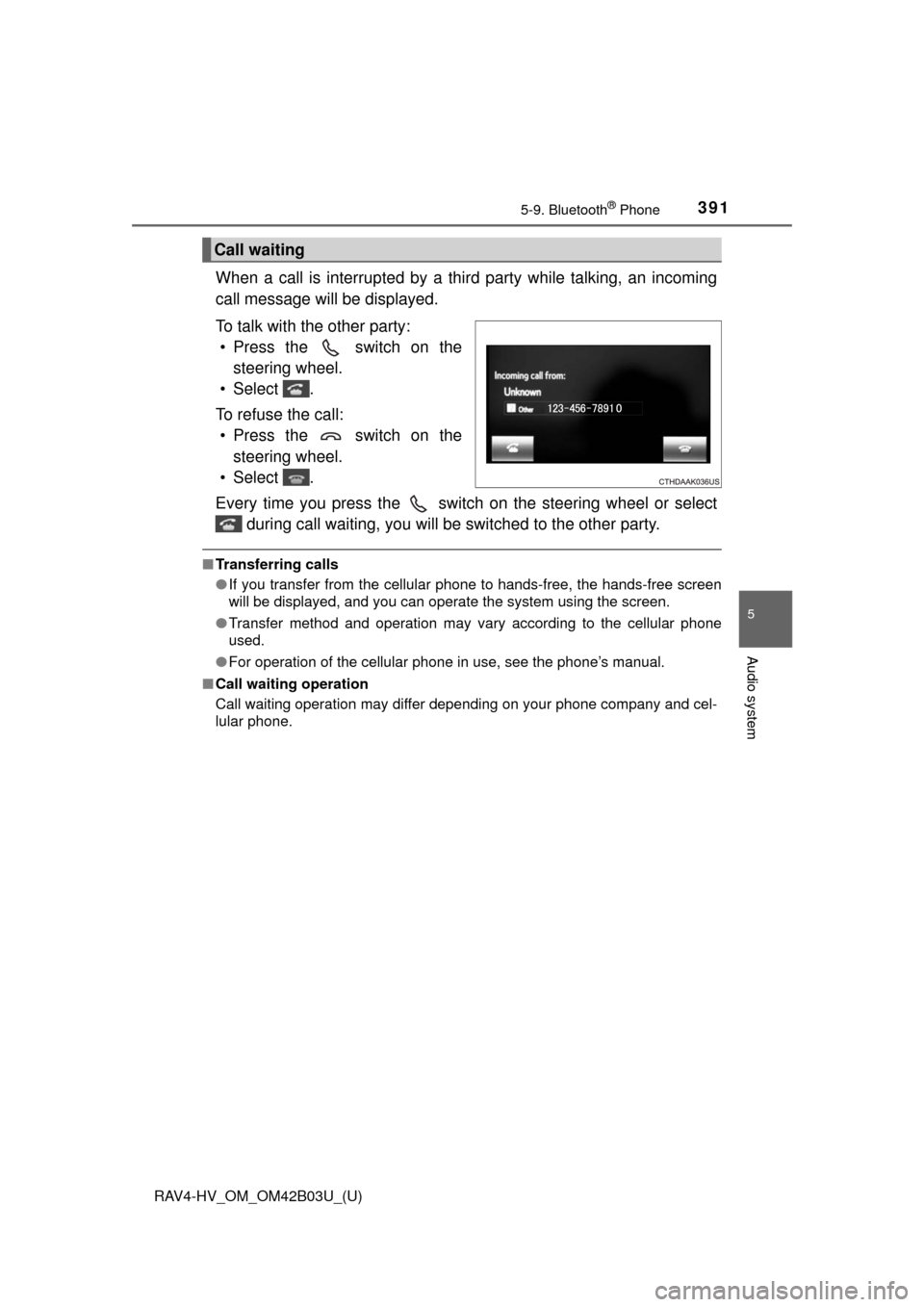
When a call is interrupted by a third party while talking, an incoming
call message will be displayed.
To talk with the other party:• Press the switch on the steering wheel.
• Select .
To refuse the call: • Press the switch on the steering wheel.
• Select .
Every time you press the switch on the steering wheel or select during call waiting, you will be switched to the other party.
■Transferring calls
●If you transfer from the cellular phone to hands-free, the hands-free screen
will be displayed, and you can operate the system using the screen.
● Transfer method and operation may vary according to the cellular phone
used.
● For operation of the cellular phone in use, see the phone’s manual.
■ Call waiting operation
Call waiting operation may differ depending on your phone company and cel-
lular phone.
Call waiting
Page 395 of 676
RAV4-HV_OM_OM42B03U_(U)
3955-9. Bluetooth® Phone
5
Audio system
■Check the messages
●Depending on the type of Bluetooth® phone being connected, it may be nec-
essary to perform additional steps on the phone.
● Messages are displayed in the appropriate connected Bluetooth
® phone’s
registered mail address folder.
Select the tab of the desired folder to be displayed.
● Only received messages on the connected Bluetooth
® phone can be dis-
played.
● The text of the message is not displayed while driving.
● When “Automatic Message Readout” is set to on, messages will be auto-
matically read out. ( →P. 408)
● Turn the “PWR VOL” knob, or use the volume switch on the steering wheel
to adjust the message read out volume.
● The message read out function is available even while driving.
Display the “Message Inbox” screen. ( →P. 392)
Select the desired message from the list.
Select “Quick Message”.
Select the desired message.
Select “Send”.
If an error message is displayed, follow the guidance on the screen to try
again.
■
Editing quick reply message
Select “Quick Message”.
Select corresponding to the desired message to edit.
Select “OK” when editing is completed.
Replying to a message
1
2
3
4
5
1
2
3
Page 397 of 676
397
RAV4-HV_OM_OM42B03U_(U)
5-9. Bluetooth® Phone
5
Audio system
Using the steering wheel switches
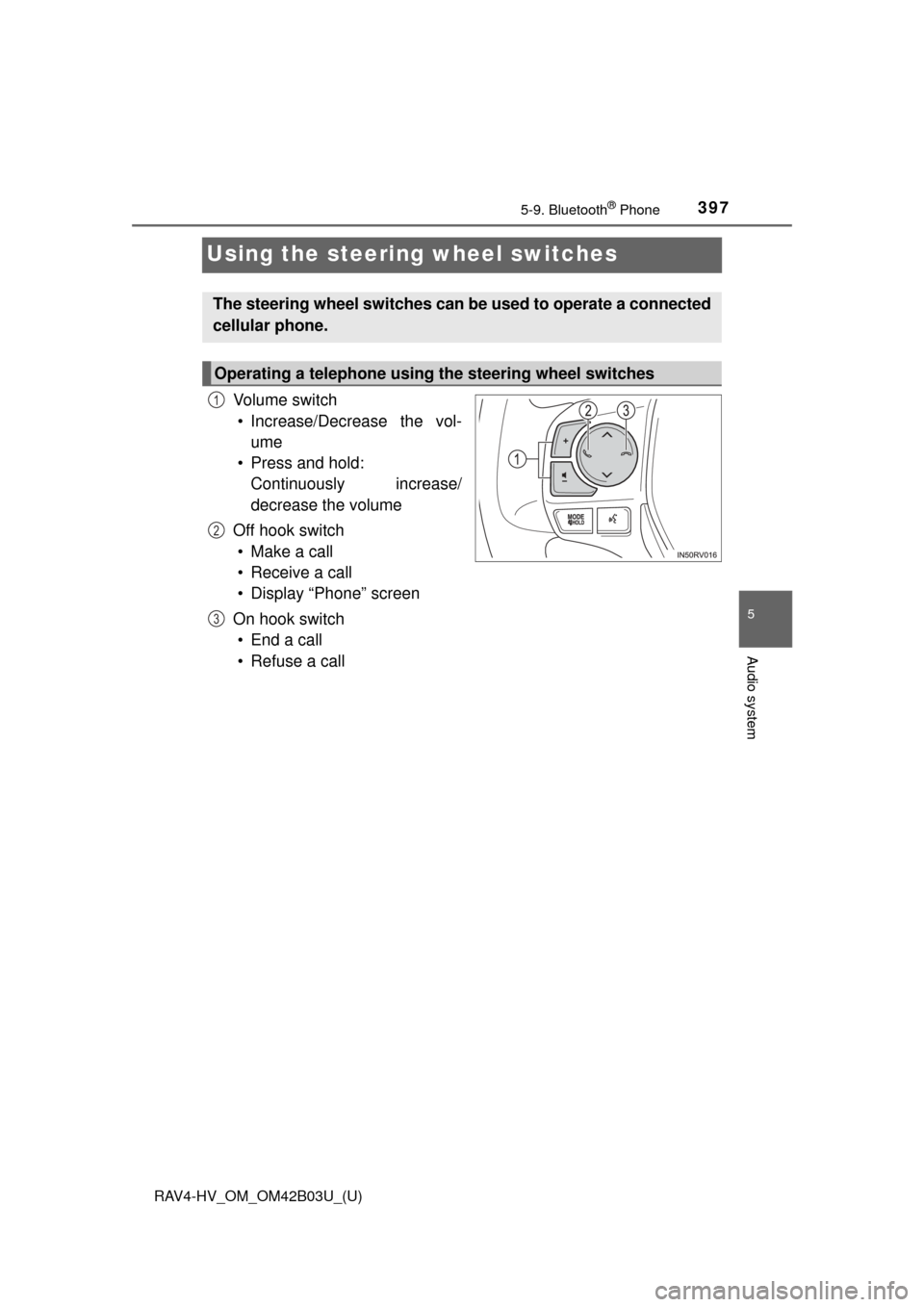
Vo l u m e s w i t c h
• Increase/Decrease the vol- ume
• Press and hold: Continuously increase/
decrease the volume
Off hook switch • Make a call
• Receive a call
• Display “Phone” screen
On hook switch • End a call
• Refuse a call
The steering wheel switches can be used to operate a connected
cellular phone.
Operating a telephone using the steering wheel switches
1
2
3