rear view mirror TOYOTA RAV4 HYBRID 2021 Service Manual
[x] Cancel search | Manufacturer: TOYOTA, Model Year: 2021, Model line: RAV4 HYBRID, Model: TOYOTA RAV4 HYBRID 2021Pages: 752, PDF Size: 31.25 MB
Page 528 of 752
5286-1. Using the air conditioning system and defogger
■Customization
Some functions can be customized.
(Customizable features: P.716)
1 Press the “AUTO” switch.
The dehumidification function
begins to operate. Air outlets and
fan speed are automatically
adjusted according to the tempera-
ture setting and humidity.
2 Adjust the temperature set-
ting.
3 To stop the operation, press
the “OFF” switch.
If the fan speed setting or air
flow modes are operated, the
automatic mode indicator goes
off. However, automatic mode
for functions other than that
operated is maintained.
■Using automatic mode
Fan speed is adjusted automati-
cally according to the temperature
setting and the am bient conditions.
Therefore, the fan may stop for a
while until warm or cool air is ready
to flow immediately after the auto-
matic mode switch is pressed.
This function automatically con-
trols the air conditioning airflow
so that priority is given to the
front seats. When the front pas-
senger seat is not occupied, air-
flow may switch to only the
driver’s seat. Unnecessary air
conditioning is suppressed, con-
tributing to increased fuel effi-
ciency.
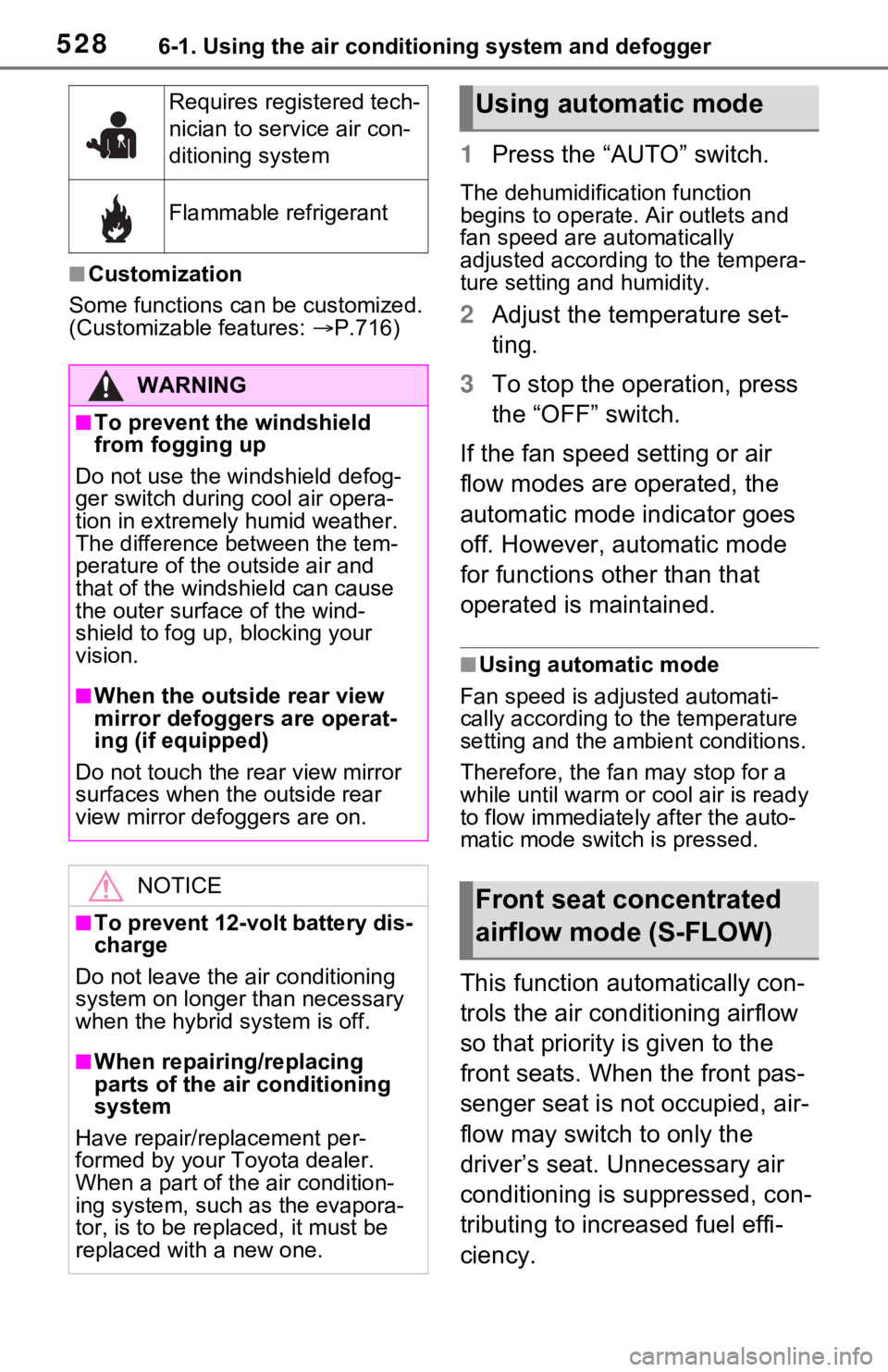
Requires registered tech-
nician to service air con-
ditioning system
Flammable refrigerant
WARNING
■To prevent the windshield
from fogging up
Do not use the windshield defog-
ger switch during cool air opera-
tion in extremely humid weather.
The difference between the tem-
perature of the outside air and
that of the windshield can cause
the outer surface of the wind-
shield to fog up, blocking your
vision.
■When the outside rear view
mirror defoggers are operat-
ing (if equipped)
Do not touch the rear view mirror
surfaces when the outside rear
view mirror defoggers are on.
NOTICE
■To prevent 12-volt battery dis-
charge
Do not leave the air conditioning
system on longer than necessary
when the hybrid system is off.
■When repairing/replacing
parts of the air conditioning
system
Have repair/replacement per-
formed by your Toyota dealer.
When a part of th e air condition-
ing system, such as the evapora-
tor, is to be replaced, it must be
replaced with a new one.
Using automatic mode
Front seat concentrated
airflow mode (S-FLOW)
Page 557 of 752
5576-4. Using the other interior features
6
Interior features
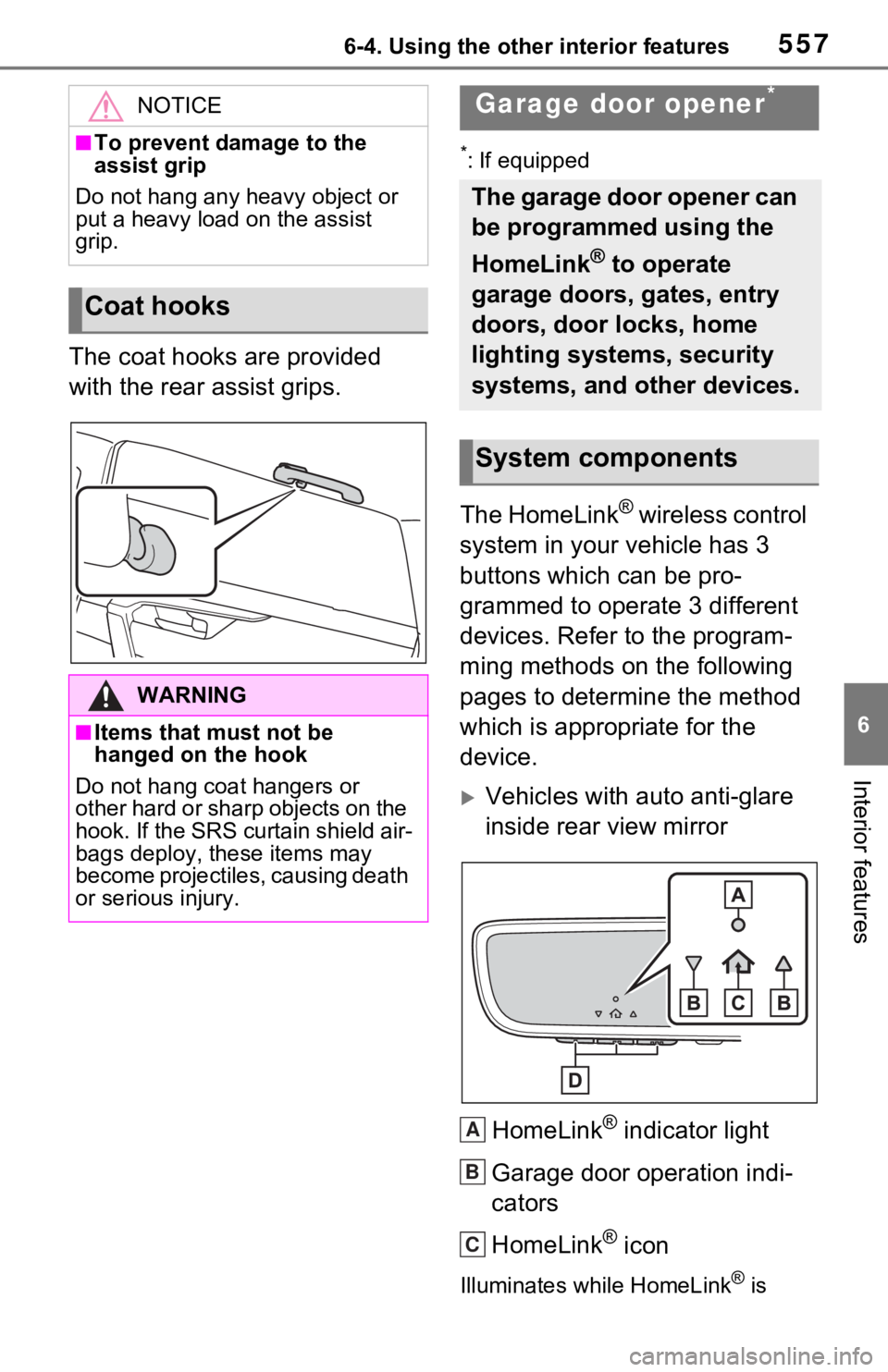
The coat hooks are provided
with the rear assist grips.
*: If equipped
The HomeLink® wireless control
system in your vehicle has 3
buttons which can be pro-
grammed to operate 3 different
devices. Refer to the program-
ming methods on the following
pages to determine the method
which is appropriate for the
device.
Vehicles with auto anti-glare
inside rear view mirror
HomeLink
® indicator light
Garage door operation indi-
cators
HomeLink
® icon
Illuminates while HomeLink® is
NOTICE
■To prevent damage to the
assist grip
Do not hang any heavy object or
put a heavy load on the assist
grip.
Coat hooks
WARNING
■Items that must not be
hanged on the hook
Do not hang coat hangers or
other hard or sharp objects on the
hook. If the SRS curtain shield air-
bags deploy, these items may
become projectiles, causing death
or serious injury.
Garage door opener*
The garage door opener can
be programmed using the
HomeLink
® to operate
garage doors, gates, entry
doors, door locks, home
lighting systems, security
systems, and other devices.
System components
A
B
C
Page 558 of 752
5586-4. Using the other interior features
operating.
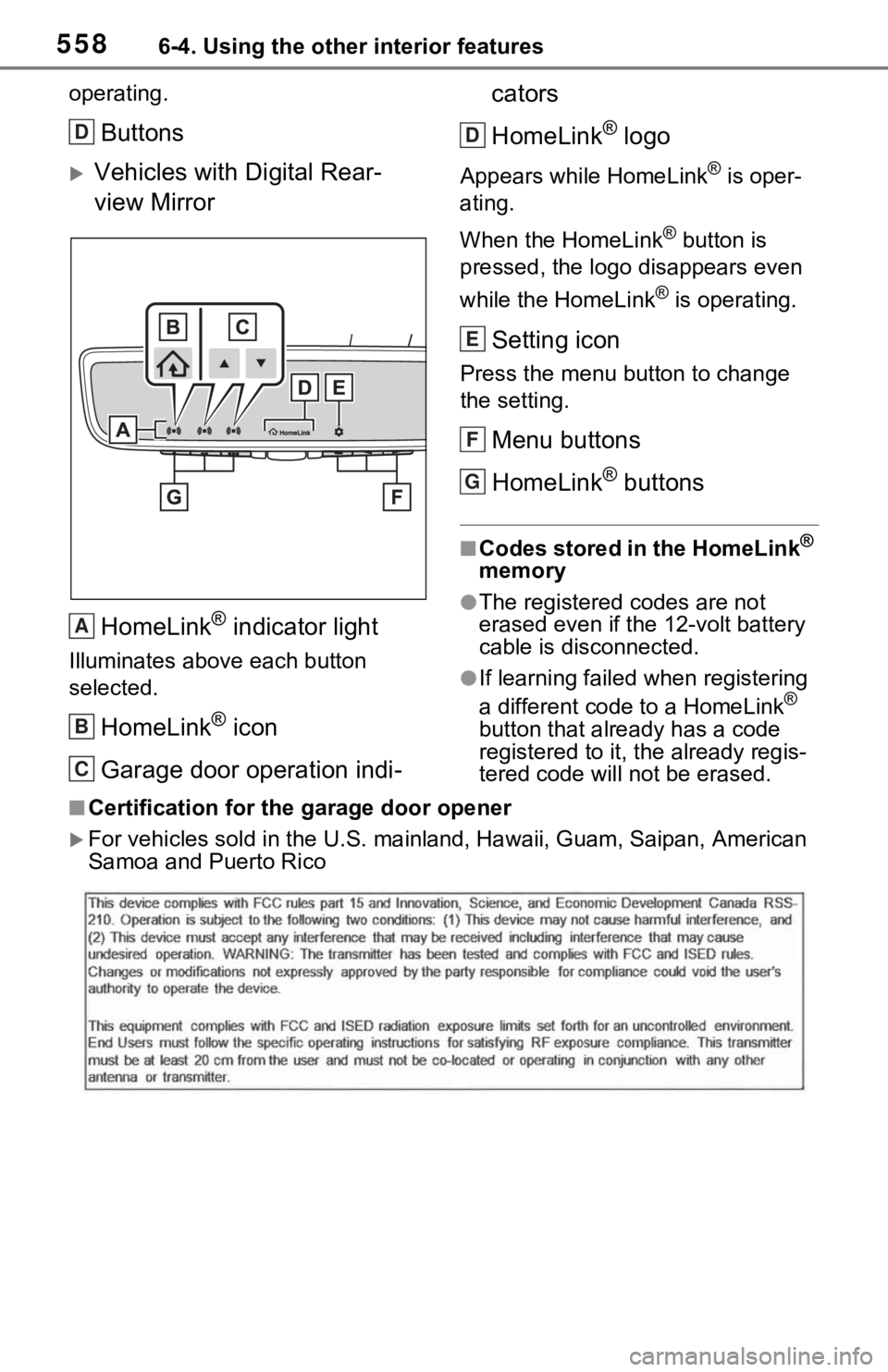
Buttons
Vehicles with Digital Rear-
view MirrorHomeLink
® indicator light
Illuminates above each button
selected.
HomeLink® icon
Garage door operation indi- cators
HomeLink
® logo
Appears while HomeLink® is oper-
ating.
When the HomeLink
® button is
pressed, the logo disappears even
while the HomeLink
® is operating.
Setting icon
Press the menu button to change
the setting.
Menu buttons
HomeLink
® buttons
■Codes stored in the HomeLink®
memory
●The registered codes are not
erased even if the 12-volt battery
cable is disconnected.
●If learning failed when registering
a different code to a HomeLink®
button that already has a code
registered to it, the already regis-
tered code will not be erased.
■Certification for the garage door opener
For vehicles sold in the U.S. mainland, Hawaii, Guam, Saipan, A merican
Samoa and Puerto Rico
D
A
B
C
D
E
F
G
Page 560 of 752
5606-4. Using the other interior features
Garage door opener motors
manufactured after 1995 may
be equipped with rolling code
protection. If this is the case,
you may need a stepladder or
other sturdy, safe device to
reach the “Learn” or “Smart”
button on the garage door
opener motor.
■Programming HomeLink®
Steps 2 through 4 must be per-
formed within 60 seconds, oth-
erwise the HomeLink
® indicator
light will stop flashing and pro-
gramming will not be success-
fully completed.
1 Vehicles with Digital Rear-
view Mirror: Press the
HomeLink
® button or menu
button
When the HomeLink® button is
pressed:
Homelink
® Training Tutorial will be
displayed to assist you program-
ming the HomeLink
®.
When Homelink
® Training Tutorial
is displayed, follow the instructions
displayed.
When the menu button is pressed:
Press the menu button and
select the “Set Up >”. Homelink
®
Training Tutorial will be displayed
to assist you programming the
HomeLink
®.
When Homelink
® Training Tutorial
is displayed, follow the instructions
displayed.
2 Press and release the
HomeLink
® button you want to program and check that
the HomeLink
® indicator light
flashes (orange).
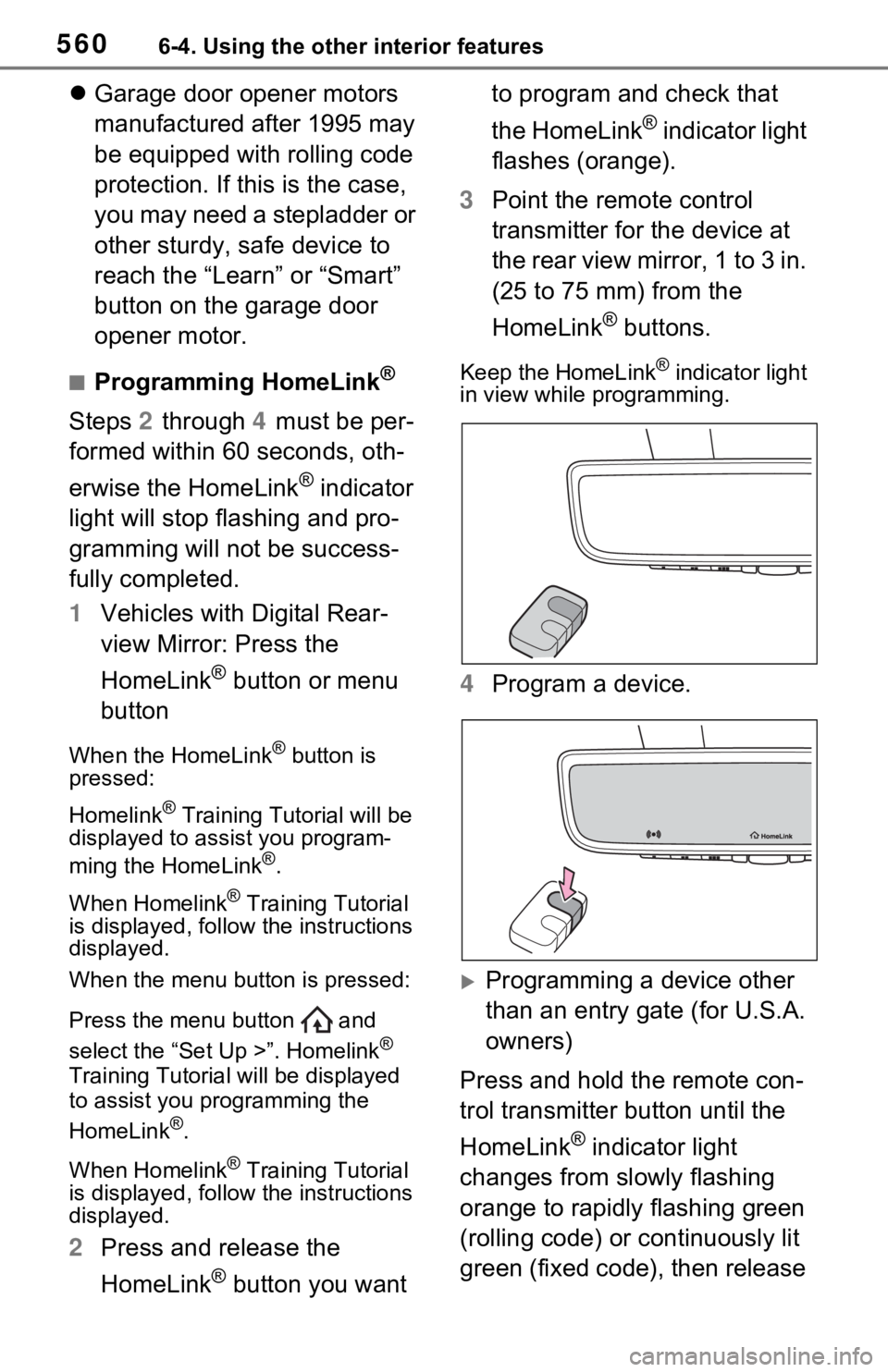
3 Point the remote control
transmitter for the device at
the rear view mirror, 1 to 3 in.
(25 to 75 mm) from the
HomeLink
® buttons.
Keep the HomeLink® indicator light
in view while programming.
4 Program a device.
Programming a device other
than an entry gate (for U.S.A.
owners)
Press and hold the remote con-
trol transmitter button until the
HomeLink
® indicator light
changes from slowly flashing
orange to rapidly flashing green
(rolling code) or continuously lit
green (fixed code), then release
Page 563 of 752
5636-4. Using the other interior features
6
Interior features
■Reprogramming a single
HomeLink
® button
When the following procedure is
performed, buttons which
already have devices registered
to them can be overwritten:
1 Press and hold the desired
HomeLink
® button.
2 When the HomeLink
® indica-
tor starts flashing orange,
release the HomeLink
® but-
ton and perform “Program-
ming HomeLink
®” 1 (it takes
20 seconds for the
HomeLink
® indicator to start
flashing).
■Before programming
●Install a new battery in the trans-
mitter.
●The battery side of the transmitter
must be pointed away from the
HomeLink
® buttons.
Press the appropriate
HomeLink
® button. The
HomeLink
® indicator light
should turn on.
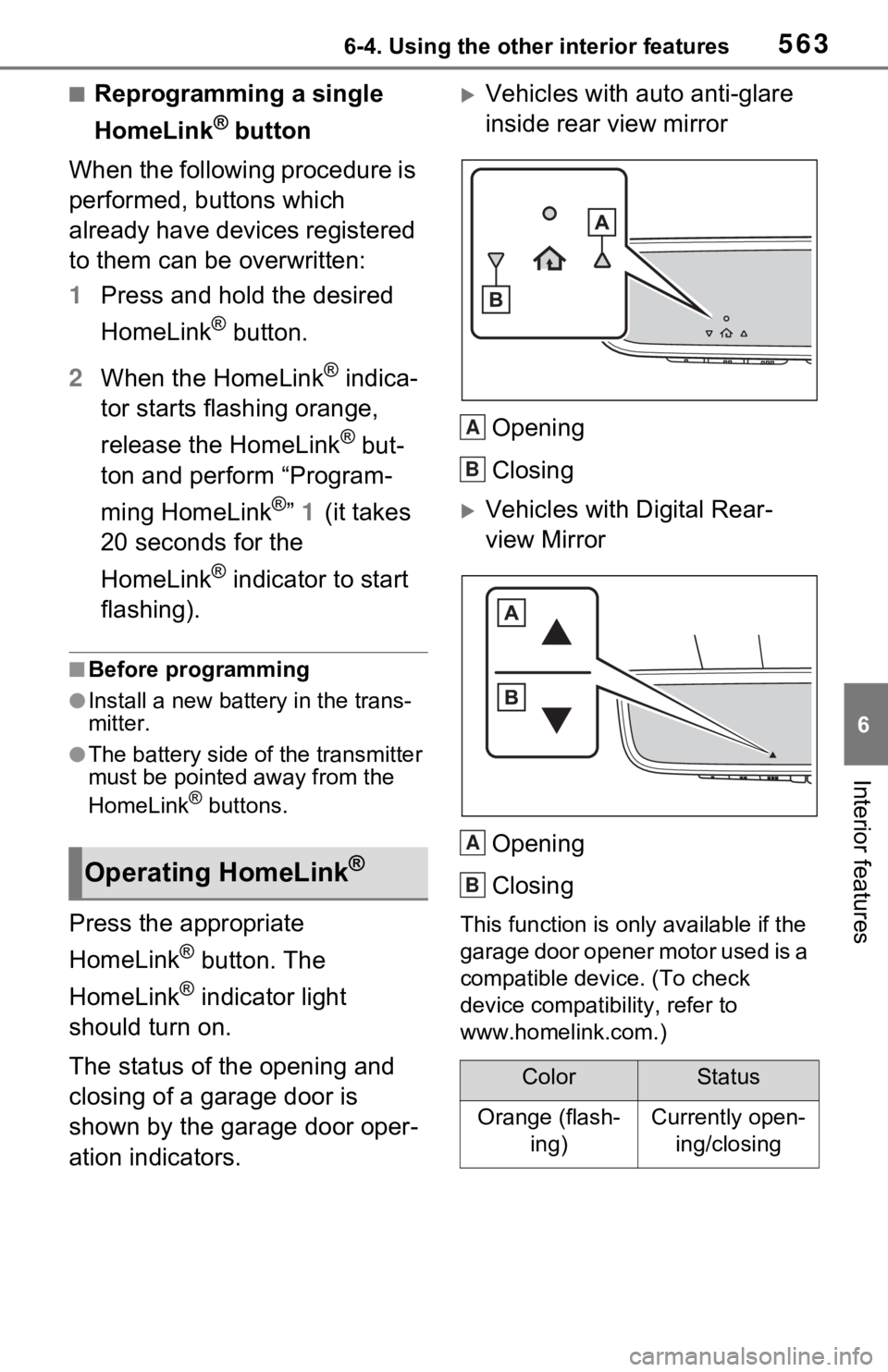
The status of the opening and
closing of a garage door is
shown by the garage door oper-
ation indicators.
Vehicles with auto anti-glare
inside rear view mirror
Opening
Closing
Vehicles with Digital Rear-
view MirrorOpening
Closing
This function is only available if the
garage door opener motor used is a
compatible device. (To check
device compatibility, refer to
www.homelink.com.)
Operating HomeLink®
ColorStatus
Orange (flash- ing)Currently open-ing/closing
A
B
A
B
Page 564 of 752
5646-4. Using the other interior features
The indicators can operate
within approximately 820 ft. (250
m) of the garage door. However,
if there are obstructions
between the garage door and
the vehicle, such as houses and
trees, feedback signals from the
garage door may not be
received.
To recall the previous door oper-
ation status, press and release
either HomeLink
® buttons
and or and (vehicles
with auto anti-glare inside rear
view mirror), and
or and (vehicles
with Digital R ear-view Mirror)
simultaneously. The last
recorded status will be dis-
played for 3 seconds.
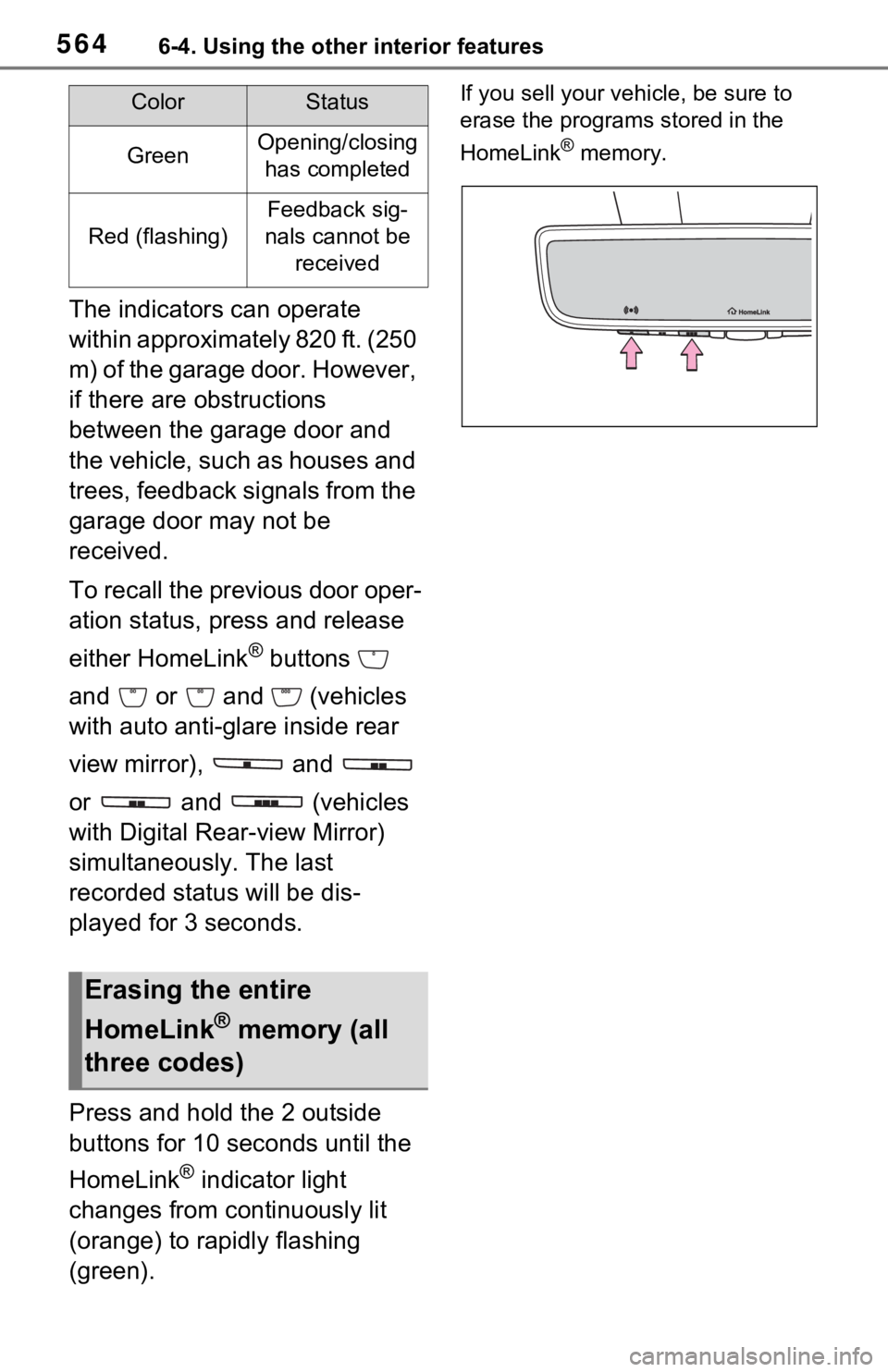
Press and hold the 2 outside
buttons for 10 seconds until the
HomeLink
® indicator light
changes from continuously lit
(orange) to rapidly flashing
(green).
If you sell your vehicle, be sure to
erase the programs stored in the
HomeLink
® memory.GreenOpening/closing has completed
Red (flashing)
Feedback sig-
nals cannot be received
Erasing the entire
HomeLink
® memory (all
three codes)
ColorStatus
Page 715 of 752
7159-2. Customization
9
Vehicle specifications
*: If equipped
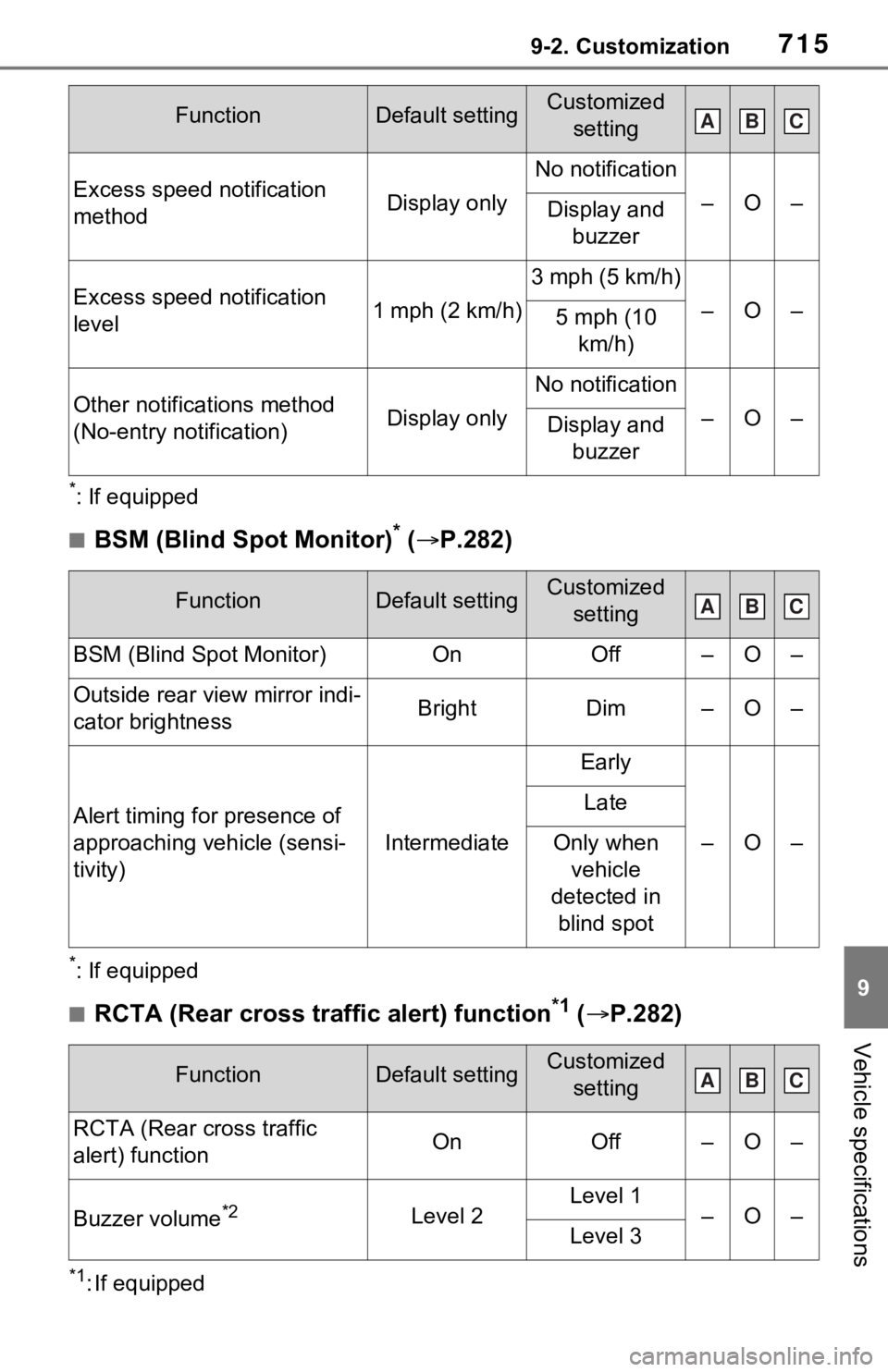
■BSM (Blind Spot Monitor)* ( P.282)
*: If equipped
■RCTA (Rear cross traffic alert) function*1 ( P.282)
*1: If equipped
Excess speed notification
methodDisplay only
No notification
–O–Display and
buzzer
Excess speed notification
level1 mph (2 km/h)
3 mph (5 km/h)
–O–5 mph (10 km/h)
Other notifications method
(No-entry notification)Display only
No notification
–O–Display and buzzer
FunctionDefault settingCustomized setting
BSM (Blind Spot Monitor)OnOff–O–
Outside rear view mirror indi-
cator brightnessBrightDim–O–
Alert timing for presence of
approaching vehicle (sensi-
tivity)
Intermediate
Early
–O–
Late
Only when vehicle
detected in
blind spot
FunctionDefault settingCustomized setting
RCTA (Rear cross traffic
alert) functionOnOff–O–
Buzzer volume*2Level 2Level 1–O–Level 3
FunctionDefault settingCustomized settingABC
ABC
ABC
Page 738 of 752
738Alphabetical Index
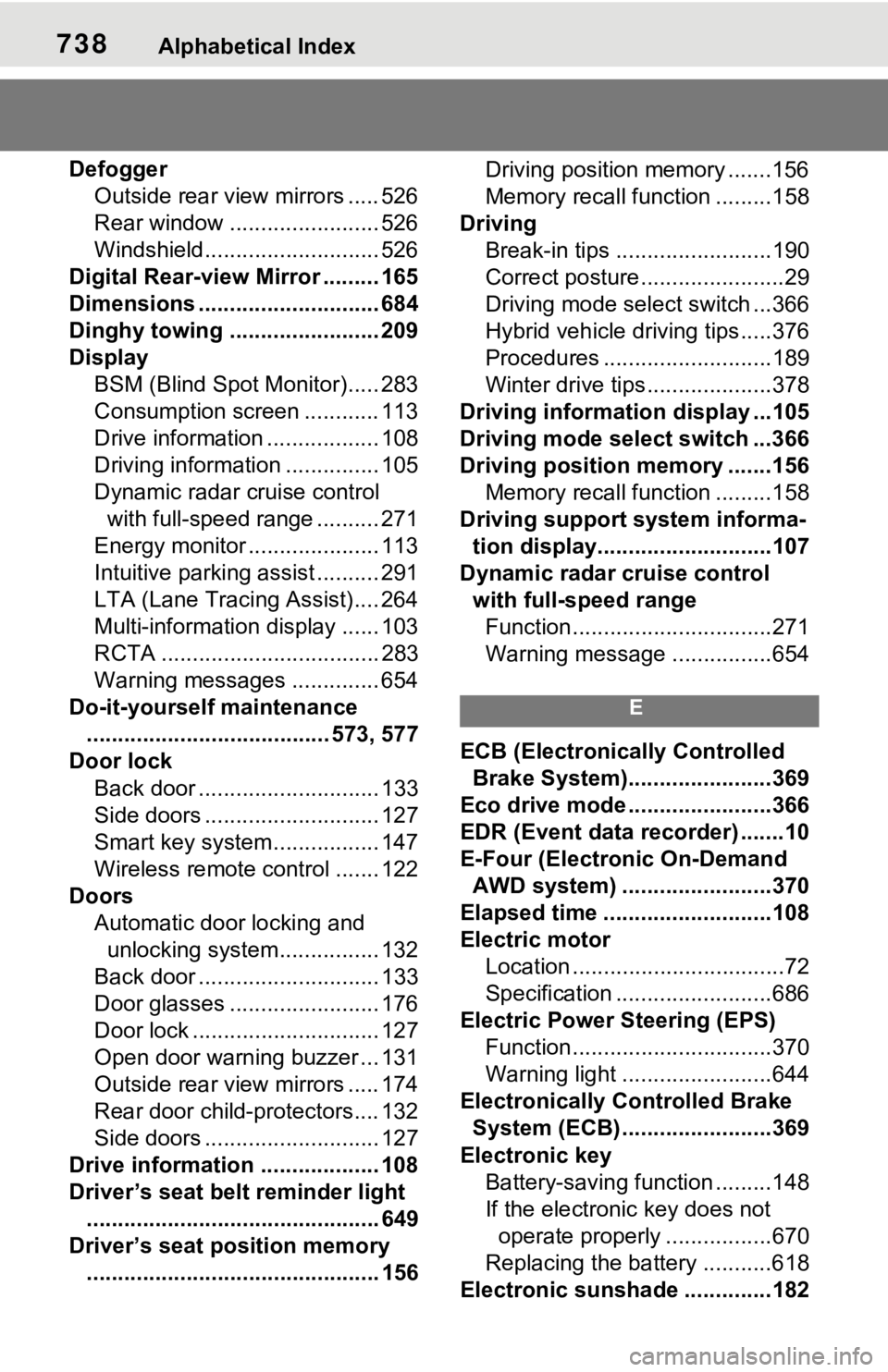
DefoggerOutside rear view mirrors ..... 526
Rear window ........................ 526
Windshield............................ 526
Digital Rear-view Mirror ......... 165
Dimensions ............................. 684
Dinghy towing ........................ 209
Display BSM (Blind Spot Monitor)..... 283
Consumption screen ............ 113
Drive information .................. 108
Driving information ............... 105
Dynamic radar cruise control with full-speed range .......... 271
Energy monitor ..................... 113
Intuitive parking assist .......... 291
LTA (Lane Tracing Assist).... 264
Multi-information display ...... 103
RCTA ................................... 283
Warning messages .............. 654
Do-it-yourself maintenance ....................................... 573, 577
Door lock
Back door ............................. 133
Side doors ............................ 127
Smart key system................. 147
Wireless remote control ....... 122
Doors Automatic door locking and unlocking system................ 132
Back door ............................. 133
Door glasses ........................ 176
Door lock .............................. 127
Open door warning buzzer ... 131
Outside rear view mirrors ..... 174
Rear door child-protectors.... 132
Side doors ............................ 127
Drive information ................... 108
Driver’s seat belt reminder light ............................................... 649
Driver’s seat position memory ............................................... 156 Driving position memory .......156
Memory recall function .........158
Driving Break-in tips .........................190
Correct posture .......................29
Driving mode select switch ...366
Hybrid vehicle dri ving tips .....376
Procedures ...........................189
Winter drive tips....................378
Driving informatio n display ...105
Driving mode select switch ...366
Driving position memory .......156 Memory recall function .........158
Driving support system informa- tion display............................107
Dynamic radar cruise control with full-speed rangeFunction................................271
Warning message . ...............654
E
ECB (Electronically Controlled
Brake System).......................369
Eco drive mode .......................366
EDR (Event data recorder) .......10
E-Four (Electronic On-Demand AWD system) ........................370
Elapsed time ...........................108
Electric motor Location ..................................72
Specification .........................686
Electric Power Steering (EPS) Function................................370
Warning light ........................644
Electronically Controlled Brake System (ECB) ........................369
Electronic key Battery-saving function .........148
If the electronic key does not operate properly .................670
Replacing the battery ...........618
Electronic sunshade ..............182
Page 740 of 752
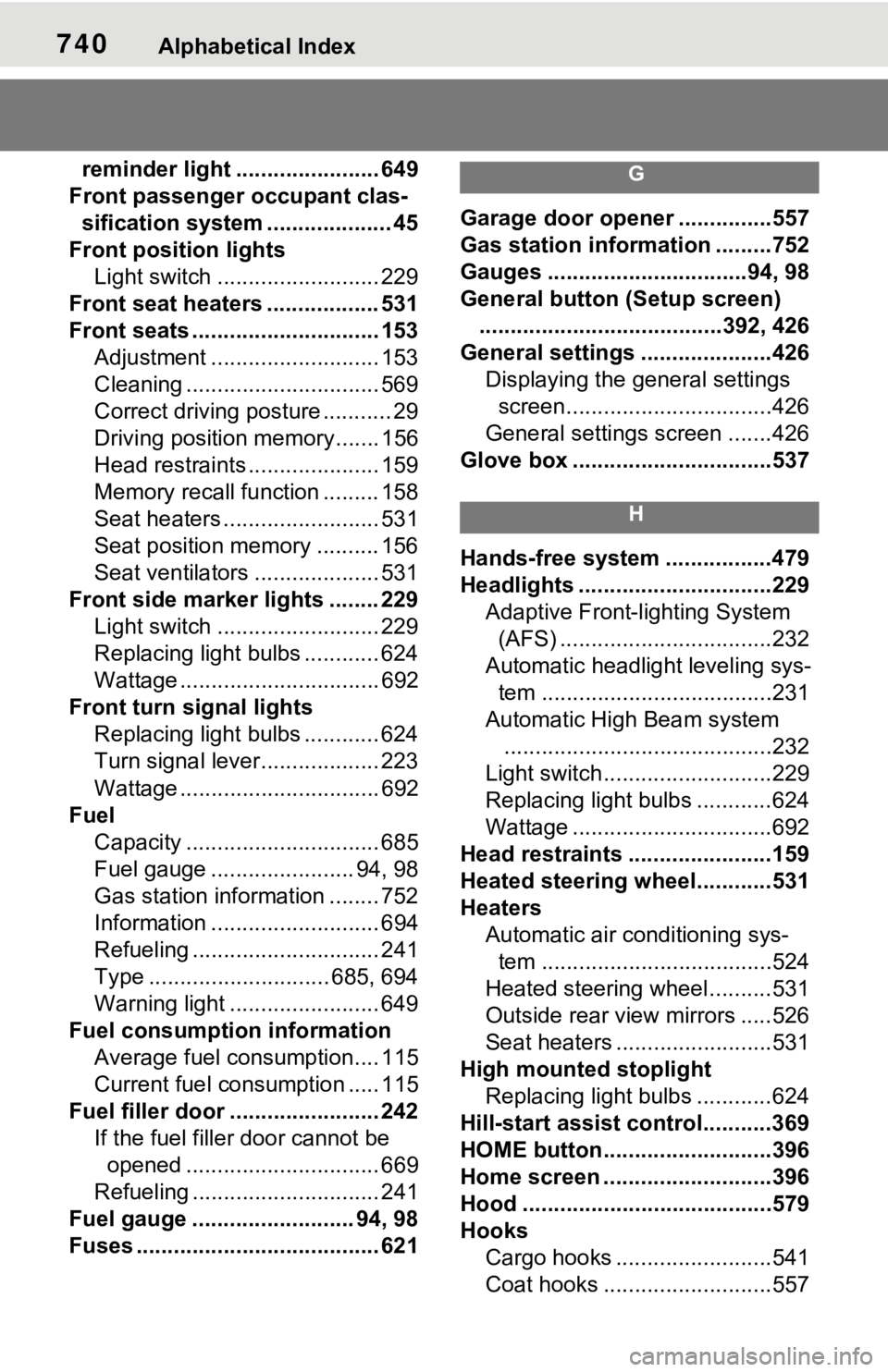
740Alphabetical Index
reminder light ....................... 649
Front passenger occupant clas- sification system .................... 45
Front position lights Light switch .......................... 229
Front seat heaters .................. 531
Front seats .............................. 153 Adjustment ........................... 153
Cleaning ............................... 569
Correct driving posture ........... 29
Driving position memory....... 156
Head restraints ..................... 159
Memory recall function ......... 158
Seat heaters ......................... 531
Seat position memory .......... 156
Seat ventilators .................... 531
Front side marker lights ........ 229 Light switch .......................... 229
Replacing light bulbs ............ 624
Wattage ................................ 692
Front turn signal lights Replacing light bulbs ............ 624
Turn signal lever................... 223
Wattage ................................ 692
Fuel Capacity ............................... 685
Fuel gauge ....................... 94, 98
Gas station information ........ 752
Information ........................... 694
Refueling .............................. 241
Type ............................. 685, 694
Warning light ........................ 649
Fuel consumption information Average fuel consumption.... 115
Current fuel consumption ..... 115
Fuel filler door ..... ................... 242
If the fuel filler door cannot be opened ............................... 669
Refueling .............................. 241
Fuel gauge .......................... 94, 98
Fuses ....................................... 621G
Garage door opene r ...............557
Gas station information .........752
Gauges ................................94, 98
General button (Setup screen) .......................................392, 426
General settings .....................426 Displaying the general settings screen.................................426
General settings screen .......426
Glove box ................................537
H
Hands-free system .................479
Headlights ...............................229 Adaptive Front-lighting System (AFS) ..................................232
Automatic headlight leveling sys- tem .....................................231
Automatic High Beam system ...........................................232
Light switch...........................229
Replacing light bulbs ............624
Wattage ................................692
Head restraints .......................159
Heated steering wheel............531
Heaters Automatic air conditioning sys-tem .....................................524
Heated steering wheel..........531
Outside rear view mirrors .....526
Seat heaters ....... ..................531
High mounted stoplight Replacing light bulbs ............624
Hill-start assist control...........369
HOME button...........................396
Home screen ...........................396
Hood ........................................579
Hooks Cargo hooks .........................541
Coat hooks ...........................557
Page 743 of 752
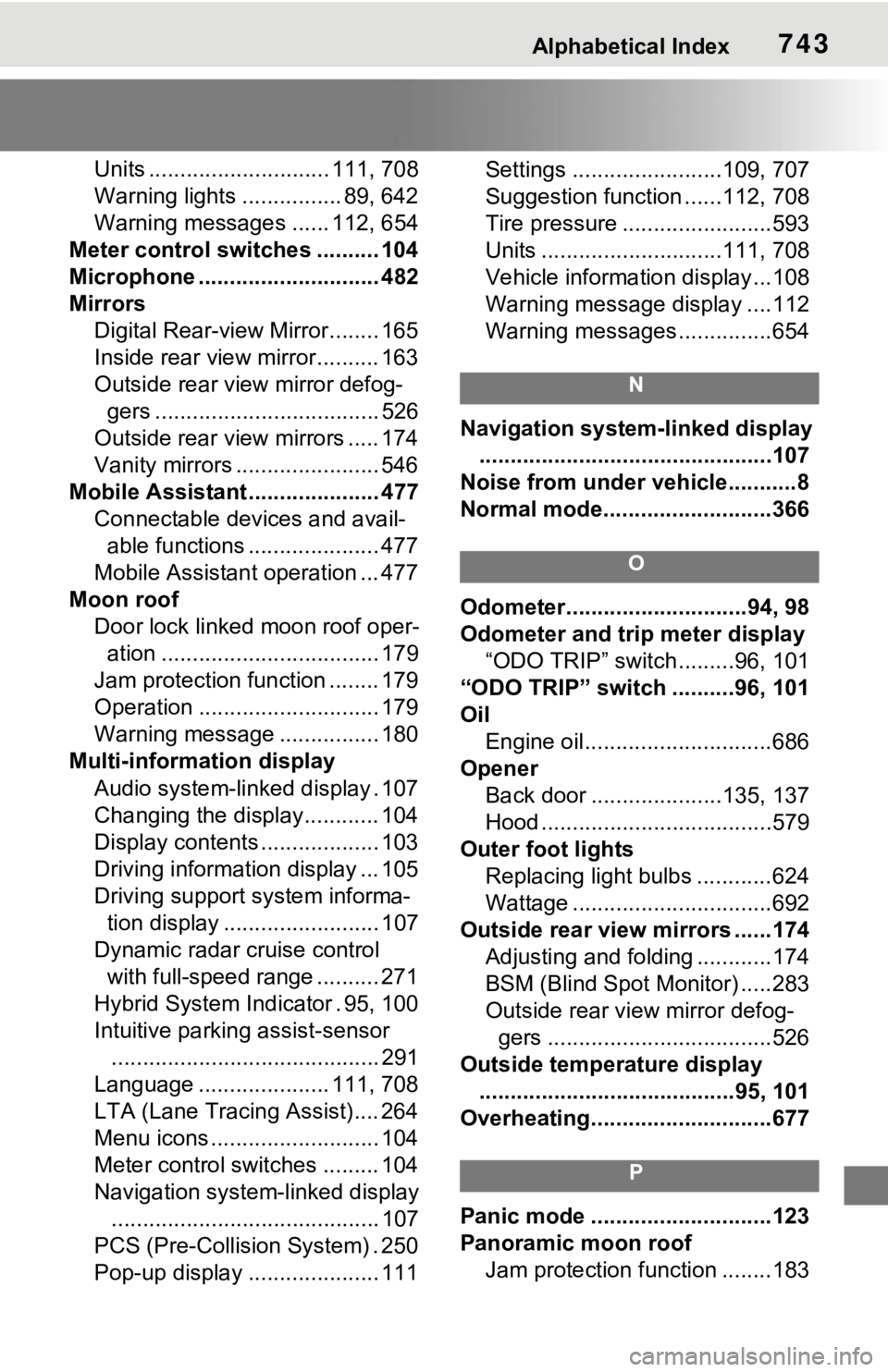
Alphabetical Index743
Units ............................. 111, 708
Warning lights ................ 89, 642
Warning messages ...... 112, 654
Meter control switches .......... 104
Microphone ............................. 482
Mirrors Digital Rear-view Mirror........ 165
Inside rear view mirror.......... 163
Outside rear view mirror defog-gers .................................... 526
Outside rear view mirrors ..... 174
Vanity mirrors ....................... 546
Mobile Assistant .. ................... 477
Connectable devices and avail- able functions ..................... 477
Mobile Assistant operation ... 477
Moon roof Door lock linked moon roof oper-ation ................................... 179
Jam protection function ........ 179
Operation ............................. 179
Warning message ................ 180
Multi-information display
Audio system-linked display . 107
Changing the display............ 104
Display contents ................... 103
Driving information display ... 105
Driving support system informa-tion display ......................... 107
Dynamic radar cruise control with full-speed range .......... 271
Hybrid System In dicator . 95, 100
Intuitive parking assist-sensor ........................................... 291
Language ..................... 111, 708
LTA (Lane Tracing Assist).... 264
Menu icons ........................... 104
Meter control switches ......... 104
Navigation system-linked display ........................................... 107
PCS (Pre-Collision System) . 250
Pop-up display ..................... 111 Settings ........................109, 707
Suggestion function ......112, 708
Tire pressure ......
..................593
Units .............................111, 708
Vehicle information display...108
Warning message display ....112
Warning messages ...............654
N
Navigation system-linked display
...............................................107
Noise from under ve hicle...........8
Normal mode...........................366
O
Odometer.............................94, 98
Odometer and trip meter display “ODO TRIP” switch .........96, 101
“ODO TRIP” switch ..........96, 101
Oil Engine oil..............................686
Opener Back door .....................135, 137
Hood .....................................579
Outer foot lights Replacing light bulbs ............624
Wattage ................................692
Outside rear view mirrors ......174 Adjusting and folding ............174
BSM (Blind Spot M onitor) .....283
Outside rear view mirror defog- gers ....................................526
Outside temperature display .........................................95, 101
Overheating.............................677
P
Panic mode .............................123
Panoramic moon roof Jam protection function ........183