tire type TOYOTA RAV4 HYBRID 2021 Owners Manual
[x] Cancel search | Manufacturer: TOYOTA, Model Year: 2021, Model line: RAV4 HYBRID, Model: TOYOTA RAV4 HYBRID 2021Pages: 752, PDF Size: 31.25 MB
Page 5 of 752

5TABLE OF CONTENTS
1
2
3
4
5
6
7
8
9
10
5-16.What to do if... (Bluetooth
®)
Troubleshooting ............ 505
5-17.Connected Services over- view
Connected Services ...... 509
Type A: Function achieved by using a smartphone or DCM.................................... 510
Type B: Function achieved by using DCM and the system
.................................... 512
Type C: Function achieved by using DCM.............. 513
Type D: Function achieved by using DCM and a smart-
phone .......................... 516
5-18.Connected Services opera- tion
Toyota Apps .................. 518
5-19.Setup Toyota Apps settings .... 522
6-1. Using the air conditioning
system and defogger
Automatic air conditioning system ......................... 524
Heated steering wheel/seat heaters/seat ventilators 531
6-2. Using the interior lights Interior lights list ............ 534
6-3. Using the storage features List of storage features . 537
Luggage compartment fea- tures ............................ 5416-4. Using the other interior fea-
tures
Other interior features ... 546
Garage door opener ...... 557
7-1. Maintenance and care Cleaning and protecting the vehicle exterior ............ 566
Cleaning and protecting the vehicle interior ............. 569
7-2. Maintenance Maintenance requirements.................................... 572
General maintenance .... 573
Emission inspection and maintenance (I/M) programs
.................................... 576
7-3. Do-it-yourself maintenance Do-it-yourself service precau-tions ............................. 577
Hood .............................. 579
Positioning a floor jack .. 580
Engine compartment ..... 582
12-volt battery................ 588
Tires .............................. 590
Tire inflation pressure .... 605
Wheels .......................... 607
Air conditioning filter ...... 609
Cleaning the hybrid battery (traction battery) air intake
vent and filter ............... 611
Wiper insert replacement .................................... 615
Wireless remote control/elec- tronic key battery ......... 618
6Interior features
7Maintenance and care
Page 17 of 752
17Pictorial index
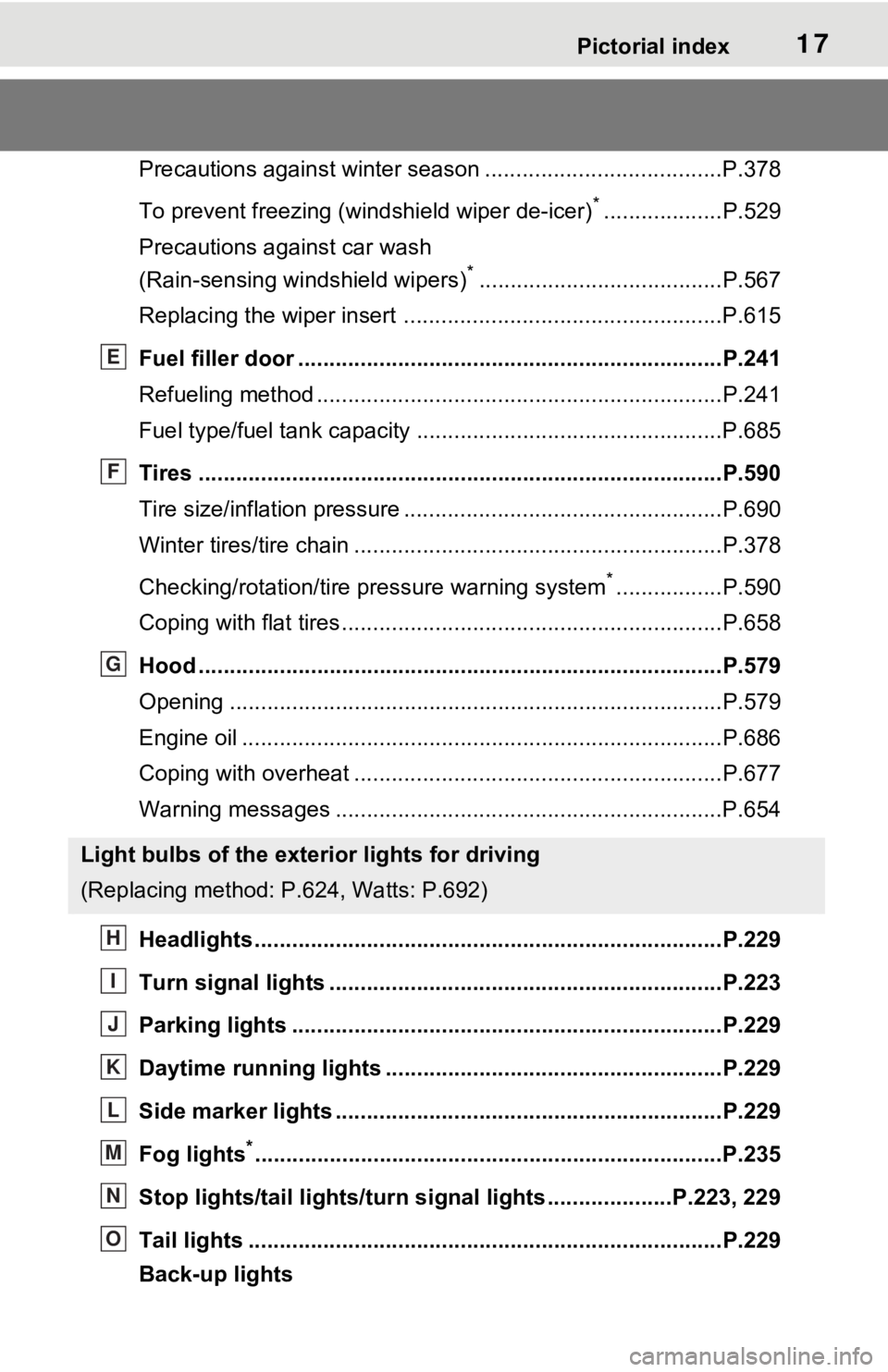
Precautions against winter season ......................................P.378
To prevent freezing (windshield wiper de-icer)
*...................P.529
Precautions against car wash
(Rain-sensing windshield wipers)
*.......................................P.567
Replacing the wiper insert .................................... ...............P.615
Fuel filler door ............................................... .....................P.241
Refueling method ............................................... ..................P.241
Fuel type/fuel tan k capacity .................................................P.685
Tires ....................................................................................P.590
Tire size/inflation pressure ................................... ................P.690
Winter tires/tire chain ........................................ ...................P.378
Checking/rotation/tire pressure warning system
*.................P.590
Coping with flat tires......................................... ....................P.658
Hood ....................................................................................P.579
Opening ........................................................ .......................P.579
Engine oil ..................................................... ........................P.686
Coping with overheat ........................................... ................P.677
Warning messages ..............................................................P.654
Headlights..................................................... ......................P.229
Turn signal lights ...............................................................P.223
Parking lights .....................................................................P.229
Daytime running lights .. ....................................................P.229
Side marker lights ............................................. .................P.229
Fog lights
*............................................................... ............P.235
Stop lights/tail lights/turn s ignal lights ....................P.223, 229
Tail lights .................................................... ........................P.229
Back-up lights
Light bulbs of the exterior lights for driving
(Replacing method: P .624, Watts: P.692)
E
F
G
H
I
J
K
L
M
N
O
Page 108 of 752
1082-1. Instrument cluster
■Drive information
2 items that are selected using
the “Drive Info Items” setting
(average speed, distance and
total time) can be displayed ver-
tically.
The displayed information
changes according to the “Drive
Info Type” setting (since the sys-
tem was started or between
resets). ( P.109)
Use the displayed information as a
reference only.
Following items will be displayed.
“Trip”
• “Average Speed”: Displays the
average vehicl e speed since
hybrid system start
*
• “Distance”: Displ ays the distance
driven since hybrid system start
*
• “Total Time”: Displays the elapsed time since hybrid system
start
*
*
: These items are reset each time the hybrid system stops.
“Total”
• “Average Speed”: Displays the
average vehicle speed since the
display was reset
*
• “Distance”: Displ ays the distance
driven since the display was
reset
*
• “Total Time”: Displays the elapsed time since the display was reset
*
*
: To reset, display the desired item and press and hold .
■Energy monitor
P.113
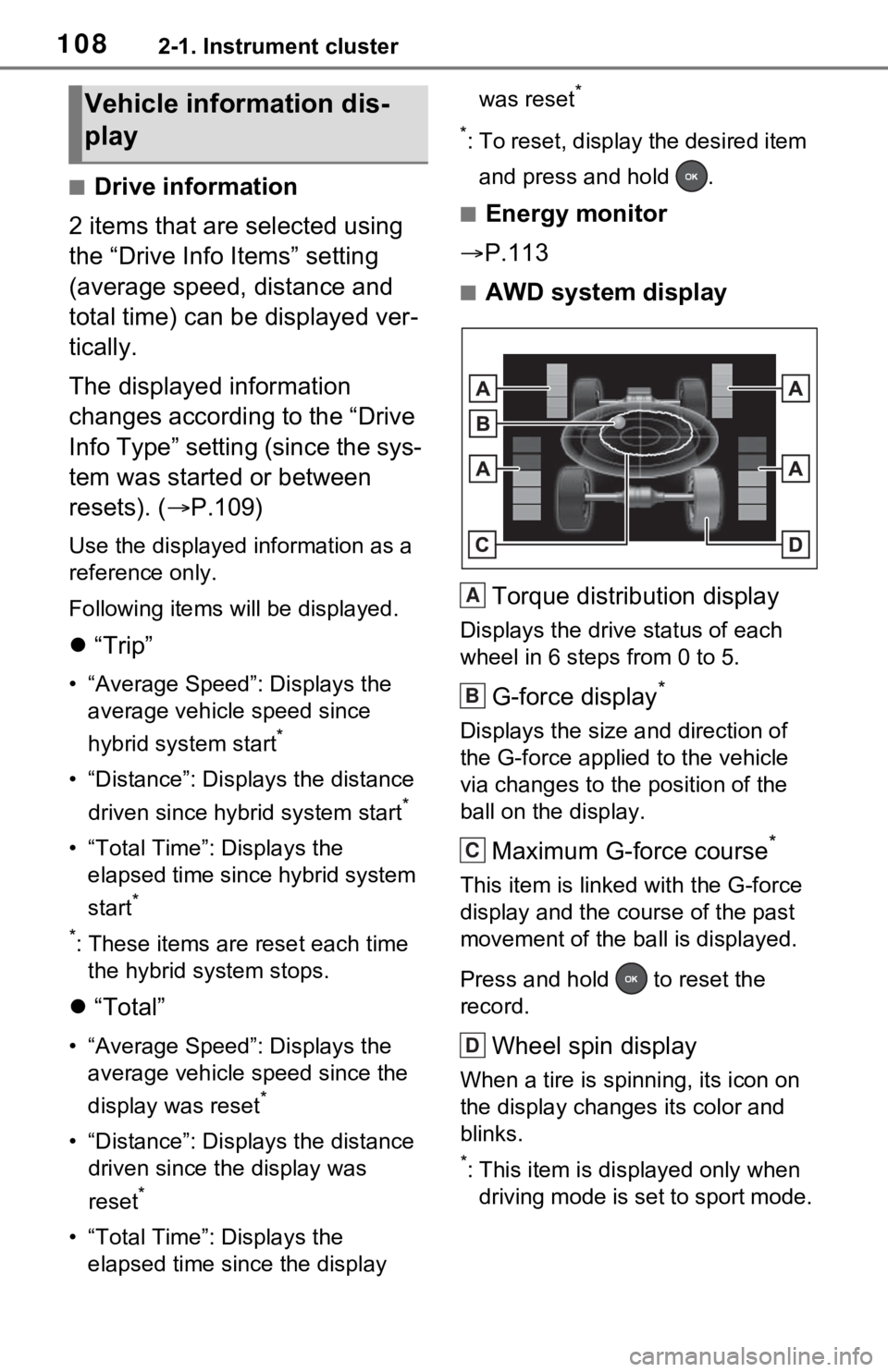
■AWD system display
Torque distribution display
Displays the drive status of each
wheel in 6 steps from 0 to 5.
G-force display*
Displays the size a nd direction of
the G-force applied to the vehicle
via changes to the position of the
ball on the display.
Maximum G-force course*
This item is linke d with the G-force
display and the co urse of the past
movement of the ba ll is displayed.
Press and hold to reset the
record.
Wheel spin display
When a tire is spi nning, its icon on
the display changes its color and
blinks.
*: This item is displayed only when driving mode is set to sport mode.
Vehicle information dis-
play
A
B
C
D
Page 111 of 752

1112-1. Instrument cluster
2
Vehicle status information and indicators
Select to initialize the tire pressure
warning system.
• “Change Wheel” (except for mod-
els made in Japan
* without tire
inflation pressure display func-
tion)
Select to register the ID codes of
the tire pressure s ensors to the tire
pressure warning system.
• “Change Wheel” (for models
made in Japan
* without tire infla-
tion pressure display function)
Select to change the tire pressure
warning system sensor ID code set.
To enable this function, a second
set of tire pressure warning system
sensor ID codes must be registered
by a Toyota dealer. For information
regarding changing the registered
ID code set, contact your Toyota
dealer.
*: The country of production is writ- ten on the Certification Regula-
tion Label. ( P.684)
“Scheduled Maintenance”
( P.573)
Select to reset the scheduled main-
tenance information (message indi-
cating maintenance is required and
distance until the next mainte-
nance) after all maintenance is per-
formed.
■ Settings
“Language”
Select to change the language on
the multi-inform ation display.
“Units”
Select to change t he units of mea-
sure displayed.
“Meter Type” (7-inch display)
Select to change the speedometer
display.
(EV indicator) ( P.73)
Select to enable/disable the EV
indicator.
(Driving information dis-
play settings)
Select to set up t he following items.
• “Hybrid System”
Select to enable/disable the ECO
Accelerator Guidance (P.105).
• “Fuel Economy”
Select to change the display on
Fuel Economy ( P.105).
(Audio settings) (if
equipped)
Select to enable/disable
screen.
(Vehicle information dis-
play settings)
• “Display Contents”
Select to set up t he following items.
“Energy monitor”:
Select to enable/disable the Energy
monitor ( P.113)
“AWD”:
Select to enable /disable the AWD
system display ( P.108).
• “Drive Info Type”
Select to change the drive informa-
tion type display between trip and
total. ( P.108).
• “Drive Info Items”
Select to set the items on the upper
Page 308 of 752
3084-5. Using the driving support systems
other devices which produce ultra-
sonic waves are near the vehicle
• If a sticker or an electronic compo- nent, such as a backlit license
plate (especially fluorescent type),
fog lights, fender pole or wireless
antenna is insta lled near a sensor
●Changes in the vehicle posture
• If the vehicle is significantly tilted
• If the front of the vehicle is raised
or lowered due to the carried load
• If the orientation of a sensor has
been changed due t o a collision or
other impact
■Situations in which the Parking
Support Brake function (static
objects) may not operate prop-
erly
In some situations, such as the fol-
lowing, this function may not oper-
ate properly.
●Weather
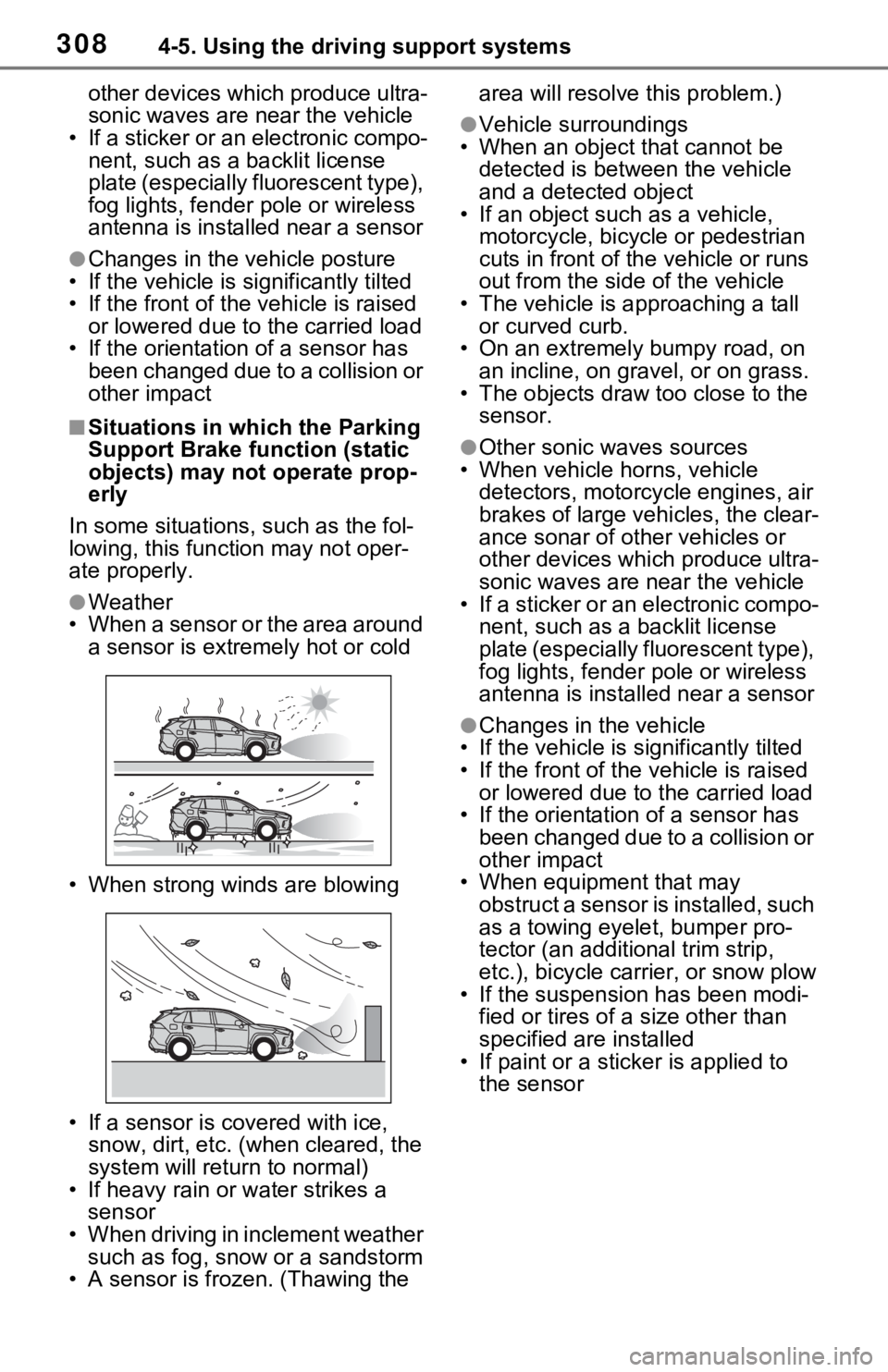
• When a sensor or the area around a sensor is extremely hot or cold
• When strong winds are blowing
• If a sensor is covered with ice, snow, dirt, etc. (when cleared, the
system will return to normal)
• If heavy rain or water strikes a sensor
• When driving in inclement weather
such as fog, snow or a sandstorm
• A sensor is frozen. (Thawing the area will resolve this problem.)
●Vehicle surroundings
• When an object that cannot be
detected is between the vehicle
and a detected object
• If an object such as a vehicle,
motorcycle, bicycle or pedestrian
cuts in front of the vehicle or runs
out from the side of the vehicle
• The vehicle is approaching a tall or curved curb.
• On an extremely bumpy road, on
an incline, on gravel, or on grass.
• The objects draw too close to the sensor.
●Other sonic waves sources
• When vehicle horns, vehicle
detectors, motorcycle engines, air
brakes of large vehicles, the clear-
ance sonar of ot her vehicles or
other devices which produce ultra-
sonic waves are near the vehicle
• If a sticker or an electronic compo- nent, such as a backlit license
plate (especially fluorescent type),
fog lights, fender pole or wireless
antenna is installed near a sensor
●Changes in the vehicle
• If the vehicle is significantly tilted
• If the front of the v ehicle is raised
or lowered due to the carried load
• If the orientation of a sensor has
been changed due to a collision or
other impact
• When equipment that may
obstruct a sensor is installed, such
as a towing eyelet, bumper pro-
tector (an additional trim strip,
etc.), bicycle car rier, or snow plow
• If the suspension has been modi- fied or tires of a size other than
specified are installed
• If paint or a stic ker is applied to
the sensor
Page 312 of 752
3124-5. Using the driving support systems
vehicle, is short
●When there are spinning objects
near your vehicle such as the fan
of an air conditioning unit
●When water is splashed or
sprayed toward the rear bumper,
such as from a sprinkler
■Situations in which the Parking
Support Brake function (rear-
crossing vehicles) may not
operate properly
In some situations, such as the fol-
lowing, the radar sensors may not
detect an object and this function
may not operate properly
●Stationary objects
●When a sensor or the area around
a sensor is extremely hot or cold
●If the rear bumper is covered with
ice, snow, dirt, etc.
●When it is raining heavily or water
strikes the vehicle
●When the detecti on area of a
radar sensor is obstructed by an
adjacent vehicle
●If the vehicle is s ignificantly tilted
●When equipment that may
obstruct a sensor is installed, such
as a towing eyelet, bumper pro-
tector (an additional trim strip,
etc.), bicycle carrier, or snow plow
●If the suspension has been modi-
fied or tires of a size other than
specified are installed
●If the front of the vehicle is raised
or lowered due to the carried load
●If a sticker or an electronic compo-
nent, such as a backlit license
plate (especially fluorescent type), fog lights, fender pole or wireless
antenna is installed near a radar
sensor
●If the orientation of a radar sensor
has been changed
●When multiple vehicles are
approaching with only a small gap
between each vehicle
●If a vehicle is approaching the rear
of your vehicle rapidly
●Situations in which the radar sen-
sor may not detect a vehicle
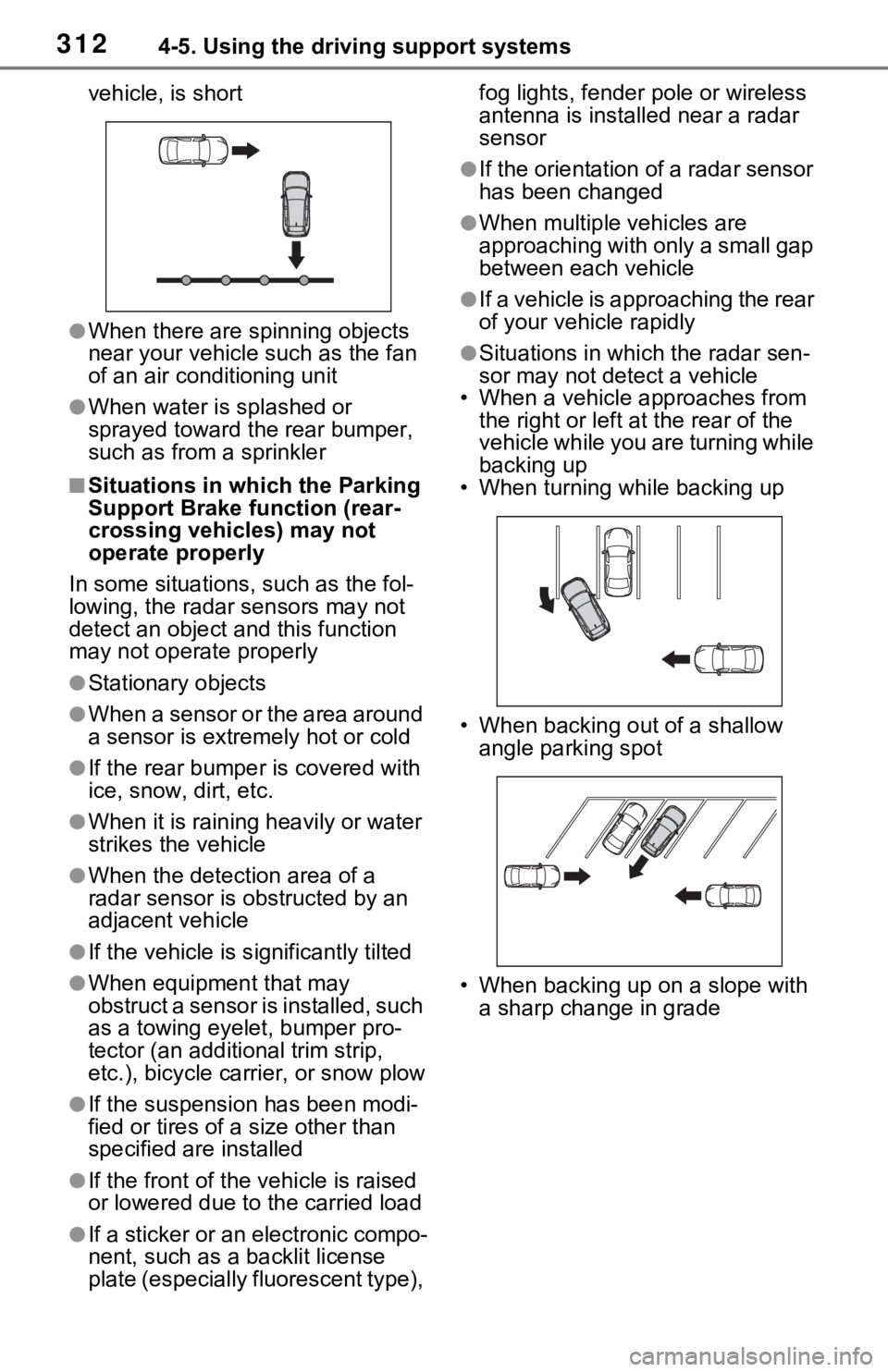
• When a vehicle approaches from
the right or left at the rear of the
vehicle while you are turning while
backing up
• When turning while backing up
• When backing out of a shallow angle parking spot
• When backing up on a slope with a sharp change in grade
Page 378 of 752
3784-6. Driving tips
Use fluids that are appropriate
to the prevailing outside tem-
peratures.
• Engine oil
• Engine coolant
• Power control unit coolant
• Washer fluid
Have a service technician
inspect the condition of the
12-volt battery.
Have the vehicle fitted with
four snow tires or purchase a
set of tire chains for the front
tires.
Ensure that all tires are the same
size and brand, and that chains
match the size of the tires.
Winter driving tips
Carry out the necessary
preparations and inspec-
tions before driving the
vehicle in winter. Always
drive the vehicle in a man-
ner appropriate to the pre-
vailing weather conditions.
Pre-winter preparations
WARNING
■Driving with snow tires
Observe the following precautions
to reduce the risk of accidents.
Failure to do so m ay result in a
loss of vehicle control and cause
death or serious injury.
●Use tires of the specified size.
●Maintain the recommended
level of air pressure.
●Do not drive in excess of 75
mph (120 km/h), regardless of
the type of snow tires being
used.
●Use snow tires on all, not just
some wheels.
■Driving with tire chains
Observe the following precautions
to reduce the risk of accidents.
Failure to do so may result in the
vehicle being unable to be driven
safely, and may cause death or
serious injury.
●Do not drive in excess of the
speed limit specifi ed for the tire
chains being used, or 30 mph
(50 km/h), whichever is lower.
●Avoid driving on bumpy road
surfaces or over potholes.
●Avoid sudden acceleration,
abrupt steering, sudden brak-
ing and shifting operations that
cause sudden engine braking.
●Slow down sufficiently before
entering a curve to ensure that
vehicle control is maintained.
●Do not use LTA (Lane Tracing
Assist) system.
NOTICE
■Repairing or replacing snow
tires (vehicles with tire pres-
sure warning system)
Request repairs or replacement of
snow tires from your Toyota
dealer or legitimate tire retailers.
This is because the removal and
attachment of snow tires affects
the operation of the tire pressure
warning valves and transmitters.
Page 380 of 752
3804-6. Driving tips
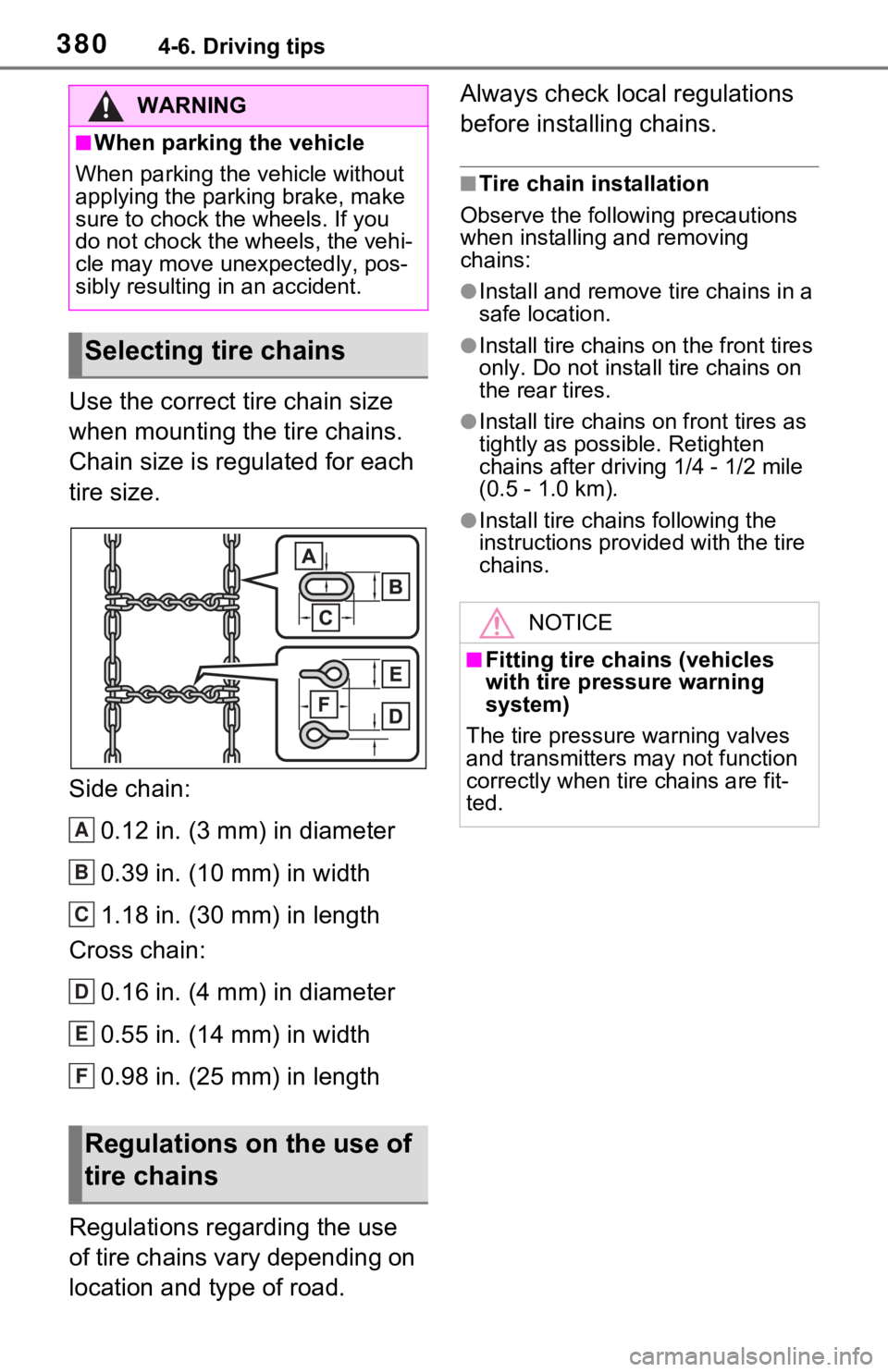
Use the correct tire chain size
when mounting the tire chains.
Chain size is regulated for each
tire size.
Side chain:0.12 in. (3 mm) in diameter
0.39 in. (10 mm) in width
1.18 in. (30 mm) in length
Cross chain:
0.16 in. (4 mm) in diameter
0.55 in. (14 mm) in width
0.98 in. (25 mm) in length
Regulations regarding the use
of tire chains vary depending on
location and type of road. Always check local regulations
before installing chains.
■Tire chain installation
Observe the followi ng precautions
when installing and removing
chains:
●Install and remove tire chains in a
safe location.
●Install tire chains on the front tires
only. Do not install tire chains on
the rear tires.
●Install tire chains on front tires as
tightly as possible. Retighten
chains after drivi ng 1/4 - 1/2 mile
(0.5 - 1.0 km).
●Install tire chains following the
instructions provided with the tire
chains.
WARNING
■When parking the vehicle
When parking the v ehicle without
applying the parking brake, make
sure to chock the wheels. If you
do not chock the wheels, the vehi-
cle may move une xpectedly, pos-
sibly resulting in an accident.
Selecting tire chains
Regulations on the use of
tire chains
A
B
C
D
E
F
NOTICE
■Fitting tire chains (vehicles
with tire pressure warning
system)
The tire pressure warning valves
and transmitters may not function
correctly when tire chains are fit-
ted.
Page 591 of 752
5917-3. Do-it-yourself maintenance
7
Maintenance and care
etc., molded into the sidewall of
each tire.
Replace the tires if the treadwear
indicators are showing on a tire.
■When to replace your vehicle’s
tires
Tires should be replaced if:
●The treadwear indicators are
showing on a tire.
●You have tire damage such as
cuts, splits, cracks deep enough
to expose the fabric, and bulges
indicating internal damage.
●A tire goes flat repeatedly or can-
not be properly repaired due to
the size or location of a cut or
other damage.
If you are not sure, consult with your
Toyota dealer.
■Tire life
Any tire over 6 years old must be
checked by a qualified technician
even if it has seldom or never been
used or damage i s not obvious.
■Maximum load of tire
Check that the number given by
dividing the maximum load by 1.10
of the replacement tire is greater
than 1/2 of the Gross Axle Weight
Ratings (GAWR) of e ither the front
axle or the rear a xle, whichever is
greater.
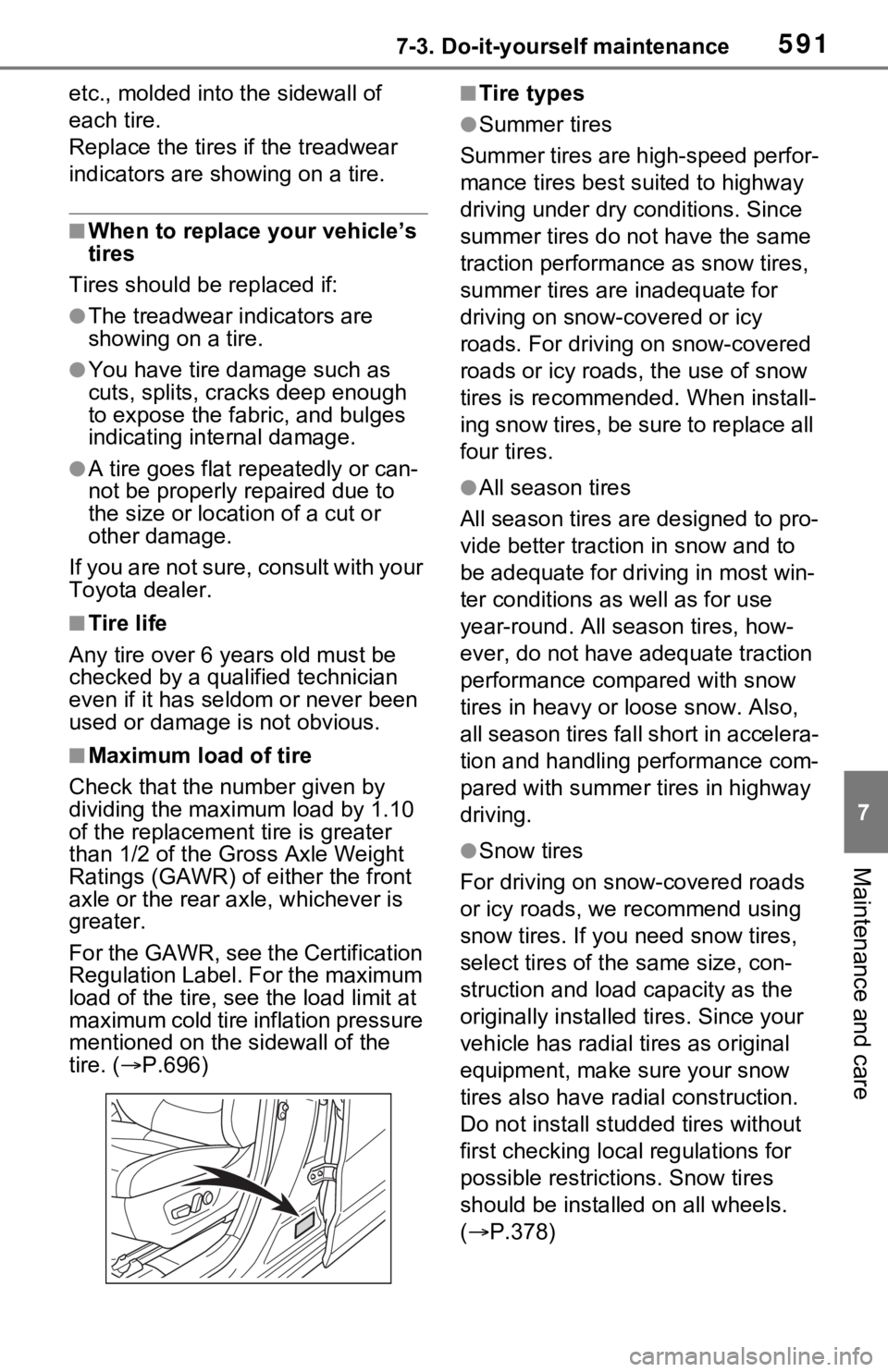
For the GAWR, see the Certification
Regulation Label. For the maximum
load of the tire, see the load limit at
maximum cold tire inflation pressure
mentioned on the sidewall of the
tire. ( P.696)
■Tire types
●Summer tires
Summer tires are high-speed perfor-
mance tires best suited to highway
driving under dry conditions. Since
summer tires do not have the same
traction performance as snow tires,
summer tires are inadequate for
driving on snow-covered or icy
roads. For driving on snow-covered
roads or icy roads, the use of snow
tires is recommended. When install-
ing snow tires, be sure to replace all
four tires.
●All season tires
All season tires are designed to pro-
vide better traction in snow and to
be adequate for driving in most win-
ter conditions as well as for use
year-round. All season tires, how-
ever, do not have adequate traction
performance compared with snow
tires in heavy or loose snow. Also,
all season tires fall short in accelera-
tion and handling performance com-
pared with summer tires in highway
driving.
●Snow tires
For driving on snow-covered roads
or icy roads, we recommend using
snow tires. If you need snow tires,
select tires of the same size, con-
struction and load capacity as the
originally installed tires. Since your
vehicle has radial tires as original
equipment, make sure your snow
tires also have radi al construction.
Do not install studded tires without
first checking local regulations for
possible restrictions. Snow tires
should be installed on all wheels.
( P.378)
Page 607 of 752
6077-3. Do-it-yourself maintenance
7
Maintenance and care
When replacing wheels, care
should be taken to ensure that
they are equivalent to those
removed in load capacity, diam-
eter, rim width and inset
*.
Replacement wheels are avail-
able at your Toyota dealer.
*: Conventionally referred to as off- set.
Toyota does not recommend
using the following:
Wheels of different sizes or
types
Used wheels
Bent wheels that have been
straightened
■When replacing wheels (vehi-
cles with tire p ressure warning
system)
The wheels of your vehicle are
equipped with tire pressure warning
valves and transmitters that allow
the tire pressure warning system to
provide advance warning in the
event of a loss in tire inflation pres-
sure. Whenever wheels are
replaced, tire pressure warning
valves and transmitters must be
installed. ( P.593, 608)
WARNING
■Proper inflation is critical to
save tire performance
Keep your tires properly inflated.
If the tires are not properly
inflated, the following conditions
may occur which could lead to an
accident resulting in death or seri-
ous injury:
●Excessive wear
●Uneven wear
●Poor handling
●Possibility of blowouts resulting
from overheated tires
●Air leaking from between tire
and wheel
●Wheel deformation and/or tire
damage
●Greater possibilit y of tire dam-
age while driving (due to road
hazards, expansion joints,
sharp edges in the road, etc.)
NOTICE
■When inspecting and adjust-
ing tire inflation pressure
Be sure to put the tire valve caps
back on.
If a valve cap is not installed, dirt
or moisture may get into the valve
and cause an air leak, resulting in
decreased tire inflation pressure.
Wheels
If a wheel is bent, cracked or
heavily corroded, it should
be replaced. Otherwise, the
tire may separate from the
wheel or cause a loss of
handling control.
Wheel selection