ignition TOYOTA RAV4 HYBRID 2022 Owners Manual
[x] Cancel search | Manufacturer: TOYOTA, Model Year: 2022, Model line: RAV4 HYBRID, Model: TOYOTA RAV4 HYBRID 2022Pages: 752, PDF Size: 23.11 MB
Page 3 of 752
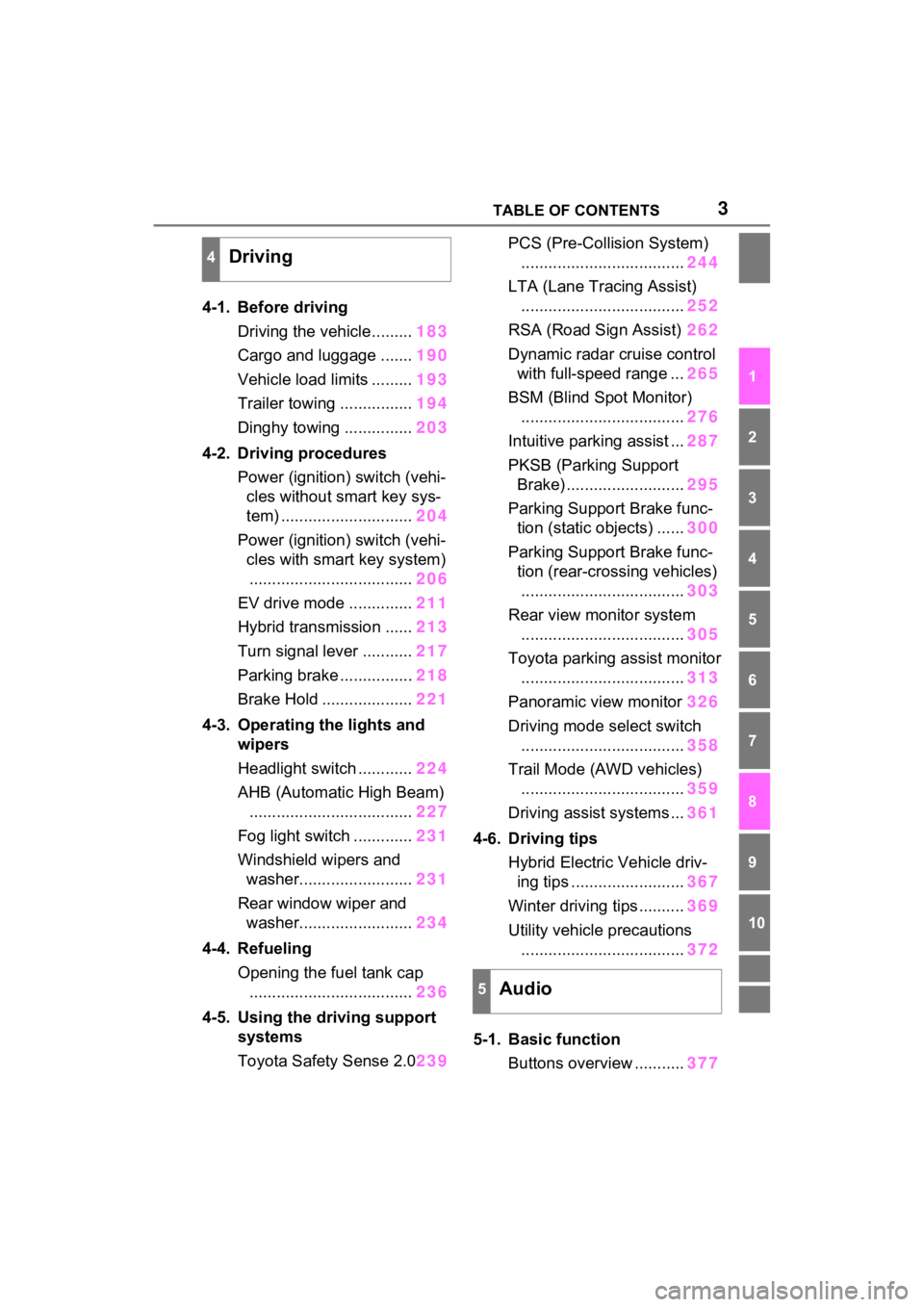
3TABLE OF CONTENTS
1
2
3
4
5
6
7
8
9
10
4-1. Before drivingDriving the vehicle......... 183
Cargo and luggage ....... 190
Vehicle load limits ......... 193
Trailer towing ................ 194
Dinghy towing ............... 203
4-2. Driving procedures Power (ignition) switch (vehi-cles without smart key sys-
tem) ............................. 204
Power (ignition) switch (vehi- cles with smart key system).................................... 206
EV drive mode .............. 211
Hybrid transmission ...... 213
Turn signal lever ........... 217
Parking brake ................ 218
Brake Hold .................... 221
4-3. Operating the lights and wipers
Headlight switch ............ 224
AHB (Automatic High Beam) .................................... 227
Fog light switch ............. 231
Windshield wipers and washer......................... 231
Rear window wiper and washer......................... 234
4-4. Refueling Opening the fuel tank cap.................................... 236
4-5. Using the driving support
systems
Toyota Safety Sense 2.0 239PCS (Pre-Collision System)
.................................... 244
LTA (Lane Tracing Assist) .................................... 252
RSA (Road Sign Assist) 262
Dynamic radar cruise control with full-speed range ... 265
BSM (Blind Spot Monitor) .................................... 276
Intuitive parking assist ... 287
PKSB (Parking Support Brake) .......................... 295
Parking Support Brake func- tion (static objects) ...... 300
Parking Support Brake func- tion (rear-crossing vehicles).................................... 303
Rear view monitor system .................................... 305
Toyota parking assist monitor .................................... 313
Panoramic view monitor 326
Driving mode s elect switch
.................................... 358
Trail Mode (AWD vehicles) .................................... 359
Driving assist systems ... 361
4-6. Driving tips Hybrid Electric Vehicle driv-ing tips ......................... 367
Winter d
riving tips .......... 369
Utility vehicle precautions .................................... 372
5-1. Basic function Buttons overview ........... 377
4Driving
5Audio
Page 181 of 752
181
4
4
Driving
Driving
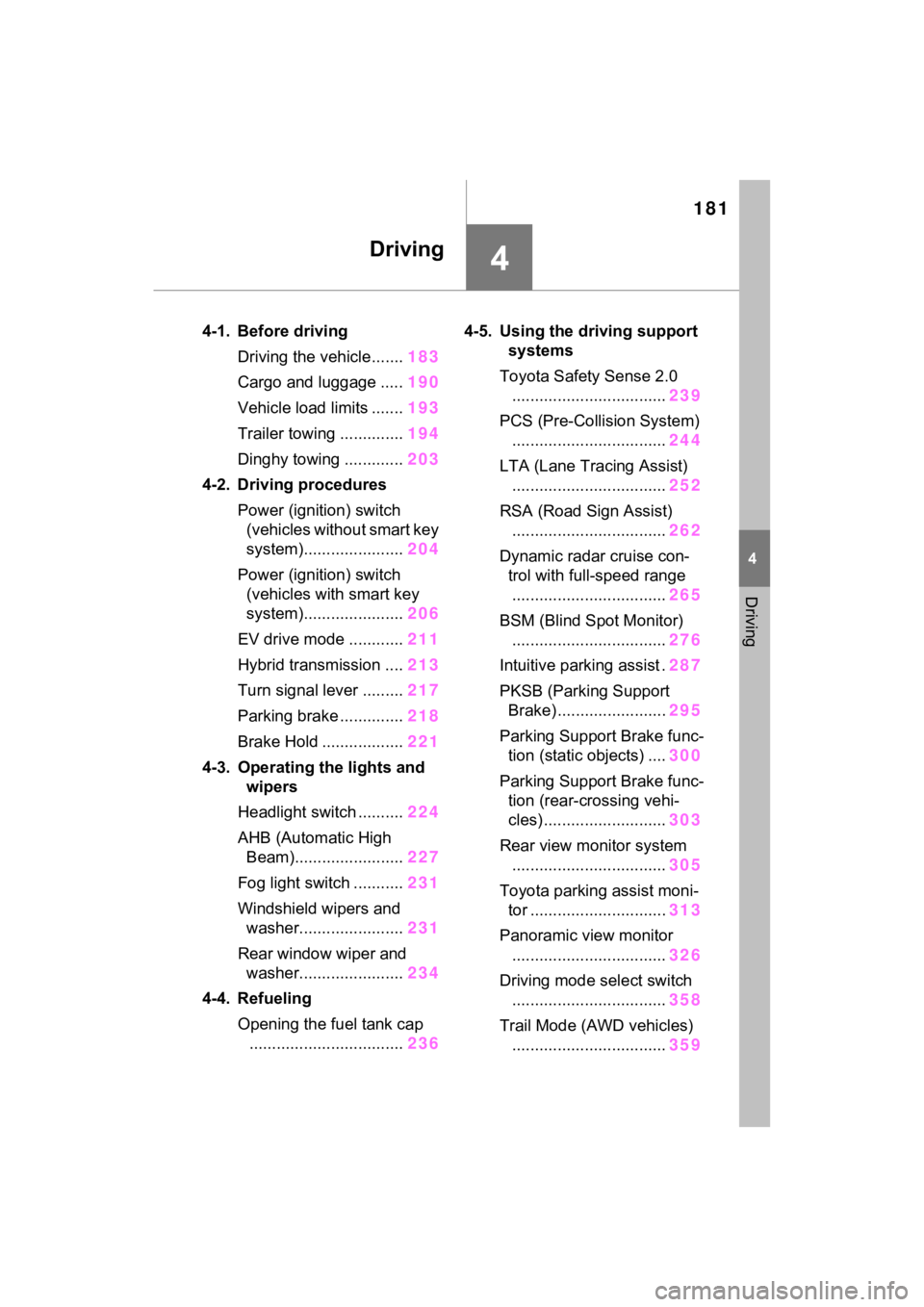
4-1. Before drivingDriving the vehicle....... 183
Cargo and luggage ..... 190
Vehicle load limits ....... 193
Trailer towing .............. 194
Dinghy towing ............. 203
4-2. Driving procedures Power (ignition) switch (vehicles without smart key
system)...................... 204
Power (ignition) switch (vehicles with smart key
system)...................... 206
EV drive mode ............ 211
Hybrid transmission .... 213
Turn signal lever ......... 217
Parking brake .............. 218
Brake Hold .................. 221
4-3. Operating the lights and wipers
Headlight switch .......... 224
AHB (Automatic High Beam)........................ 227
Fog light switch ........... 231
Windshield wipers and washer....................... 231
Rear window wiper and washer....................... 234
4-4. Refueling Opening the fuel tank cap.................................. 2364-5. Using the dr
iving support
systems
Toyota Safety Sense 2.0 .................................. 239
PCS (Pre-Collision System) .................................. 244
LTA (Lane Tracing Assist) .................................. 252
RSA (Road Sign Assist) .................................. 262
Dynamic radar cruise con- trol with full-speed range
.................................. 265
BSM (Blind Spot Monitor) .................................. 276
Intuitive parking assist . 287
PKSB (Parking Support Brake) ........................ 295
Parking Support Brake func- tion (static objects) .... 300
Parking Support Brake func- tion (rear-crossing vehi-
cles) ........................... 303
Rear view monitor system .................................. 305
Toyota parking assist moni- tor .............................. 313
Panoramic view monitor .................................. 326
Driving mode select switch .................................. 358
Trail Mode (AWD vehicles) .................................. 359
Page 204 of 752
2044-2. Driving procedures
4-2.Driving procedures
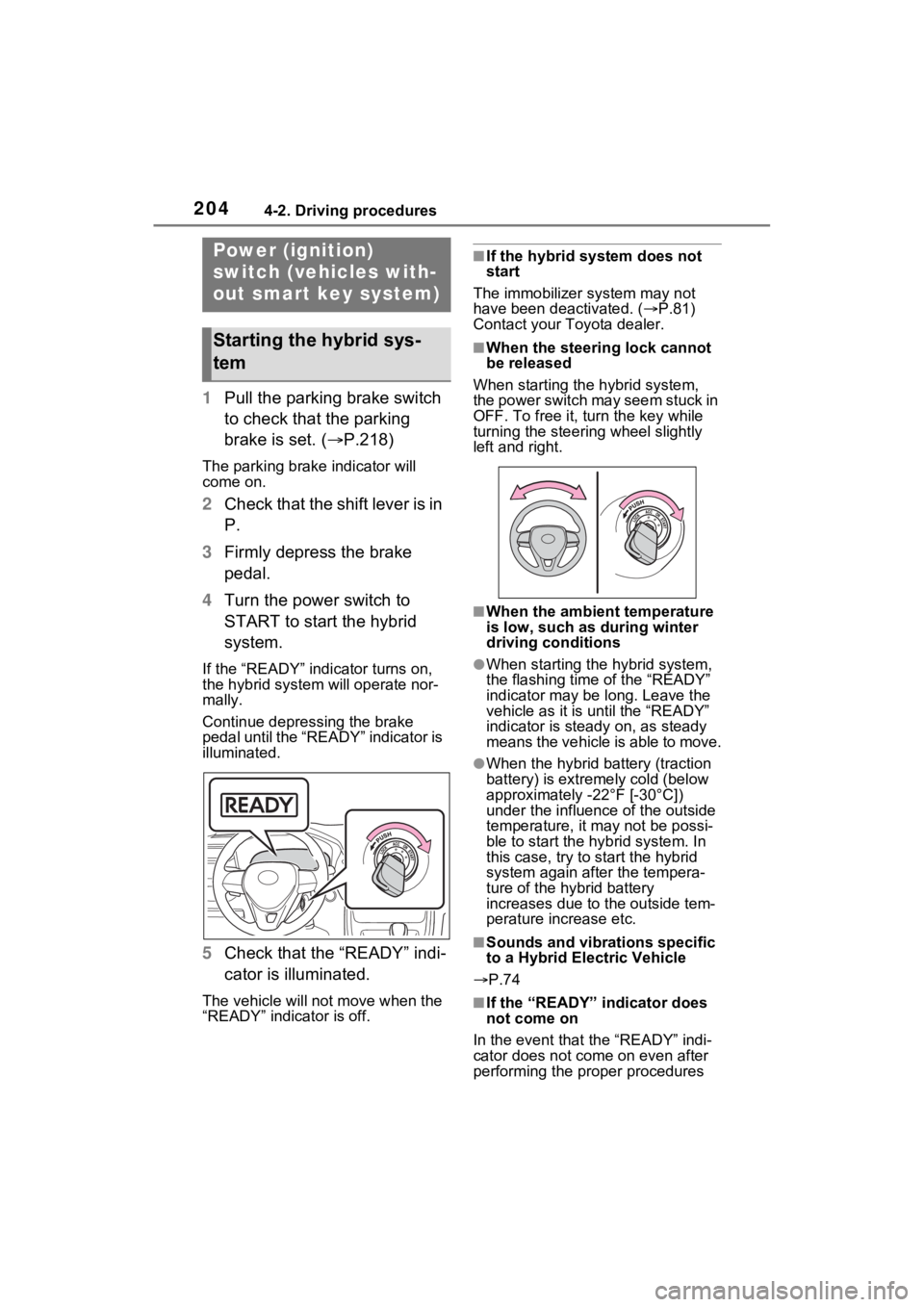
1Pull the parking brake switch
to check that the parking
brake is set. ( P.218)
The parking brake indicator will
come on.
2Check that the shift lever is in
P.
3 Firmly depress the brake
pedal.
4 Turn the power switch to
START to start the hybrid
system.
If the “READY” indicator turns on,
the hybrid system will operate nor-
mally.
Continue depressing the brake
pedal until the “READY” indicator is
illuminated.
5Check that the “READY” indi-
cator is illuminated.
The vehicle will not move when the
“READY” indicator is off.
■If the hybrid system does not
start
The immobilizer system may not
have been deactivated. ( P.81)
Contact your Toyota dealer.
■When the steering lock cannot
be released
When starting the hybrid system,
the power switch may seem stuck in
OFF. To free it, turn the key while
turning the steering wheel slightly
left and right.
■When the ambient temperature
is low, such as during winter
driving conditions
●When starting th e hybrid system,
the flashing time of the “READY”
indicator may be long. Leave the
vehicle as it is until the “READY”
indicator is steady on, as steady
means the vehicle is able to move.
●When the hybrid battery (traction
battery) is extremely cold (below
approximately -22°F [-30°C])
under the influenc e of the outside
temperature, it ma y not be possi-
ble to start the hybrid system. In
this case, try to start the hybrid
system again after the tempera-
ture of the hybrid battery
increases due to the outside tem-
perature increase etc.
■Sounds and vibrations specific
to a Hybrid El ectric Vehicle
P.74
■If the “READY” indicator does
not come on
In the event that the “READY” indi-
cator does not come on even after
performing the proper procedures
Power (ignition)
switch (vehicles with-
out smart key system)
Starting the hybrid sys-
tem
Page 206 of 752
2064-2. Driving procedures
1Pull the parking brake switch
to check that the parking
brake is set. ( P.218)
The parking brak e indicator will
come on.
2 Check that the shift lever is
set in P.
3 Firmly depress the brake
pedal.
and a message will be dis-
played on the multi-information dis-
play.
If it is not display ed, the hybrid sys-
tem cannot be started.
4 Press the power switch
shortly and firmly.
When operating the power switch,
one short, firm press is enough. It is
not necessary to press and hold the
switch.
If the “READY” indicator turns on,
the hybrid system will operate nor-
mally.
Continue depressing the brake
pedal until the “READY” indicator is
illuminated.
The hybrid system can be started
NOTICE
■To prevent 12-volt battery dis-
charge
Do not leave the power switch in
ACC or ON for long periods of
time without the hybrid system on.
Power (ignition)
switch (vehicles with
smart key system)
Performing the following
operations when carrying
the electronic key on your
person starts the hybrid
system or changes power
switch modes.
Starting the hybrid sys-
tem
Page 208 of 752
2084-2. Driving procedures
■Operation of the power switch
●If the switch is not pressed shortly
and firmly, the power switch mode
may not change or the hybrid sys-
tem may not start.
●If attempting to restart the hybrid
system immediately after turning
the power switch to OFF, the
hybrid system may not start in
some cases. After turning the
power switch to OFF, please wait
a few seconds before restarting
the hybrid system.
■Customization
If the smart key system has been
deactivated in a customized setting,
refer to P.653.
1 Stop the vehicle completely.
2 If the parking brake is in man-
ual mode, set the parking
brake. ( P.218)
Check the parking brake indicator
is illuminated.
3 Shift the shift lever to P.
4 Press the power switch
shortly and firmly.
The hybrid system will stop, and the
meter display will be extinguished.
5Release the brake pedal and
check that “ACCESSORY” or
“IGNITION ON” is not shown
on the multi-information dis-
play.
■Automatic hybrid system shut
off feature
●The vehicle is equipped with a
feature that automatically shuts off
the hybrid system when the shift
lever is in P with the hybrid system
operating for an extended period.
●The hybrid system will automati-
cally shut off after approximately 1
hour if it has been left running
while the shift lever is in P.
●The timer for the automatic hybrid
system shut off feature will reset if
the brake pedal is depressed or if
the shift lever is in a position other
than P.
●After the vehicle is parked, if the
door is locked with the door lock
switch ( P.127) from the inside
or the mechanical key ( P.652)
from the outside , the automatic
hybrid syste m shut off feature will
be disabled. The timer for the
automatic hybrid system shut off
WARNING
■When starting the hybrid sys-
tem
Always start the hybrid system
while sitting in the driver’s seat.
Do not depress the accelerator
pedal while starting the hybrid
system under any circumstances.
Doing so may cause an accident
resulting in dea th or serious
injury.
NOTICE
■When starting the hybrid sys-
tem
If the hybrid system becomes diffi-
cult to start, have your vehicle
checked by your Toyota dealer
immediately.
■Symptoms indicating a mal-
function with the power
switch
If the power switch seems to be
operating somewhat differently
than usual, such as the switch
sticking slightly, there may be a
malfunction. Contact your Toyota
dealer immediately.
Stopping the hybrid sys-
tem
Page 210 of 752
2104-2. Driving procedures
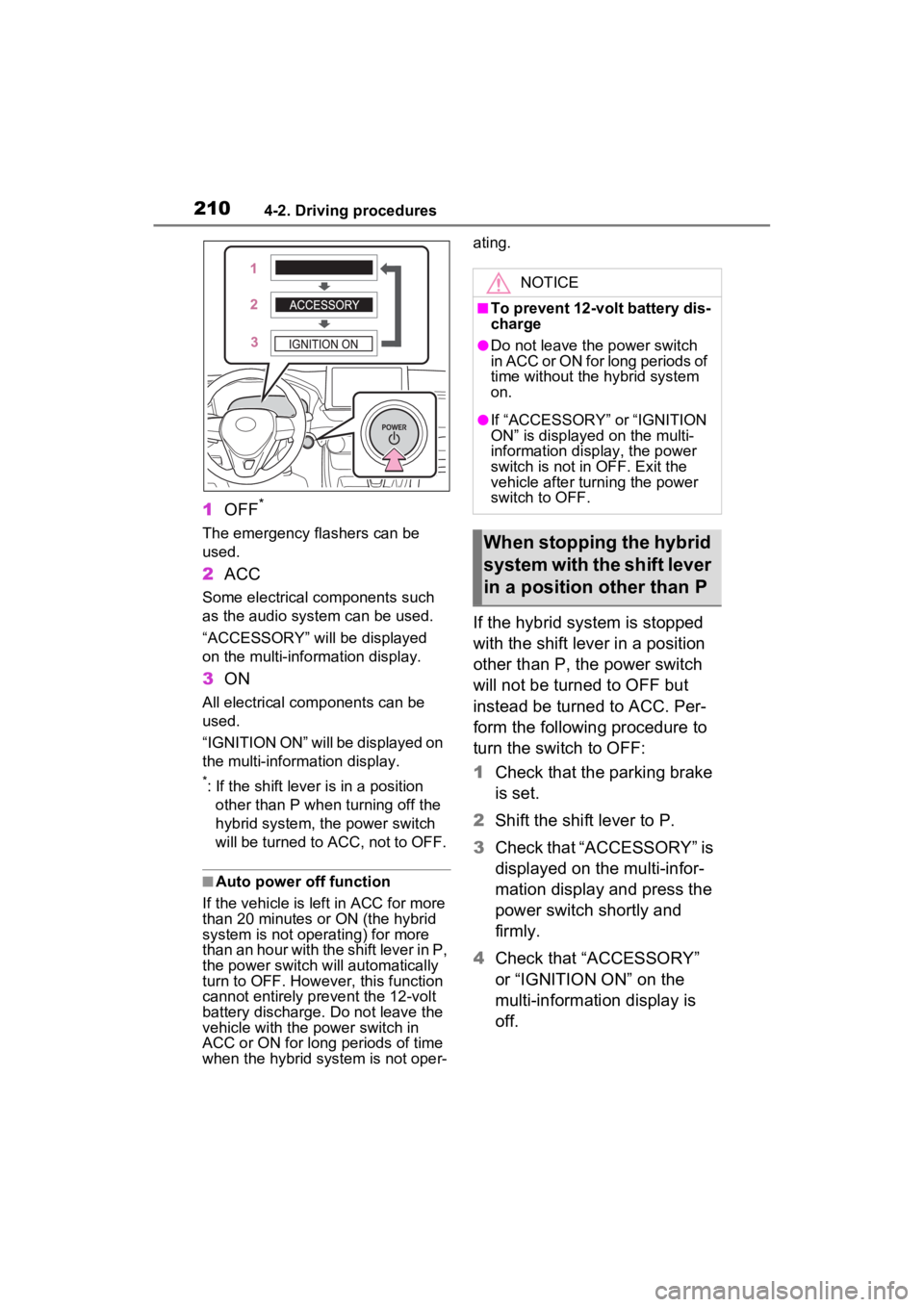
1OFF*
The emergency flashers can be
used.
2ACC
Some electrical components such
as the audio system can be used.
“ACCESSORY” will be displayed
on the multi-info rmation display.
3ON
All electrical com ponents can be
used.
“IGNITION ON” will be displayed on
the multi-inform ation display.
*: If the shift lever is in a position
other than P when turning off the
hybrid system, the power switch
will be turned to ACC, not to OFF.
■Auto power off function
If the vehicle is left in ACC for more
than 20 minutes or ON (the hybrid
system is not operating) for more
than an hour with the shift lever in P,
the power switch will automatically
turn to OFF. Howev er, this function
cannot entirely prevent the 12-volt
battery discharge. Do not leave the
vehicle with the power switch in
ACC or ON for long periods of time
when the hybrid system is not oper- ating.
If the hybrid system is stopped
with the shift lever in a position
other than P, the power switch
will not be turned to OFF but
instead be turned to ACC. Per-
form the following procedure to
turn the switch to OFF:
1
Check that the parking brake
is set.
2 Shift the shift lever to P.
3 Check that “ACCESSORY” is
displayed on the multi-infor-
mation display and press the
power switch shortly and
firmly.
4 Check that “ACCESSORY”
or “IGNITION ON” on the
multi-information display is
off.
NOTICE
■To prevent 12-volt battery dis-
charge
●Do not leave the power switch
in ACC or ON for long periods of
time without the hybrid system
on.
●If “ACCESSORY” or “IGNITION
ON” is displayed on the multi-
information display, the power
switch is not in OFF. Exit the
vehicle after turning the power
switch to OFF.
When stopping the hybrid
system with the shift lever
in a position other than P
Page 566 of 752
5667-3. Do-it-yourself maintenance
Hybrid bat-
tery (traction
battery) air
intake vent
( P.593)• Vacuum cleaner,
etc,
• Phillips screw- driver
Light bulbs
( P.607)
• Bulb with same
number and watt-
age rating as origi-
nal
• Phillips-head screwdriver
• Flathead screw- driver
• Wrench
Headlight aim
( P.606)• Phillips-head
screwdriver
Radiator and
condenser
( P.573)
Tire inflation
pressure
( P.587)• Tire pressure
gauge
• Compressed air source
Washer fluid
( P.575)
• Water or washer
fluid containing
antifreeze (for win-
ter use)
• Funnel (used only for adding water or
washer fluid)
WARNING
The engine compartment contains
many mechanisms and fluids that
may move suddenly, become hot,
or become electrically energized.
To avoid death or serious injury,
observe the following precautions.
ItemsParts and tools■When working on the engine
compartment
●Make sure that “IGNITION ON”
on the multi-information display
and the “READY” indicator are
both off.
●Keep hands, clothing and tools
away from the moving fan.
●Be careful not to touch the
engine, power control unit, radi-
ator, exhaust manifold, etc. right
after driving as they may be hot.
Oil and other fluids may also be
hot.
●Do not leave anything that may
burn easily, such as paper and
rags, in the engine compart-
ment.
●Do not smoke, cause sparks or
expose an open flame to fuel.
Fuel fumes are flammable.
■When working near the elec-
tric cooling fan or radiator
grille
Be sure the power switch is OFF.
With the power switch in ON, the
electric cooling fa n may automati-
cally start to run if the air condi-
tioning is on and/or the coolant
temperature is high. ( P.573)
■Safety glasses
Wear safety gla sses to prevent
flying or falling material, fluid
spray, etc., from getting in your
eyes.
NOTICE
■If you remove the air cleaner
filter
Driving with the air cleaner filter
removed may cause excessive
engine wear due to dirt in the air.
Page 670 of 752
6709-1. Specifications
*: The coolant capacity is the quantity of reference.
If replacement is necessary, contact y our Toyota dealer.
Cooling system
Capacity*Gasoline engine6.4 qt. (6.1 L, 5.4 Imp. qt.)
Power control unit1.7 qt. (1.6 L, 1.4 Imp. qt.)
Coolant type
Use either of the following:
“Toyota Super Long Life Coolant”
Similar high-quality ethylene gly-
col-based non-silicate, non-amine,
non-nitrite, and non-borate cool-
ant with long-life hybrid organic
acid technology
Do not use plain water alone.
Ignition system (spark plug)
MakeDENSO FC16HR-Q8
Gap0.031 in. (0.8 mm)
NOTICE
■Iridium-tipped spark plugs
Use only iridium-tipped spark plugs. Do not adjust the spark pl ug gap.
Electrical system (12-volt Battery)
Specific voltage reading at
68°F (20°C):
12.0 V or higher
(Turn the power switch to OFF and turn on
the high beam headlights for 30 seconds.)
If the voltage is lower than the standard
value, charge the battery.
Charging ratesQuick charge15 A max.
Slow charge5 A max.
Page 725 of 752

Alphabetical Index725
HooksCargo hooks ......................... 531
Coat hooks ........................... 545
Retaining hooks (floor mat) .... 28
Horn ......................................... 157
Hybrid battery (tr action battery)
Location.................................. 76
Specification ......................... 668
Hybrid battery air vent ............. 79
Hybrid system .......................... 72 ACC.............................. 205, 209
Emergency shut off system .... 80
Energy monitor/consumption screen ................................ 111
EV drive mode...................... 211
High voltage components....... 76
How to start the hybrid system ................................... 204, 206
Hybrid Electric Vehicle driving tips...................................... 367
Hybrid System Indicator ... 92, 96
Hybrid system precautions ..... 76
If the hybrid sy stem will not start
........................................... 649
If your vehicle has to be stopped in an emergency................. 617
Ignition switch (power switch) ................................... 204, 206
Overheating.......................... 659
Power (ignition) switch . 204, 206
Regenerative braking ............. 73
Starting the hybrid system.. 204, 206
Hybrid System Indicator .... 92, 96
Hybrid transmission .............. 213 S mode ................................. 215
I
I/M test ..................................... 564
IdentificationEngine .................................. 667
Vehicle ................................. 666 Ignition switch (power switch)
.......................................204, 206Auto power off fun ction.........210
Changing the power switch modes.........................205, 209
If your vehicle has to be stopped in an emergency .................617
Starting the hybrid system ..204, 206
Immobilizer system ..................81
Indicators ..................................86
Info button (Menu screen) .....379
Initialization Items to initialize ...................699
Maintenance .........................561
Moon roof .............................175
Panoramic moon r oof ...........178
Parking Support Brake .........299
Power back door ..................138
Power windows ....................171
Tire pressure warning system ...........................................583
Initial screen............................383 Caution screen .....................383
Restarting the system ...........383
Inside rear view m irror ...158, 160
Instrument panel light control94, 100
Interior lights...........................524 Switch ...................................524
Intuitive parking assist Function................................287
Warning message . ...............289
iPod/iPhone (Apple CarPlay) .436
J
Jack Positioning a floor jack .........568
Vehicle-equipped jack ..........641
Jack handle .............................641
Jam protection function Electronic sunshade .............178
Page 731 of 752

Alphabetical Index731
Service Connect ..................... 507
Service plug .............................. 76
Service reminder message .... 561
Setup button (Menu screen) 379, 382
Setup screen ........................... 382
Shift lever ................................ 213 If the shift lever cannot be shifted from P................................. 215
Shift lock system .................... 215
Side airbags .............................. 35
Side auxiliary box ................... 533
Side doors ............................... 123
Side marker lights Light switch .......................... 224
Replacing light bulbs ............ 607
Wattage ................................ 674
Side mirrors ............................ 169 Adjustment ........................... 169
BSM (Blind Spot Monitor)..... 277
Folding ................................. 169
Heaters................................. 516
Side turn signal lights Replacing light bulbs ............ 607
Turn signal lever................... 217
Side windows ...... ................... 171
Smart key system ................... 143 Antenna location .................. 143
Entry functions ............. 123, 130
Starting the hybrid system.... 206
Warning message ................ 635
Snow tires ............................... 369
Spare tire Storage location ................... 641
Specifications ......................... 666
Speedometer ...................... 92, 96
Sport mode ............................. 358
Status icon .............................. 380 Status icon explanation ........ 380
Steering lock Column lock release............. 204
Steering switch ............... 444, 473 Audio switch .........................444
Steering wheel Adjustment ...........................157
Heated steering wheel..........521
Meter control switches..........102
Stop lights Replacing light bulbs ............607
Storage feature .. .....................527
Storage precaution s ...............527
Stuck If the vehicle becomes stuck 662
Sunglass holder.... ..................529
Sunshade ........................174, 177
Sun visors ...............................536
Switches “ODO TRIP” switch ...........94, 99
“SOS” button ..........................67
Automatic High Beam switch 227
Brake hold switch .................221
BSM (Blind Spot M onitor) .....277
Digital Rear-view Mirror control switches..............................160
Door lock switch ...................127
Driving mode select switch ...358
Driving position memory switches..............................151
Dynamic radar cruise control with full-speed range ..........266
Electronic sunshade switch ..177
Emergency flashers switch...616
EV drive mode switch ...........211
Fog light switch .....................231
Garage door opener switches ...........................................546
Heated steering wheel..........521
Ignition switch (power switch) ...................................204, 206
Intuitive parking assist ..........288
Light switch...........................224
LTA switch ............................257
Meter control switches..........102
Moon roof switches ..............174