sensor TOYOTA RAV4 HYBRID 2023 Repair Manual
[x] Cancel search | Manufacturer: TOYOTA, Model Year: 2023, Model line: RAV4 HYBRID, Model: TOYOTA RAV4 HYBRID 2023Pages: 586, PDF Size: 17.55 MB
Page 387 of 586
3856-1. Maintenance and care
6
Maintenance and care
parking the vehicle after it is
washed, drive slowly and apply the
brakes several times to dry the
parts.
■Bumpers
Do not scrub with abrasive cleaners.
■Plated portions
If dirt cannot be removed, clean the
parts as follows:
●Use a soft cloth dampened with
an approximately 5% solution of
neutral detergent and water to
clean the dirt off.
●Wipe the surface with a dry, soft
cloth to remove any remaining
moisture.
●To remove oily deposits, use alco-
hol wet wipes or a similar product.
WARNING
■When washing the vehicle
Do not apply water to the inside of
the engine compartment. Doing
so may cause the electrical com-
ponents, etc. to catch fire.
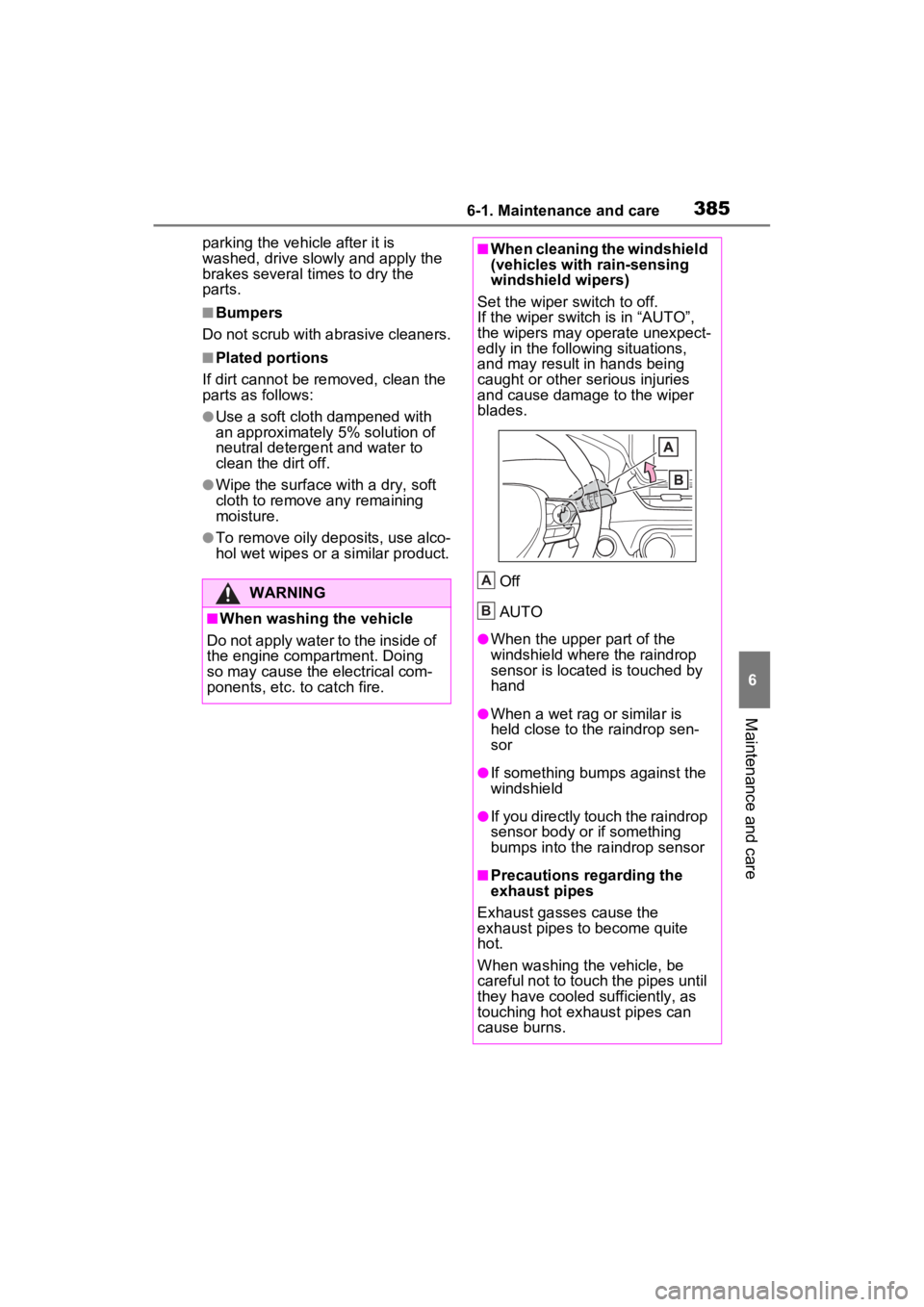
■When cleaning the windshield
(vehicles with rain-sensing
windshield wipers)
Set the wiper switch to off.
If the wiper switch is in “AUTO”,
the wipers may operate unexpect-
edly in the following situations,
and may result in hands being
caught or other serious injuries
and cause damage to the wiper
blades.
Off
AUTO
●When the upper part of the
windshield where the raindrop
sensor is located is touched by
hand
●When a wet rag or similar is
held close to the raindrop sen-
sor
●If something bumps against the
windshield
●If you directly touch the raindrop
sensor body or if something
bumps into the ra indrop sensor
■Precautions regarding the
exhaust pipes
Exhaust gasses cause the
exhaust pipes to become quite
hot.
When washing the vehicle, be
careful not to touch the pipes until
they have cooled sufficiently, as
touching hot exhaust pipes can
cause burns.
A
B
Page 388 of 586
3866-1. Maintenance and care
WARNING
■Precaution regarding the rear
bumper
If the paint of the rear bumper is
chipped or scratched, the follow-
ing systems may not function cor-
rectly. If this occurs, consult your
Toyota dealer.
●BSM (if equipped)
●RCTA (if equipped)
●PKSB (if equipped)
●Intuitive parking assist (if
equipped)
NOTICE
■To prevent paint deterioration
and corrosion on the body
and components (aluminum
wheels, etc.)
●Wash the vehicle immediately in
the following cases:
• After driving near the sea coast
• After driving on salted roads
• If coal tar or tre e sap is present
on the paint surface
• If dead insects, insect droppings or bird droppings are present on
the paint surface
• After driving in an area contami- nated with soot, oily smoke,
mine dust, iron powder or chem-
ical substances
• If the vehicle becomes heavily soiled with dust or mud
• If liquids such as benzene and gasoline are spilled on the paint
surface
●If the paint is chipped or
scratched, have it repaired
immediately.
●To prevent the wheels from cor-
roding, remove any dirt and
store in a place with low humid-
ity when storing the wheels.
■Cleaning the exterior lights
●Wash carefully. Do not use
organic substances or scrub
with a hard brush.
This may damage the surfaces
of the lights.
●Do not apply wax to the sur-
faces of the lights.
Wax may cause damage to the
lenses.
■When using an automatic car
wash (vehicles with rain-
sensing windshield wipers)
Set the wiper switch to off posi-
tion.
If the wiper switch is in “AUTO”,
the wipers may operate and the
wiper blades may be damaged.
■When using a high pressure
car wash
●When washing the vehicle, do
not let water from the high-pres-
sure washer directly hit the
camera or the area around the
camera. Due to the shock from
the high pressure water, it is
possible that the device may not
operate normally.
●Do not spray water directly on
the radar which is equipped
behind the radar sensor cover.
Otherwise it may cause the
device to be damaged.
Page 461 of 586
4597-2. Steps to take in an emergency
7
When trouble arises
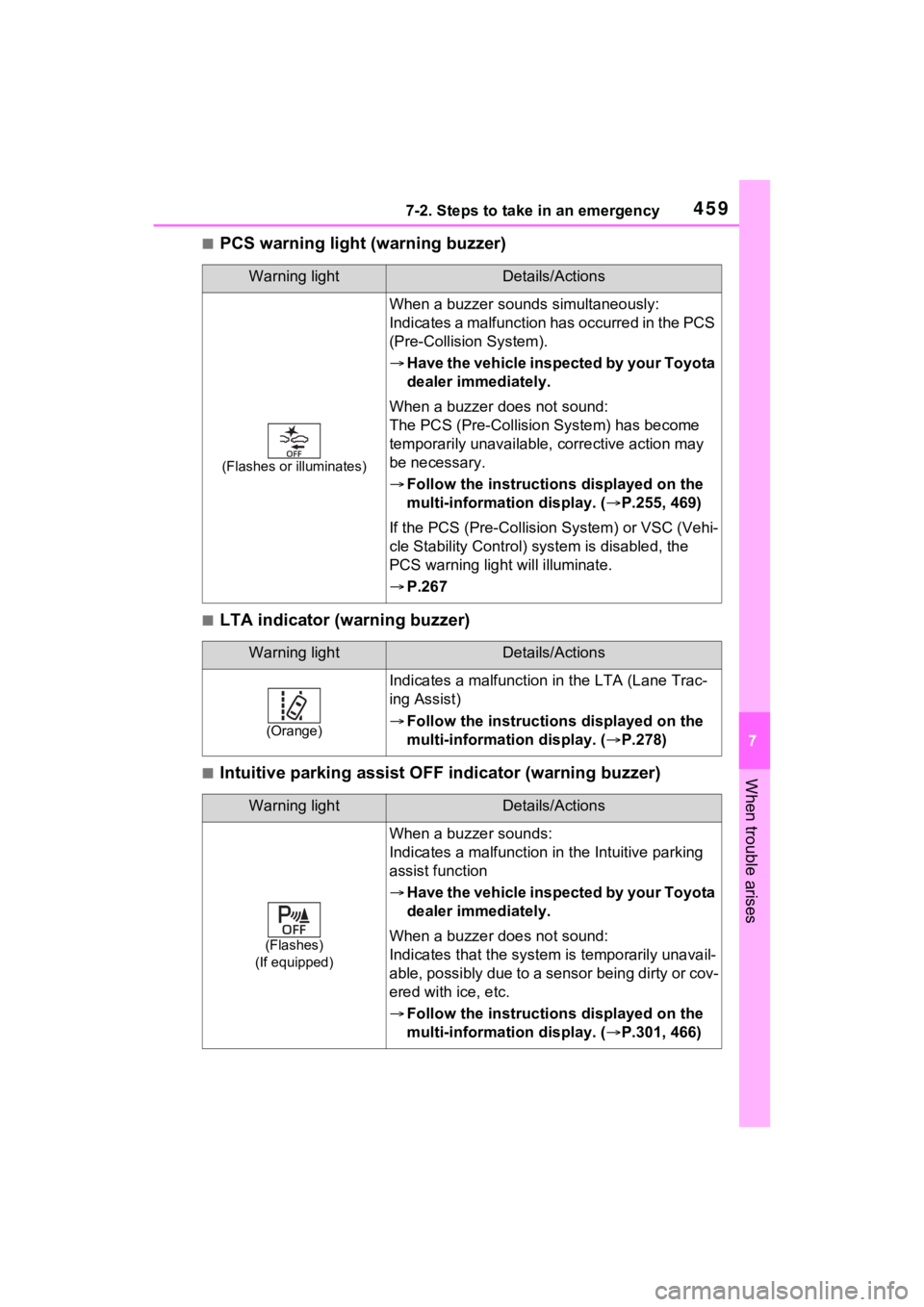
■PCS warning light (warning buzzer)
■LTA indicator (warning buzzer)
■Intuitive parking assist OFF indicator (warning buzzer)
Warning lightDetails/Actions
(Flashes or illuminates)
When a buzzer sounds simultaneously:
Indicates a malfunction has occurred in the PCS
(Pre-Collision System).
Have the vehicle inspected by your Toyota
dealer immediately.
When a buzzer does not sound:
The PCS (Pre-Collision System) has become
temporarily unavailable, corrective action may
be necessary.
Follow the instructions displayed on the
multi-information display. ( P.255, 469)
If the PCS (Pre-Collision System) or VSC (Vehi-
cle Stability Control) system is disabled, the
PCS warning light will illuminate.
P.267
Warning lightDetails/Actions
(Orange)
Indicates a malfunction in the LTA (Lane Trac-
ing Assist)
Follow the instructions displayed on the
multi-information display. ( P.278)
Warning lightDetails/Actions
(Flashes)
(If equipped)
When a buzzer sounds:
Indicates a malfunction in the Intuitive parking
assist function
Have the vehicle inspected by your Toyota
dealer immediately.
When a buzzer does not sound:
Indicates that the system is temporarily unavail-
able, possibly due to a sensor being dirty or cov-
ered with ice, etc.
Follow the instructions displayed on the
multi-information display. ( P.301, 466)
Page 462 of 586
4607-2. Steps to take in an emergency
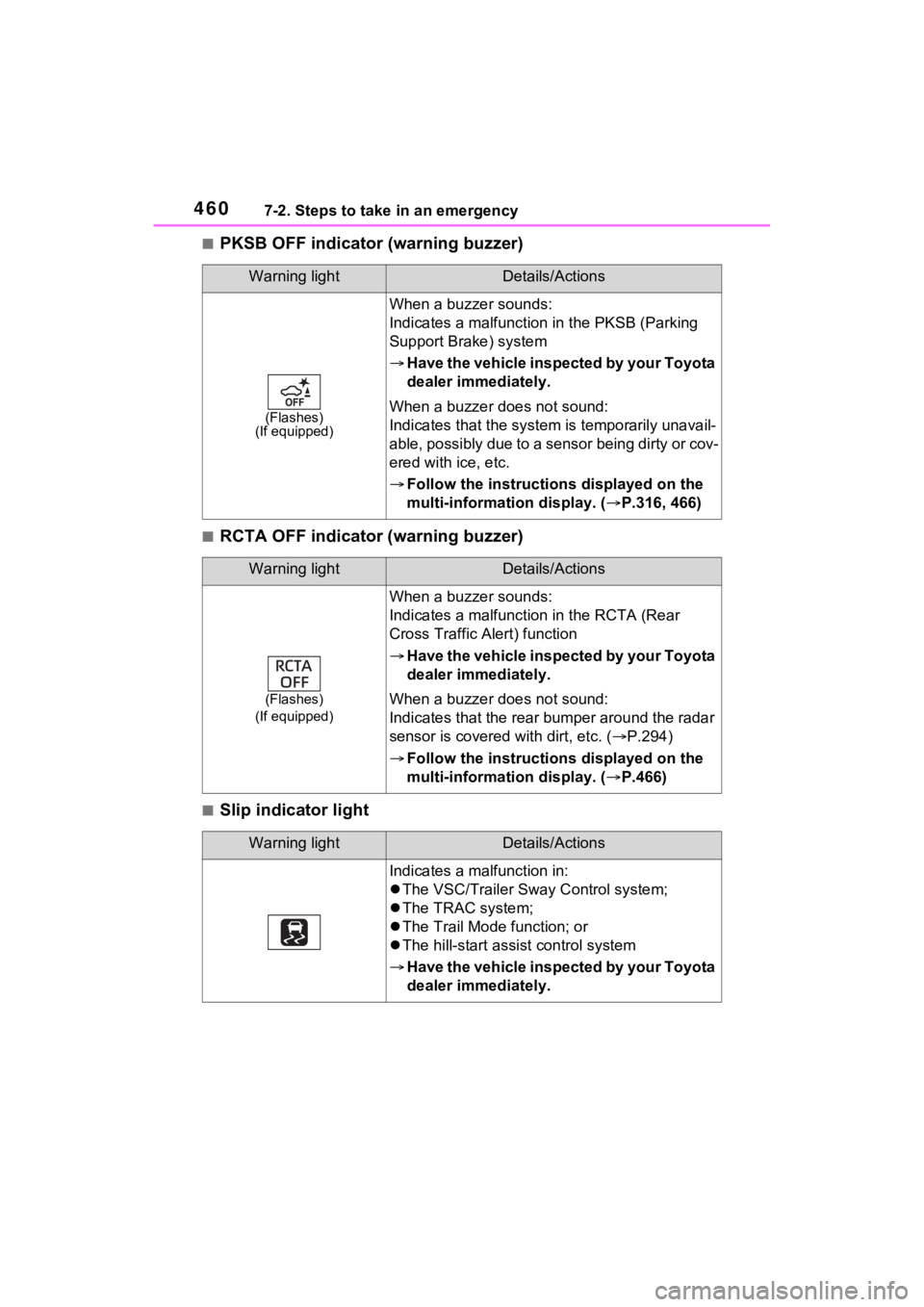
■PKSB OFF indicator (warning buzzer)
■RCTA OFF indicator (warning buzzer)
■Slip indicator light
Warning lightDetails/Actions
(Flashes)
(If equipped)
When a buzzer sounds:
Indicates a malfunctio n in the PKSB (Parking
Support Brake) system
Have the vehicle inspected by your Toyota
dealer immediately.
When a buzzer does not sound:
Indicates that the system is temporarily unavail-
able, possibly due to a sensor being dirty or cov-
ered with ice, etc.
Follow the instructions displayed on the
multi-information display. ( P.316, 466)
Warning lightDetails/Actions
(Flashes)
(If equipped)
When a buzzer sounds:
Indicates a malfunctio n in the RCTA (Rear
Cross Traffic Alert) function
Have the vehicle inspected by your Toyota
dealer immediately.
When a buzzer does not sound:
Indicates that the rear bumper around the radar
sensor is covered with dirt, etc. ( P.294)
Follow the instructions displayed on the
multi-information display. ( P.466)
Warning lightDetails/Actions
Indicates a malfunction in:
The VSC/Trailer Sway Control system;
The TRAC system;
The Trail Mode function; or
The hill-start assist control system
Have the vehicle inspected by your Toyota
dealer immediately.
Page 465 of 586
4637-2. Steps to take in an emergency
7
When trouble arises
passenger that his or her seat belt is not fastened. If the sea t belt is
unfastened, the buzzer sounds int ermittently for a certain period of time
after the vehicle reaches a certain speed.
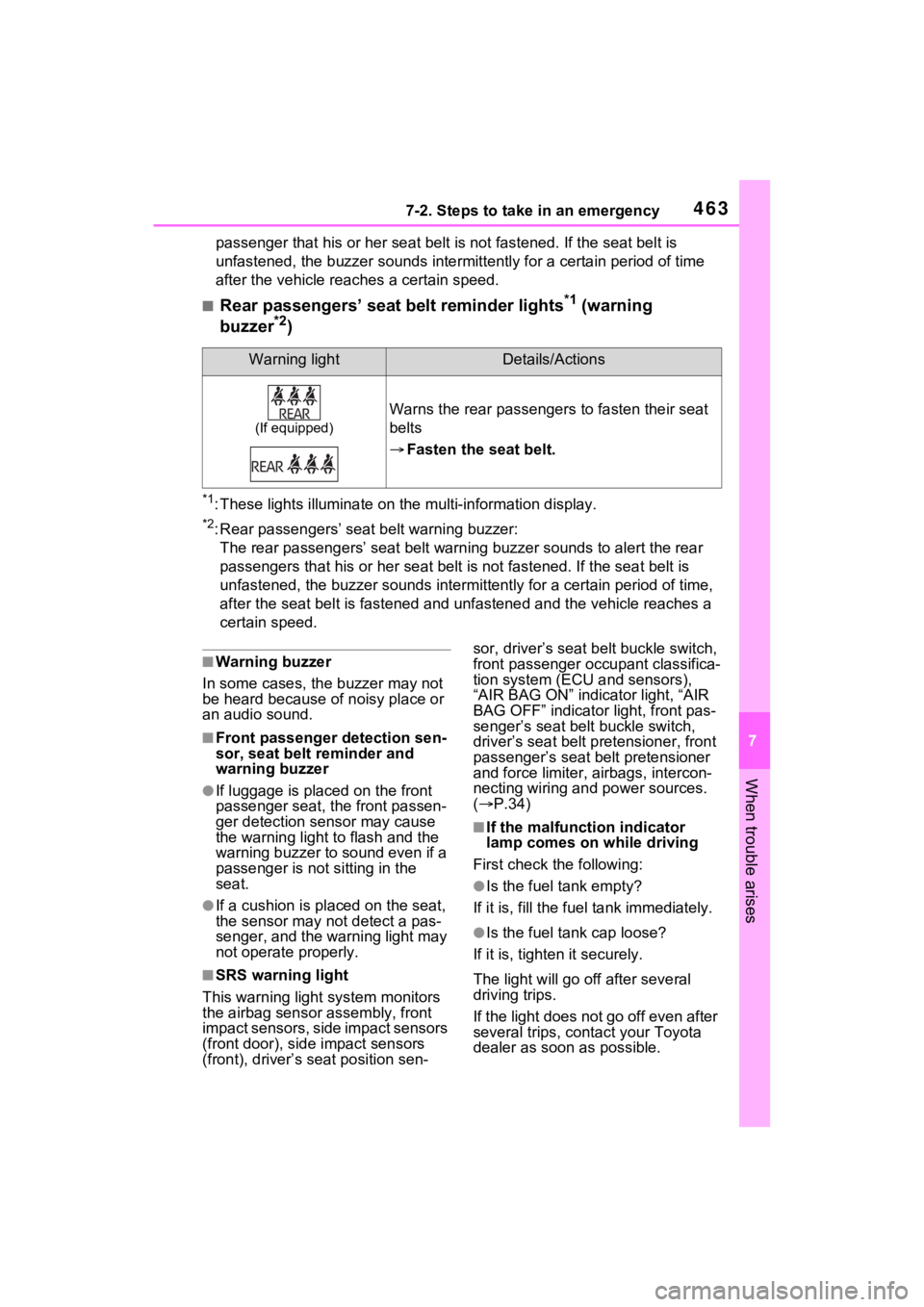
■Rear passengers’ seat belt reminder lights*1 (warning
buzzer*2)
*1: These lights illumina te on the multi-information display.
*2: Rear passengers’ seat belt warning buzzer:
The rear passengers’ seat belt w arning buzzer sounds to alert the rear
passengers that his o r her seat belt is not fastened. If the se at belt is
unfastened, the buzzer sounds intermittently for a certain peri od of time,
after the seat belt is fastened and unfastened and the vehicle reaches a
certain speed.
■Warning buzzer
In some cases, the buzzer may not
be heard because of noisy place or
an audio sound.
■Front passenger detection sen-
sor, seat belt reminder and
warning buzzer
●If luggage is placed on the front
passenger seat, the front passen-
ger detection sensor may cause
the warning light to flash and the
warning buzzer to sound even if a
passenger is not sitting in the
seat.
●If a cushion is placed on the seat,
the sensor may n ot detect a pas-
senger, and the warning light may
not operate properly.
■SRS warning light
This warning light system monitors
the airbag sensor assembly, front
impact sensors, side impact sensors
(front door), side impact sensors
(front), driver’s seat position sen- sor, driver’s seat belt buckle switch,
front passenger occupant classifica-
tion system (ECU and sensors),
“AIR BAG ON” indicator light, “AIR
BAG OFF” indicator light, front pas-
senger’s seat belt buckle switch,
driver’s seat belt pr
etensioner, front
passenger’s seat b elt pretensioner
and force limiter, airbags, intercon-
necting wiring and power sources.
( P.34)
■If the malfunction indicator
lamp comes on while driving
First check the following:
●Is the fuel tank empty?
If it is, fill the fuel tank immediately.
●Is the fuel ta nk cap loose?
If it is, tighten it securely.
The light will go off after several
driving trips.
If the light does not go off even after
several trips, con tact your Toyota
dealer as soon as possible.
Warning lightDetails/Actions
(If equipped)
Warns the rear passengers to fasten their seat
belts
Fasten the seat belt.
Page 471 of 586
4697-2. Steps to take in an emergency
7
When trouble arises
distance on the maintenance sched-
ule*.
Comes on approximately 5000
miles (8000 km) after the message
has been reset. (The indicator will
not work properly unless the mes-
sage has been reset.)
Perform the necessary mainte-
nance. Please reset the message
after the maintenance is performed.
( P.391)
*: Refer to the separate “Scheduled
Maintenance Guide” or “Owner’
Manual Supplement” for the main-
tenance interval applicable to your
vehicle.
■If “Engine Maintenance
Required Visit Your Dealer” is
shown
The engine or an engine component
is malfunctioning. Have the vehicle
inspected by your Toyota dealer
immediately.
■If a message that indicates the
malfunction of front camera is
displayed
The following sys tems may be sus-
pended until the pr oblem shown in
the message is resolved. ( P.255,
456)
●PCS (Pre-Collis ion System)
●LTA (Lane Tracing Assist)
●AHB (Automatic High Beam)
●RSA (Road Sign Assist)*
●Dynamic radar cruise control with
full-speed range
*: If equipped
■If a message that indicates the
malfunction of radar sensor is
displayed
The following sys tems may be sus-
pended until the pr oblem shown in
the message is resolved. ( P.255,
P.456)
●PCS (Pre-Collis ion System)
●LTA (Lane Tracing Assist)
●Dynamic radar cruise control with
full-speed range
■If “Radar Cruise Control
Unavailable See Owner’s Man-
ual” is shown
The dynamic radar cruise control
with full-speed range system is sus-
pended temporarily or until the prob-
lem shown in the message is
resolved. (causes and coping meth-
ods: P.255)
■If “Radar Cruise Control
Unavailable” is shown
The dynamic radar cruise control
with full-speed range system cannot
be used temporarily. Use the sys-
tem when it becomes available
again.
■Warning buzzer
P.463
WARNING
■If a warning light comes on or
a warning buzzer sounds
when a warning message is
shown on the multi-informa-
tion display
P.464
NOTICE
■“High Power Consumption
Partial Limit On AC/Heater
Operation” is frequently
shown
There is a possible malfunction
relating to the charging system or
the 12-volt battery may be deteri-
orating. Have the vehicle
inspected by your Toyota dealer.
Page 519 of 586
5178-2. Customization
8
Vehicle specifications
8-2.Customization
■Changing using the Multi-
media Display
1 select on the main menu.
2 Select “Vehicle customize”
on the sub menu.
3 Select the item to change the
settings of from the list.
Various setting can be changed.
Refer to the list o f settings that can
be changed for details.
For functions that can be turned
on/off, select (ON)/
(OFF).
The settings, such as the volume
and sensor sensitivity can be
changed by dragging the round
icon on the display.
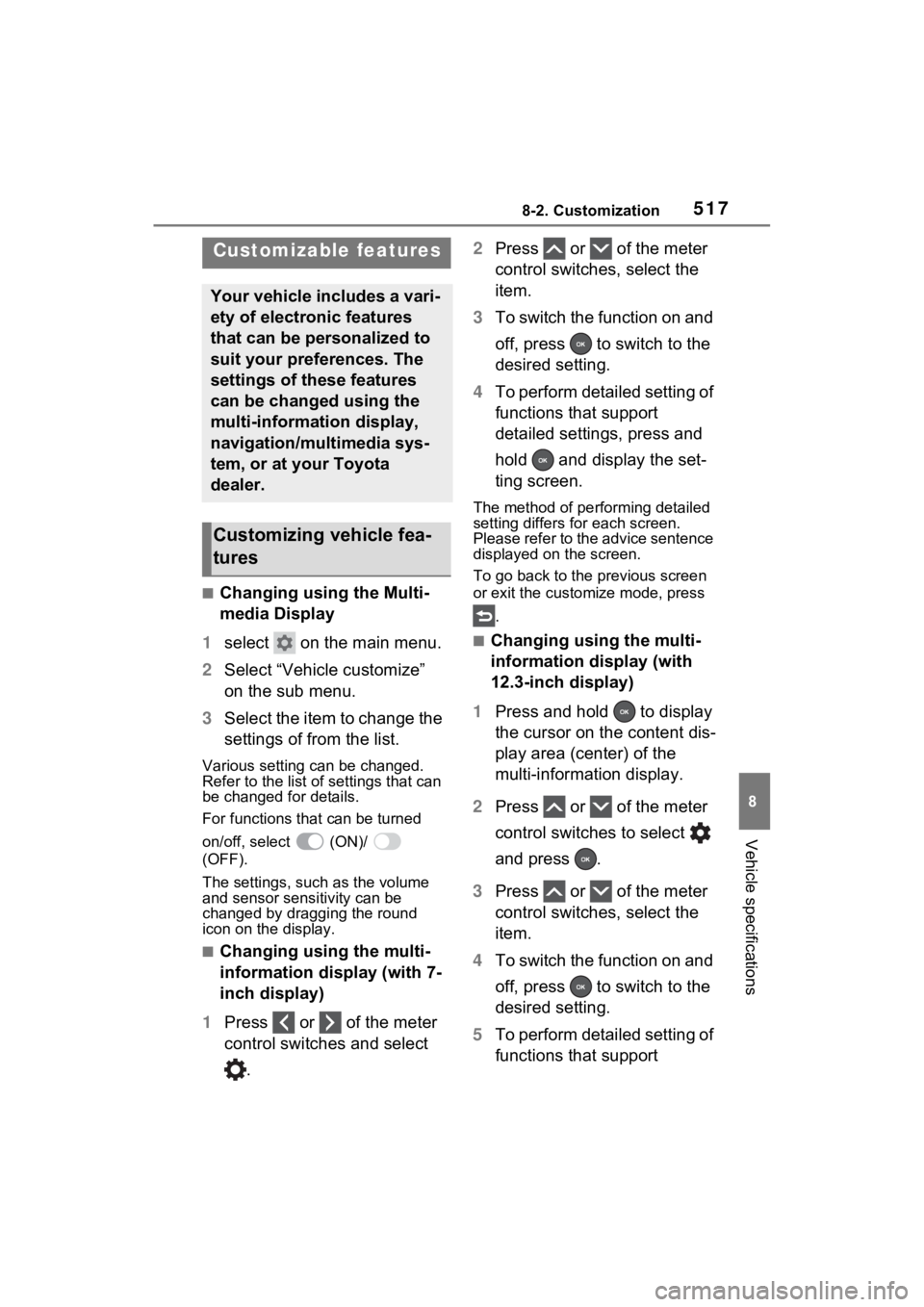
■Changing using the multi-
information display (with 7-
inch display)
1 Press or of the meter
control switches and select
. 2
Press or of the meter
control switches, select the
item.
3 To switch the function on and
off, press to switch to the
desired setting.
4 To perform detailed setting of
functions that support
detailed settings, press and
hold and display the set-
ting screen.
The method of pe rforming detailed
setting differs for each screen.
Please refer to the advice sentence
displayed on the screen.
To go back to the p revious screen
or exit the customize mode, press
.
■Changing using the multi-
information display (with
12.3-inch display)
1 Press and hold to display
the cursor on the content dis-
play area (center) of the
multi-information display.
2 Press or of the meter
control switches to select
and press .
3 Press or of the meter
control switches, select the
item.
4 To switch the function on and
off, press to switch to the
desired setting.
5 To perform detailed setting of
functions that support
Customizable features
Your vehicle includes a vari-
ety of electronic features
that can be personalized to
suit your preferences. The
settings of these features
can be changed using the
multi-information display,
navigation/multimedia sys-
tem, or at your Toyota
dealer.
Customizing vehicle fea-
tures
Page 529 of 586
5278-2. Customization
8
Vehicle specifications
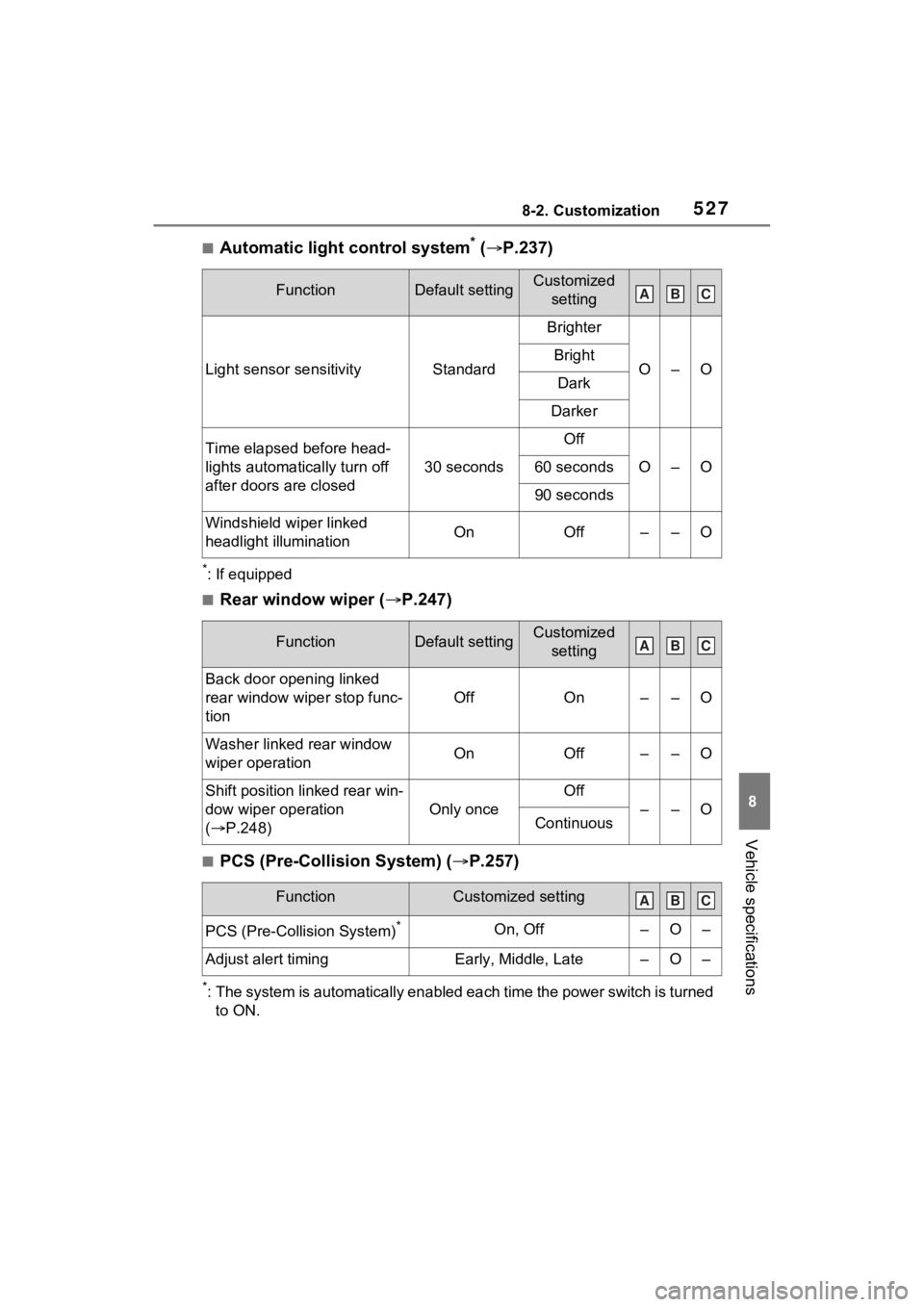
■Automatic light control system* ( P.237)
*: If equipped
■Rear window wiper ( P.247)
■PCS (Pre-Collision System) ( P.257)
*: The system is automatically enabled each time the power switch is turned
to ON.
FunctionDefault settingCustomized setting
Light sensor sensitivityStandard
Brighter
O–OBright
Dark
Darker
Time elapsed before head-
lights automatically turn off
after doors are closed
30 seconds
Off
O–O60 seconds
90 seconds
Windshield wiper linked
headlight illuminationOnOff––O
FunctionDefault settingCustomized setting
Back door opening linked
rear window wiper stop func-
tion
OffOn––O
Washer linked rear window
wiper operationOnOff––O
Shift position linked rear win-
dow wiper operation
( P.248)
Only once
Off
––OContinuous
FunctionCustomized setting
PCS (Pre-Collision System)*On, Off–O–
Adjust alert timingEarly, Middle, Late–O–
ABC
ABC
ABC
Page 552 of 586
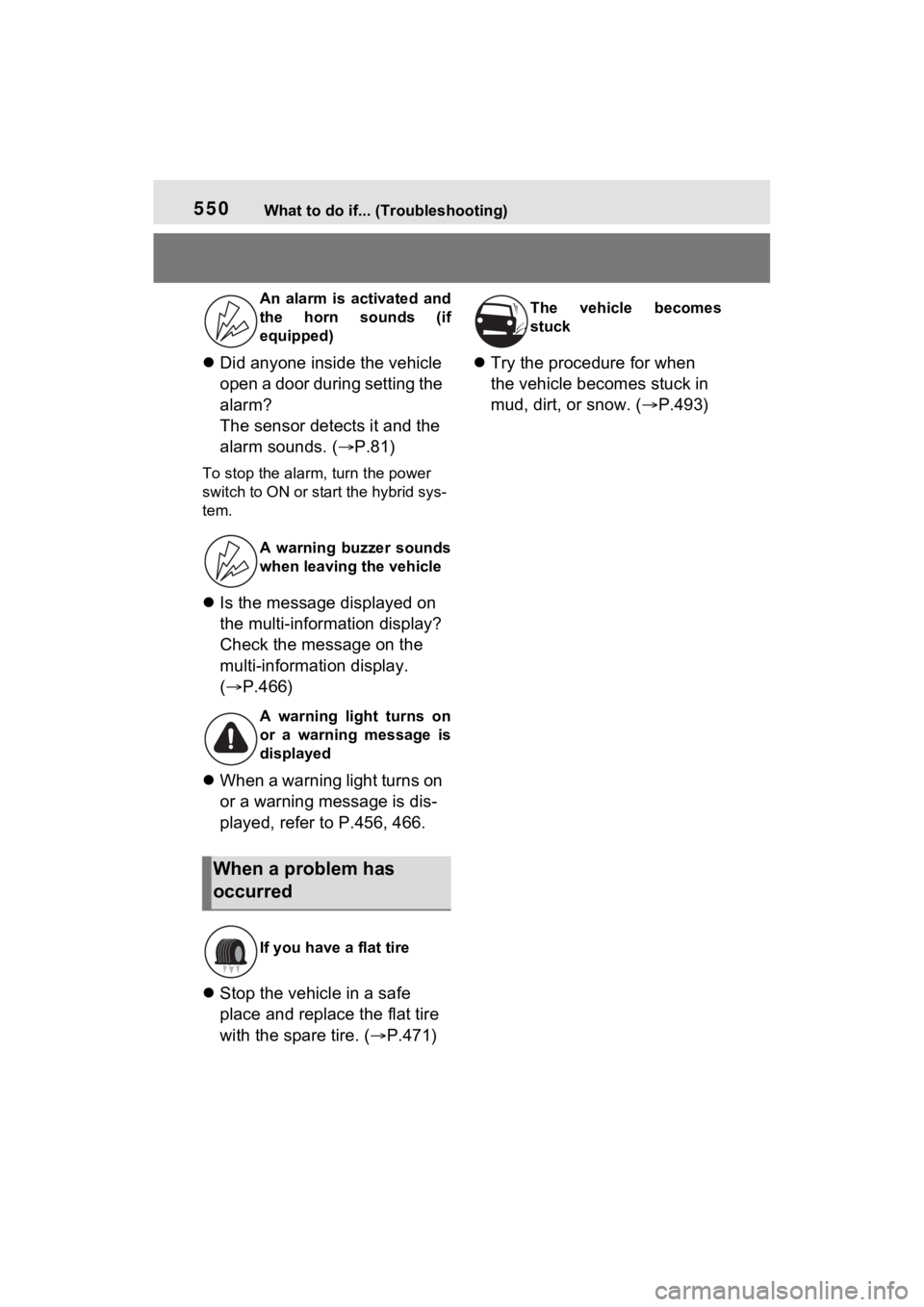
550What to do if... (Troubleshooting)
Did anyone inside the vehicle
open a door during setting the
alarm?
The sensor detects it and the
alarm sounds. ( P.81)
To stop the alarm, turn the power
switch to ON or start the hybrid sys-
tem.
Is the message displayed on
the multi-information display?
Check the message on the
multi-information display.
( P.466)
When a warning light turns on
or a warning message is dis-
played, refer to P.456, 466.
Stop the vehicle in a safe
place and replace the flat tire
with the spare tire. ( P.471)
Try the procedure for when
the vehicle becomes stuck in
mud, dirt, or snow. ( P.493)
An alarm is activated and
the horn sounds (if
equipped)
A warning buzzer sounds
when leaving the vehicle
A warning light turns on
or a warning message is
displayed
When a problem has
occurred
If you have a flat tire
The vehicle becomes
stuck
Page 554 of 586
552Alphabetical Index
Replacing light bulbs ............ 439
Wattage ................................ 504
Battery (12-volt battery) ......... 407 If the 12-volt battery is dis-charged .............................. 485
Preparing and c hecking before
winter.................................. 334
Replacing ............................. 487
Warning light ........................ 456
Battery (traction battery) ......... 75
Blind Spot Monitor (BSM) ...... 293 Blind Spot Monitor function .. 296
Bottle holders ......................... 357
Brake Brake Hold ........................... 235
Fluid ..................................... 405
Parking brake ....................... 231
Regenerative braking ............. 71
Warning light ........................ 456
Brake assist ............................ 326
Brake Hold .............................. 235
Break-in tips ........ ................... 196
Brightness control Instrument panel light control97, 104
BSM (Blind Spot Monitor) ...... 293 Blind Spot Monitor function .. 296
C
CareAluminum wheels ................. 384
Exterior ................................. 384
Interior .................................. 387
Seat belts ............................. 387
Cargo capacity ............... 202, 205
Cargo hooks ........................... 359
Chains ..................................... 336
Child-protectors ..................... 140
Child restraint s ystem ............. 50
Fixed with a LATCH system ... 59
Fixed with a seat belt ............. 54
Front passenger occupant clas- sification system ...................43
Points to remember ................50
Riding with children ................49
Types of child restraint system installation method ...............52
Using an anchor bracket ........61
Child safety ...............................49 12-volt battery precautions .407, 489
Airbag precautions .................38
Back door precautions..........141
Child restraint system .............52
Heated steering wheel and seat heater precautio ns..............349
How your child should wear the seat belt ................................30
Moon roof precautions..........187
Panoramic moon roof precau- tions ....................................191
Power window lock switch ....185
Power window precautions...184
Rear door child-protectors ....140
Removed key battery precau- tions ....................................435
Seat belt extender precautions .............................................30
Seat belt precautions..............29
Seat heater precautions .......349
Cleaning ..........................384, 387 Aluminum wheels .................384
Exterior .................................384
Interior ..................................387
Radar sensor ................253, 294
Seat belts .............................387
Clock ..........................................99
Coat hooks ..............................374
Condenser ............. ..................404
Console box ............................356
Consumption screen ..............125
Convenience Services (Sugges- tion function).........................114
Coolant