wipers TOYOTA RAV4 PRIME 2022 Owners Manual
[x] Cancel search | Manufacturer: TOYOTA, Model Year: 2022, Model line: RAV4 PRIME, Model: TOYOTA RAV4 PRIME 2022Pages: 624, PDF Size: 24.01 MB
Page 3 of 624
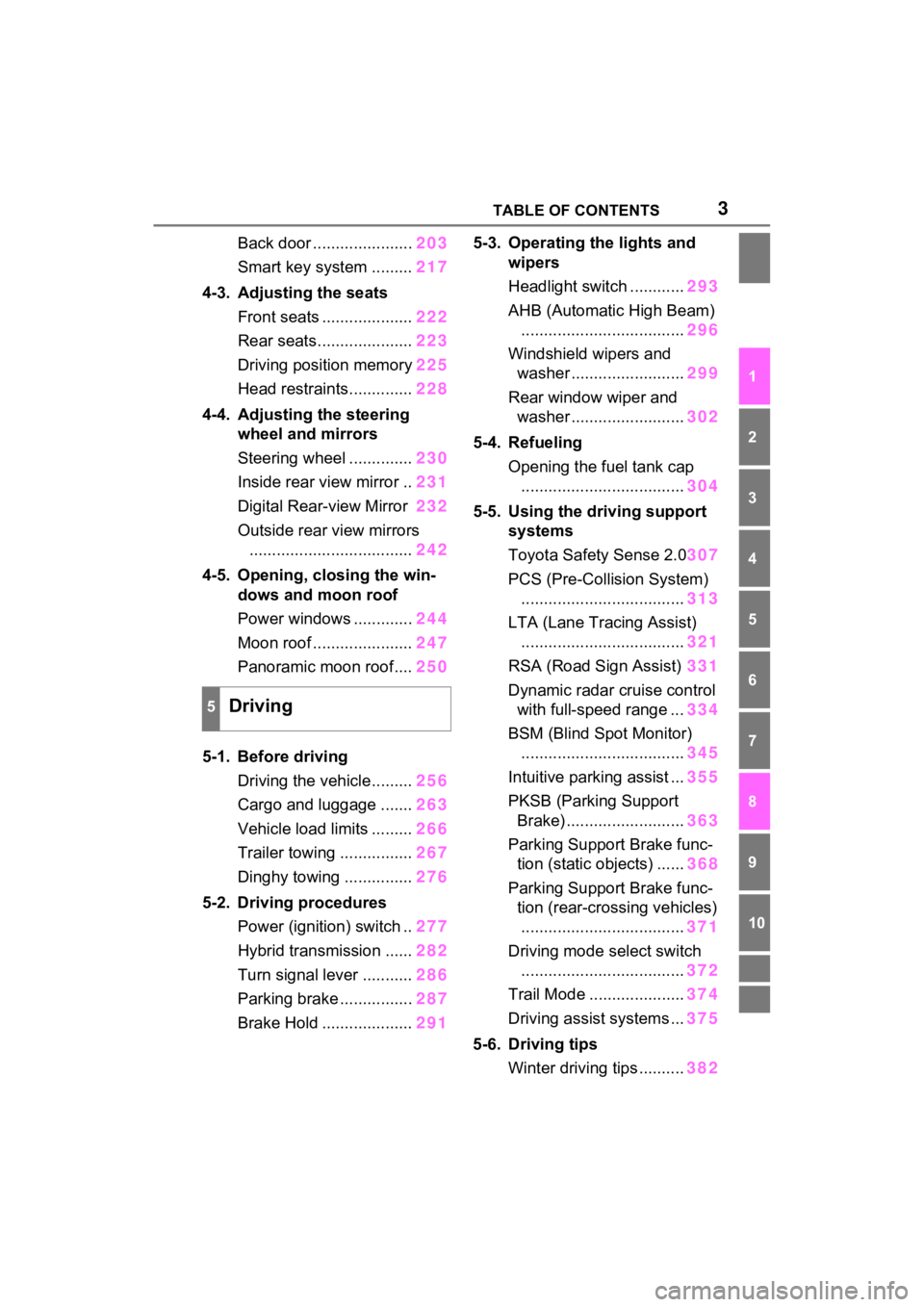
3TABLE OF CONTENTS
1
2
3
4
5
6
7
8
9
10
Back door ......................203
Smart key system ......... 217
4-3. Adjusting the seats Front seats .................... 222
Rear seats..................... 223
Driving position memory 225
Head restraints.............. 228
4-4. Adjusting the steering wheel and mirrors
Steering wheel .............. 230
Inside rear view mirror .. 231
Digital Rear-view Mirror 232
Outside rear view mirrors .................................... 242
4-5. Opening, closing the win- dows and moon roof
Power windows ............. 244
Moon roof ...................... 247
Panoramic moon roof.... 250
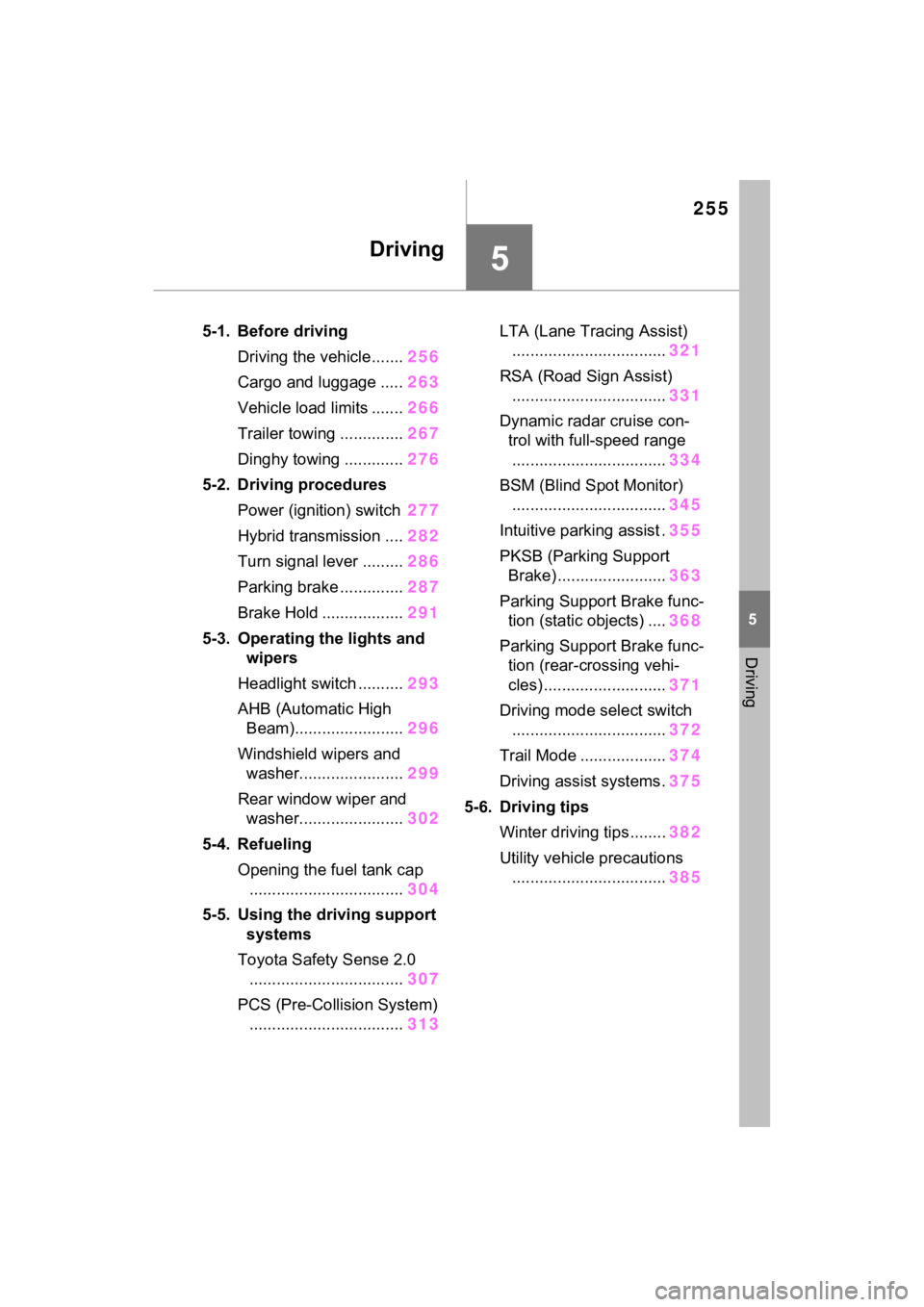
5-1. Before driving Driving the vehicle......... 256
Cargo and luggage ....... 263
Vehicle load limits ......... 266
Trailer towing ................ 267
Dinghy towing ............... 276
5-2. Driving procedures Power (ignition) switch .. 277
Hybrid transmission ...... 282
Turn signal lever ........... 286
Parking brake ................ 287
Brake Hold .................... 2915-3. Operating the lights and
wipers
Headlight switch ............ 293
AHB (Automatic High Beam) .................................... 296
Windshield wipers and washer ......................... 299
Rear window wiper and washer ......................... 302
5-4. Refueling Opening the fuel tank cap.................................... 304
5-5. Using the driving support systems
Toyota Safety Sense 2.0 307
PCS (Pre-Collision System) .................................... 313
LTA (Lane Tracing Assist) .................................... 321
RSA (Road Sign Assist) 331
Dynamic radar cruise control with full-speed range ... 334
BSM (Blind Spot Monitor) .................................... 345
Intuitive parking assist ... 355
PKSB (Parking Support Brake) .......................... 363
Parking Support Brake func- tion (static objects) ...... 368
Parking Support Brake func- tion (rear-crossing vehicles)
. ... ...
............................. 371
Driving mode s elect switch
.................................... 372
Trail Mode ..................... 374
Driving assist systems ... 375
5-6. Driving tips Winter driving tips .......... 382
5Driving
Page 14 of 624
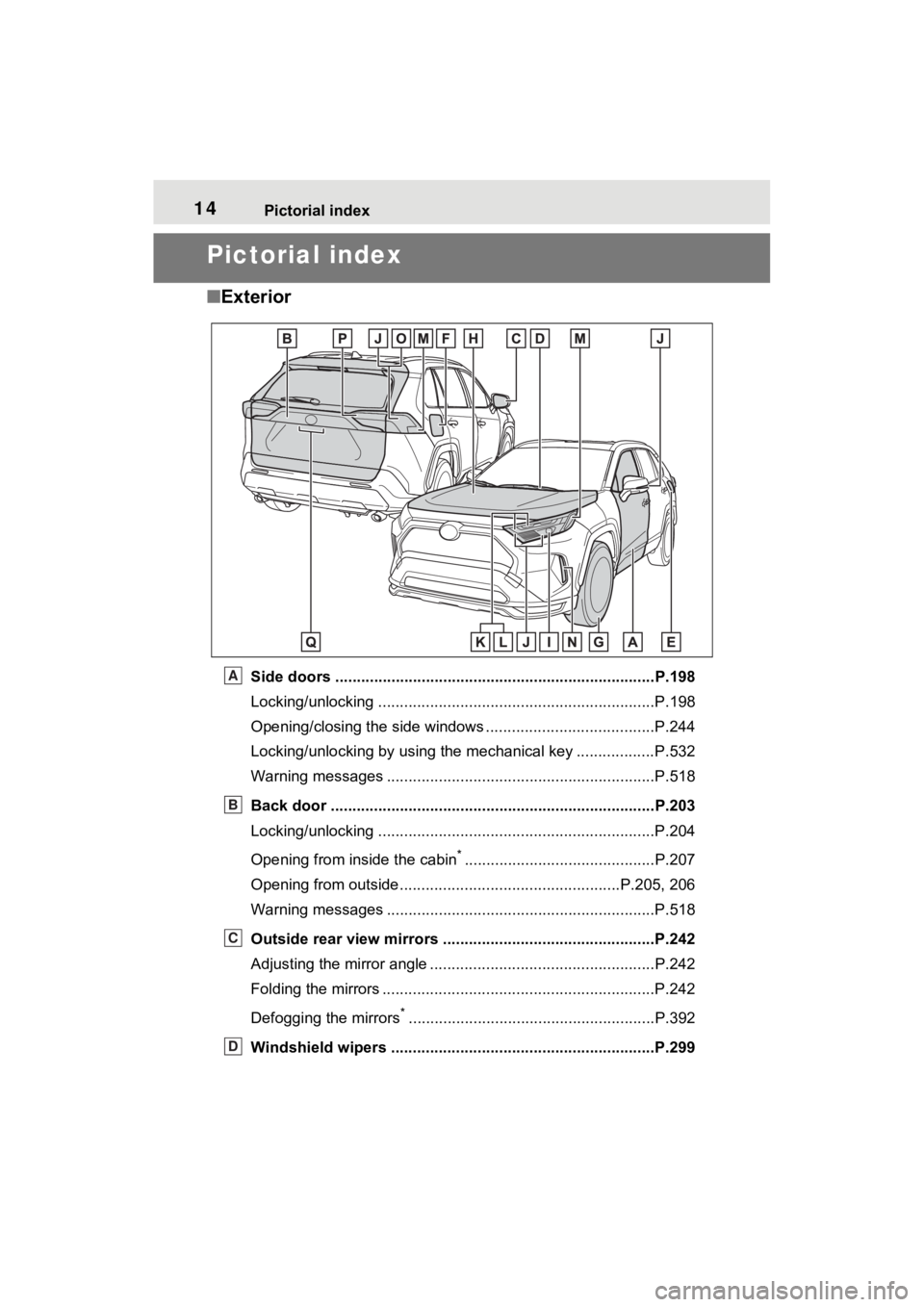
14Pictorial index
Pictorial index
■Exterior
Side doors ......... ................................. ................................P.198
Locking/unlocking ................................................................P.198
Opening/closing the side windows ............................... ........P.244
Locking/unlocking by using the mechanical key .................. P.532
Warning messages ..............................................................P.518
Back door ...................................................... .....................P.203
Locking/unlocking ................................................................P.204
Opening from inside the cabin
*............................................P.207
Opening from outside........................................... ........P.205, 206
Warning messages ..............................................................P.518
Outside rear view mirrors .................................................P.242
Adjusting the mirror angle ..................................... ...............P.242
Folding the mirrors ...............................................................P.242
Defogging the mirrors
*.........................................................P.392
Windshield wipers .............................................. ...............P.299
A
B
C
D
Page 15 of 624
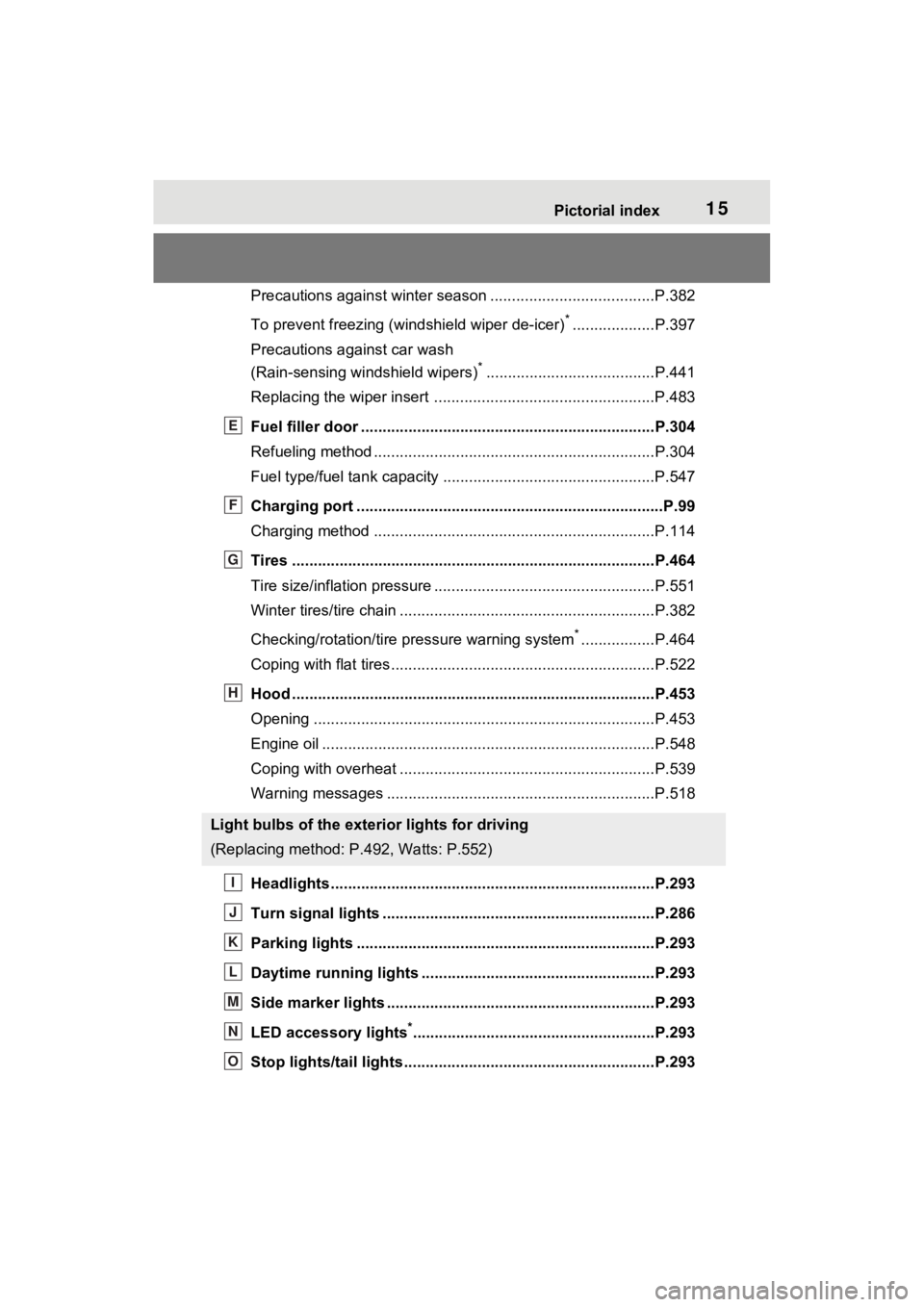
15Pictorial index
Precautions against winter season ......................................P.382
To prevent freezing (windshield wiper de-icer)
*...................P.397
Precautions against car wash
(Rain-sensing windshield wipers)
*.......................................P.441
Replacing the wiper insert .................................... ...............P.483
Fuel filler door ............................................... .....................P.304
Refueling method ............................................... ..................P.304
Fuel type/fuel tan k capacity .................................................P.547
Charging port .................................................. .....................P.99
Charging method ................................................ .................P.114
Tires ....................................................................................P.464
Tire size/inflation pressure ................................... ................P.551
Winter tires/tire chain ........................................ ...................P.382
Checking/rotation/tire pressure warning system
*.................P.464
Coping with flat tires......................................... ....................P.522
Hood ....................................................................................P.453
Opening ........................................................ .......................P.453
Engine oil ..................................................... ........................P.548
Coping with overheat ........................................... ................P.539
Warning messages ..............................................................P.518
Headlights..................................................... ......................P.293
Turn signal lights ...............................................................P.286
Parking lights .....................................................................P.293
Daytime running lights .. ....................................................P.293
Side marker lights ............................................. .................P.293
LED accessory lights
*........................................................P.293
Stop lights/tail lights ........................................ ..................P.293
Light bulbs of the exterior lights for driving
(Replacing method: P.492, Watts: P.552)
E
F
G
H
I
J
K
L
M
N
O
Page 146 of 624
1462-2. Charging
■When “My Room Mode” is used
while the hybrid battery (trac-
tion battery) is fully charged
When the power switch is turned on
while the hybrid battery (traction
battery) is fully charged and the
charging connector that supplies
power is connected, “Charging Port
Lid is Open” is displayed on the
multi-information display. In this
case, press on the meter control
switches to display the setting
screen of “My Room Mode”, and
then select “My Room Mode”.
When “My Room Mode” is used
while the hybrid battery (traction
battery) is fully charged, the electric
power of the hybrid battery (traction
battery) may be consumed. In this
case, charging may be performed
again.
■When a message related to “My
Room Mode” is displayed
When a message is displayed on
the multi-informat ion display while
using or attempting to start “My
Room Mode”, take the following cor-
rection procedures.
●“Traction battery is too low for “My
Room Mode””
There is insufficient remaining
charge in the hybrid battery (traction
battery) for starting “My Room
Mode”.
Wait until the char ge of the hybrid
battery (traction battery) increases,
then start “My Room Mode”.
●““My Room Mode” has stopped
due to low traction battery”
The remaining charge in the hybrid
battery (traction battery) is insuffi-
cient.
Stop using “My Room Mode” and
charge the hybrid battery (traction
battery).
●““My Room Mode” will stop when
traction battery is too low Reduce
power usage to continue using
“My Room Mode””
The power consumption inside the
vehicle is greater than the power
being charged to the hybrid battery
(traction battery), and the remaining
charge of the hybrid battery (traction
battery) is low.
*
• “My Room Mode” will end unless the power consumption inside the
vehicle is improved.
• To continue using “My Room Mode”, turn off the power of sys-
tems such as the air conditioning
system and audio system to
increase the remaining charge of
the hybrid battery (traction bat-
tery).
*: The power balance status during
“My Room Mode” can be checked
from the remaining charge dis-
play screen for the hybrid battery
(traction battery) displayed on the
multi-information display.
WARNING
■Cautions for using “My Room
Mode”
Make sure to observe the follow-
ing precautions.
Failure to do so may result in seri-
ous health problems or even
death.
●Do not leave children, people
who need assistance, or pets
inside the vehicle. The system
may turn off aut omatically and
the interior temperature may
become high or low, resulting in
heat stroke, dehydration or
hypothermia. Devices such as
the wipers can also be used,
which may lead to mistaken
operation and an accident.
Page 255 of 624
255
5
5
Driving
Driving
5-1. Before drivingDriving the vehicle....... 256
Cargo and luggage ..... 263
Vehicle load limits ....... 266
Trailer towing .............. 267
Dinghy towing ............. 276
5-2. Driving procedures Power (ignition) switch 277
Hybrid transmission .... 282
Turn signal lever ......... 286
Parking brake .............. 287
Brake Hold .................. 291
5-3. Operating the lights and wipers
Headlight switch .......... 293
AHB (Automatic High Beam)........................ 296
Windshield wipers and washer....................... 299
Rear window wiper and washer....................... 302
5-4. Refueling Opening the fuel tank cap.................................. 304
5-5. Using the driving support
systems
Toyota Safety Sense 2.0 .................................. 307
PCS (Pre-Collision System) .................................. 313LTA (Lane Tracing Assist)
.................................. 321
RSA (Road Sign Assist) .................................. 331
Dynamic radar cruise con- trol with full-speed range
.................................. 334
BSM (Blind Spot Monitor) .................................. 345
Intuitive parking assist . 355
PKSB (Parking Support Brake) ........................ 363
Parking Support Brake func- tion (static objects) .... 368
Parking Support Brake func- tion (rear-crossing vehi-
cles) ........................... 371
Driving mode select switch .................................. 372
Trail Mode ................... 374
Driving assist systems. 375
5-6. Driving tips Winter driving tips........ 382
Utility vehicle precautions .................................. 385
Page 293 of 624
2935-3. Operating the lights and wipers
5
Driving
5-3.Operating the lights and wipers
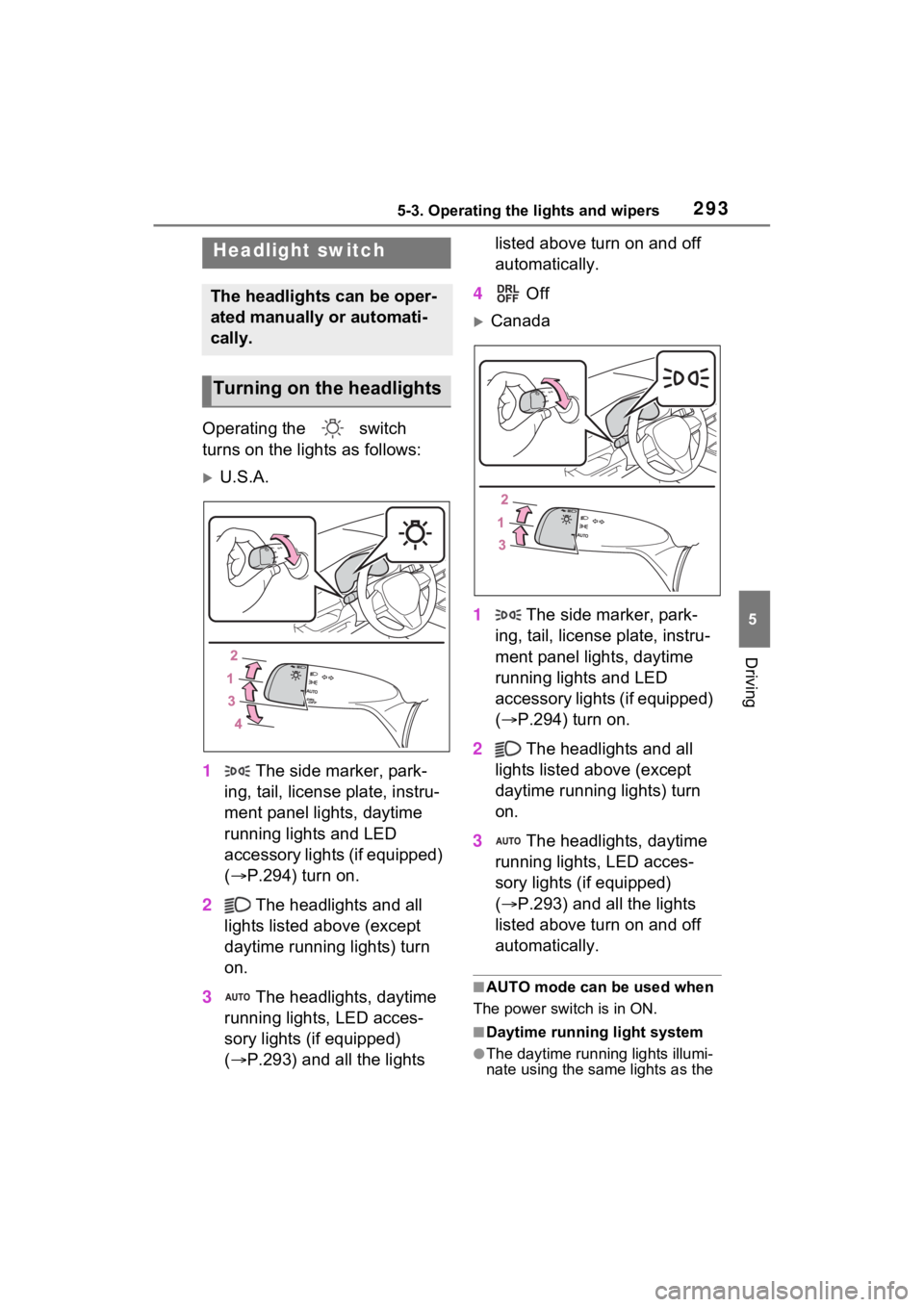
Operating the switch
turns on the lights as follows:
U.S.A.
1 The side marker, park-
ing, tail, license plate, instru-
ment panel lights, daytime
running lights and LED
accessory lights (if equipped)
( P.294) turn on.
2 The headlights and all
lights listed above (except
daytime running lights) turn
on.
3 The headlights, daytime
running lights, LED acces-
sory lights (if equipped)
( P.293) and all the lights listed above turn on and off
automatically.
4 Off
Canada
1 The side marker, park-
ing, tail, license plate, instru-
ment panel lights, daytime
running lights and LED
accessory lights (if equipped)
( P.294) turn on.
2 The headlights and all
lights listed above (except
daytime running lights) turn
on.
3 The headlights, daytime
running lights, LED acces-
sory lights (if equipped)
( P.293) and all the lights
listed above turn on and off
automatically.
■AUTO mode can be used when
The power switch is in ON.
■Daytime running light system
●The daytime runn ing lights illumi-
nate using the same lights as the
Headlight switch
The headlights can be oper-
ated manually or automati-
cally.
Turning on the headlights
Page 294 of 624
2945-3. Operating the lights and wipers
parking lights and illuminate
brighter than the parking lights.
●To make your vehicle more visible
to other drivers during daytime
driving, the daytime running lights
turn on automatically when all of
the following conditions are met.
(The daytime running lights are
not designed for use at night.)
• The hybrid system is operating
• The parking brake is released
• The headlight s witch is in the
or position
• The surroundings are bright
The daytime running lights remain
on after they illumi nate, even if the
parking brake is set again.
●For the U.S.A.: Daytime running
lights can be turned off by operat-
ing the switch.
●Compared to turning on the head-
lights, the daytime running light
system offers gre ater durability
and consumes less electricity, so
it can help improve fuel economy.
■LED accessory lights (if
equipped)
To make your vehicle more visible
to other drivers during daytime driv-
ing, the LED accessory lights turn
on automatically when the parking
brake is released while the hybrid
system is operating.
When the parking lights are turned
on, the LED accessory lights dim.
■Headlight control sensor (if
equipped)
The sensor may not function prop-
erly if an object is placed on the sen-
sor, or anything that blocks the
sensor is affixed to the windshield.
Doing so interfere s with the sensor
detecting the level of ambient light
and may cause the automatic head-
light system to malfunction.
■Automatic light off system
●When the headlights are on: The
lights turn off 30 s econds after the
power switch is turned to ACC or
OFF and a door is opened and
closed. (The lights turn off imme-
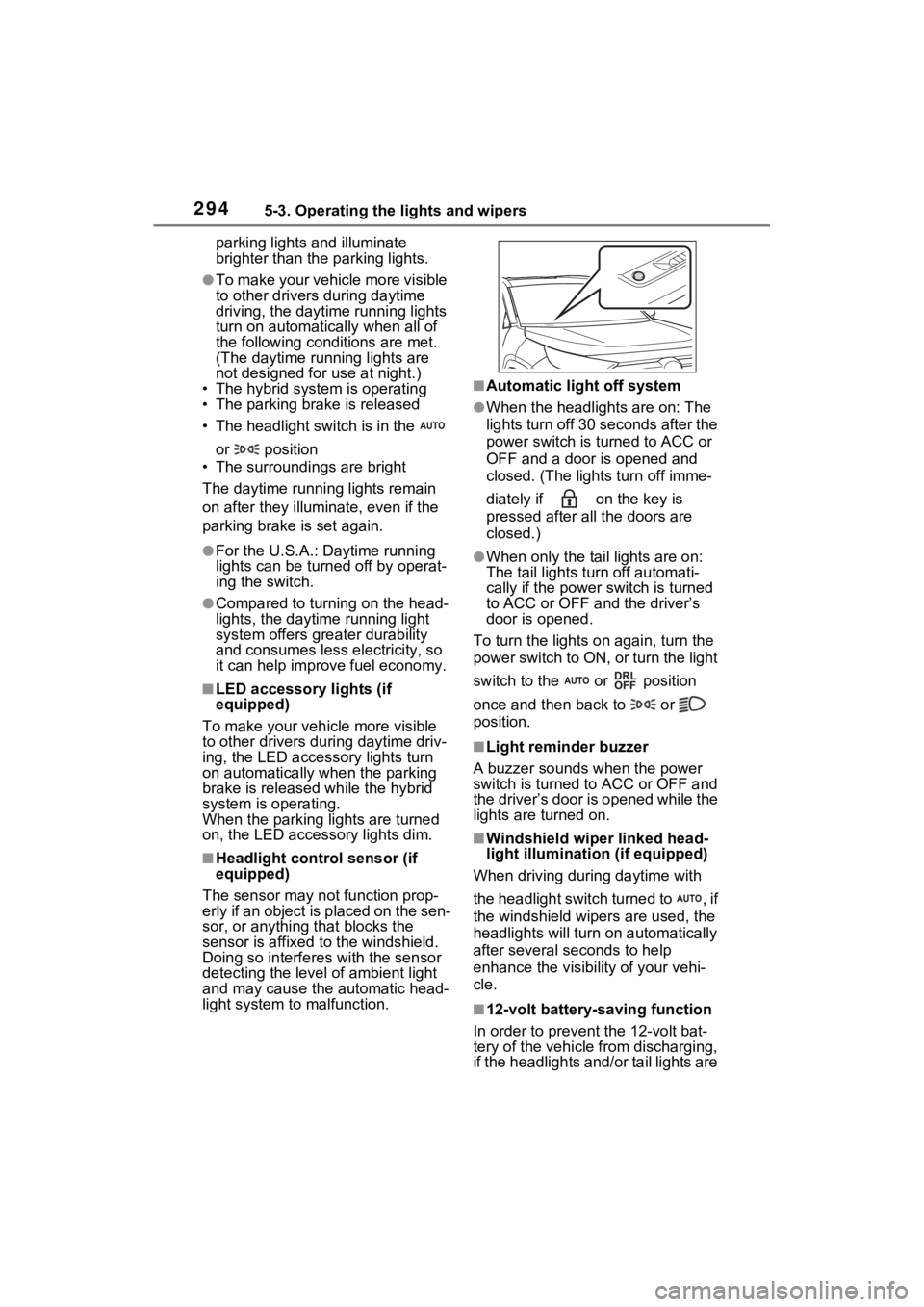
diately if on the key is
pressed after all the doors are
closed.)
●When only the tail lights are on:
The tail lights turn off automati-
cally if the power switch is turned
to ACC or OFF and the driver’s
door is opened.
To turn the lights on again, turn the
power switch to ON, or turn the light
switch to the or position
once and then back to or
position.
■Light reminder buzzer
A buzzer sounds when the power
switch is turned to ACC or OFF and
the driver’s door is opened while the
lights are turned on.
■Windshield wiper linked head-
light illumination (if equipped)
When driving during daytime with
the headlight switch turned to , if
the windshield wipers are used, the
headlights will turn o n automatically
after several se conds to help
enhance the visibility of your vehi-
cle.
■12-volt battery-saving function
In order to prevent the 12-volt bat-
tery of the vehicle from discharging,
if the headlights and/or tail lights are
Page 295 of 624
2955-3. Operating the lights and wipers
5
Driving
on when the power switch is turned
to OFF, the battery saving function
will operate and automatically turn
off all the lights after approximately
20 minutes.
When any of the fo llowing are per-
formed, the 12-volt battery-saving
function is canceled once and then
reactivated. All the lights will turn off
automatically 20 mi nutes after the
12-volt battery-saving function has
been reactivated:
●When the headlight switch is oper-
ated
●When a door is opened or closed
■If “Headlight System Malfunc-
tion Visit Your Dealer” is dis-
played on the multi-information
display
The system may be malfunctioning.
Have the vehicle inspected by your
Toyota dealer.
■Customization
Settings (e.g. light sensor sensitiv-
ity) can be changed.
(Customizable features: P.573)
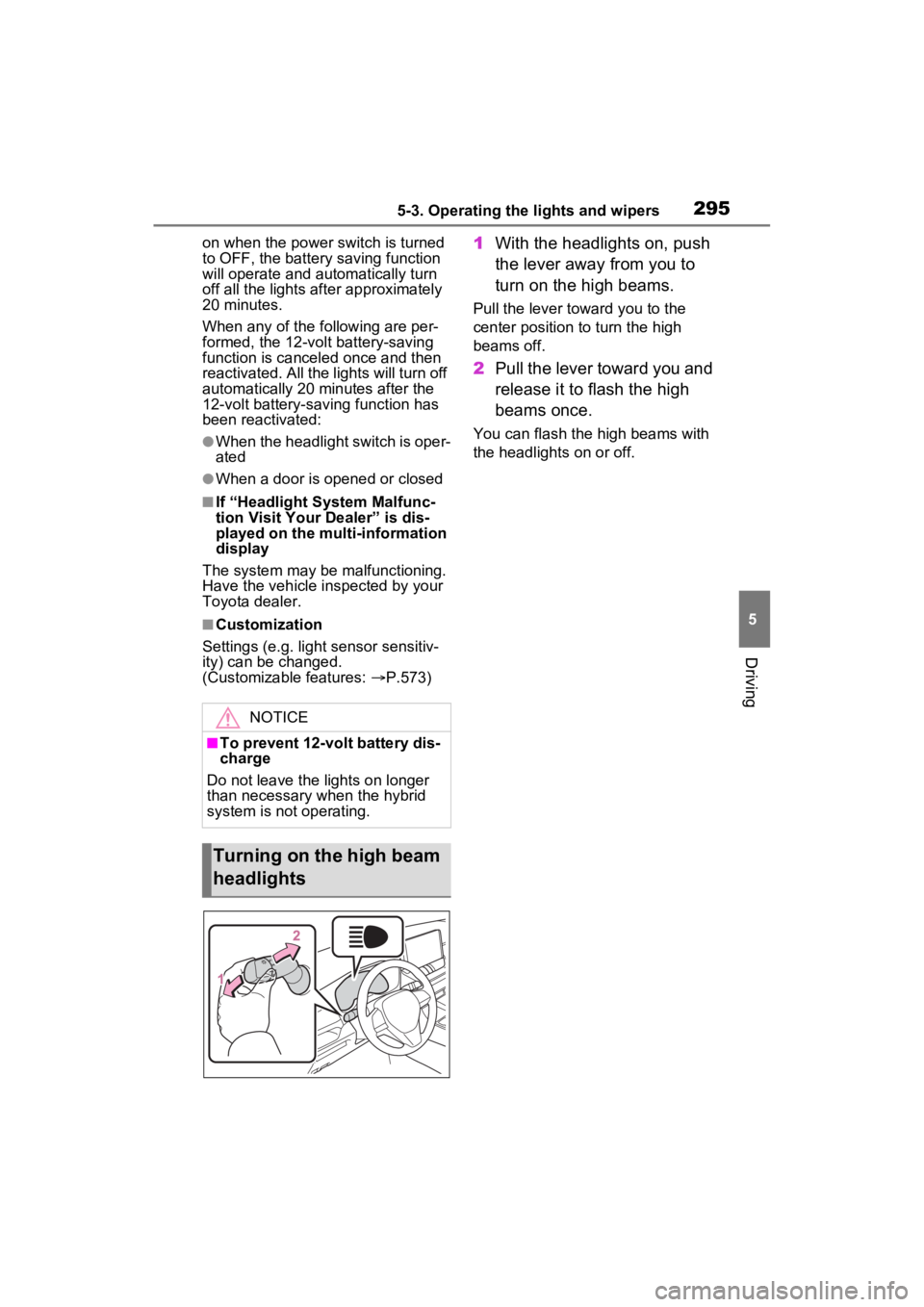
1 With the headlights on, push
the lever away from you to
turn on the high beams.
Pull the lever toward you to the
center position to turn the high
beams off.
2Pull the lever toward you and
release it to flash the high
beams once.
You can flash the high beams with
the headlights on or off.
NOTICE
■To prevent 12-volt battery dis-
charge
Do not leave the lights on longer
than necessary when the hybrid
system is not operating.
Turning on the high beam
headlights
Page 296 of 624
2965-3. Operating the lights and wipers
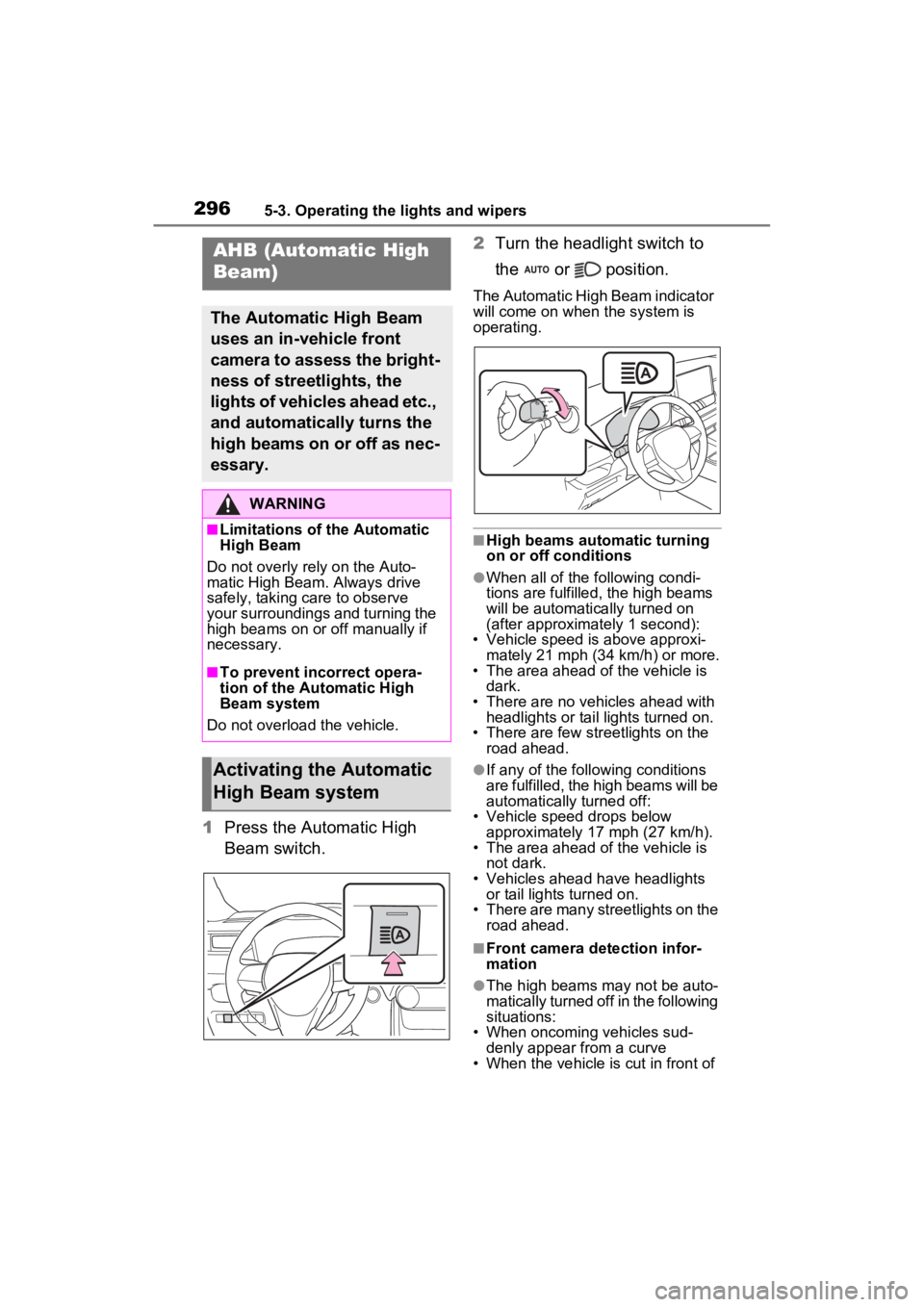
1Press the Automatic High
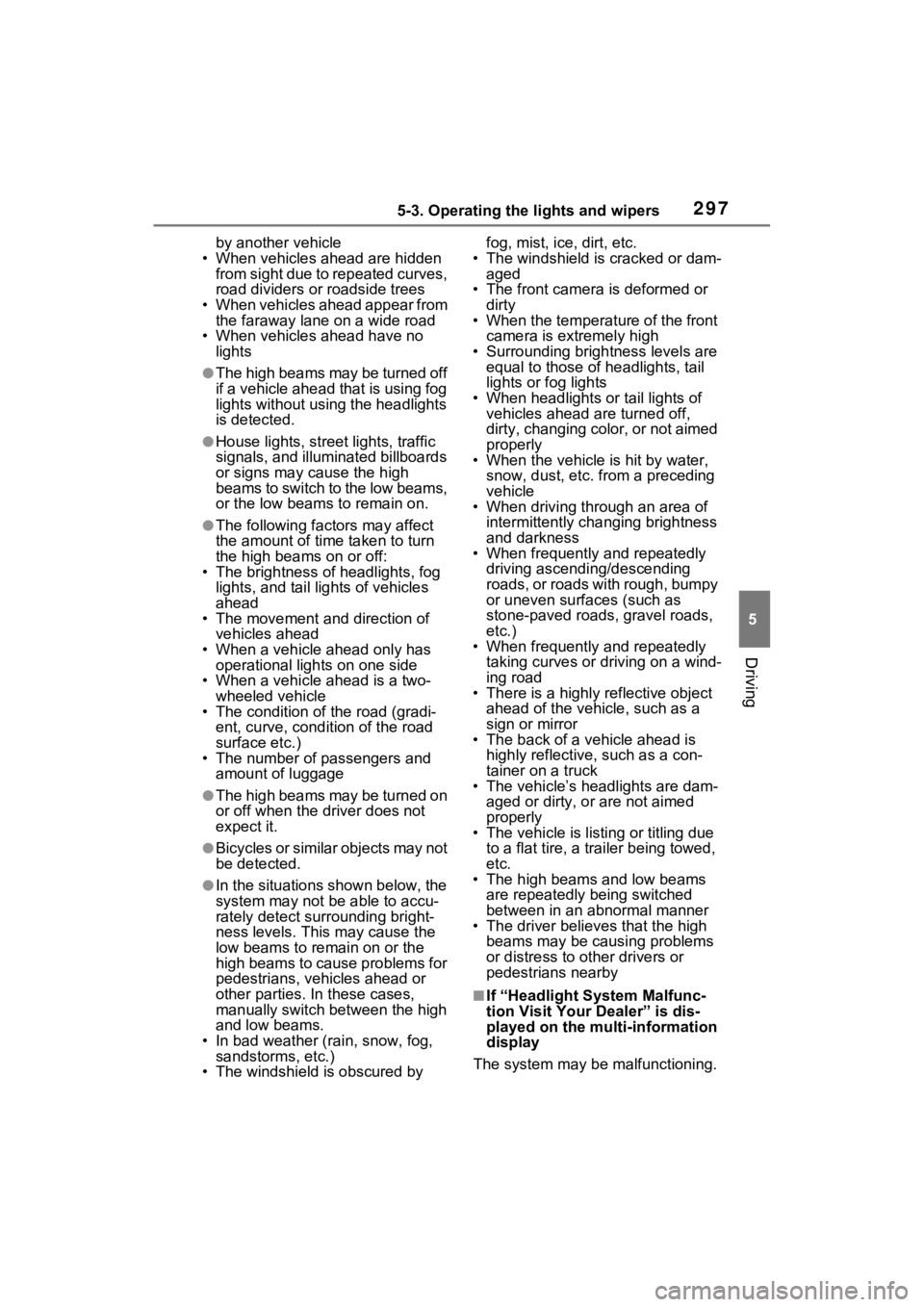
Beam switch. 2
Turn the headlight switch to
the or position.
The Automatic High Beam indicator
will come on when the system is
operating.
■High beams automatic turning
on or off conditions
●When all of the following condi-
tions are fulfilled, the high beams
will be automatically turned on
(after approximately 1 second):
• Vehicle speed is above approxi-
mately 21 mph (34 km/h) or more.
• The area ahead of the vehicle is dark.
• There are no vehicles ahead with headlights or tail lights turned on.
• There are few str eetlights on the
road ahead.
●If any of the following conditions
are fulfilled, the high beams will be
automatically turned off:
• Vehicle speed drops below
approximately 17 mph (27 km/h).
• The area ahead of the vehicle is not dark.
• Vehicles ahead have headlights or tail lights turned on.
• There are many streetlights on the
road ahead.
■Front camera detection infor-
mation
●The high beams m ay not be auto-
matically turned off in the following
situations:
• When oncoming vehicles sud-
denly appear from a curve
• When the vehicle is cut in front of
AHB (Automatic High
Beam)
The Automatic High Beam
uses an in-vehicle front
camera to assess the bright-
ness of streetlights, the
lights of vehicles ahead etc.,
and automatically turns the
high beams on or off as nec-
essary.
WARNING
■Limitations of the Automatic
High Beam
Do not overly rely on the Auto-
matic High Beam. Always drive
safely, taking care to observe
your surroundings and turning the
high beams on or off manually if
necessary.
■To prevent incorrect opera-
tion of the Automatic High
Beam system
Do not overload the vehicle.
Activating the Automatic
High Beam system
Page 297 of 624
2975-3. Operating the lights and wipers
5
Driving
by another vehicle
• When vehicles ahead are hidden from sight due to repeated curves,
road dividers or roadside trees
• When vehicles ahead appear from the faraway lane on a wide road
• When vehicles ahead have no lights
●The high beams may be turned off
if a vehicle ahead that is using fog
lights without using the headlights
is detected.
●House lights, street lights, traffic
signals, and illumi nated billboards
or signs may cause the high
beams to switch to the low beams,
or the low beams to remain on.
●The following factors may affect
the amount of time taken to turn
the high beams on or off:
• The brightness of headlights, fog
lights, and tail lig hts of vehicles
ahead
• The movement and direction of
vehicles ahead
• When a vehicle ahead only has operational lights on one side
• When a vehicle ahead is a two- wheeled vehicle
• The condition of the road (gradi-
ent, curve, condi tion of the road
surface etc.)
• The number of passengers and
amount of luggage
●The high beams may be turned on
or off when the driver does not
expect it.
●Bicycles or similar objects may not
be detected.
●In the situations shown below, the
system may not be able to accu-
rately detect surrounding bright-
ness levels. This may cause the
low beams to remain on or the
high beams to cause problems for
pedestrians, vehicles ahead or
other parties. In these cases,
manually switch between the high
and low beams.
• In bad weather (rain, snow, fog, sandstorms, etc.)
• The windshield is obscured by fog, mist, i
ce, dirt, etc.
• The windshield is cracked or dam- aged
• The front camera is deformed or dirty
• When the temperature of the front
camera is extremely high
• Surrounding brightness levels are equal to those of headlights, tail
lights or fog lights
• When headlights or tail lights of vehicles ahead are turned off,
dirty, changing color, or not aimed
properly
• When the vehicle is hit by water,
snow, dust, etc. from a preceding
vehicle
• When driving through an area of
intermittently changing brightness
and darkness
• When frequently and repeatedly
driving ascending/descending
roads, or roads with rough, bumpy
or uneven surfaces (such as
stone-paved roads, gravel roads,
etc.)
• When frequently and repeatedly
taking curves or driving on a wind-
ing road
• There is a highly reflective object
ahead of the vehicle, such as a
sign or mirror
• The back of a vehicle ahead is
highly reflective, such as a con-
tainer on a truck
• The vehicle’s headlights are dam-
aged or dirty, or are not aimed
properly
• The vehicle is listing or titling due
to a flat tire, a trailer being towed,
etc.
• The high beams and low beams
are repeatedly being switched
between in an abnormal manner
• The driver believes that the high
beams may be causing problems
or distress to other drivers or
pedestrians nearby
■If “Headlight System Malfunc-
tion Visit Your Dealer” is dis-
played on the multi-information
display
The system may be malfunctioning.