phone TOYOTA SEQUOIA 2009 2.G Owner's Manual
[x] Cancel search | Manufacturer: TOYOTA, Model Year: 2009, Model line: SEQUOIA, Model: TOYOTA SEQUOIA 2009 2.GPages: 612
Page 348 of 612
348 3-4. Using the hands-free phone system (for cellular phone)
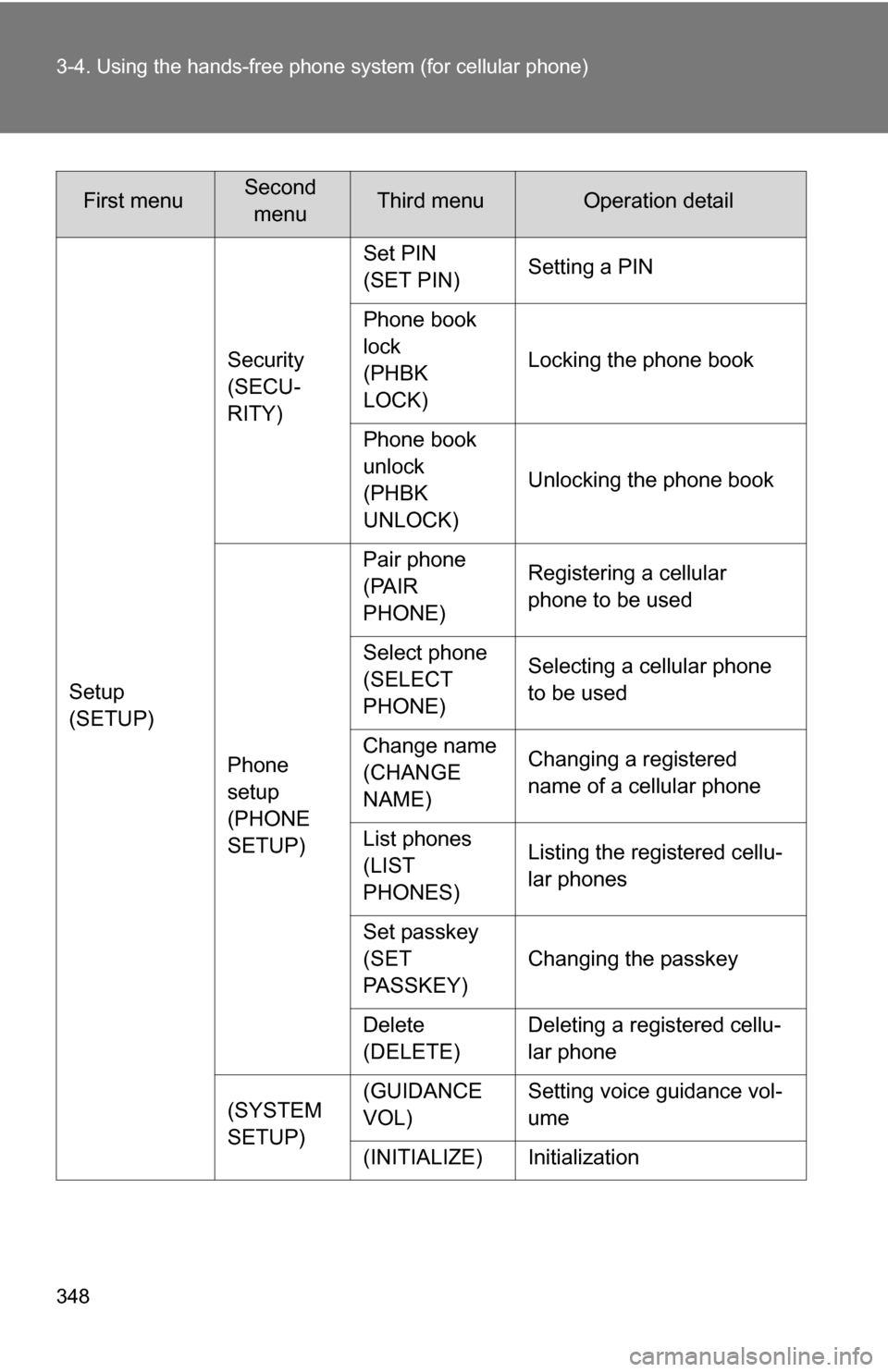
Setup
(SETUP)Security
(SECU-
RITY)
Set PIN
(SET PIN)
Setting a PIN
Phone book
lock
(PHBK
LOCK) Locking the phone book
Phone book
unlock
(PHBK
UNLOCK) Unlocking the phone book
Phone
setup
(PHONE
SETUP) Pair phone
(PAIR
PHONE)
Registering a cellular
phone to be used
Select phone
(SELECT
PHONE) Selecting a cellular phone
to be used
Change name
(CHANGE
NAME) Changing a registered
name of a cellular phone
List phones
(LIST
PHONES) Listing the registered cellu-
lar phones
Set passkey
(SET
PASSKEY) Changing the passkey
Delete
(DELETE) Deleting a registered cellu-
lar phone
(SYSTEM
SETUP) (GUIDANCE
VOL)
Setting voice guidance vol-
ume
(INITIALIZE) Initialization
First menuSecond menuThird menuOperation detail
Page 349 of 612
349
3-4. Using the hand
s-free phone system (for cellular phone)
3
Interior features
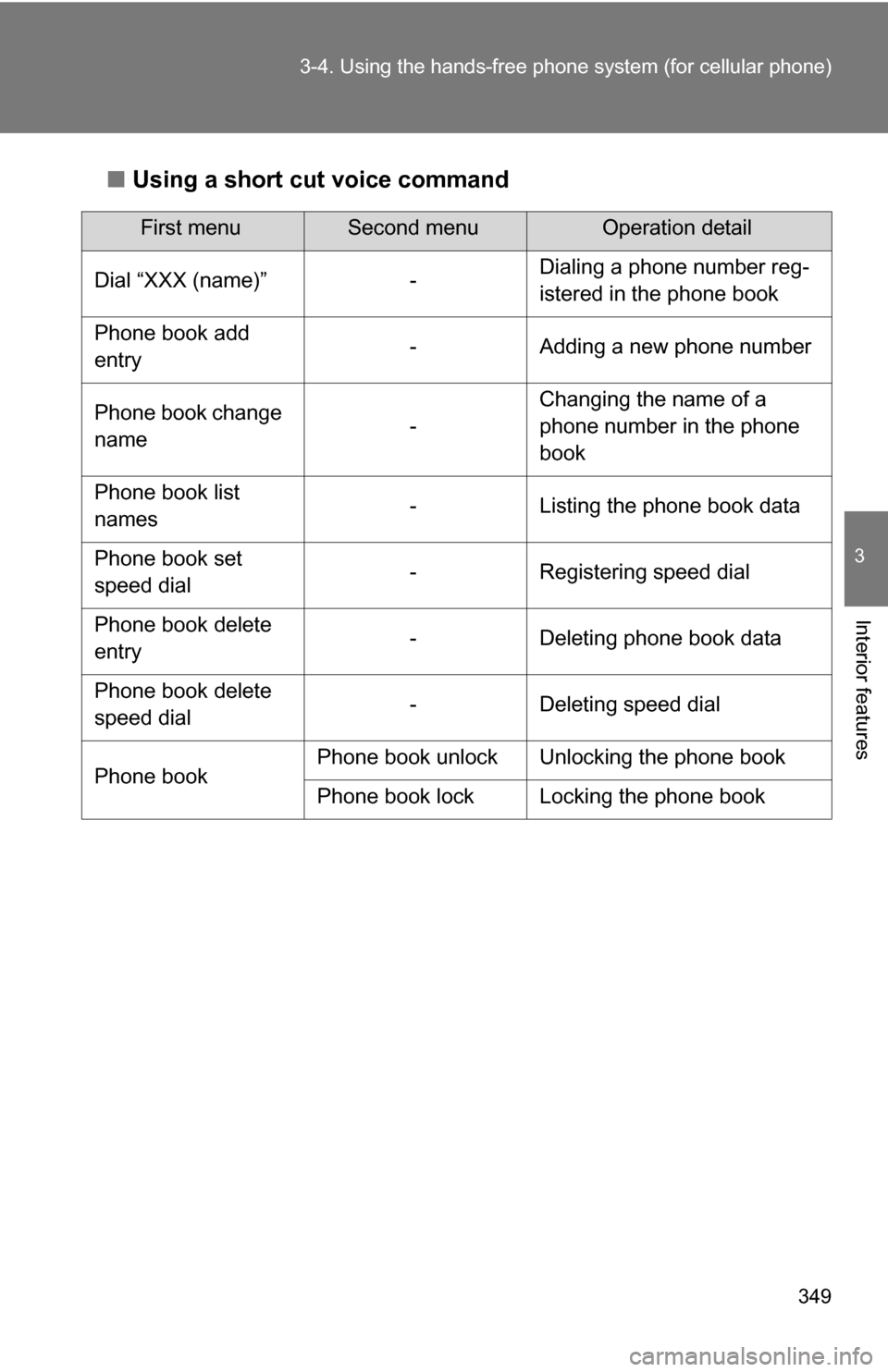
■Using a short cut voice command
First menuSecond menuOperation detail
Dial “XXX (name)” - Dialing a phone number reg-
istered in the phone book
Phone book add
entry - Adding a new phone number
Phone book change
name -Changing the name of a
phone number in the phone
book
Phone book list
names - Listing the phone book data
Phone book set
speed dial - Registering speed dial
Phone book delete
entry - Deleting phone book data
Phone book delete
speed dial - Deleting speed dial
Phone book Phone book unlock Unlocking the phone book
Phone book lock Locking the phone book
Page 350 of 612
350 3-4. Using the hands-free phone system (for cellular phone)
■Automatic adjustment of volume
When vehicle speed is 50 mph (80 km/h) or more, the volume automatically
increases. The volume returns to the previous volume setting when vehicle
speed drops to 43 mph (70 km/h) or less.
■ When using a voice command
●For numbers, speak a combination of single digits from zero to nine, #
(pound), (star), and + (plus).
● Speak the command correctly and clearly.
■ The system may not recognize your voice in the following situations:
●When driving on a rough road
● When driving at high speeds
● When air is blowing out of the vents onto the microphone
● When the air conditioning fan emits a loud noise
■ The following cannot be performed while driving:
●Operating the system with
● Registering a cellular phone to the system
■ Changing the passkey
P. 359
Page 351 of 612
351
3-4. Using the hands-free phone system (for cellular phone)
3
Interior features
Making a phone call
Dialing by inputting a phone numberPress or and say “Dial by number”.
Press or and say the phone number.
■Making a phone call
●Dialing by inputting a phone number
“Dial by number”
● Dialing by inputting a name
“Dial by name”
● Speed dialing
● Dialing a phone number stored in the outgoing history mem-
ory
“Redial”
● Dialing a phone number stored in the incoming history mem-
ory
“Callback”
■ Receiving a phone call
●Answering the phone
● Refusing the call
■ Transferring a call
■ Using a call history memory
●Dialing
● Storing data in the phone book
● Deleting
Page 352 of 612
352 3-4. Using the hands-free phone system (for cellular phone)
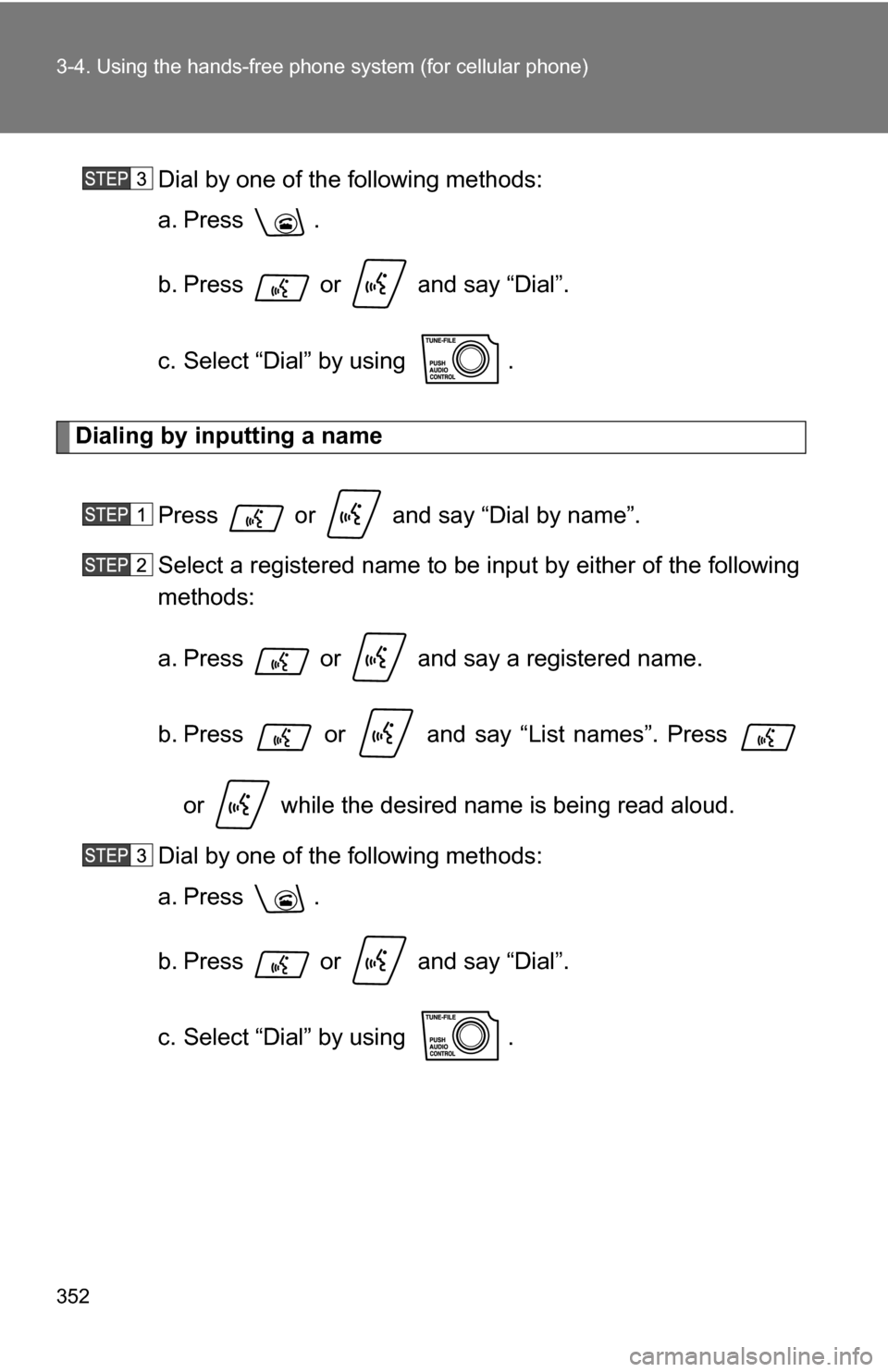
Dial by one of the following methods:
a. Press .
b. Press or and say “Dial”.
c. Select “Dial” by using .
Dialing by inputting a name
Press or and say “Dial by name”.
Select a registered name to be input by either of the following
methods:
a. Press or and say a registered name.
b. Press or and say “List names”. Press or while the desired name is being read aloud.
Dial by one of the following methods:
a. Press .
b. Press or and say “Dial”.
c. Select “Dial” by using .
Page 353 of 612
353
3-4. Using the hand
s-free phone system (for cellular phone)
3
Interior features
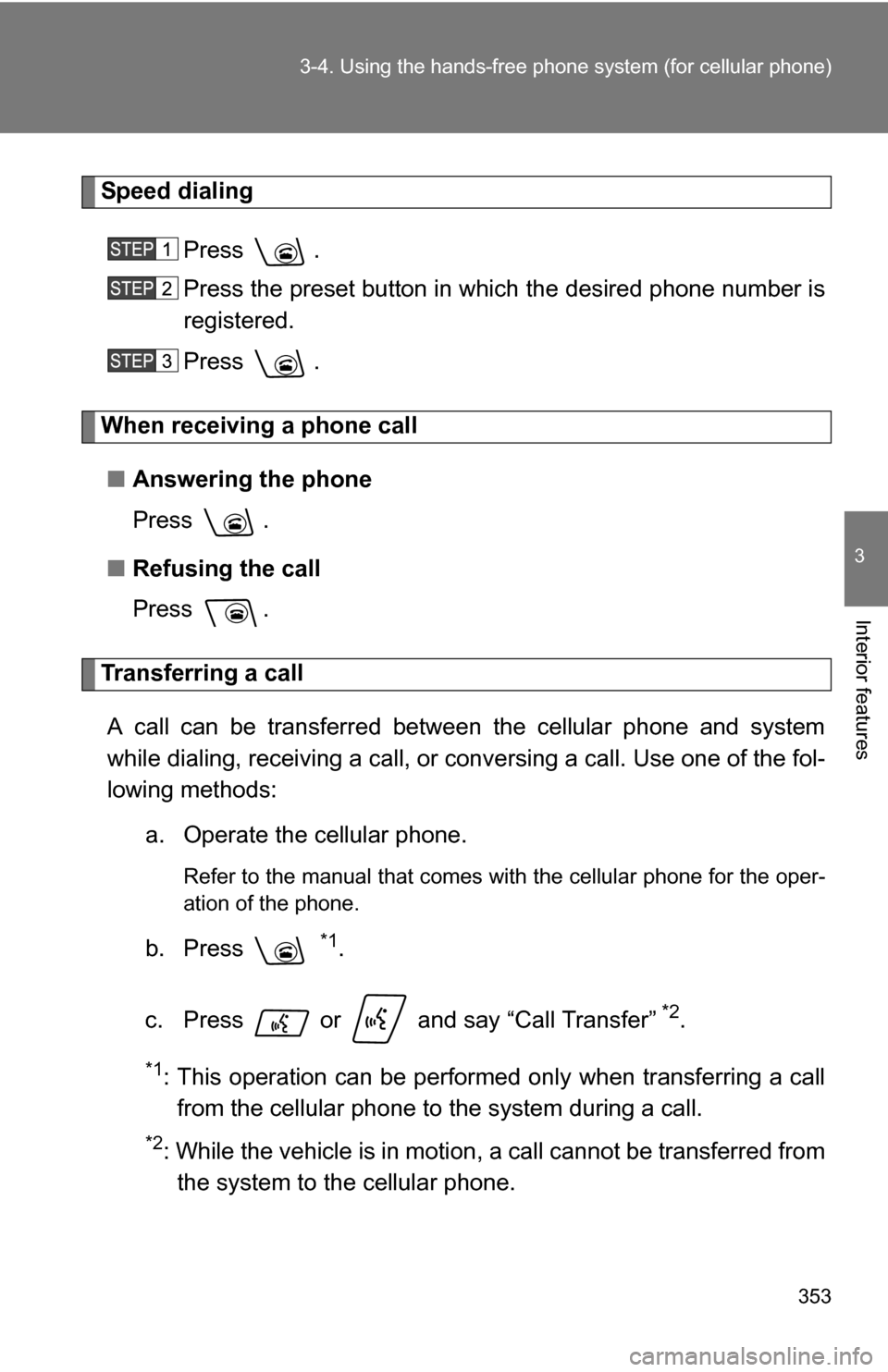
Speed dialing
Press .
Press the preset button in which the desired phone number is
registered.
Press .
When receiving a phone call■ Answering the phone
Press .
■ Refusing the call
Press .
Transferring a call
A call can be transferred between the cellular phone and system
while dialing, receiving a call, or conversing a call. Use one of the fol-
lowing methods: a. Operate the cellular phone.
Refer to the manual that comes with the cellular phone for the oper-
ation of the phone.
b. Press *1.
c. Press or and say “Call Transfer”
*2.
*1: This operation can be performed only when transferring a call from the cellular phone to the system during a call.
*2: While the vehicle is in motion , a call cannot be transferred from
the system to the cellular phone.
Page 354 of 612
354 3-4. Using the hands-free phone system (for cellular phone)
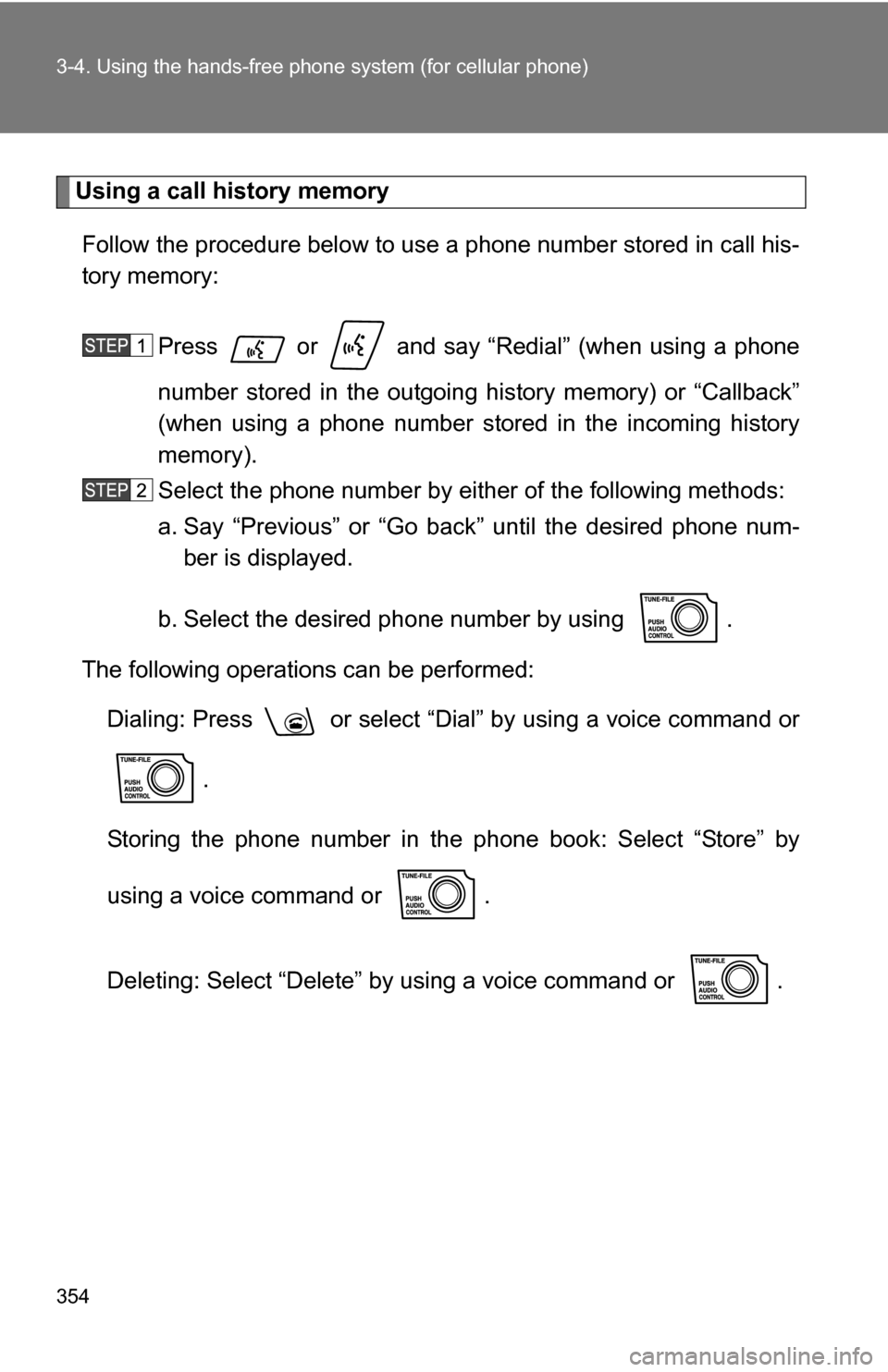
Using a call history memory
Follow the procedure below to use a phone number stored in call his-
tory memory:
Press or and say “Redial” (when using a phone
number stored in the outgoing history memory) or “Callback”
(when using a phone number stored in the incoming history
memory).
Select the phone number by eit her of the following methods:
a. Say “Previous” or “Go back” until the desired phone num- ber is displayed.
b. Select the desired phone number by using .
The following operations can be performed: Dialing: Press or select “Dial” by using a voice command or
.
Storing the phone number in the phone book: Select “Store” by
using a voice command or .
Deleting: Select “Delete” by using a voice command or .
Page 355 of 612
355
3-4. Using the hand
s-free phone system (for cellular phone)
3
Interior features
■A shortcut to Redial is available
Press the twice.
■ Muting your voice
Your voice can be muted so that the other party cannot hear your voice dur-
ing a call.
To set or cancel: Press or and say “Mute”.
■ Call history
Up to 5 phone numbers can be stored in each of the outgoing and incoming
history memories.
■ When talking on the phone
●Do not talk simultaneously with the other party.
● Keep the volume of the received voice down. Otherwise, voice echo will
increase.
Page 356 of 612
356
3-4. Using the hands-free phone system (for cellular phone)
Setting a cellular phone
Registering a cellular phoneSelect “Pair phone” by using a voice command or , and do
the procedure for registering a cellular phone. ( P. 345)
Registering a cellular phone in the hands-free phone system allows
the system to function. The followin g function can be used for regis-
tered cellular phones:
■ Functions and operation procedures
To enter a menu for each function, follow the steps below by using
voice commands or :
●Registering a cellular phone
1. “Setup” 2. “Phone setup” 3. “Pair phone”
● Selecting a cellular phone to be used
1. “Setup” 2. “Phone setup” 3. “Select phone”
● Changing a registered name
1. “Setup” 2. “Phone setup” 3. “Change name”
● Listing the registered cellular phones
1. “Setup” 2. “Phone setup” 3. “List phones”
● Changing the passkey
1. “Setup” 2. “Phone setup” 3. “Set passkey”
● Deleting a cellular phone
1. “Setup” 2. “Phone setup” 3. “Delete”
Page 357 of 612
357
3-4. Using the hand
s-free phone system (for cellular phone)
3
Interior features
Selecting a cellular phone to be used
Select “Select phone” by using a voice command or .
Pattern A Select a cellular phone to be used by either of the following
methods, and select “Confirm” by using a voice command or
:
a. Press or and say the desired phone name.
b. Press or and say “List phones”. While the name of the desired cellular phone is being read aloud,
press or .
Pattern B Select a cellular phone to be used by using .
Changing a registered name
Select “Change name” by using a voice command or .
Select a name of cellular phone to be changed by either of the
following methods:
a. Press or and say the desired phone name, and select “Confirm” by using a voice command or
.