steering wheel TOYOTA SEQUOIA 2009 2.G Repair Manual
[x] Cancel search | Manufacturer: TOYOTA, Model Year: 2009, Model line: SEQUOIA, Model: TOYOTA SEQUOIA 2009 2.GPages: 612
Page 249 of 612
249
2-5. Driving information
2
When driving
Trailer towing tips
Your vehicle will handle differently when towing a trailer. The three
main causes of vehicle-trailer ac cidents are driver error, excessive
speed and improper trailer loading. Keep the following in mind when
towing.
● Speed limits for towing a trailer vary by state or province. Do not
exceed the posted towing speed limit.
● Before starting out, check the trailer’s light and the vehicle-trailer
connections. Recheck after driving a short distance.
● Practice turning, stopping and reve rsing with the trailer attached in
an area away from traffic until you become accustomed to the feel
of the vehicle.
● Reversing with a trailer attached is difficult and requires practice.
Grip the bottom of the steering wheel and move your hand to the
left to move the trailer to the left. Move your hand to the right to
move the trailer to the right. (Thi s is generally opposite to reversing
without a trailer attached.) Avoid sharp or prolonged turning. Have
someone guide you when reversing to reduce the risk of an acci-
dent.
● As stopping distance is increased when towing a trailer, vehicle-to-
vehicle distance should be increased. For each 10 mph (16 km/h)
of speed, allow at least o ne vehicle and trailer length.
● Avoid sudden braking as you may skid, resulting in jackknifing and
loss of control. This is especiall y true on wet or slippery surfaces.
● Avoid jerky starts or sudden acceleration.
● Avoid jerky steering and sharp turns, and slow down before mak-
ing a turn.
● Note that when making a turn, th e trailer wheels will be closer than
the vehicle wheels to the inside of the turn. Compensate by making
a larger than normal turning radius.
Page 250 of 612
250 2-5. Driving information
●Crosswinds and rough roads will adversely affect handling of your
vehicle and trailer, causing sway . Periodically check the rear to
prepare for being passed by large trucks or buses, which may
cause your vehicle and trailer to sway. If swaying occurs, firmly grip
the steering wheel, reduce speed immediately but gradually, and
steer straight ahead. Never increase speed. If you make no
extreme correction with the stee ring or brakes, your vehicle and
trailer will stabilize.
● Take care when passing other v ehicles. Passing requires consider-
able distance. After passing a vehi cle, do not forget the length of
your trailer, and be sure you hav e plenty of room before changing
lanes.
● In order to maintain engine braking efficiency when driving on a
long steep downgrade, do not use the transmission in D.
Transmission shift range position must be in 5 in the S mode (6-
speed models) or in 4 in the S mode (5-speed models).
● Due to the added load of the trailer, your vehicle’s engine may
overheat on hot days (at temper atures over 85°F [30°C]) when
driving up a long or steep grade. If the engine coolant temperature
gauge indicates overheating, immediately turn off the air condition-
ing (if in use), pull your vehicle off the road and stop in a safe spot.
( P. 550)
● Always place wheel blocks under both the vehicle and the trailer
wheels when parking. Apply the parking brake firmly, and put the
transmission in P. Avoid parking on a slope, but if unavoidable, do
so only after performing the following:
Apply the brakes and keep them applied.
Have someone place wheel bloc ks under both the vehicle and
trailer wheels.
When the wheel blocks are in place, release the brakes slowly
until the blocks absorb the load.
Apply the parking brake firmly.
Page 258 of 612
258
3-1. Using the air conditioning system and defogger... 260
Front air conditioning system ........................... 260
Rear air conditioning system ........................... 268
Rear window and outside rear view mirror
defoggers ....................... 272
Windshield wiper de-icer ............................ 273
Using the steering wheel climate remote control
switches ......................... 274
3-2. Using the audio system .......................... 276
Audio system (without navigation system) ......... 276
Using the radio ................. 279
Using the CD player ......... 285
Playing back MP3 and WMA discs ..................... 292
Optimal use of the audio system ........................... 301
Using the AUX adapter .... 303
Using the steering wheel audio switches ............... 305 3-3. Using the rear audio/
video system ................ 307
Rear seat entertainment system ........................... 307
Using the DVD player (DVD video) ................... 314
Using the DVD player (video CD)...................... 323
Using the DVD player (audio CD/CD text) ........ 325
Using the DVD player (MP3 discs) .................... 326
Using the video mode ...... 328
Changing the Setup Menu settings ................ 330
3-4. Using the hands-free phone system
(for cellular phone) ...... 338
Hands-free phone system (for cellular phone) ......... 338
Using the hands-free phone system ................ 342
Making a phone call ......... 351
Setting a cellular phone ... 356
Security and system setup .............................. 361
Using the phone book ...... 364
Interior features3
Page 274 of 612
274
3-1. Using the air conditioning system and defogger
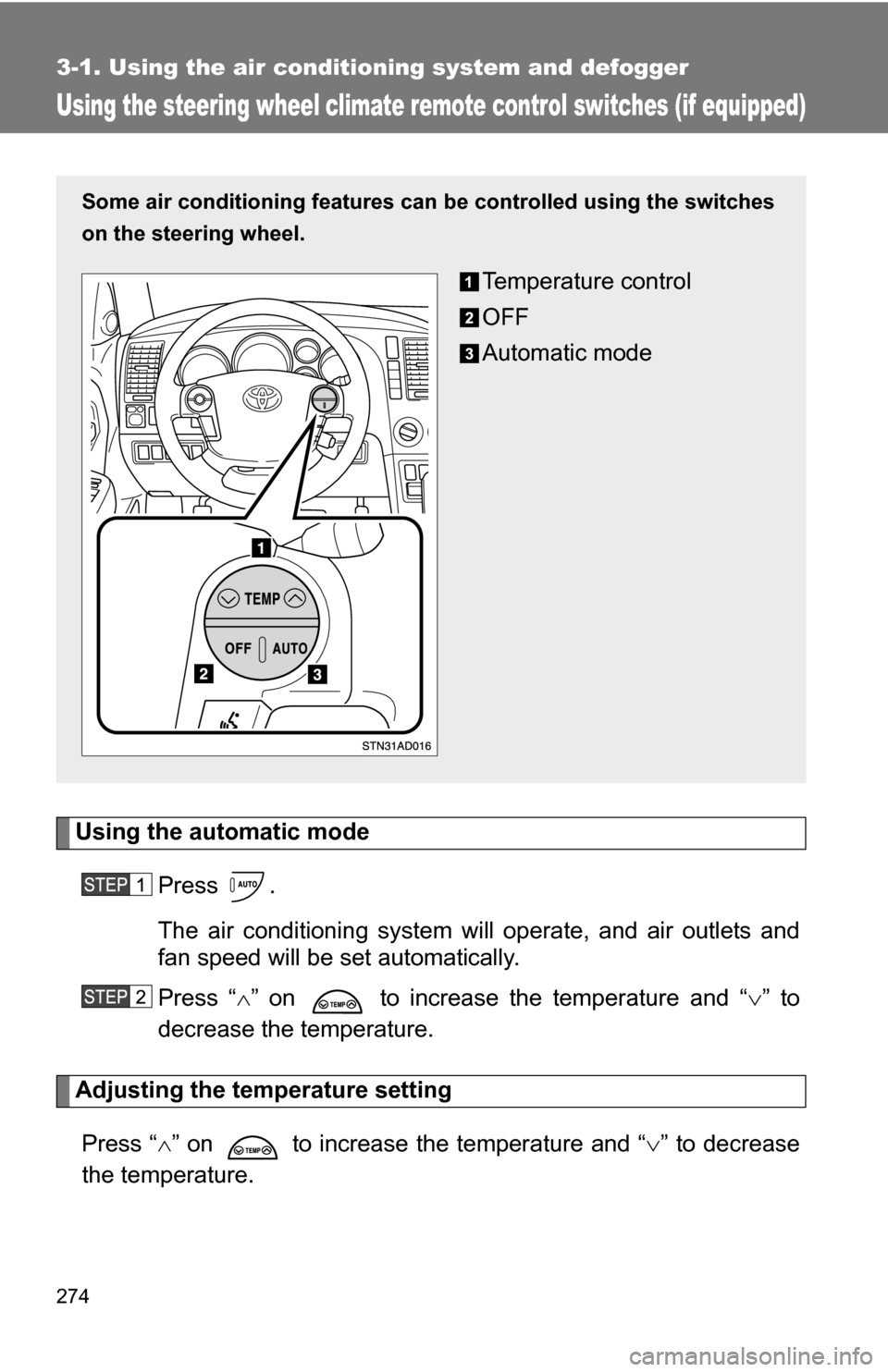
Using the steering wheel climate remote control switches (if equipped)
Using the automatic modePress .
The air conditioning system will operate, and air outlets and
fan speed will be set automatically.
Press “ ” on to increase the temperature and “ ” to
decrease the temperature.
Adjusting the temperature setting
Press “ ” on to increase the temperature and “ ” to decrease
the temperature.
Some air conditioning features can be controlled using the switches
on the steering wheel.
Temperature control
OFF
Automatic mode
Page 277 of 612
277
3-2. Using the audio system
3
Interior features
■
Using cellular phones
Interference may be heard through the audio system’s speakers if a cellular
phone is being used inside or close to the vehicle while the audio syste\
m is
operating.
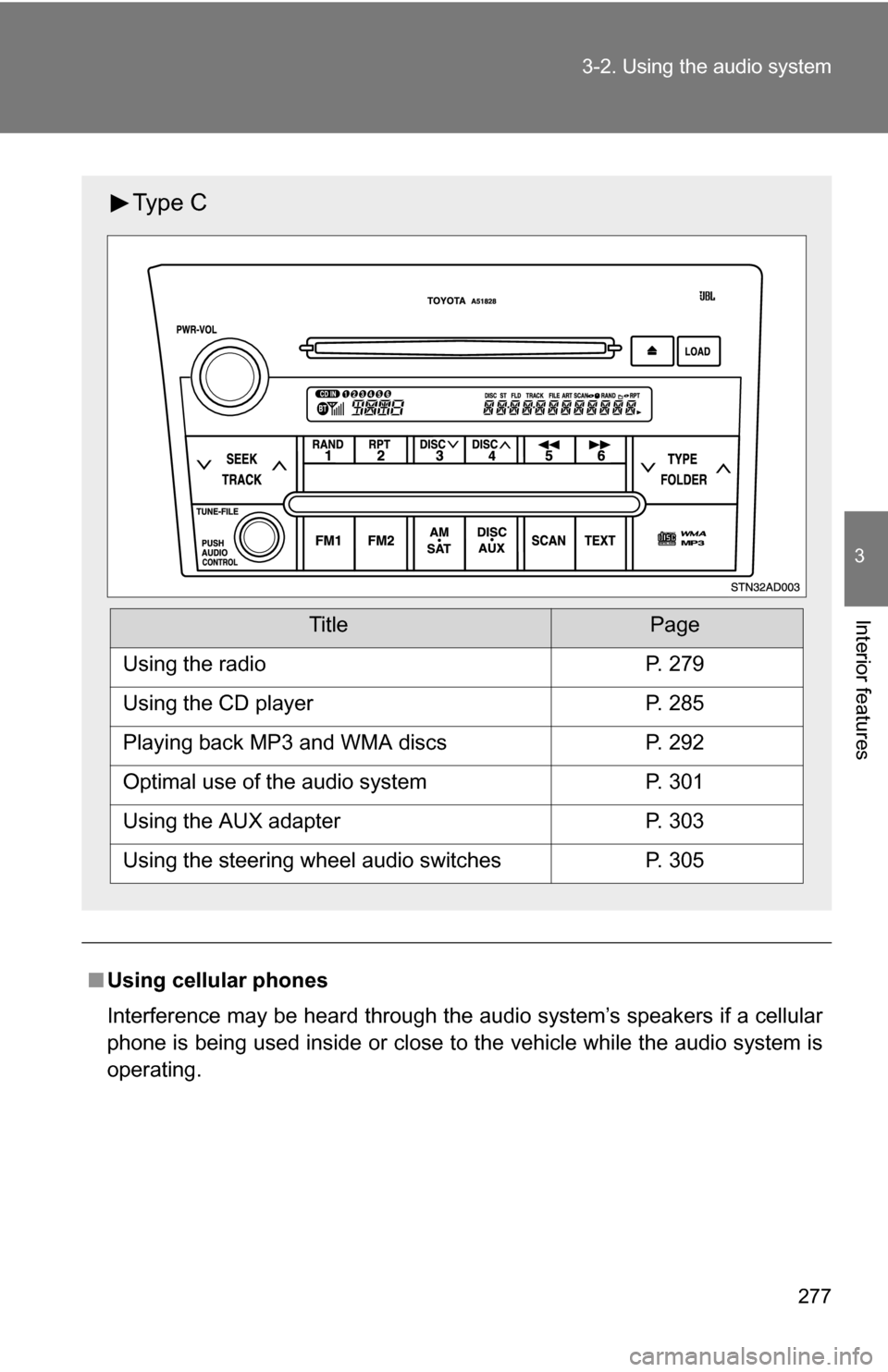
Ty p e C
TitlePage
Using the radioP. 279
Using the CD playerP. 285
Playing back MP3 and WMA discsP. 292
Optimal use of the audio systemP. 301
Using the AUX adapterP. 303
Using the steering wheel audio switchesP. 305
Page 305 of 612
305
3-2. Using the audio system
3
Interior features
Using the steering wheel audio switches (if equipped)
Turning on the powerPress when the audio system is turned off.
The audio system can be turned off by holding the switch down until the
system turns off.
Changing the audio sourcePress when the audio system is turned on. The audio source
changes as follows, each time is pressed.
CD player without changer:
FM1 FM2 CD AUX AM
CD player with changer:
FM1 FM2 CD changer AUX AMSAT1* SAT2* SAT3*
*
: Type B and C
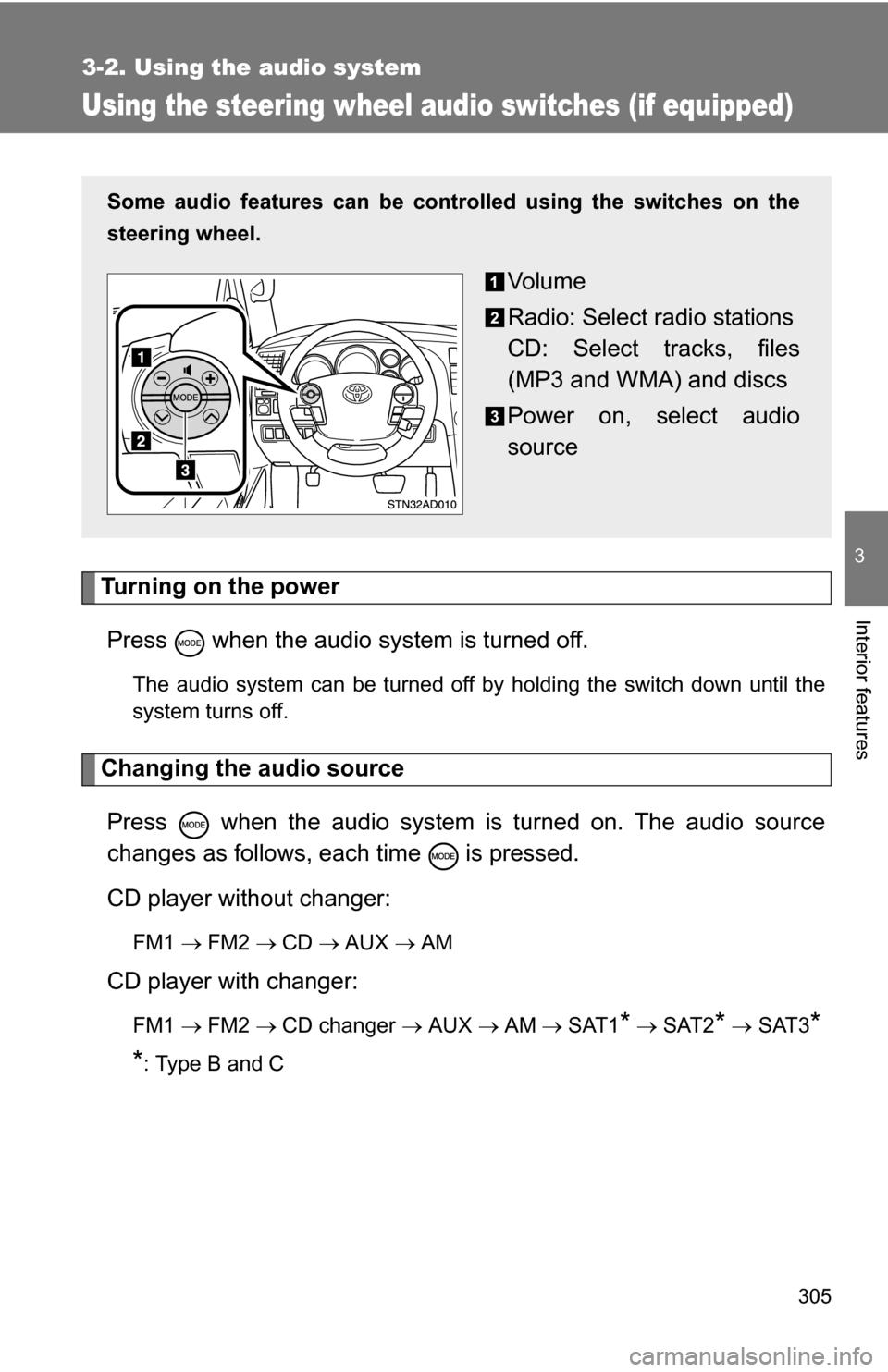
Some audio features can be cont rolled using the switches on the
steering wheel.
Vo l u m e
Radio: Select radio stations
CD: Select tracks, files
(MP3 and WMA) and discs
Power on, select audio
source
Page 306 of 612
306 3-2. Using the audio system
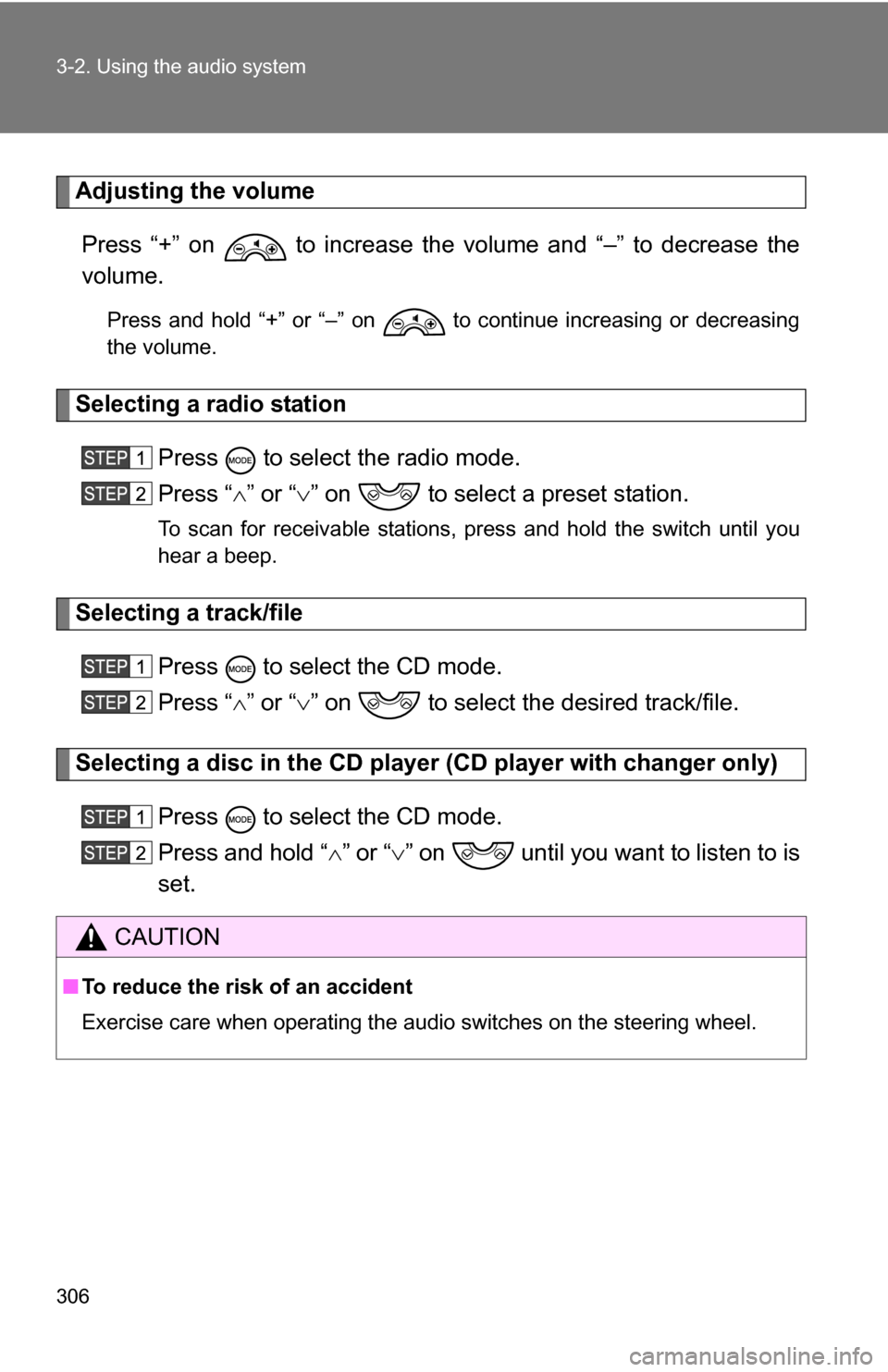
Adjusting the volumePress “+” on to increase the volume and “–” to decrease the
volume.
Press and hold “+” or “–” on to continue increasing or decreasing
the volume.
Selecting a radio station Press to select the radio mode.
Press “” or “ ” on to select a preset station.
To scan for receivable stations, press and hold the switch until you
hear a beep.
Selecting a track/file
Press to select the CD mode.
Press “” or “ ” on to select the desired track/file.
Selecting a disc in the CD player (CD player with changer only)
Press to select the CD mode.
Press and hold “ ” or “ ” on until you want to listen to is
set.
CAUTION
■ To reduce the risk of an accident
Exercise care when operating the audio switches on the steering wheel.
Page 343 of 612
343
3-4. Using the hand
s-free phone system (for cellular phone)
3
Interior features
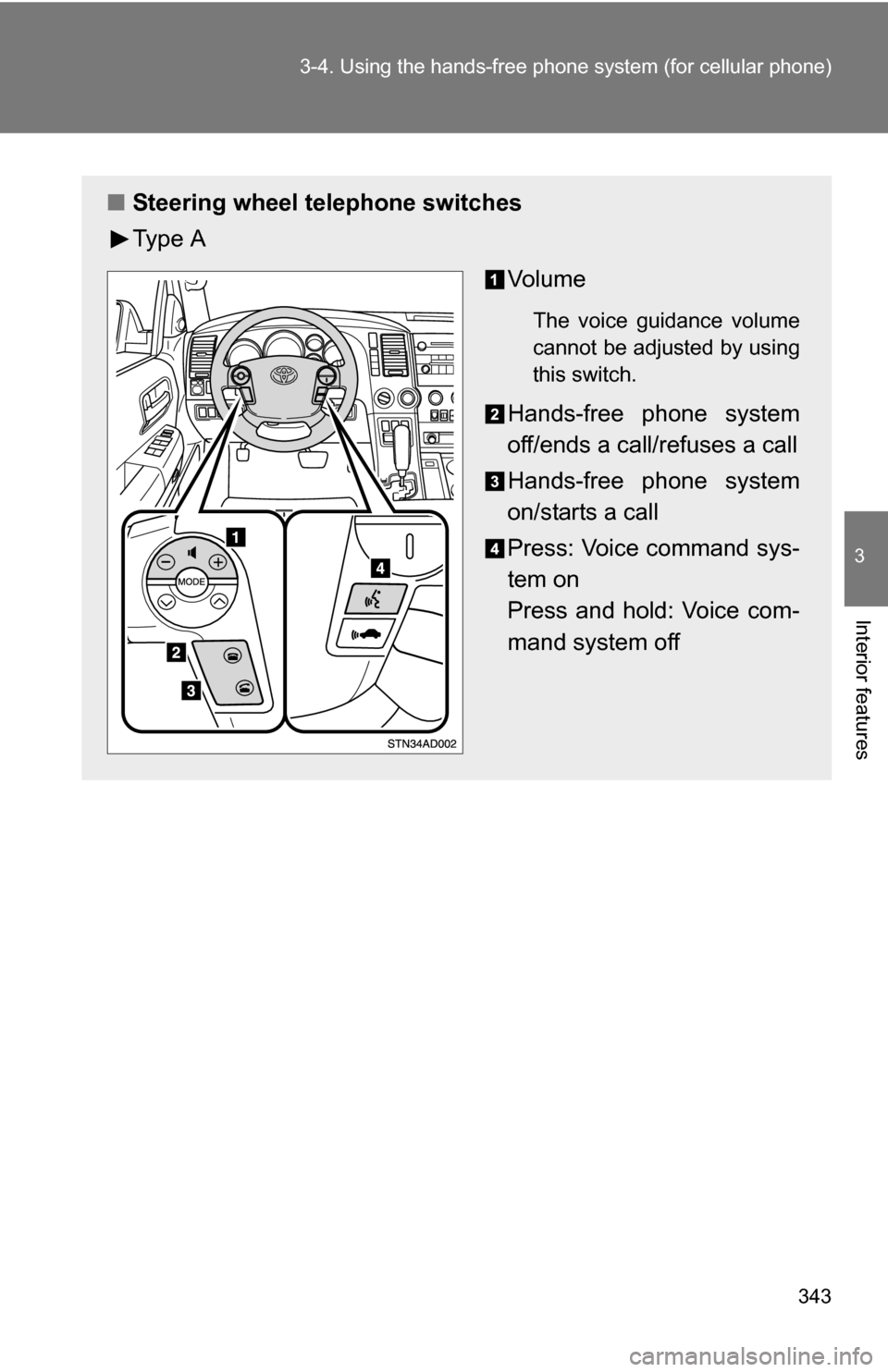
■Steering wheel telephone switches
Ty p e A
Vo l u m e
The voice guidance volume
cannot be adjusted by using
this switch.
Hands-free phone system
off/ends a call/refuses a call
Hands-free phone system
on/starts a call
Press: Voice command sys-
tem on
Press and hold: Voice com-
mand system off
Page 442 of 612
442 4-2. Maintenance
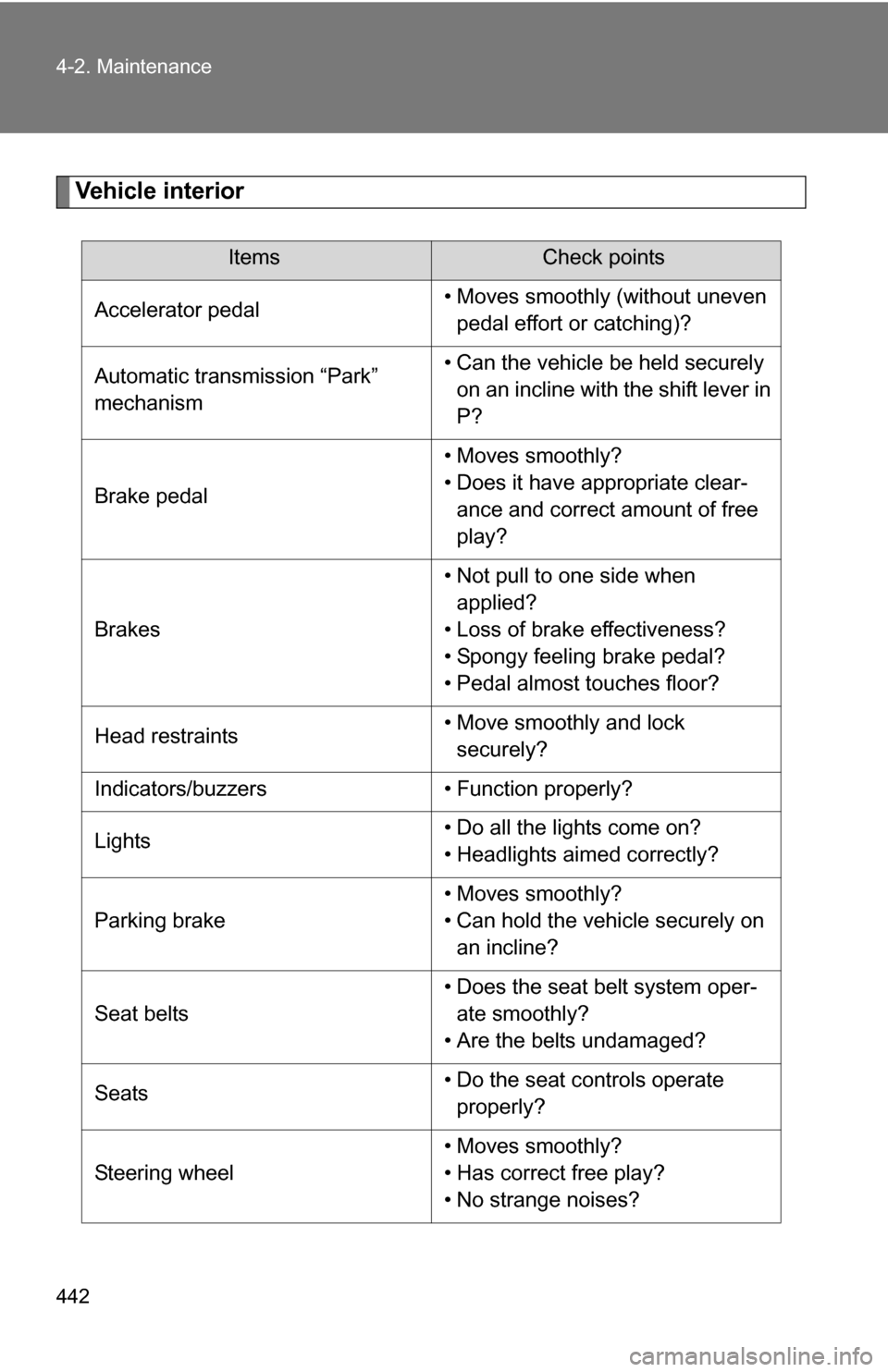
Vehicle interior
ItemsCheck points
Accelerator pedal • Moves smoothly (without uneven
pedal effort or catching)?
Automatic transmission “Park”
mechanism • Can the vehicle be held securely
on an incline with the shift lever in
P?
Brake pedal • Moves smoothly?
• Does it have appropriate clear-
ance and correct amount of free
play?
Brakes • Not pull to one side when
applied?
• Loss of brake effectiveness?
• Spongy feeling brake pedal?
• Pedal almost touches floor?
Head restraints • Move smoothly and lock
securely?
Indicators/buzzers • Function properly?
Lights • Do all the lights come on?
• Headlights aimed correctly?
Parking brake • Moves smoothly?
• Can hold the vehicle securely on
an incline?
Seat belts • Does the seat belt system oper-
ate smoothly?
• Are the belts undamaged?
Seats • Do the seat controls operate
properly?
Steering wheel • Moves smoothly?
• Has correct free play?
• No strange noises?
Page 509 of 612
5
When trouble arises
509
5-1. Essential information
If your vehicle needs to be towed
Before towingThe following may indicate a problem with your transmission. Contact
your Toyota dealer before towing.
● The engine is running, but the vehicle will not move.
● The vehicle makes an abnormal sound.
Emergency towing
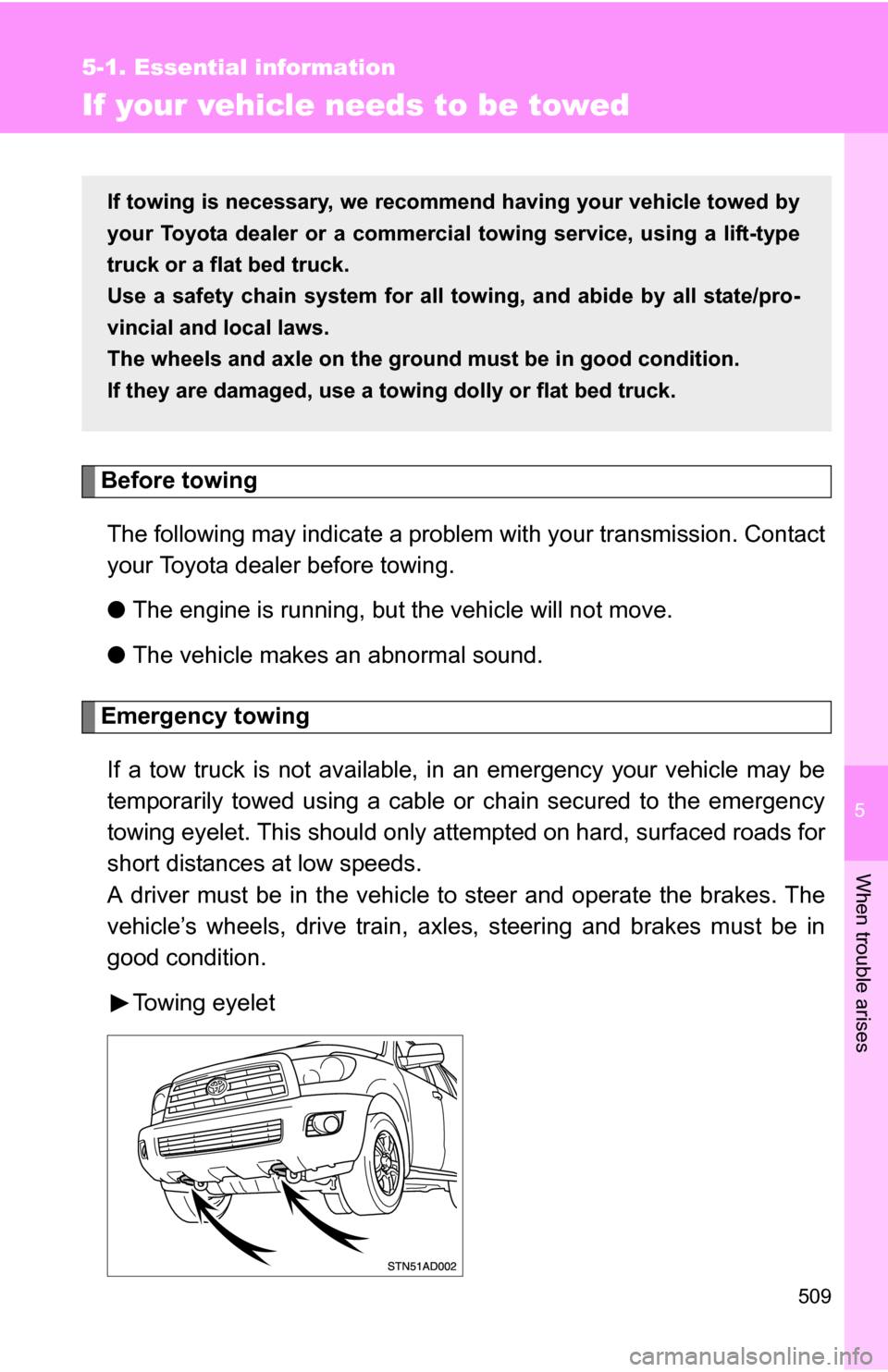
If a tow truck is not available, in an emergency your vehicle may be
temporarily towed using a cable or chain secured to the emergency
towing eyelet. This should only attempted on hard, surfaced roads for
short distances at low speeds.
A driver must be in the vehicle to steer and operate the brakes. The
vehicle’s wheels, drive train, axles, steering and brakes must be in
good condition.
Towing eyelet
If towing is necessary, we recommend having your vehicle towed by
your Toyota dealer or a commerci al towing service, using a lift-type
truck or a flat bed truck.
Use a safety chain system for all to wing, and abide by all state/pro-
vincial and local laws.
The wheels and axle on the groun d must be in good condition.
If they are damaged, use a towing dolly or flat bed truck.