rear entertainment TOYOTA SEQUOIA 2009 2.G Owners Manual
[x] Cancel search | Manufacturer: TOYOTA, Model Year: 2009, Model line: SEQUOIA, Model: TOYOTA SEQUOIA 2009 2.GPages: 612
Page 3 of 612
1
2
3
4
5
6
7
3
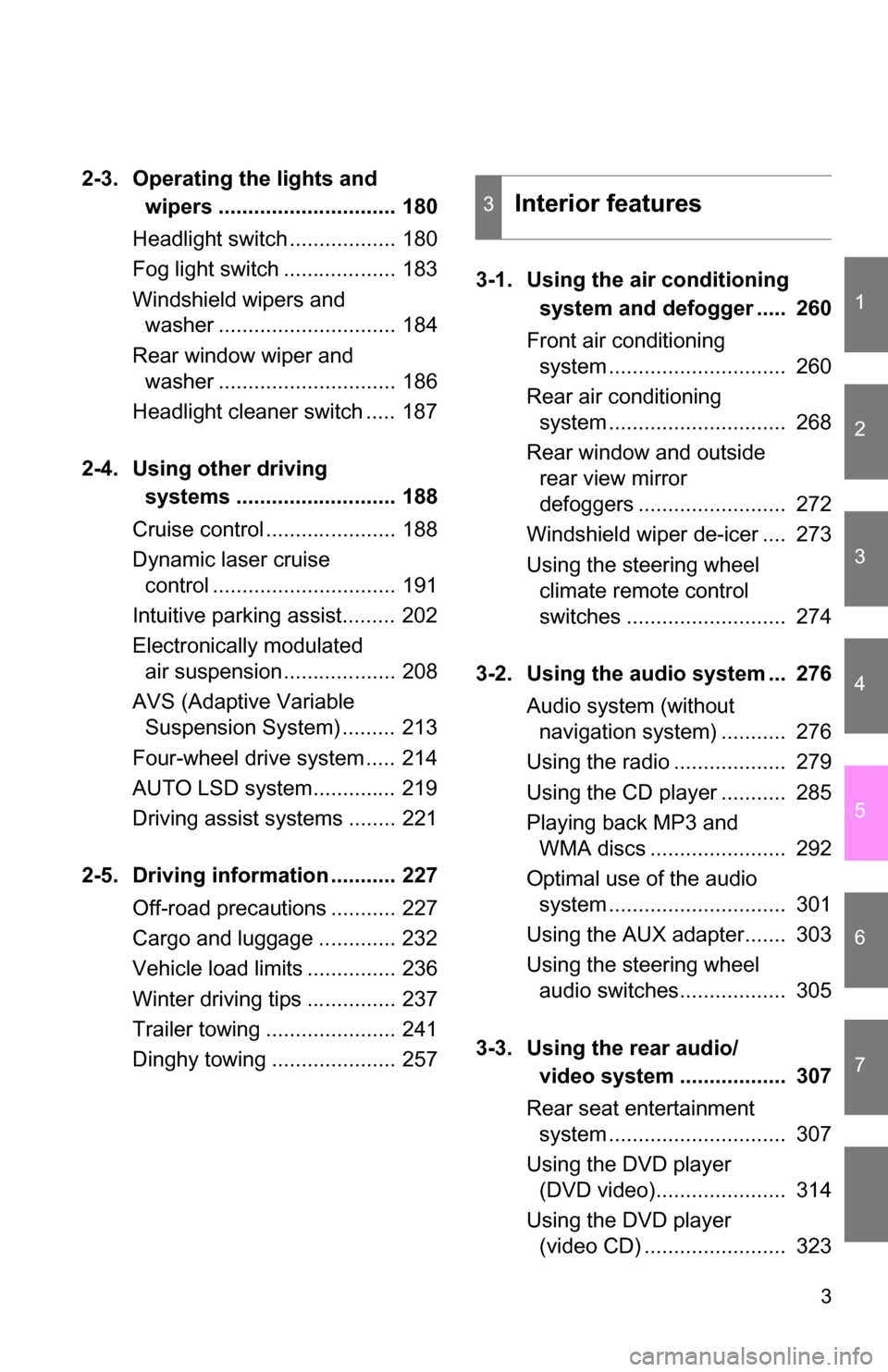
2-3. Operating the lights and wipers .............................. 180
Headlight switch .................. 180
Fog light switch ................... 183
Windshield wipers and washer .............................. 184
Rear window wiper and washer .............................. 186
Headlight cleaner switch ..... 187
2-4. Using other driving systems ........................... 188
Cruise control ...................... 188
Dynamic laser cruise control ............................... 191
Intuitive parking assist......... 202
Electronically modulated air suspension................... 208
AVS (Adaptive Variable Suspension System) ......... 213
Four-wheel drive system ..... 214
AUTO LSD system.............. 219
Driving assist systems ........ 221
2-5. Driving information ........... 227 Off-road precautions ........... 227
Cargo and luggage ............. 232
Vehicle load limits ............... 236
Winter driving tips ............... 237
Trailer towing ...................... 241
Dinghy towing ..................... 257 3-1. Using the air conditioning
system and defogger ..... 260
Front air conditioning system .............................. 260
Rear air conditioning system .............................. 268
Rear window and outside rear view mirror
defoggers ......................... 272
Windshield wiper de-icer .... 273
Using the steering wheel climate remote control
switches ........................... 274
3-2. Using the audio system ... 276 Audio system (without navigation system) ........... 276
Using the radio ................... 279
Using the CD player ........... 285
Playing back MP3 and WMA discs ....................... 292
Optimal use of the audio system .............................. 301
Using the AUX adapter....... 303
Using the steering wheel audio switches.................. 305
3-3. Using the rear audio/ video system .................. 307
Rear seat entertainment system .............................. 307
Using the DVD player (DVD video)...................... 314
Using the DVD player (video CD) ........................ 323
3Interior features
Page 11 of 612
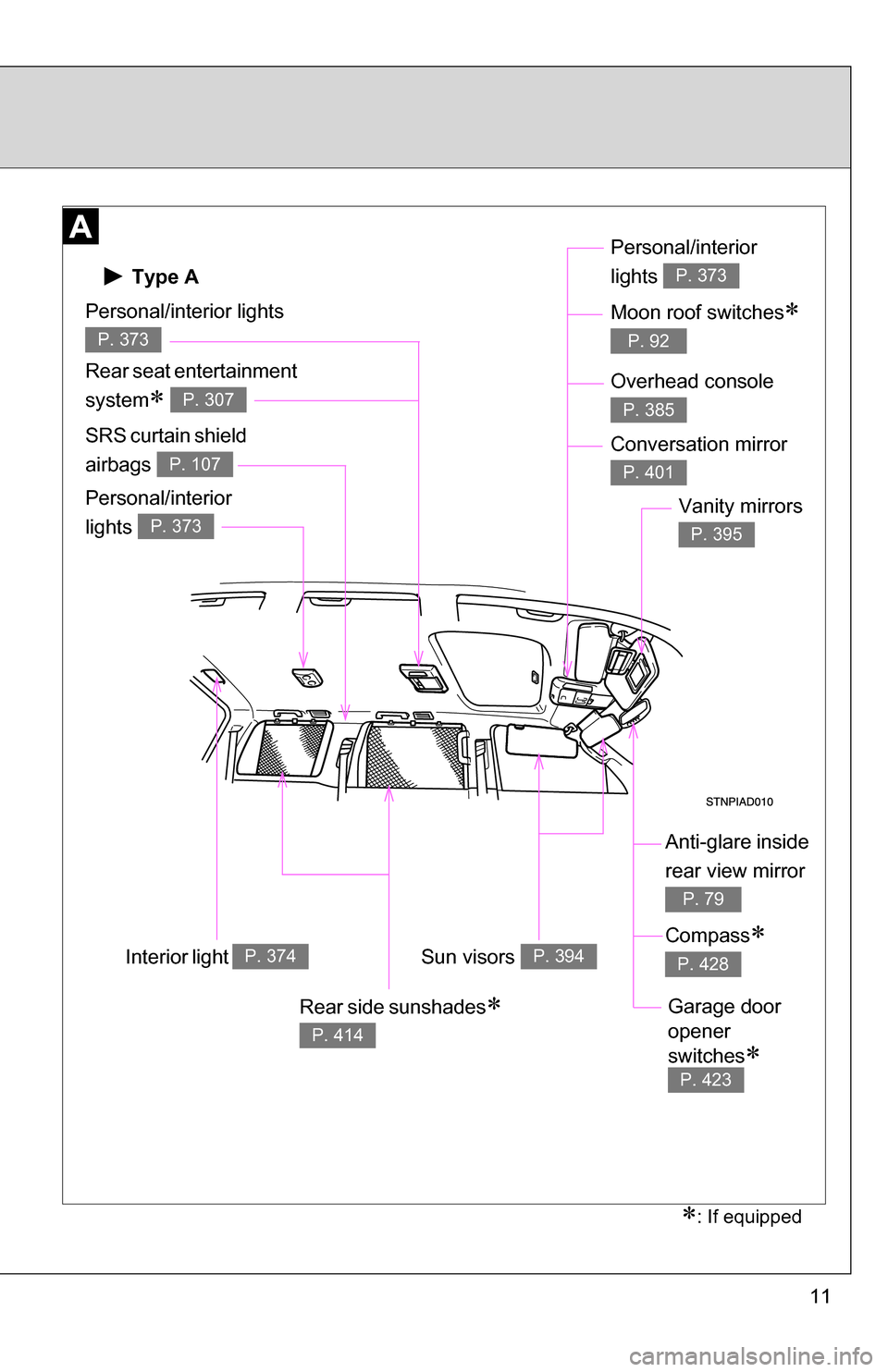
11
Anti-glare inside
rear view mirror
P. 79
Sun visors P. 394
SRS curtain shield
airbags
P. 107
Vanity mirrors
P. 395
Interior light P. 374
Type A
Personal/interior lights
P. 373
Rear seat entertainment
system
P. 307
Personal/interior
lights
P. 373
Personal/interior
lights
P. 373
Moon roof switches
P. 92
: If equipped
Overhead console
P. 385
Conversation mirror
P. 401
Compass
P. 428
Garage door
opener
switches
P. 423
Rear side sunshades
P. 414
Page 12 of 612
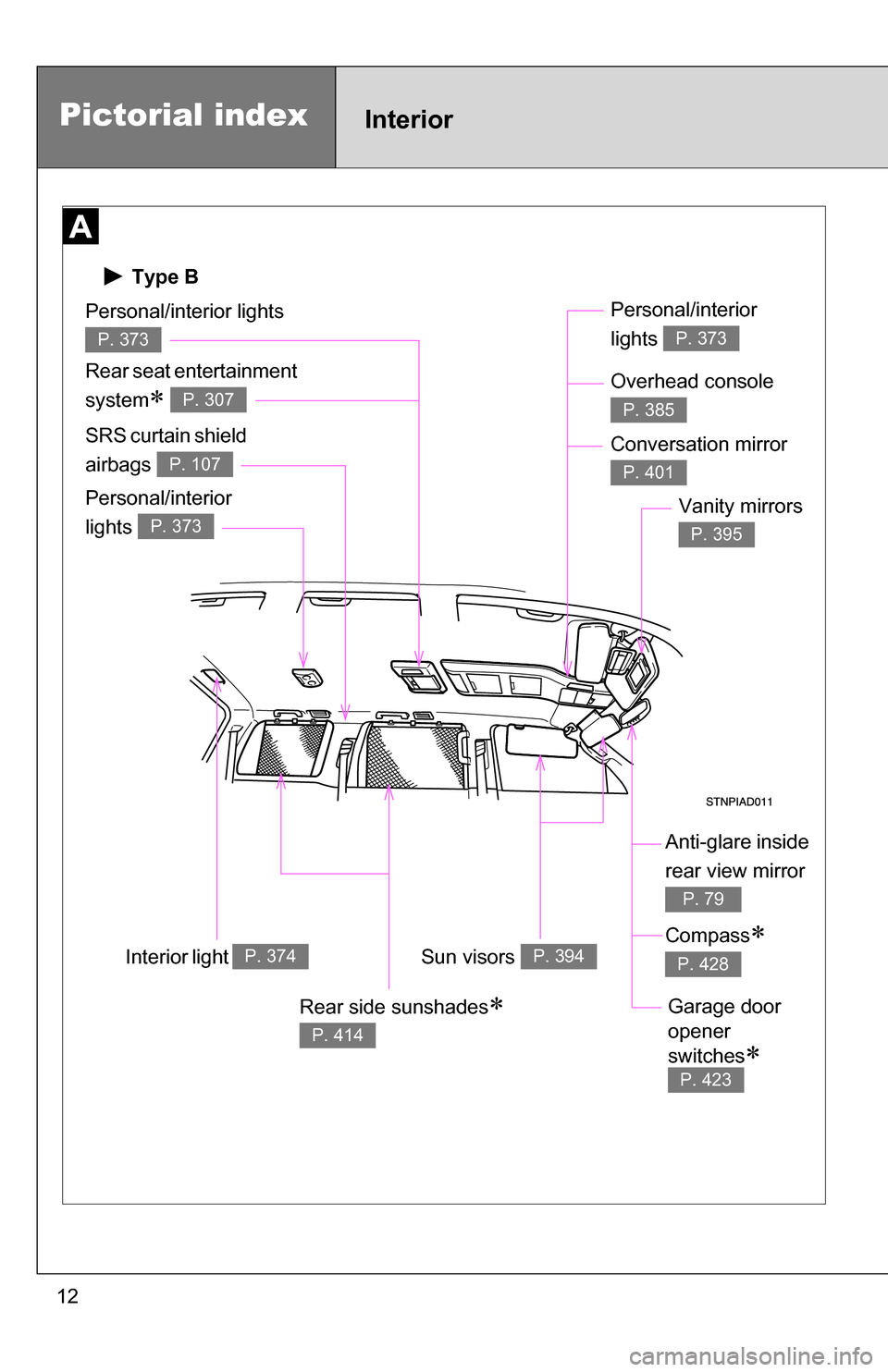
12
Type B
Pictorial indexInterior
Anti-glare inside
rear view mirror
P. 79
Sun visors P. 394
SRS curtain shield
airbags
P. 107
Vanity mirrors
P. 395
Interior light P. 374
Personal/interior lights
P. 373
Rear seat entertainment
system
P. 307
Personal/interior
lights
P. 373
Personal/interior
lights
P. 373
Overhead console
P. 385
Conversation mirror
P. 401
Compass
P. 428
Garage door
opener
switches
P. 423
Rear side sunshades
P. 414
Page 15 of 612
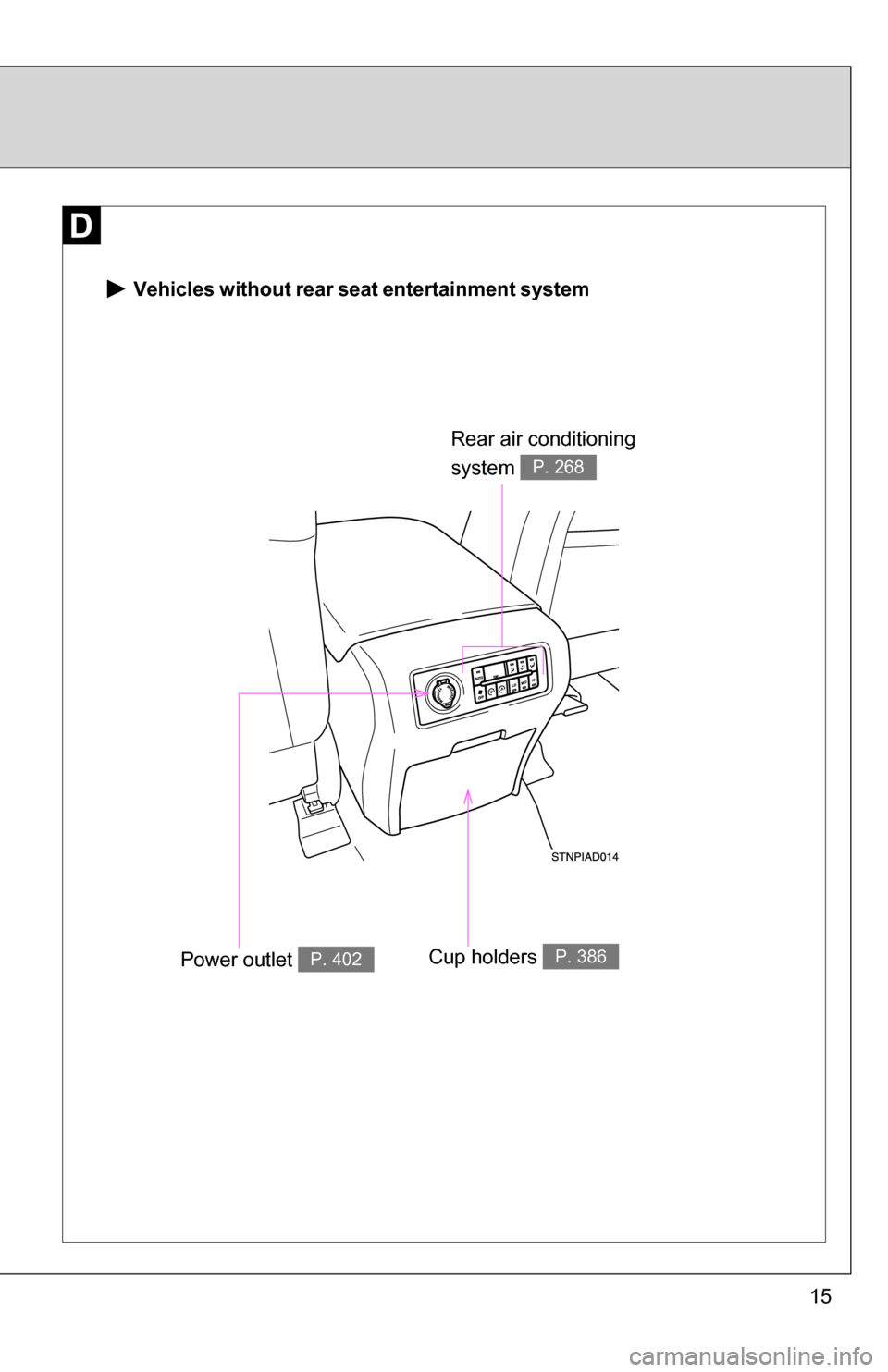
15
Vehicles without rear seat entertainment system
Rear air conditioning
system
P. 268
Power outlet P. 402Cup holders P. 386
Page 16 of 612
16
Pictorial indexInterior
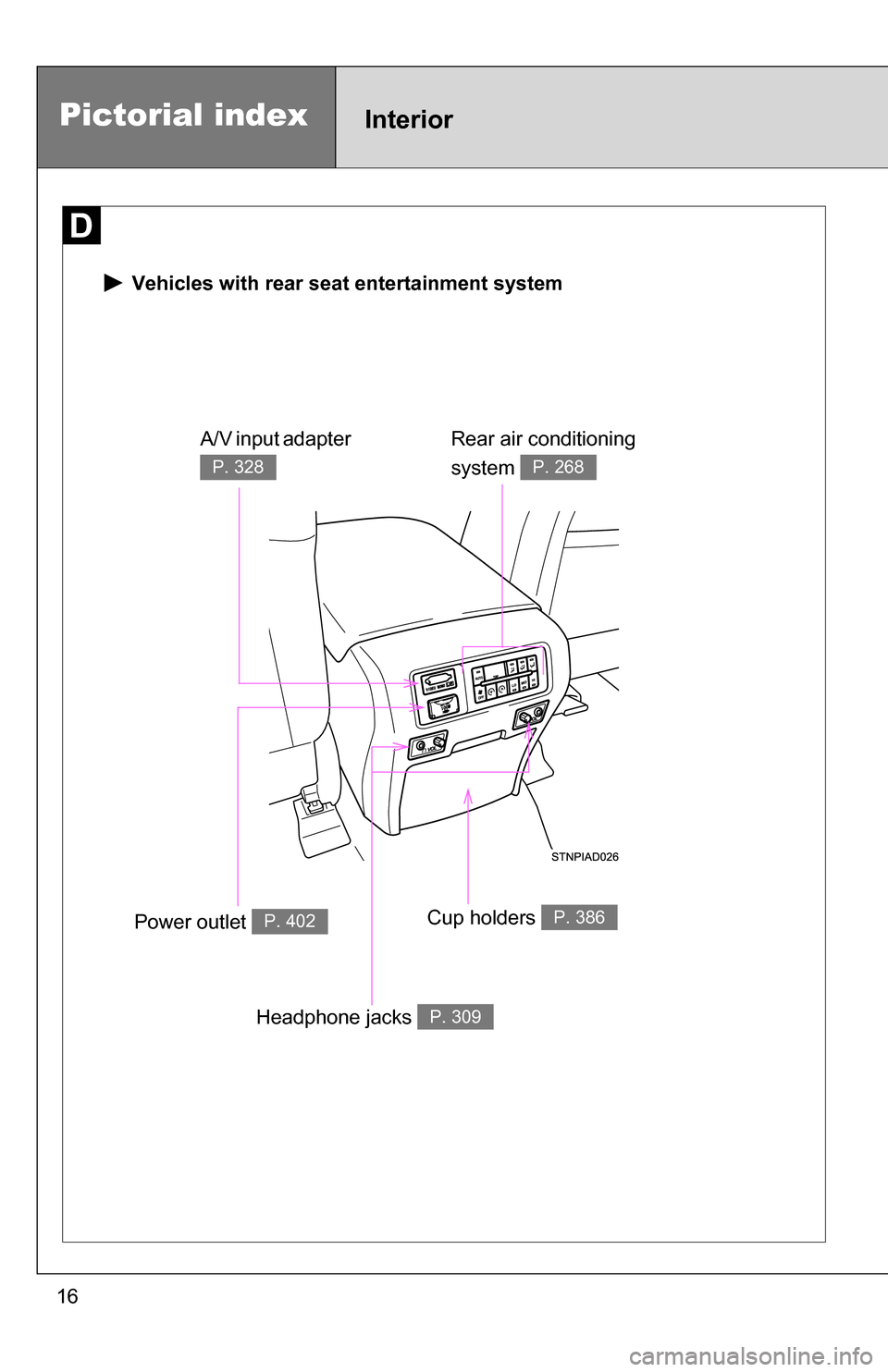
Vehicles with rear seat entertainment system
Rear air conditioning
system
P. 268
Power outlet P. 402Cup holders P. 386
A/V input adapter
P. 328
Headphone jacks P. 309
Page 258 of 612
258
3-1. Using the air conditioning system and defogger... 260
Front air conditioning system ........................... 260
Rear air conditioning system ........................... 268
Rear window and outside rear view mirror
defoggers ....................... 272
Windshield wiper de-icer ............................ 273
Using the steering wheel climate remote control
switches ......................... 274
3-2. Using the audio system .......................... 276
Audio system (without navigation system) ......... 276
Using the radio ................. 279
Using the CD player ......... 285
Playing back MP3 and WMA discs ..................... 292
Optimal use of the audio system ........................... 301
Using the AUX adapter .... 303
Using the steering wheel audio switches ............... 305 3-3. Using the rear audio/
video system ................ 307
Rear seat entertainment system ........................... 307
Using the DVD player (DVD video) ................... 314
Using the DVD player (video CD)...................... 323
Using the DVD player (audio CD/CD text) ........ 325
Using the DVD player (MP3 discs) .................... 326
Using the video mode ...... 328
Changing the Setup Menu settings ................ 330
3-4. Using the hands-free phone system
(for cellular phone) ...... 338
Hands-free phone system (for cellular phone) ......... 338
Using the hands-free phone system ................ 342
Making a phone call ......... 351
Setting a cellular phone ... 356
Security and system setup .............................. 361
Using the phone book ...... 364
Interior features3
Page 301 of 612
301
3-2. Using the audio system
3
Interior features
Optimal use of the audio system
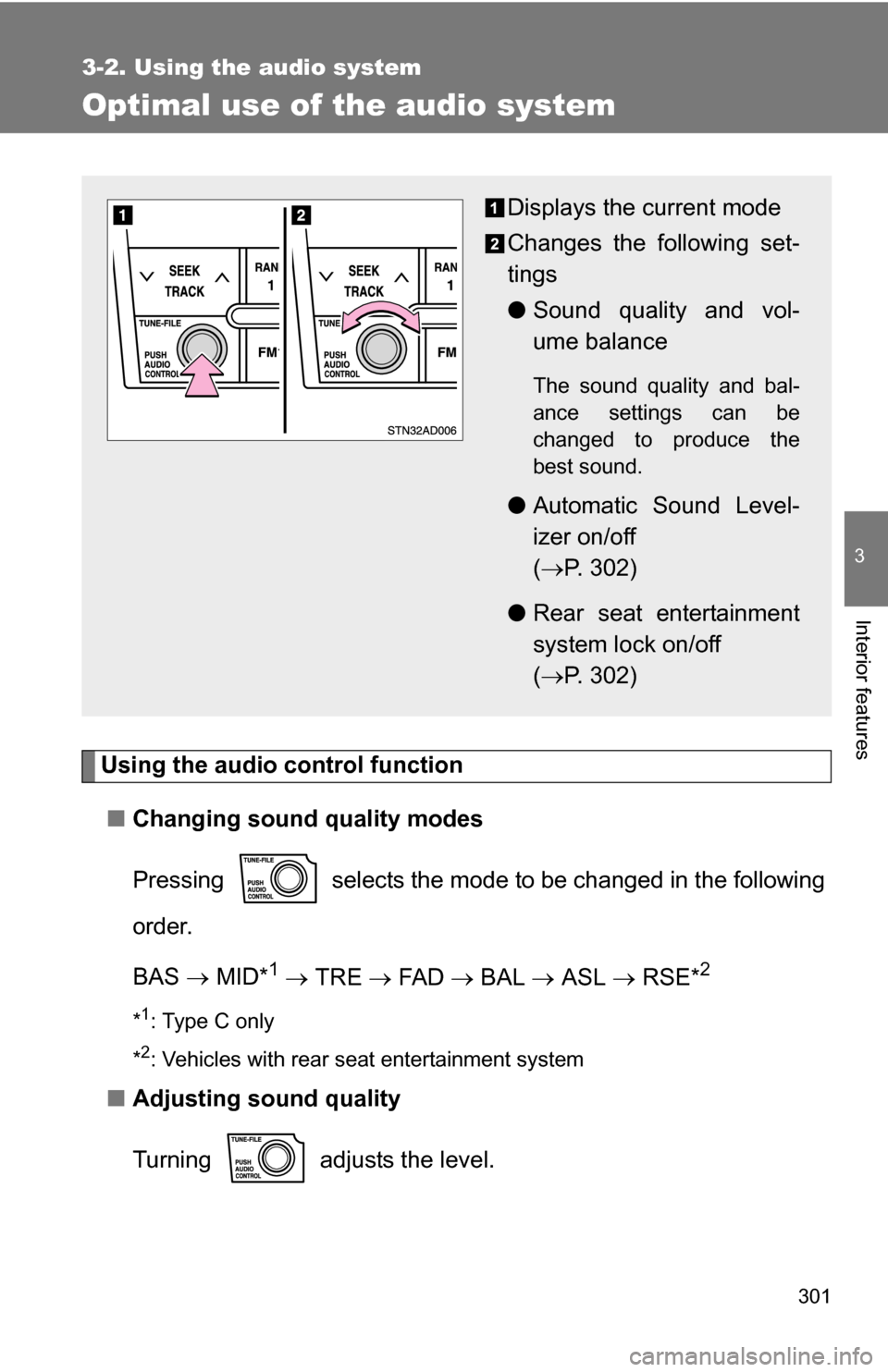
Using the audio control function■ Changing sound quality modes
Pressing selects the mode to be changed in the following
order.
BAS MID*
1 TRE FA D BAL ASL RSE*2
*1: Type C only
*
2: Vehicles with rear seat entertainment system
■ Adjusting sound quality
Turning adjusts the level.
Displays the current mode
Changes the following set-
tings
●Sound quality and vol-
ume balance
The sound quality and bal-
ance settings can be
changed to produce the
best sound.
●Automatic Sound Level-
izer on/off
( P. 302)
● Rear seat entertainment
system lock on/off
( P. 302)
Page 302 of 612
302 3-2. Using the audio system
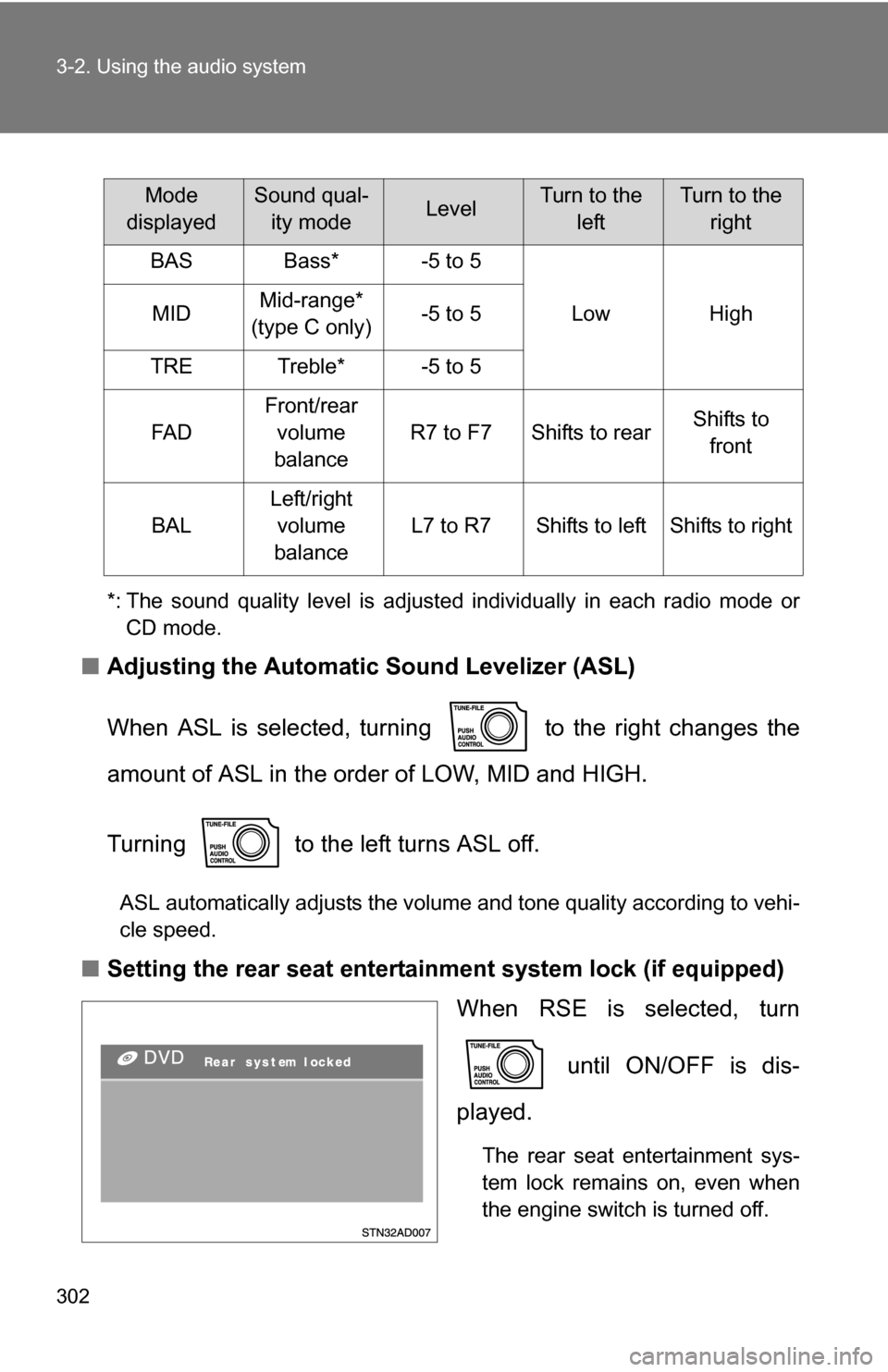
*: The sound quality level is adjusted individually in each radio mode orCD mode.
■ Adjusting the Automatic Sound Levelizer (ASL)
When ASL is selected, turning to the right changes the
amount of ASL in the order of LOW, MID and HIGH.
Turning to the left turns ASL off.
ASL automatically adjusts the volume and tone quality according to vehi-
cle speed.
■Setting the rear seat entertainment system lock (if equipped)
When RSE is selected, turn
until ON/OFF is dis-
played.
The rear seat entertainment sys-
tem lock remains on, even when
the engine switch is turned off.
Mode
displayedSound qual- ity modeLevelTurn to the leftTurn to the right
BASBass*-5 to 5
LowHighMIDMid-range*
(type C only)-5 to 5
TRETreble*-5 to 5
FA D
Front/rear volume
balance
R7 to F7Shifts to rearShifts to front
BAL
Left/right volume
balance
L7 to R7Shifts to leftShifts to right
Page 307 of 612
307
3
Interior features
3-3. Using the rear audio/video system
Rear seat entertainment system (if equipped)
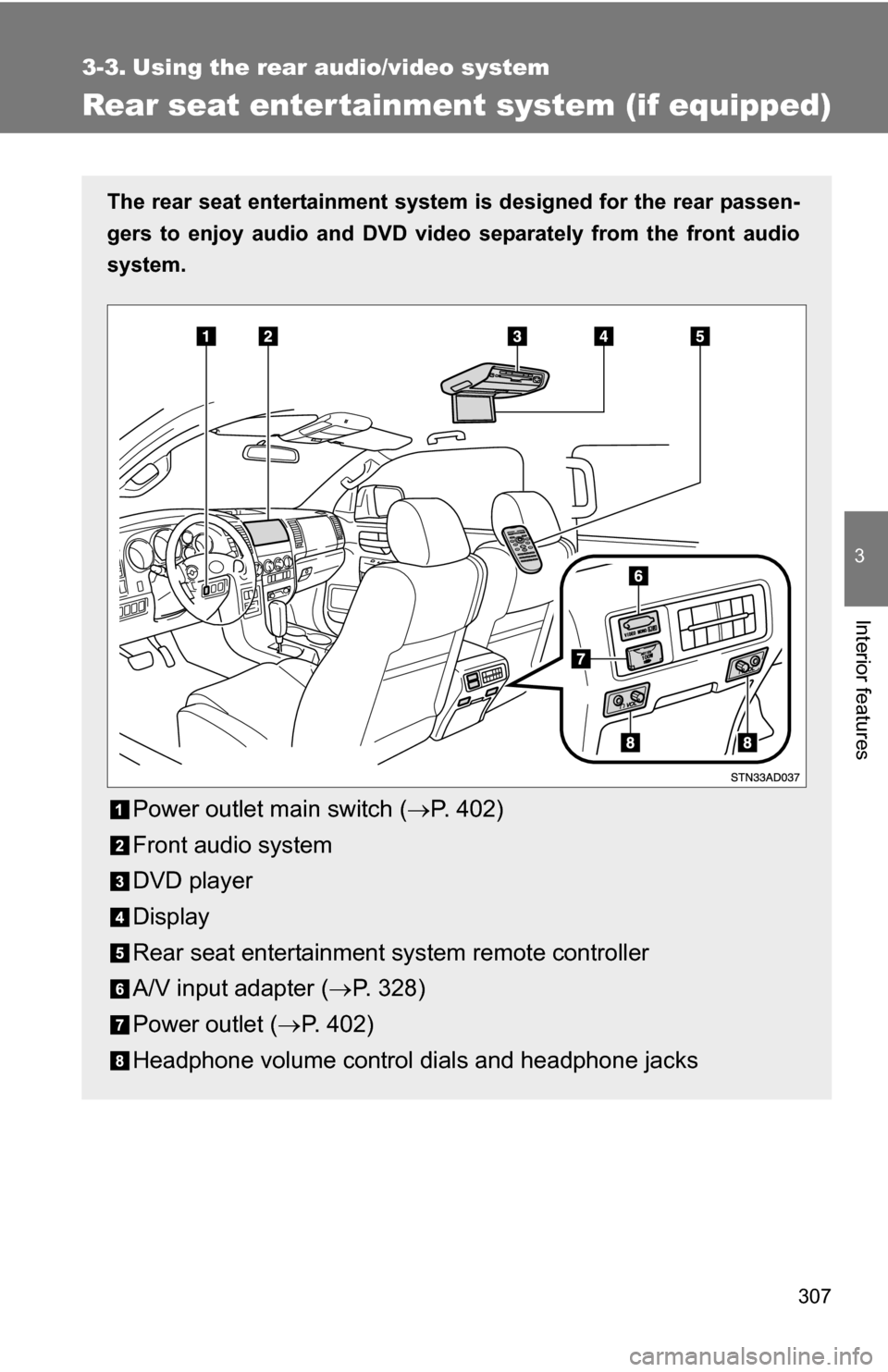
The rear seat entertainment system is designed for the rear passen-
gers to enjoy audio and DVD vide o separately from the front audio
system.
Power outlet main switch ( P. 402)
Front audio system
DVD player
Display
Rear seat entertainment system remote controller
A/V input adapter ( P. 328)
Power outlet ( P. 402)
Headphone volume control dials and headphone jacks
Page 308 of 612
308 3-3. Using the rear audio/video system
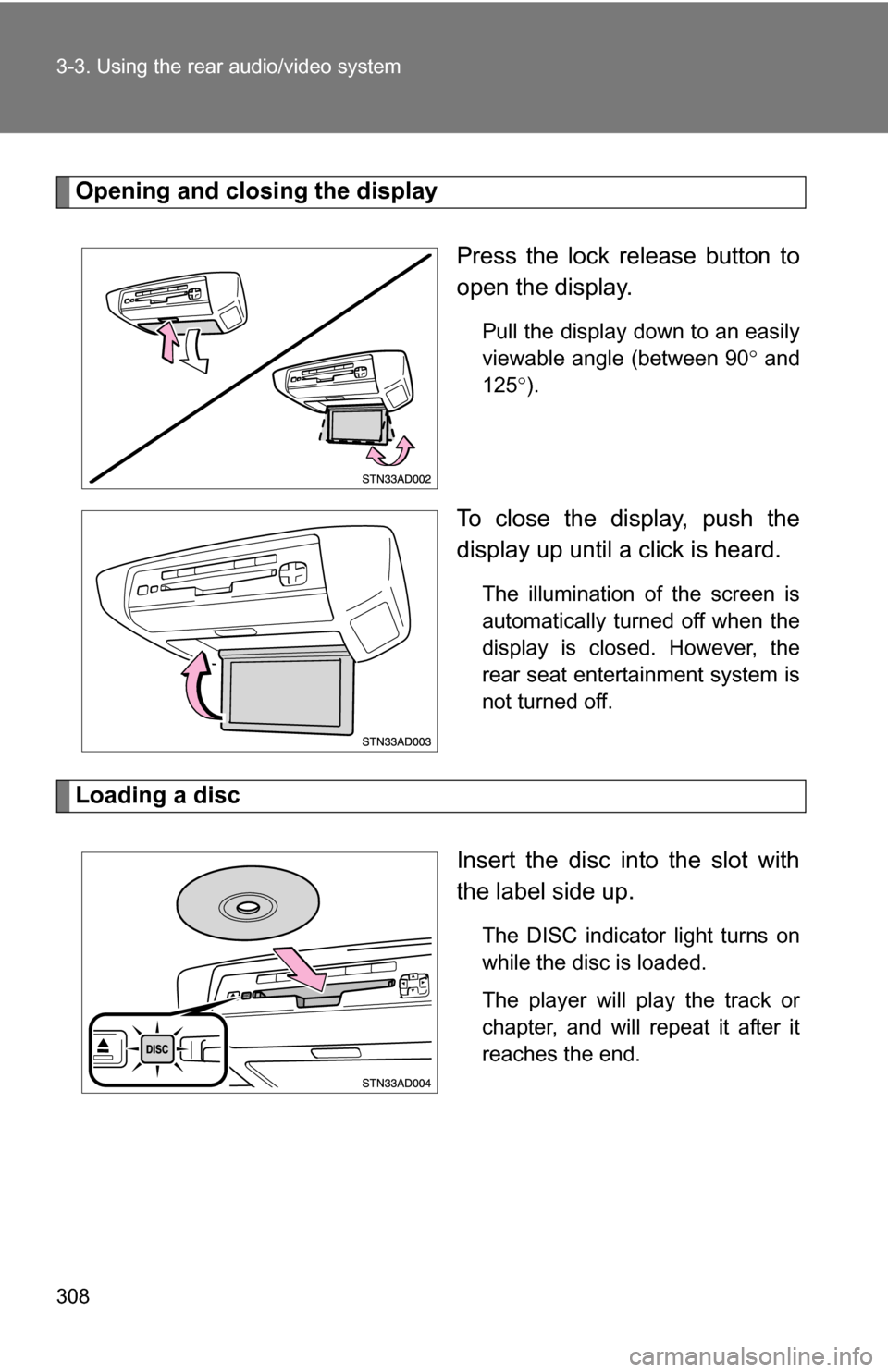
Opening and closing the displayPress the lock release button to
open the display.
Pull the display down to an easily
viewable angle (between 90 and
125 ).
To close the display, push the
display up until a click is heard.
The illumination of the screen is
automatically turned off when the
display is closed. However, the
rear seat entertainment system is
not turned off.
Loading a disc
Insert the disc into the slot with
the label side up.
The DISC indicator light turns on
while the disc is loaded.
The player will play the track or
chapter, and will repeat it after it
reaches the end.