phone TOYOTA SEQUOIA 2010 2.G Owners Manual
[x] Cancel search | Manufacturer: TOYOTA, Model Year: 2010, Model line: SEQUOIA, Model: TOYOTA SEQUOIA 2010 2.GPages: 660, PDF Size: 12.29 MB
Page 4 of 660

TABLE OF CONTENTSIndex
4
3-3. Using the Bluetooth® audio
system
Bluetooth
® audio system .... 336
Using the Bluetooth®
audio system .................... 339
Operating a Bluetooth
®
enabled portable player ... 344
Setting up a Bluetooth
®
enabled portable player ... 346
Bluetooth
® audio system
setup ................................ 351
3-4. Using the rear audio/video system
Rear seat entertainment system .............................. 352
Using the DVD player (DVD video)...................... 360
Using the DVD player (video CD) ........................ 369
Using the DVD player (audio CD/CD text) ........... 372
Using the DVD player (MP3 discs) ...................... 374
Using the video mode ........ 377
Changing the Setup Menu settings ............................. 379 3-5. Using the hands-free phone
system (for cellular phone)
Hands-free phone system features ............................ 387
Using the hands-free phone system ................... 391
Making a phone call............ 400
Setting a cellular phone ...... 404
Security and system setup ................................. 408
Using the phone book......... 411
3-6. Using the interior lights Interior lights list.................. 417
• Personal/interior light main switch ....................... 418
• Personal/interior lights ...... 419
• Interior light ....................... 420
3-7. Using the storage features List of storage features ....... 421
• Glove boxes ..................... 422
• Coin holder ....................... 423
• Front console box ............. 424
• Card holder ....................... 426
• Map holder ....................... 427
• Pen holder ........................ 429
• Tissue pocket ................... 430
• Rear console box ............. 431
• Overhead console ............ 434
• Cup holders ...................... 436
• Bottle holders ................... 440
• Auxiliary boxes ................. 441
Page 16 of 660
16
Pictorial indexInterior
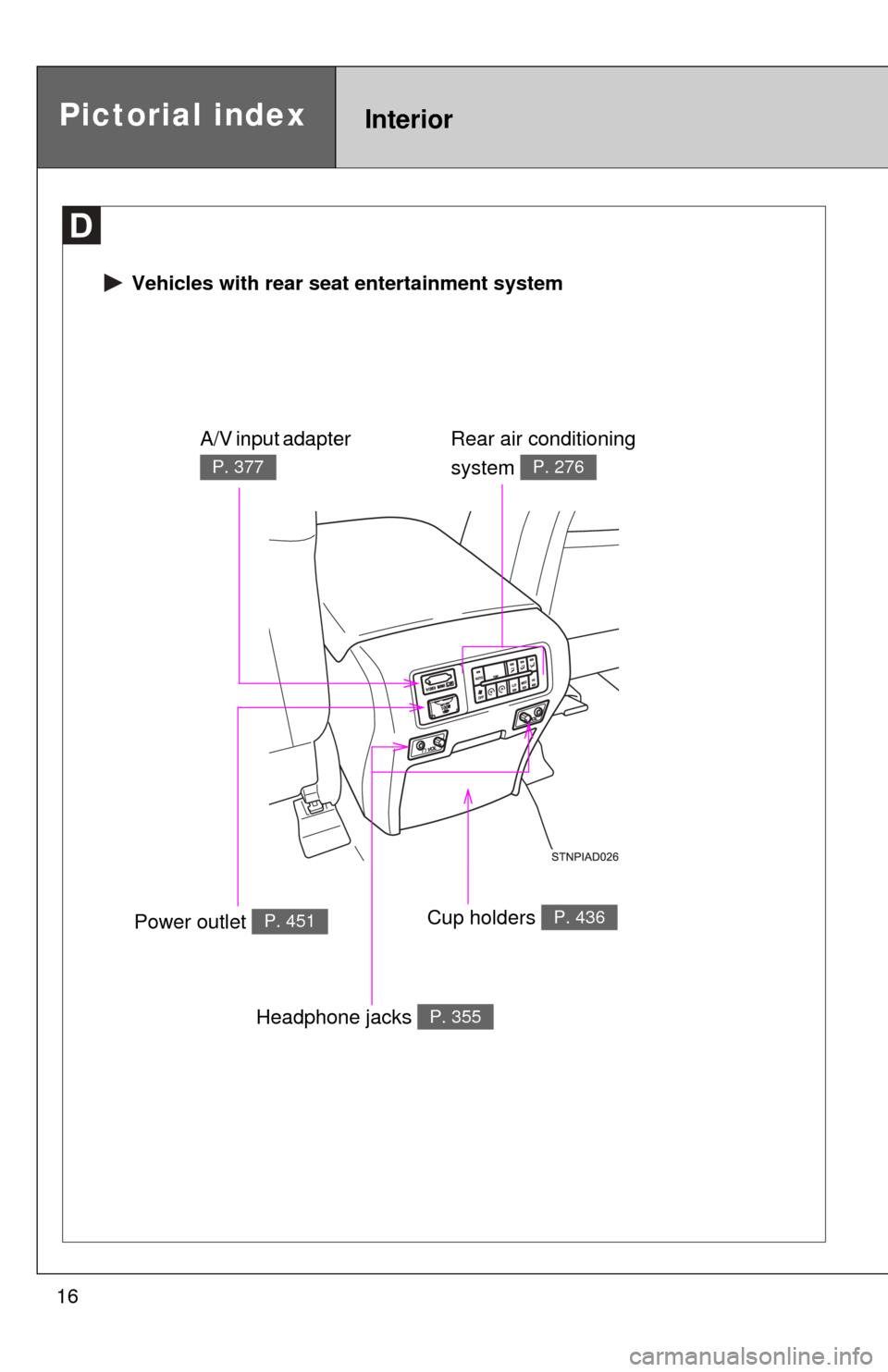
Vehicles with rear seat entertainment system
Rear air conditioning
system
P. 276
Power outlet P. 451Cup holders P. 436
A/V input adapter
P. 377
Headphone jacks P. 355
Page 22 of 660
22
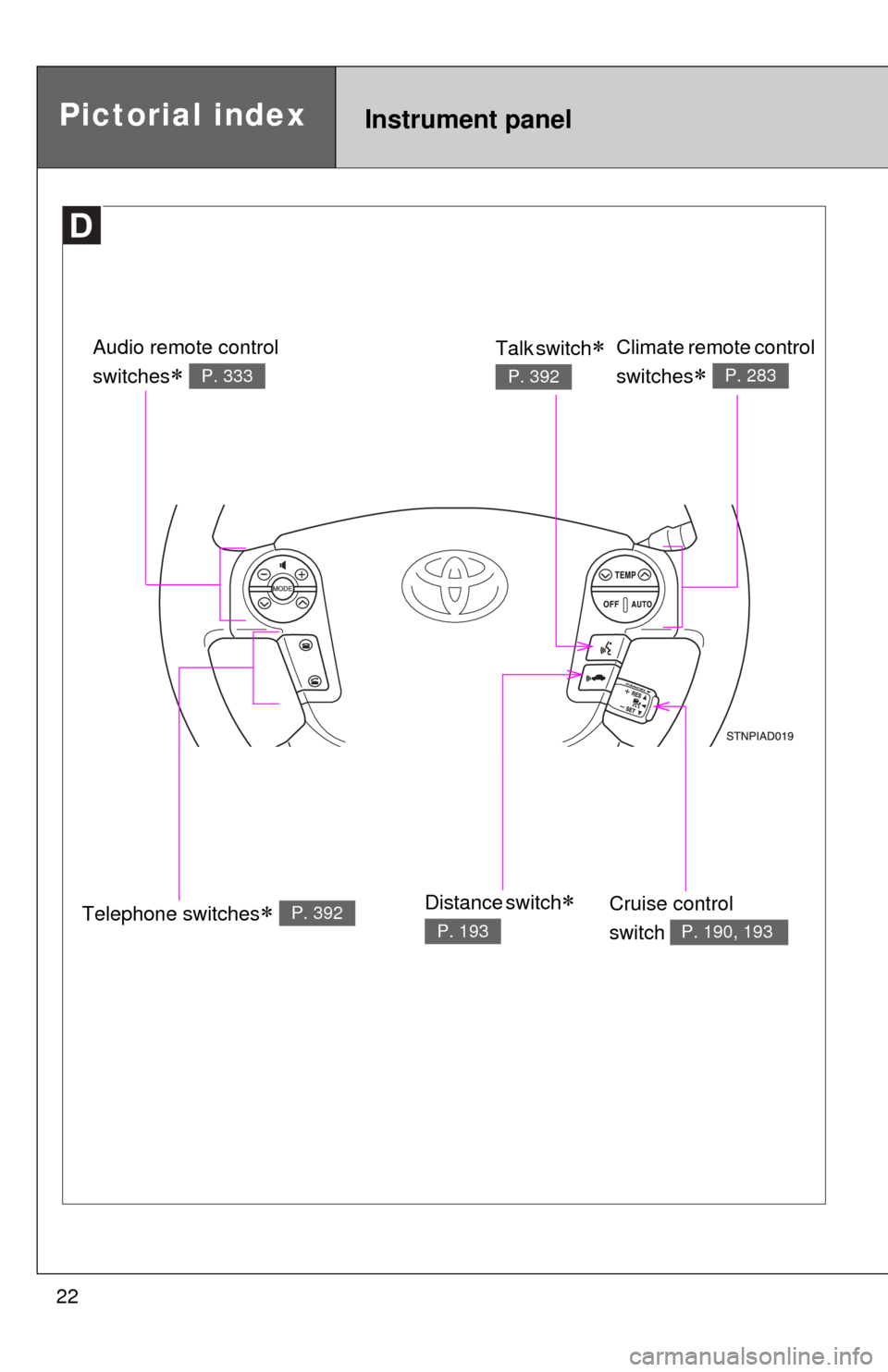
Instrument panelPictorial index
Telephone switches P. 392
Audio remote control
switches
P. 333
Climate remote control
switches
P. 283
Cruise control
switch
P. 190, 193
Talk switch
P. 392
Distance switch
P. 193
Page 28 of 660

28
CAUTION
■General precautions while driving
Driving under the influence: Never drive your vehicle when under the influ-
ence of alcohol or drugs that have impaired your ability to operate your vehi-
cle. Alcohol and certain drugs delay reaction time, impair judgment and
reduce coordination, which could lead to an accident that could result in
death or serious injury.
Defensive driving: Always drive defensively. Anticipate mistakes that other
drivers or pedestrians might make and be ready to avoid accidents.
Driver distraction: Always give your full attention to driving. Anything that dis-
tracts the driver, such as adjusting controls, talking on a cellular phone or
reading can result in a collision with resulting death or serious injury to you,
your occupants or others.
■ General precaution regarding children’s safety
Never leave children unattended in the vehicle, and never allow children to
have or use the key.
Children may be able to start the vehicle or shift the vehicle into neutral.
There is also a danger that children may injure themselves by playing with
the cigarette lighter, the windows, the moon roof, or other features of the
vehicle. In addition, heat build-up or extremely cold temperatures inside the
vehicle can be fatal to children.
Page 35 of 660

35
1-2. Opening, closing and locking the doors
1
Before driving
■
Conditions affecting operation
The wireless remote control function may not operate normally in the follow-
ing situations.
●Near a TV tower, radio station, electr ic power plant, airport or other facil-
ity that generates strong radio waves
● When carrying a portable radio, cell ular phone or other wireless commu-
nication device
● When multiple wireless keys are in the vicinity
● When the wireless key has come into contact with, or is covered by a
metallic object
● When a wireless key (that emits radio waves) is being used nearby
● When the wireless key has been left near an electrical appliance such as
a personal computer
■ When riding in an aircraft
When bringing a wireless remote control onto an aircraft, make sure you do
not press any buttons on the wireless remote control while inside the aircraft
cabin. If you are carrying a wireless remote control in your bag etc, ensure
that the buttons are not likely to be pressed accidentally. Pressing a button
may cause the wireless remote control to emit radio waves that could inter-
fere with the operation of the aircraft.
■ Customization
●That can be configured at Toyota dealer (vehicles without multi-informa-
tion display)
Settings (e.g. wireless remote control) can be changed.
(Customizable features P. 632)
● It is possible to change the settings (vehicles with multi-information dis-
play) (Feature customization P. 175)
Page 267 of 660
Interior features3
267
3-5. Using the hands-free phone system (for cellular phone)
Hands-free phone system features .......................... 387
Using the hands-free phone system ................ 391
Making a phone call ......... 400
Setting a cellular phone ... 404
Security and system setup .............................. 408
Using the phone book ...... 411
3-6. Using the interior lights Interior lights list ............... 417
• Personal/interior light main switch .................... 418
• Personal/interior lights ... 419
• Interior light .................... 420
3-7. Using the storage features List of storage features .... 421
• Glove boxes ................... 422
• Coin holder .................... 423
• Front console box .......... 424
• Card holder .................... 426
• Map holder ..................... 427
• Pen holder ..................... 429
• Tissue pocket................. 430
• Rear console box ........... 431
• Overhead console.......... 434
• Cup holders ................... 436
• Bottle holders ................. 440 • Auxiliary boxes ............... 441
3-8. Other interior features Sun visors ........................ 443
Vanity mirrors ................... 444
Clock ................................ 445
Outside temperature display............................ 446
Portable ashtray ............... 448
Cigarette lighter................ 449
Conversation mirror ......... 450
Power outlets ................... 451
Seat heaters..................... 457
Seat heaters and ventilators ...................... 460
Armrests........................... 462
Rear side sunshades ....... 463
Seatback table ................. 465
Floor mat .......................... 466
Luggage compartment features .......................... 467
Garage door opener......... 472
Compass .......................... 477
Page 287 of 660
287
3-2. Using the audio system
3
Interior features
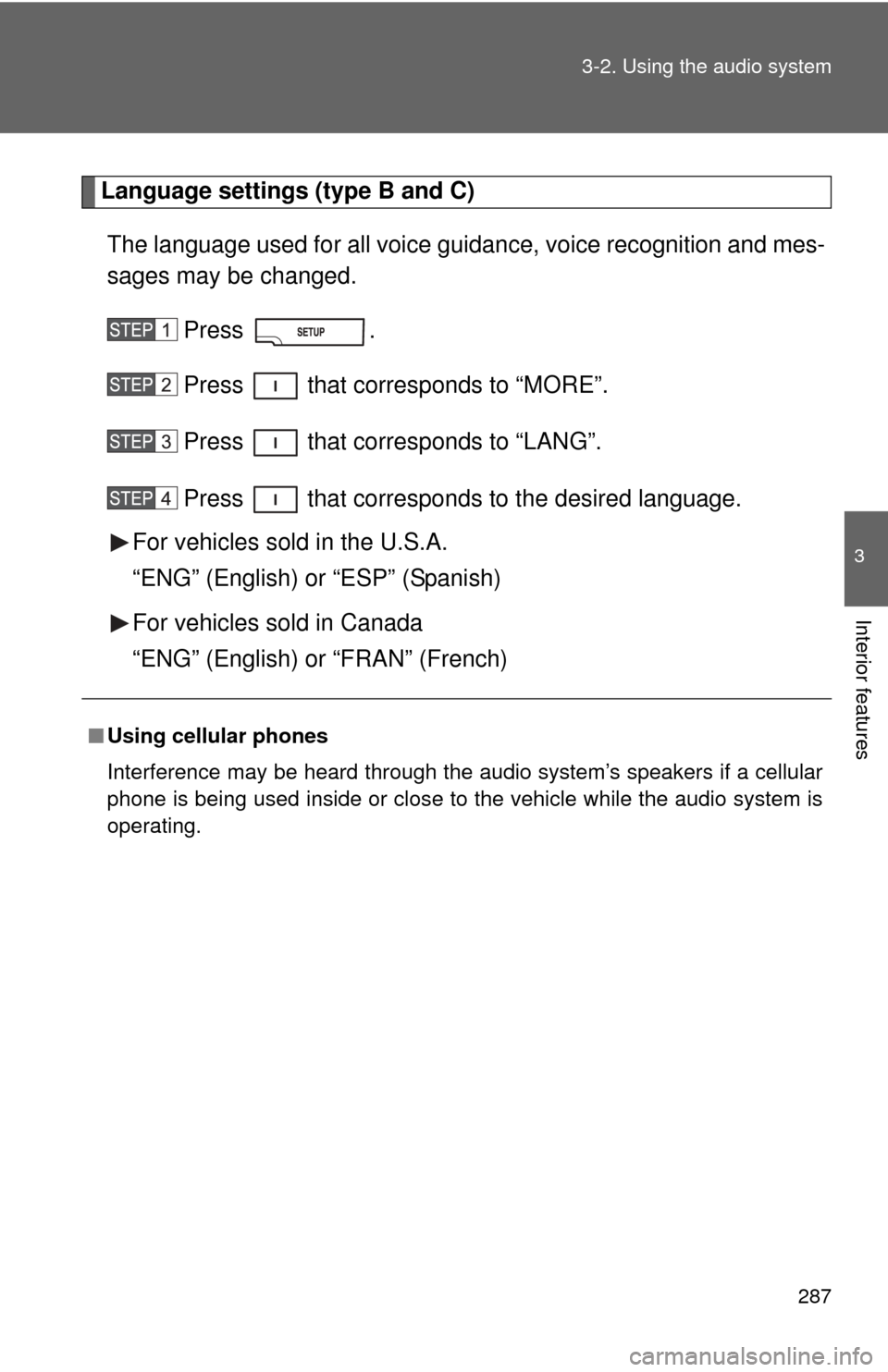
Language settings (type B and C)
The language used for all voice guidance, voice recognition and mes-
sages may be changed.
Press .
Press that corresponds to “MORE”.
Press that corresponds to “LANG”.
Press that corresponds to the desired language.
For vehicles sold in the U.S.A.
“ENG” (English) or “ESP” (Spanish)
For vehicles sold in Canada
“ENG” (English) or “FRAN” (French)
■ Using cellular phones
Interference may be heard through the audio system’s speakers if a cellular
phone is being used inside or close to the vehicle while the audio syste\
m is
operating.
Page 319 of 660
319
3-2. Using the audio system
3
Interior features
■
Compatible models
●iPod
® 5th generation Version 1.2 or later
● iPod
® nano 3rd generation Version 1.0 or later
● iPod
® nano 2nd generation Version 1.1.2 or later
● iPod
® nano Version 1.2 or later
● iPod
® touch Version 1.1 or later
● iPod
® classic Version 1.0 or later
iPhone
®, iPod® mini, iPod® shuffle, iPod® photo and 4th generation and ear-
lier models of iPod® are not compatible with this system.
Items related to standards and limitations are as follows:
● Maximum number of lists in device: 9999
● Maximum number of songs in device: 65,025
● Maximum number of songs per list: 65,025
CAUTION
■Caution while driving
Do not connect iPod
® players or operate the controls.
NOTICE
■To prevent damage to iPod® players
● Do not leave iPod
® players in the vehicle. The temperature inside the vehi-
cle may become high, resulting in damage to the player.
● Do not push down on or apply unnecessary pressure to the iPod
® player
while it is connected as this may damage the iPod® player or its terminal.
● Do not insert foreign objects into the port as this may damage the iPod
®
player or its terminal.
Page 339 of 660
339
3-3. Using the Bluetooth® audio system
3
Interior features
Using the Bluetooth® audio system
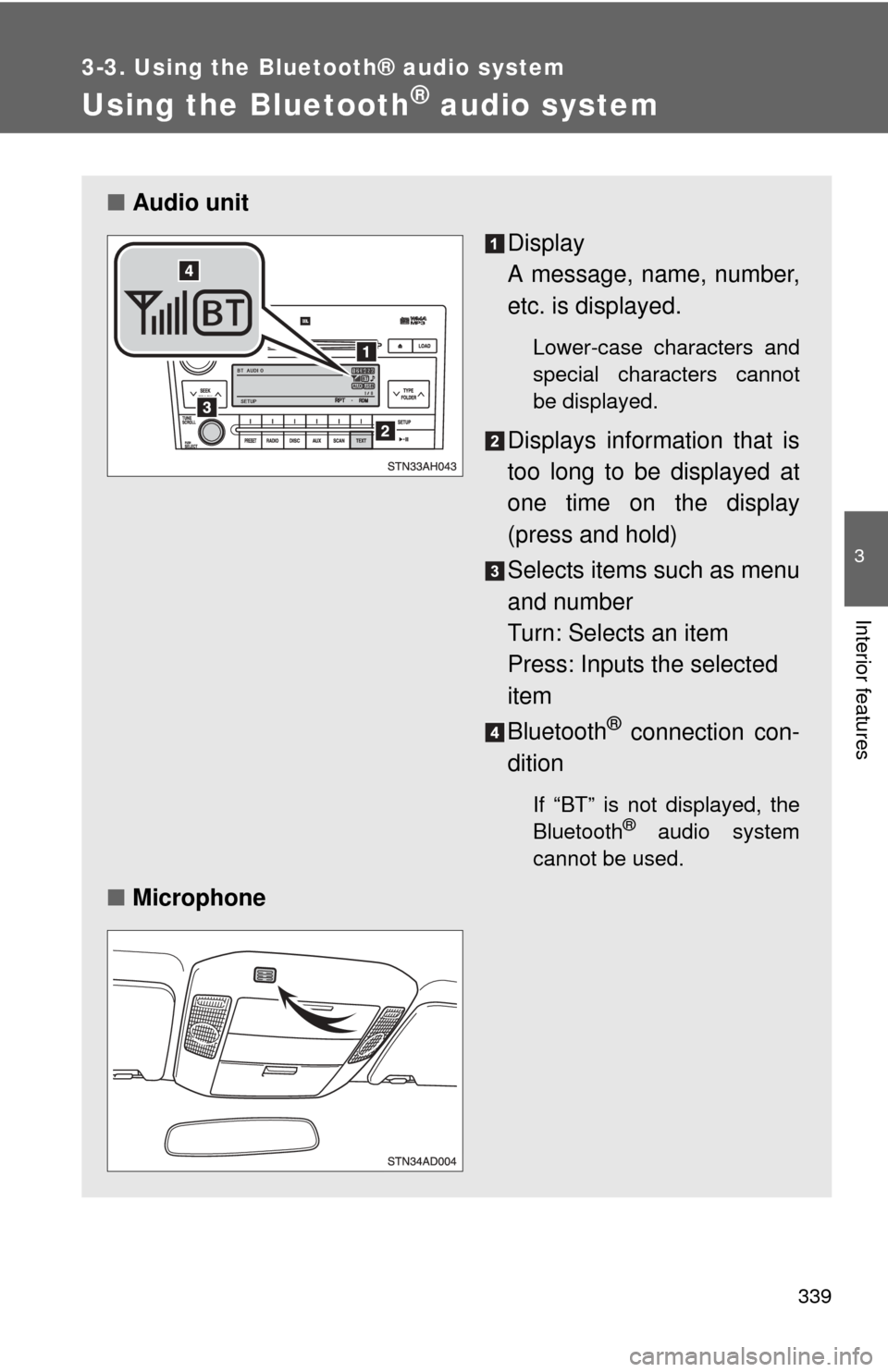
■Audio unit
Display
A message, name, number,
etc. is displayed.
Lower-case characters and
special characters cannot
be displayed.
Displays information that is
too long to be displayed at
one time on the display
(press and hold)
Selects items such as menu
and number
Turn: Selects an item
Press: Inputs the selected
item
Bluetooth
® connection con-
dition
If “BT” is not displayed, the
Bluetooth® audio system
cannot be used.
■ Microphone
Page 341 of 660
341
3-3. Using the Bluetooth® audio system
3
Interior features
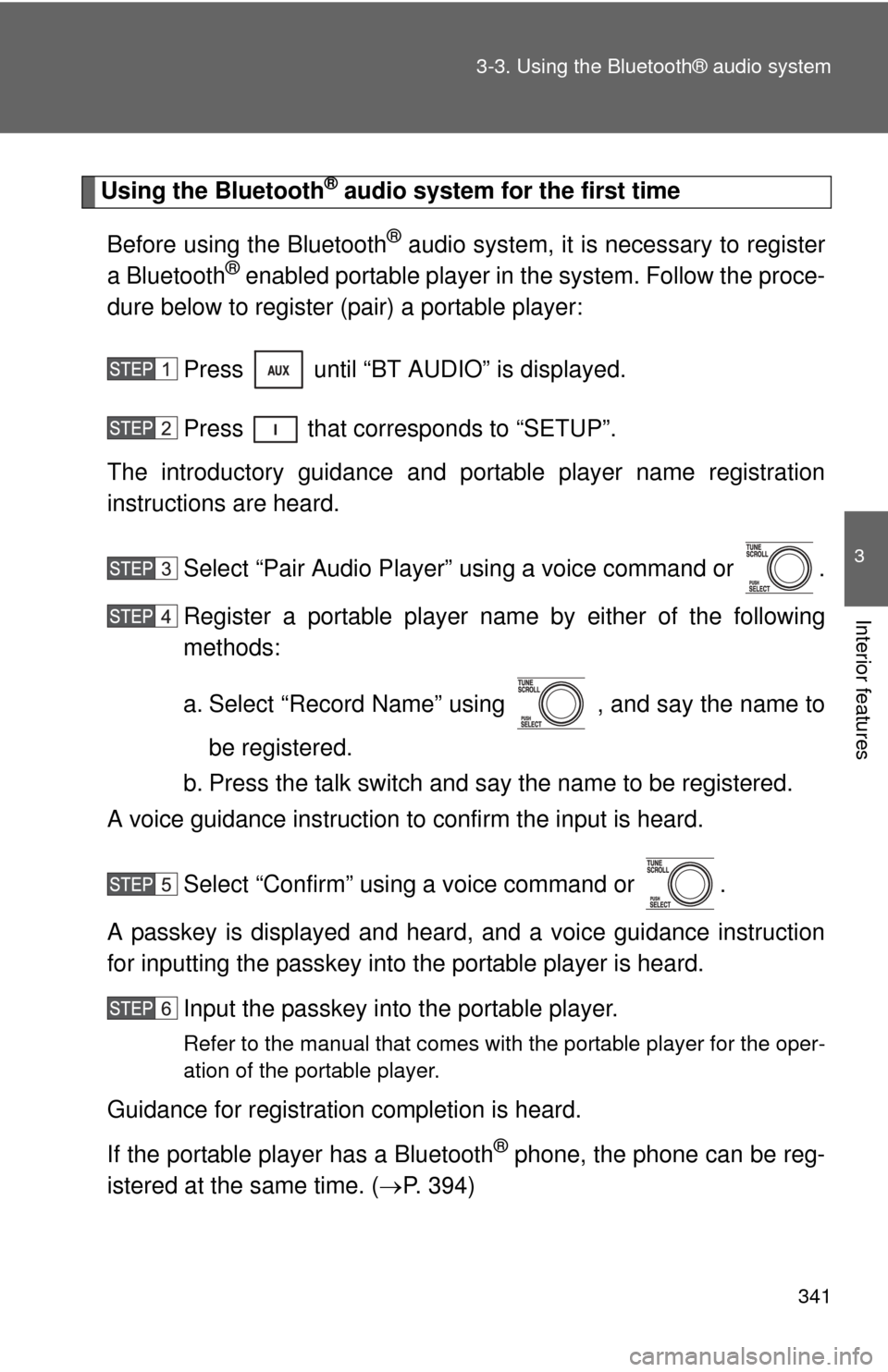
Using the Bluetooth® audio system for the first time
Before using the Bluetooth
® audio system, it is necessary to register
a Bluetooth® enabled portable player in the system. Follow the proce-
dure below to register (pair) a portable player:
Press until “BT AUDIO” is displayed.
Press that corresponds to “SETUP”.
The introductory guidance and port able player name registration
instructions are heard.
Select “Pair Audio Player” using a voice command or .
Register a portable player nam e by either of the following
methods:
a. Select “Record Name” using , and say the name to
be registered.
b. Press the talk switch and say the name to be registered.
A voice guidance instruction to confirm the input is heard.
Select “Confirm” using a voice command or .
A passkey is displayed and heard, and a voice guidance instruction
for inputting the passkey into the portable player is heard. Input the passkey into the portable player.
Refer to the manual that comes with the portable player for the oper-
ation of the portable player.
Guidance for registration completion is heard.
If the portable player has a Bluetooth
® phone, the phone can be reg-
istered at the same time. ( P. 394)