engine TOYOTA SEQUOIA 2012 2.G Repair Manual
[x] Cancel search | Manufacturer: TOYOTA, Model Year: 2012, Model line: SEQUOIA, Model: TOYOTA SEQUOIA 2012 2.GPages: 708, PDF Size: 15.12 MB
Page 193 of 708
193
2-3. Operating the lights and wipers
2
When driving
■
Automatic light off system
●When the headlights come on: The headlights and tail lights automati-
cally turn off after 30 seconds when all doors are closed with the engine
switch turned to the ACC or LOCK position. (The lights turn off immedi-
ately if the button on the wireless remote control is pressed after all
doors are locked.)
● When only the tail lights come on: The tail lights turn off automatically
with the engine switch turned to the ACC or LOCK position and the
driver’s door is opened.
To turn the lights on again, turn the engine switch to the ON position, or turn
the headlight switch off once and then back to the or position.
■ Customization
●That can be configured at Toyota dealer. (vehicles without multi-informa-
tion display)
Settings (automatic light off system) can be changed. (Customizable
features P. 672)
● It is possible to change the settings. (vehicles with multi-information dis-
play) (Feature customization P. 182)
NOTICE
■To prevent battery discharge
Do not leave the lights on longer than necessary when the engine is not run-
ning.
Page 198 of 708
198 2-3. Operating the lights and wipers
■The windshield wiper and washer can be operated when
The engine switch must be in the ON position.
■ If no windshield washer fluid sprays
Check that the washer nozzles are not blocked and if there is washer fluid in
the windshield washer fluid reservoir.
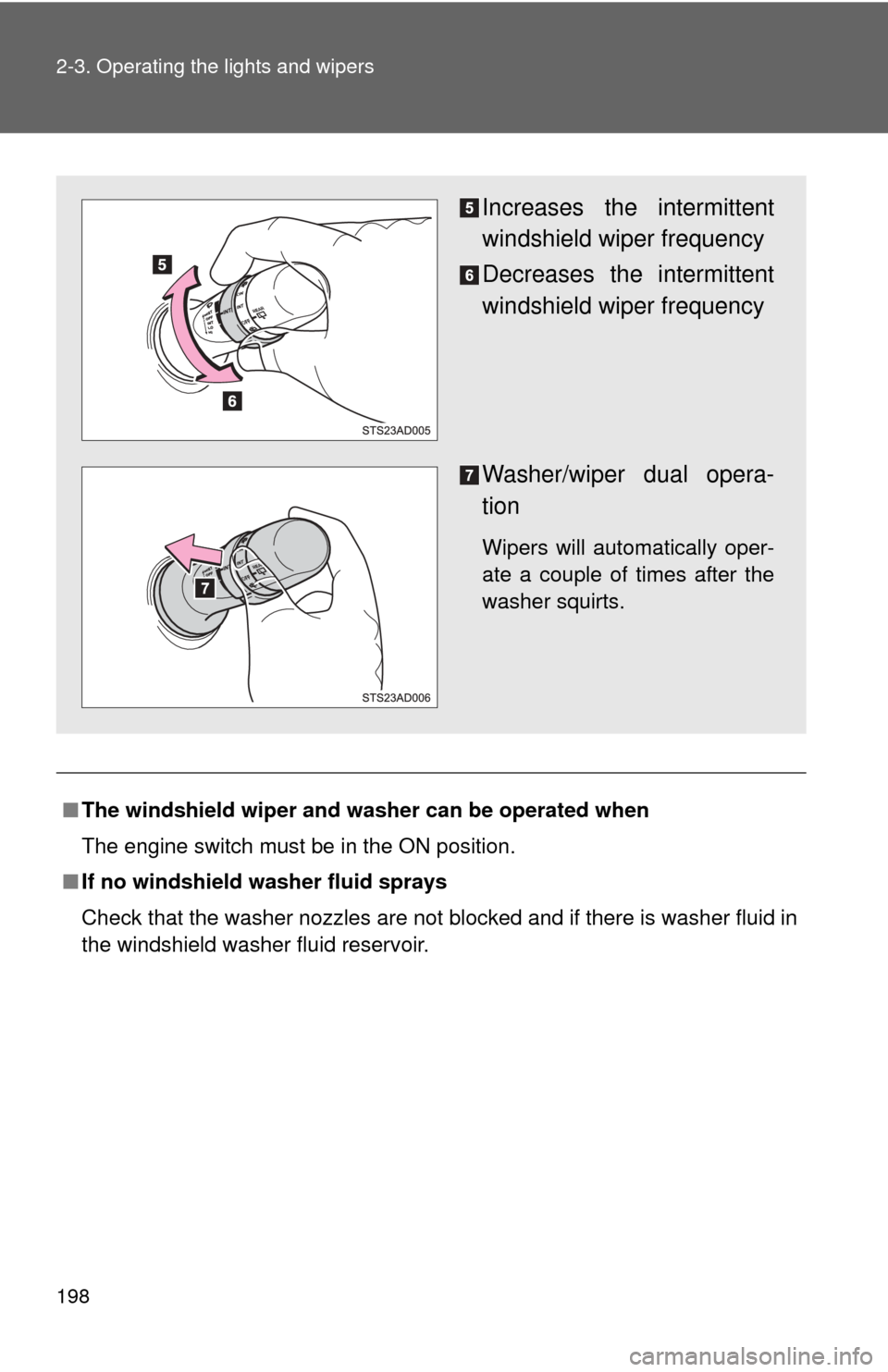
Increases the intermittent
windshield wiper frequency
Decreases the intermittent
windshield wiper frequency
Washer/wiper dual opera-
tion
Wipers will automatically oper-
ate a couple of times after the
washer squirts.
Page 201 of 708
201
2-3. Operating the lights and wipers
2
When driving
■
The rear window wiper and washer can be operated when
●The engine switch must be in the ON position.
● The back window is fully closed.
■ Customization that can be co nfigured at Toyota dealer
Settings (e.g. washer linkage wiper control) can be changed.
(Customizable features P. 672)
NOTICE
■When the rear window is dry
Do not use the wipers, as they may damage the rear window.
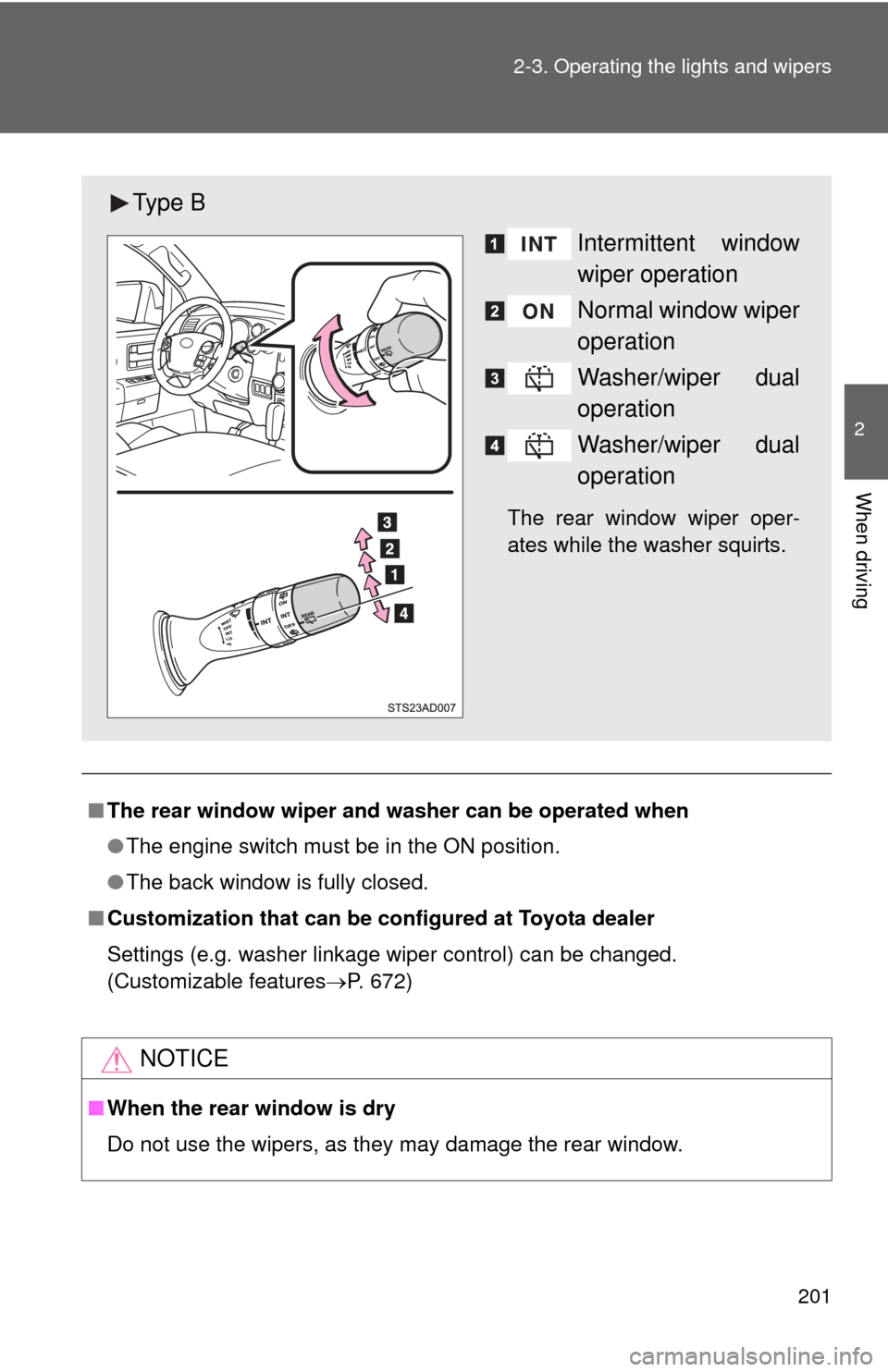
Ty p e B
Intermittent window
wiper operation
Normal window wiper
operation
Washer/wiper dual
operation
Washer/wiper dual
operation
The rear window wiper oper-
ates while the washer squirts.
Page 202 of 708
202
2-3. Operating the lights and wipers
Headlight cleaner switch
: If equipped
■The headlight cleaner can be operated when
The engine switch is in the ON position and the headlights are turned on.
NOTICE
■When the washer fluid tank is empty
Do not use this function when the washer fluid tank is empty. This may
cause the washer fluid pump to overheat.
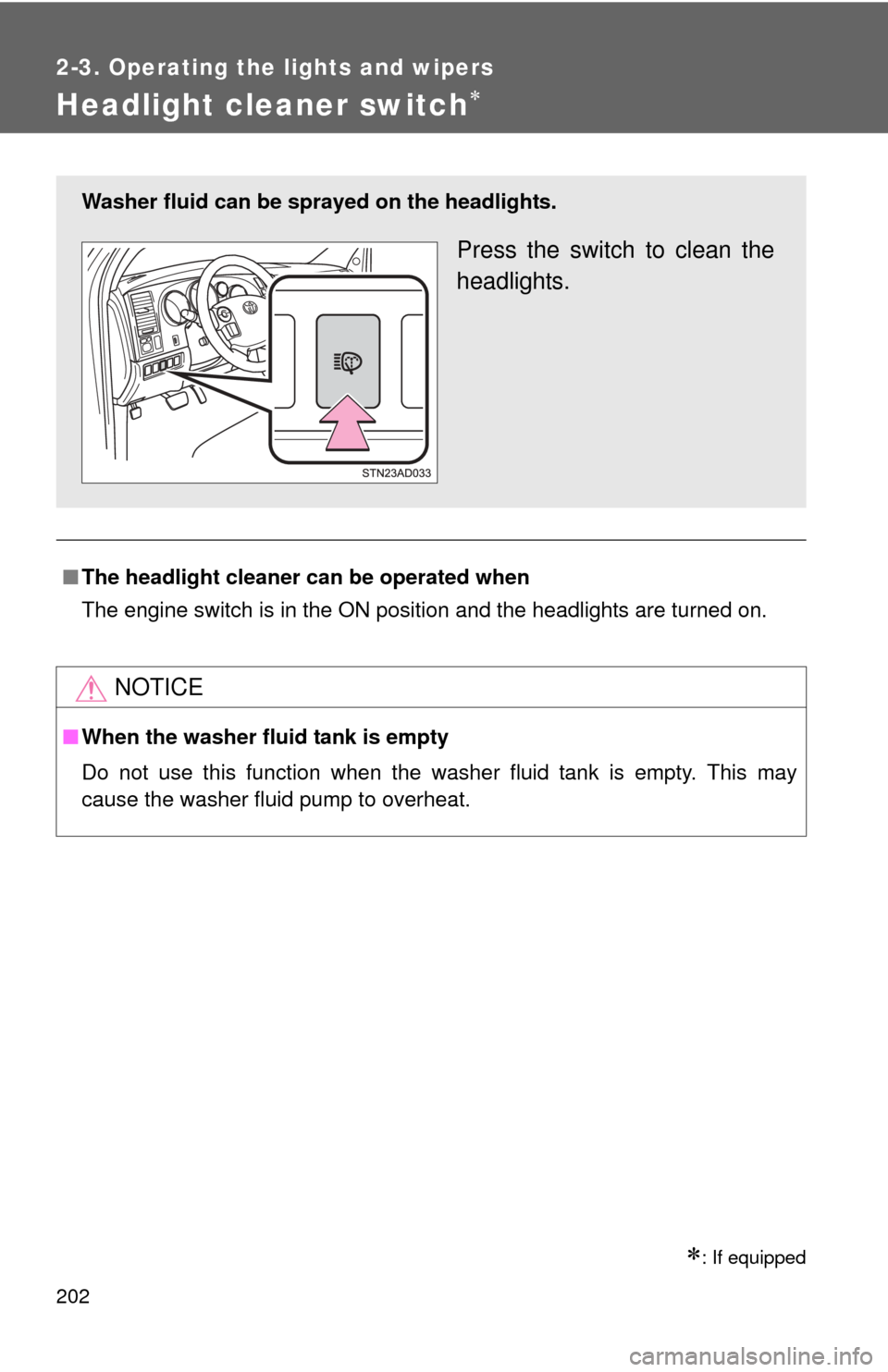
Washer fluid can be sprayed on the headlights.
Press the switch to clean the
headlights.
Page 210 of 708
210 2-4. Using other driving systems
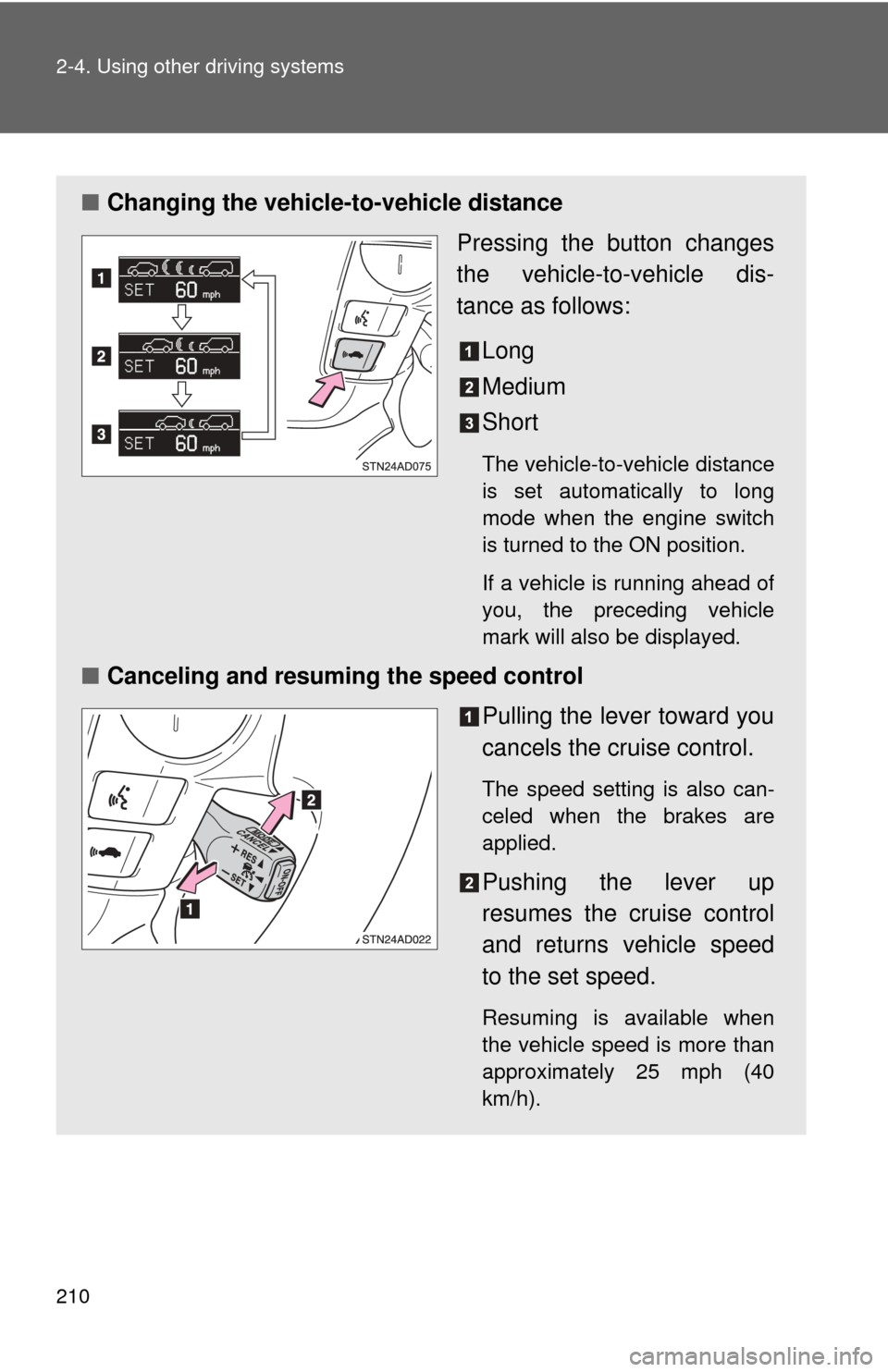
■Changing the vehicle -to-vehicle distance
Pressing the button changes
the vehicle-to-vehicle dis-
tance as follows:
Long
Medium
Short
The vehicle-to-vehicle distance
is set automatically to long
mode when the engine switch
is turned to the ON position.
If a vehicle is running ahead of
you, the preceding vehicle
mark will also be displayed.
■Canceling and resuming the speed control
Pulling the lever toward you
cancels the cruise control.
The speed setting is also can-
celed when the brakes are
applied.
Pushing the lever up
resumes the cruise control
and returns vehicle speed
to the set speed.
Resuming is available when
the vehicle speed is more than
approximately 25 mph (40
km/h).
Page 213 of 708
213
2-4. Using other
driving systems
2
When driving
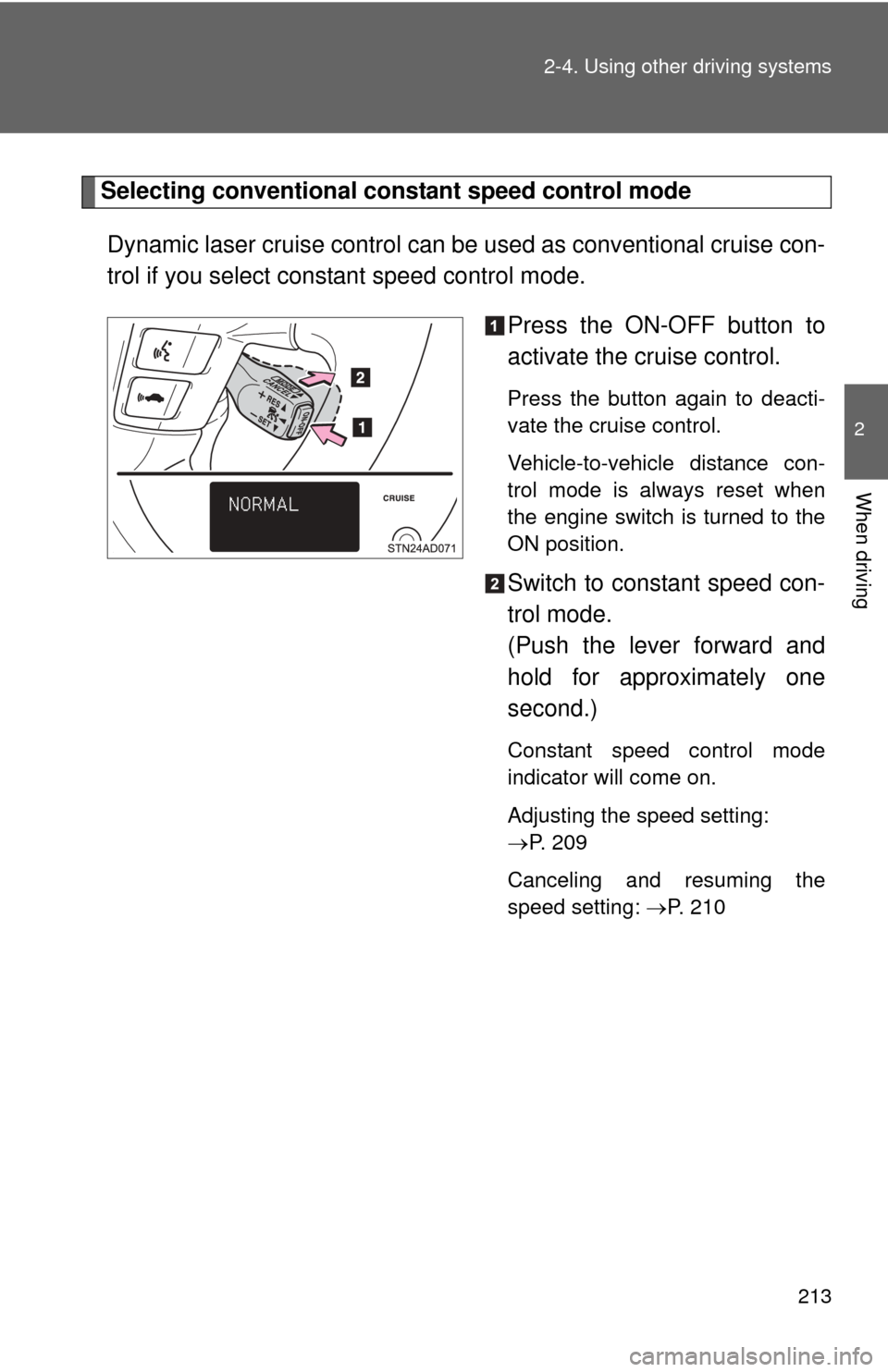
Selecting conventional cons tant speed control mode
Dynamic laser cruise control can be used as conventional cruise con-
trol if you select constant speed control mode.
Press the ON-OFF button to
activate the cruise control.
Press the button again to deacti-
vate the cruise control.
Vehicle-to-vehicle distance con-
trol mode is always reset when
the engine switch is turned to the
ON position.
Switch to constant speed con-
trol mode.
(Push the lever forward and
hold for approximately one
second.)
Constant speed control mode
indicator will come on.
Adjusting the speed setting:
P. 209
Canceling and resuming the
speed setting: P. 210
Page 220 of 708
220
2-4. Using other driving systems
Intuitive parking assist
: If equipped
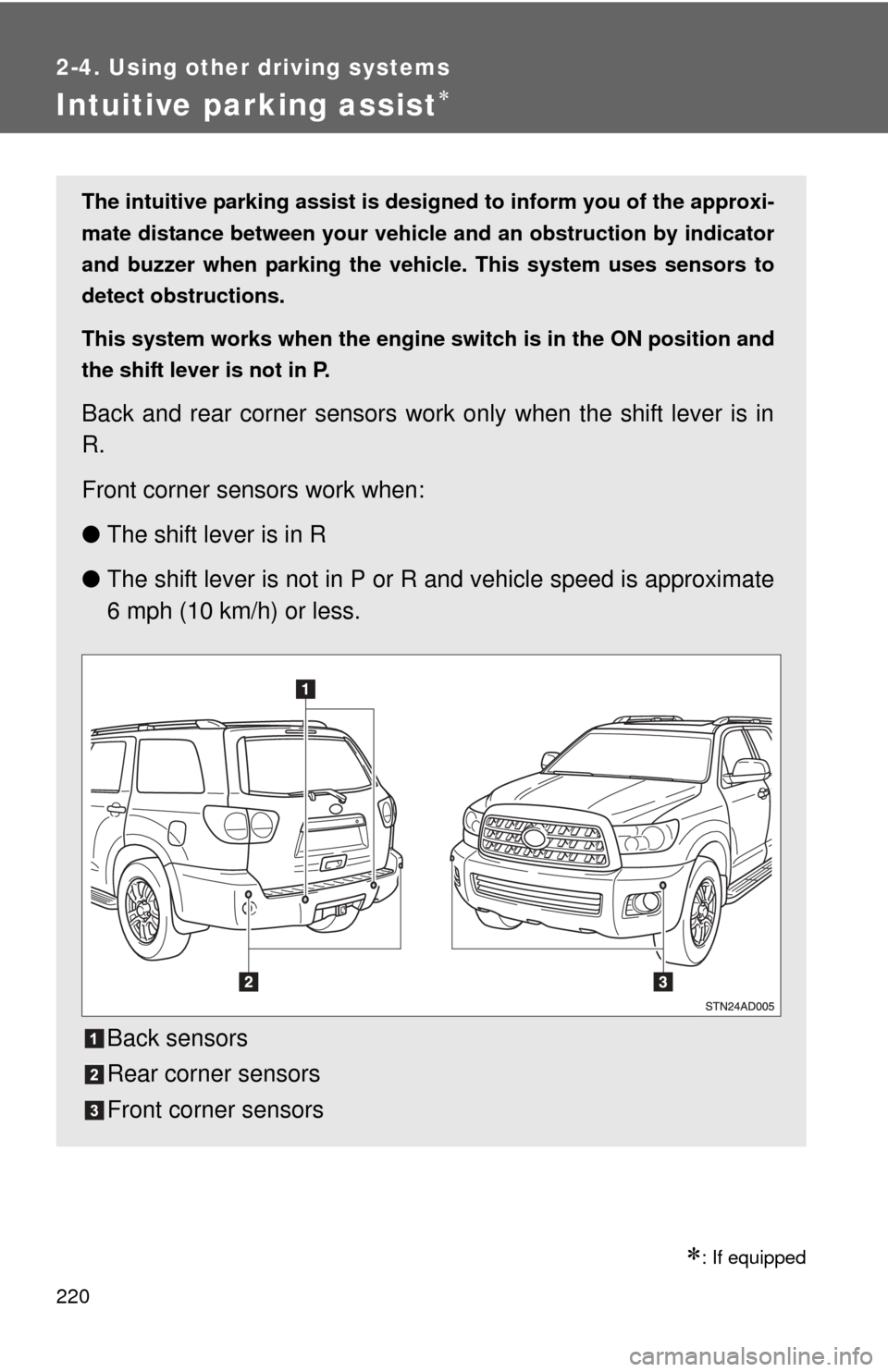
The intuitive parking assist is designed to inform you of the approxi-
mate distance between your vehicle and an obstruction by indicator
and buzzer when parking the veh icle. This system uses sensors to
detect obstructions.
This system works when the engine switch is in the ON position and
the shift lever is not in P.
Back and rear corner sensors work only when the shift lever is in
R.
Front corner sensors work when:
● The shift lever is in R
● The shift lever is not in P or R and vehicle speed is approximate
6 mph (10 km/h) or less.
Back sensors
Rear corner sensors
Front corner sensors
Page 225 of 708

225
2-4. Using other
driving systems
2
When driving
■Sensor detection information
●Certain vehicle conditions and the surrounding environment may affect
the ability of a sensor to correctly detect an obstacle. Particular instances
where this may occur are listed below.
• There is dirt, snow or ice on a sensor.
• A sensor is frozen.
• A sensor is covered in any way.
• The vehicle is leaning considerably to one side.
• On an extremely bumpy road, on an incline, on gravel, or on grass.
• The vicinity of the vehicle is noisy due to vehicle horns, motorcycle
engines, air brakes of large vehicles, or other loud noises producing
ultrasonic waves.
• There is another vehicle equipped with parking assist sensors in the vicinity.
• A sensor is coated with a sheet of spray or heavy rain.
• The vehicle is equipped with a fender pole or radio antenna.
• A bumper or sensor receives a strong impact.
• The vehicle is approaching a tall or right-angled curb.
• In harsh sunlight or intense cold weather.
• The area directly under the bumpers is not detected. Objects lower than the sensors or thin stakes etc. may be detected ini-
tially, but as they draw closer, they may cease to be detected.
• A towing hitch is mounted to the vehicle.
• A non-genuine Toyota suspension (lowered suspension etc.) is installed.
• When attaching a two-way radio antenna.
• When a towing eyelet is mounted on your vehicle.
• When the bumper is damaged.
In addition to the examples above, there are instances in which, because of
their shapes, signs and other objects may be judged by a sensor to be closer
than they are.
● The shape of the obstacle may prevent a sensor from detecting it. Pay
particular attention to the following obstacles:
• Wires, fences, ropes, etc.
• Cotton, snow and other materials that absorb sound waves
• Sharply-angled objects
• Low obstacles
Page 228 of 708
228 2-4. Using other driving systems
■The rear view monitor system can be operated when
The shift lever is in R and the engine switch is ON.
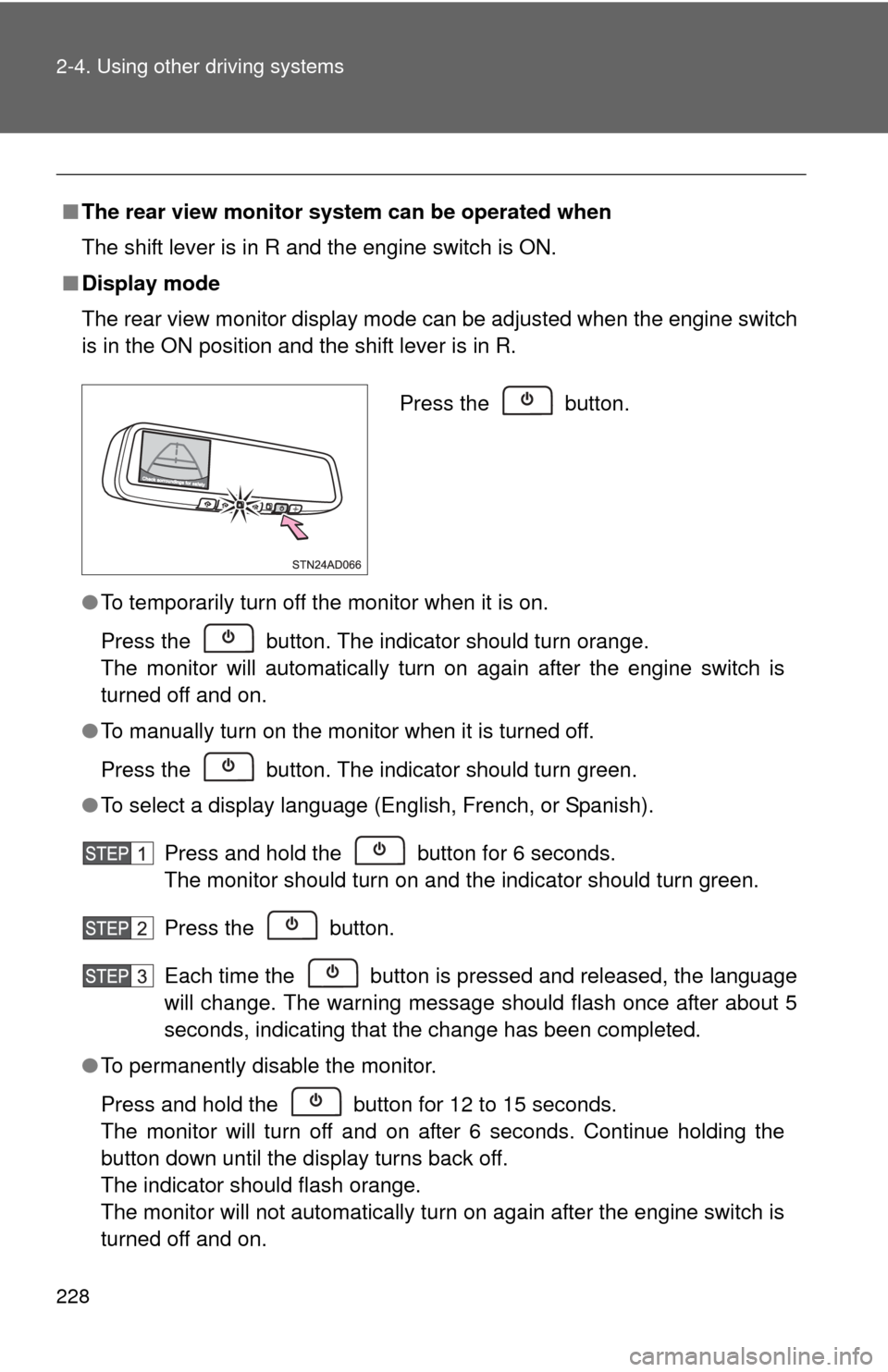
■ Display mode
The rear view monitor display mode can be adjusted when the engine switc\
h
is in the ON position and the shift lever is in R.
●To temporarily turn off the monitor when it is on.
Press the button. The indicator should turn orange.
The monitor will automatically turn on again after the engine switch is
turned off and on.
● To manually turn on the monitor when it is turned off.
Press the button. The indicator should turn green.
● To select a display language (English, French, or Spanish).
Press and hold the button for 6 seconds.
The monitor should turn on and the indicator should turn green.
Press the button.
Each time the button is pressed and released, the language
will change. The warning message should flash once after about 5
seconds, indicating that the change has been completed.
● To permanently disable the monitor.
Press and hold the button for 12 to 15 seconds.
The monitor will turn off and on after 6 seconds. Continue holding the
button down until the display turns back off.
The indicator should flash orange.
The monitor will not automatically turn on again after the engine switch is
turned off and on.
Press the button.
Page 241 of 708
241
2-4. Using other driving systems
2
When driving
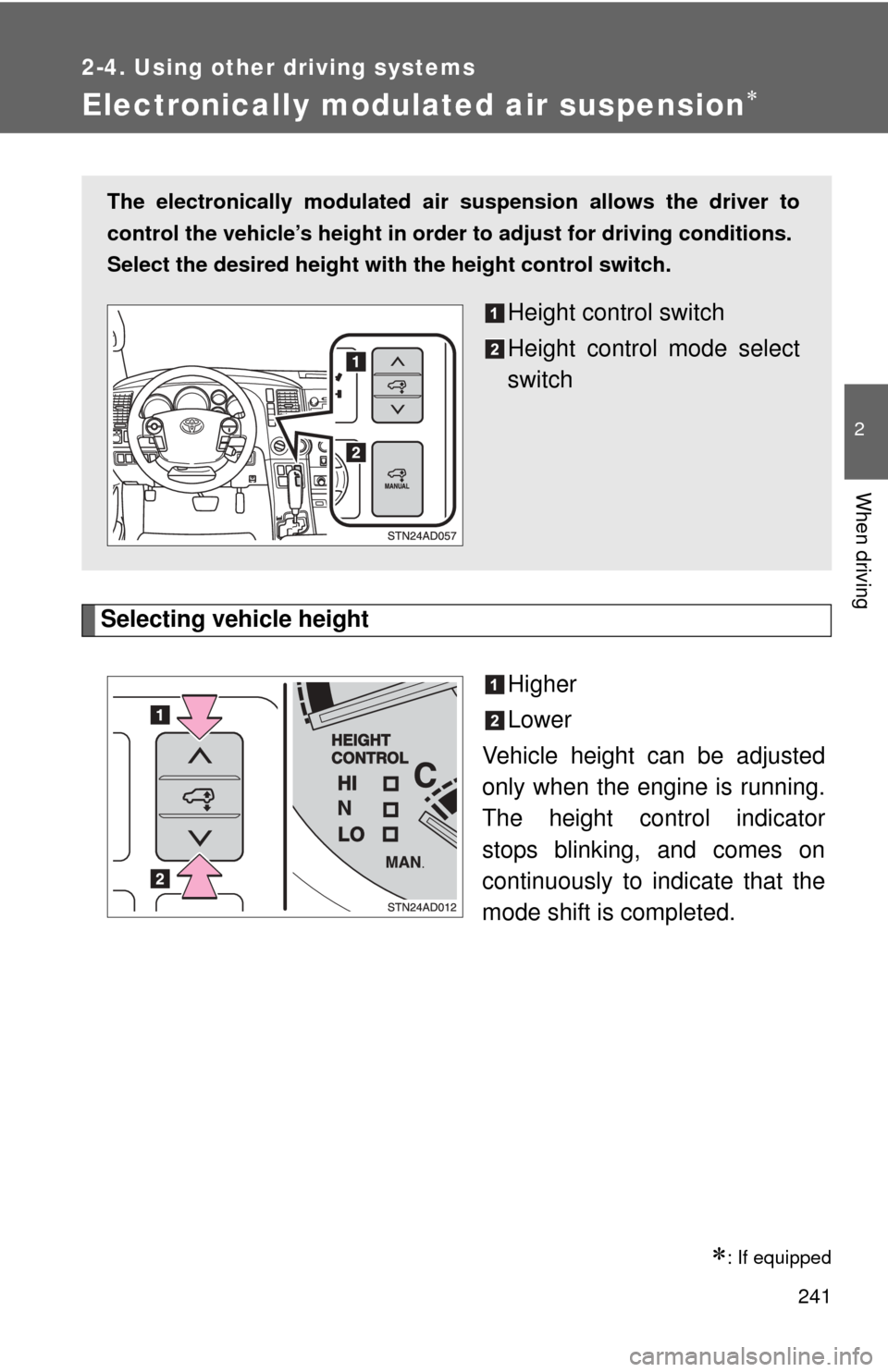
Electronically modulated air suspension
Selecting vehicle heightHigher
Lower
Vehicle height can be adjusted
only when the engine is running.
The height control indicator
stops blinking, and comes on
continuously to in dicate that the
mode shift is completed.
: If equipped
The electronically modulated air suspension allows the driver to
control the vehicle’s height in orde r to adjust for driving conditions.
Select the desired height with the height control switch.
Height control switch
Height control mode select
switch