garage door opener TOYOTA SEQUOIA 2012 2.G Owners Manual
[x] Cancel search | Manufacturer: TOYOTA, Model Year: 2012, Model line: SEQUOIA, Model: TOYOTA SEQUOIA 2012 2.GPages: 708, PDF Size: 15.12 MB
Page 5 of 708
1
2
3
4
5
6
7
5
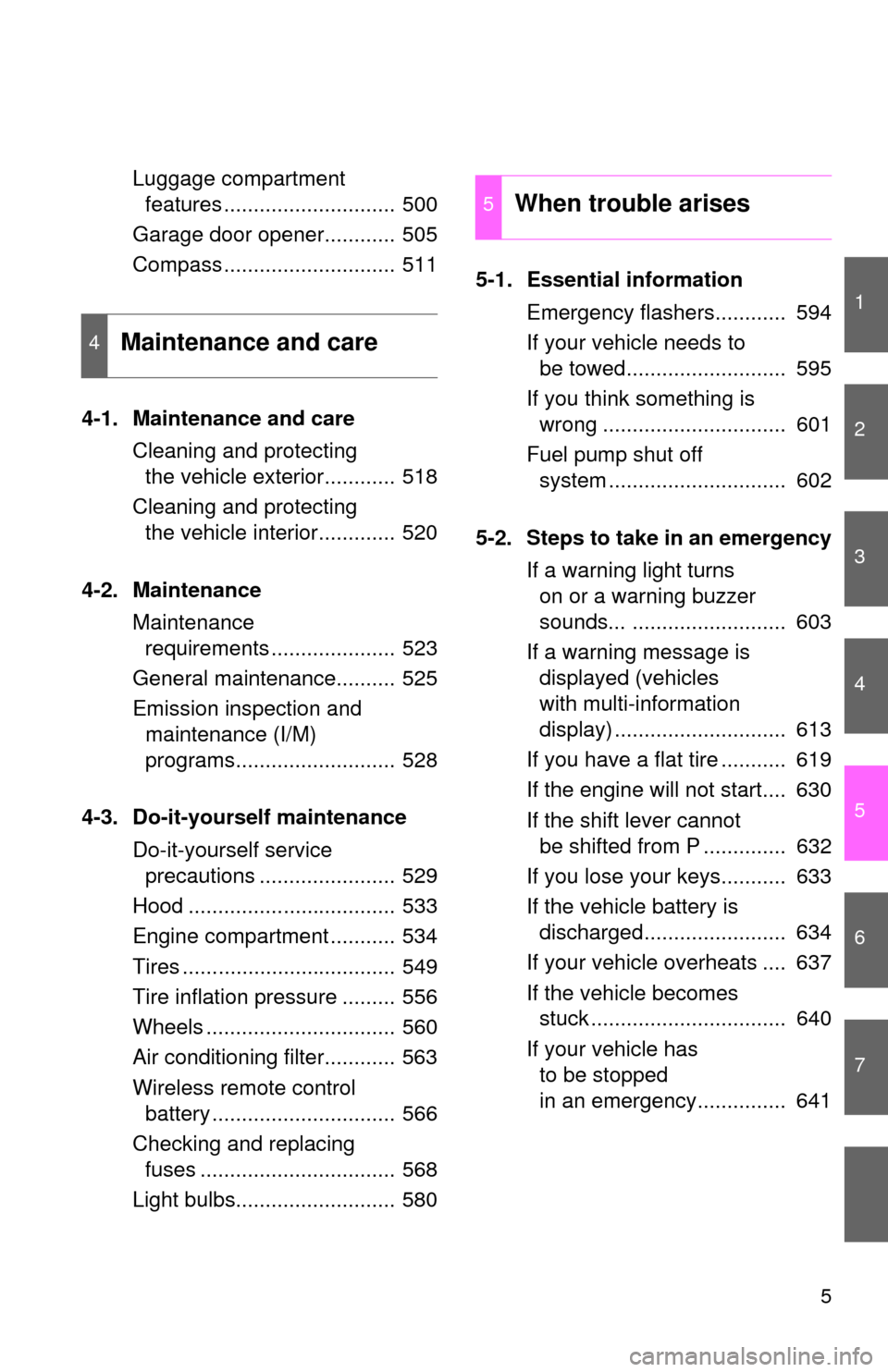
Luggage compartment features ............................. 500
Garage door opener............ 505
Compass ............................. 511
4-1. Maintenance and care Cleaning and protecting the vehicle exterior............ 518
Cleaning and protecting the vehicle interior............. 520
4-2. Maintenance Maintenance requirements ..................... 523
General maintenance.......... 525
Emission inspection and maintenance (I/M)
programs........................... 528
4-3. Do-it-yourself maintenance Do-it-yourself service precautions ....................... 529
Hood ................................... 533
Engine compartment ........... 534
Tires .................................... 549
Tire inflation pressure ......... 556
Wheels ................................ 560
Air conditioning filter............ 563
Wireless remote control battery ............................... 566
Checking and replacing fuses ................................. 568
Light bulbs........................... 580 5-1. Essential information
Emergency flashers............ 594
If your vehicle needs to be towed........................... 595
If you think something is wrong ............................... 601
Fuel pump shut off system .............................. 602
5-2. Steps to take in an emergency If a warning light turns on or a warning buzzer
sounds... .......................... 603
If a warning message is displayed (vehicles
with multi-information
display) ............................. 613
If you have a flat tire ........... 619
If the engine will not start.... 630
If the shift lever cannot be shifted from P .............. 632
If you lose your keys........... 633
If the vehicle battery is discharged........................ 634
If your vehicle overheats .... 637
If the vehicle becomes stuck ................................. 640
If your vehicle has to be stopped
in an emergency............... 641
4Maintenance and care
5When trouble arises
Page 11 of 708
11
Anti-glare inside
rear view mirror
P. 84
Sun visors P. 475
SRS curtain shield
airbags
P. 114
Vanity mirrors
P. 476
Interior light P. 452
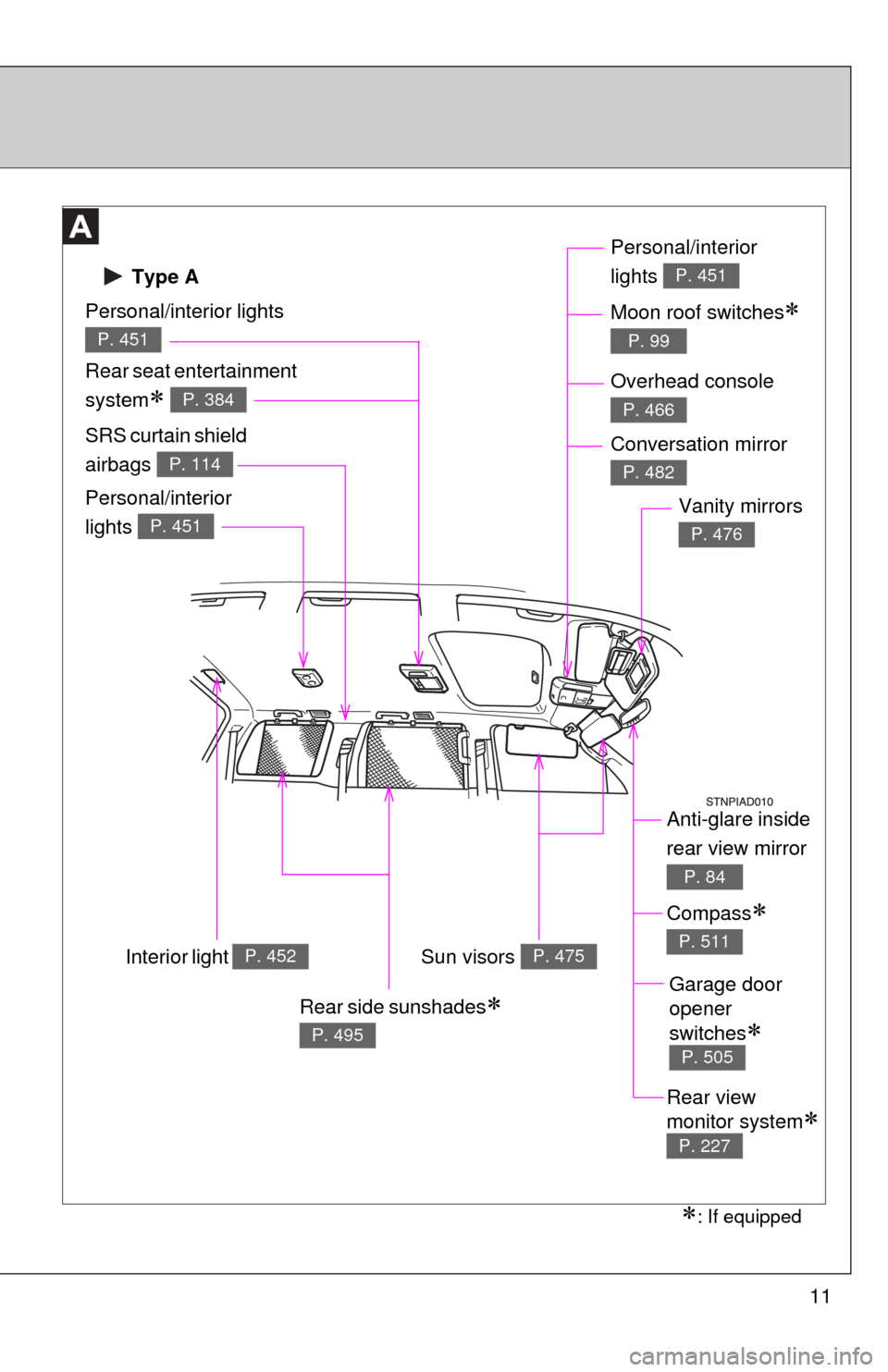
Type A
Personal/interior lights
P. 451
Rear seat entertainment
system
P. 384
Personal/interior
lights
P. 451
Personal/interior
lights
P. 451
Moon roof switches
P. 99
: If equipped
Overhead console
P. 466
Conversation mirror
P. 482
Compass
P. 511
Garage door
opener
switches
P. 505
Rear side sunshades
P. 495
Rear view
monitor system
P. 227
Page 12 of 708
12
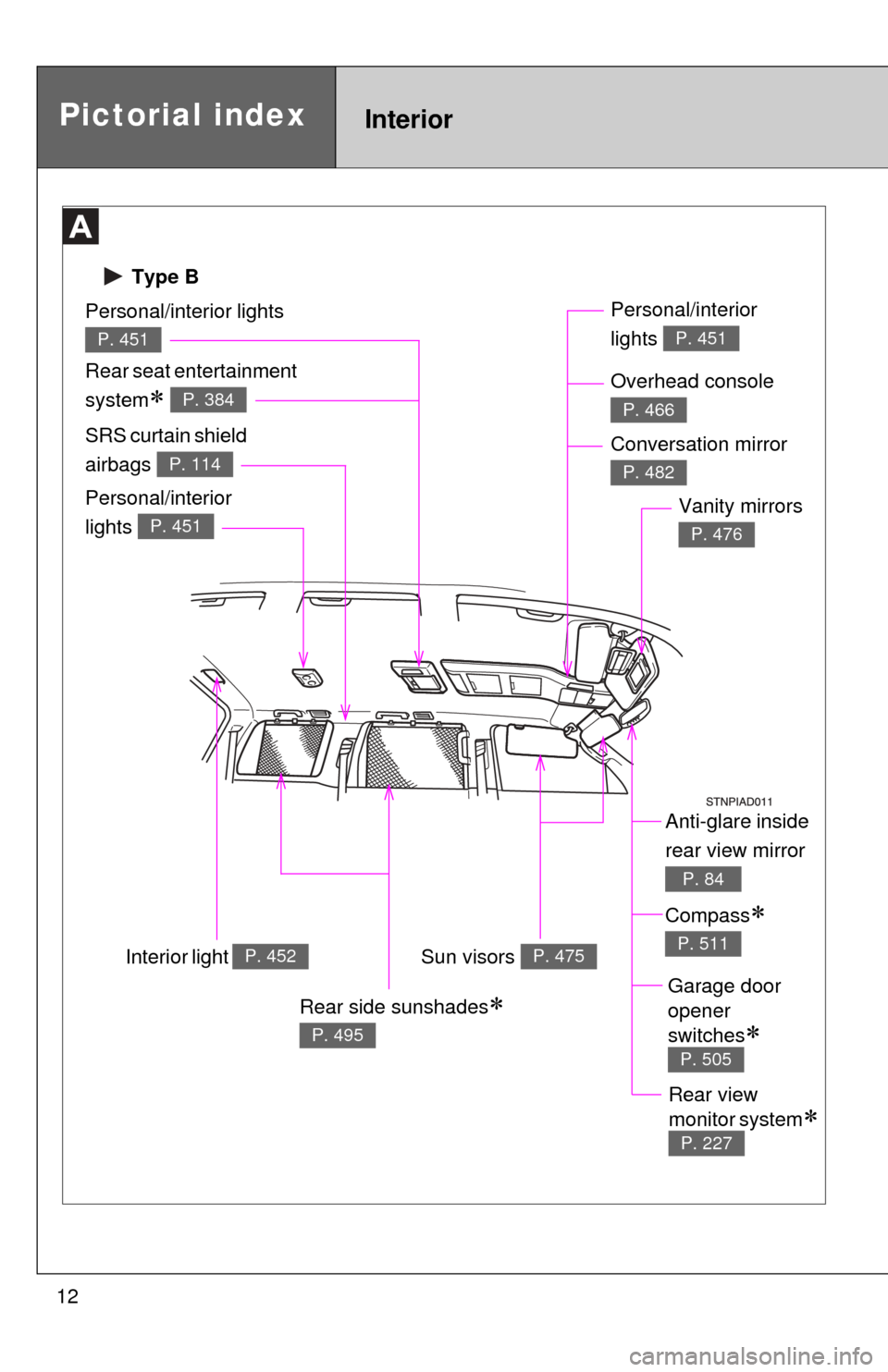
Type B
Pictorial indexInterior
Anti-glare inside
rear view mirror
P. 84
Sun visors P. 475
SRS curtain shield
airbags
P. 114
Vanity mirrors
P. 476
Interior light P. 452
Personal/interior lights
P. 451
Rear seat entertainment
system
P. 384
Personal/interior
lights
P. 451
Personal/interior
lights
P. 451
Overhead console
P. 466
Conversation mirror
P. 482
Compass
P. 511
Garage door
opener
switches
P. 505
Rear side sunshades
P. 495
Rear view
monitor system
P. 227
Page 299 of 708
Interior features3
299
3-5. Using the hands-free phone system (for cellular phone)
Hands-free phone system (for cellular phone)
features .......................... 419
Using the hands-free phone system ................ 423
Making a phone call ......... 432
Setting a cellular phone ... 436
Security and system setup .............................. 440
Using the phone book ...... 443
3-6. Using the interior lights Interior lights list ............... 449
• Personal/interior light main switch .................... 450
• Personal/interior lights ... 451
• Interior light .................... 452
3-7. Using the storage features List of storage features .... 453
• Glove boxes ................... 454
• Coin holder .................... 455
• Front console box .......... 456
• Card holder .................... 458
• Map holder ..................... 459
• Pen holder ..................... 461
• Tissue pocket................. 462
• Rear console box ........... 463
• Overhead console.......... 466
• Cup holders ................... 468 • Bottle holders ................. 472
• Auxiliary boxes............... 473
3-8. Other interior features Sun visors ........................ 475
Vanity mirrors ................... 476
Clock ................................ 477
Outside temperature display............................ 478
Portable ashtray ............... 480
Cigarette lighter................ 481
Conversation mirror ......... 482
Power outlets ................... 483
Seat heaters..................... 489
Seat heaters and ventilators ...................... 492
Armrests........................... 494
Rear side sunshades ....... 495
Seatback table ................. 497
Floor mat .......................... 498
Luggage compartment features .......................... 500
Garage door opener......... 505
Compass .......................... 511
Page 505 of 708
505
3-8. Other interior features
3
Interior features
Garage door opener
The garage door opener (HomeLink® Universal Transceiver) is manufac-
tured under license from HomeLink®.
Programming the HomeLink® (for U.S.A. owners)
The HomeLink
® compatible transceiver in your vehicle has 3 buttons
which can be programmed to operate 3 different devices. Refer to the
programming method below appropriate for the device.
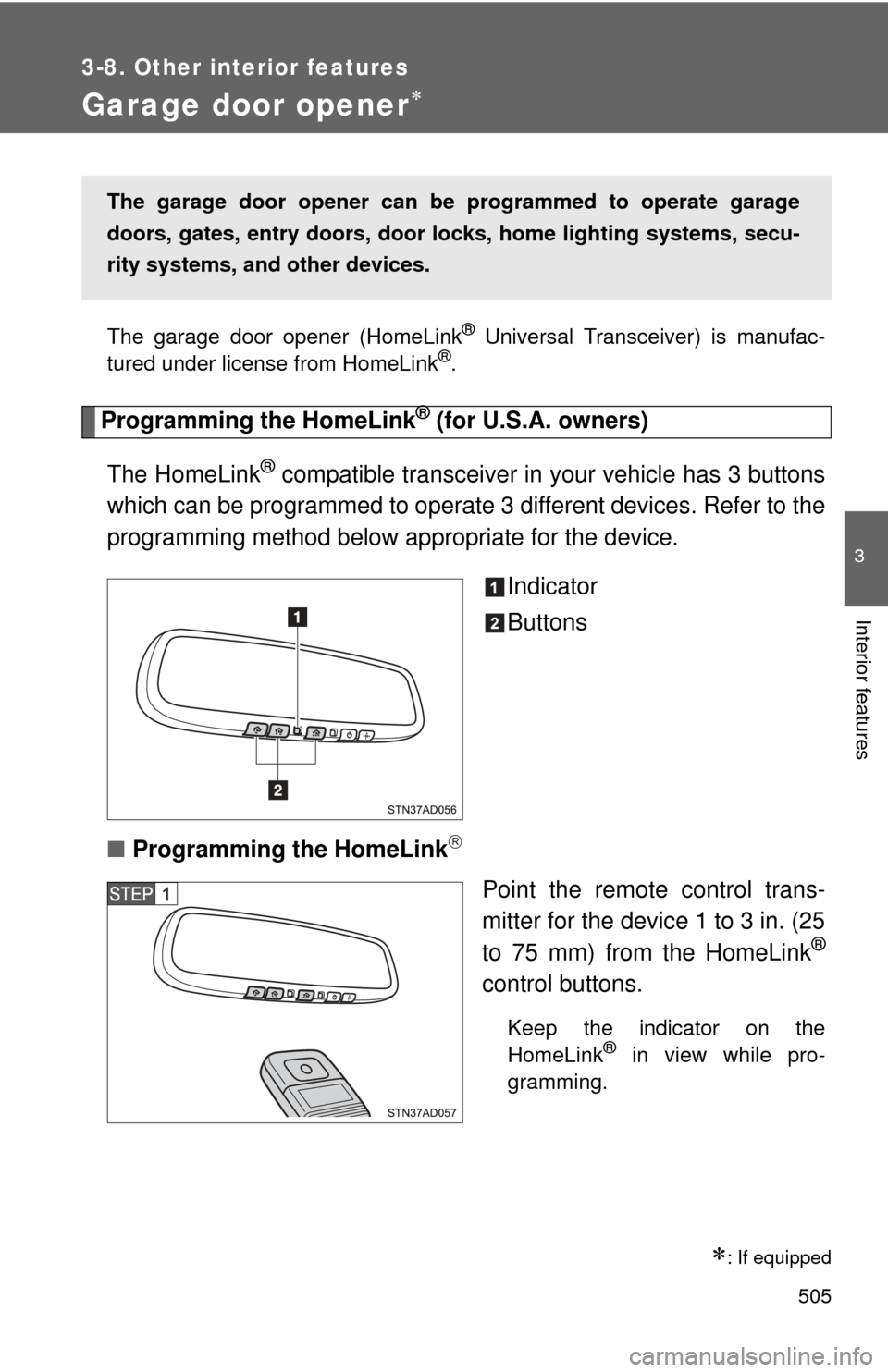
Indicator
Buttons
■ Programming the HomeLink
Point the remote control trans-
mitter for the device 1 to 3 in. (25
to 75 mm) from the HomeLink
®
control buttons.
Keep the indicator on the
HomeLink® in view while pro-
gramming.
: If equipped
The garage door opener can be programmed to operate garage
doors, gates, entry do ors, door locks, home lighting systems, secu-
rity systems, and other devices.
Page 506 of 708
506 3-8. Other interior features
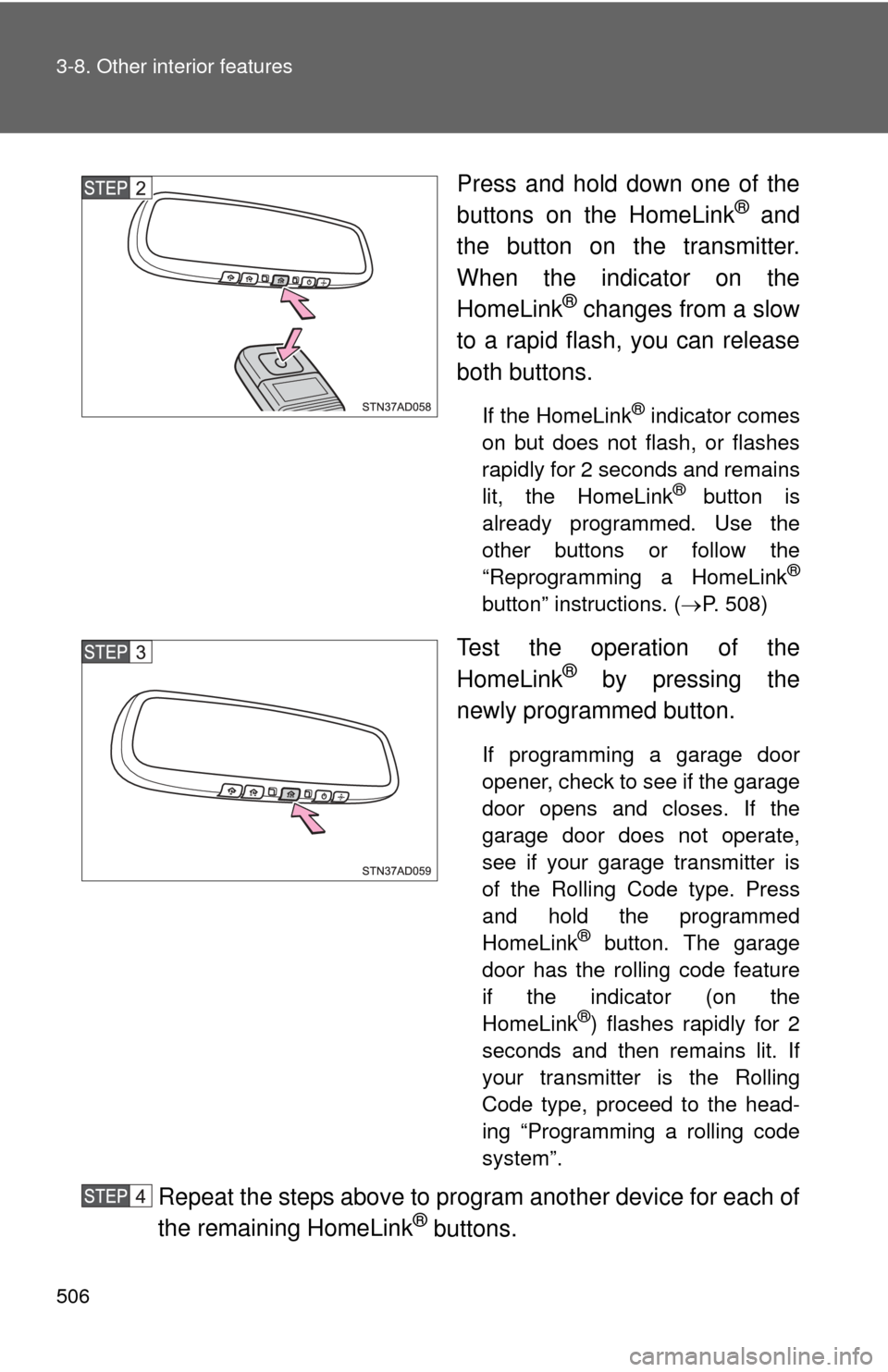
Press and hold down one of the
buttons on the HomeLink® and
the button on the transmitter.
When the indicator on the
HomeLink
® changes from a slow
to a rapid flash, you can release
both buttons.
If the HomeLink® indicator comes
on but does not flash, or flashes
rapidly for 2 seconds and remains
lit, the HomeLink
® button is
already programmed. Use the
other buttons or follow the
“Reprogramming a HomeLink
®
button” instructions. ( P. 508)
Test the operation of the
HomeLink® by pressing the
newly programmed button.
If programming a garage door
opener, check to see if the garage
door opens and closes. If the
garage door does not operate,
see if your garage transmitter is
of the Rolling Code type. Press
and hold the programmed
HomeLink
® button. The garage
door has the rolling code feature
if the indicator (on the
HomeLink
®) flashes rapidly for 2
seconds and then remains lit. If
your transmitter is the Rolling
Code type, proceed to the head-
ing “Programming a rolling code
system”.
Repeat the steps above to program another device for each of
the remaining HomeLink® buttons.
Page 507 of 708
507
3-8. Other interior features
3
Interior features
■
Programming a Rolling Code sys tem (for U.S.A. owners)
If your device is Rolling Code equipped, follow the steps under the
heading “Programming the HomeLink
®” before proceeding with the
steps listed below.
Locate the training button on the ceiling mounted garage door
opener motor. The exact location and color of the button may
vary by brand of garage door opener.
Refer to the operation manual supplied with the garage door opener
for the location of the training button.
Press the training button.
Following this step, you have 30 seconds in which to initiate step 3
below.
Press and hold the vehicle’s programmed HomeLink® button
for 2 seconds and release it. Repeat this step once again. The
garage door may open.
If the garage door opens, the programming process is complete. If
the door does not open, press and release the button a third time.
This third press and release will complete the programming process
by opening the garage door.
The ceiling mounted garage door opener motor should now recog-
nize the HomeLink
® transceiver and operate the garage door.
Repeat the steps above to prog ram another rolling code sys-
tem for any of the remaining HomeLink® buttons.
■ Programming an entry gate (f or U.S.A. owners)/Programming
all devices in the Canadian market
Place your transmitter 1 to 3 in. (25 to 75 mm) away from the
surface of the HomeLink
®.
Keep the indicator on the HomeLink® in view while programming.
Press and hold the selected HomeLink® button.
Repeatedly press and releas e (cycle) the device’s remote
control button for two seconds each until step 4 is completed.
When the indicator on the HomeLink
® compatible transceiver
start to flashing rapidly, release the buttons.
Page 509 of 708
509
3-8. Other interior features
3
Interior features
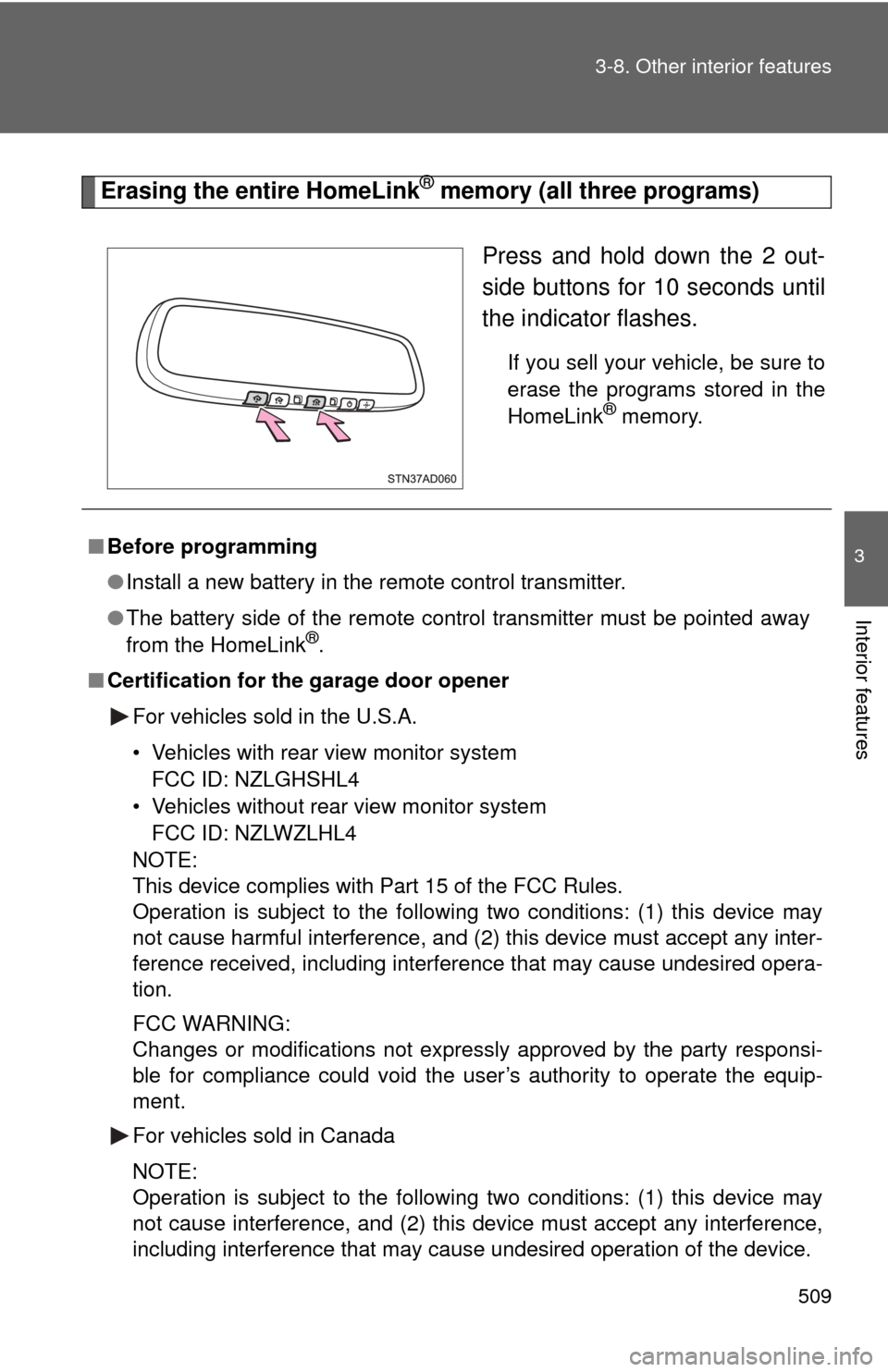
Erasing the entire HomeLink® memory (all three programs)
Press and hold down the 2 out-
side buttons for 10 seconds until
the indicator flashes.
If you sell your vehicle, be sure to
erase the programs stored in the
HomeLink
® memory.
■Before programming
●Install a new battery in the remote control transmitter.
● The battery side of the remote control transmitter must be pointed away
from the HomeLink
®.
■ Certification for the garage door opener
For vehicles sold in the U.S.A.
• Vehicles with rear view monitor systemFCC ID: NZLGHSHL4
• Vehicles without rear view monitor system FCC ID: NZLWZLHL4
NOTE:
This device complies with Part 15 of the FCC Rules.
Operation is subject to the following two conditions: (1) this device may
not cause harmful interference, and (2) this device must accept any inter-
ference received, including interference that may cause undesired opera-
tion.
FCC WARNING:
Changes or modifications not expressly approved by the party responsi-
ble for compliance could void the user’s authority to operate the equip-
ment.
For vehicles sold in Canada
NOTE:
Operation is subject to the following two conditions: (1) this device may
not cause interference, and (2) this device must accept any interference,
including interference that may cause undesired operation of the device.
Page 510 of 708

510 3-8. Other interior features
■When support is necessary
Visit on the web at www.homelink.com
or call 1-800-355-3515.
CAUTION
■When programming a garage door or other remote control device
The garage door may operate, so ensure that people and objects are out of
danger to prevent potential harm.
■ Conforming to federal safety standards
Do not use the HomeLink
® Compatible Transceiver with any garage door
opener or device that lacks safety stop and reverse features as required by
federal safety standards.
This includes any garage door that cannot detect an obstruction object. A
door or device without these features increases the risk of death or serious
injury.
Page 699 of 708
699
Alphabetical index
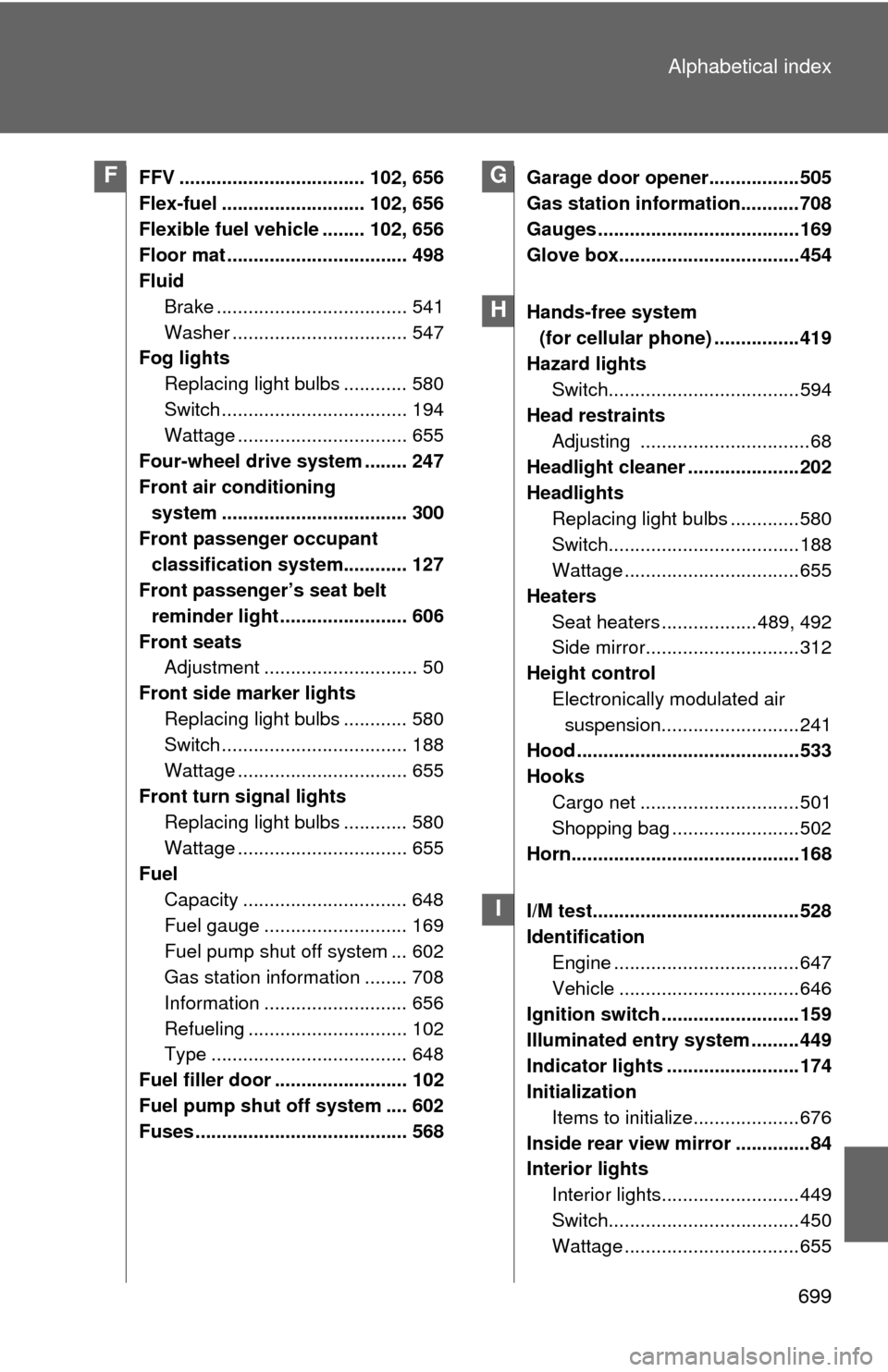
FFV ................................... 102, 656
Flex-fuel ........................... 102, 656
Flexible fuel vehicle ........ 102, 656
Floor mat .................................. 498
Fluid
Brake .................................... 541
Washer ................................. 547
Fog lights
Replacing light bulbs ............ 580
Switch ................................... 194
Wattage ................................ 655
Four-wheel drive system ........ 247
Front air conditioning system ................................... 300
Front passenger occupant classification system............ 127
Front passenger’s seat belt
reminder light ........................ 606
Front seats Adjustment ............................. 50
Front side marker lights Replacing light bulbs ............ 580
Switch ................................... 188
Wattage ................................ 655
Front turn signal lights Replacing light bulbs ............ 580
Wattage ................................ 655
Fuel Capacity ............................... 648
Fuel gauge ........................... 169
Fuel pump shut off system ... 602
Gas station information ........ 708
Information ........................... 656
Refueling .............................. 102
Type ..................................... 648
Fuel filler door ......................... 102
Fuel pump shut off system .... 602
Fuses ........................................ 568 Garage door opener.................505
Gas station information...........708
Gauges ......................................169
Glove box..................................454
Hands-free system
(for cellular phone) ................419
Hazard lights Switch....................................594
Head restraints
Adjusting ................................68
Headlight cleaner .....................202
Headlights Replacing light bulbs .............580
Switch....................................188
Wattage .................................655
Heaters Seat heaters ..................489, 492
Side mirror.............................312
Height control Electronically modulated air suspension..........................241
Hood ..........................................533
Hooks Cargo net ..............................501
Shopping bag ........................502
Horn...........................................168
I/M test.......................................528
Identification Engine ...................................647
Vehicle ..................................646
Ignition switch ..........................159
Illuminated entry system .........449
Indicator lights .........................174
Initialization
Items to initialize....................676
Inside rear view mirror ..............84
Interior lights Interior lights..........................449
Switch....................................450
Wattage .................................655FG
H
I