ad blue TOYOTA SEQUOIA 2013 2.G Navigation Manual
[x] Cancel search | Manufacturer: TOYOTA, Model Year: 2013, Model line: SEQUOIA, Model: TOYOTA SEQUOIA 2013 2.GPages: 328, PDF Size: 8.3 MB
Page 158 of 328
158
2. SETUP
When 5 Bluetooth® devices have al-
ready been registered
1When 5 Bluetooth® devices have al-
ready been registered, a registered de-
vice needs to be deleted. Touch “Yes”
to delete one or more.
2Touch the device to be deleted, then
touch “Remove” .
3Touch “Yes”.
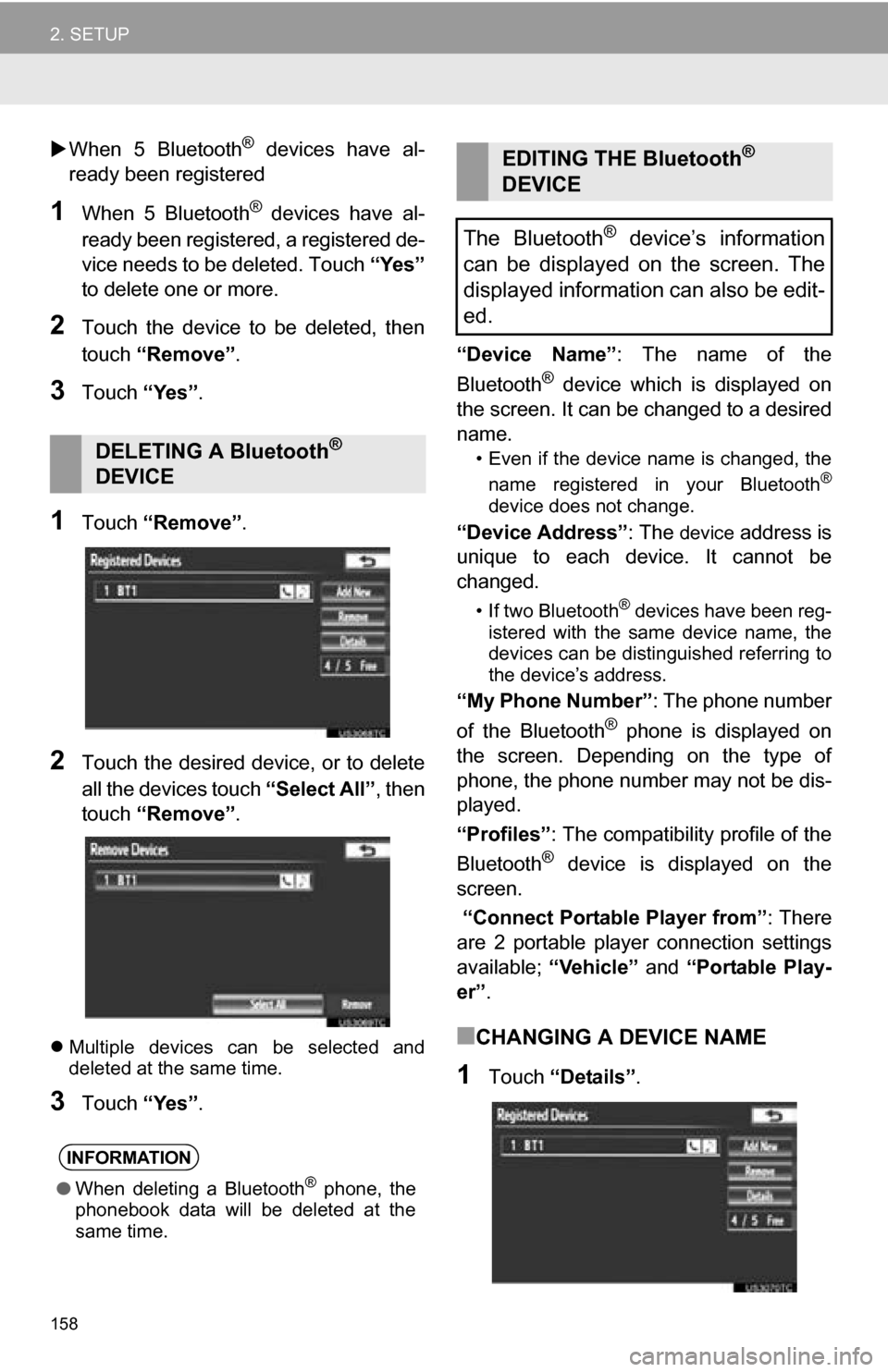
1Touch “Remove” .
2Touch the desired device, or to delete
all the devices touch “Select All”, then
touch “Remove” .
Multiple devices can be selected and
deleted at the same time.
3Touch “Yes”. “Device Name”
: The name of the
Bluetooth
® device which is displayed on
the screen. It can be changed to a desired
name.
• Even if the device name is changed, the
name registered in your Bluetooth®
device does not change.
“Device Address” : The device address is
unique to each device. It cannot be
changed.
• If two Bluetooth® devices have been reg-
istered with the same device name, the
devices can be distinguished referring to
the device’s address.
“My Phone Number” : The phone number
of the Bluetooth® phone is displayed on
the screen. Depending on the type of
phone, the phone number may not be dis-
played.
“Profiles” : The compatibility profile of the
Bluetooth
® device is displayed on the
screen.
“Connect Portable Player from” : There
are 2 portable player connection settings
available; “Vehicle” and “Portable Play-
er” .
■CHANGING A DEVICE NAME
1Touch “Details” .
DELETING A Bluetooth®
DEVICE
INFORMATION
● When deleting a Bluetooth® phone, the
phonebook data will be deleted at the
same time.
EDITING THE Bluetooth®
DEVICE
The Bluetooth
® device’s information
can be displayed on the screen. The
displayed information can also be edit-
ed.
Page 159 of 328
159
2. SETUP
4
PHONE
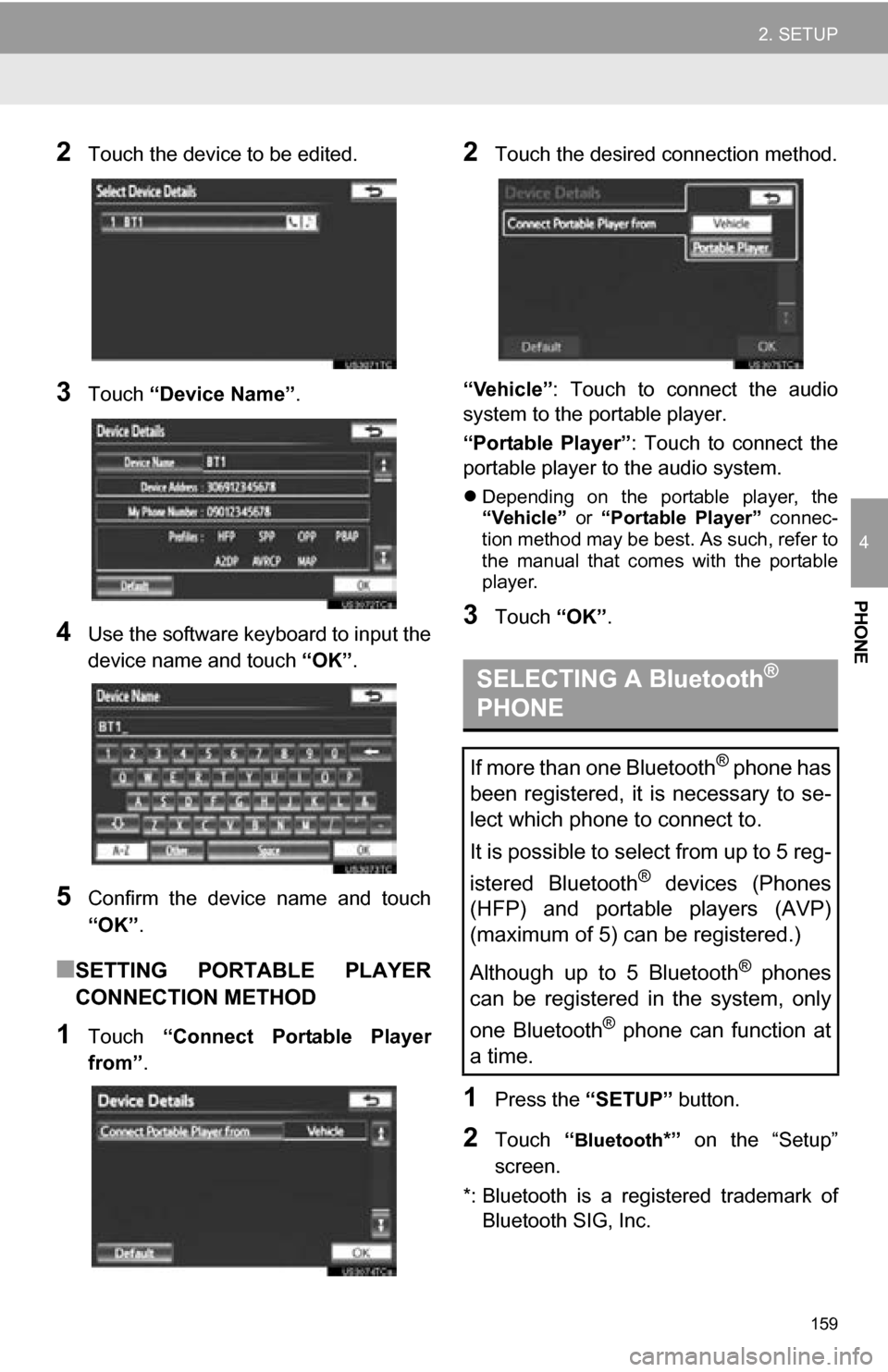
2Touch the device to be edited.
3Touch “Device Name” .
4Use the software keyboard to input the
device name and touch “OK”.
5Confirm the device name and touch
“OK” .
■SETTING PORTABLE PLAYER
CONNECTION METHOD
1Touch “Connect Portable Player
from” .
2Touch the desired connection method.
“Vehicle” : Touch to connect the audio
system to the portable player.
“Portable Player” : Touch to connect the
portable player to the audio system.
Depending on the portable player, the
“Vehicle” or “Portable Player” connec-
tion method may be best. As such, refer to
the manual that comes with the portable
player.
3Touch “OK”.
1Press the “SETUP” button.
2Touch “Bluetooth*” on the “Setup”
screen.
*: Bluetooth is a regi stered trademark of
Bluetooth SIG, Inc.
SELECTING A Bluetooth®
PHONE
If more than one Bluetooth® phone has
been registered, it is necessary to se-
lect which phone to connect to.
It is possible to select from up to 5 reg-
istered Bluetooth
® devices (Phones
(HFP) and portable players (AVP)
(maximum of 5) can be registered.)
Although up to 5 Bluetooth
® phones
can be registered in the system, only
one Bluetooth
® phone can function at
a time.
Page 160 of 328
160
2. SETUP
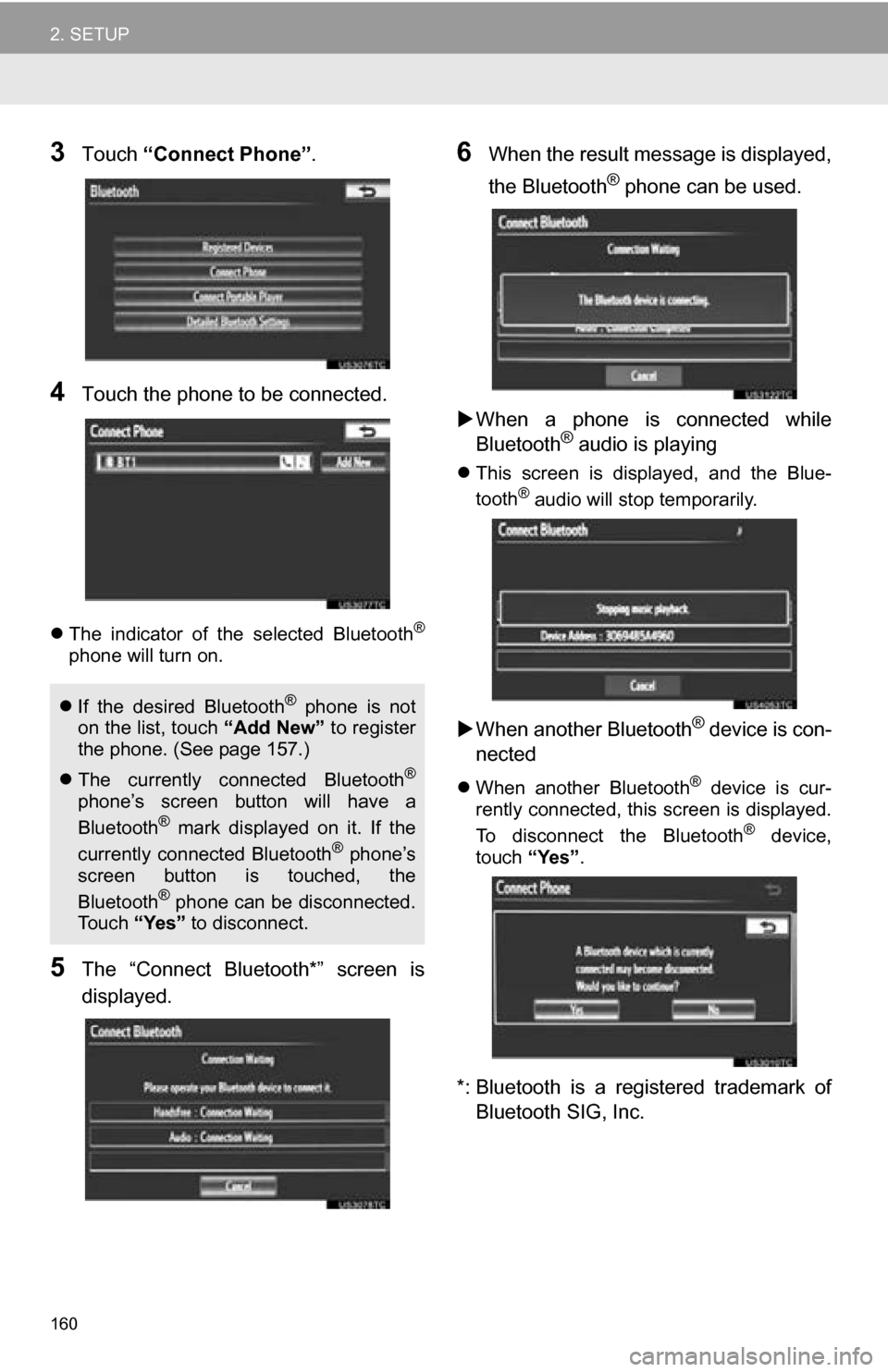
3Touch “Connect Phone” .
4Touch the phone to be connected.
The indicator of the selected Bluetooth®
phone will turn on.
5The “Connect Bluetooth*” screen is
displayed.
6When the result message is displayed,
the Bluetooth
® phone can be used.
When a phone is connected while
Bluetooth
® audio is playing
This screen is displayed, and the Blue-
tooth® audio will stop temporarily.
When another Bluetooth® device is con-
nected
When another Bluetooth® device is cur-
rently connected, this screen is displayed.
To disconnect the Bluetooth
® device,
touch “Yes”.
*: Bluetooth is a registered trademark of
Bluetooth SIG, Inc.
If the desired Bluetooth® phone is not
on the list, touch “Add New” to register
the phone. (See page 157.)
The currently connected Bluetooth
®
phone’s screen button will have a
Bluetooth® mark displayed on it. If the
currently connected Bluetooth® phone’s
screen button is touched, the
Bluetooth
® phone can be disconnected.
To u c h “Yes” to disconnect.
Page 161 of 328
161
2. SETUP
4
PHONE
1Press the “SETUP” button.
2Touch “Bluetooth*” on the “Setup”
screen.
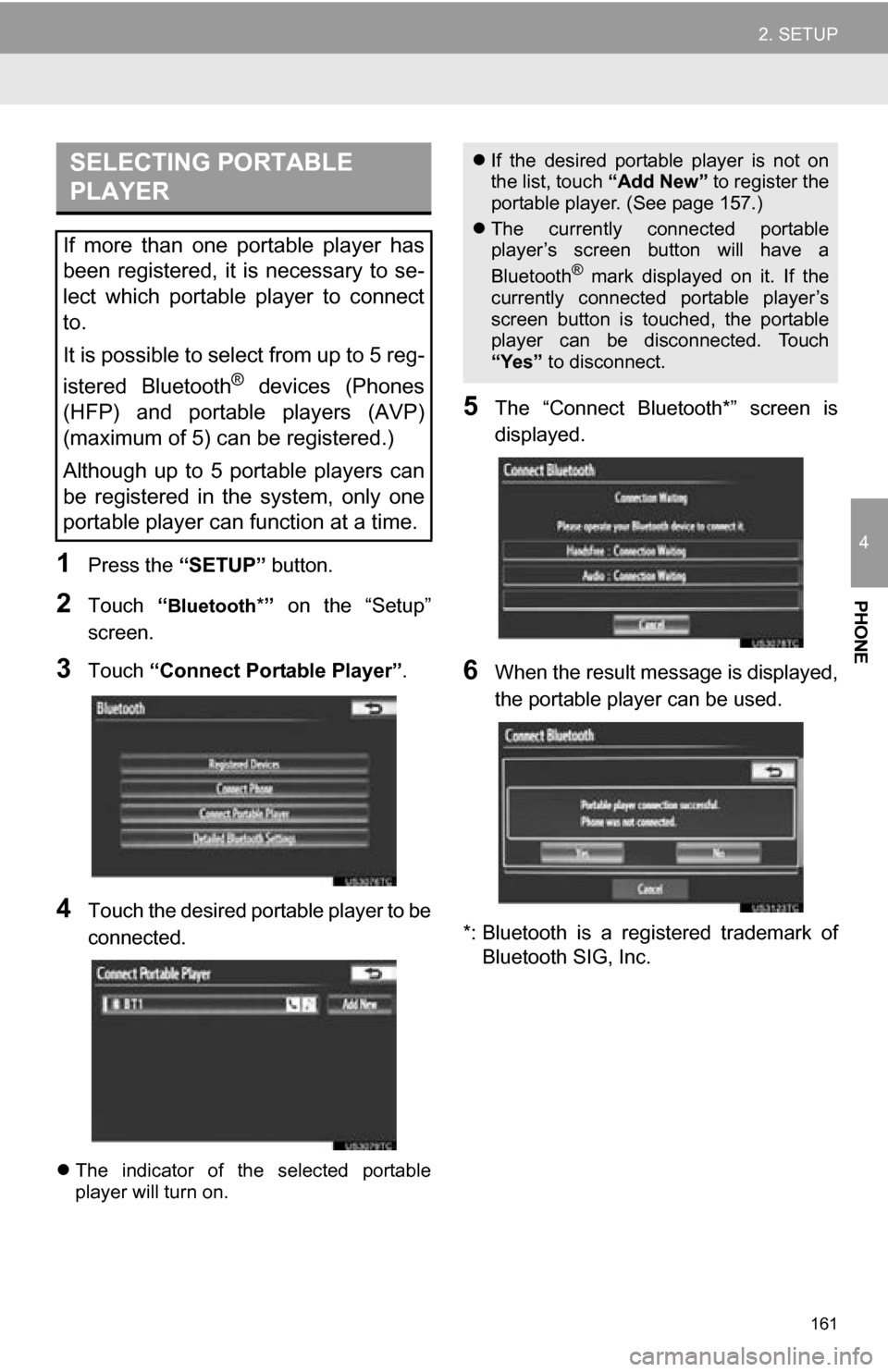
3Touch “Connect Portable Player” .
4Touch the desired portable player to be
connected.
The indicator of the selected portable
player will turn on.
5The “Connect Bluetooth*” screen is
displayed.
6When the result message is displayed,
the portable player can be used.
*: Bluetooth is a regi stered trademark of
Bluetooth SIG, Inc.
SELECTING PORTABLE
PLAYER
If more than one portable player has
been registered, it is necessary to se-
lect which portable player to connect
to.
It is possible to select from up to 5 reg-
istered Bluetooth
® devices (Phones
(HFP) and portable players (AVP)
(maximum of 5) can be registered.)
Although up to 5 portable players can
be registered in the system, only one
portable player can function at a time.
If the desired portable player is not on
the list, touch “Add New” to register the
portable player. (See page 157.)
The currently connected portable
player’s screen button will have a
Bluetooth
® mark displayed on it. If the
currently connected portable player’s
screen button is touched, the portable
player can be disconnected. Touch
“Yes” to disconnect.
Page 162 of 328
162
2. SETUP
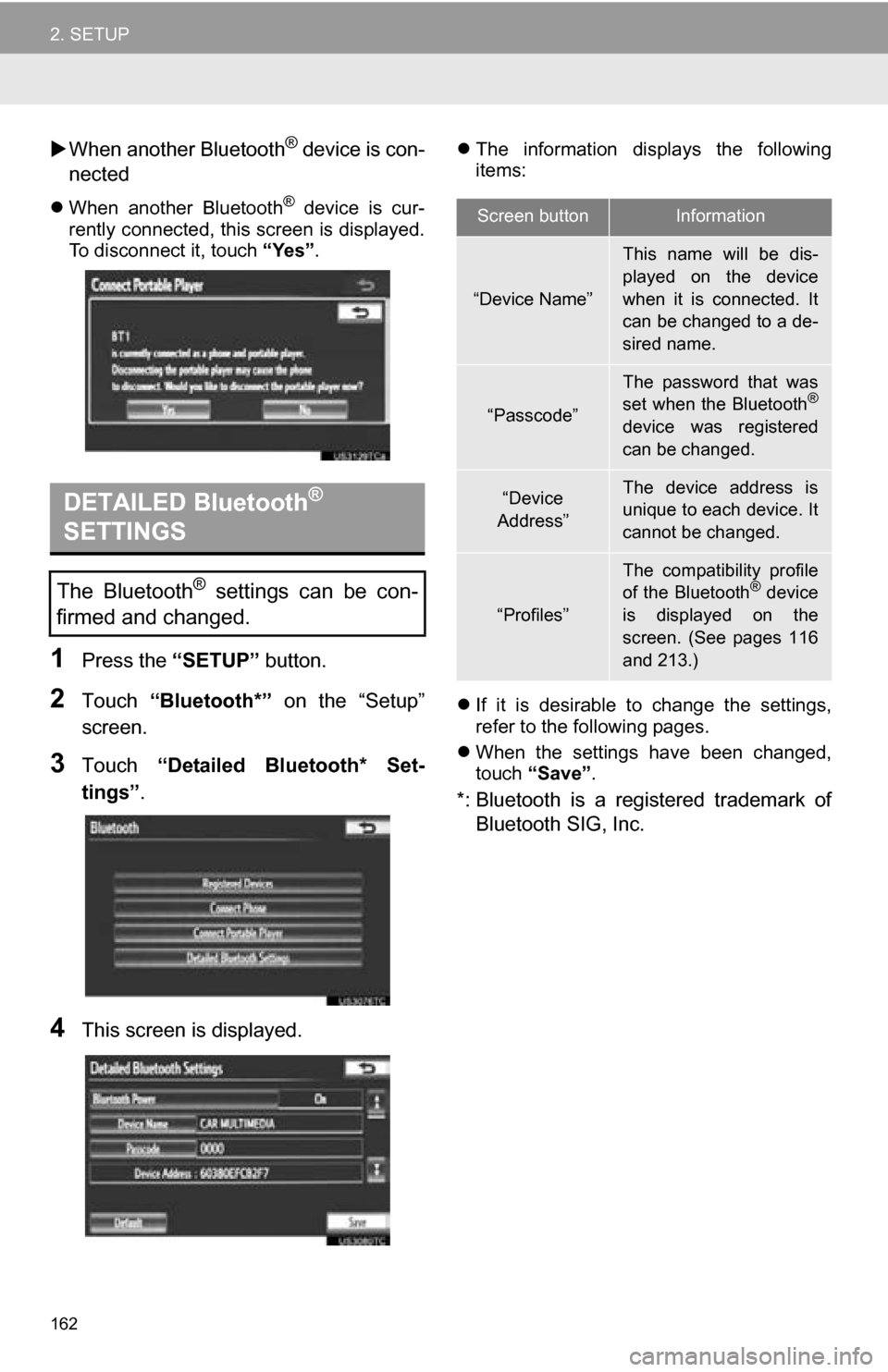
When another Bluetooth® device is con-
nected
When another Bluetooth® device is cur-
rently connected, this screen is displayed.
To disconnect it, touch “Yes”.
1Press the “SETUP” button.
2Touch “Bluetooth*” on the “Setup”
screen.
3Touch “Detailed Bluetooth* Set-
tings” .
4This screen is displayed.
The information displays the following
items:
If it is desirable to change the settings,
refer to the following pages.
When the settings have been changed,
touch “Save”.
*: Bluetooth is a registered trademark of
Bluetooth SIG, Inc.
DETAILED Bluetooth®
SETTINGS
The Bluetooth® settings can be con-
firmed and changed.
Screen buttonInformation
“Device Name”
This name will be dis-
played on the device
when it is connected. It
can be changed to a de-
sired name.
“Passcode”
The password that was
set when the Bluetooth®
device was registered
can be changed.
“Device
Address”The device address is
unique to each device. It
cannot be changed.
“Profiles”
The compatibility profile
of the Bluetooth® device
is displayed on the
screen. (See pages 116
and 213.)
Page 163 of 328
163
2. SETUP
4
PHONE
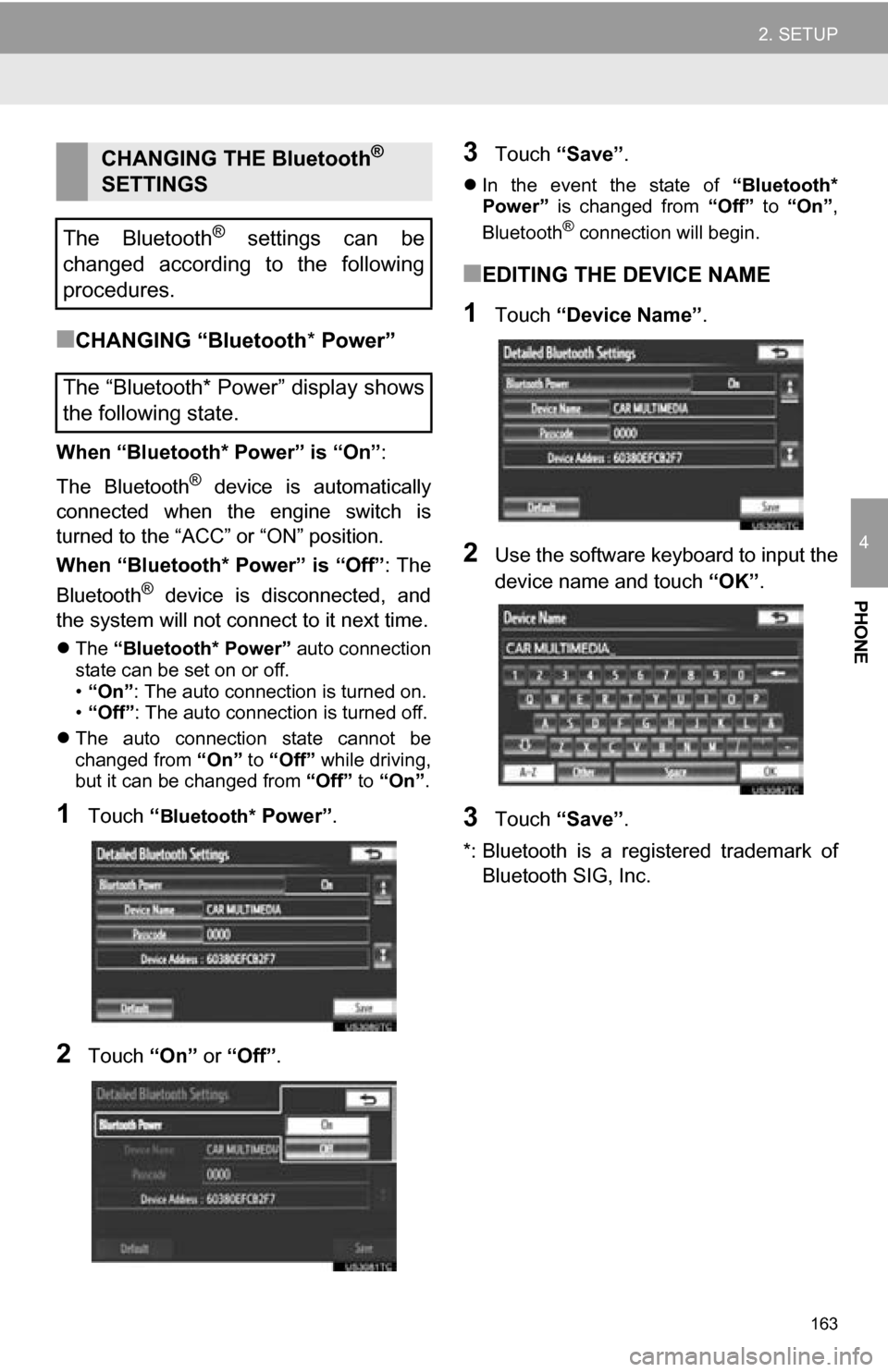
■CHANGING “Bluetooth* Power”
When “Bluetooth* Power” is “On” :
The Bluetooth
® device is automatically
connected when the engine switch is
turned to the “ACC” or “ON” position.
When “Bluetooth* Power” is “Off” : The
Bluetooth
® device is disconnected, and
the system will not connect to it next time.
The “Bluetooth* Power” auto connection
state can be set on or off.
• “On” : The auto connection is turned on.
• “Off” : The auto connection is turned off.
The auto connection state cannot be
changed from “On” to “Off” while driving,
but it can be changed from “Off” to “On”.
1Touch “Bluetooth* Power” .
2Touch “On” or “Off”.
3Touch “Save” .
In the event the state of “Bluetooth*
Power” is changed from “Off” to “On” ,
Bluetooth
® connection will begin.
■EDITING THE DEVICE NAME
1Touch “Device Name” .
2Use the software keyboard to input the
device name and touch “OK”.
3Touch “Save” .
*: Bluetooth is a regi stered trademark of
Bluetooth SIG, Inc.
CHANGING THE Bluetooth®
SETTINGS
The Bluetooth
® settings can be
changed according to the following
procedures.
The “Bluetooth* Power” display shows
the following state.
Page 164 of 328
164
2. SETUP
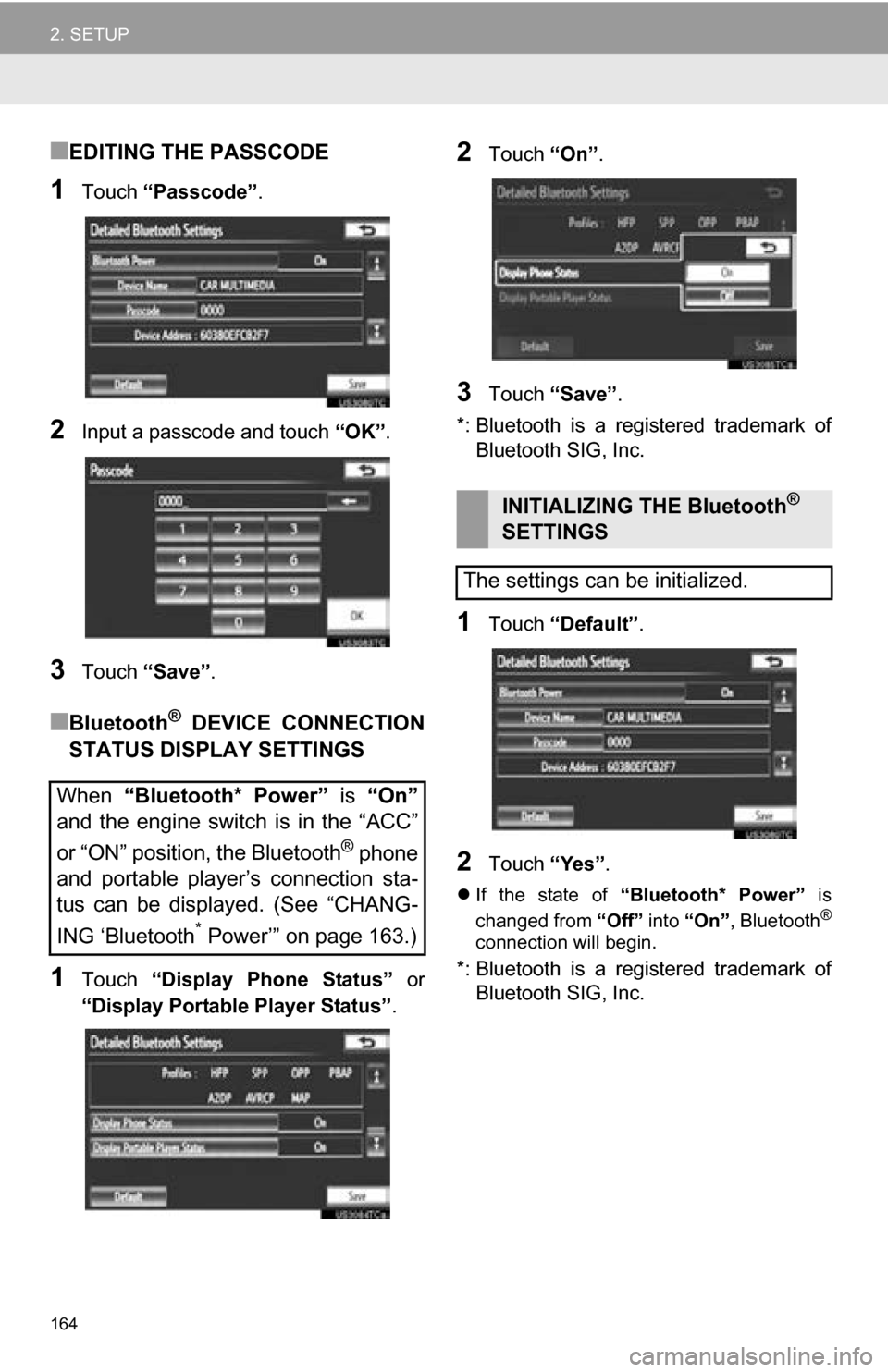
■EDITING THE PASSCODE
1Touch “Passcode” .
2Input a passcode and touch “OK”.
3Touch “Save” .
■Bluetooth® DEVICE CONNECTION
STATUS DISPLAY SETTINGS
1Touch “Display Phone Status” or
“Display Portable Player Status” .
2Touch “On”.
3Touch “Save” .
*: Bluetooth is a registered trademark of Bluetooth SIG, Inc.
1Touch “Default” .
2Touch “Yes”.
If the state of “Bluetooth* Power” is
changed from “Off” into “On” , Bluetooth®
connection will begin.
*: Bluetooth is a registered trademark of
Bluetooth SIG, Inc.
When “Bluetooth* Power” is “On”
and the engine switch is in the “ACC”
or “ON” position, the Bluetooth
® phone
and portable player’s connection sta-
tus can be displayed. (See “CHANG-
ING ‘Bluetooth
* Power’” on page 163.)
INITIALIZING THE Bluetooth®
SETTINGS
The settings can be initialized.
Page 167 of 328
5
167
1
2
3
4
5
6
7
8
9
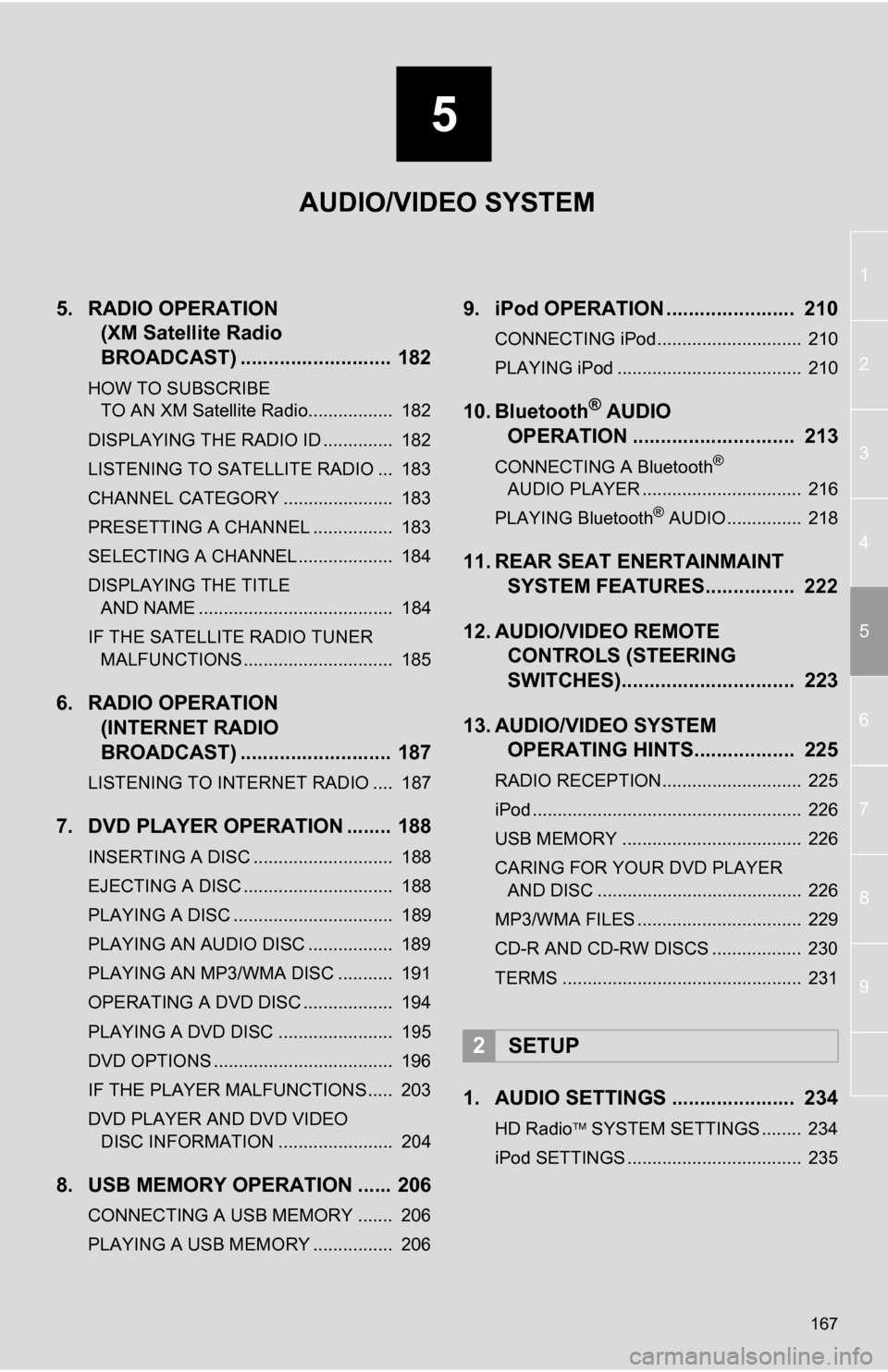
5. RADIO OPERATION (XM Satellite Radio
BROADCAST) ........... ................ 182
HOW TO SUBSCRIBE
TO AN XM Satellite Radio................. 182
DISPLAYING THE RADIO ID .............. 182
LISTENING TO SATELLITE RADIO ... 183
CHANNEL CATEGORY ...................... 183
PRESETTING A CHANNEL ................ 183
SELECTING A CHANNEL ................... 184
DISPLAYING THE TITLE AND NAME ....................................... 184
IF THE SATELLITE RADIO TUNER MALFUNCTIONS .............................. 185
6. RADIO OPERATION (INTERNET RADIO
BROADCAST) ........... ................ 187
LISTENING TO INTERNET RADIO .... 187
7. DVD PLAYER OPERATION ........ 188
INSERTING A DISC ............................ 188
EJECTING A DISC .............................. 188
PLAYING A DISC ................................ 189
PLAYING AN AUDIO DISC ................. 189
PLAYING AN MP3/WMA DISC ........... 191
OPERATING A DVD DISC .................. 194
PLAYING A DVD DISC ....................... 195
DVD OPTIONS .................................... 196
IF THE PLAYER MALFUNCTIONS..... 203
DVD PLAYER AND DVD VIDEO
DISC INFORMATION ....................... 204
8. USB MEMORY OPERATION ...... 206
CONNECTING A USB MEMORY ....... 206
PLAYING A USB MEMORY ................ 206
9. iPod OPERATION ....................... 210
CONNECTING iPod............................. 210
PLAYING iPod ..................................... 210
10. Bluetooth® AUDIO
OPERATION ............................. 213
CONNECTING A Bluetooth®
AUDIO PLAYER ................................ 216
PLAYING Bluetooth
® AUDIO ............... 218
11. REAR SEAT ENERTAINMAINT SYSTEM FEATURES.... ............ 222
12. AUDIO/VIDEO REMOTE CONTROLS (STEERING
SWITCHES)............................... 223
13. AUDIO/VIDEO SYSTEM OPERATING HINTS.................. 225
RADIO RECEPTION............................ 225
iPod ...................................................... 226
USB MEMORY .................................... 226
CARING FOR YOUR DVD PLAYER
AND DISC ......................................... 226
MP3/WMA FILES ................................. 229
CD-R AND CD-RW DISCS .................. 230
TERMS ................................................ 231
1. AUDIO SETTINGS ...................... 234
HD Radio SYSTEM SETTINGS ........ 234
iPod SETTINGS ................................... 235
2SETUP
AUDIO/VIDEO SYSTEM
Page 177 of 328
177
1. AUDIO/VIDEO SYSTEM OPERATION
5
AUDIO/VIDEO SYSTEM
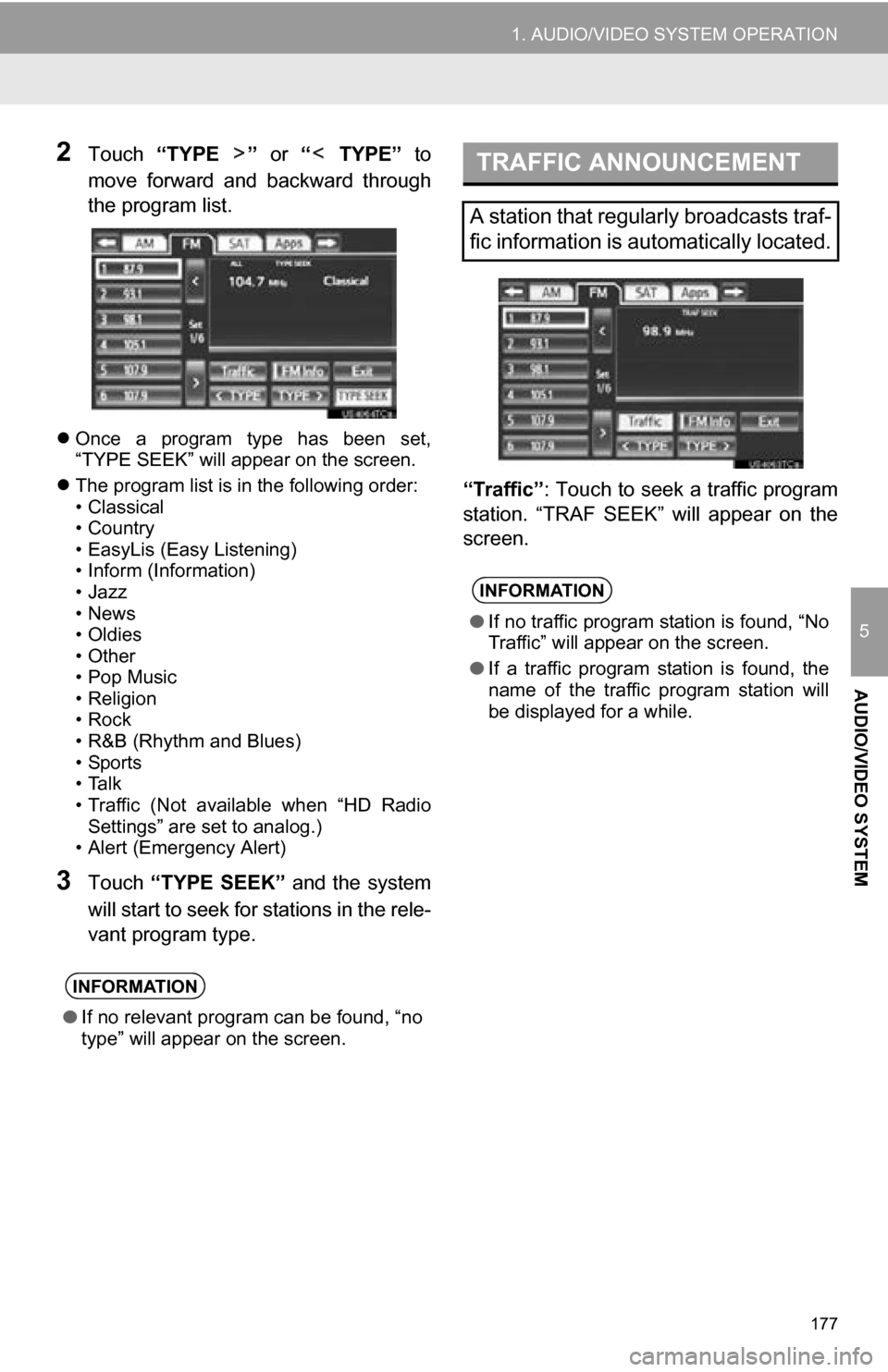
2Touch “TYPE ” or “ TYPE” to
move forward and backward through
the program list.
Once a program type has been set,
“TYPE SEEK” will appear on the screen.
The program list is in the following order:
• Classical
• Country
• EasyLis (Easy Listening)
• Inform (Information)
•Jazz
•News
•Oldies
•Other
•Pop Music
• Religion
•Rock
• R&B (Rhythm and Blues)
•Sports
•Talk
• Traffic (Not available when “HD Radio
Settings” are set to analog.)
• Alert (Emergency Alert)
3Touch “TYPE SEEK” and the system
will start to seek for stations in the rele-
vant program type. “Traffic”
: Touch to seek a traffic program
station. “TRAF SEEK” will appear on the
screen.
INFORMATION
● If no relevant program can be found, “no
type” will appear on the screen.
TRAFFIC ANNOUNCEMENT
A station that regularly broadcasts traf-
fic information is automatically located.
INFORMATION
●If no traffic program station is found, “No
Traffic” will appear on the screen.
● If a traffic program station is found, the
name of the traffic program station will
be displayed for a while.
Page 187 of 328
187
1. AUDIO/VIDEO SYSTEM OPERATION
5
AUDIO/VIDEO SYSTEM
6. RADIO OPERATION (INTERNET RADIO BROADCAST)
1Press the “RADIO” button.
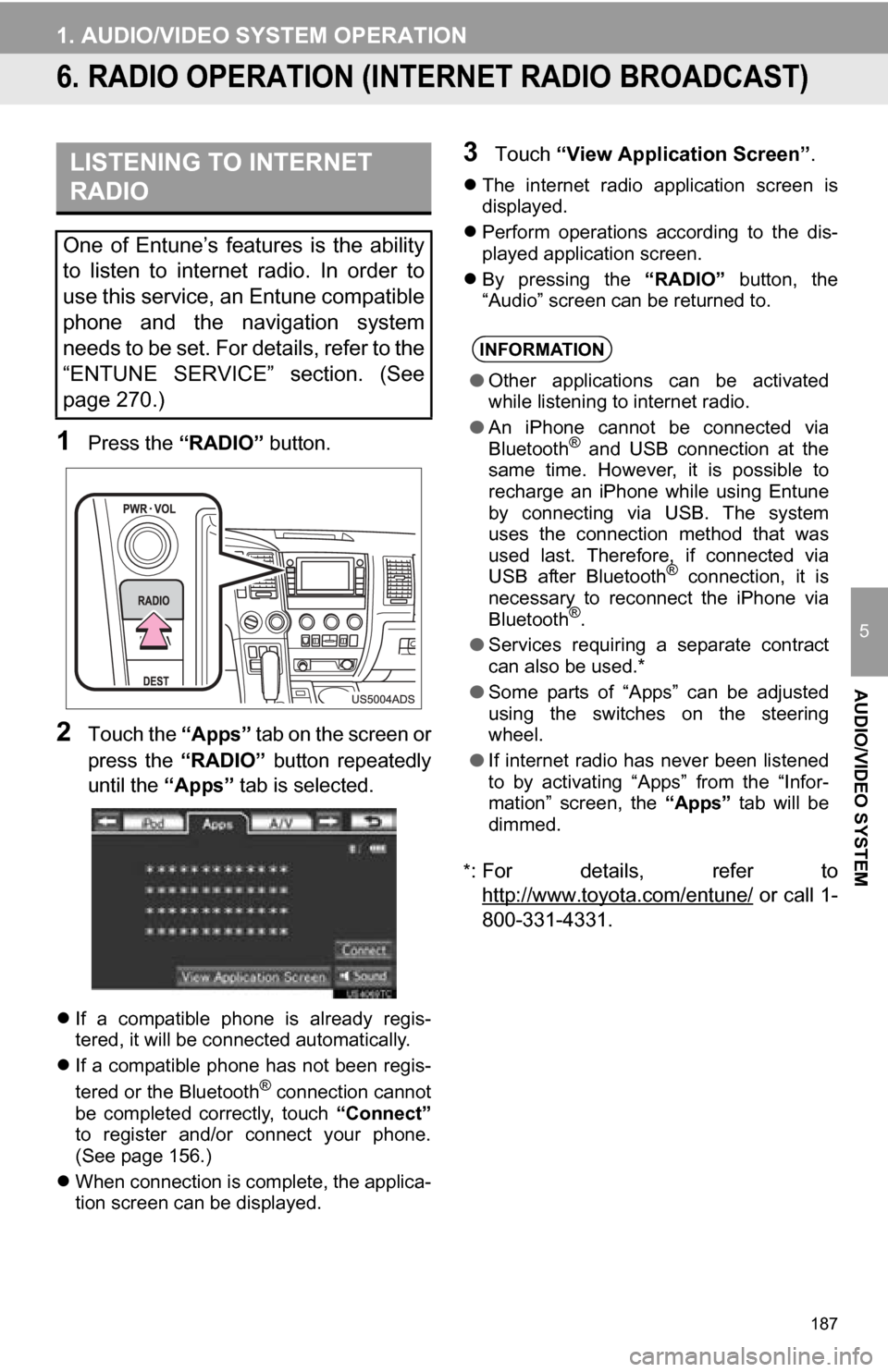
2Touch the “Apps” tab on the screen or
press the “RADIO” button repeatedly
until the “Apps” tab is selected.
If a compatible phone is already regis-
tered, it will be connected automatically.
If a compatible phone has not been regis-
tered or the Bluetooth
® connection cannot
be completed correctly, touch “Connect”
to register and/or connect your phone.
(See page 156.)
When connection is complete, the applica-
tion screen can be displayed.
3Touch “View Application Screen” .
The internet radio application screen is
displayed.
Perform operations according to the dis-
played application screen.
By pressing the “RADIO” button, the
“Audio” screen can be returned to.
*
: For details, refer to http://www.toyota.com/entune/
or call 1-
800-331-4331.
LISTENING TO INTERNET
RADIO
One of Entune’s features is the ability
to listen to internet radio. In order to
use this service, an Entune compatible
phone and the navigation system
needs to be set. For details, refer to the
“ENTUNE SERVICE” section. (See
page 270.)
INFORMATION
● Other applications can be activated
while listening to internet radio.
● An iPhone cannot be connected via
Bluetooth
® and USB connection at the
same time. However, it is possible to
recharge an iPhone while using Entune
by connecting via USB. The system
uses the connection method that was
used last. Therefore, if connected via
USB after Bluetooth
® connection, it is
necessary to reconnect the iPhone via
Bluetooth
®.
● Services requiring a separate contract
can also be used.*
● Some parts of “Apps” can be adjusted
using the switches on the steering
wheel.
● If internet radio has never been listened
to by activating “Apps” from the “Infor-
mation” screen, the “Apps” tab will be
dimmed.