TOYOTA SEQUOIA 2013 2.G Owners Manual
SEQUOIA 2013 2.G
TOYOTA
TOYOTA
https://www.carmanualsonline.info/img/14/6770/w960_6770-0.png
TOYOTA SEQUOIA 2013 2.G Owners Manual
Page 404 of 740
404 3-4. Using the rear seat entertainment system
NOTICE
■Cleaning the display
Wipe the display with a dry soft cloth. If the screen is wiped with a rough
cloth, the surface of the screen may be scratched.
■ Opening and closing the display
When opening or closing the display, hold the bottom center of the display
outer frame. Holding or pressing the LCD panel could result in display prob-
lems or LCD deterioration.
■ To prevent damage to the remote controller
●Keep the remote controller away from direct sunlight, heat and high
humidity.
● Do not drop or strike the remote controller against hard objects.
● Do not sit on or place heavy objects on the remote controller.
■ For normal operation after replacing the batteries
Observe the following precautions to prevent accidents.
●Always work with dry hands.
Moisture may cause the battery to rust.
● Do not touch or move any other components inside the remote controller.
● Do not bend any of the battery terminals.
Page 430 of 740
430 3-4. Using the rear seat entertainment system
NOTICE
■Player precautions
Failure to follow the precautions below may result in damage to the discs or
the player itself.
●Do not insert anything other than discs into the disc slot.
● Do not apply oil to the player.
● Store discs away from direct sunlight.
● Never try to disassemble any part of the player.
Page 445 of 740
445
3-4. Using the rear seat entertainment system
3
Interior features
NOTICE
■
SD card precautions
Failure to follow the precautions below may result in damage to the SD
cards or the SD card slot.
●Do not insert anything other than an SD card into the SD card slot.
● Do not stick labels or stickers on SD card. There is a possibility that it may
become impossible to eject the SD card from inside the slot.
● Do not handle an SD card with wet hands. Doing so may cause electric
shock or a malfunction.
● Do not allow hands or metal objects to contact the interface pins of SD
cards.
● Do not place SD cards on the instrument panel, on any place with direct
sunlight or in areas with a lot of moisture.
● Do not use SD cards in any place where static electricity or electric noise
adversely affects SD cards. This may cause data corruption or data loss.
● Always place the SD card in its storage case when not in use.
Page 478 of 740
478
3-6. Using the interior lights
Interior lights list
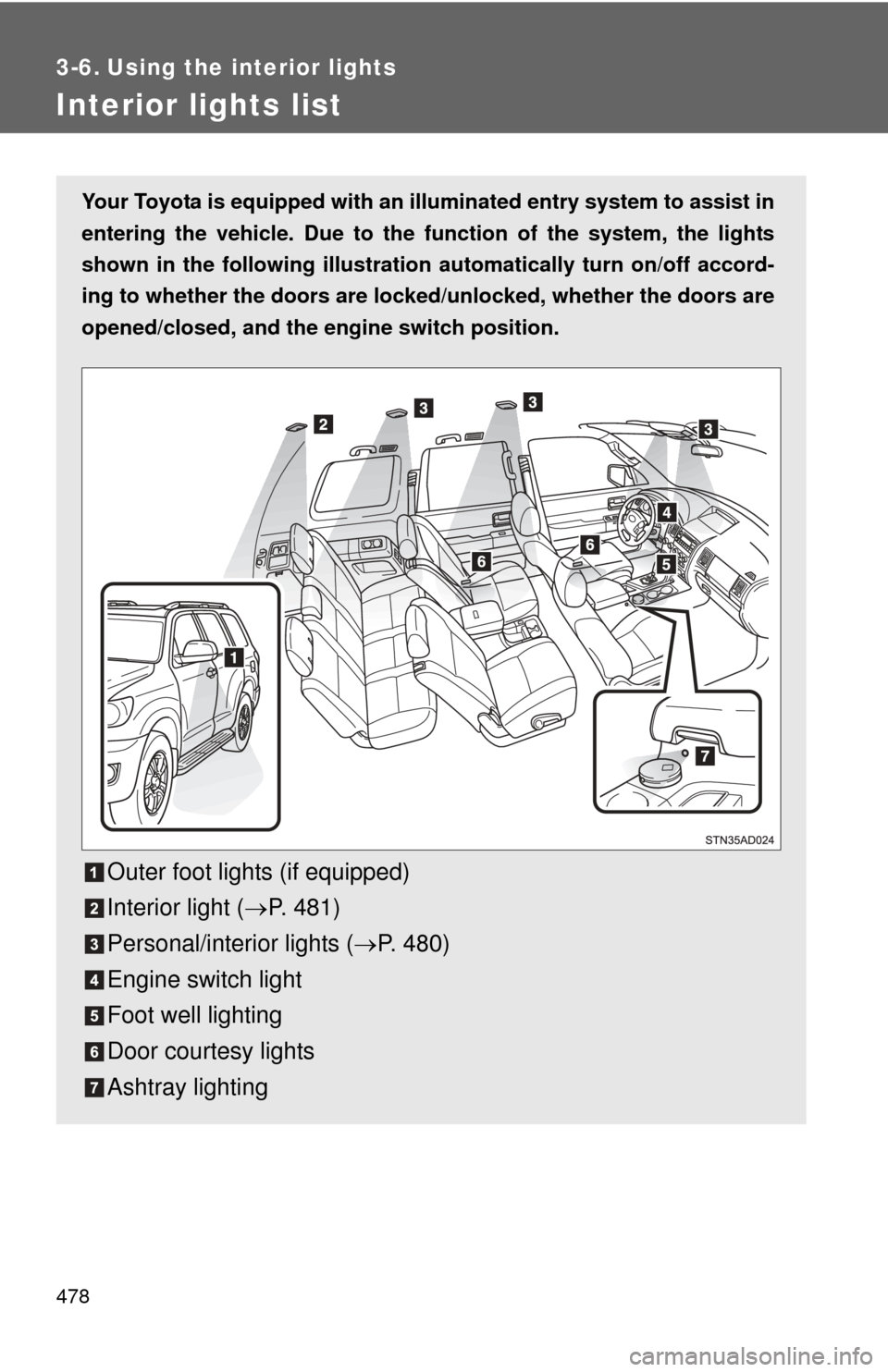
Your Toyota is equipped with an illuminated entry system to assist in
entering the vehicle. Due to the fu nction of the system, the lights
shown in the following illustration automatically turn on/off accord-
ing to whether the doo rs are locked/unlocked, whether the doors are
opened/closed, and the en gine switch position.
Outer foot lights (if equipped)
Interior light (P. 481)
Personal/interior lights ( P. 480)
Engine switch light
Foot well lighting
Door courtesy lights
Ashtray lighting
Page 479 of 740
479
3-6. Using the interior lights
3
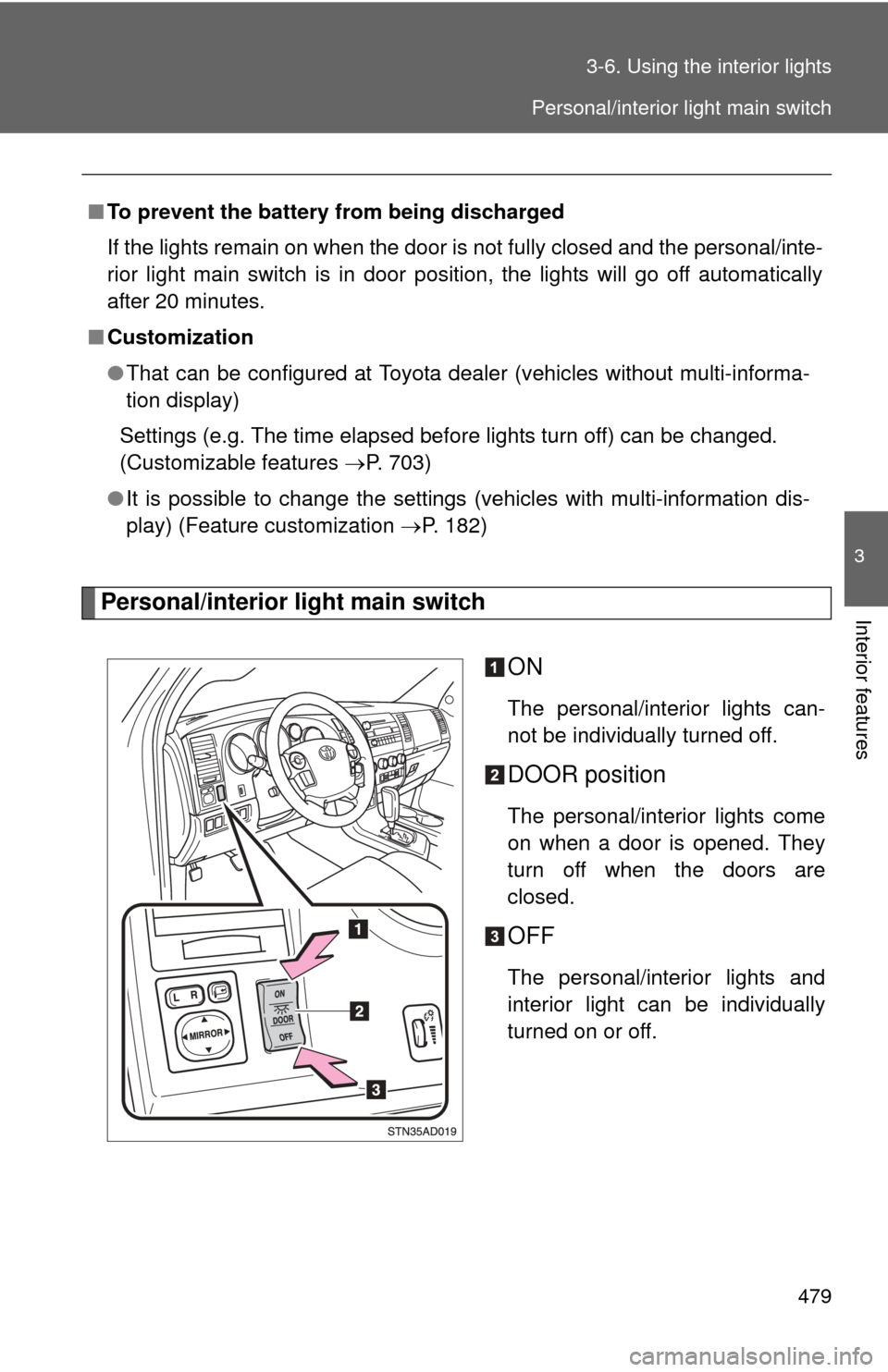
Interior featuresPersonal/interior light main switch
ON
The personal/interior lights can-
not be individually turned off.
DOOR position
The personal/interior lights come
on when a door is opened. They
turn off when the doors are
closed.
OFF
The personal/interior lights and
interior light can be individually
turned on or off.
■
To prevent the battery from being discharged
If the lights remain on when the door is not fully closed and the personal/inte-
rior light main switch is in door position, the lights will go off automatically
after 20 minutes.
■ Customization
●That can be configured at Toyota dealer (vehicles without multi-informa-
tion display)
Settings (e.g. The time elapsed before lights turn off) can be changed.
(Customizable features P. 703)
● It is possible to change the settings (vehicles with multi-information dis-
play) (Feature customization P. 182)
Personal/interior light main switch
Page 480 of 740
480 3-6. Using the interior lights
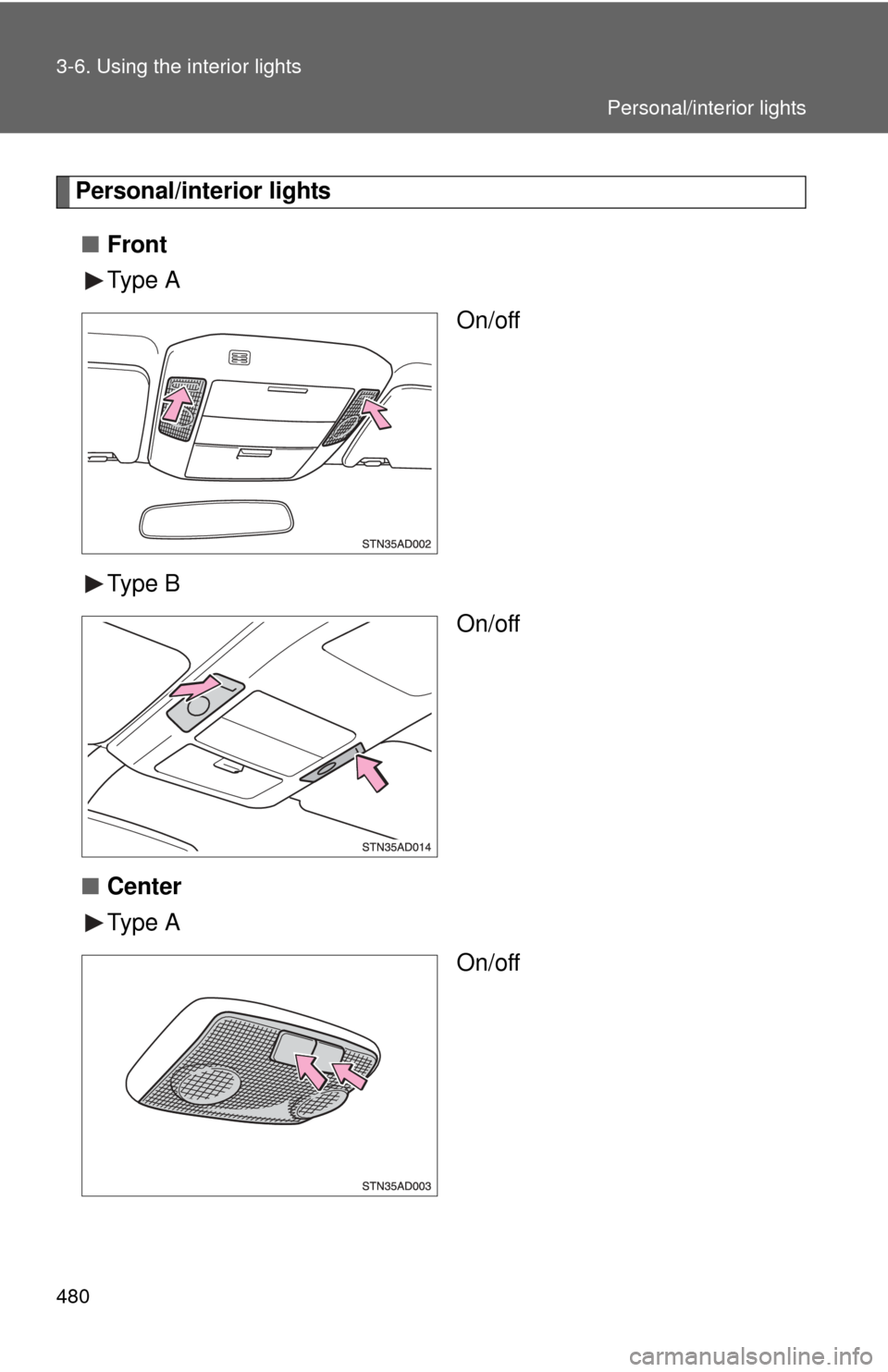
Personal/interior lights■ Front
Type A
On/off
Type B On/off
■ Center
Type A
On/off
Personal/interior lights
Page 481 of 740
481
3-6. Using the interior lights
3
Interior features
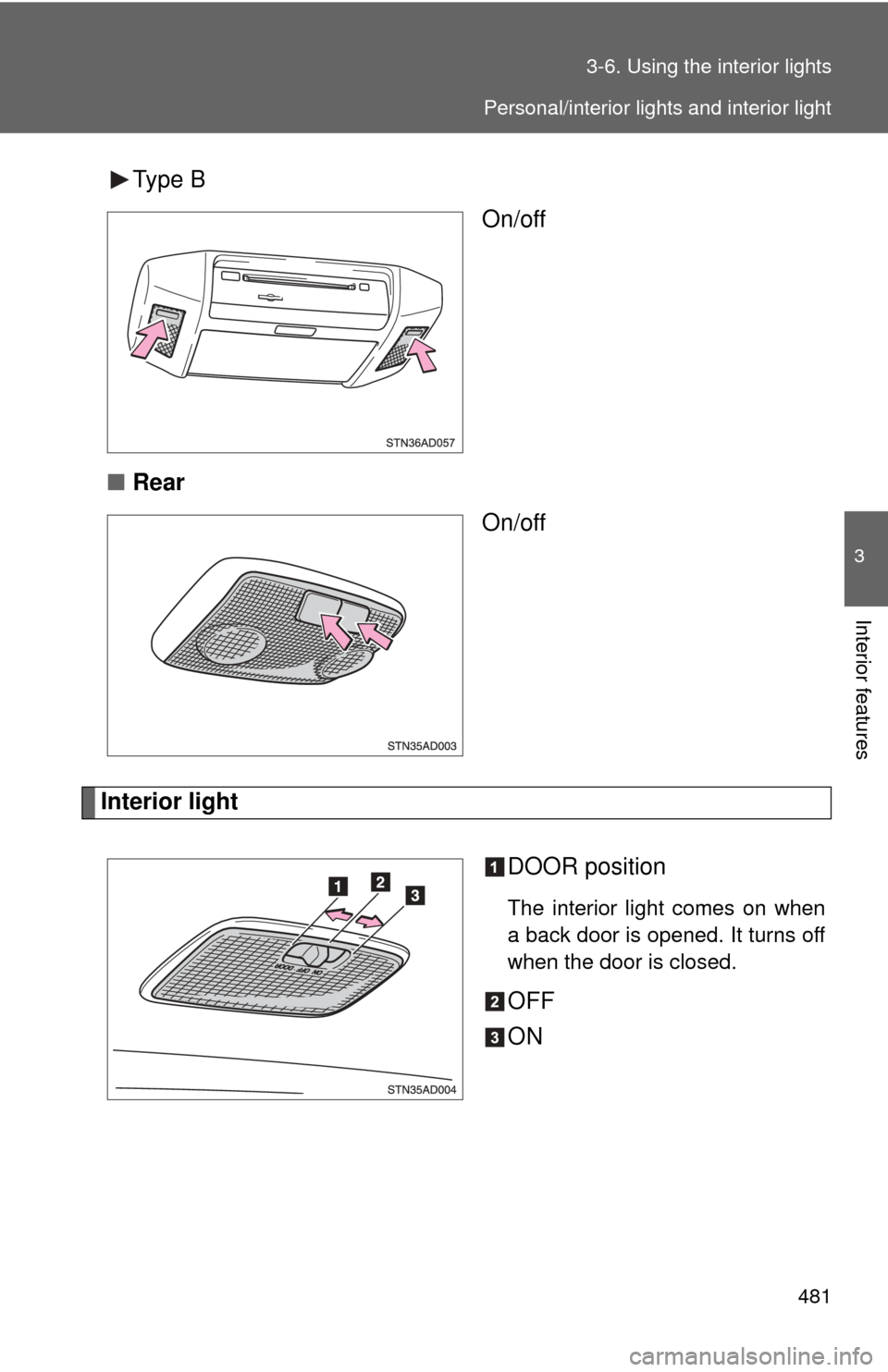
Type B
On/off
■ Rear
On/off
Interior light
DOOR position
The interior light comes on when
a back door is opened. It turns off
when the door is closed.
OFF
ON
Personal/interior lights and interior light
Page 483 of 740
483
3-7. Using the
storage features
3
Interior features
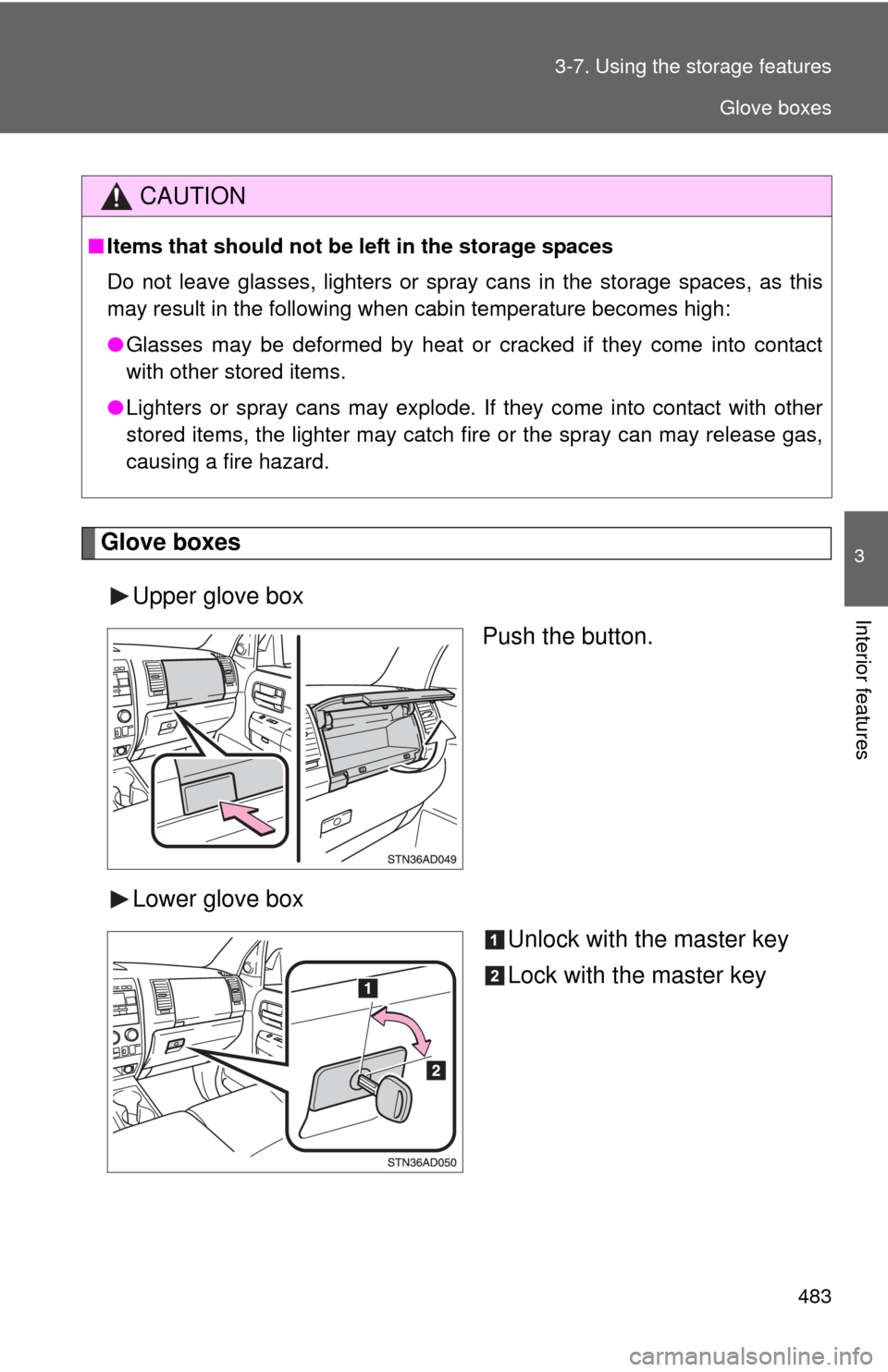
Glove boxes
Upper glove box Push the button.
Lower glove box Unlock with the master key
Lock with the master key
CAUTION
■Items that should not be left in the storage spaces
Do not leave glasses, lighters or spray cans in the storage spaces, as this
may result in the following when cabin temperature becomes high:
● Glasses may be deformed by heat or cracked if they come into contact
with other stored items.
● Lighters or spray cans may explode. If they come into contact with other
stored items, the lighter may catch fire or the spray can may release gas,
causing a fire hazard.
Glove boxes
Page 505 of 740
505
3-8. Other interior features
3
Interior features
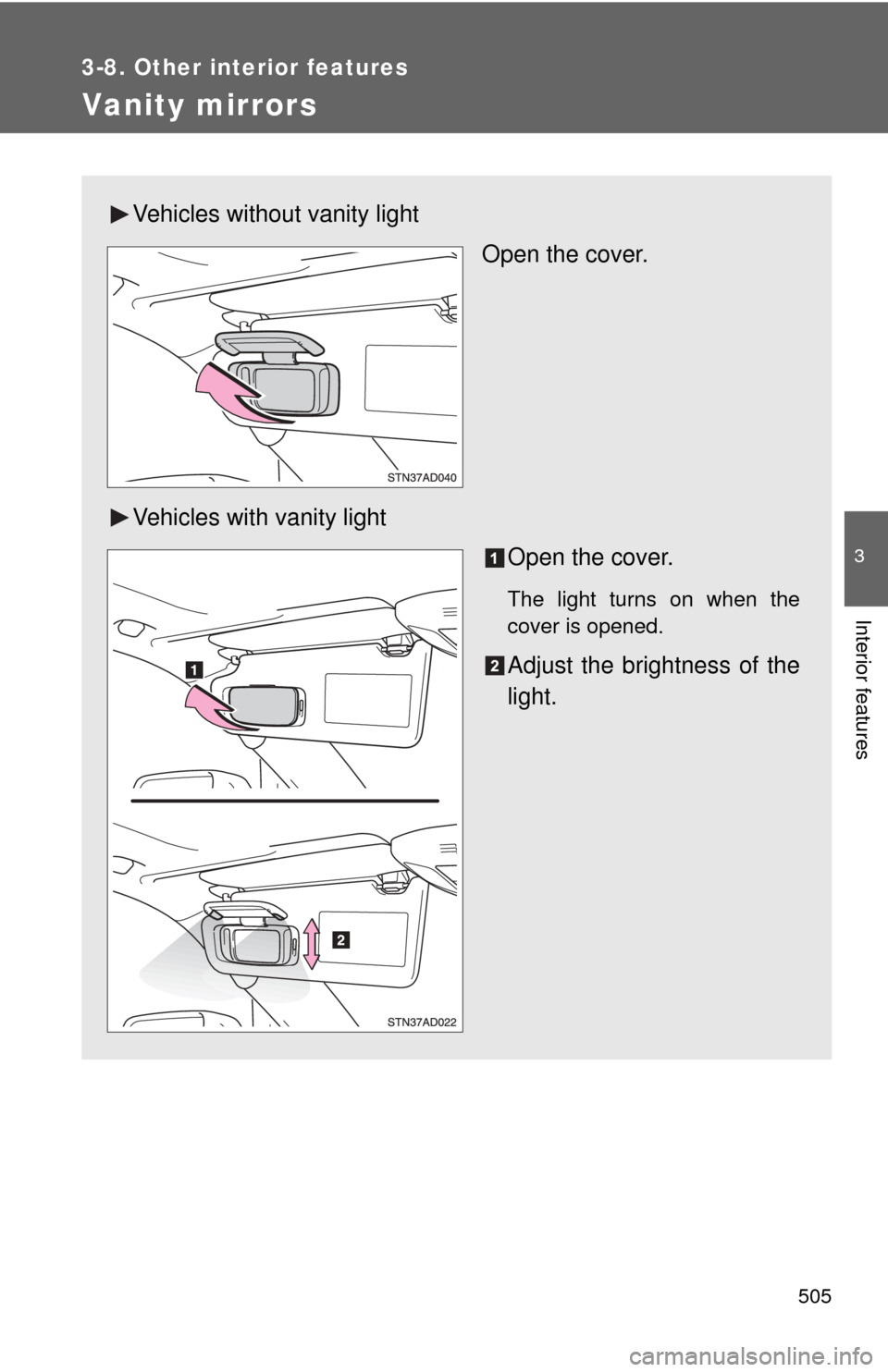
Vanity mirrors
Vehicles without vanity lightOpen the cover.
Vehicles with vanity light Open the cover.
The light turns on when the
cover is opened.
Adjust the brightness of the
light.
Page 510 of 740
510
3-8. Other interior features
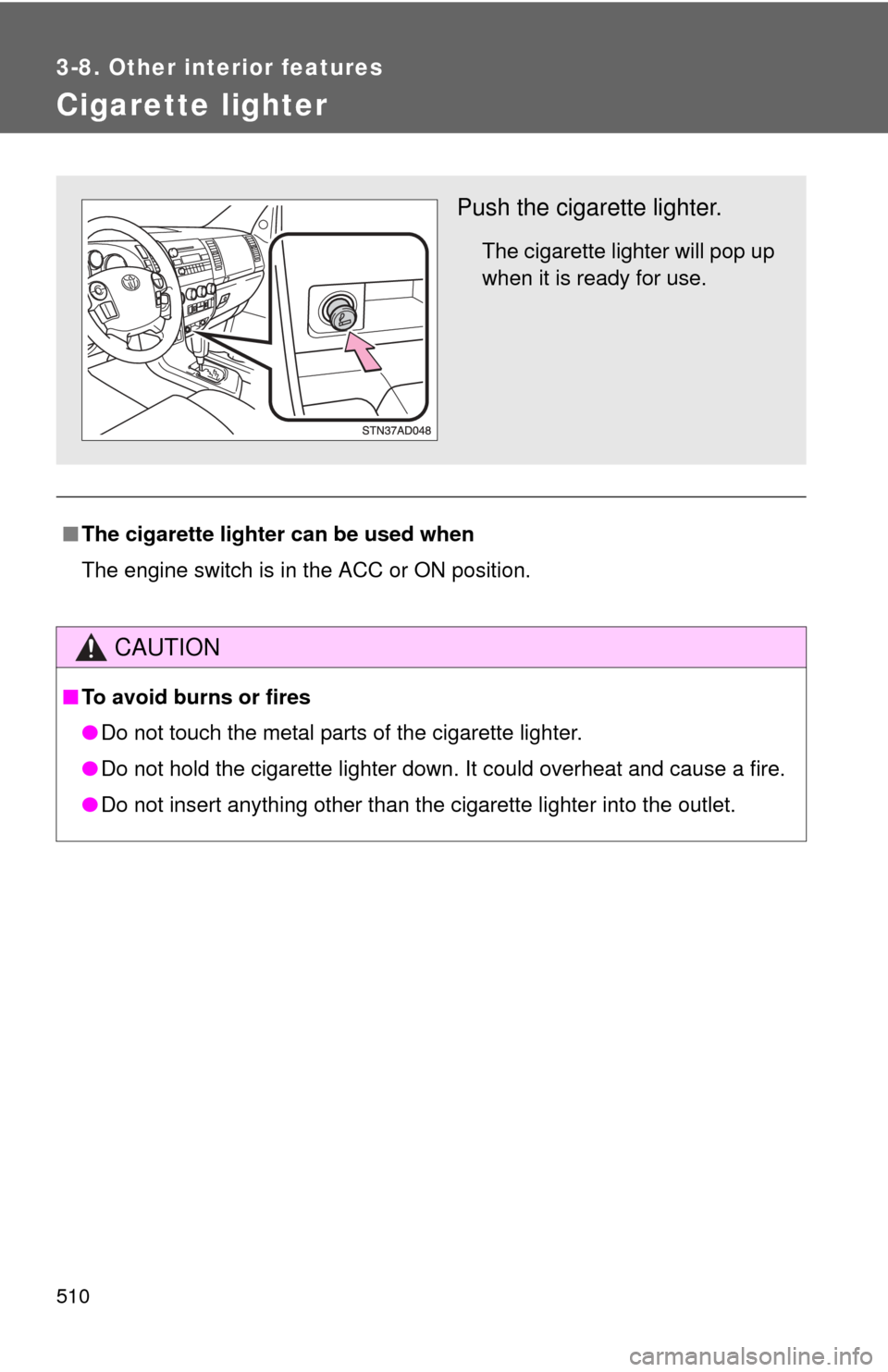
Cigarette lighter
■The cigarette lighter can be used when
The engine switch is in the ACC or ON position.
CAUTION
■To avoid burns or fires
●Do not touch the metal parts of the cigarette lighter.
● Do not hold the cigarette lighter down. It could overheat and cause a fire.
● Do not insert anything other than the cigarette lighter into the outlet.\
Push the cigarette lighter.
The cigarette lighter will pop up
when it is ready for use.