light TOYOTA SEQUOIA 2013 2.G Owners Manual
[x] Cancel search | Manufacturer: TOYOTA, Model Year: 2013, Model line: SEQUOIA, Model: TOYOTA SEQUOIA 2013 2.GPages: 740, PDF Size: 15.34 MB
Page 516 of 740
516 3-8. Other interior features
NOTICE
■To avoid damaging the power outlet and the plug
●Close the power outlet lid when not in use.
● Foreign objects or liquids that enter the power outlet may cause a short
circuit.
● Do not use plug adaptors to connect too many plugs to the power outlet.
● After inserting a plug, gently close the power outlet lid.
■ To prevent the fuse from being blown
12 V
Do not use an accessory that uses more than 12 V 10 A.
120 V AC
Do not use a 120 V AC appliance that requires more than 100 W.
If a 120 V AC appliance that consumes more than 100 W is used, the pro-
tection circuit will cut the power supply.
■ Appliances that may not ope rate properly (120 V AC)
The following 120 V AC appliances may not operate even if their power con-
sumption is under 100 W.
● Appliances with high initial peak wattage
● Measuring devices that process precise data
● Other appliances that require an extremely stable power supply
■ To prevent the battery from being discharged
Turn off all the vehicle’s electronic equipment and accessories, such as the
headlights and air conditioning, when elec trical appliances that consume in
excess of 100 W are used continuously for long periods of time.
■ To prevent any damage caused by heat
●Do not use any electrical appliances that give off intense heat such as
toasters, in any locations including the internal or external trim, seats and
deck.
● Do not use any electrical appliances, which are easily affected by vibration
or heat, inside the vehicle.
Vibration while driving, or the heat of the sun while parking, may result in
damage to those electrical appliances.
Page 519 of 740
519
3-8. Other interior features
3
Interior features
■
The seat heaters can be used when
The engine switch is in the ON position.
■ When not in use
Front seat: Turn the dial fully downward. The indicator turns off.
Rear seat (vehicles with rear console box): Push lightly on the opposite side.
The indicator turns off.
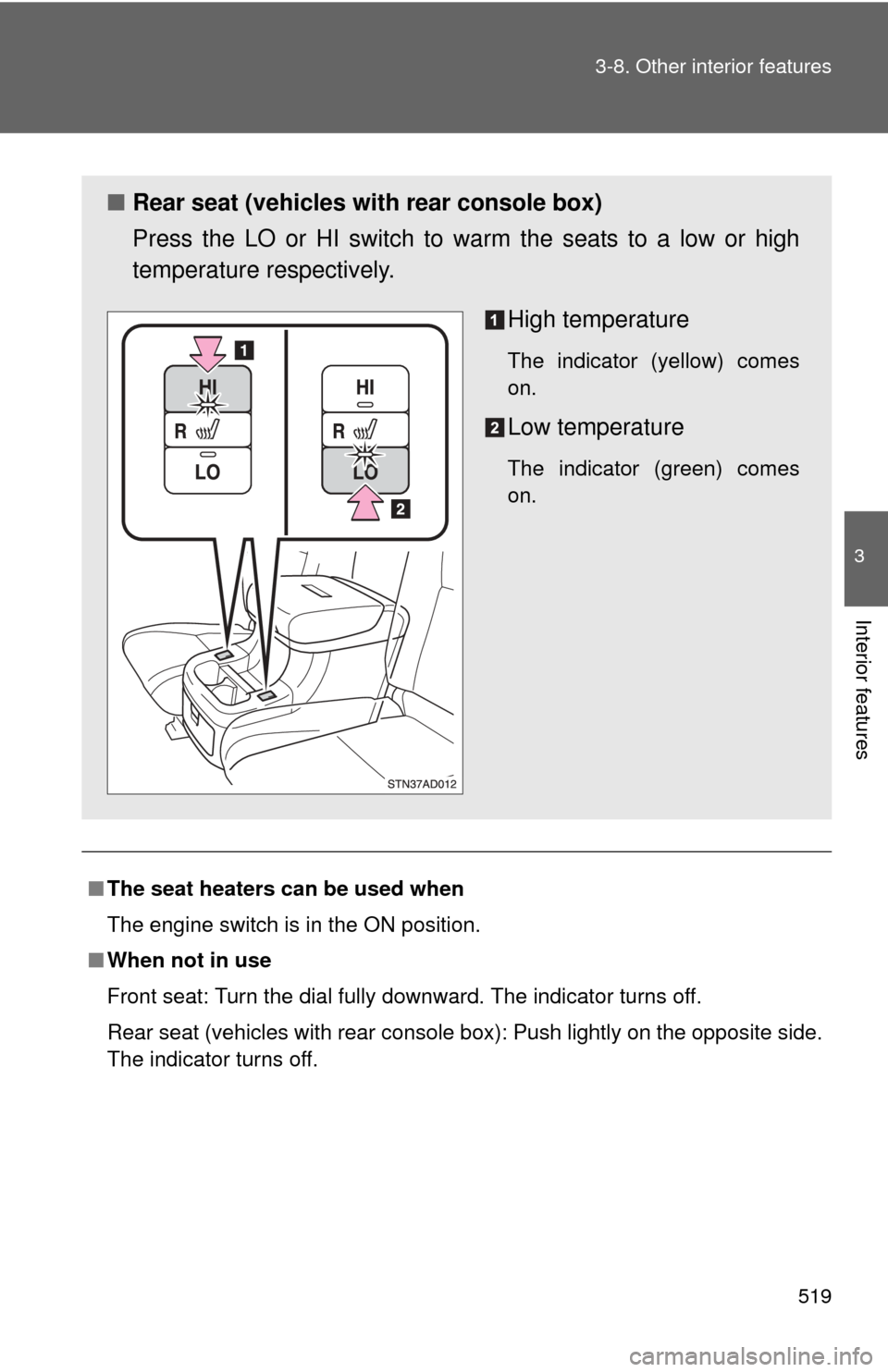
■ Rear seat (vehicles with rear console box)
Press the LO or HI switch to warm the seats to a low or high
temperature respectively.
High temperature
The indicator (yellow) comes
on.
Low temperature
The indicator (green) comes
on.
Page 524 of 740
524
3-8. Other interior features
Rear side sunshades
: If equipped
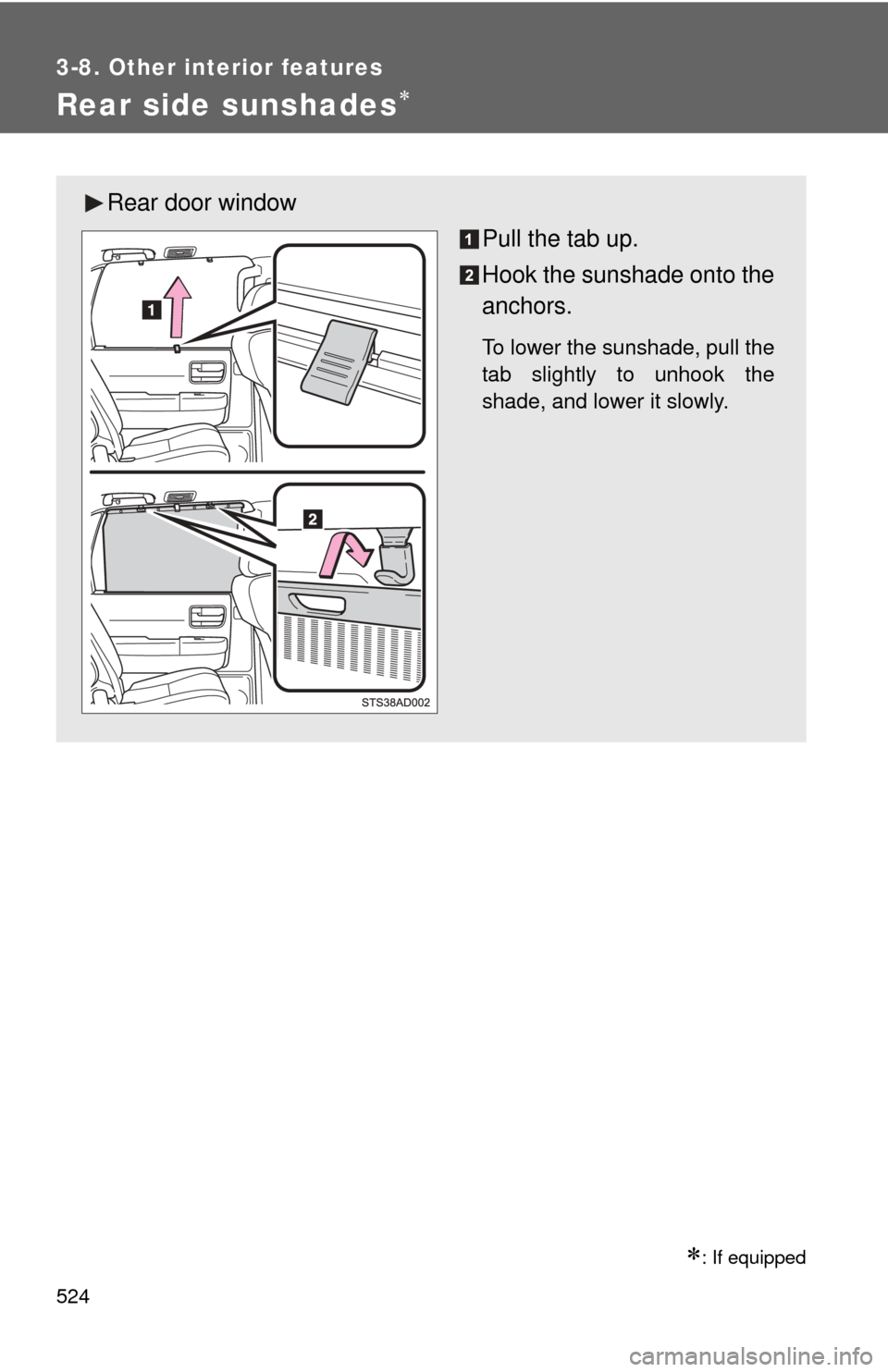
Rear door windowPull the tab up.
Hook the sunshade onto the
anchors.
To lower the sunshade, pull the
tab slightly to unhook the
shade, and lower it slowly.
Page 525 of 740
525
3-8. Other interior features
3
Interior features
NOTICE
■
To ensure normal operation of the sunshade
Observe the following precautions.
●Do not place anything where it may hinder the opening/closing of the sun-
shade.
● Do not place anything on the sunshade.
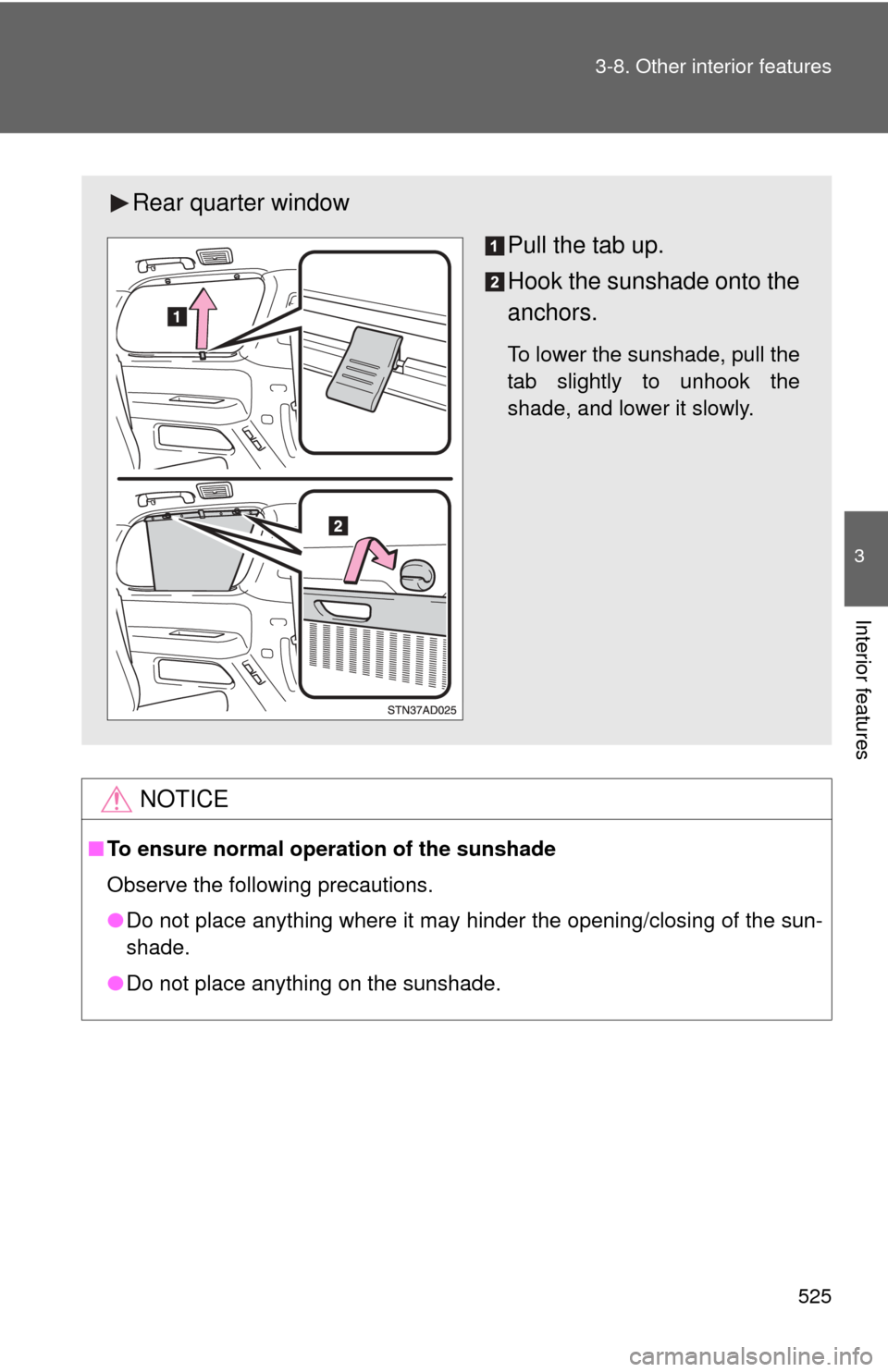
Rear quarter window
Pull the tab up.
Hook the sunshade onto the
anchors.
To lower the sunshade, pull the
tab slightly to unhook the
shade, and lower it slowly.
Page 535 of 740
535
3-8. Other interior features
3
Interior features
Garage door opener
The garage door opener (HomeLink® Universal Transceiver) is manufac-
tured under license from HomeLink®.
Programming the HomeLink® (for U.S.A. owners)
The HomeLink
® compatible transceiver in your vehicle has 3 buttons
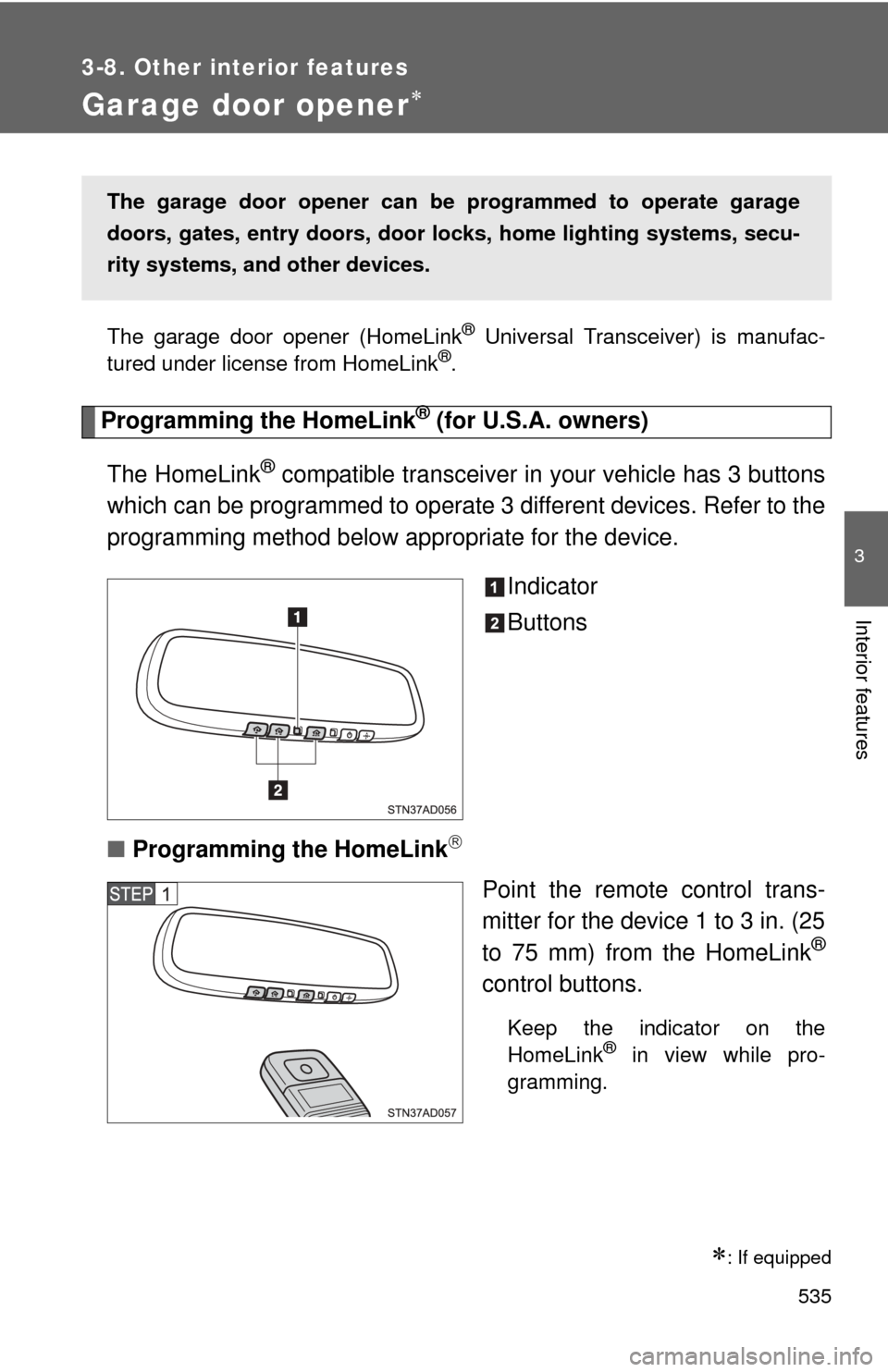
which can be programmed to operate 3 different devices. Refer to the
programming method below appropriate for the device.
Indicator
Buttons
■ Programming the HomeLink
Point the remote control trans-
mitter for the device 1 to 3 in. (25
to 75 mm) from the HomeLink
®
control buttons.
Keep the indicator on the
HomeLink® in view while pro-
gramming.
: If equipped
The garage door opener can be programmed to operate garage
doors, gates, entry do ors, door locks, home lighting systems, secu-
rity systems, and other devices.
Page 538 of 740
538 3-8. Other interior features
Test the operation of the HomeLink® by pressing the newly
programmed button. Check to se e if the gate/device operates
correctly.
Repeat the steps above to program another device for each of
the remaining HomeLink
® buttons.
■ Programming other devices
To program other devices such as home security systems, home
door locks or lighting, contact your authorized Toyota dealer for
assistance.
■ Reprogramming a button
The individual HomeLink
® buttons cannot be erased but can be
reprogrammed. To reprogram a button, follow the programming
instructions.
Operating the HomeLink®
Press the appropriate HomeLink® button. The HomeLink® indicator
on the HomeLink® transceiver should turn on.
The HomeLink® continues to send a signal for a maximum of 20 seconds
as long as the button is pressed.
Reprogramming a HomeLink® button
Press and hold the desired HomeLink
® button. After 20 seconds, the
HomeLink® indicator light will start flashing slowly. Keep pressing the
HomeLink® button and then follow the “Programming the HomeLink®
(for U.S.A. owners)” instructions. ( P. 535)
Page 547 of 740
Maintenance and care4
547
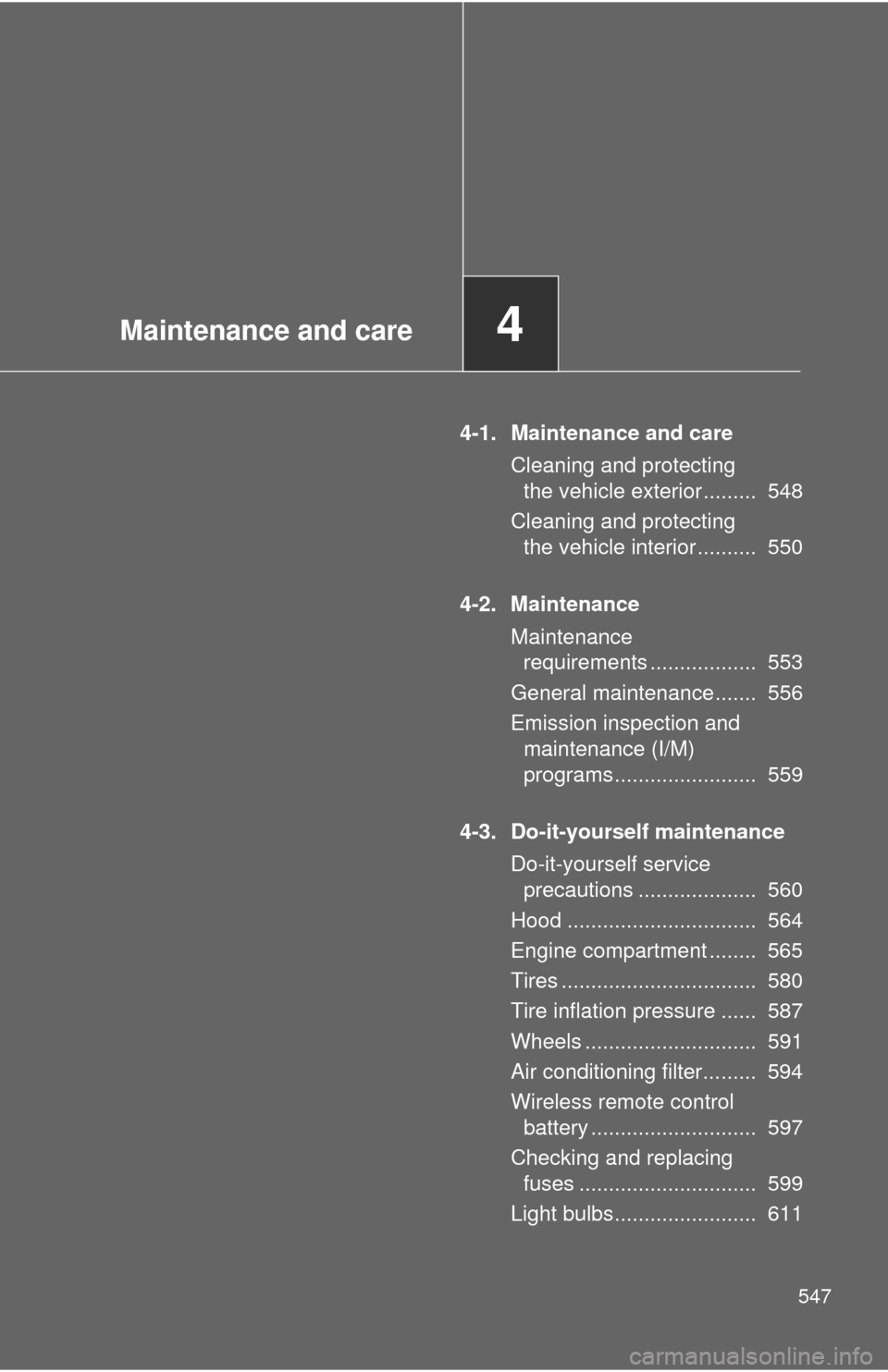
4-1. Maintenance and careCleaning and protecting the vehicle exterior ......... 548
Cleaning and protecting the vehicle interior .......... 550
4-2. Maintenance Maintenance requirements .................. 553
General maintenance....... 556
Emission inspection and maintenance (I/M)
programs........................ 559
4-3. Do-it-yourself maintenance Do-it-yourself service precautions .................... 560
Hood ................................ 564
Engine compartment ........ 565
Tires ................................. 580
Tire inflation pressure ...... 587
Wheels ............................. 591
Air conditioning filter......... 594
Wireless remote control battery ............................ 597
Checking and replacing fuses .............................. 599
Light bulbs........................ 611
Page 549 of 740
549
4-1. Maintenance and care
4
Maintenance and care
■
Bumpers and side moldings
Do not scrub with abrasive cleaners.
CAUTION
■Caution about the exhaust pipe
Exhaust gasses cause the exhaust pipe to become quite hot.
When washing the vehicle, be careful not to touch the pipe until it has cooled
sufficiently, as touching a hot exhaust pipe can cause burns.
■ Precaution regarding th e Blind Spot Monitor
If the paint of the rear bumper is chipped or scratched, the system may mal-
function. If this occurs, consult your Toyota dealer.
NOTICE
■ To prevent paint deterioration and corrosion on the body and compo-
nents (aluminum wheels etc.)
● Wash the vehicle immediately in the following cases:
• After driving near the sea coast
• After driving on salted roads
• If you see coal tar or tree sap on the paint surface
• If you see dead insects, insect droppings or bird droppings on the paint
• After driving in an area contaminated with soot, oily smoke, mine dust,
iron powder or chemical substances
• If the vehicle becomes heavily soiled in dust or mud
• If liquids such as benzene and gasoline are spilled on the paint surface
● If the paint is chipped or scratched, have it repaired immediately.
● To prevent the wheels from corroding, remove any dirt and store in a place
with low humidity when storing the wheels.
■ Cleaning the exterior lights
●Wash carefully. Do not use organic substances or scrub with a hard brush.
This may damage the surfaces of the lights.
● Do not apply wax on the surfaces of the lights.
Wax may cause damage to the lenses.
Page 552 of 740
552 4-1. Maintenance and care
NOTICE
■Cleaning detergents
●Do not use organic substances such as benzene or gasoline, acidic or
alkaline solutions, dye, bleach or other detergent. Doing so may discolor
the vehicle interior or cause streaks or damage to painted surfaces.
● Do not use polish wax or polish cleaner. The instrument panel’s or other
interior part’s painted surface may be damaged.
■ Preventing damage to leather surfaces
Observe the following precautions to avoid damage to and deterioration o\
f
leather surfaces.
●Remove any dust or dirt on leather surfaces immediately.
● Do not expose the vehicle to direct sunlight for extended periods of time.
Park the vehicle in the shade, especially during summer.
● Do not place items made of vinyl or plastic, or that contain wax on the
upholstery, as they may stick to the leather surface if the vehicle interior
heats up significantly.
■ Water on the floor
Do not wash the vehicle floor with water.
Vehicle systems such as the audio system may be damaged if water comes
into contact with electrical components under the floor of the vehicle, and
may also cause the body to rust.
■ Cleaning the inside of the back window and the rear quarter windows
●Do not use glass cleaner to clean the back window and the rear quarter
windows, as this may cause damage to the rear window defogger heater
wires or antennas. Use a cloth dampened with lukewarm water to gently
wipe the window clean. Wipe the window in strokes running parallel to the
heater wires.
● Be careful not to scratch or damage the heater wires or antennas.
Page 557 of 740
557
4-2. Maintenance
4
Maintenance and care
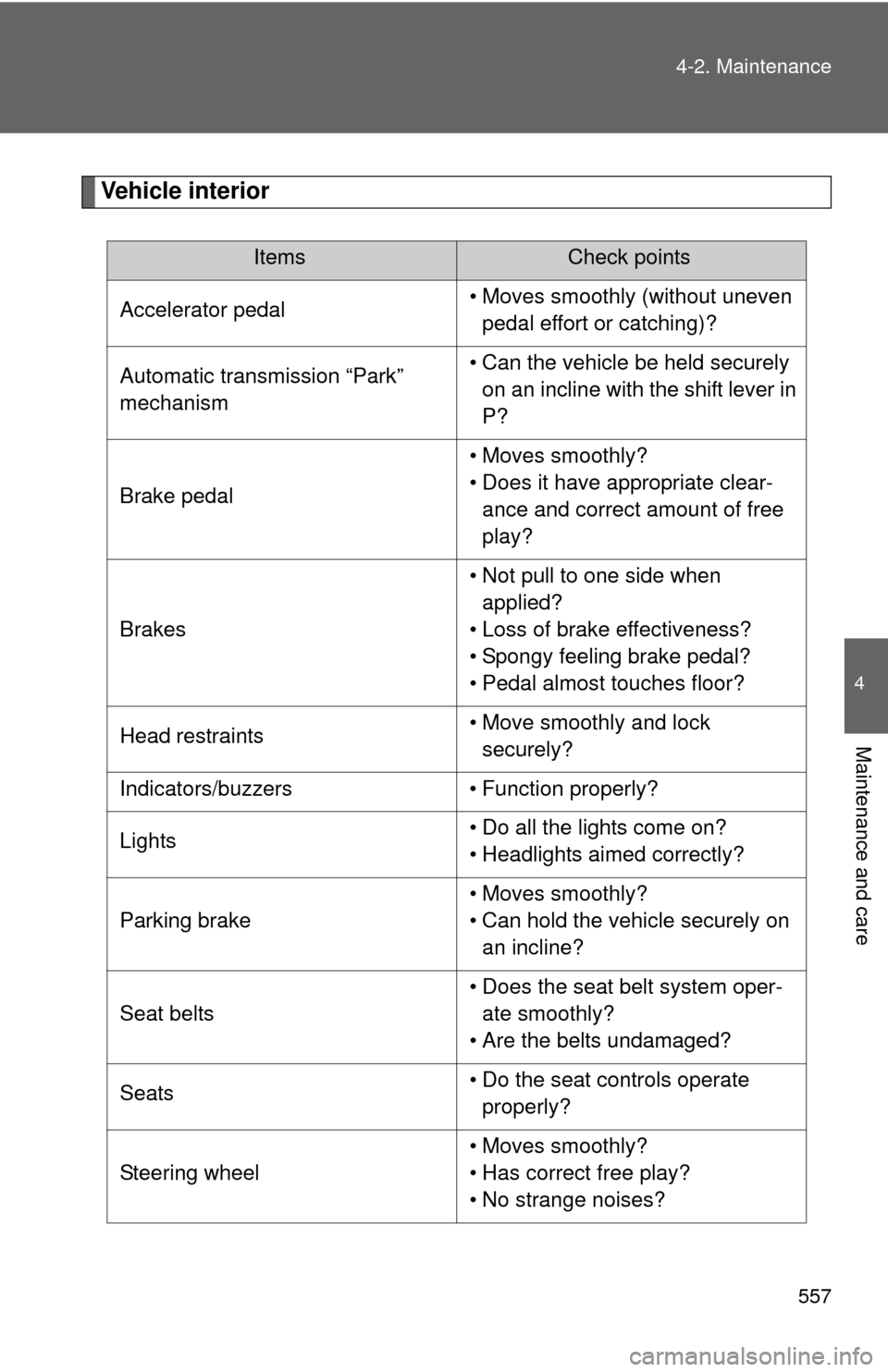
Vehicle interior
ItemsCheck points
Accelerator pedal • Moves smoothly (without uneven
pedal effort or catching)?
Automatic transmission “Park”
mechanism • Can the vehicle be held securely
on an incline with the shift lever in
P?
Brake pedal • Moves smoothly?
• Does it have appropriate clear-
ance and correct amount of free
play?
Brakes • Not pull to one side when
applied?
• Loss of brake effectiveness?
• Spongy feeling brake pedal?
• Pedal almost touches floor?
Head restraints • Move smoothly and lock
securely?
Indicators/buzzers • Function properly?
Lights • Do all the lights come on?
• Headlights aimed correctly?
Parking brake • Moves smoothly?
• Can hold the vehicle securely on
an incline?
Seat belts • Does the seat belt system oper-
ate smoothly?
• Are the belts undamaged?
Seats • Do the seat controls operate
properly?
Steering wheel • Moves smoothly?
• Has correct free play?
• No strange noises?