air conditioning TOYOTA SEQUOIA 2015 2.G Owners Manual
[x] Cancel search | Manufacturer: TOYOTA, Model Year: 2015, Model line: SEQUOIA, Model: TOYOTA SEQUOIA 2015 2.GPages: 664, PDF Size: 13.16 MB
Page 1 of 664
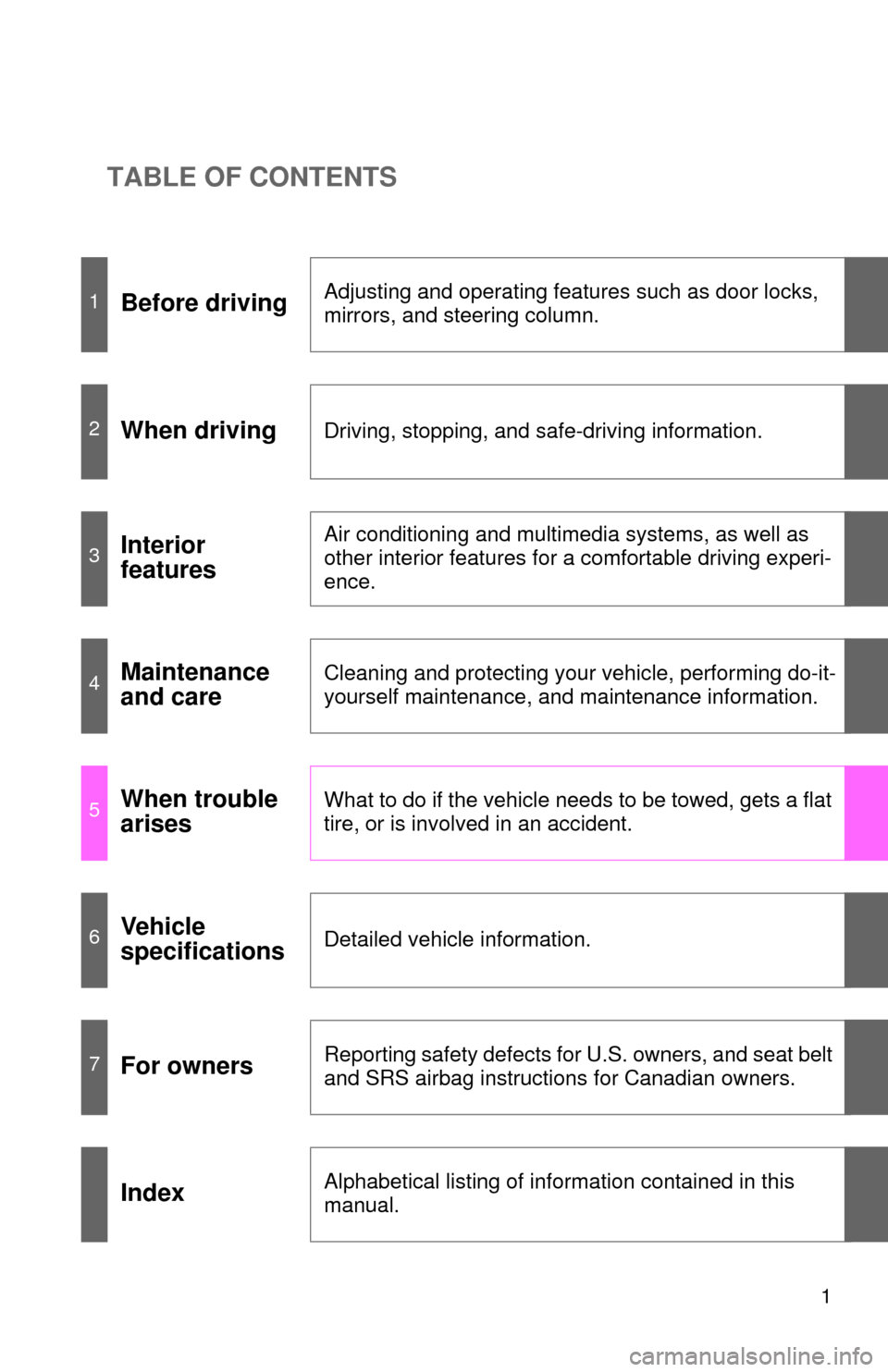
TABLE OF CONTENTS
1
1Before drivingAdjusting and operating features such as door locks,
mirrors, and steering column.
2When drivingDriving, stopping, and safe-driving information.
3Interior
featuresAir conditioning and multimedia systems, as well as
other interior features for a comfortable driving experi-
ence.
4Maintenance
and careCleaning and protecting your vehicle, performing do-it-
yourself maintenance, and maintenance information.
5When trouble
arisesWhat to do if the vehicle needs to be towed, gets a flat
tire, or is involved in an accident.
6Vehicle
specificationsDetailed vehicle information.
7For ownersReporting safety defects for U.S. owners, and seat belt
and SRS airbag instructions for Canadian owners.
IndexAlphabetical listing of information contained in this
manual.
Page 3 of 664

1
2
3
4
5
6
7
3
2-3. Operating the lights and wipers
Headlight switch .................. 185
Fog light switch ................... 191
Windshield wipers and washer .............................. 193
Rear window wiper and washer .............................. 197
Headlight cleaner switch ..... 199
2-4. Using other driving systems Cruise control ...................... 200
Dynamic laser cruise control ............................... 204
Intuitive parking assist......... 218
Rear view monitor system .............................. 225
BSM (Blind Spot Monitor) ... 236
Electronically modulated air suspension................... 242
AVS (Adaptive Variable Suspension System) ......... 247
Four-wheel drive system ..... 248
AUTO LSD system.............. 253
Driving assist systems ........ 255
2-5. Driving information Off-road precautions ........... 263
Cargo and luggage ............. 268
Vehicle load limits ............... 273
Winter driving tips ............... 275
Trailer towing ...................... 279
Dinghy towing ..................... 299 3-1. Using the air conditioning
system and defogger
Front air conditioning system .............................. 302
Rear air conditioning system .............................. 311
Rear window and outside rear view
mirror defoggers ............... 315
Windshield wiper de-icer .... 317
3-2. Using the multimedia system Multimedia system types .... 318
Entune Audio ...................... 320
USB port/AUX port ............. 324
Setup menu ........................ 325
Basic audio operations ....... 329
Using the radio ................... 334
Playing an audio CD and MP3/WMA/AAC discs ...... 336
Listening to an iPod ............ 343
Listening to a USB memory device ................. 349
Using the AUX port............. 354
Connecting Bluetooth
®....... 355
Listening to Bluetooth®
audio ................................ 377
Using a Bluetooth
®
phone ............................... 378
3Interior features
Page 4 of 664

TABLE OF CONTENTSIndex
4
3-3. Using the interior lightsInterior lights list ................. 404
• Personal/interior light main switch ............................... 405
• Personal/interior lights...... 406
• Interior light ...................... 407
3-4. Using the storage features List of storage features....... 408
• Glove boxes ..................... 409
• Coin holder ....................... 410
• Front console box ............ 411
• Card holder ...................... 414
• Map holder ....................... 415
• Pen holder ........................ 417
• Tissue pocket ................... 418
• Rear console box ............. 419
• Overhead console ............ 422
• Cup holders ...................... 424
• Bottle holders ................... 428
• Auxiliary boxes ................. 429
3-5. Other interior features Sun visors .......................... 431
Vanity mirrors ..................... 432
Clock .................................. 433
Outside temperature display .............................. 434
Portable ashtray ................. 436
Cigarette lighter .................. 437
Conversation mirror............ 438
Power outlets ..................... 439
Seat heaters ....................... 445
Seat heaters and ventilators ......................... 448
Armrests ............................. 450
Rear side sunshades ......... 451
Assist grips ......................... 453
Floor mat ............................ 454 Luggage compartment
features ............................ 456
Garage door opener ........... 461
Compass ............................ 467
4-1. Maintenance and care Cleaning and protecting the vehicle exterior ........... 472
Cleaning and protecting the vehicle interior ............ 474
4-2. Maintenance Maintenance requirements .................... 477
General maintenance ......... 480
Emission inspection and maintenance (I/M)
programs
............................. 483
4-3. Do-it-yourself maintenance Do-it-yourself service precautions ....................... 484
Hood ................................... 488
Engine compartment .......... 489
Tires.................................... 504
Tire inflation pressure ......... 511
Wheels................................ 515
Air conditioning filter ........... 518
Wireless remote control battery .............................. 521
Checking and replacing fuses ................................. 523
Light bulbs .......................... 535
4Maintenance and care
Page 13 of 664
13
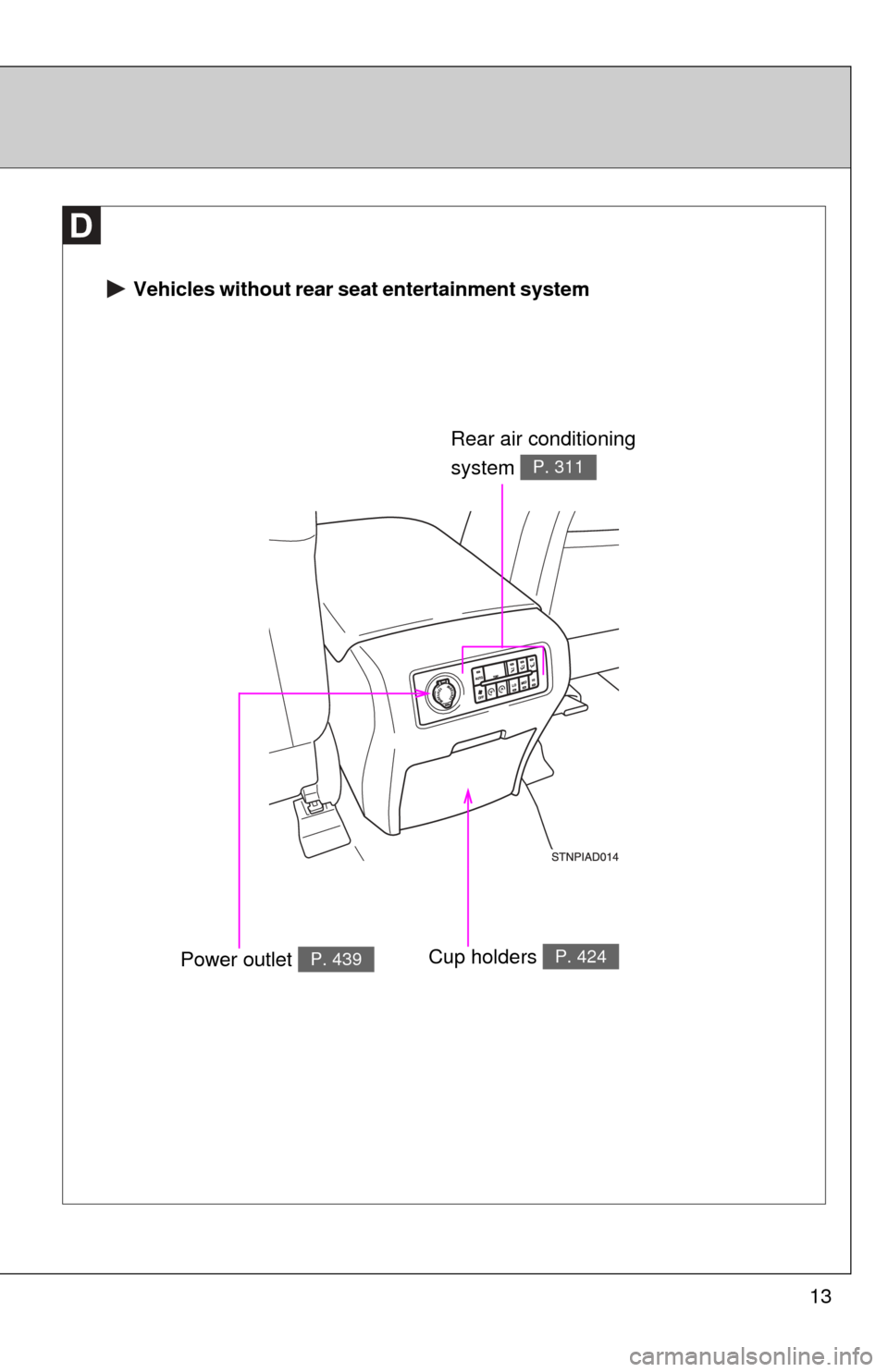
Vehicles without rear seat entertainment system
Rear air conditioning
system
P. 311
Power outlet P. 439Cup holders P. 424
Page 14 of 664
14
Pictorial indexInterior
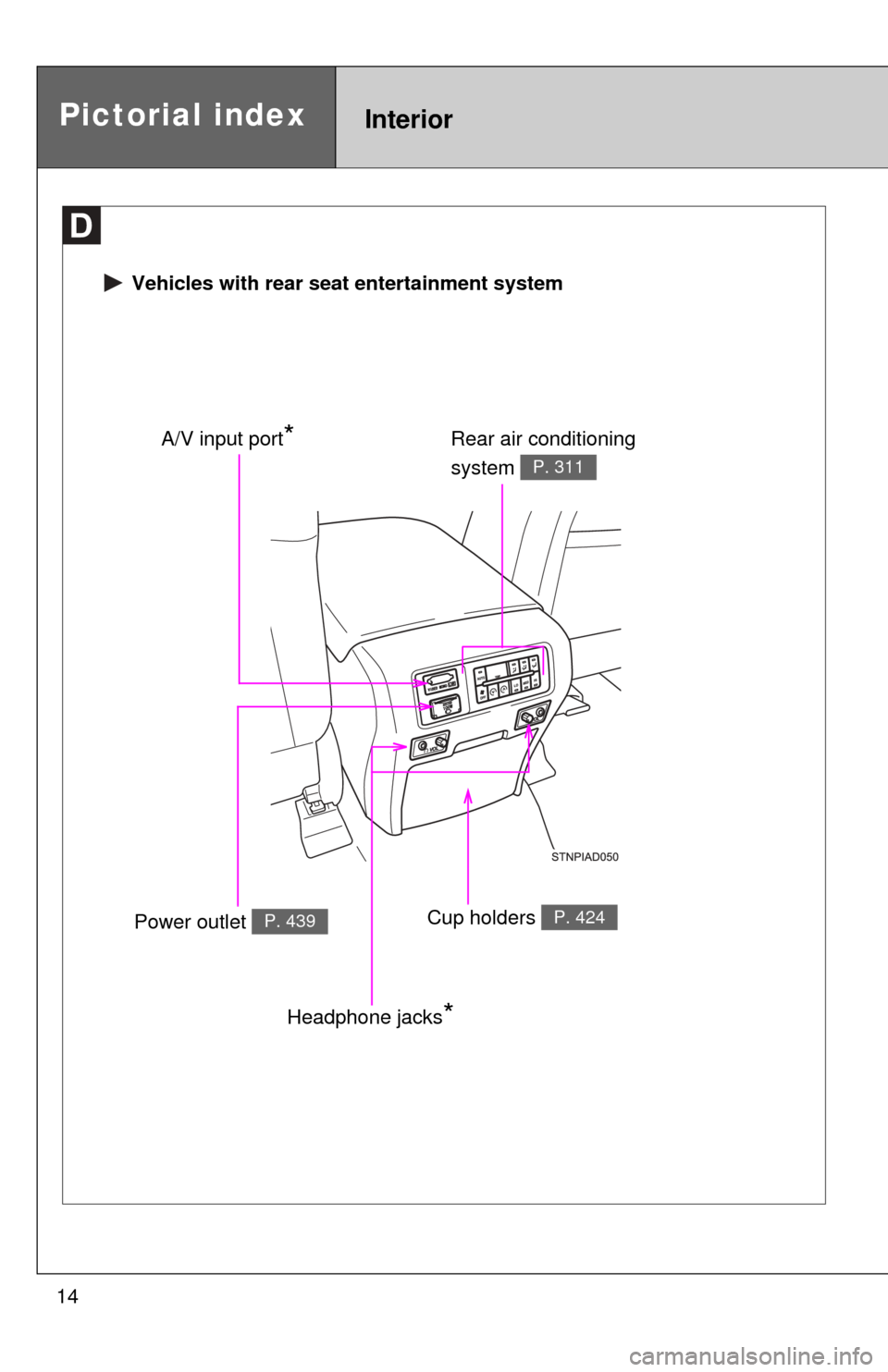
Vehicles with rear seat entertainment system
Rear air conditioning
system
P. 311
Power outlet P. 439Cup holders P. 424
A/V input port*
Headphone jacks*
Page 17 of 664
17
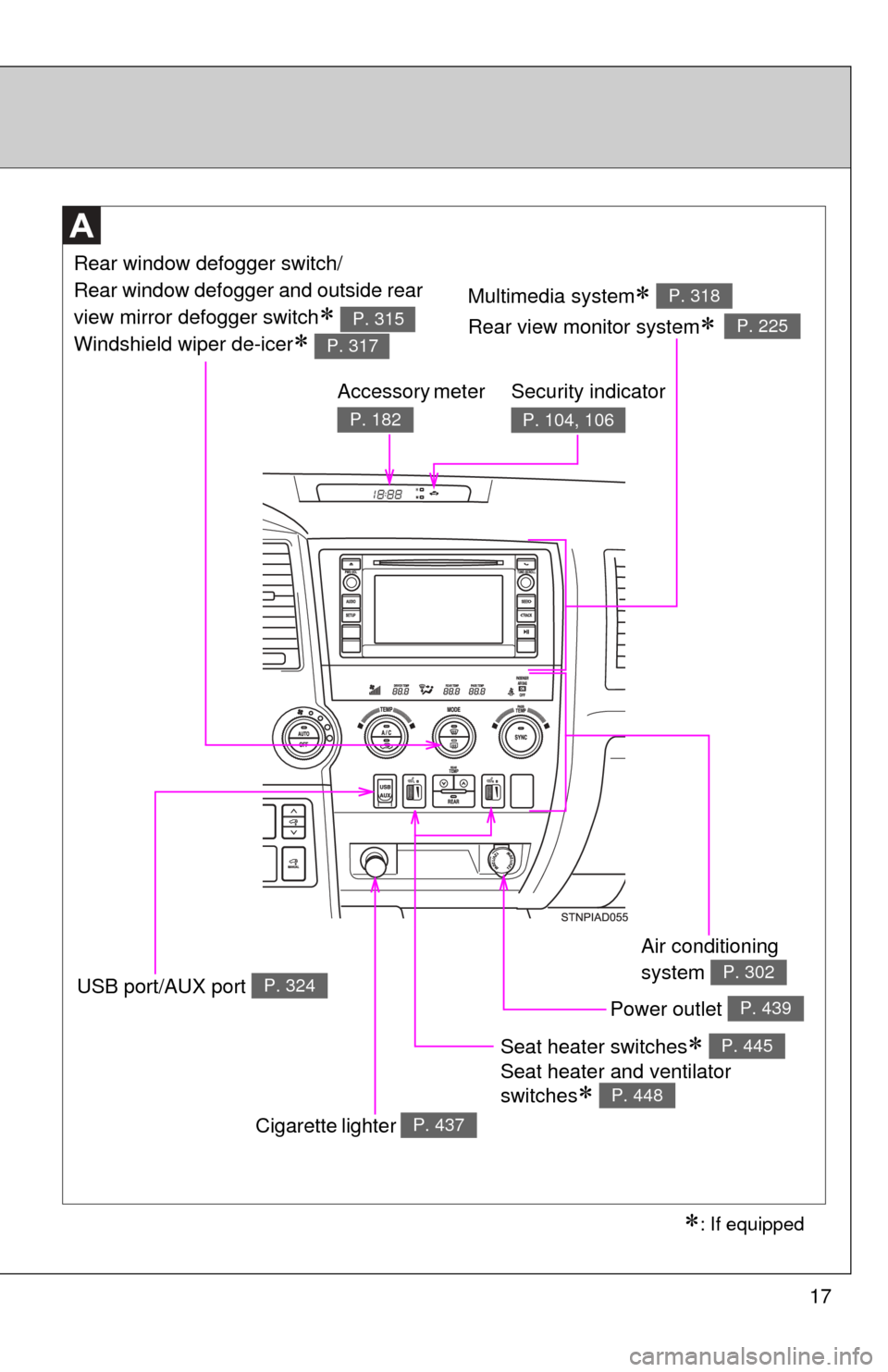
Seat heater switches
Seat heater and ventilator
switches
P. 445
P. 448
Air conditioning
system
P. 302
Power outlet P. 439
Multimedia system
Rear view monitor system
P. 318
P. 225
Rear window defogger switch/
Rear window defogger and outside rear
view mirror defogger switch
Windshield wiper de-icer
P. 315
P. 317
Security indicator
P. 104, 106
Accessory meter
P. 182
Cigarette lighter P. 437
USB port/AUX port P. 324
: If equipped
Page 300 of 664
300
3-1. Using the air conditioning system and defogger
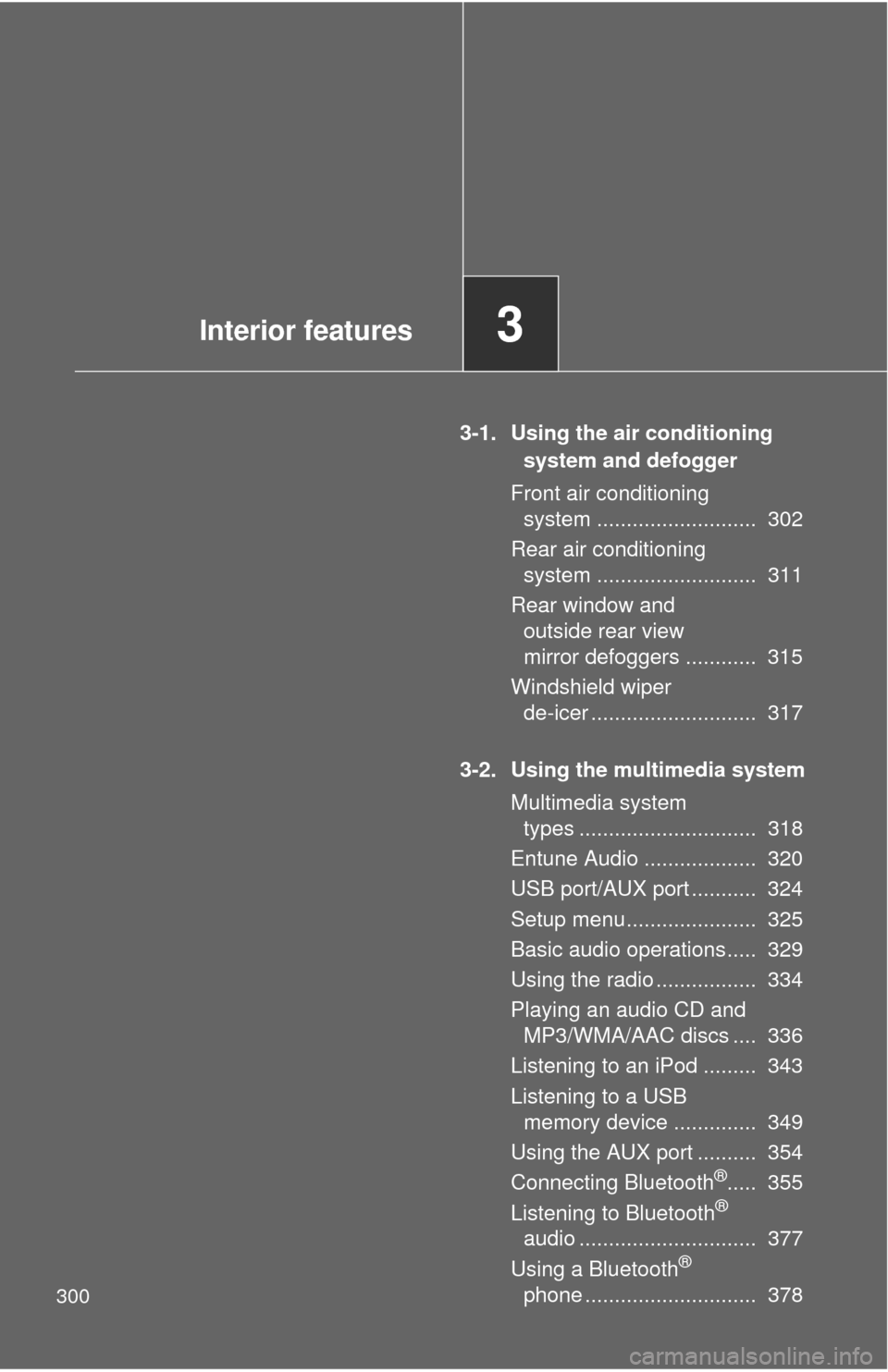
Front air conditioning system ........................... 302
Rear air conditioning system ........................... 311
Rear window and outside rear view
mirror defoggers ............ 315
Windshield wiper de-icer ............................ 317
3-2. Using the multimedia system Multimedia system types .............................. 318
Entune Audio ................... 320
USB port/AUX port ........... 324
Setup menu...................... 325
Basic audio operations..... 329
Using the radio ................. 334
Playing an audio CD and MP3/WMA/AAC discs .... 336
Listening to an iPod ......... 343
Listening to a USB memory device .............. 349
Using the AUX port .......... 354
Connecting Bluetooth
®..... 355
Listening to Bluetooth®
audio .............................. 377
Using a Bluetooth
®
phone ............................. 378
Interior features3
Page 302 of 664
302
3-1. Using the air conditioning system and defogger
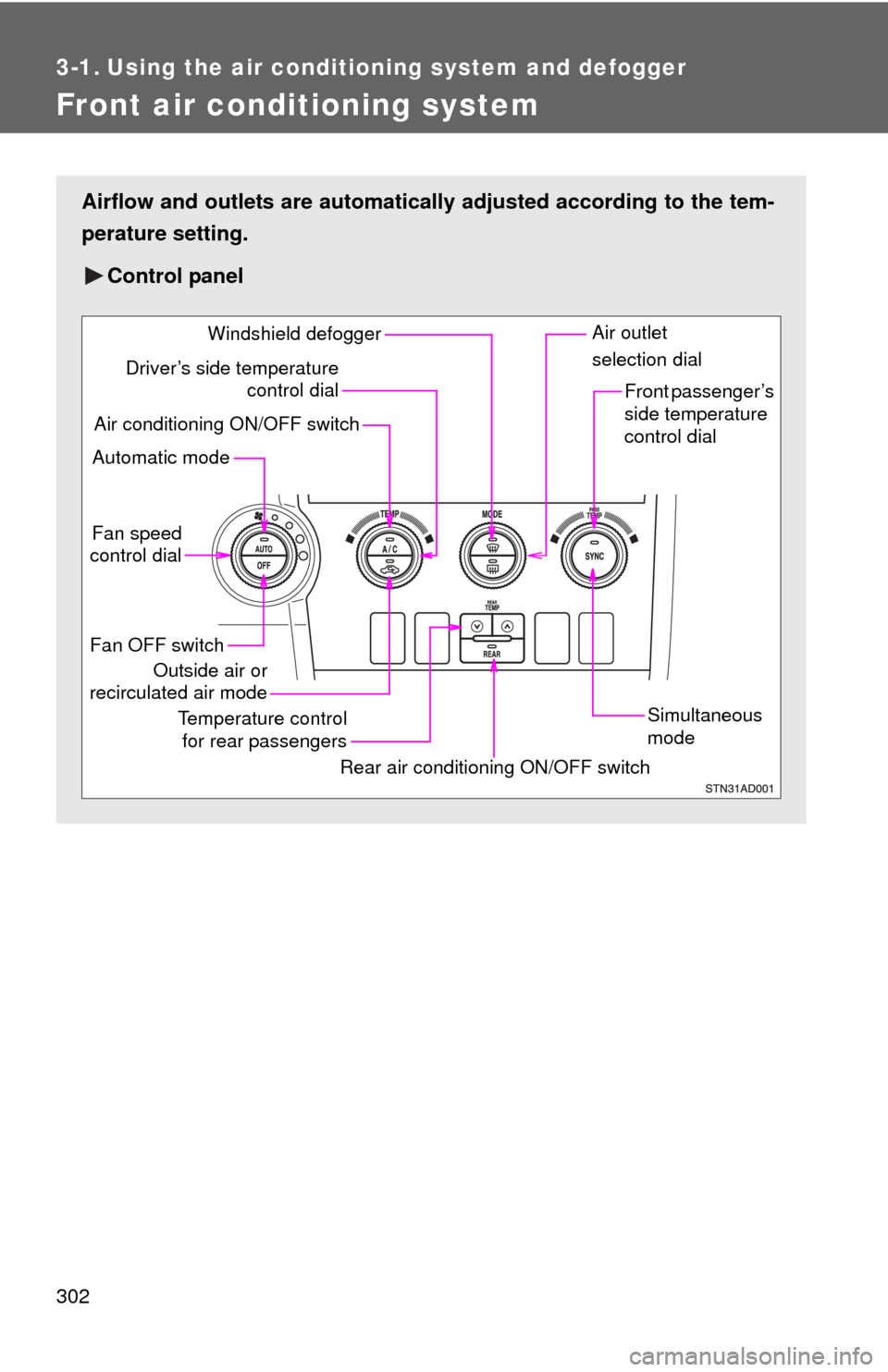
Front air conditioning system
Airflow and outlets are automatically adjusted according to the tem-
perature setting.
Control panel
Fan speed
control dial
Outside air or
recirculated air mode Front passenger’s
side temperature
control dial
Air conditioning ON/OFF switch
Simultaneous
mode
Rear air conditioning ON/OFF switch
Temperature control
for rear passengers Air outlet
selection dial
Driver’s side temperature
control dial
Automatic mode Windshield defogger
Fan OFF switch
Page 303 of 664
303
3-1. Using the air conditioning system
and defogger
3
Interior features
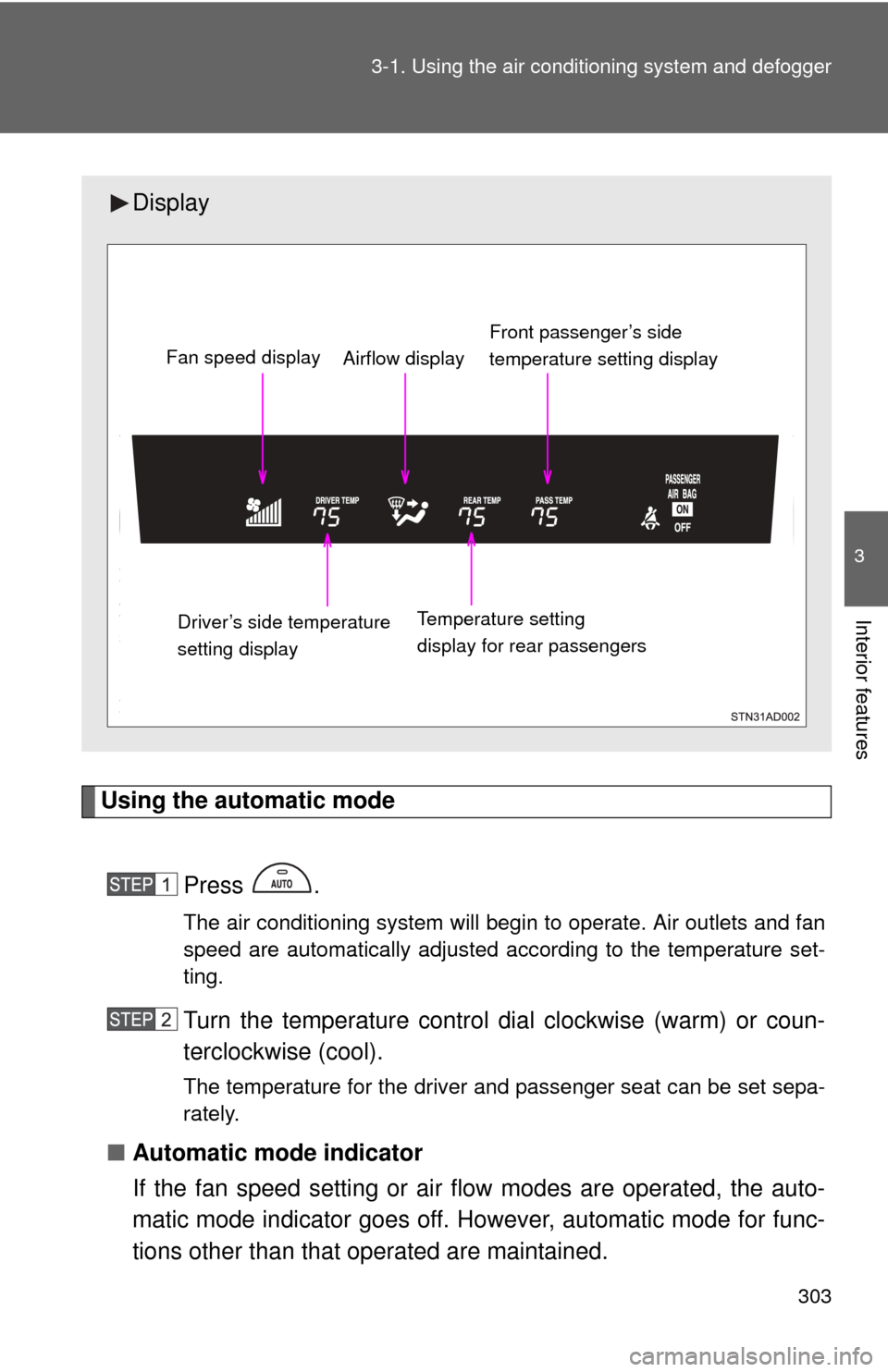
Using the automatic mode
Press .
The air conditioning system will begin to operate. Air outlets and fan
speed are automatically adjusted according to the temperature set-
ting.
Turn the temperature control dial clockwise (warm) or coun-
terclockwise (cool).
The temperature for the driver and passenger seat can be set sepa-
rately.
■Automatic mode indicator
If the fan speed setting or air fl ow modes are operated, the auto-
matic mode indicator goes off. However, automatic mode for func-
tions other than that operated are maintained.
Display
Front passenger’s side
temperature setting display
Fan speed display
Airflow display
Driver’s side temperature
setting display Temperature setting
display for rear passengers
Page 304 of 664
304 3-1. Using the air conditioning system and defogger
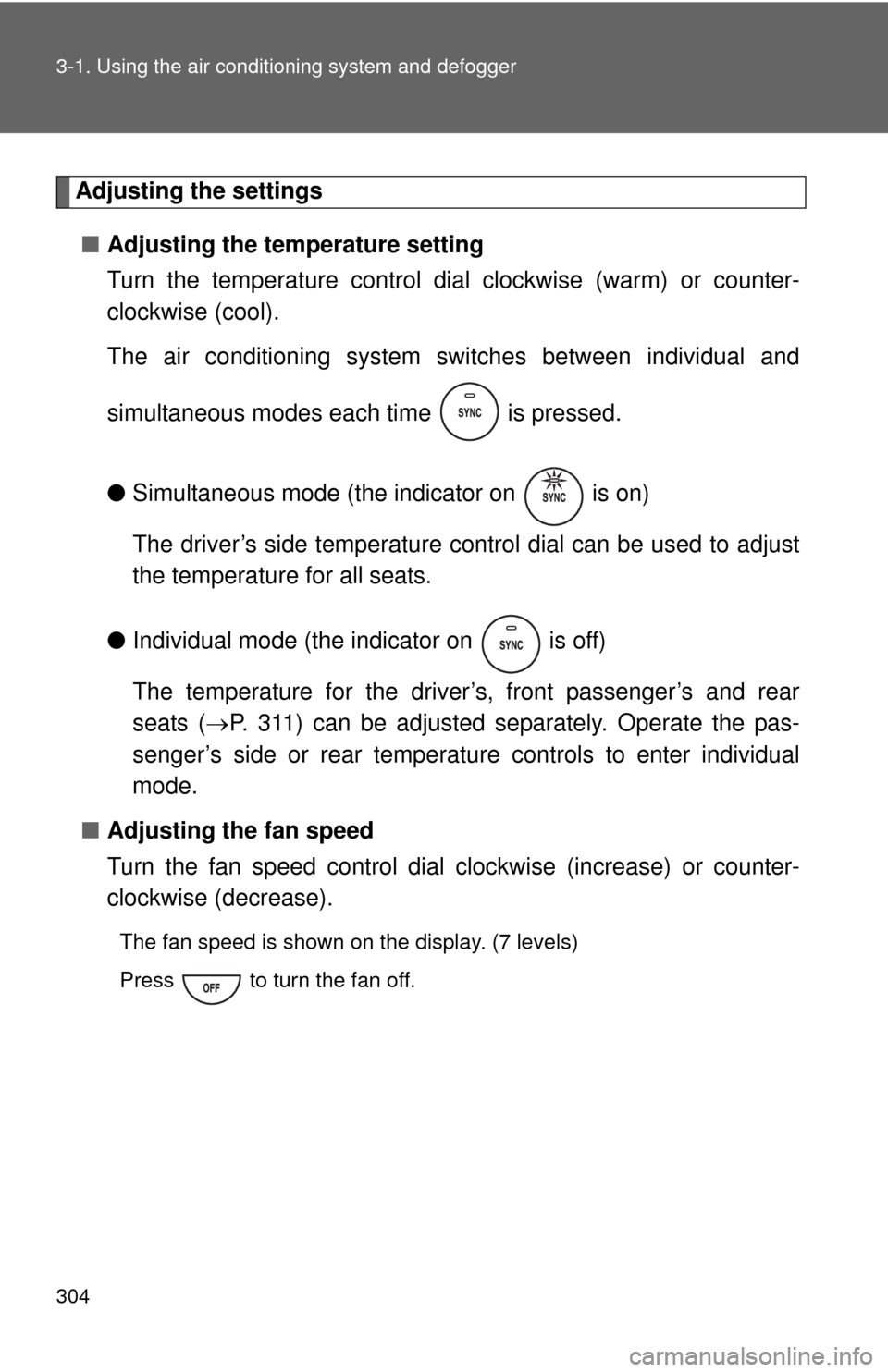
Adjusting the settings
■ Adjusting the temperature setting
Turn the temperature control dial clockwise (warm) or counter-
clockwise (cool).
The air conditioning system sw itches between individual and
simultaneous modes each time is pressed.
● Simultaneous mode (the indicator on is on)
The driver’s side temperature control dial can be used to adjust
the temperature for all seats.
● Individual mode (the indicator on is off)
The temperature for the driver’s, front passenger’s and rear
seats ( P. 311) can be adjusted separately. Operate the pas-
senger’s side or rear temperature controls to enter individual
mode.
■ Adjusting the fan speed
Turn the fan speed control dial clockwise (increase) or counter-
clockwise (decrease).
The fan speed is shown on the display. (7 levels)
Press to turn the fan off.