audio TOYOTA SEQUOIA 2015 2.G Owners Manual
[x] Cancel search | Manufacturer: TOYOTA, Model Year: 2015, Model line: SEQUOIA, Model: TOYOTA SEQUOIA 2015 2.GPages: 664, PDF Size: 13.16 MB
Page 3 of 664

1
2
3
4
5
6
7
3
2-3. Operating the lights and wipers
Headlight switch .................. 185
Fog light switch ................... 191
Windshield wipers and washer .............................. 193
Rear window wiper and washer .............................. 197
Headlight cleaner switch ..... 199
2-4. Using other driving systems Cruise control ...................... 200
Dynamic laser cruise control ............................... 204
Intuitive parking assist......... 218
Rear view monitor system .............................. 225
BSM (Blind Spot Monitor) ... 236
Electronically modulated air suspension................... 242
AVS (Adaptive Variable Suspension System) ......... 247
Four-wheel drive system ..... 248
AUTO LSD system.............. 253
Driving assist systems ........ 255
2-5. Driving information Off-road precautions ........... 263
Cargo and luggage ............. 268
Vehicle load limits ............... 273
Winter driving tips ............... 275
Trailer towing ...................... 279
Dinghy towing ..................... 299 3-1. Using the air conditioning
system and defogger
Front air conditioning system .............................. 302
Rear air conditioning system .............................. 311
Rear window and outside rear view
mirror defoggers ............... 315
Windshield wiper de-icer .... 317
3-2. Using the multimedia system Multimedia system types .... 318
Entune Audio ...................... 320
USB port/AUX port ............. 324
Setup menu ........................ 325
Basic audio operations ....... 329
Using the radio ................... 334
Playing an audio CD and MP3/WMA/AAC discs ...... 336
Listening to an iPod ............ 343
Listening to a USB memory device ................. 349
Using the AUX port............. 354
Connecting Bluetooth
®....... 355
Listening to Bluetooth®
audio ................................ 377
Using a Bluetooth
®
phone ............................... 378
3Interior features
Page 20 of 664
20
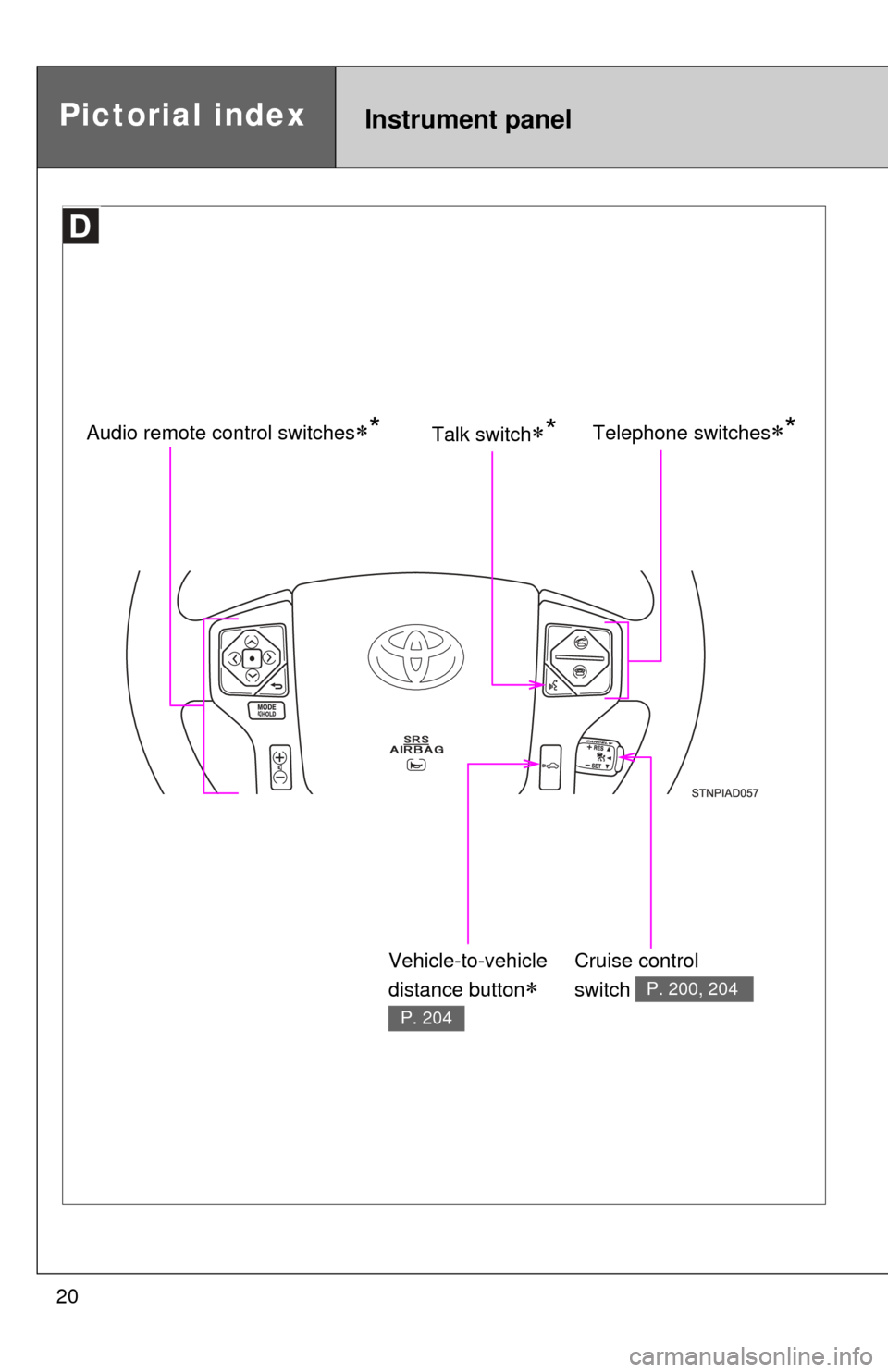
Instrument panelPictorial index
Telephone switches*Audio remote control switches*
Cruise control
switch
P. 200, 204
Talk switch*
Vehicle-to-vehicle
distance button
P. 204
Page 156 of 664
156
2-1. Driving procedures
Engine (ignition) switch
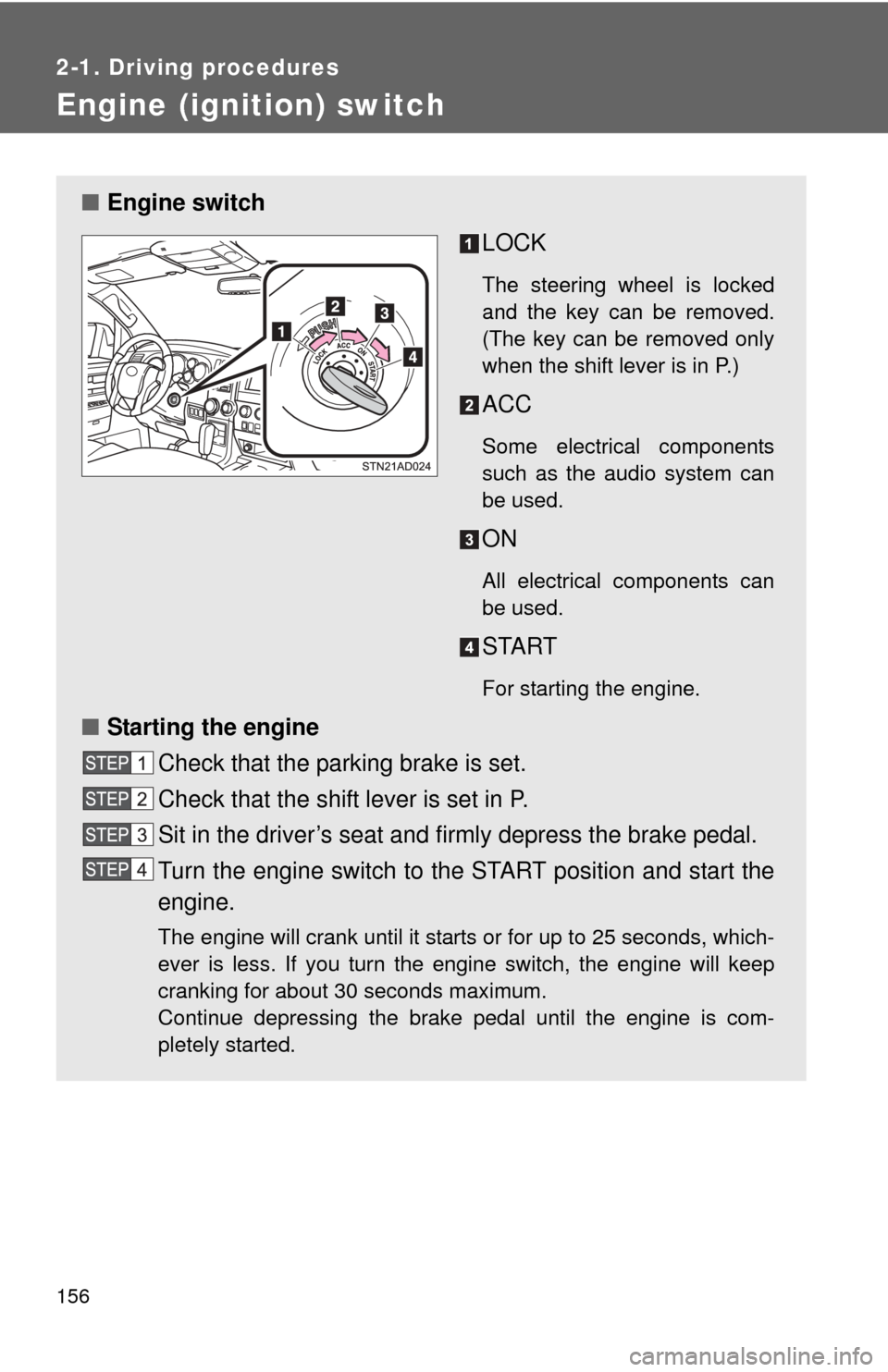
■Engine switch
LOCK
The steering wheel is locked
and the key can be removed.
(The key can be removed only
when the shift lever is in P.)
ACC
Some electrical components
such as the audio system can
be used.
ON
All electrical components can
be used.
START
For starting the engine.
■Starting the engine
Check that the parking brake is set.
Check that the shift lever is set in P.
Sit in the driver’s seat and firmly depress the brake pedal.
Turn the engine switch to the START position and start the
engine.
The engine will crank until it starts or for up to 25 seconds, which-
ever is less. If you turn the engine switch, the engine will keep
cranking for about 30 seconds maximum.
Continue depressing the brake pedal until the engine is com-
pletely started.
Page 225 of 664
225
2-4. Using other driving systems
2
When driving
Rear view monitor system
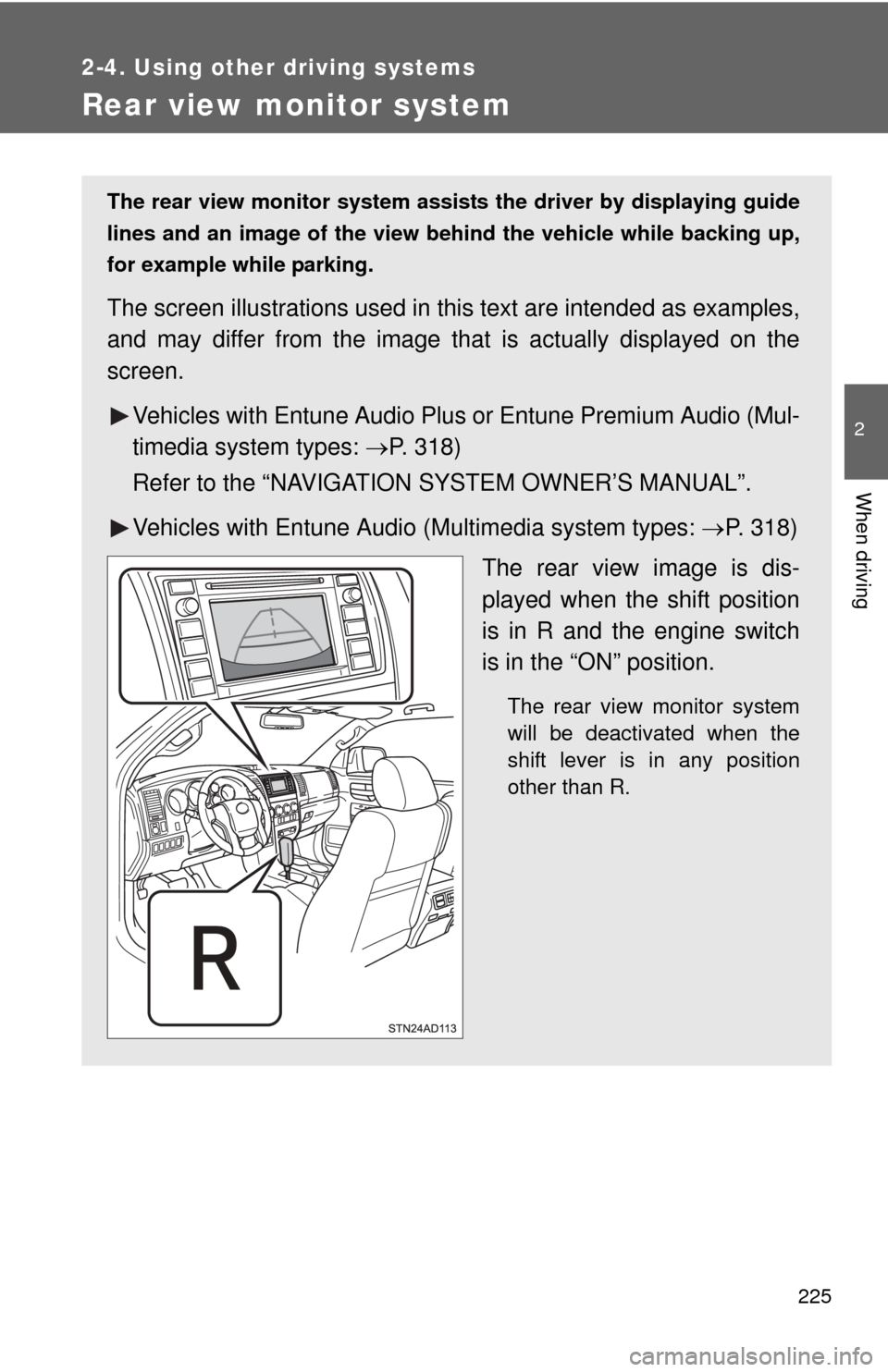
The rear view monitor system assists the driver by displaying guide
lines and an image of the view behind the vehicle while backing up,
for example while parking.
The screen illustrations used in th is text are intended as examples,
and may differ from the image that is actually displayed on the
screen.
Vehicles with Entune Audio Plus or Entune Premium Audio (Mul-
timedia system types: P. 318)
Refer to the “NAVIGATION SYSTEM OWNER’S MANUAL”.
Vehicles with Entune Audio (Multimedia system types: P. 318)
The rear view image is dis-
played when the shift position
is in R and the engine switch
is in the “ON” position.
The rear view monitor system
will be deactivated when the
shift lever is in any position
other than R.
Page 300 of 664
300
3-1. Using the air conditioning system and defogger
Front air conditioning system ........................... 302
Rear air conditioning system ........................... 311
Rear window and outside rear view
mirror defoggers ............ 315
Windshield wiper de-icer ............................ 317
3-2. Using the multimedia system Multimedia system types .............................. 318
Entune Audio ................... 320
USB port/AUX port ........... 324
Setup menu...................... 325
Basic audio operations..... 329
Using the radio ................. 334
Playing an audio CD and MP3/WMA/AAC discs .... 336
Listening to an iPod ......... 343
Listening to a USB memory device .............. 349
Using the AUX port .......... 354
Connecting Bluetooth
®..... 355
Listening to Bluetooth®
audio .............................. 377
Using a Bluetooth
®
phone ............................. 378
Interior features3
Page 318 of 664
318
3-2. Using the multimedia system
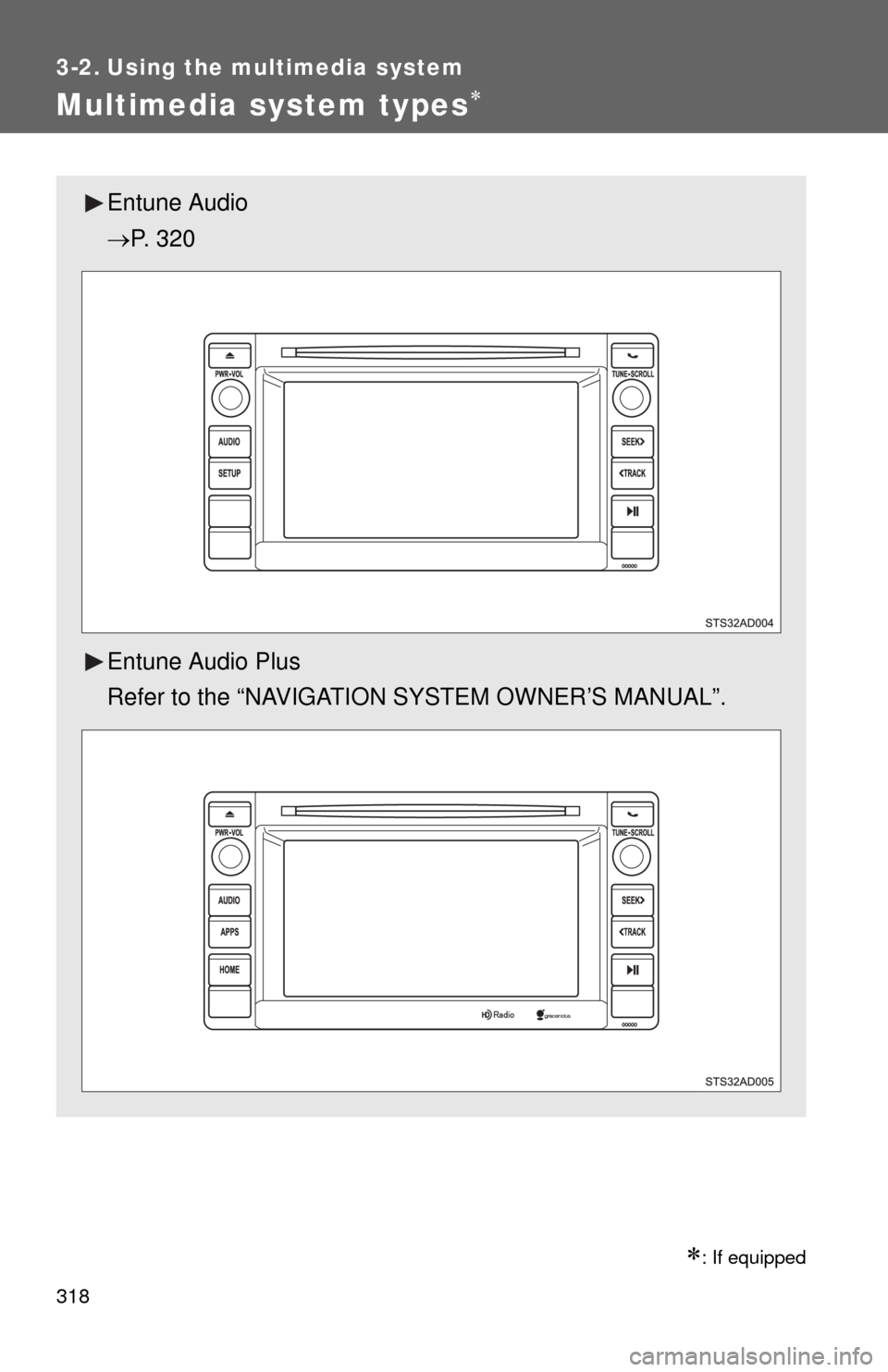
Multimedia system types
: If equipped
Entune Audio
P. 320
Entune Audio Plus
Refer to the “NAVIGATION SYSTEM OWNER’S MANUAL”.
Page 319 of 664
319
3-2. Using the multimedia system
3
Interior features
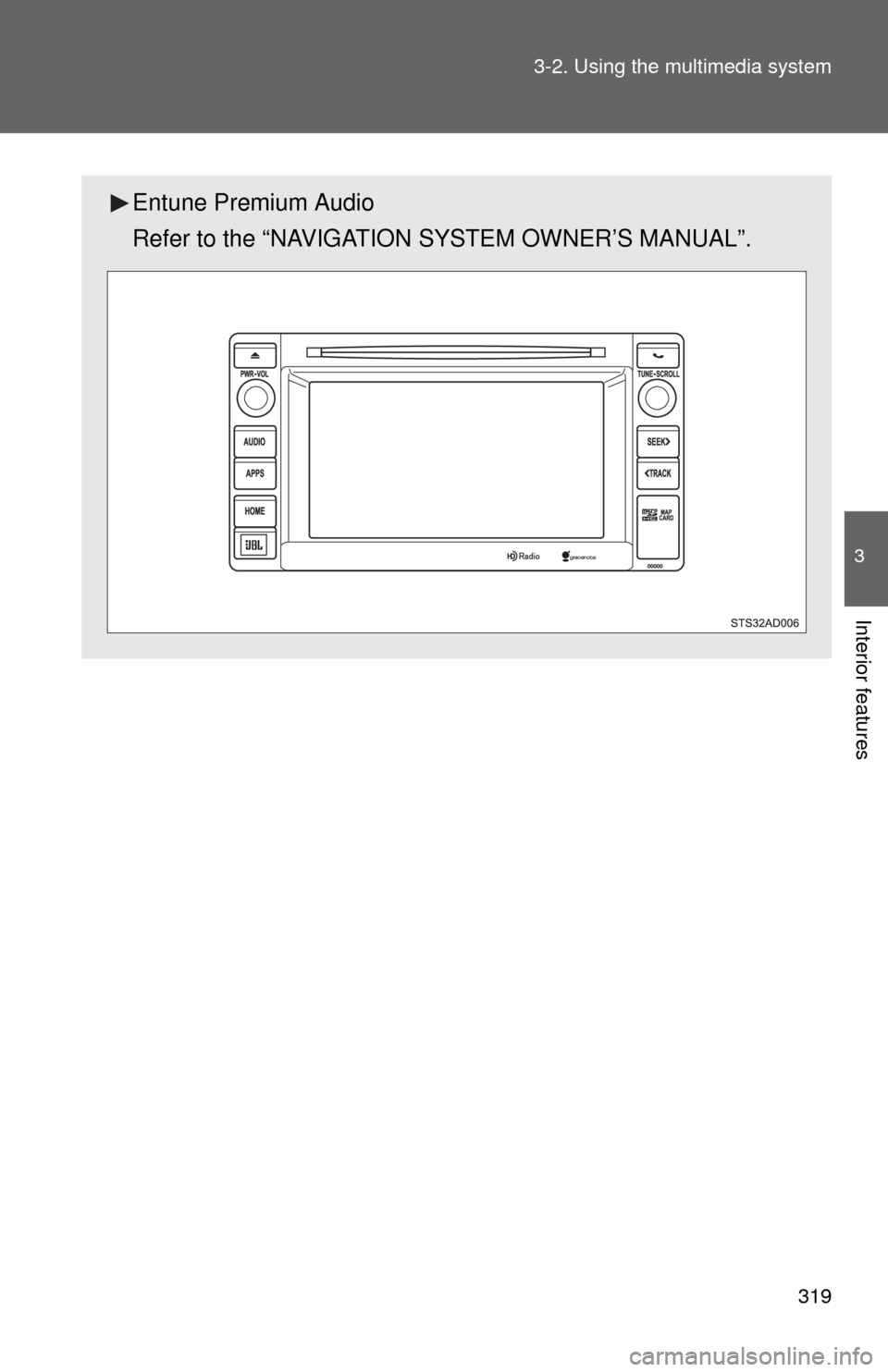
Entune Premium Audio
Refer to the “NAVIGATION SYSTEM OWNER’S MANUAL”.
Page 320 of 664
320
3-2. Using the multimedia system
Entune Audio
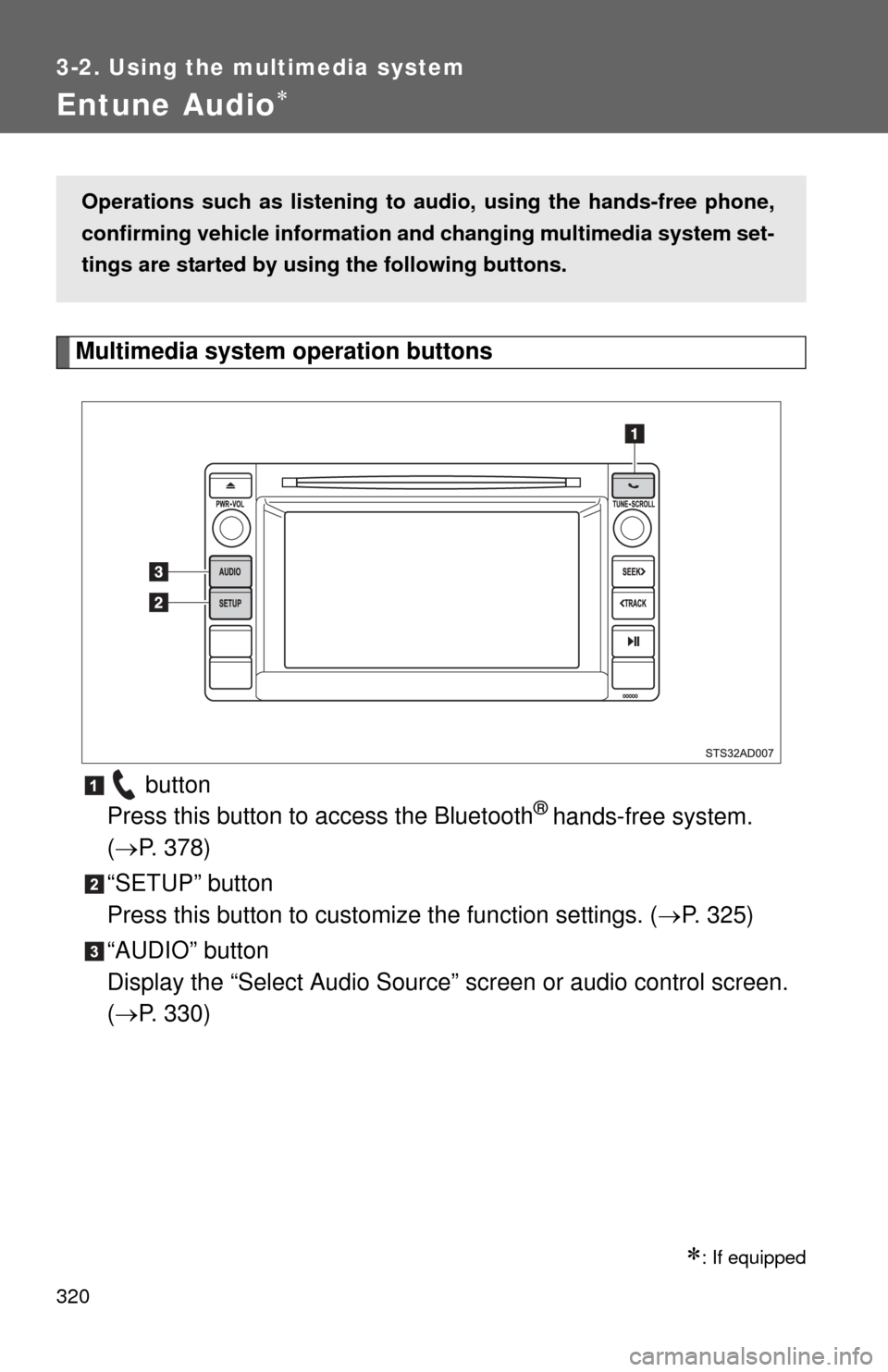
Multimedia system operation buttons button
Press this button to access the Bluetooth
® hands-free system.
( P. 378)
“SETUP” button
Press this button to custom ize the function settings. (P. 325)
“AUDIO” button
Display the “Select Audio Source” screen or audio control screen.
( P. 330)
: If equipped
Operations such as listening to audio, using the hands-free phone,
confirming vehicle information and changing multimedia system set-
tings are started by using the following buttons.
Page 321 of 664
321
3-2. Using the multimedia system
3
Interior features
Operating the touch screen
By touching the screen with your finger, you can control the Audio,
hands-free system, etc.
■ Drag
*
Touch the screen with your finger and move the screen to the
desired position.
●Scrolling the lists
● Using scroll bar in lists
■ Flick
*
Touch the screen with your finger and then quickly move the
screen.
●Scrolling the main screen page
● Returning to the menu scr een from the sub-menu screen
(screen one level below)
*: The above operations may not be performed on all screens.
■ When using the touch screen
●If the screen is cold, the display may be dark, or the system may seem to
be operating slightly slower than normal.
● The screen may seem dark and hard to see when viewed through sun-
glasses. Change your angle of viewing, adjust the display on the “Dis\
play
Settings” screen ( P. 328) or remove your sunglasses.
■ Using cellular phones
Interference may be heard through the multimedia system’s speakers if a
cellular phone is being used inside or close to the vehicle while the multime-
dia system is operating.
Page 324 of 664
324
3-2. Using the multimedia system
USB por t/AUX por t
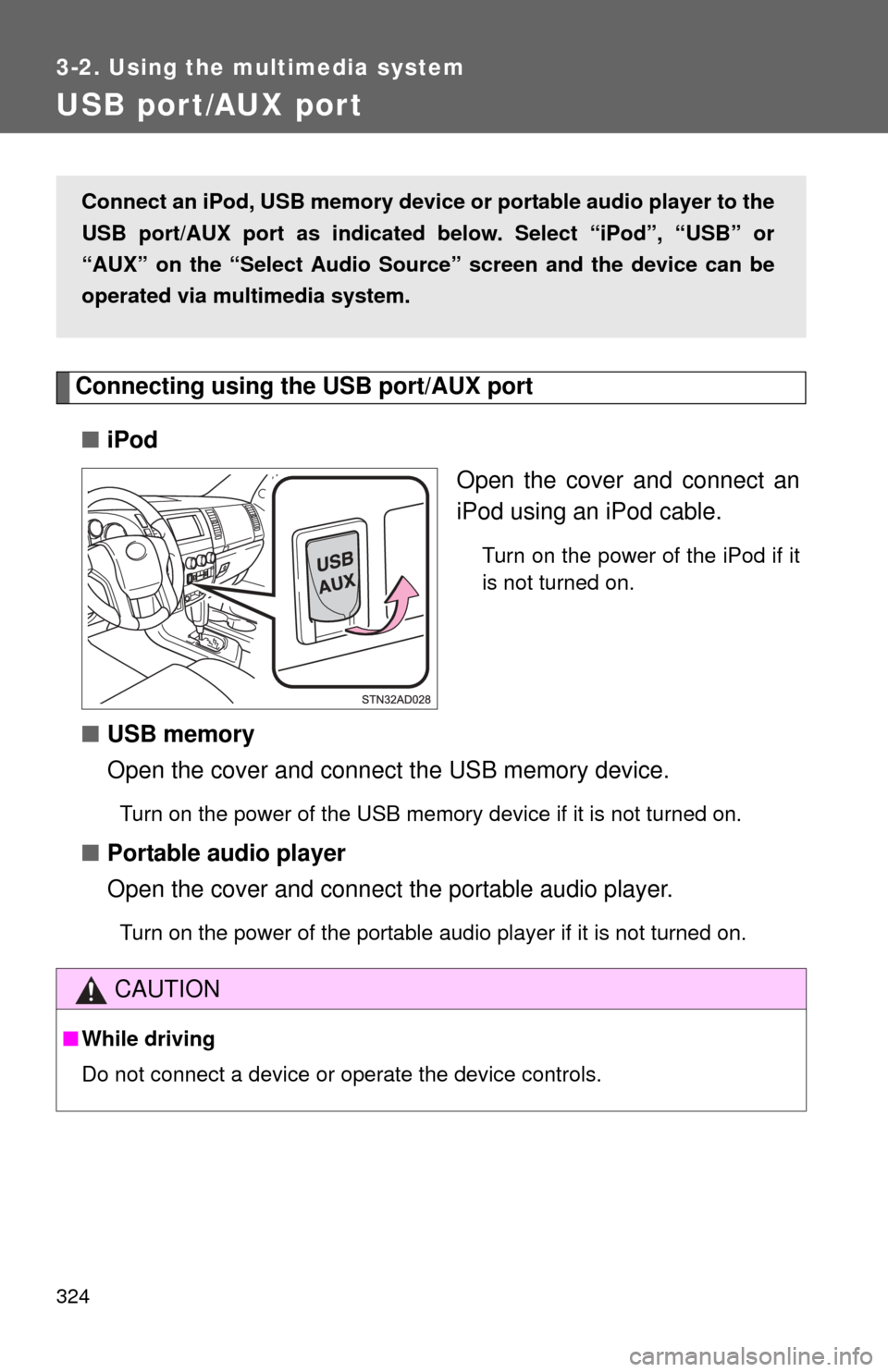
Connecting using the USB port/AUX port■ iPod
Open the cover and connect an
iPod using an iPod cable.
Turn on the power of the iPod if it
is not turned on.
■USB memory
Open the cover and connect the USB memory device.
Turn on the power of the USB memory device if it is not turned on.
■Portable audio player
Open the cover and connect the portable audio player.
Turn on the power of the portable audio player if it is not turned on.
Connect an iPod, USB memory device or portable audio player to the
USB port/AUX port as indicated below. Select “iPod”, “USB” or
“AUX” on the “Select Audio Sour ce” screen and the device can be
operated via multimedia system.
CAUTION
■ While driving
Do not connect a device or operate the device controls.