tire pressure TOYOTA SEQUOIA 2022 Owners Manual
[x] Cancel search | Manufacturer: TOYOTA, Model Year: 2022, Model line: SEQUOIA, Model: TOYOTA SEQUOIA 2022Pages: 592, PDF Size: 10.82 MB
Page 5 of 592
5
1
8 7
6
5
4
3
2
9
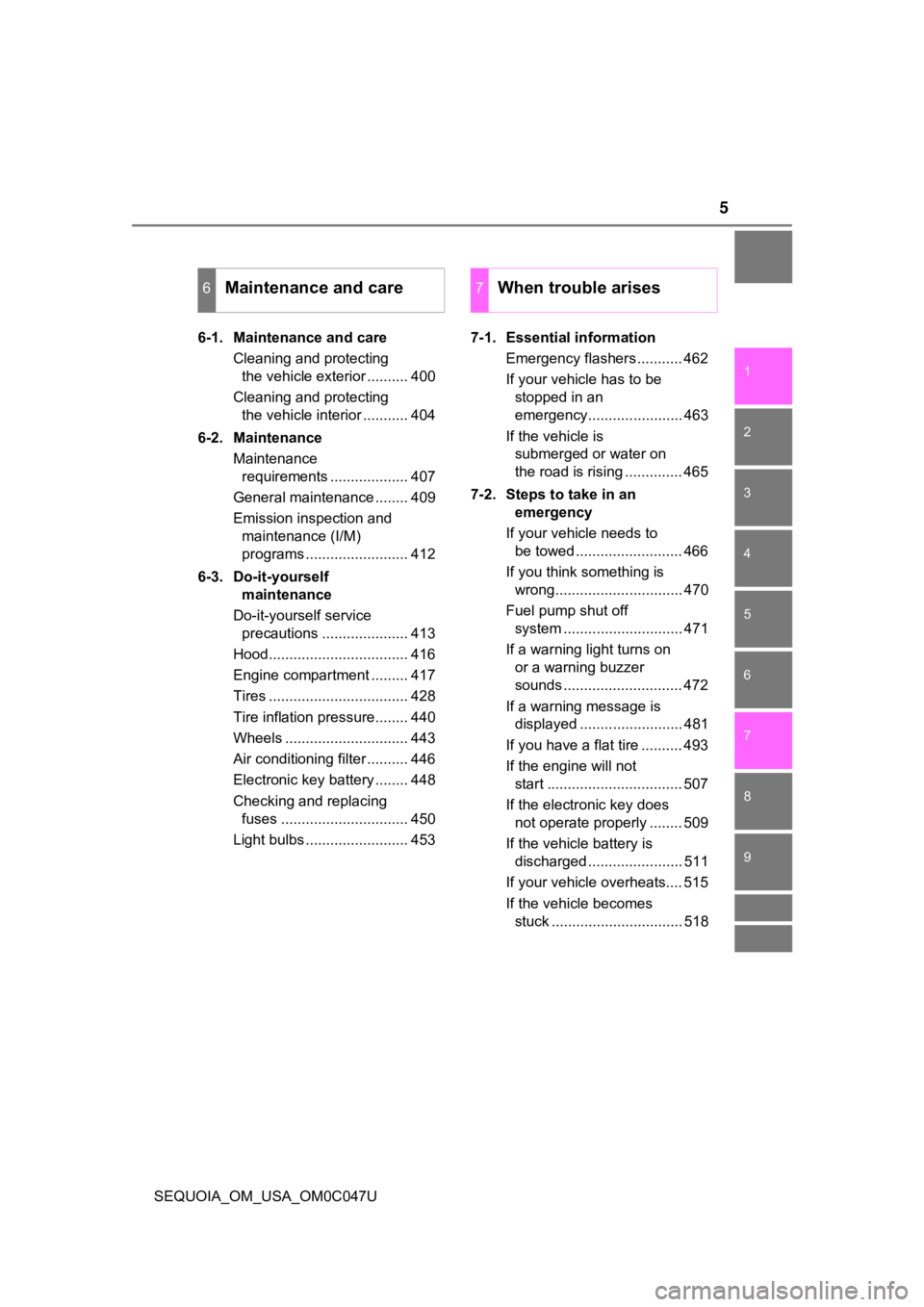
SEQUOIA_OM_USA_OM0C047U6-1. Maintenance and care
Cleaning and protecting the vehicle exterior .......... 400
Cleaning and protecting the vehicle interior ........... 404
6-2. Maintenance Maintenance requirements ................... 407
General maintenance ........ 409
Emission inspection and maintenance (I/M)
programs ......................... 412
6-3. Do-it-yourself maintenance
Do-it-yourself service precautions ..................... 413
Hood.................................. 416
Engine compartment ......... 417
Tires .................................. 428
Tire inflation pressure........ 440
Wheels .............................. 443
Air conditioning filter .......... 446
Electronic key battery ........ 448
Checking and replacing fuses ............................... 450
Light bulbs ......................... 453 7-1. Essential information
Emergency flashers ........... 462
If your vehicle has to be stopped in an
emergency....................... 463
If the vehicle is submerged or water on
the road is rising .............. 465
7-2. Steps to take in an emergency
If your vehicle needs to be towed .......................... 466
If you think something is wrong............................... 470
Fuel pump shut off system ............................. 471
If a warning light turns on or a warning buzzer
sounds ............................. 472
If a warning message is displayed ......................... 481
If you have a flat tire .......... 493
If the engine will not start ................................. 507
If the electronic key does not operate properly ........ 509
If the vehicle battery is discharged ....................... 511
If your vehicle overheats.... 515
If the vehicle becomes stuck ................................ 518
6Maintenance and care7When trouble arises
Page 17 of 592
17Pictorial index
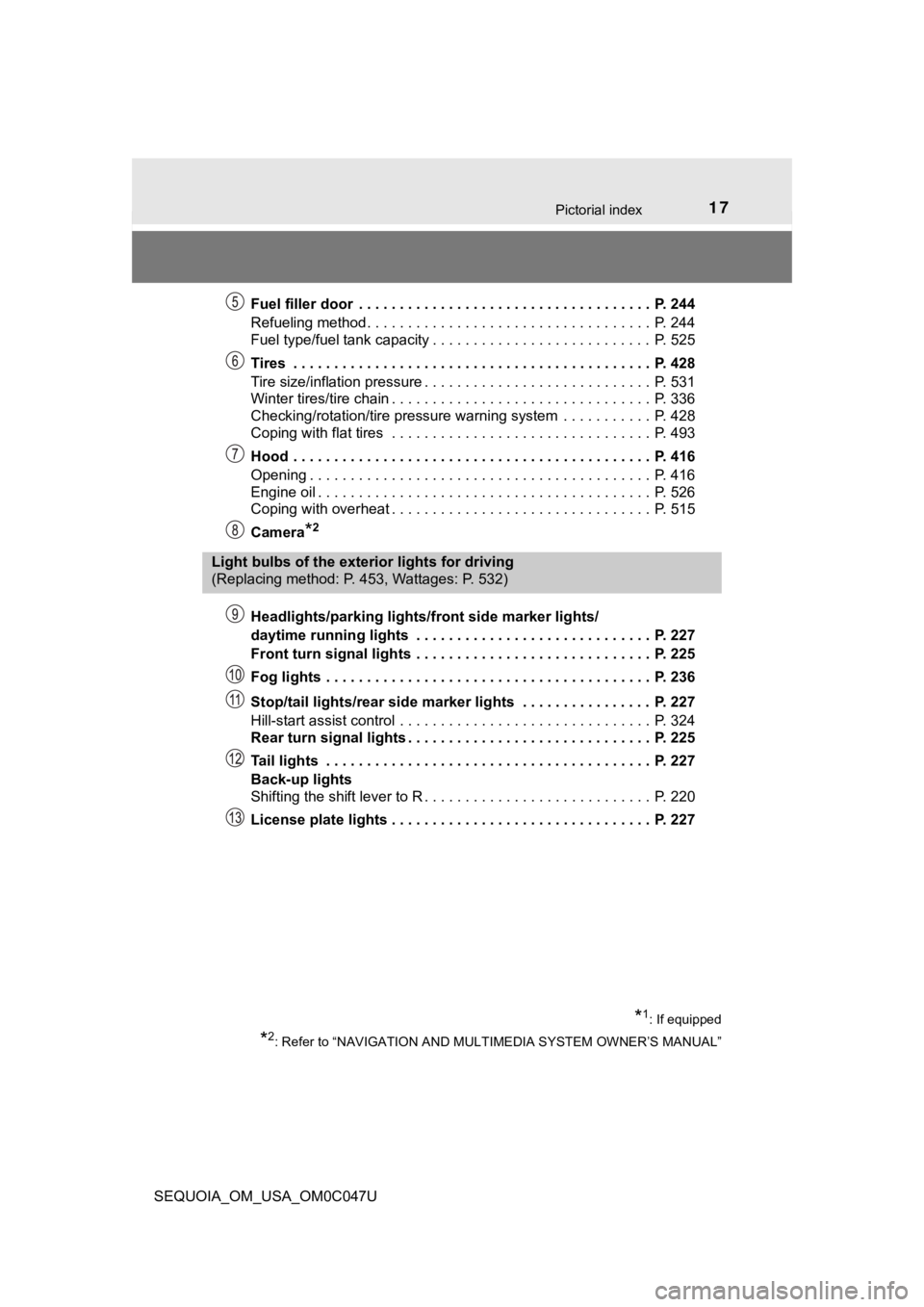
SEQUOIA_OM_USA_OM0C047UFuel filler door . . . . . . . . . . . . . . . . . . . . . . . . . . . . . . . . . . . . P. 244
Refueling method . . . . . . . . . . . . . . . . . . . . . . . . . . . . . . . . . . . P. 244
Fuel type/fuel tank capacity . . . . . . . . . . . . . . . . . . . . . . . . . . . P. 525
Tires . . . . . . . . . . . . . . . . . . . . . . . . . . . . . . . . . . . . . . . . . . . . P. 428
Tire size/inflation pressure . . . . . . . . . . . . . . . . . .
. . . . . . . . . . P. 531
Winter tires/tire chain . . . . . . . . . . . . . . . . . . . . . . . . . . . . . . . . P. 336
Checking/rotation/tire pressure warning system . . . . . . . . . . . P. 428
Coping with flat tires . . . . . . . . . . . . . . . . . . . . . . . . . . . . . . . . P. 493
Hood . . . . . . . . . . . . . . . . . . . . . . . . . . . . . . . . . . . . . . . . . . . . P. 416
Opening . . . . . . . . . . . . . . . . . . . . . . . . . . . . . . . . . . . . . . . . . . P. 416
Engine oil . . . . . . . . . . . . . . . . . . . . . . . . . . . . . . . . . . . . . . . . . P. 526
Coping with overheat . . . . . . . . . . . . . . . . . . . . . . . . . . . . . . . . P. 515
Camera
*2
Headlights/parking lights/front side marker lights/
daytime running lights . . . . . . . . . . . . . . . . . . . . . . . . . . . . . P. 227
Front turn signal lights . . . . . . . . . . . . . . . . . . . . . . . . . . . . . P. 225
Fog lights . . . . . . . . . . . . . . . . . . . . . . . . . . . . . . . . . . . . . . . . P. 236
Stop/tail lights/rear side marker lights . . . . . . . . . . . . . . . . P. 227
Hill-start assist control . . . . . . . . . . . . . . . . . . . . . . . . . . . . . . . P. 324
Rear turn signal lights . . . . . . . . . . . . . . . . . . . . . . . . . . . . . . P. 225
Tail lights . . . . . . . . . . . . . . . . . . . . . . . . . . . . . . . . . . . . . . . . P. 227
Back-up lights
Shifting the shift lever to R . . . . . . . . . . . . . . . . . . . . . . . . . . . . P. 220
License plate lights . . . . . . . . . . . . . . . . . . . . . . . . . . . . . . . . P. 227
Light bulbs of the exterior lights for driving
(Replacing method: P. 453, Wattages: P. 532)
*1: If equipped
*2: Refer to “NAVIGATION AND MULTIMEDIA SYSTEM OWNER’S MANUAL”
Page 20 of 592
20Pictorial index
SEQUOIA_OM_USA_OM0C047U
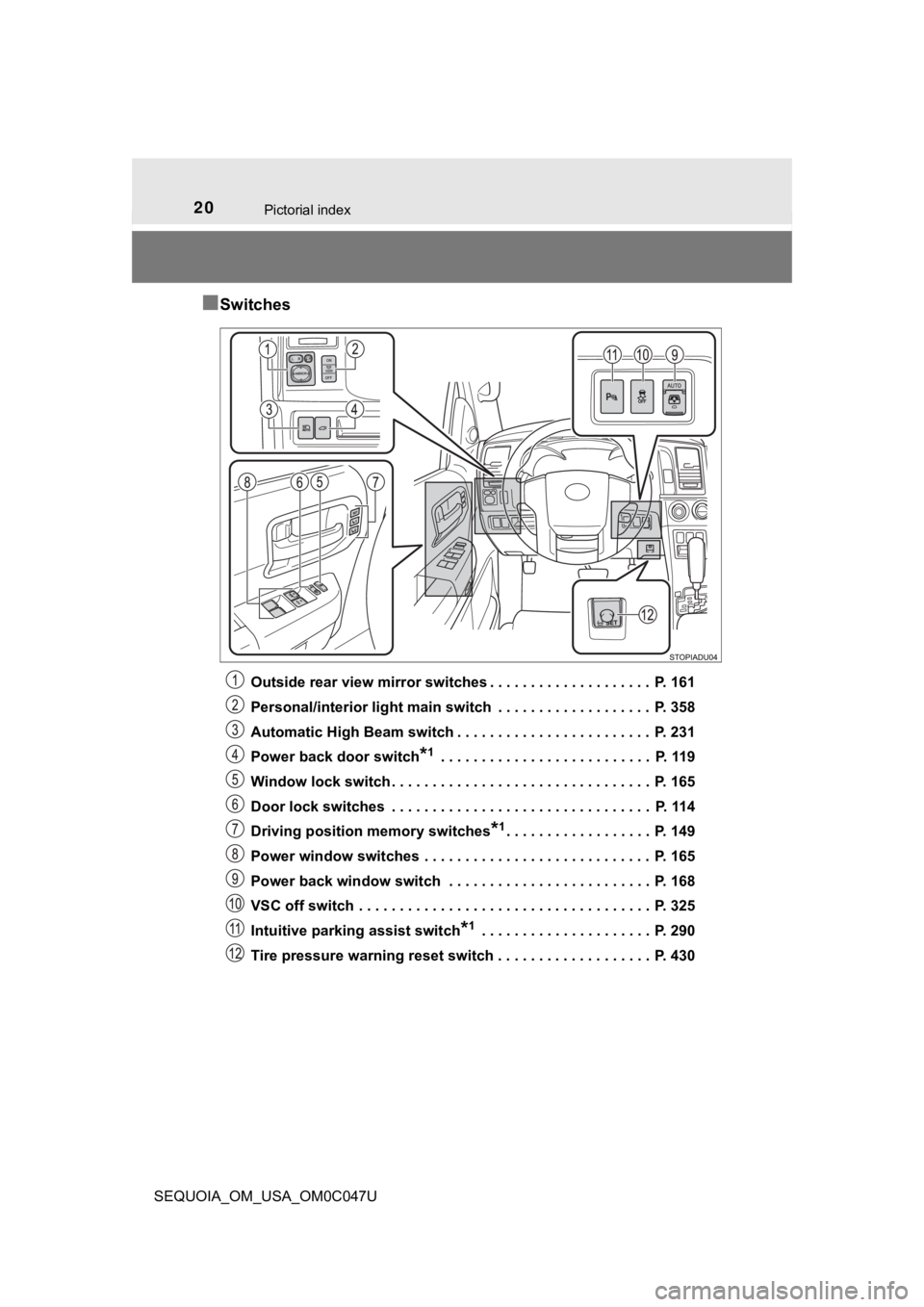
■Switches
Outside rear view mirror switches . . . . . . . . . . . . . . . . . . . . P. 161
Personal/interior light main switch . . . . . . . . . . . . . . . . . . . P. 358
Automatic High Beam switch . . . . . . . . . . . . . . . . . . . . . . . . P. 231
Power back door switch
*1 . . . . . . . . . . . . . . . . . . . . . . . . . . P. 119
Window lock switch . . . . . . . . . . . . . . . . . . . . . . . . . . . . . . . . P. 165
Door lock switches . . . . . . . . . . . . . . . . . . . . . . . . . . . . . . . . P. 114
Driving position memory switches
*1. . . . . . . . . . . . . . . . . . P. 149
Power window switches . . . . . . . . . . . . . . . . . . . . . . . . . . . . P. 165
Power back window switch . . . . . . . . . . . . . . . . . . . . . . . . . P. 168
VSC off switch . . . . . . . . . . . . . . . . . . . . . . . . . . . . . . . . . . . . P. 325
Intuitive parking assist switch
*1 . . . . . . . . . . . . . . . . . . . . . P. 290
Tire pressure warning reset switch . . . . . . . . . . . . . . . . . . . P. 430
Page 90 of 592
902. Instrument cluster
SEQUOIA_OM_USA_OM0C047U
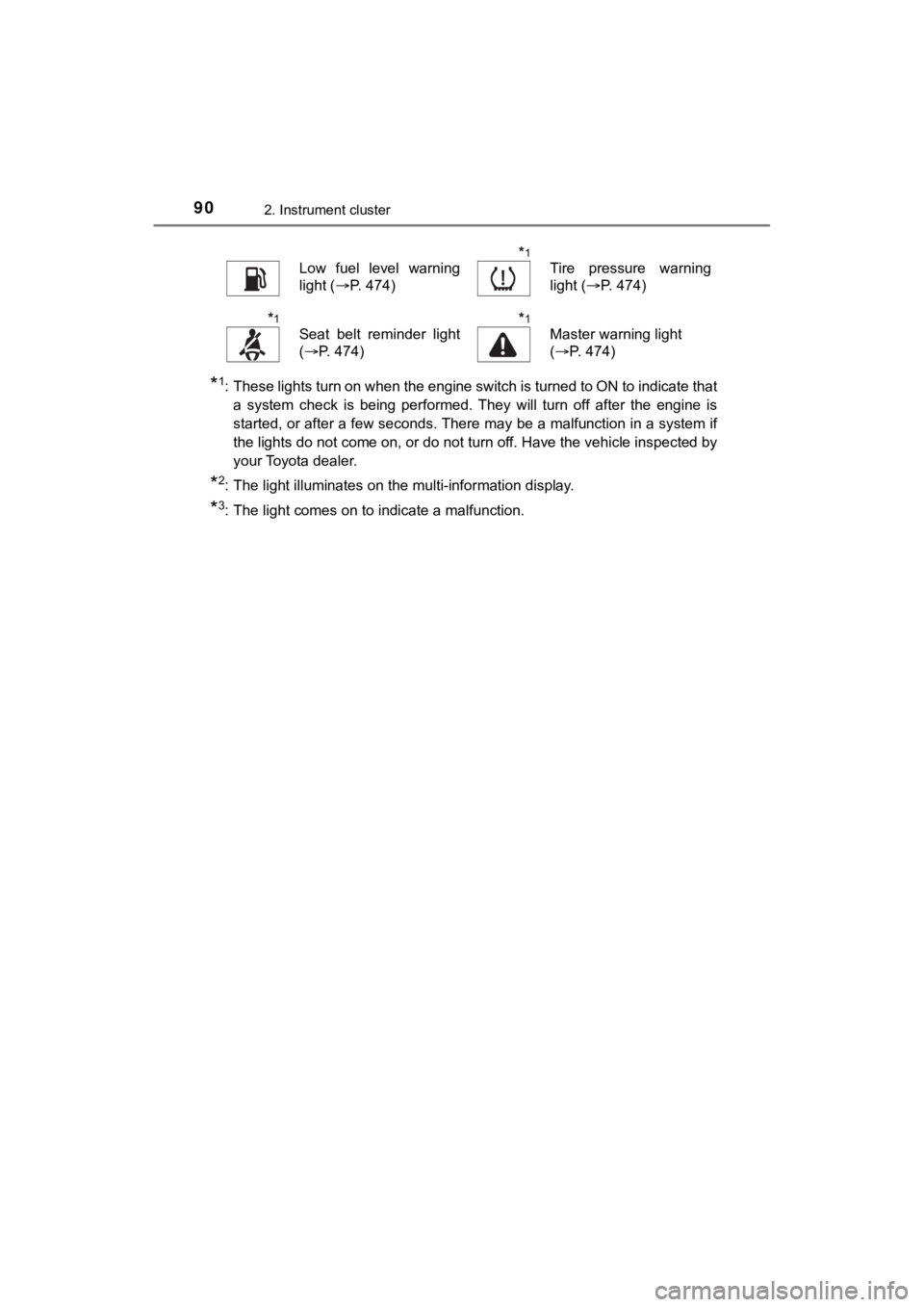
*1: These lights turn on when the engine switch is turned to ON to indicate thata system check is being performed. They will turn off after the engine is
started, or after a few seconds. There may be a malfunction in a system if
the lights do not come on, or do not turn off. Have the vehicle inspected by
your Toyota dealer.
*2: The light illuminates on the multi-information display.
*3: The light comes on to indicate a malfunction.
Low fuel level warning
light ( P. 474)*1
Tire pressure warning
light (P. 474)
*1
Seat belt reminder light
(P. 474)*1
Master warning light
(P. 474)
Page 98 of 592
982. Instrument cluster
SEQUOIA_OM_USA_OM0C047U
Multi-infor mation display
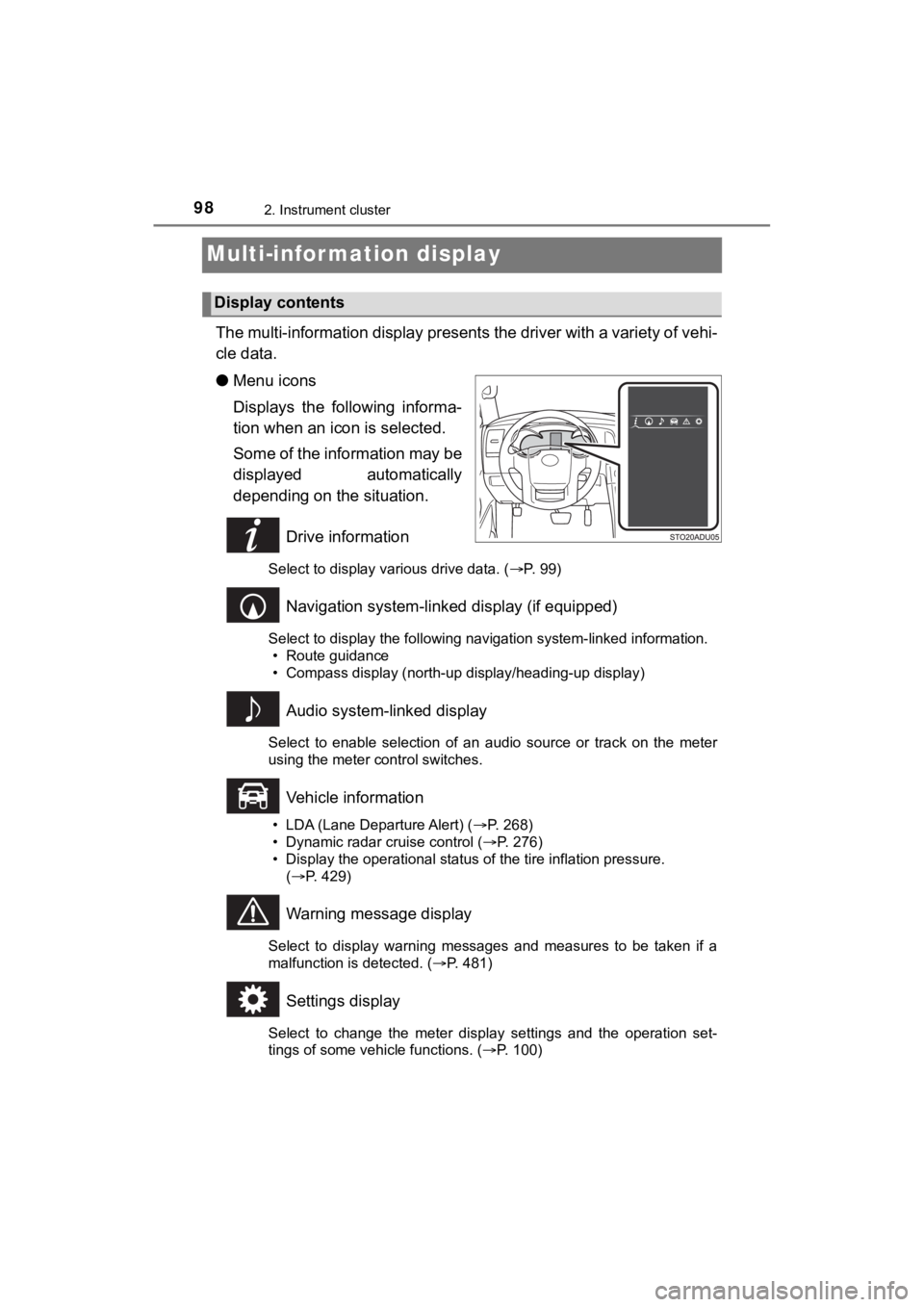
The multi-information display presents the driver with a variety of vehi-
cle data.
● Menu icons
Displays the following informa-
tion when an icon is selected.
Some of the information may be
displayed automatically
depending on the situation.
Drive information
Select to display various drive data. ( P. 99)
Navigation system-linked display (if equipped)
Select to display the following navigation system-linked information.
• Route guidance
• Compass display (north-up display/heading-up display)
Audio system-linked display
Select to enable selection of an audio source or track on the m eter
using the meter control switches.
Vehicle information
• LDA (Lane Departure Alert) ( P. 268)
• Dynamic radar cruise control ( P. 276)
• Display the operational status of the tire inflation pressure.
( P. 429)
Warning message display
Select to display warning messages and measures to be taken if a
malfunction is detected. ( P. 481)
Settings display
Select to change the meter display settings and the operation set-
tings of some vehicle functions. ( P. 100)
Display contents
Page 102 of 592

1022. Instrument cluster
SEQUOIA_OM_USA_OM0C047U
■Setting items
●“Vehicle Settings” and “Meter Settings” setting items are not s electable
during driving and cannot be operated.
Also, the settings screen is temporarily canceled in the follow ing situations.
• A warning message is displayed.
• The vehicle starts off.
● Settings for functions not equipped to the vehicle are not disp layed.
● When a function is turned off, the related settings for that fu nction are not
selectable.
■ Pop-up display
In some situations, such as when a switch operation is performe d, a pop-up
display will be temporarily displayed on the multi-information display.
■ When disconnecting and reco nnecting battery terminals
The drive information will be reset.
■ Trip Summary display
When the engine switch is turned off, each of the following wil l be displayed
on the multi-information display, and will extinguish after approximately
30 seconds.
● Distance traveled
● Average fuel economy
● Driving range
■ Tire inflation pressure
●It may take a few minutes to display the tire inflation pressur e after the
engine switch is turned to ON. It may also take a few minutes t o display the
tire inflation pressure after inflation pressure has been adjusted.
● “---” may be displayed if the tire position information cannot be determined
due to unfavorable radio wave conditions.
● Tire inflation pressure changes with temperature. The displayed values may
also be different from the values measured using a tire pressur e gauge.
■ Liquid crystal display
Small spots or light spots may appear on the display. This phen omenon is
characteristic of liquid crystal displays, and there is no prob lem continuing to
use the display.
Page 267 of 592
2674-5. Using the driving support systems
4
Driving
SEQUOIA_OM_USA_OM0C047U●
In some situations such as the following, sufficient braking fo rce may not be
obtained, preventing the system from performing properly:
• If the braking functions cannot operate to their full extent, such as when
the brake parts are extremely cold, extremely hot, or wet
• If the vehicle is not properly maintained (brakes or tires are excessively
worn, improper tire inflation pressure, etc.)
• When the vehicle is being driven on a gravel road or other sli ppery sur-
face
● Some pedestrians such as the following may not be detected by t he radar
sensor and front camera, preventing the system from operating p roperly:
• Pedestrians shorter than approximately 3.2 ft. (1 m) or taller than approx-
imately 6.5 ft. (2 m)
• Pedestrians wearing oversized clothing (a rain coat, long skir t, etc.), mak-
ing their silhouette obscure
• Pedestrians who are carrying large baggage, holding an umbrella, etc., hiding part of their body
• Pedestrians who are bending forward or squatting
• Pedestrians who are pushing a stroller, wheelchair, bicycle or other vehi-
cle
• Groups of pedestrians which are close together
• Pedestrians who are wearing white and look extremely bright
• Pedestrians in the dark, such as at night or while in a tunnel
• Pedestrians whose clothing appears to be nearly the same color or
brightness as their surroundings
• Pedestrians near walls, fences, guardrails, or large objects
• Pedestrians who are on a metal object (manhole cover, steel plate, etc.)
on the road
• Pedestrians who are walking fast
• Pedestrians who are changing speed abruptly
• Pedestrians running out from behind a vehicle or a large objec t
• Pedestrians who are extremely close to the side of the vehicle (outside
rear view mirror, etc.)
■ If VSC is disabled
●If VSC is disabled ( P. 326), the pre-collision brake assist and pre-collision
braking functions are also disabled.
● The PCS warning light will turn on and “VSC Turned Off Pre-Coll ision Brake
System Unavailable” will be displayed on the multi-information display.
Page 274 of 592

2744-5. Using the driving support systems
SEQUOIA_OM_USA_OM0C047U■
Conditions in which functions may not operate properly
In the following situations, the front camera may not detect wh ite (yellow)
lines and various functions may not operate normally.
● There are shadows on the road that run parallel with, or cover, the white
(yellow) lines.
● The vehicle is driven in an area without white (yellow) lines, such as in front
of a tollgate or checkpoint, or at an intersection, etc.
● The white (yellow) lines are cracked, “Botts’ dots”, “Raised pa vement
marker” or stones are present.
● The white (yellow) lines cannot be seen or are difficult to see due to sand,
etc.
● The vehicle is driven on a road surface that is wet due to rain , puddles, etc.
● The traffic lines are yellow (which may be more difficult to re cognize than
lines that are white).
● The white (yellow) lines cross over a curb, etc.
● The vehicle is driven on a bright surface, such as concrete.
● The vehicle is driven on a surface that is bright due to reflec ted light, etc.
● The vehicle is driven in an area where the brightness changes s uddenly,
such as at the entrances and exits of tunnels, etc.
● Light from the headlights of an oncoming vehicle, the sun, etc. , enters the
camera.
● The vehicle is driven where the road diverges, merges, etc.
● The vehicle is driven on a slope.
● The vehicle is driven on a road which tilts left or right, or a winding road.
● The vehicle is driven on an unpaved or rough road.
● The vehicle is driven around a sharp curve.
● The traffic lane is excessively narrow or wide.
● The vehicle is extremely tilted due to carrying heavy luggage or having
improper tire pressure.
● The distance to the preceding vehicle is extremely short.
● The vehicle is moving up and down a large amount due to road co nditions
during driving (poor roads or road seams).
● The headlight lenses are dirty and emit a faint amount of light at night, or the
beam axis has deviated.
● The vehicle has just changed lanes or crossed an intersection.
Page 296 of 592

2964-5. Using the driving support systems
SEQUOIA_OM_USA_OM0C047U
WARNING
■Cautions regarding the use of the system
There is a limit to the degree of recognition accuracy and cont rol perfor-
mance that this system can provide, do not overly rely on this system. The
driver is always responsible for paying attention to the vehicl e’ surroundings
and driving safely.
■ To ensure the system can operate properly
Observe the following precautions.
Failing to do so may result in the vehicle being unable to be driven safely
and possibly cause an accident.
● Do not damage the sensors, and always keep them clean.
● Do not attach a sticker or install an electronic component, such as a backlit
license plate (especially fluorescent type), fog lights, fender pole or wire-
less antenna near a radar sensor.
● Do not subject the surrounding area of the sensor to a strong impact. If
subjected to an impact, have the vehicle inspected by your Toyota dealer.
If the front or rear bumper needs to be removed/installed or replaced, con-
tact your Toyota dealer.
● Do not modify, disassemble or paint the sensors.
● Do not attach a license plate cover.
● Keep your tires properly inflated.
■ When to disable the function
In the following situations, disable the function as it may operate even
though there is no possibility of a collision.
● Failing to observe the warnings above.
● A non-genuine Toyota suspension (lowered suspension, etc.) is installed.
■ Notes when washing the vehicle
Do not apply intensive bursts of water or steam to the sensor a rea.
Doing so may result in the sensor malfunctioning.
● When using a high pressure washer to wash the vehicle, do not spray the
sensors directly, as doing so may cause a sensor to malfunction .
● When using steam to clean the vehicle, do not direct steam too close to
the sensors as doing so may cause a sensor to malfunction.
Page 330 of 592

3304-5. Using the driving support systems
SEQUOIA_OM_USA_OM0C047U
WARNING
■When the TRAC/VSC/Trailer Sway Control systems is turned off
Be especially careful and drive at a speed appropriate to the r oad condi-
tions. As these are the systems to help ensure vehicle stability and driving
force, do not turn the TRAC/VSC/Trailer Sway Control systems off unless
necessary.
■ Replacing tires
Make sure that all tires are of the specified size, brand, trea d pattern and
total load capacity. In addition, make sure that the tires are inflated to the
recommended tire inflation pressure level.
The ABS, TRAC, Trailer Sway Control and VSC systems will not function
correctly if different tires are installed on the vehicle.
Contact your Toyota dealer for further information when replaci ng tires or
wheels.
■ Handling of tires and the suspension
Using tires with any kind of problem or modifying the suspensio n will affect
the driving assist systems, and may cause a system to malfunction.
■ Trailer Sway Control precaution
The Trailer Sway Control system is not able to reduce trailer sway in all situ-
ations. Depending on many factors such as the conditions of the vehicle,
trailer, road surface, and driving environment, the Trailer Swa y Control sys-
tem may not be effective. Refer to your trailer owner’s manual for informa-
tion on how to tow your trailer properly.
■ If trailer sway occurs
Observe the following precautions.
Failing to do so may cause death or serious injury.
● Firmly grip the steering wheel. Steer straight ahead.
Do not try to control trailer swaying by turning the steering w heel.
● Begin releasing the accelerator pedal immediately but very grad ually to
reduce speed.
Do not increase speed. Do not apply vehicle brakes.
If you make no extreme correction with the steering or brakes, your vehicle
and trailer should stabilize. ( P. 209)