steering column TOYOTA SIENNA 2007 Service Owner's Manual
[x] Cancel search | Manufacturer: TOYOTA, Model Year: 2007, Model line: SIENNA, Model: TOYOTA SIENNA 2007Pages: 3000, PDF Size: 52.26 MB
Page 2682 of 3000
STEERING COLUMN – STEERING COLUMN ASSEMBLYSR–9
SR
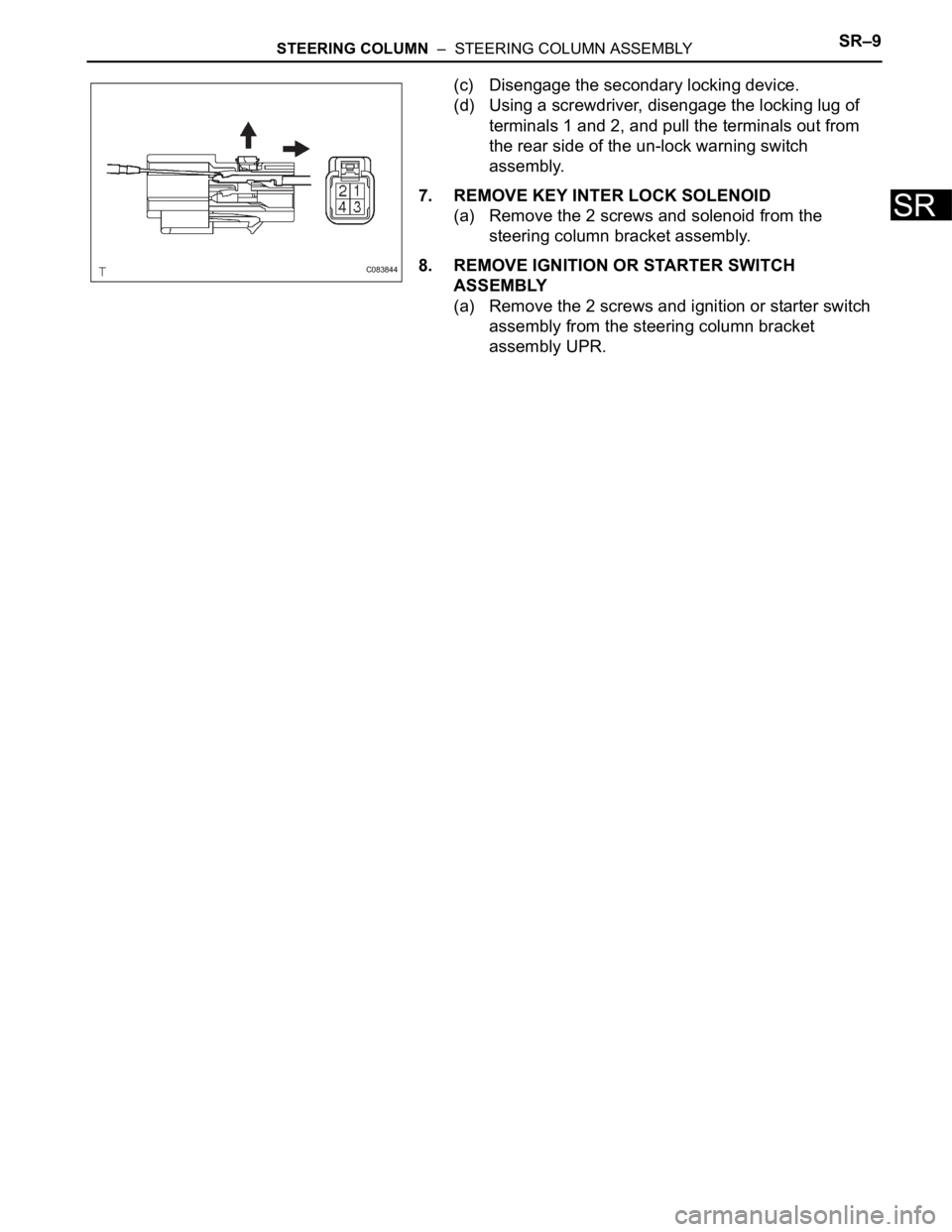
(c) Disengage the secondary locking device.
(d) Using a screwdriver, disengage the locking lug of
terminals 1 and 2, and pull the terminals out from
the rear side of the un-lock warning switch
assembly.
7. REMOVE KEY INTER LOCK SOLENOID
(a) Remove the 2 screws and solenoid from the
steering column bracket assembly.
8. REMOVE IGNITION OR STARTER SWITCH
ASSEMBLY
(a) Remove the 2 screws and ignition or starter switch
assembly from the steering column bracket
assembly UPR.
C083844
Page 2683 of 3000
SR–10STEERING COLUMN – STEERING COLUMN ASSEMBLY
SR
REASSEMBLY
1. INSTALL IGNITION OR STARTER SWITCH
ASSEMBLY
(a) Install the ignition or starter switch assembly to the
steering column bracket assembly UPR with the 2
screws.
2. INSTALL KEY INTER LOCK SOLENOID
(a) Install the solenoid to the steering column bracket
assembly with the 2 screws.
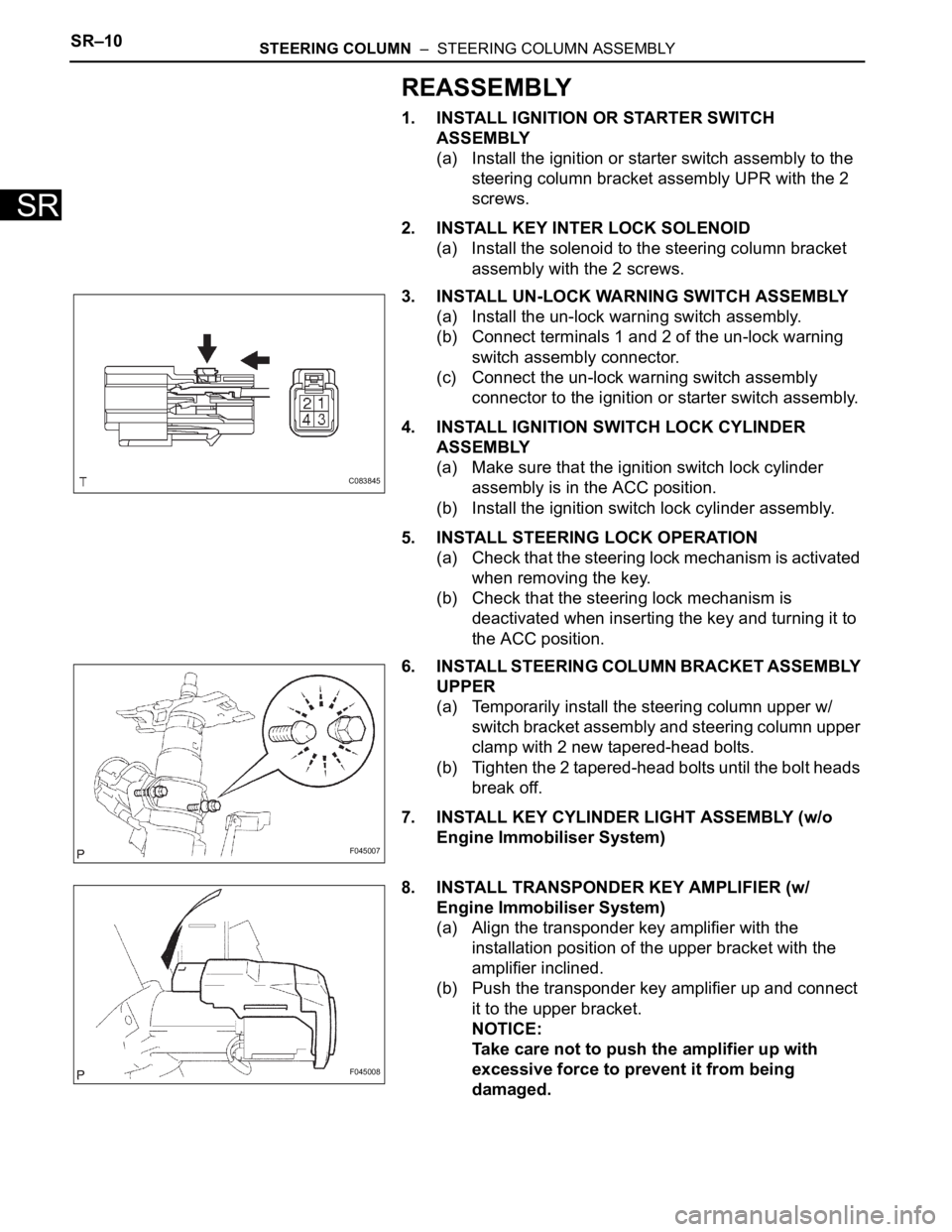
3. INSTALL UN-LOCK WARNING SWITCH ASSEMBLY
(a) Install the un-lock warning switch assembly.
(b) Connect terminals 1 and 2 of the un-lock warning
switch assembly connector.
(c) Connect the un-lock warning switch assembly
connector to the ignition or starter switch assembly.
4. INSTALL IGNITION SWITCH LOCK CYLINDER
ASSEMBLY
(a) Make sure that the ignition switch lock cylinder
assembly is in the ACC position.
(b) Install the ignition switch lock cylinder assembly.
5. INSTALL STEERING LOCK OPERATION
(a) Check that the steering lock mechanism is activated
when removing the key.
(b) Check that the steering lock mechanism is
deactivated when inserting the key and turning it to
the ACC position.
6. INSTALL STEERING COLUMN BRACKET ASSEMBLY
UPPER
(a) Temporarily install the steering column upper w/
switch bracket assembly and steering column upper
clamp with 2 new tapered-head bolts.
(b) Tighten the 2 tapered-head bolts until the bolt heads
break off.
7. INSTALL KEY CYLINDER LIGHT ASSEMBLY (w/o
Engine Immobiliser System)
8. INSTALL TRANSPONDER KEY AMPLIFIER (w/
Engine Immobiliser System)
(a) Align the transponder key amplifier with the
installation position of the upper bracket with the
amplifier inclined.
(b) Push the transponder key amplifier up and connect
it to the upper bracket.
NOTICE:
Take care not to push the amplifier up with
excessive force to prevent it from being
damaged.
C083845
F045007
F045008
Page 2684 of 3000
STEERING COLUMN – STEERING COLUMN ASSEMBLYSR–11
SR
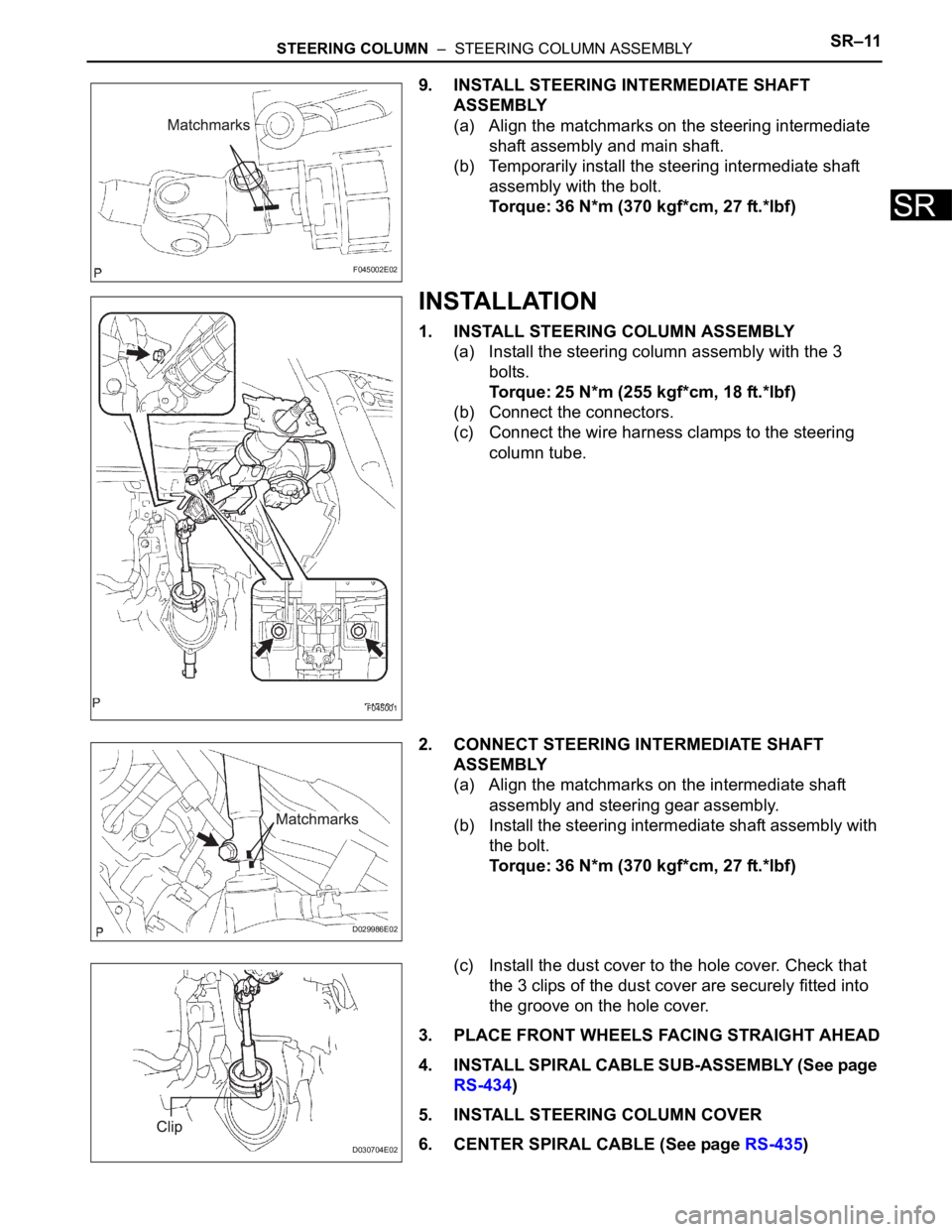
9. INSTALL STEERING INTERMEDIATE SHAFT
ASSEMBLY
(a) Align the matchmarks on the steering intermediate
shaft assembly and main shaft.
(b) Temporarily install the steering intermediate shaft
assembly with the bolt.
Torque: 36 N*m (370 kgf*cm, 27 ft.*lbf)
INSTALLATION
1. INSTALL STEERING COLUMN ASSEMBLY
(a) Install the steering column assembly with the 3
bolts.
Torque: 25 N*m (255 kgf*cm, 18 ft.*lbf)
(b) Connect the connectors.
(c) Connect the wire harness clamps to the steering
column tube.
2. CONNECT STEERING INTERMEDIATE SHAFT
ASSEMBLY
(a) Align the matchmarks on the intermediate shaft
assembly and steering gear assembly.
(b) Install the steering intermediate shaft assembly with
the bolt.
Torque: 36 N*m (370 kgf*cm, 27 ft.*lbf)
(c) Install the dust cover to the hole cover. Check that
the 3 clips of the dust cover are securely fitted into
the groove on the hole cover.
3. PLACE FRONT WHEELS FACING STRAIGHT AHEAD
4. INSTALL SPIRAL CABLE SUB-ASSEMBLY (See page
RS-434)
5. INSTALL STEERING COLUMN COVER
6. CENTER SPIRAL CABLE (See page RS-435)
F045002E02
F045001
D029986E02
D030704E02
Page 2685 of 3000
SR–12STEERING COLUMN – STEERING COLUMN ASSEMBLY
SR
7. INSTALL STEERING WHEEL ASSEMBLY
(a) Align the matchmarks on the steering wheel
assembly and steering main shaft assembly.
(b) Install the steering wheel assembly set nut.
Torque: 50 N*m (510 kgf*cm, 37 ft.*lbf)
(c) Connect the connector.
8. INSPECT STEERING WHEEL CENTER POINT
9. INSPECT HORN BUTTON ASSEMBLY (See page RS-
425)
10. INSTALL HORN BUTTON ASSEMBLY (See page RS-
424)
11. INSTALL STEERING WHEEL COVER LOWER NO.3
(See page RS-425)
12. INSTALL STEERING WHEEL COVER LOWER NO.2
(See page RS-425)
13. CONNECT BATTERY NEGATIVE TERMINAL
14. INSPECT SRS WARNING LIGHT (See page RS-436)
Page 2712 of 3000
PS–2POWER STEERING – POWER STEERING SYSTEM
PS
PROBLEM SYMPTOMS TABLE
HINT:
Use the table below to help determine the cause of the
problem. Likely causes of the problem are indicated in
descending order. Check each suspected area in order.
Repair or replace the faulty parts or perform adjustments as
necessary.
POWER STEERING SYSTEM
ON-VEHICLE INSPECTION
1. INSPECT DRIVE BELT
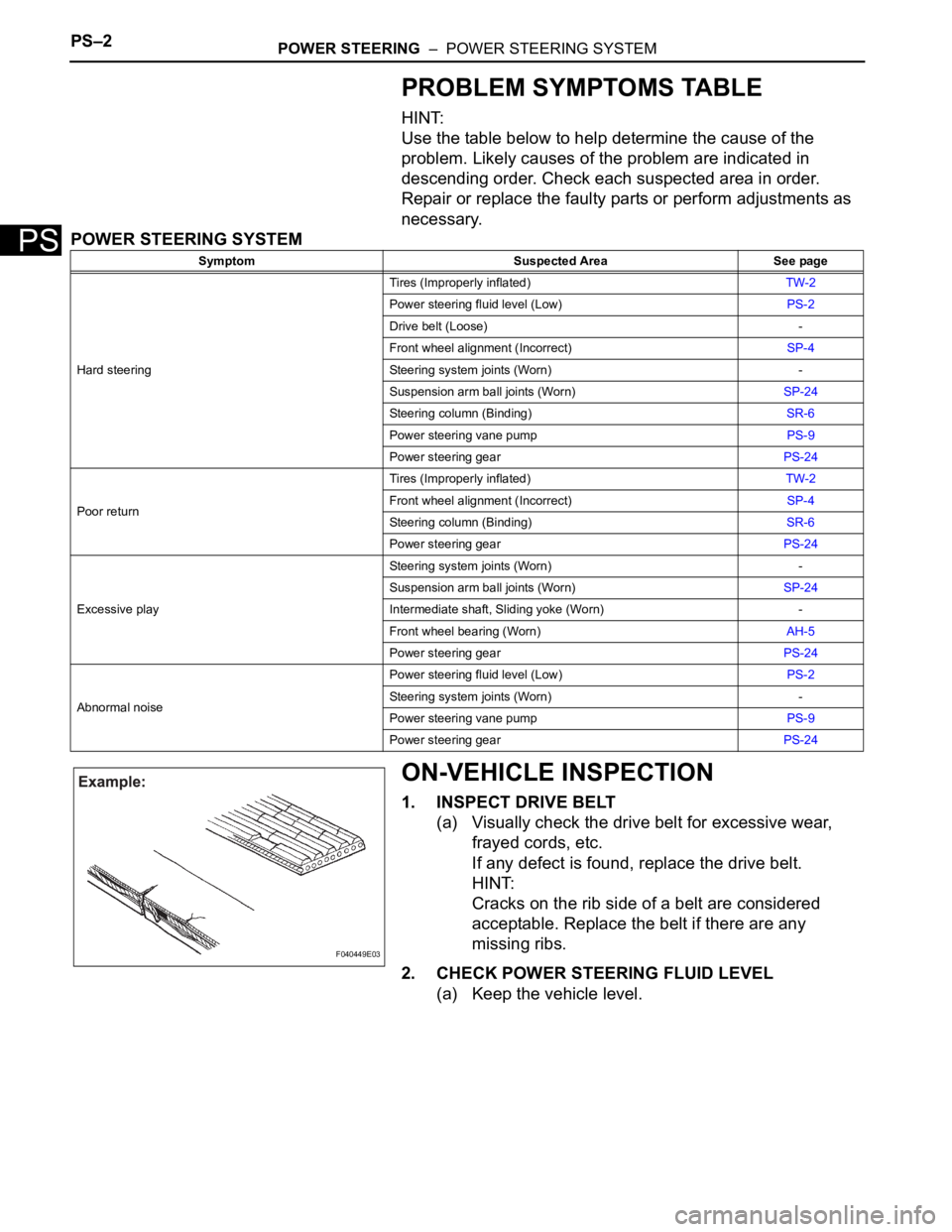
(a) Visually check the drive belt for excessive wear,
frayed cords, etc.
If any defect is found, replace the drive belt.
HINT:
Cracks on the rib side of a belt are considered
acceptable. Replace the belt if there are any
missing ribs.
2. CHECK POWER STEERING FLUID LEVEL
(a) Keep the vehicle level.
Symptom Suspected Area See page
Hard steeringTires (Improperly inflated)TW-2
Power steering fluid level (Low)PS-2
Drive belt (Loose) -
Front wheel alignment (Incorrect)SP-4
Steering system joints (Worn) -
Suspension arm ball joints (Worn)SP-24
Steering column (Binding)SR-6
Power steering vane pumpPS-9
Power steering gearPS-24
Poor returnTires (Improperly inflated)TW-2
Front wheel alignment (Incorrect)SP-4
Steering column (Binding)SR-6
Power steering gearPS-24
Excessive playSteering system joints (Worn) -
Suspension arm ball joints (Worn)SP-24
Intermediate shaft, Sliding yoke (Worn) -
Front wheel bearing (Worn)AH-5
Power steering gearPS-24
Abnormal noisePower steering fluid level (Low)PS-2
Steering system joints (Worn) -
Power steering vane pumpPS-9
Power steering gearPS-24
F040449E03
Page 2928 of 3000
AC–184AIR CONDITIONING – AIR CONDITIONING UNIT
AC
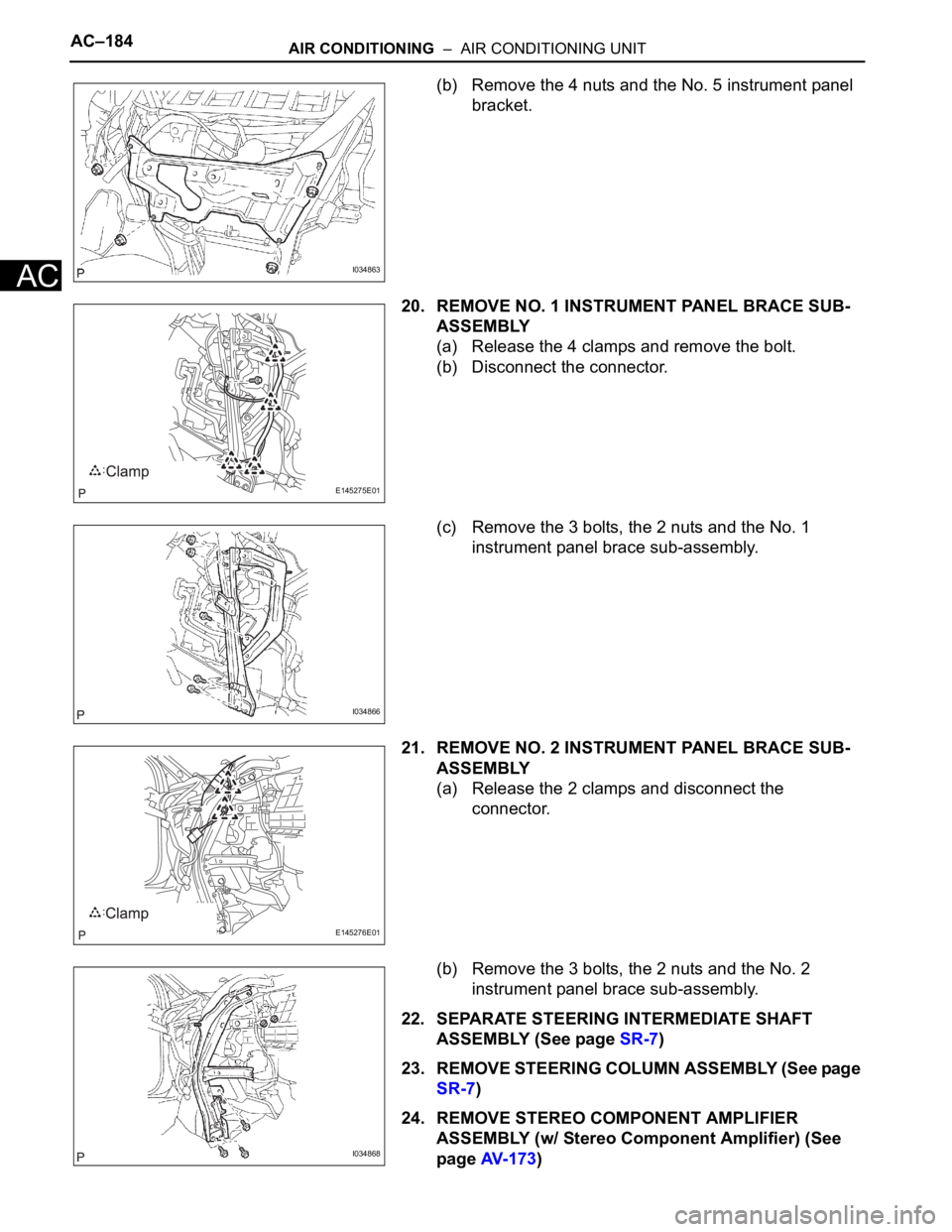
(b) Remove the 4 nuts and the No. 5 instrument panel
bracket.
20. REMOVE NO. 1 INSTRUMENT PANEL BRACE SUB-
ASSEMBLY
(a) Release the 4 clamps and remove the bolt.
(b) Disconnect the connector.
(c) Remove the 3 bolts, the 2 nuts and the No. 1
instrument panel brace sub-assembly.
21. REMOVE NO. 2 INSTRUMENT PANEL BRACE SUB-
ASSEMBLY
(a) Release the 2 clamps and disconnect the
connector.
(b) Remove the 3 bolts, the 2 nuts and the No. 2
instrument panel brace sub-assembly.
22. SEPARATE STEERING INTERMEDIATE SHAFT
ASSEMBLY (See page SR-7)
23. REMOVE STEERING COLUMN ASSEMBLY (See page
SR-7)
24. REMOVE STEREO COMPONENT AMPLIFIER
ASSEMBLY (w/ Stereo Component Amplifier) (See
page AV- 1 7 3)
I034863
E145275E01
I034866
E145276E01
I034868