check engine TOYOTA SIENNA 2009 XL20 / 2.G User Guide
[x] Cancel search | Manufacturer: TOYOTA, Model Year: 2009, Model line: SIENNA, Model: TOYOTA SIENNA 2009 XL20 / 2.GPages: 592, PDF Size: 12.86 MB
Page 172 of 592
172
2-1. Driving procedures
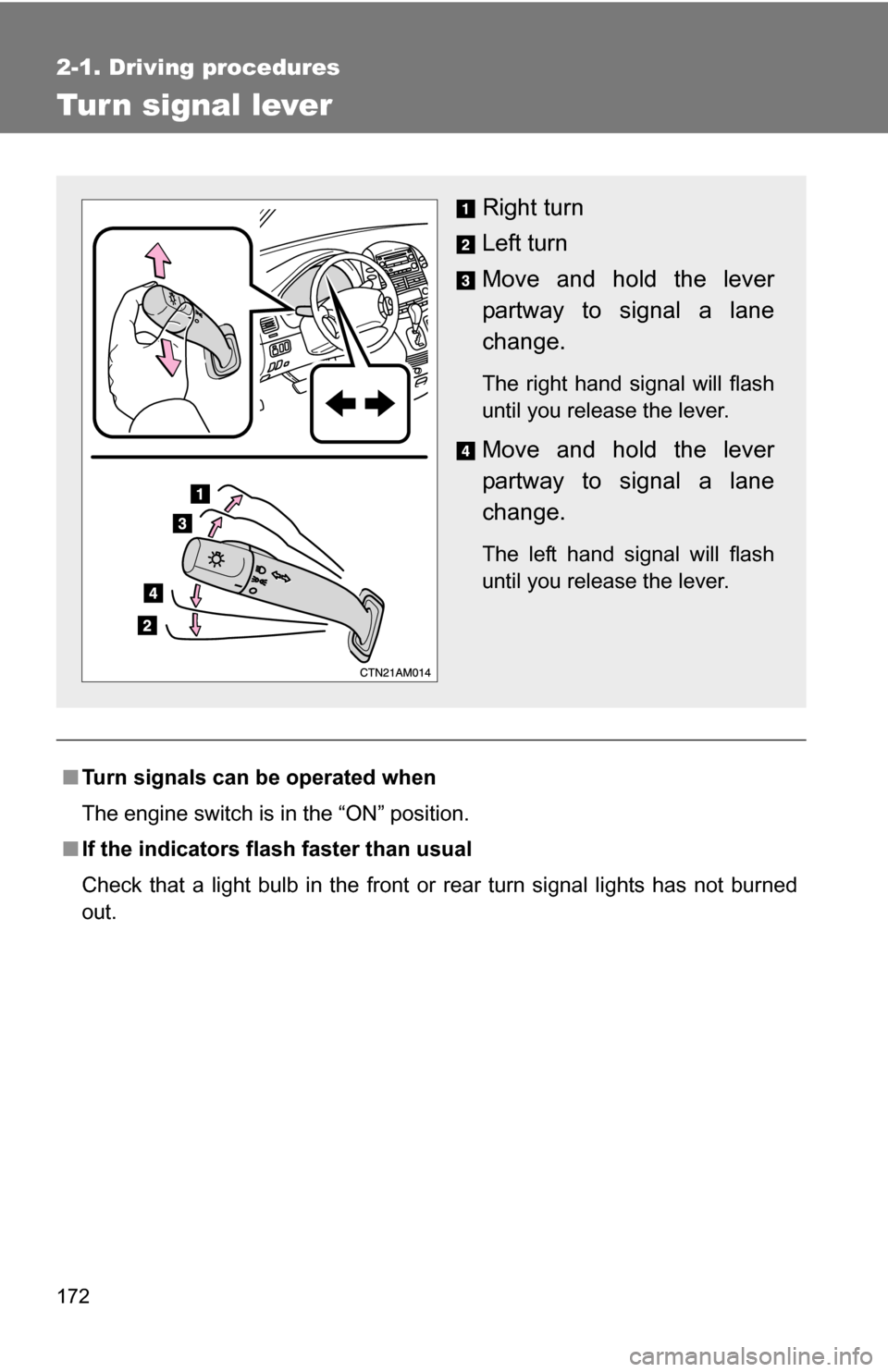
Tur n signal lever
■Turn signals can be operated when
The engine switch is in the “ON” position.
■ If the indicators flash faster than usual
Check that a light bulb in the front or rear turn signal lights has not burned
out.
Right turn
Left turn
Move and hold the lever
partway to signal a lane
change.
The right hand signal will flash
until you release the lever.
Move and hold the lever
partway to signal a lane
change.
The left hand signal will flash
until you release the lever.
Page 176 of 592
176 2-2. Instrument cluster and information display
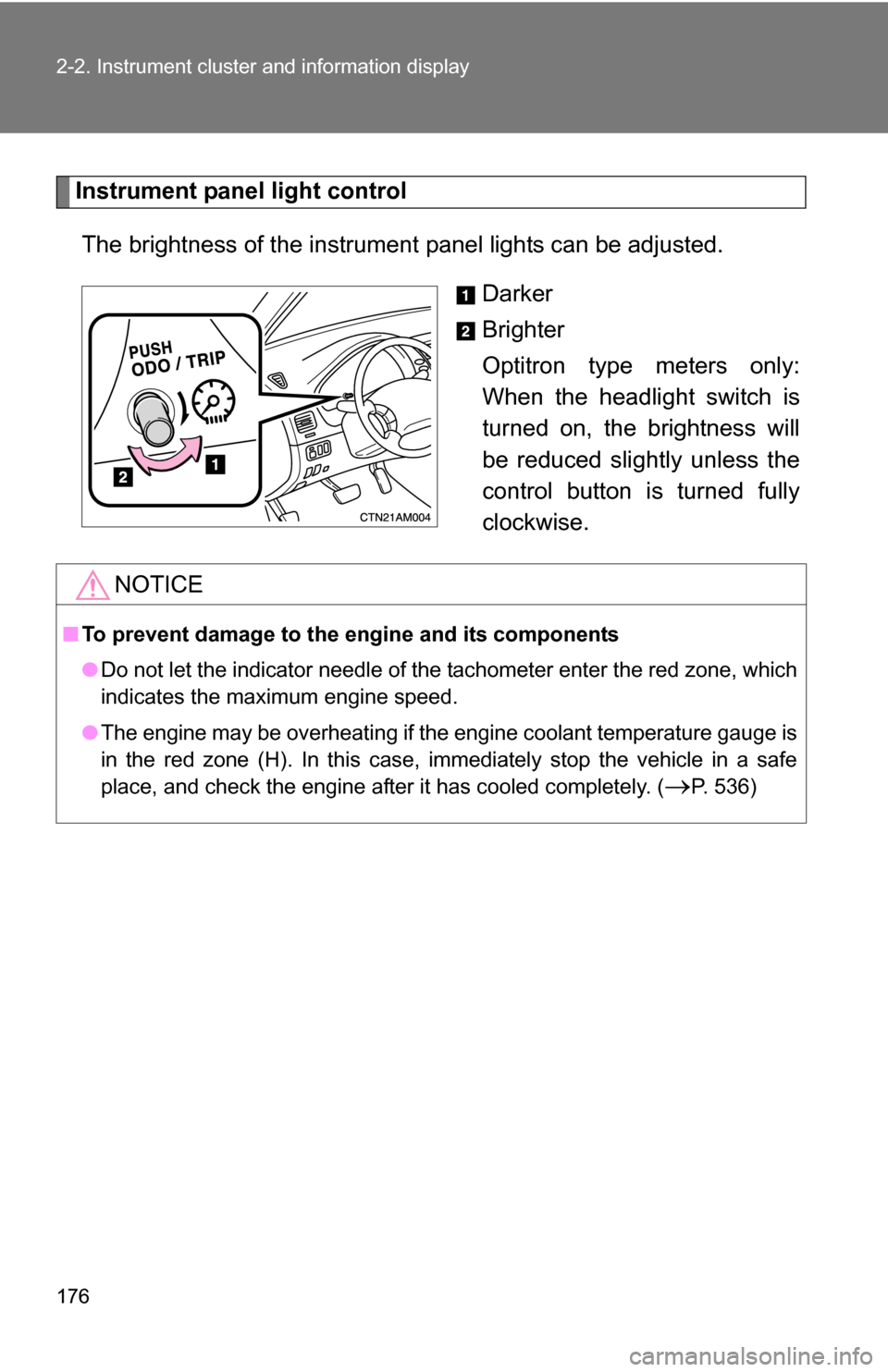
Instrument panel light controlThe brightness of the instrument panel lights can be adjusted.
Darker
Brighter
Optitron type meters only:
When the headlight switch is
turned on, the brightness will
be reduced slightly unless the
control button is turned fully
clockwise.
NOTICE
■To prevent damage to the engine and its components
●Do not let the indicator needle of the tachometer enter the red zone, which
indicates the maximum engine speed.
● The engine may be overheating if the engine coolant temperature gauge is
in the red zone (H). In this case, immediately stop the vehicle in a safe
place, and check the engine after it has cooled completely. (
P. 536)
Page 179 of 592
179
2-2. Instrument cluster and information display
2
When driving
■
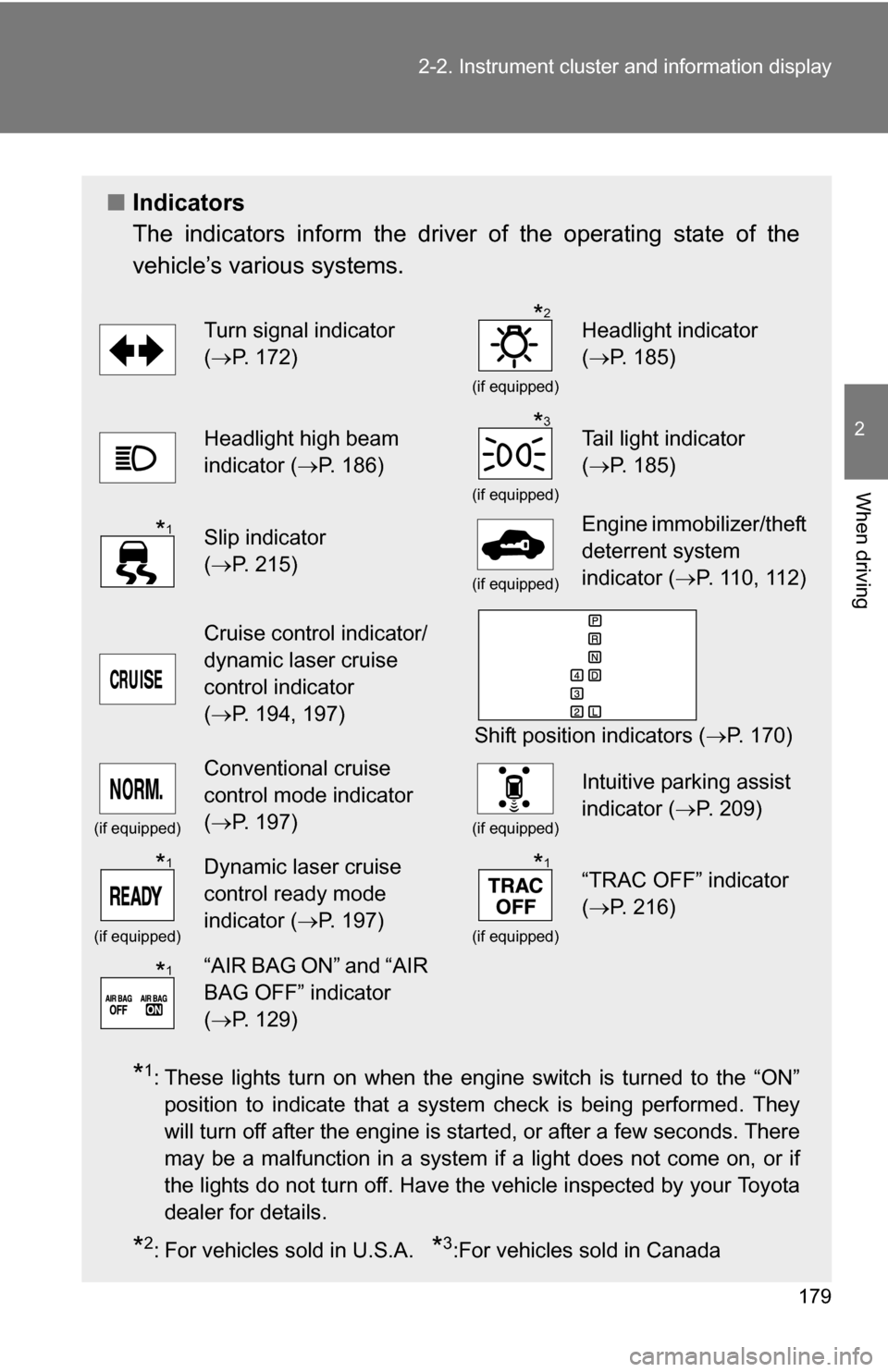
Indicators
The indicators inform the driver of the operating state of the
vehicle’s various systems.
*1: These lights turn on when the engine switch is turned to the “ON”
position to indicate that a system check is being performed. They
will turn off after the engine is started, or after a few seconds. There
may be a malfunction in a system if a light does not come on, or if
the lights do not turn off. Have the vehicle inspected by your Toyota
dealer for details.
*2: For vehicles sold in U.S.A. *3:For vehicles sold in Canada
Turn signal indicator
(P. 172)
(if equipped)
Headlight indicator
( P. 185)
Headlight high beam
indicator ( P. 186)
(if equipped)
Tail light indicator
(P. 185)
Slip indicator
(P. 215)
(if equipped)
Engine immobilizer/theft
deterrent system
indicator ( P. 110, 112)
Cruise control indicator/
dynamic laser cruise
control indicator
(P. 194, 197)
Shift position indicators ( P. 170)
(if equipped)
Conventional cruise
control mode indicator
(P. 197)
(if equipped)
Intuitive parking assist
indicator ( P. 209)
(if equipped)
Dynamic laser cruise
control ready mode
indicator (P. 197)
(if equipped)
“TRAC OFF” indicator
(P. 216)
“AIR BAG ON” and “AIR
BAG OFF” indicator
(P. 129)
*2
*3
*1
*1*1
*1
Page 180 of 592
180 2-2. Instrument cluster and information display
CAUTION
■If a safety system warning light does not come on
Should a safety system light such as the ABS or SRS airbag warning light
not come on when you start the engine, this could mean that these systems
are not available to help protect you in an accident, which could result in
death or serious injury. Have the vehicle inspected by your Toyota dealer
immediately if this occurs.
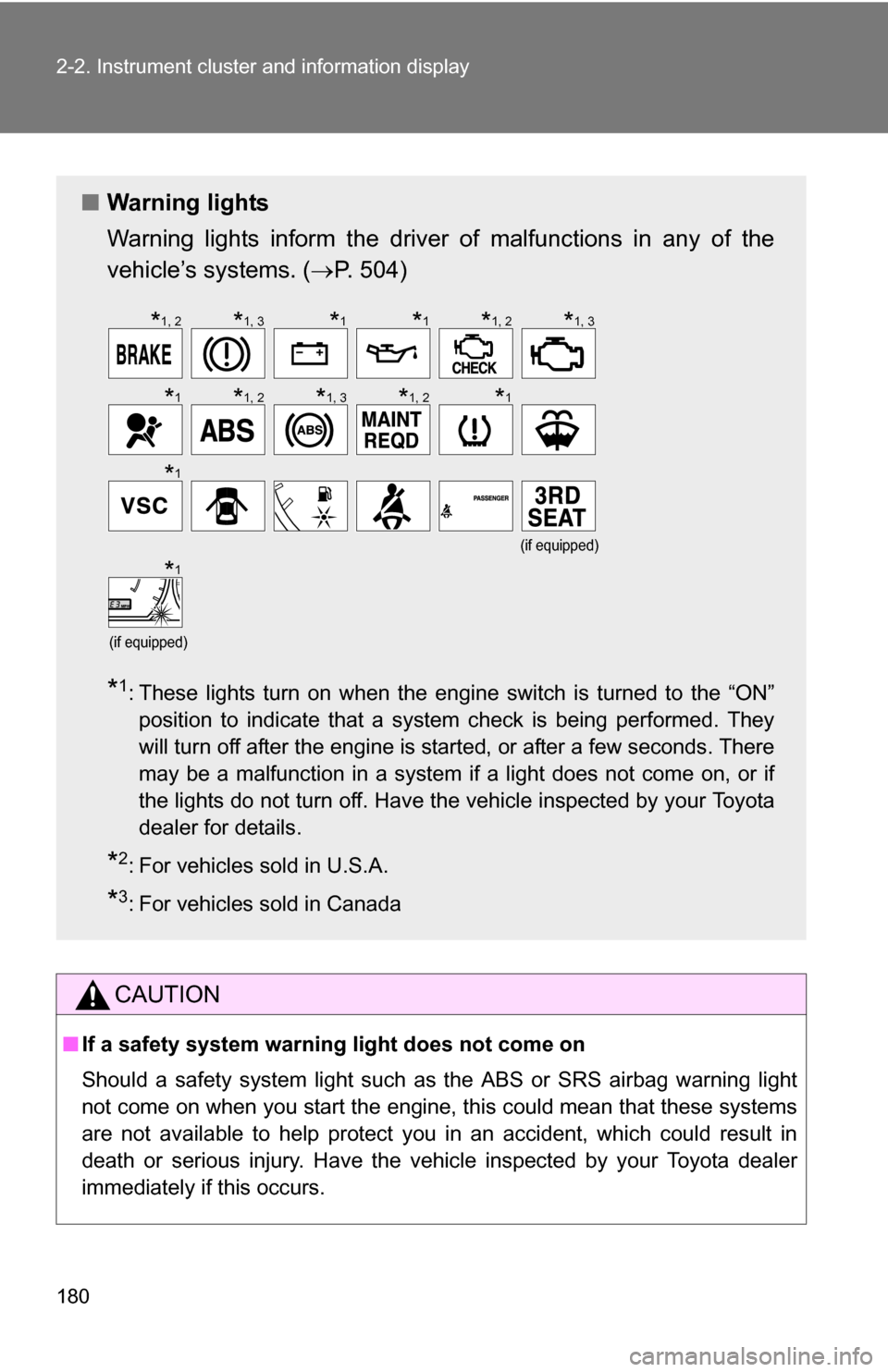
■ Warning lights
Warning lights inform the driver of malfunctions in any of the
vehicle’s systems. ( P. 504)
*1: These lights turn on when the engine switch is turned to the “ON”
position to indicate that a system check is being performed. They
will turn off after the engine is started, or after a few seconds. There
may be a malfunction in a system if a light does not come on, or if
the lights do not turn off. Have the vehicle inspected by your Toyota
dealer for details.
*2: For vehicles sold in U.S.A.
*3: For vehicles sold in Canada
(if equipped)
(if equipped)
*1, 2*1, 3*1*1*1, 2*1, 3
*1*1, 2*1, 3*1, 2*1
*1
*1
Page 192 of 592
192 2-3. Operating the lights and wipers
■The windshield wipers and washer can be operated when
The engine switch is in the “ON” position.
■ If no windshield washer fluid sprays
Check that the washer nozzles are not blocked if there is washer fluid in the
windshield washer fluid reservoir.
NOTICE
■When the windshield is dry
Do not use the wipers, as they may damage the windshield.
■ When there is no washer fluid spray from the nozzle
Damage to the washer fluid pump may be caused if the lever is pulled
toward you and held continually.
■ When a nozzle is blocked
Do not try to clear it with a pin or other object. The nozzle will be damaged.
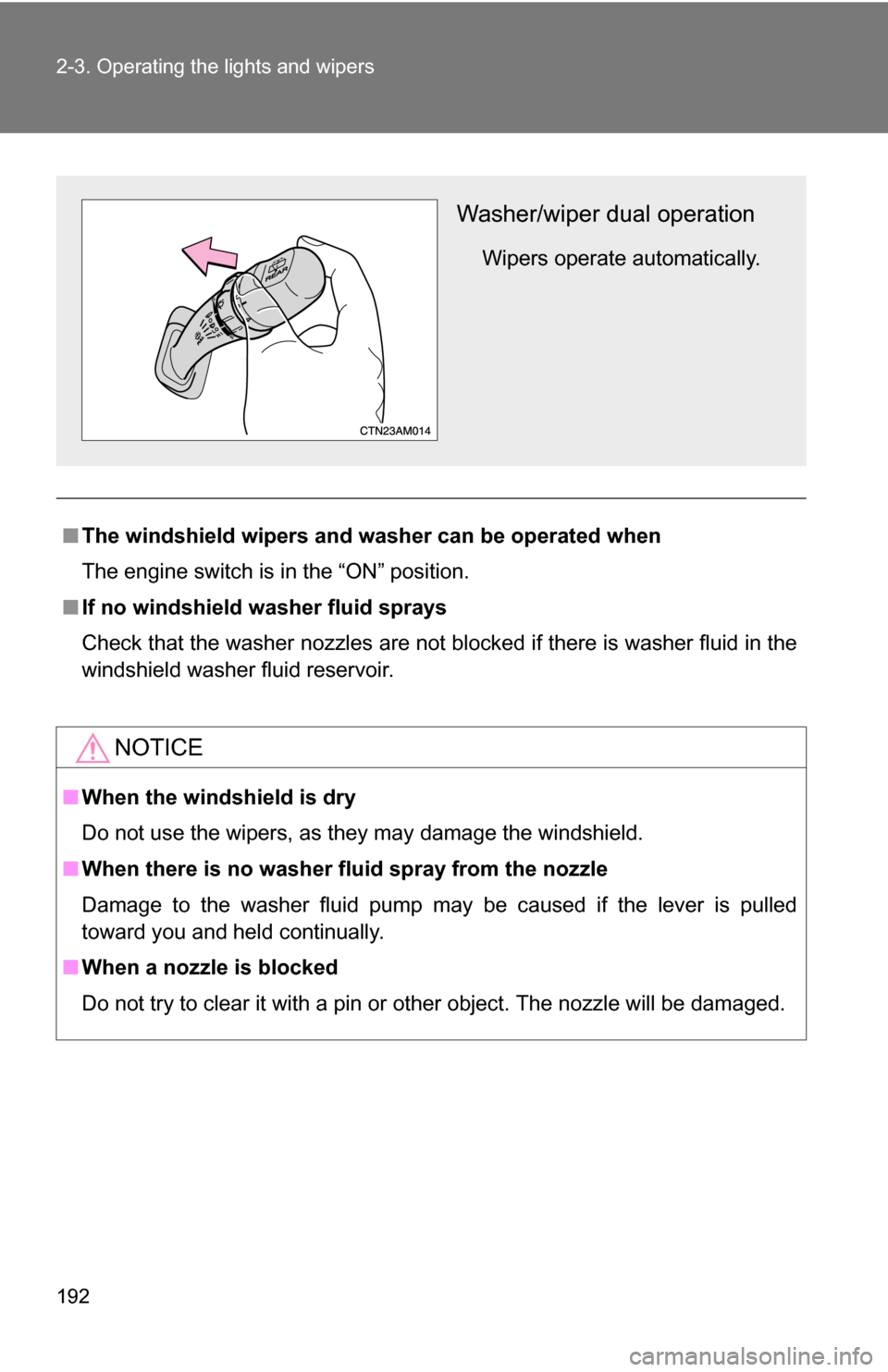
Washer/wiper dual operation
Wipers operate automatically.
Page 226 of 592
226
2-5. Driving information
Winter driving tips
Carry out the necessary preparations and inspections before driving
the vehicle in winter. Always drive the vehicle in a manner appropri-
ate to the prevailing weather conditions.
■ Pre-winter preparations
●Use fluids that are appropriate to the prevailing outside tem-
peratures.
• Engine oil
• Engine coolant
• Washer fluid
● Have a service technician inspect the level and specific grav-
ity of battery electrolyte.
● Have the vehicle fitted with four snow tires or purchase a set
of tire chains for the front tires.
Ensure that all tires are the same size and brand, and that chains
match the size of the tires.
■Before driving the vehicle
Perform the following according to the driving conditions.
●Do not try to forcibly open a window or move a wiper that is
frozen. Pour warm water over the frozen area to melt the ice.
Wipe away the water immediately to prevent it from freezing.
● To ensure proper operation of th e climate control system fan,
remove any snow that has accumulated on the air inlet vents
in front of the windshield.
● Remove any ice that has accumu lated on the vehicle chassis.
● Periodically check for and remove any excess ice or snow
that may have accumulated in the wheel well or on the
brakes.
Page 231 of 592
231
2-5. Driving information
2
When driving
Hitch
Trailer hitch assemblies have different weight capacities established
by the hitch manufacturer. Even th ough the vehicle may be rated for
towing a higher weight, the operat or must never exceed the maxi-
mum weight rating specified for the trailer hitch.
■ Before towing
●Ensure that your vehicle’s tires are properly inflated. ( P. 463)
● Trailer tires should be inflated according to the trailer manufacturer's rec-
ommendation.
● All trailer lights must work in order to be legal.
● Confirm all lights work each time you connect them.
● Check that your vehicle remains level when a loaded or unloaded trailer
is hitched. Do not drive if the vehicle is not level, and check for improper
tongue load, overloading, worn suspension, or other possible causes.
● Make sure the trailer cargo is securely loaded.
● Check that your rear view mirrors c onform to any federal, state/provincial
or local regulations. If they do not, inst all rear view mirrors appropriate for
towing purposes.
■ Break-in schedule
Toyota recommends that you do not use a new vehicle or a vehicle with any
new power train components (engine, transmission, differential, wheel bear-
ings, etc.) to tow a trailer for the first 500 miles (800 km) of driving.
■ Maintenance
●If you tow a trailer, your vehicle will require more frequent maintenance
due to the additional load. (See “Scheduled Maintenance Guide” or
“Owner's Manual Supplement”.)
● Retighten the fixing bolts of the towing ball and bracket after approxi-
mately 600 miles (1000 km) of trailer towing.
Page 234 of 592
234 2-5. Driving information
●Reversing with a trailer attached is difficult and requires practice.
Grip the bottom of the steering wheel and move your hand to the
left to move the trailer to the left. Move your hand to the right to
move the trailer to right. (This is generally opposite to reversing
without a trailer attached.) Avoid sharp or prolonged turning. Have
someone guide you when reversing to reduce the risk of an acci-
dent.
● As stopping distance is increased when towing a trailer, vehicle-to-
vehicle distance should be increased. For each 10 mph (16 km/h)
of speed, allow at least o ne vehicle and trailer length.
● Avoid sudden braking as you may skid, resulting in jackknifing and
loss of control. This is especiall y true on wet or slippery surfaces.
● Avoid jerky starts or sudden acceleration.
● Avoid jerky steering and sharp turns, and slow down before mak-
ing turns.
● Note that when making a turn, th e trailer wheels will be closer than
the vehicle wheels to the inside of the turn. Compensate by making
a larger than normal turning radius.
● Crosswinds and rough roads will adversely affect handling of your
vehicle and trailer, causing sway . Periodically check the rear to
prepare for being passed by large trucks or buses, which may
cause your vehicle and trailer to sway. If swaying occurs, firmly grip
the steering wheel, reduce speed immediately but gradually, and
steer straight ahead. Never increase speed. If you make no
extreme correction with the stee ring or brakes, your vehicle and
trailer will stabilize.
● Take care when passing other v ehicles. Passing requires consider-
able distance. After passing a vehi cle, do not forget the length of
your trailer, and be sure you hav e plenty of room before changing
lanes.
● In order to maintain efficient engine braking and electrical charging
performance, do not use overdrive.
Page 299 of 592
299
3-3. Using the rear audio system
3
Interior features
■
The rear seat entertainmen t system can be used when
The engine switch is in the “ACC” or “ON” position.
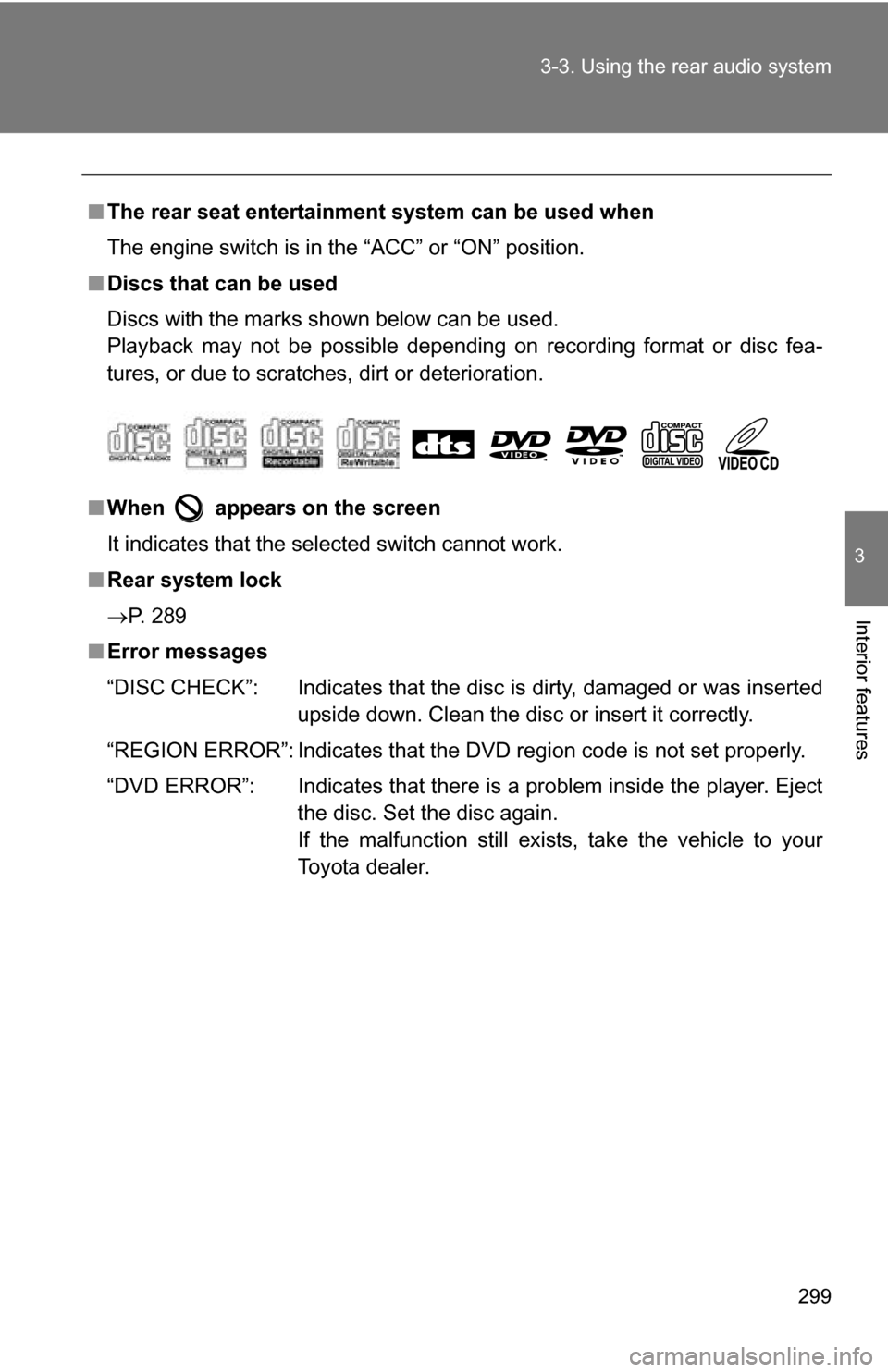
■ Discs that can be used
Discs with the marks shown below can be used.
Playback may not be possible depending on recording format or disc fea-
tures, or due to scratches, dirt or deterioration.
■ When appears on the screen
It indicates that the selected switch cannot work.
■ Rear system lock
P. 289
■ Error messages
“DISC CHECK”: Indicates that the disc is dirty, damaged or was inserted
upside down. Clean the disc or insert it correctly.
“REGION ERROR”: Indicates that the DVD region code is not set properly.
“DVD ERROR”: Indicates that there is a problem inside the player. Eject the disc. Set the disc again.
If the malfunction still exists, take the vehicle to your
Toyota dealer.
Page 417 of 592
Maintenance and care4
417
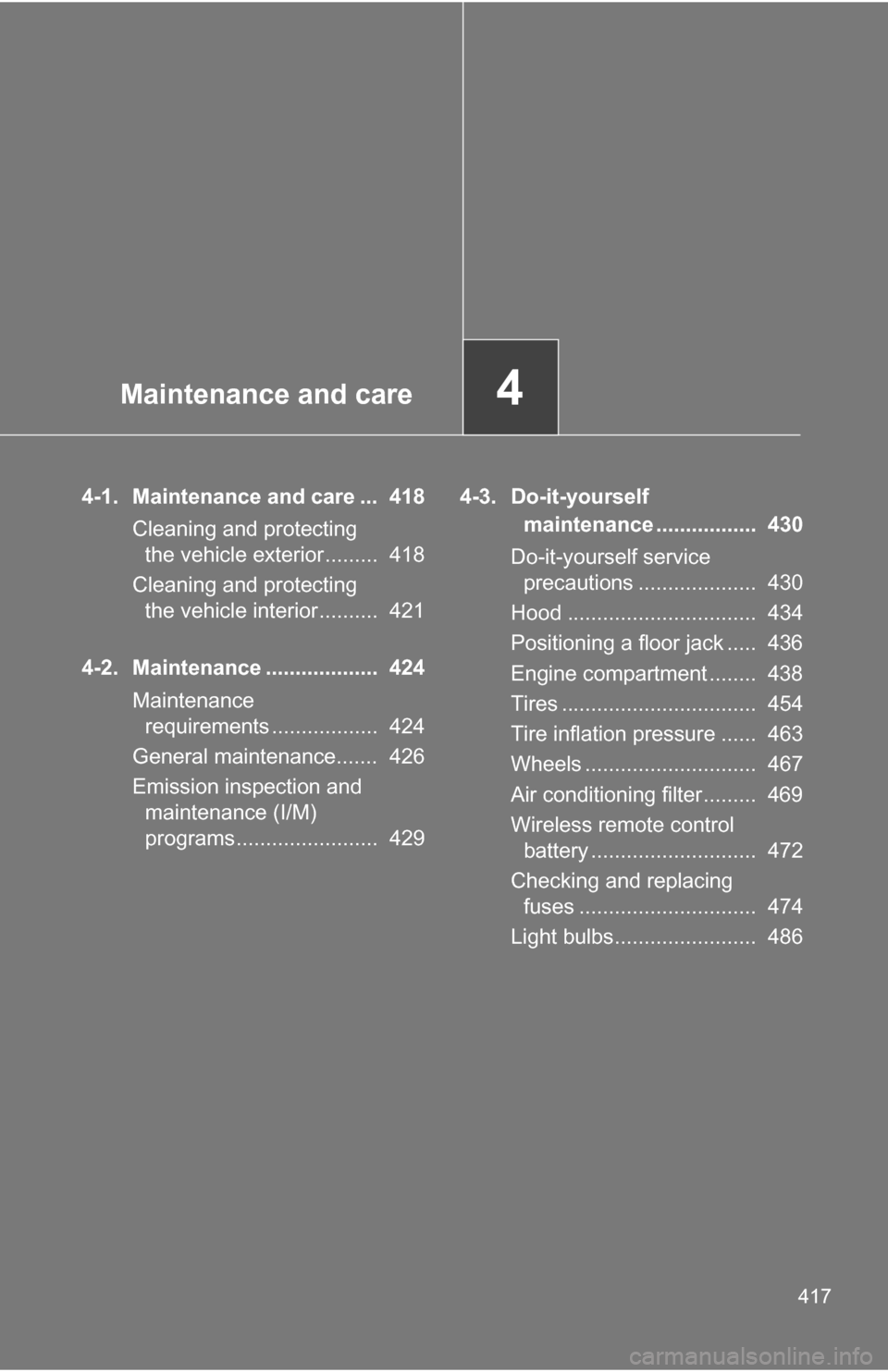
4-1. Maintenance and care ... 418Cleaning and protecting the vehicle exterior......... 418
Cleaning and protecting the vehicle interior.......... 421
4-2. Maintenance ................... 424 Maintenance requirements .................. 424
General maintenance....... 426
Emission inspection and maintenance (I/M)
programs........................ 429 4-3. Do-it-yourself
maintenance ................. 430
Do-it-yourself service precautions .................... 430
Hood ................................ 434
Positioning a floor jack ..... 436
Engine compartment ........ 438
Tires ................................. 454
Tire inflation pressure ...... 463
Wheels ............................. 467
Air conditioning filter......... 469
Wireless remote control battery ............................ 472
Checking and replacing fuses .............................. 474
Light bulbs........................ 486