sensor TOYOTA SIENNA 2009 XL20 / 2.G User Guide
[x] Cancel search | Manufacturer: TOYOTA, Model Year: 2009, Model line: SIENNA, Model: TOYOTA SIENNA 2009 XL20 / 2.GPages: 592, PDF Size: 12.86 MB
Page 206 of 592
206 2-4. Using other driving systems
■Vehicle-to-vehicle distance settings
Select a distance from the table below. Note that the distances shown corre-
spond to a vehicle speed of 55 mph (88 km/h). Vehicle-to-vehicle distance
increases/decreases in accordance with vehicle speed.
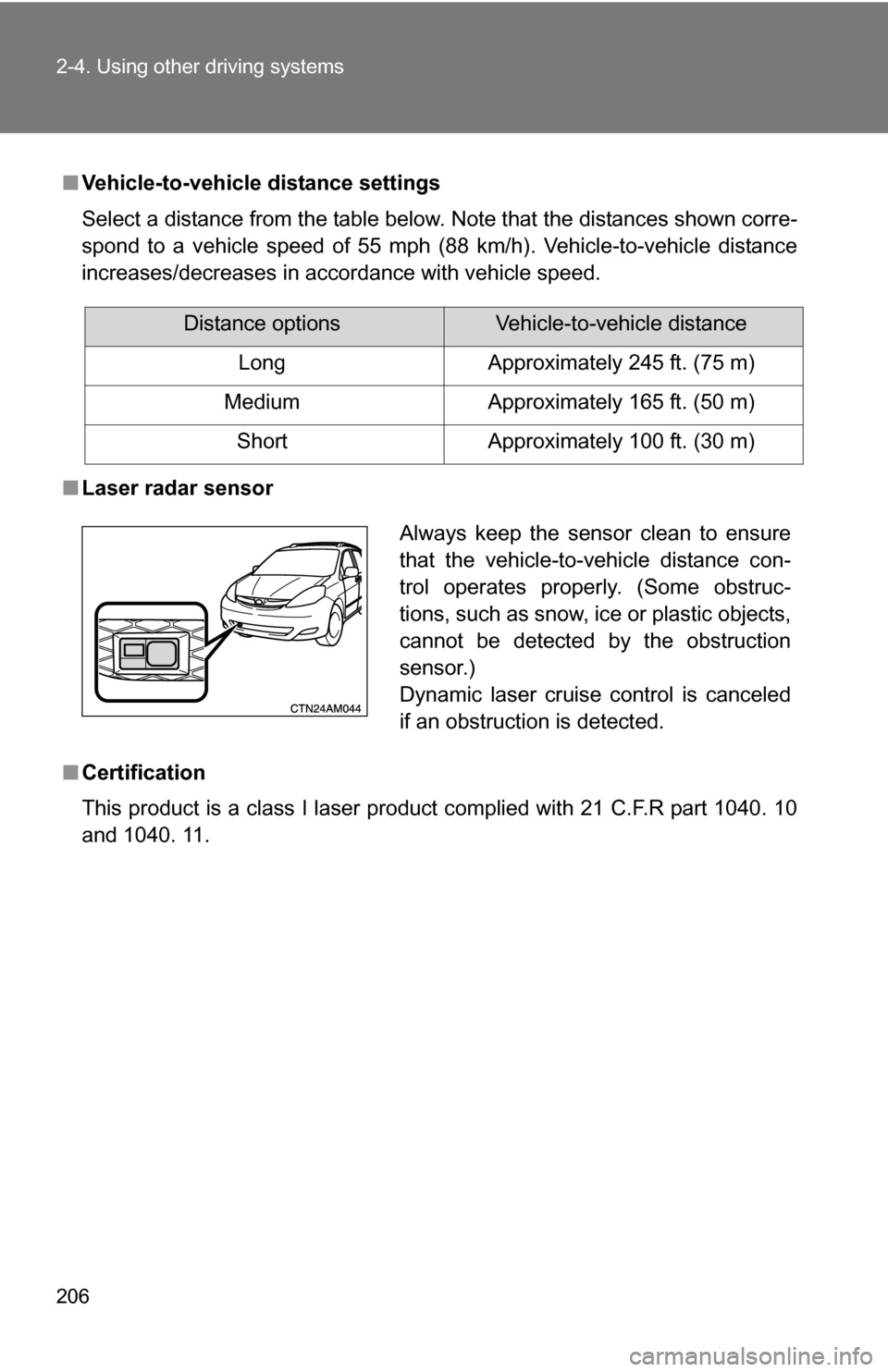
■ Laser radar sensor
■ Certification
This product is a class I laser product complied with 21 C.F.R part 1040. 10
and 1040. 11.
Distance optionsVehicle-to-vehicle distance
Long Approximately 245 ft. (75 m)
Medium Approximately 165 ft. (50 m)
Short Approximately 100 ft. (30 m)
Always keep the sensor clean to ensure
that the vehicle-to-vehicle distance con-
trol operates properly. (Some obstruc-
tions, such as snow, ice or plastic objects,
cannot be detected by the obstruction
sensor.)
Dynamic laser cruise control is canceled
if an obstruction is detected.
Page 208 of 592
208 2-4. Using other driving systems
CAUTION
■When the laser radar sensor may not be correctly detecting the vehicle
ahead
Apply the brakes as necessary when any of the following types of vehicles
are in front of you.
As the sensor may not be able to correctly detect these types of vehicles,
the proximity alarm ( P. 204) will not be activated, and an accident may
result.
● Vehicles that cut in suddenly
● Vehicles traveling at low speeds
● Vehicles that are not moving
● Vehicles with small rear ends (trailers with no load on board etc.)
● Motorcycles traveling in the same lane
■ Conditions under which the vehicle -to-vehicle distance control may
not function correctly
Apply the brakes as necessary in the following conditions as the laser radar
sensor may not be able to correctly detect vehicles ahead, and an accident
may result.
● When water or snow thrown up by the surrounding vehicles hinders the
functioning of the sensor
● When your vehicle is pointing upwards (caused by a heavy load in the lug-
gage compartment, etc.)
● When the road curves or when the lanes are narrow
● When steering wheel operation or your position in the lane is unstable
■ To ensure the laser rada r sensor functions correctly
Do not do the following to the sensor as doing so may cause the sensor not
to function correctly and could result in an accident.
● Stick or attach anything to it
● Leave it dirty
● Disassemble, subject it to strong shocks
● Modify or paint it
● Replace it with non-genuine parts
Page 209 of 592
209
2-4. Using other driving systems
2
When driving
Intuitive parking assist (if equipped)
The distance to obstacles measured by the sensors is communi-
cated via the indicator and a buzzer when parallel parking or maneu-
vering into a garage. Always check the surrounding area when using
this system.
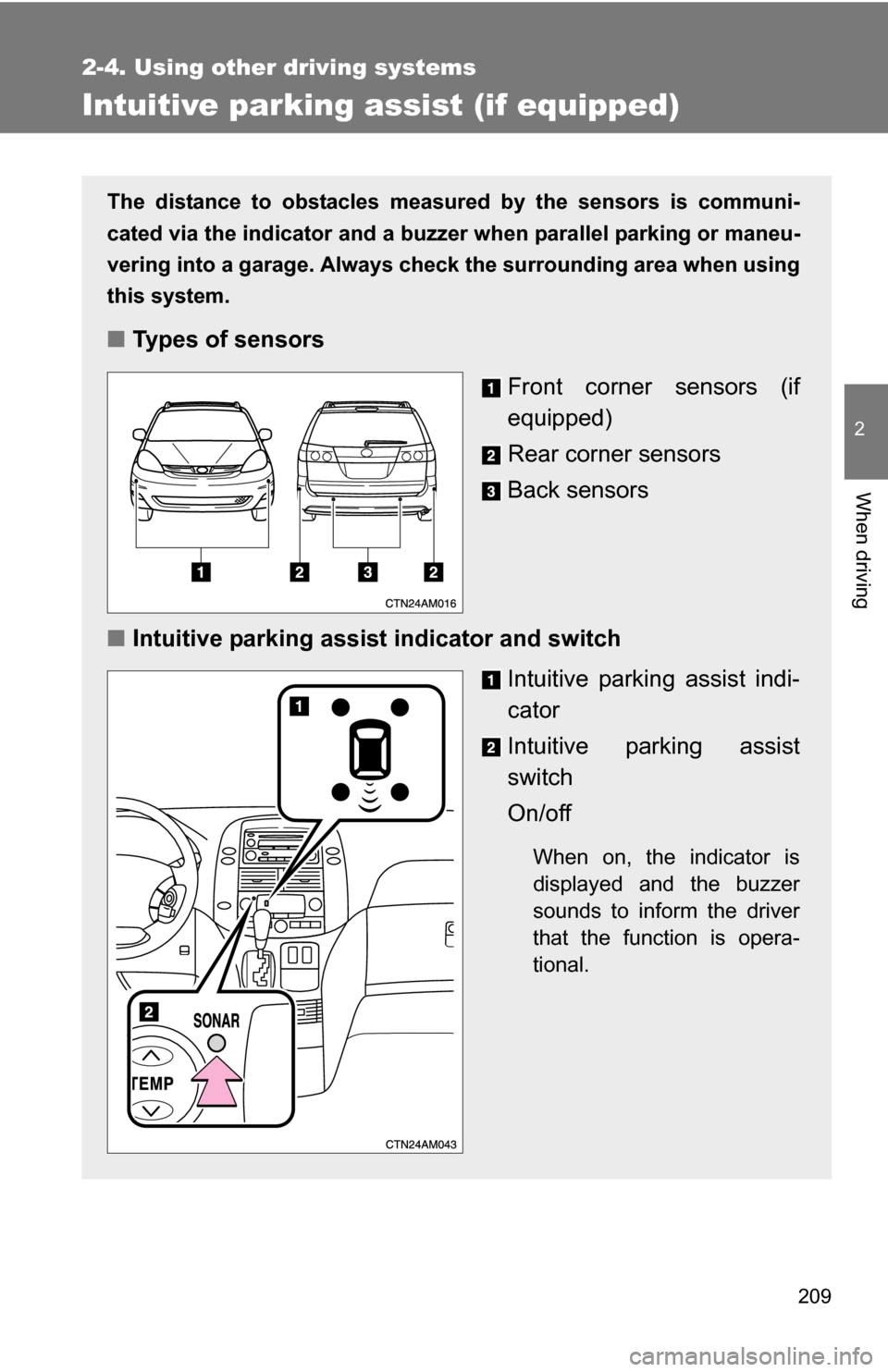
■ Types of sensors
Front corner sensors (if
equipped)
Rear corner sensors
Back sensors
■ Intuitive parking assist indicator and switch
Intuitive parking assist indi-
cator
Intuitive parking assist
switch
On/off
When on, the indicator is
displayed and the buzzer
sounds to inform the driver
that the function is opera-
tional.
Page 210 of 592
210 2-4. Using other driving systems
The indicator and buzzer system■ Corner sensor operation and distance to an obstacle
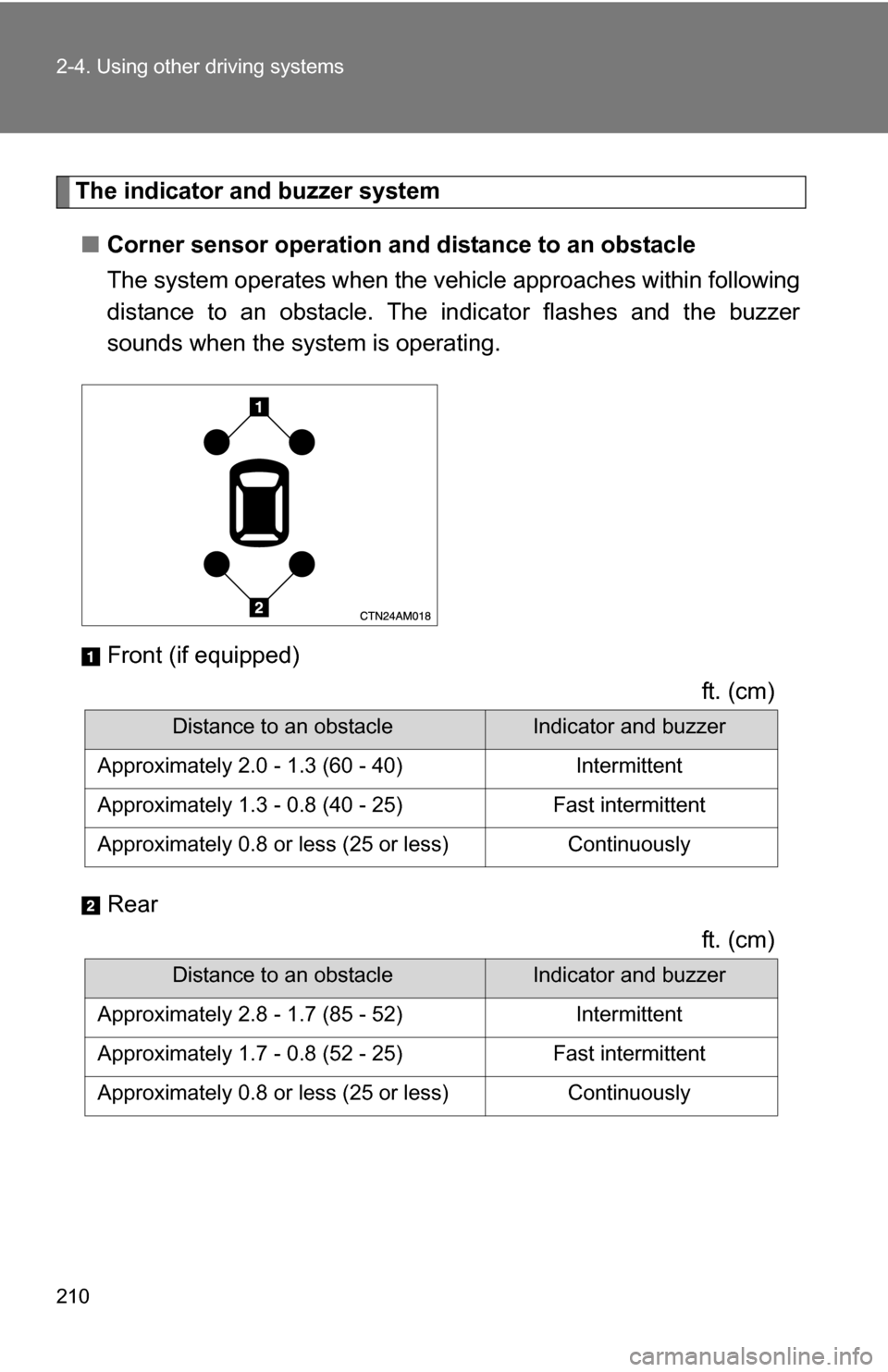
The system operates when the vehicle approaches within following
distance to an obstacle. The in dicator flashes and the buzzer
sounds when the system is operating.
Front (if equipped)
ft. (cm)
Rear ft. (cm)
Distance to an obstacleIndicator and buzzer
Approximately 2.0 - 1.3 (60 - 40) Intermittent
Approximately 1.3 - 0.8 (40 - 25) Fast intermittent
Approximately 0.8 or less (25 or less) Continuously
Distance to an obstacleIndicator and buzzer
Approximately 2.8 - 1.7 (85 - 52) Intermittent
Approximately 1.7 - 0.8 (52 - 25) Fast intermittent
Approximately 0.8 or less (25 or less) Continuously
Page 211 of 592
211
2-4. Using other
driving systems
2
When driving
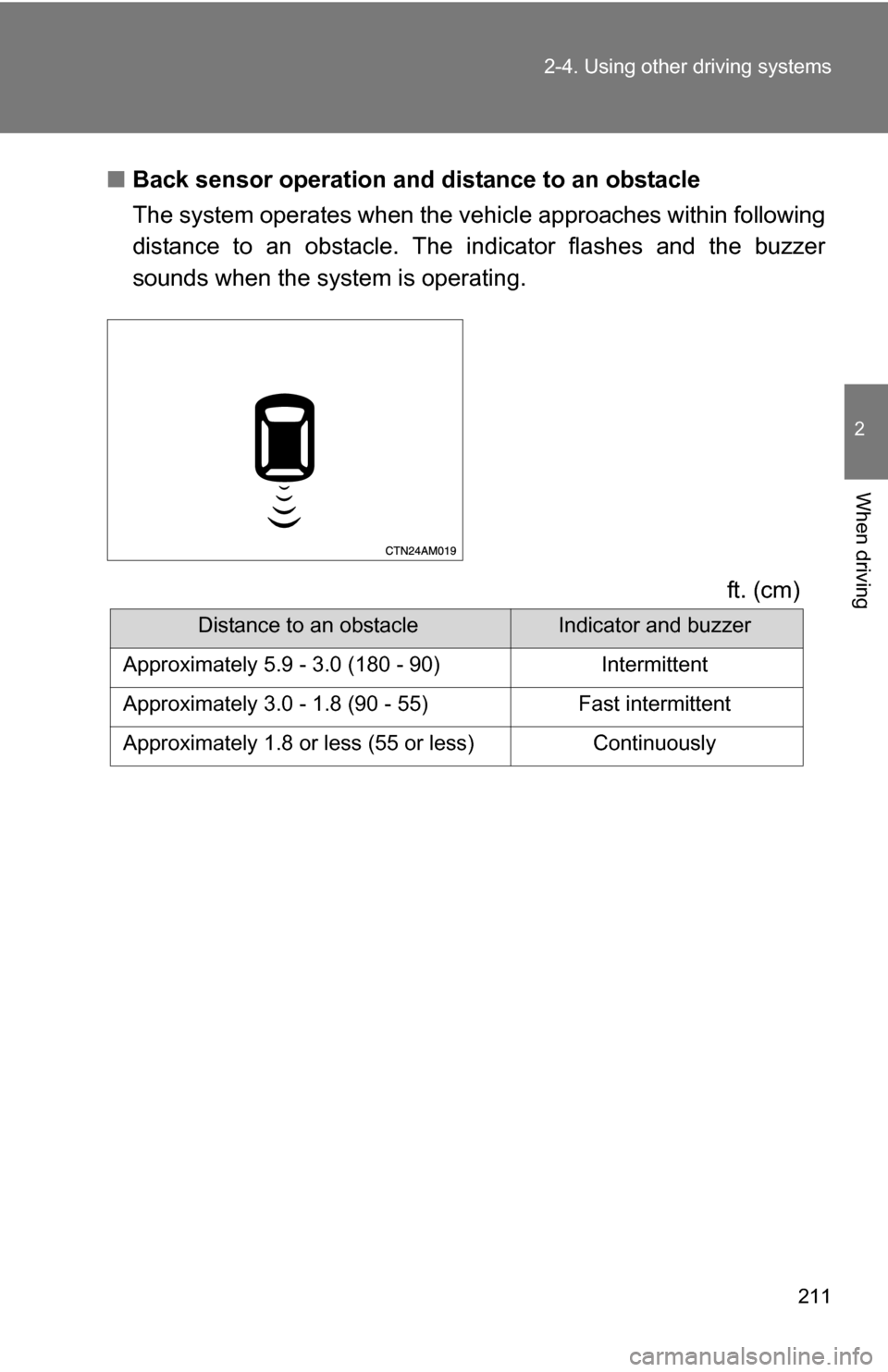
■Back sensor operation and distance to an obstacle
The system operates when the vehicle approaches within following
distance to an obstacle. The in dicator flashes and the buzzer
sounds when the system is operating.
ft. (cm)
Distance to an obstacleIndicator and buzzer
Approximately 5.9 - 3.0 (180 - 90) Intermittent
Approximately 3.0 - 1.8 (90 - 55) Fast intermittent
Approximately 1.8 or less (55 or less) Continuously
Page 212 of 592
212 2-4. Using other driving systems
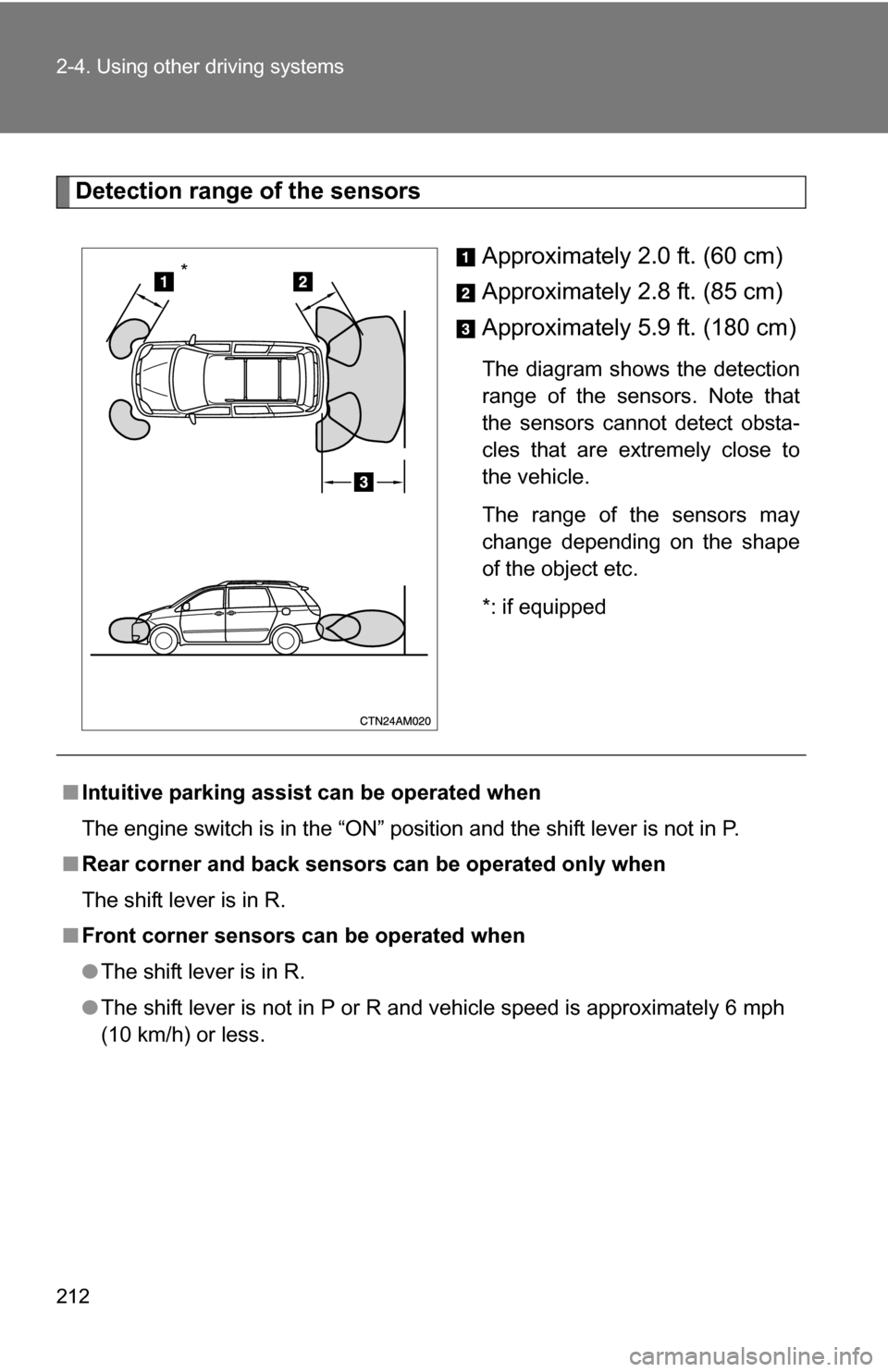
Detection range of the sensorsApproximately 2.0 ft. (60 cm)
Approximately 2.8 ft. (85 cm)
Approximately 5.9 ft. (180 cm)
The diagram shows the detection
range of the sensors. Note that
the sensors cannot detect obsta-
cles that are extremely close to
the vehicle.
The range of the sensors may
change depending on the shape
of the object etc.
*: if equipped
*
■Intuitive parking assist can be operated when
The engine switch is in the “ON” position and the shift lever is not in P.
■ Rear corner and back sensor s can be operated only when
The shift lever is in R.
■ Front corner sensors can be operated when
●The shift lever is in R.
● The shift lever is not in P or R and vehicle speed is approximately 6 mph
(10 km/h) or less.
Page 213 of 592
213
2-4. Using other
driving systems
2
When driving
■Sensor detection information
●Certain vehicle conditions and the surrounding environment may affect
the ability of the sensor to correctly detect obstacles. Particular instances
where this may occur are listed below.
• There is dirt, snow or ice on the sensor.
• The sensor is frozen.
• The sensor is covered in any way.
• The vehicle is leaning considerably to one side.
• On an extremely bumpy road, on an incline, on gravel, or on grass
• The vicinity of the vehicle is noisy due to vehicle horns, motorcycle
engines, air brakes of large vehicles, or other loud noises producing
ultrasonic waves.
• There is another vehicle equipped with parking assist sensors in the vicinity.
• The sensor is coated with a sheet of spray or heavy rain.
• The vehicle is equipped with a fender pole or wireless antenna.
• The bumper or sensor receives a strong impact.
• The vehicle is approaching a tall or curved curb.
• In harsh sunlight or intense cold weather
In addition to the examples above, there are instances in which, because of
their shapes, signs and other objects may be judged by the sensor to be
closer than they are.
● The shape of the obstacle may prevent the sensor from detecting it. Pay
particular attention to the following obstacles:
• Wires, fences, ropes etc.
• Cotton, snow and other materials that absorb radio waves
• Sharply-angled objects
• Low obstacles
• Tall obstacles with upper sections projecting outwards in the direction
of your vehicle
• Objects just under the bumper
• Objects very close to your vehicle
• A person near the vehicle (depending on the type of clothes worn)
Page 214 of 592
214 2-4. Using other driving systems
■When to contact your Toyota dealer
In the following cases, have your Toyota dealer check the system.
●When the bumper is damaged.
● When the indicator is continuously on.
■ Certification (Canada only)
This ISM device compiles with Canadian ICES-001.
CAUTION
■Caution when using the Intuitive parking assist
●The Intuitive parking assist is intended as an aid to assist you to park and
is not a substitute for your persona l judgment. Make your driving decisions
based on your observations.
● Do not attach accessories or other objects to the vehicle within the sensor
perceptible area. Doing so may cause the system to malfunction, which
might result in an accident.
● In certain situations, the system will not function properly and when the
vehicle approaches certain objects, the system will not detect those
objects. Therefore, always observe the area around the vehicle and do not
rely solely on the system.
NOTICE
■ Notes when washing the vehicle
Do not apply intensive bursts of water or steam to the sensor area.
Doing so may result in the sensor malfunctioning.
Page 416 of 592
416 3-7. Other interior features
■Conditions unfavorable to correct operation
The compass may not show the correct direction in the following conditions:
●The vehicle is stopped immediately after turning.
● The vehicle is on an inclined surface.
● The vehicle is in a place where the earth's magnetic field is subject to
interference by artificial magnetic fields (underground car park/parking
lot, under a steel tower, between buildings, roof car park/parking lot, near
an intersection, near a large vehicle, etc.).
● The vehicle has become magnetized.
(There is a magnet or metal object near the trip information display.)
● The battery has been disconnected.
● A door is open.
CAUTION
■While driving the vehicle
Do not adjust the display. Be sure to adjust the display only when the vehicle
is stopped.
■ When doing the circling calibration
Be sure to secure a wide space, and watch out for people and vehicles in the
neighborhood. Do not violate any local traffic rules while performing circling
calibration.
NOTICE
■To avoid a compass malfunctions
Do not place magnets or any metal objects near the roof of the vehicle.
Doing this may cause a malfunction of the compass sensor.
■ To ensure normal operation of the compass
●Do not perform circling calibration of the compass in a place where the
earth's magnetic field is subject to interference by artificial magnetic fields.
● During calibration, do not operate electric systems (moon roof, power win-
dows, etc.) as they may interfere with the calibration.
Page 502 of 592
502
5-1. Essential information
Event data recorder
In a crash or a near car crash eventThe SRS airbag sensor assembly contains the EDR. In a crash or a
near car crash event, this device may record some or all of the follow-
ing information:
● Engine speed
● Whether the brake pedal was applied or not
● Vehicle speed
● To what extent the accelerator pedal was depressed
● Position of the transmission shift lever
● Whether the driver and front passenger wore seat belts or not
● Driver's seat position
● SRS airbag deployment data
● SRS airbag system diagnostic data
● Front passenger's occupant classification
The information above is intended to be used for the purpose of
improving vehicle safety performan ce. Unlike general data recorders,
the EDR does not record sound data such as conversation between
passengers.
Your vehicle has computers that monitor and control certain aspects
of your vehicle. These computers assi st in driving and maintaining
optimal vehicle performance.
Besides storing data useful for tr oubleshooting, there is an event
data recorder (EDR) that records data in a crash or a near car
crash event.