phone TOYOTA SIENNA 2014 XL30 / 3.G Owners Manual
[x] Cancel search | Manufacturer: TOYOTA, Model Year: 2014, Model line: SIENNA, Model: TOYOTA SIENNA 2014 XL30 / 3.GPages: 872, PDF Size: 15.99 MB
Page 5 of 872
1
2
3
4
5
6
7
5
SIENNA_OM_OM45483U_(U)
3-5. Using the hands-free phone system (for cellular phone)
Hands-free phone system (for cellular phone)
features ............................. 545
Using the hands-free phone system (for cellular
phone)............................... 550
Making a phone call ............ 559
Setting a cellular phone ...... 564
Security and system setup ................................. 569
Using the phone book ......... 574
3-6. Using the interior lights Interior lights list .................. 582
• Personal/interior light main switch ....................... 583
• Personal/interior lights ...... 584
• Personal lights .................. 586
• Rear ceiling lights ............. 586 3-7. Using the storage features
List of storage features ....... 588
• Glove boxes ..................... 589
• Console box ..................... 591
• Overhead console ............ 594
• Cup holders ...................... 595
• Bottle holders ................... 598
• Door pockets .................... 600
• Auxiliary boxes ................. 601
3-8. Other interior features Sun visors........................... 606
Vanity mirrors ..................... 607
Clock .................................. 608
Conversation mirror ............ 609
Power outlets...................... 610
Seat heaters ....................... 614
Armrests ............................. 616
Assist grips ......................... 618
Rear side sunshades.......... 619
Grocery bag hooks ............. 620
Floor mat ............................ 622
Luggage compartment features ............................ 624
Garage door opener ........... 626
Compass ............................ 634
Safety Connect ................... 639
Page 18 of 872
SIENNA_OM_OM45483U_(U)
18
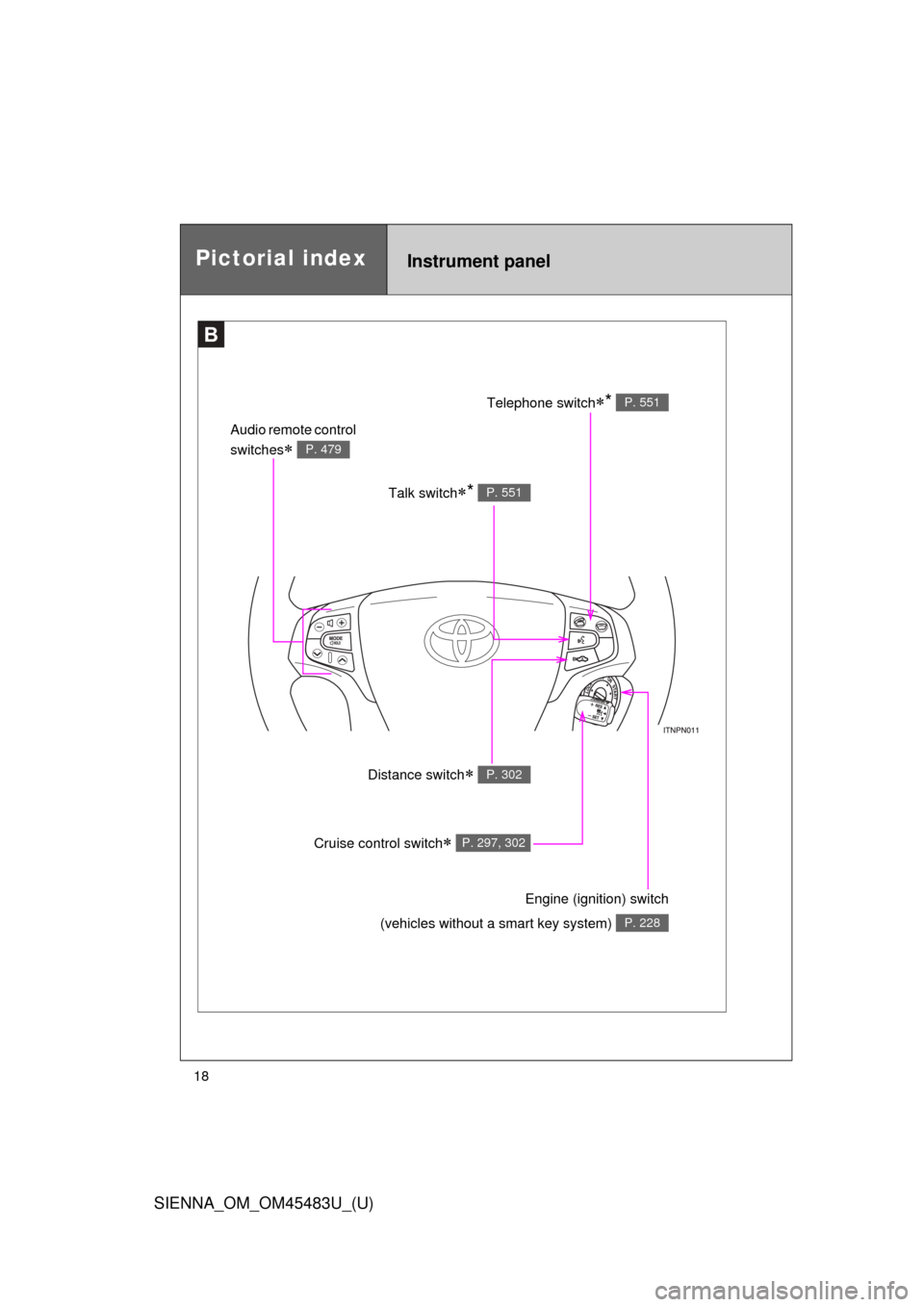
Pictorial indexInstrument panel
B
Talk switch* P. 551
Audio remote control
switches
P. 479
Telephone switch* P. 551
Distance switch P. 302
Engine (ignition) switch
(vehicles without a smart key system)
P. 228
Cruise control switch P. 297, 302
Page 29 of 872

SIENNA_OM_OM45483U_(U)
29
CAUTION
■General precautions while driving
Driving under the influence: Never drive your vehicle when under the influ-
ence of alcohol or drugs that have impaired your ability to operate your vehi-
cle. Alcohol and certain drugs delay reaction time, impair judgment and
reduce coordination, which could lead to an accident that could result in
death or serious injury.
Defensive driving: Always drive defensively. Anticipate mistakes that other
drivers or pedestrians might make and be ready to avoid accidents.
Driver distraction: Always give your full attention to driving. Anything that dis-
tracts the driver, such as adjusting controls, talking on a cellular phone or
reading can result in a collision with resulting death or serious injury to you,
your occupants or others.
■ General precaution regarding children’s safety
Never leave children unattended in the vehicle, and never allow children to
have or use the key.
Children may be able to start the vehicle or shift the vehicle into neutral.
There is also a danger that children may injure themselves by playing with
the cigarette lighter, the windows, the moon roof, or other features of the
vehicle. In addition, heat build-up or ex tremely cold temperatures inside the
vehicle can be fatal to children.
Page 46 of 872
46 1-2. Opening, closing and locking the doors
SIENNA_OM_OM45483U_(U)
■Conditions affecting operation
The smart key system uses weak radio waves. In the following situations,
the communication between the electronic key and the vehicle may be
affected, preventing the smart key system and wireless remote control from
operating properly. (Way of coping P. 781)
● When the electronic key battery is depleted
● Near a TV tower, electric power plant, gas station, radio station, large dis-
play, airport or other facility that generates strong radio waves or electri-
cal noise
● When carrying a portable radio, ce llular phone, cordless phone or other
wireless communication devices
● When the electronic key is in contact with, or is covered by the following
objects
• Cards to which aluminum foil is attached
• Cigarette boxes that have aluminum foil inside
• Metallic wallets or bags
• Coins
• Hand warmers made of metal
• Media such as CDs and DVDs
● When multiple electronic keys are in the vicinity
● When another wireless key (that emits radio waves) is being used nearby
● When carrying or using the electronic key together with the following
devices that emit radio waves
• Another vehicle’s electronic key
• A wireless key that emits radio waves
• Personal computers or personal digital assistants (PDAs)
• Digital audio players
• Portable game systems
Page 50 of 872

50 1-2. Opening, closing and locking the doors
SIENNA_OM_OM45483U_(U)
■Electronic key battery depletion
●The standard battery life is 1 to 2 years.
● If the battery becomes low, an alarm will sound in the cabin when the
engine stops. ( P. 41)
● As the electronic key always receives radio waves, the battery will
become depleted even if the electronic key is not used. The following
symptoms indicate that the electronic key battery may be depleted.
Replace the battery when necessary. ( P. 708)
• The smart key system or the wireless remote control does not operate.
• The detection area becomes smaller.
• The LED indicator on the key surface does not turn on.
● To avoid serious deterioration, do not leave the electronic key within 3 ft.
(1 m) of the following electrical appliances that produce a magnetic field.
•TVs
• Personal computers
• Recharging cellular phones or cordless phones
• Cellular phones, cordless phones and battery chargers
• Induction cookers
• Table lamps
■ When the electronic key battery is fully depleted
P. 708
■ Customization that can be co nfigured at Toyota dealer
Settings (e.g. smart key system) can be changed.
(Customizable features: P. 828)
Page 58 of 872
58 1-2. Opening, closing and locking the doors
SIENNA_OM_OM45483U_(U)
■Conditions affecting operation
Vehicles without a smart key system
The wireless remote control function may not operate normally in the follow-
ing situations:
●Near a TV tower, radio station, electr ic power plant, airport or other facil-
ity that generates strong radio waves
● When carrying a portable radio, cell ular phone or other wireless commu-
nication devices
● When multiple wireless keys are in the vicinity
● When the wireless key is in contact with, or is covered by, a metallic
object
● When a wireless key (that emits radio waves) is being used nearby
● When the wireless key has been left near an electrical appliance such as
a personal computer
● If window tint with a metallic content or metallic objects is attached to the
rear window
● Vehicles with AUTO ACCESS SEAT: If the wireless remote control of the
AUTO ACCESS SEAT is operated simultaneously, the AUTO ACCESS
SEAT may not operate properly.
For details, refer to “AUTO ACCESS SEAT OWNER’S MANUAL”.
Vehicles with a smart key system
P. 4 6
■ If the wireless remote control does not operate properly (vehicles with
a smart key system)
Locking and unlocking the doors: Use the mechanical key. ( P. 781)
■ Key battery depletion
Vehicles without a smart key system
If the wireless remote control function does not operate, the battery may be
depleted. Replace the battery when necessary. ( P. 708)
Vehicles with a smart key system
P. 5 0
Page 395 of 872
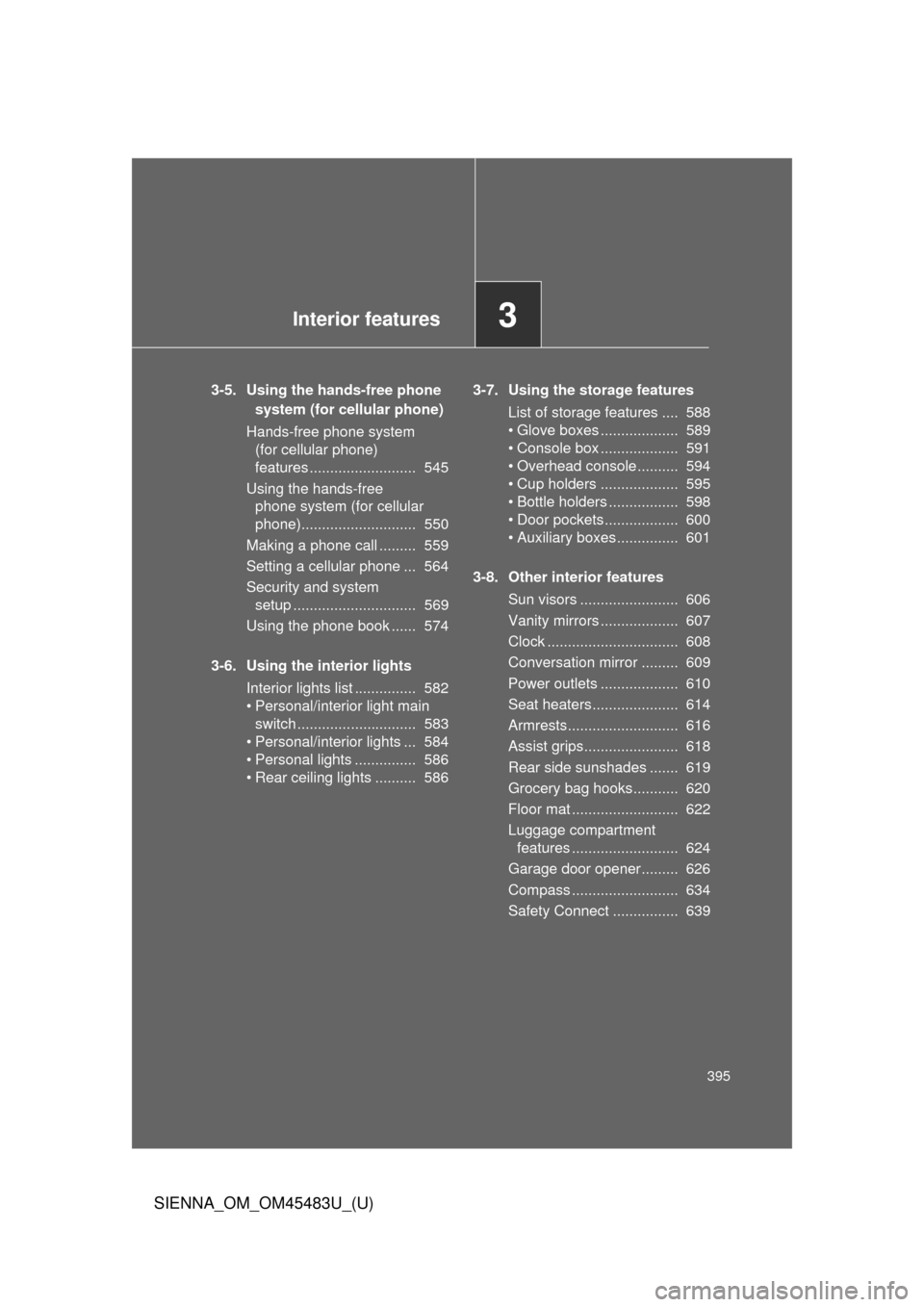
Interior features3
395
SIENNA_OM_OM45483U_(U)
3-5. Using the hands-free phone system (for cellular phone)
Hands-free phone system (for cellular phone)
features .......................... 545
Using the hands-free phone system (for cellular
phone)............................ 550
Making a phone call ......... 559
Setting a cellular phone ... 564
Security and system setup .............................. 569
Using the phone book ...... 574
3-6. Using the interior lights Interior lights list ............... 582
• Personal/interior light main switch ............................. 583
• Personal/interior lights ... 584
• Personal lights ............... 586
• Rear ceiling lights .......... 586 3-7. Using the storage features
List of storage features .... 588
• Glove boxes ................... 589
• Console box ................... 591
• Overhead console .......... 594
• Cup holders ................... 595
• Bottle holders ................. 598
• Door pockets .................. 600
• Auxiliary boxes ............... 601
3-8. Other interior features Sun visors ........................ 606
Vanity mirrors ................... 607
Clock ................................ 608
Conversation mirror ......... 609
Power outlets ................... 610
Seat heaters..................... 614
Armrests........................... 616
Assist grips....................... 618
Rear side sunshades ....... 619
Grocery bag hooks........... 620
Floor mat .......................... 622
Luggage compartment features .......................... 624
Garage door opener......... 626
Compass .......................... 634
Safety Connect ................ 639
Page 426 of 872
426 3-2. Using the audio system
SIENNA_OM_OM45483U_(U)
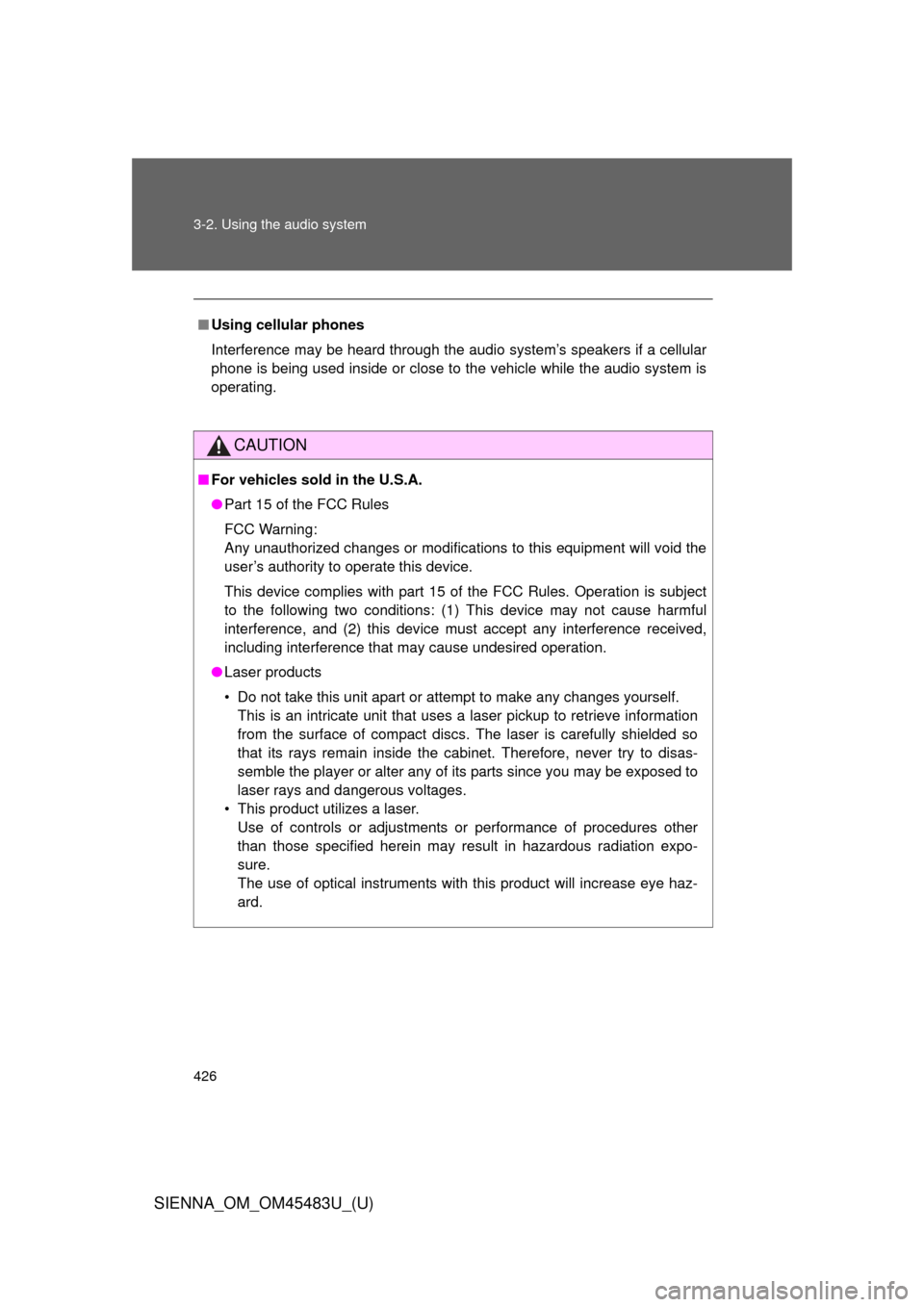
■Using cellular phones
Interference may be heard through the audio system’s speakers if a cellular
phone is being used inside or close to the vehicle while the audio syste\
m is
operating.
CAUTION
■For vehicles sold in the U.S.A.
●Part 15 of the FCC Rules
FCC Warning:
Any unauthorized changes or modifications to this equipment will void the
user’s authority to operate this device.
This device complies with part 15 of the FCC Rules. Operation is subject
to the following two conditions: (1) This device may not cause harmful
interference, and (2) this device must accept any interference received,
including interference that may cause undesired operation.
● Laser products
• Do not take this unit apart or attempt to make any changes yourself.
This is an intricate unit that uses a laser pickup to retrieve information
from the surface of compact discs. The laser is carefully shielded so
that its rays remain inside the cabinet. Therefore, never try to disas-
semble the player or alter any of its parts since you may be exposed to
laser rays and dangerous voltages.
• This product utilizes a laser. Use of controls or adjustments or performance of procedures other
than those specified herein may result in hazardous radiation expo-
sure.
The use of optical instruments with this product will increase eye haz-
ard.
Page 463 of 872
463
3-2. Using the audio system
3
Interior features
SIENNA_OM_OM45483U_(U)
■
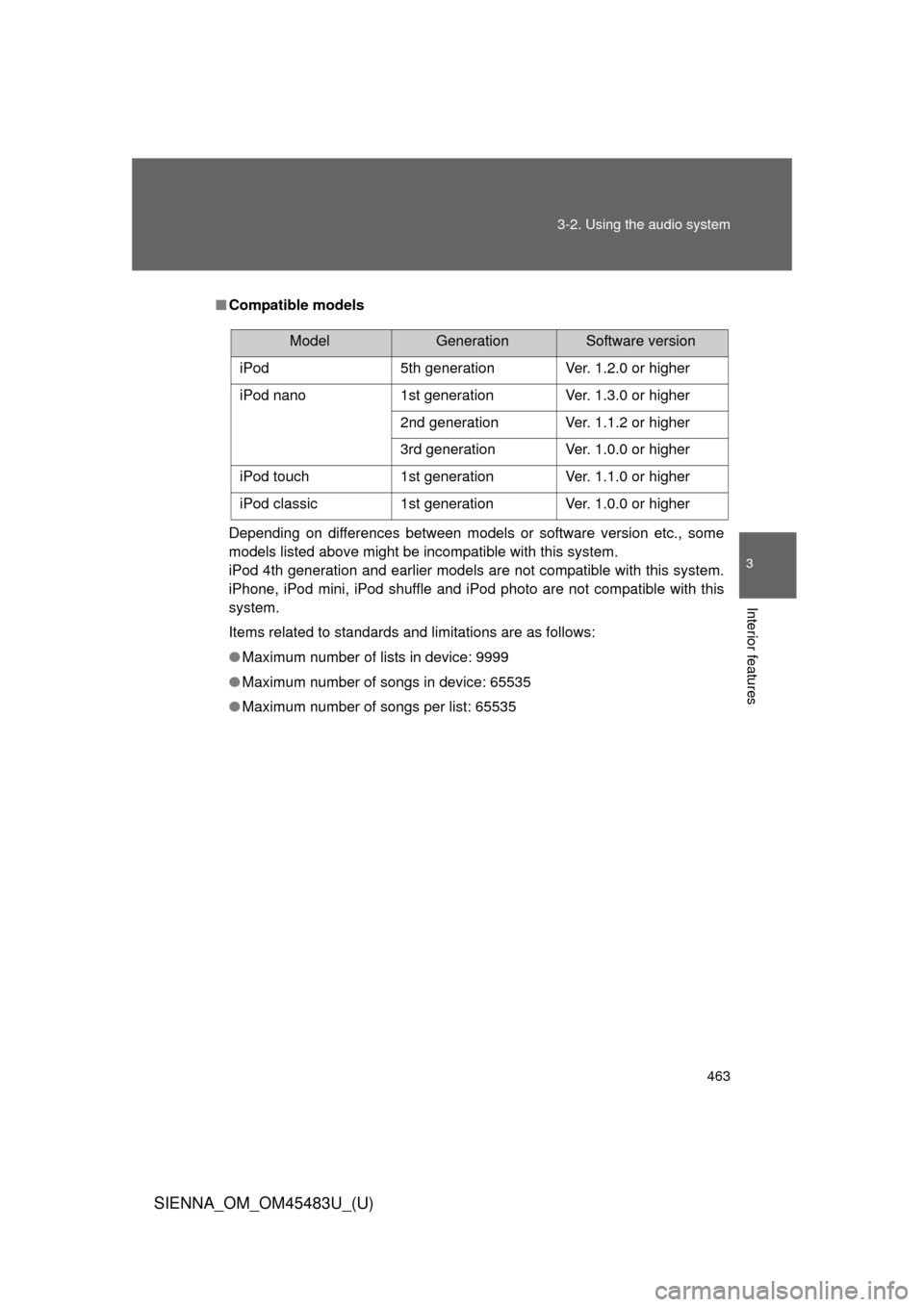
Compatible models
Depending on differences between models or software version etc., some
models listed above might be incompatible with this system.
iPod 4th generation and earlier models are not compatible with this system.
iPhone, iPod mini, iPod shuffle and iPod photo are not compatible with this
system.
Items related to standards and limitations are as follows:
●Maximum number of lists in device: 9999
● Maximum number of songs in device: 65535
● Maximum number of songs per list: 65535
ModelGenerationSoftware version
iPod 5th generation Ver. 1.2.0 or higher
iPod nano 1st generation Ver. 1.3.0 or higher
2nd generation Ver. 1.1.2 or higher
3rd generation Ver. 1.0.0 or higher
iPod touch 1st generation Ver. 1.1.0 or higher
iPod classic 1st generation Ver. 1.0.0 or higher
Page 488 of 872
488 3-3. Using the Bluetooth
® audio system
SIENNA_OM_OM45483U_(U)
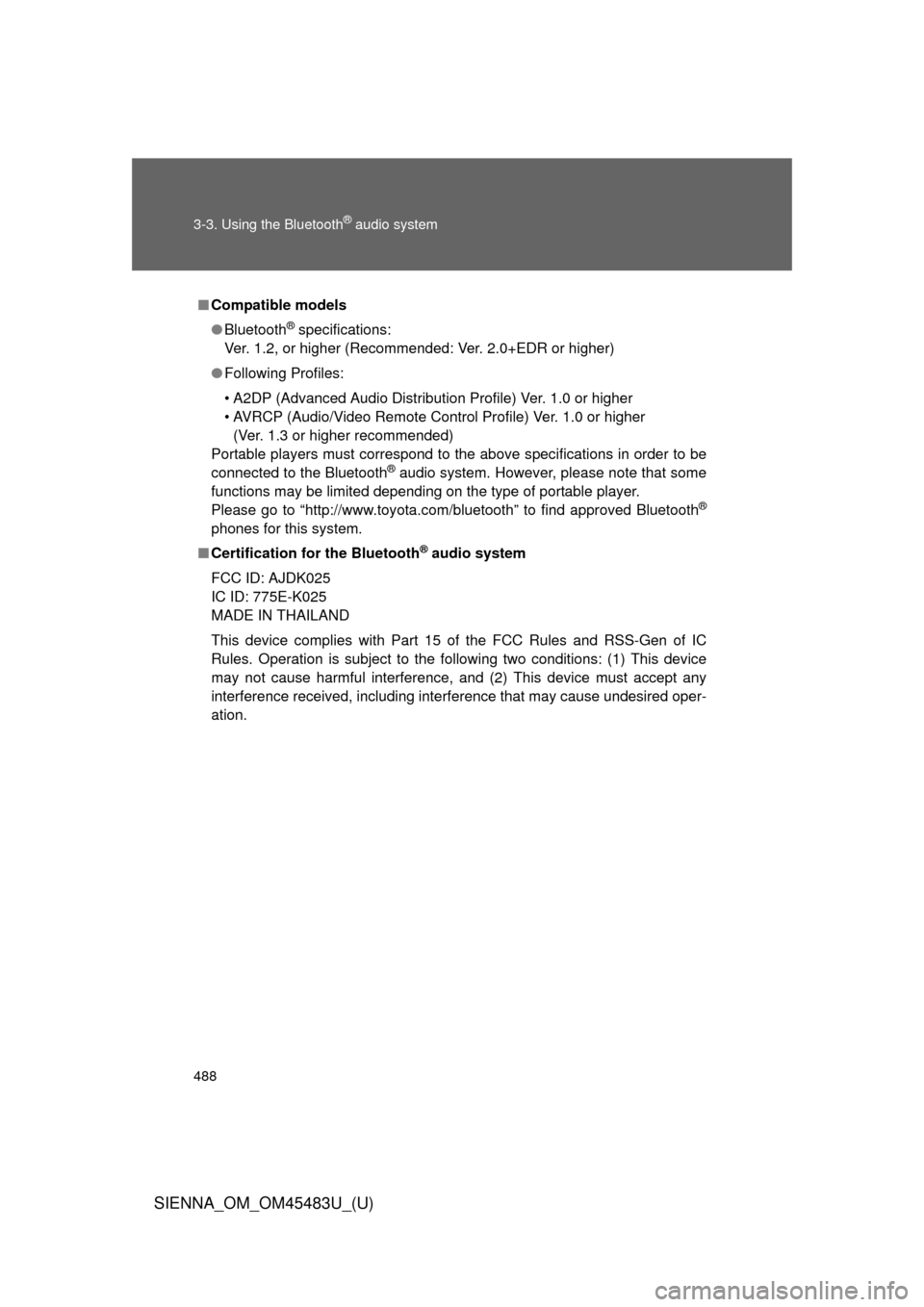
■Compatible models
●Bluetooth
® specifications:
Ver. 1.2, or higher (Recommended: Ver. 2.0+EDR or higher)
● Following Profiles:
• A2DP (Advanced Audio Distribution Profile) Ver. 1.0 or higher
• AVRCP (Audio/Video Remote Control Profile) Ver. 1.0 or higher
(Ver. 1.3 or higher recommended)
Portable players must correspond to the above specifications in order to be
connected to the Bluetooth
® audio system. However, please note that some
functions may be limited depending on the type of portable player.
Please go to “http://www.toyota.com/bluetooth” to find approved Bluetooth
®
phones for this system.
■ Certification for the Bluetooth
® audio system
FCC ID: AJDK025
IC ID: 775E-K025
MADE IN THAILAND
This device complies with Part 15 of the FCC Rules and RSS-Gen of IC
Rules. Operation is subject to the following two conditions: (1) This device
may not cause harmful interference, and (2) This device must accept any
interference received, including interference that may cause undesired oper-
ation.