ECO mode TOYOTA SIENNA 2019 (in English) Owner's Guide
[x] Cancel search | Manufacturer: TOYOTA, Model Year: 2019, Model line: SIENNA, Model: TOYOTA SIENNA 2019Pages: 584, PDF Size: 14.5 MB
Page 228 of 584
228
SIENNA_OM_OM08025U_(U)
4-2. Driving procedures
Engine (ignition) switch (vehicles with a
smart key system)
Check that the parking brake is set.
Check that the shift lever is set in P.
Firmly depress the brake pedal.
The engine switch indicator will turn green. If the indicator d oes not turn
green, the engine cannot be started.
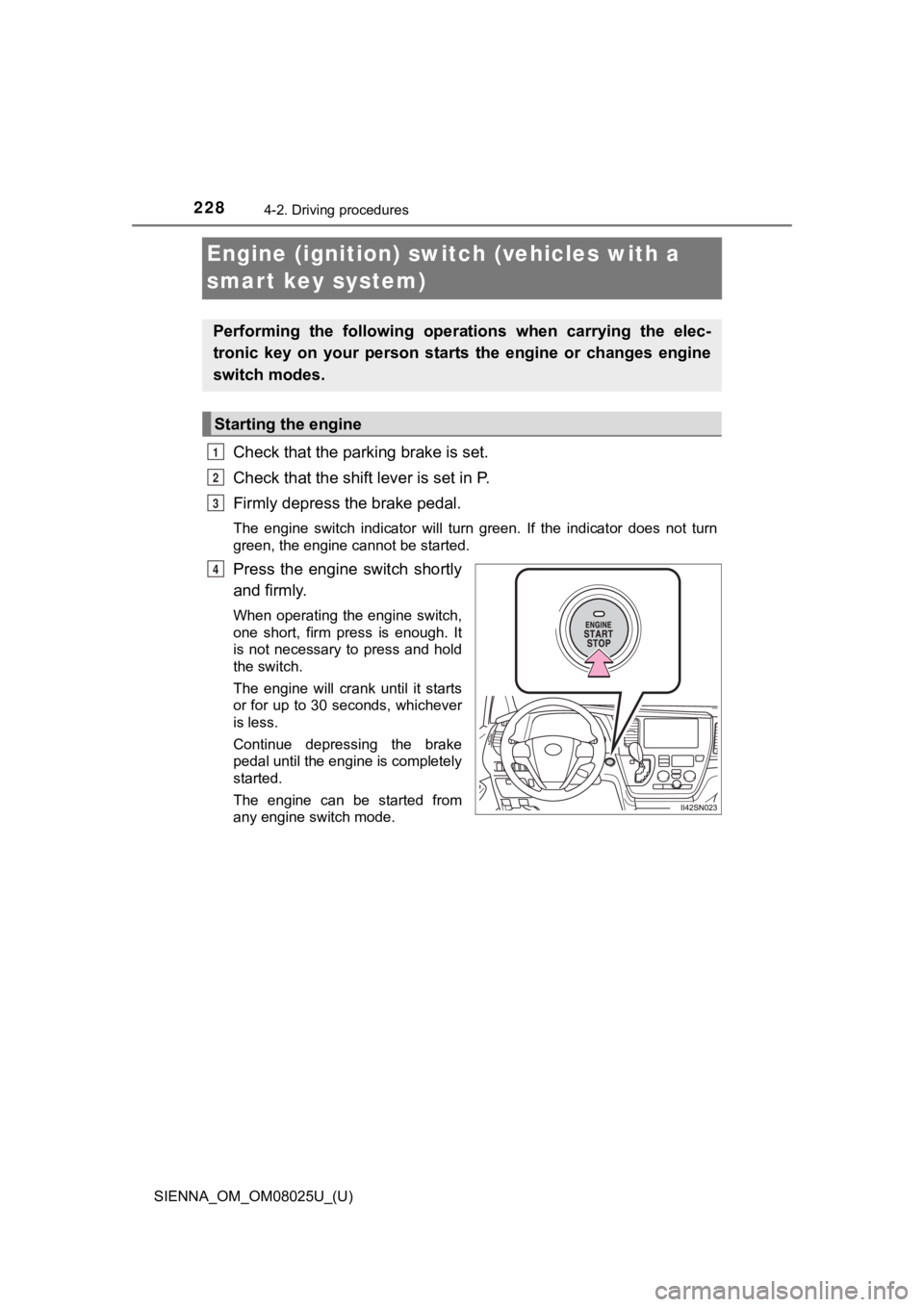
Press the engine switch shortly
and firmly.
When operating the engine switch,
one short, firm press is enough. It
is not necessary to press and hold
the switch.
The engine will crank until it starts
or for up to 30 seconds, whichever
is less.
Continue depressing the brake
pedal until the engine is completely
started.
The engine can be started from
any engine switch mode.
Performing the following opera tions when carrying the elec-
tronic key on your person starts the engine or changes engine
switch modes.
Starting the engine
1
2
3
4
Page 231 of 584
SIENNA_OM_OM08025U_(U)
2314-2. Driving procedures
4
Driving
■Steering lock
After turning the engine switch off and opening and closing the doors, the
steering wheel will be locked due to the steering lock function.
Operating the engine switch again automatically cancels the ste ering lock.
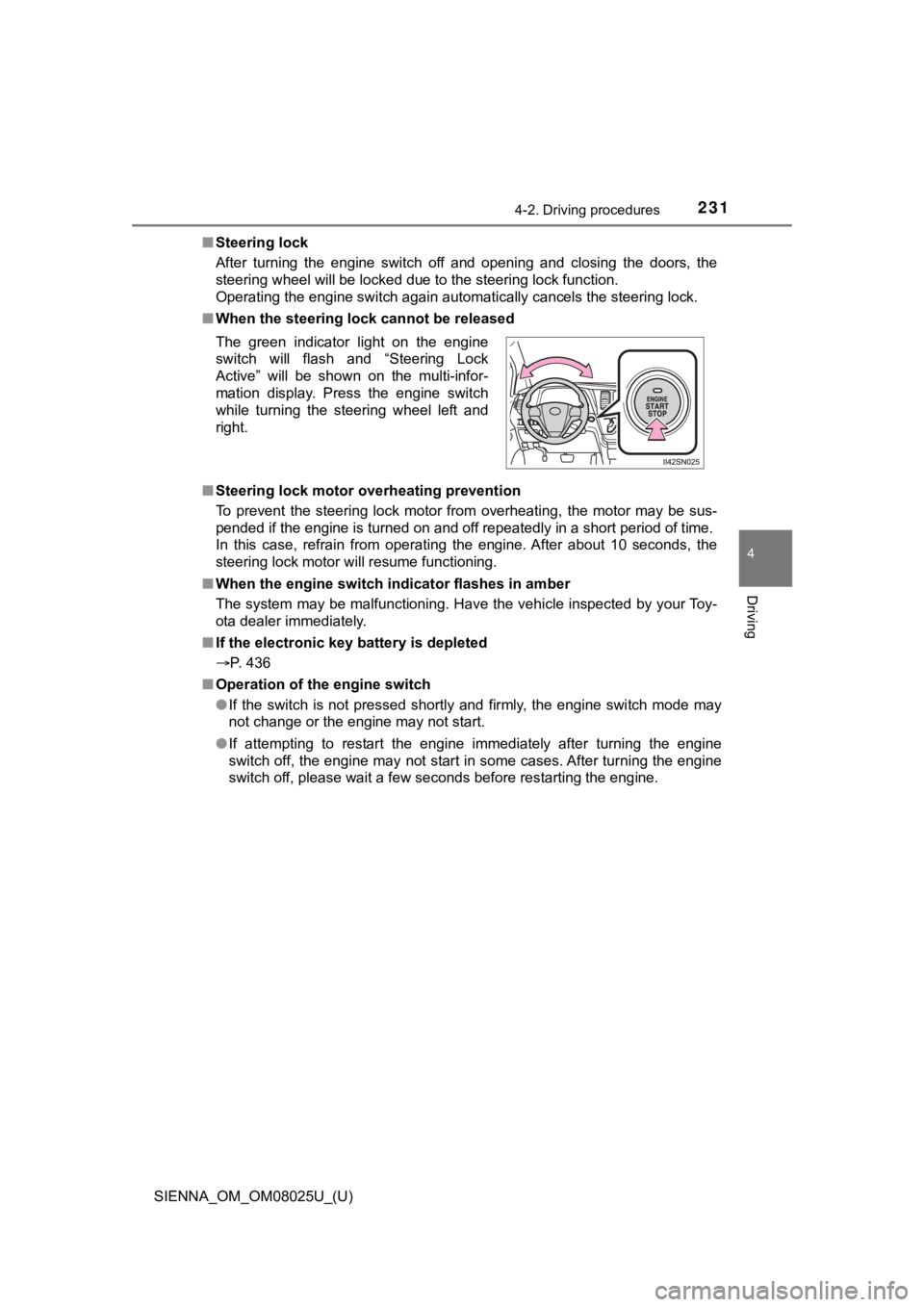
■ When the steering lock cannot be released
■ Steering lock motor overheating prevention
To prevent the steering lock motor from overheating, the motor may be sus-
pended if the engine is turned on and off repeatedly in a short period of time.
In this case, refrain from operating the engine. After about 10 seconds, the
steering lock motor will resume functioning.
■ When the engine switch indicator flashes in amber
The system may be malfunctioning. Have the vehicle inspected by your Toy-
ota dealer immediately.
■ If the electronic key battery is depleted
P. 436
■ Operation of the engine switch
●If the switch is not pressed shortly and firmly, the engine swi tch mode may
not change or the engine may not start.
● If attempting to restart the engine immediately after turning t he engine
switch off, the engine may not start in some cases. After turni ng the engine
switch off, please wait a few seconds before restarting the eng ine.
The green indicator light on the engine
switch will flash and “Steering Lock
Active” will be shown on the multi-infor-
mation display. Press the engine switch
while turning the steering wheel left and
right.
Page 232 of 584
232
SIENNA_OM_OM08025U_(U)
4-2. Driving procedures
WARNING
■When starting the engine
Always start the engine while sitting in the driver’s seat. Do not depress the
accelerator pedal while starting the engine under any circumsta nces.
Doing so may cause an accident resulting in death or serious in jury.
■ Caution while driving
If the vehicle begins to slide due to engine failure or other c ircumstances, do
not lock or open the doors until the vehicle reaches a safe and complete
stop. Activation of the steering lock in this circumstance may lead to an
accident, resulting in death or serious injury.
■ Stopping the engine in an emergency
If you want to stop the engine in an emergency while driving th e vehicle,
press and hold the engine switch for more than 2 seconds, or pr ess it briefly
3 times or more in succession. ( P. 463)
However, do not touch the engine switch while driving except in an emer-
gency. Turning the engine off while driving will not cause loss of steering or
braking control, but the power assist to these systems will be lost. This will
make it more difficult to steer and brake, so you should pull o ver and stop
the vehicle as soon as it is safe to do so.
NOTICE
■ To prevent battery discharge
● Do not leave the engine switch in ACCESSORY or IGNITION ON mode
for long periods of time without the engine running.
● If the indicator on the engine switch is illuminated, the engin e switch is not
off. When exiting the vehicle, always check that the engine swi tch is off.
● Do not stop the engine when the shift lever is in a position ot her than P. If
the engine is stopped in another shift lever position, the engi ne switch will
not be turned off but instead be turned to ACCESSORY mode. If t he vehi-
cle is left in ACCESSORY mode, battery discharge may occur.
■ When starting the engine
● Do not race a cold engine.
● If the engine becomes difficult to start or stalls frequently, have the engine
checked immediately.
■ Symptoms indicating a malf unction with the engine switch
If the engine switch seems to be operating somewhat differently than usual,
such as the switch sticking slightly, there may be a malfunctio n.
Contact your Toyota dealer immediately.
Page 233 of 584
233
SIENNA_OM_OM08025U_(U)
4-2. Driving procedures
4
Driving
Automatic transaxle
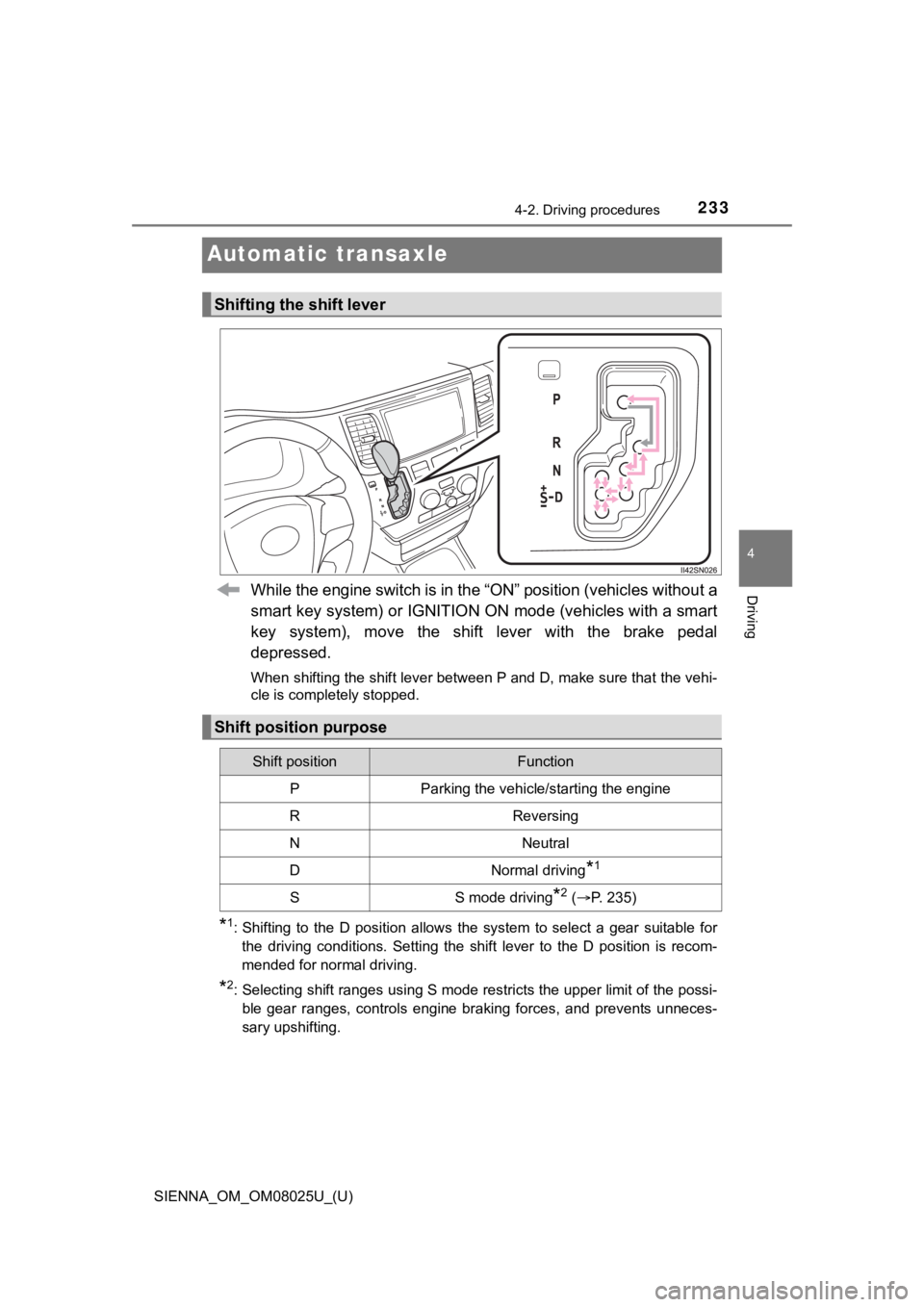
While the engine switch is in the “ON” position (vehicles without a
smart key system) or IGNITION ON mode (vehicles with a smart
key system), move the shift lever with the brake pedal
depressed.
When shifting the shift lever between P and D, make sure that t he vehi-
cle is completely stopped.
*1: Shifting to the D position allows the system to select a gear suitable for
the driving conditions. Setting the shift lever to the D position is recom-
mended for normal driving.
*2: Selecting shift ranges using S mode restricts the upper limit of the possi-
ble gear ranges, controls engine braking forces, and prevents u nneces-
sary upshifting.
Shifting the shift lever
Shift position purpose
Shift positionFunction
PParking the vehicle/starting the engine
RReversing
NNeutral
DNormal driving*1
SS mode driving*2 ( P. 235)
Page 236 of 584

236
SIENNA_OM_OM08025U_(U)
4-2. Driving procedures
■S mode
●When the shift range is 7 or lower, holding the shift lever toward “+” sets the
shift range to 8.
● To prevent excessive engine speed, a function was adopted that automati-
cally selects a higher shift range before the engine speed beco mes too high.
● To protect the automatic transaxle, a function is adopted that automatically
selects a higher shift range when the fluid temperature is high .
■ Downshift restriction warning buzzer (S mode)
To help ensure safety and driving performance, downshifting ope ration may
sometimes be restricted. In some circumstances, downshifting ma y not be
possible even when the shift lever is operated. (A buzzer will sound twice.)
■ Deactivation of power mode
Power mode will be canceled if the engine is turned off after d riving in power
mode.
■ When driving with the dynamic r adar cruise control activated
Even when performing the following actions with the intent of e nabling engine
braking, engine braking will not activate because dynamic radar cruise con-
trol will not be canceled.
● While driving in S mode, downshifting to 7, 6, 5 or 4. ( P. 2 3 5 )
● When switching the driving mode to power mode while driving in D.
(P. 234)
■ Shift lock system
The shift lock system is a system to prevent accidental operation of the shift
lever in starting.
The shift lever can be shifted from P only when the engine switch is in the
“ON” position (vehicles without a smart key system) or IGNITION ON mode
(vehicles with a smart key system) and the brake pedal is being depressed.
Page 243 of 584
SIENNA_OM_OM08025U_(U)
2434-3. Operating the lights and wipers
4
Driving
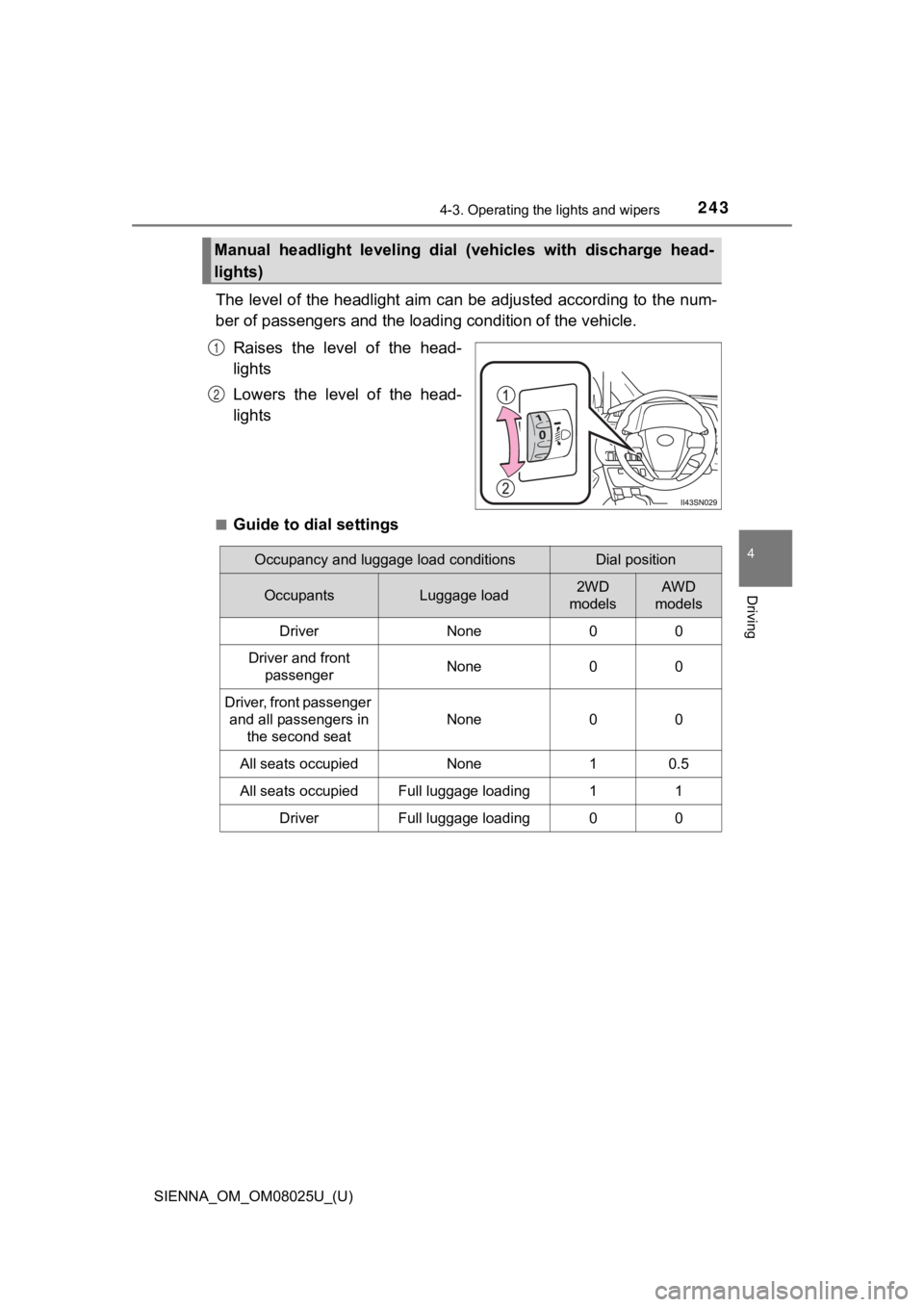
The level of the headlight aim can be adjusted according to the num-
ber of passengers and the loading condition of the vehicle.
Raises the level of the head-
lights
Lowers the level of the head-
lights
■Guide to dial settings
Manual headlight leveling dial ( vehicles with discharge head-
lights)
1
2
Occupancy and luggage load conditionsDial position
OccupantsLuggage load2WD
modelsAWD
models
DriverNone00
Driver and front
passengerNone00
Driver, front passenger and all passengers in the second seat
None00
All seats occupiedNone10.5
All seats occupiedFull luggage loading11
DriverFull luggage loading00
Page 255 of 584

SIENNA_OM_OM08025U_(U)
2554-3. Operating the lights and wipers
4
Driving
WARNING
■Caution regarding the use of windshield wipers in “AUTO” mode
The windshield wipers may operate unexpectedly if the sensor is touched or
the windshield is subject to vibration in “AUTO” mode. Take car e that your
fingers etc. do not become caught in the windshield wipers.
■ Caution regarding the use of washer fluid
When it is cold, do not use the washer fluid until the windshie ld becomes
warm. The fluid may freeze on the windshield and cause low visi bility. This
may lead to an accident, resulting in death or serious injury.
NOTICE
■ When the windshield is dry
Do not use the wipers, as they may damage the windshield.
■ When the washer fluid tank is empty
Do not operate the switch continually as the washer fluid pump may over-
heat.
■ When a nozzle becomes blocked
In this case, contact your Toyota dealer.
Do not try to clear it with a pin or other object. The nozzle w ill be damaged.
Page 294 of 584
294
SIENNA_OM_OM08025U_(U)
4-5. Using the driving support systems
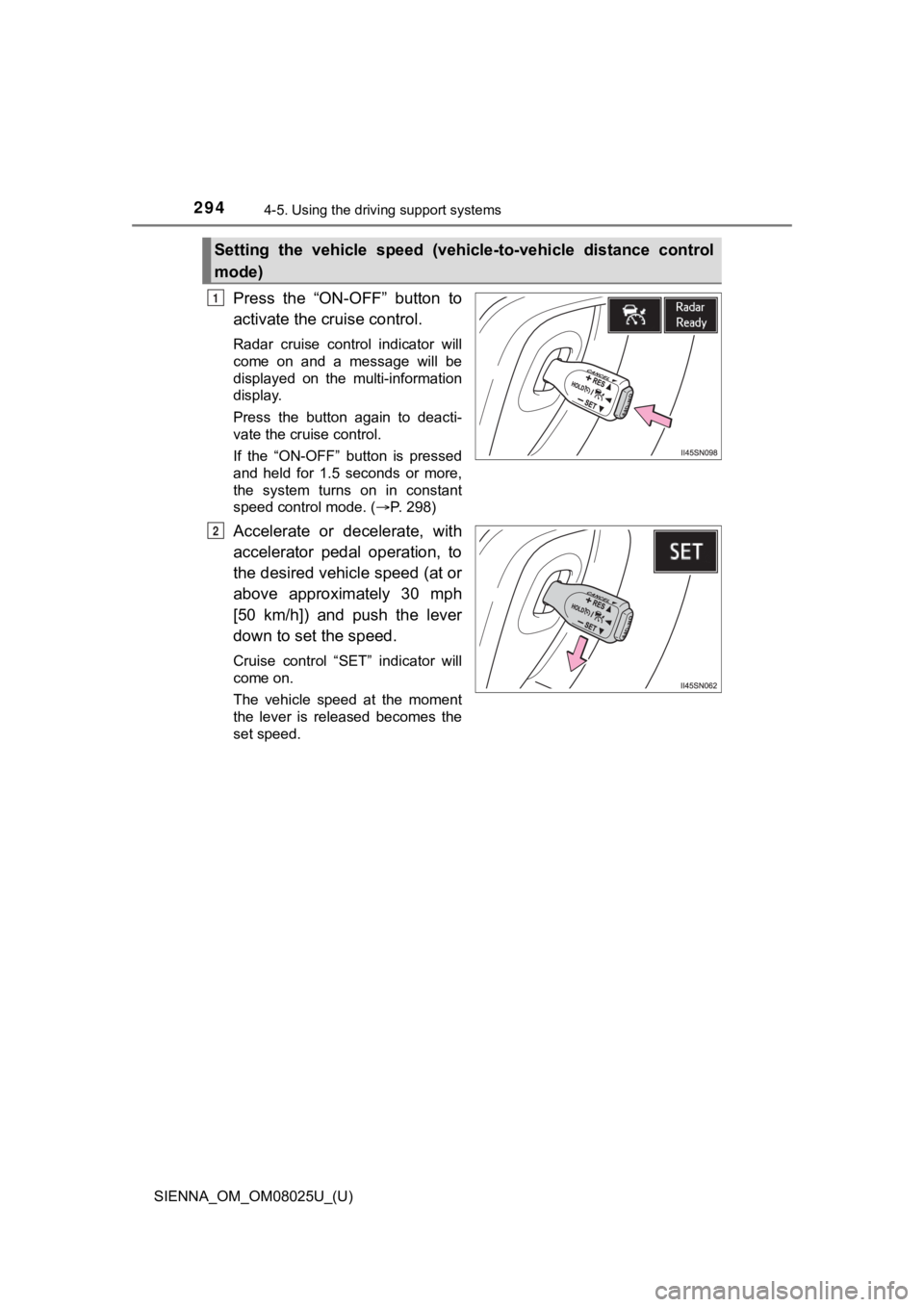
Press the “ON-OFF” button to
activate the cruise control.
Radar cruise control indicator will
come on and a message will be
displayed on the multi-information
display.
Press the button again to deacti-
vate the cruise control.
If the “ON-OFF” button is pressed
and held for 1.5 seconds or more,
the system turns on in constant
speed control mode. ( P. 298)
Accelerate or decelerate, with
accelerator pedal operation, to
the desired vehicle speed (at or
above approximately 30 mph
[50 km/h]) and push the lever
down to set the speed.
Cruise control “SET” indicator will
come on.
The vehicle speed at the moment
the lever is released becomes the
set speed.
Setting the vehicle speed (vehicle-to-vehicle distance control
mode)
1
2
Page 298 of 584
298
SIENNA_OM_OM08025U_(U)
4-5. Using the driving support systems
When constant speed control mode is selected, your vehicle will main-
tain a set speed without controllin g the vehicle-to-vehicle distance.
Select this mode only when vehic le-to-vehicle distance control mode
does not function correctly due to a dirty radar sensor, etc.
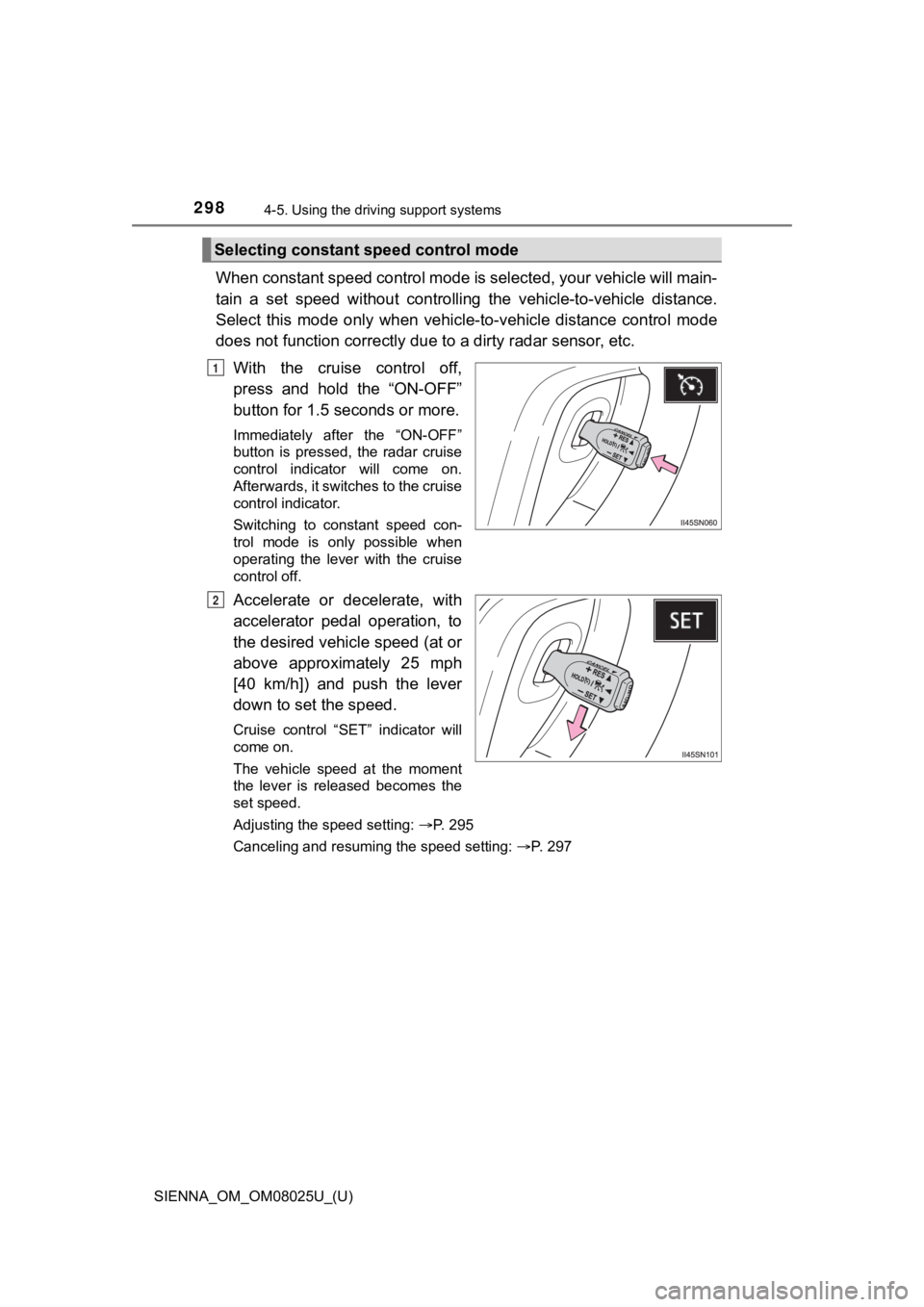
With the cruise control off,
press and hold the “ON-OFF”
button for 1.5 seconds or more.
Immediately after the “ON-OFF”
button is pressed, the radar cruise
control indicator will come on.
Afterwards, it switches to the cruise
control indicator.
Switching to constant speed con-
trol mode is only possible when
operating the lever with the cruise
control off.
Accelerate or decelerate, with
accelerator pedal operation, to
the desired vehicle speed (at or
above approximately 25 mph
[40 km/h]) and push the lever
down to set the speed.
Cruise control “SET” indicator will
come on.
The vehicle speed at the moment
the lever is released becomes the
set speed.
Adjusting the speed setting: P. 295
Canceling and resuming the speed setting: P. 297
Selecting constant speed control mode
1
2
Page 300 of 584

300
SIENNA_OM_OM08025U_(U)
4-5. Using the driving support systems
■Automatic cancelation of c onstant speed control mode
Constant speed control mode is automatically canceled in the following situa-
tions:
● Actual vehicle speed is more than approximately 10 mph (16 km/h ) below
the set vehicle speed.
● Actual vehicle speed falls below approximately 25 mph (40 km/h) .
● VSC is activated.
● TRAC is activated for a period of time.
● When the VSC or TRAC system is turned off.
● Pre-collision braking is activated.
If constant speed control mode is automatically canceled for an y other rea-
son, there may be a malfunction in the system. Contact your Toyota dealer.
■ Brake system operation sound
If the brakes are applied automatically while the vehicle is in vehicle-to-vehi-
cle distance control mode, a brake system operation sound may b e heard.
This does not indicate a malfunction.
■ If “Radar Cruise Control Unavaila ble” is shown on the multi-information
display
The radar cruise control system cannot be used temporarily. Use the system
when it becomes available again.
■ Warning messages and buzzers for d ynamic radar cruise control
Warning messages and buzzers are used to indicate a system malfunction or
to inform the driver of the need for caution while driving. If a warning message
is shown on the multi-information display, read the message and follow the
instructions.
■ When the sensor may not be correctly detect ing the vehicle ahead
In the case of the following and depending on the conditions, o perate the
brake pedal when deceleration of the system is insufficient or operate the
accelerator pedal when acceleration is required.
As the sensor may not be able to correctly detect these types o f vehicles, the
approach warning ( P. 297) may not be activated.
● Vehicles that cut in suddenly
● Vehicles traveling at low speeds
● Vehicles that are not moving in the same lane