headlights TOYOTA SIENNA 2019 Owners Manual (in English)
[x] Cancel search | Manufacturer: TOYOTA, Model Year: 2019, Model line: SIENNA, Model: TOYOTA SIENNA 2019Pages: 584, PDF Size: 14.5 MB
Page 17 of 584
17Pictorial index
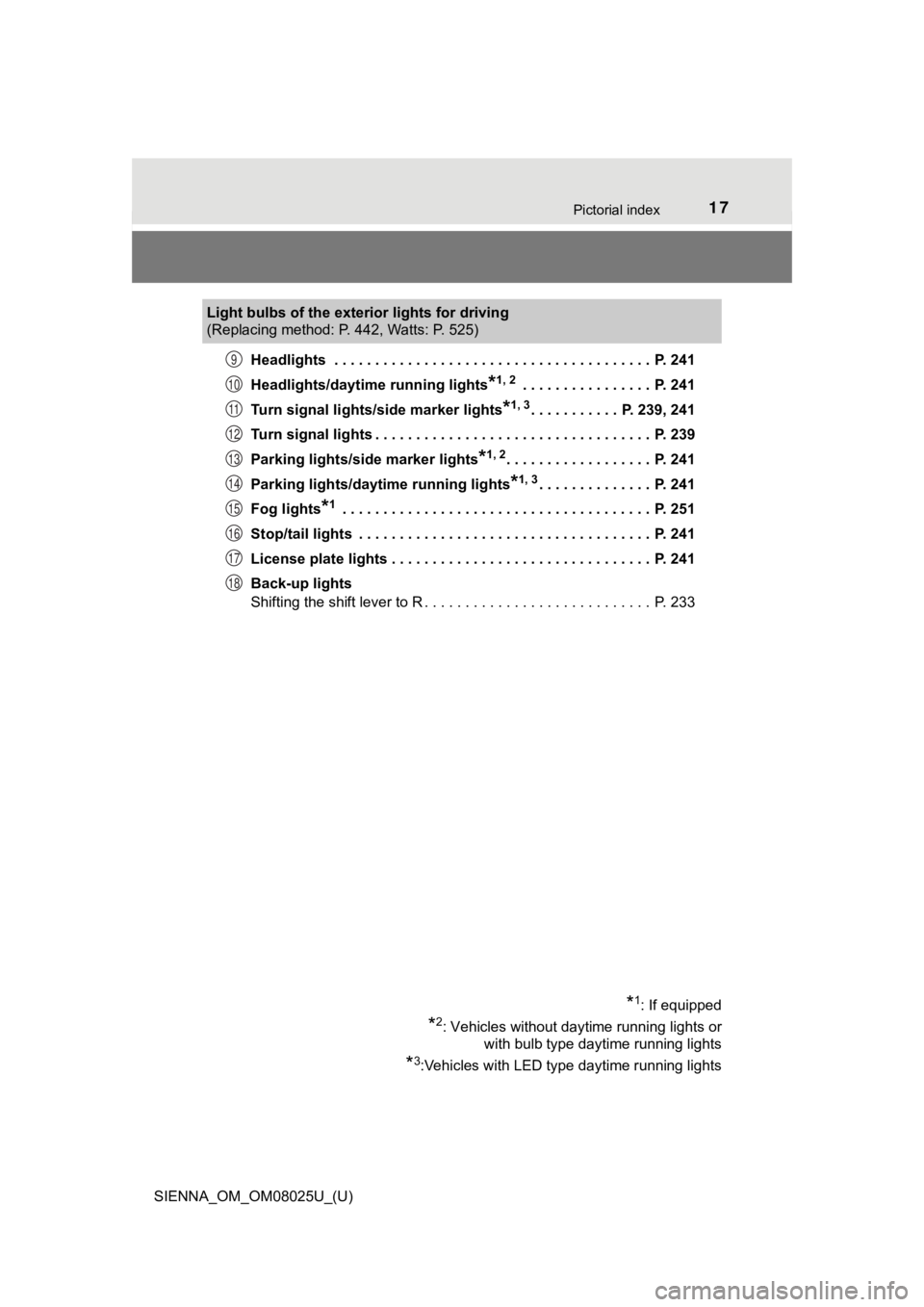
SIENNA_OM_OM08025U_(U)Headlights . . . . . . . . . . . . . . . . . . . . . . . . . . . . . . . . . . . . . . . P. 241
Headlights/daytime running lights
*1, 2 . . . . . . . . . . . . . . . . P. 241
Turn signal lights/side marker lights
*1, 3. . . . . . . . . . . P. 239, 241
Turn signal lights . . . . . . . . . . . . . . . . . . . . . . . . . . . . . . . . . . P. 239
Parking lights/side marker lights
*1, 2. . . . . . . . . . . . . . . . . . P. 241
Parking lights/daytime running lights
*1, 3. . . . . . . . . . . . . . P. 241
Fog lights
*1 . . . . . . . . . . . . . . . . . . . . . . . . . . . . . . . . . . . . . . P. 251
Stop/tail lights . . . . . . . . . . . . . . . . . . . . . . . . . . . . . . . . . . . . P. 241
License plate lights . . . . . . . . . . . . . . . . . . . . . . . . . . . . . . . . P. 241
Back-up lights
Shifting the shift lever to R . . . . . . . . . . . . . . . . . . . . . . . . . . . . P. 233
Light bulbs of the exterior lights for driving
(Replacing method: P. 442, Watts: P. 525)
*1: If equipped
*2: Vehicles without daytime running lights or
with bulb type daytime running lights
*3:Vehicles with LED type daytime running lights
9
10
11
12
13
14
15
16
17
18
Page 19 of 584
19Pictorial index
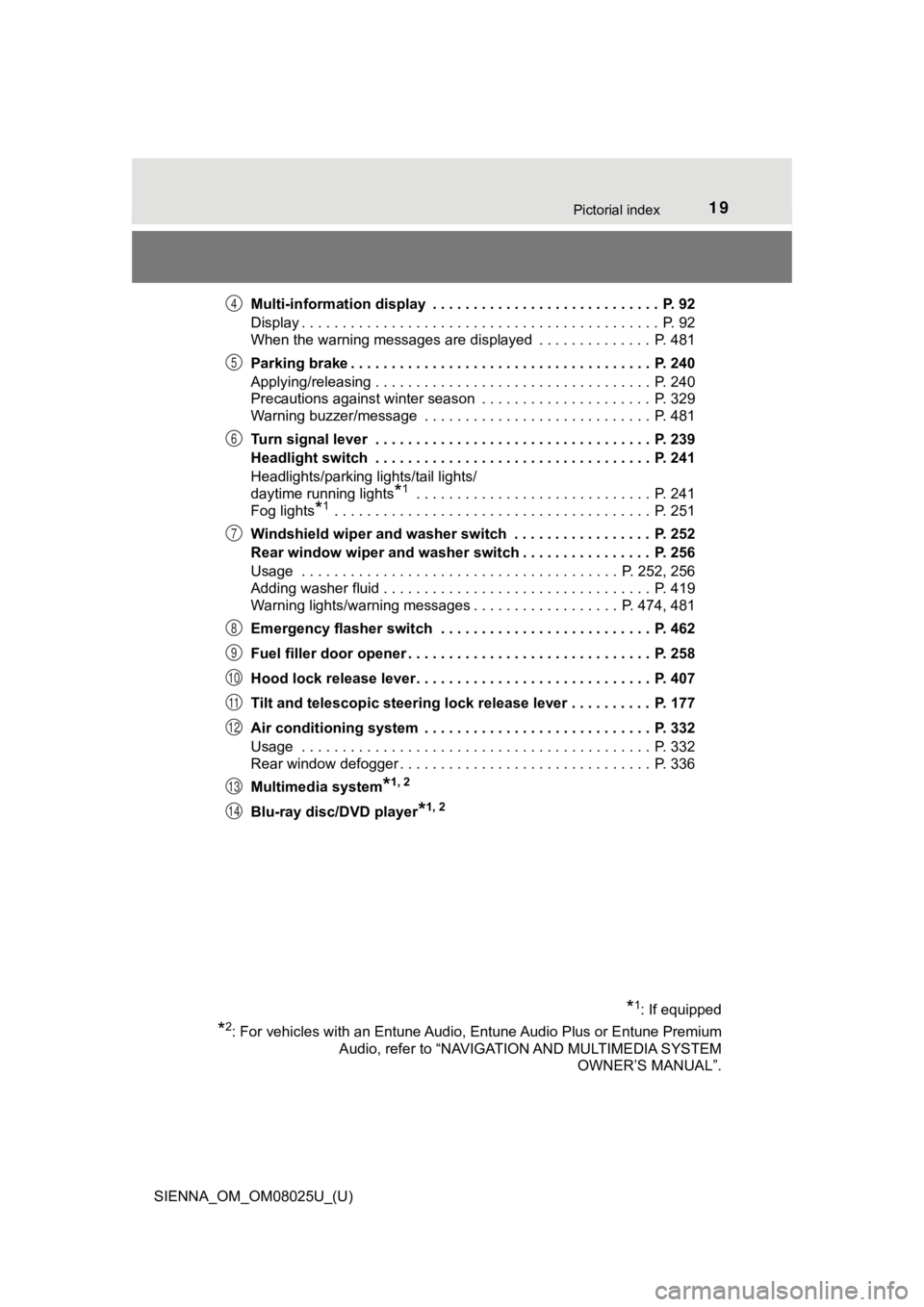
SIENNA_OM_OM08025U_(U)Multi-information display . . . . . . . . . . . . . . . . . . . . . . . . . . . . P. 92
Display . . . . . . . . . . . . . . . . . . . . . . . . . . . . . . . . . . . . . . . . . . . . P. 92
When the warning messages are displayed . . . . . . . . . . . . . . P. 481
Parking brake . . . . . . . . . . . . . . . . . . . . . . . . . . . . . . . . . . . . . P. 240
Applying/releasing . . . . . . . . . . . . . . . . . . . . . . . . . . . . . . . . . . P. 240
Precautions against winter season . . . . . . . . . . . . . . . . . . . . . P. 329
Warning buzzer/message . . . . . . . . . . . . . . . . . . . . . . . . . . . . P. 481
Turn signal lever . . . . . . . . . . . . . . . . . . . . . . . . . . . . . . . . . . P. 239
Headlight switch . . . . . . . . . . . . . . . . . . . . . . . . . . . . . . . . . . P. 241
Headlights/parking lights/tail lights/
daytime running lights
*1 . . . . . . . . . . . . . . . . . . . . . . . . . . . . . P. 2
41
Fog lights
*1 . . . . . . . . . . . . . . . . . . . . . . . . . . . . . . . . . . . . . . . P. 251
Windshield wiper and washer switch . . . . . . . . . . . . . . . . . P. 252
Rear window wiper and washer switch . . . . . . . . . . . . . . . . P. 256
Usage . . . . . . . . . . . . . . . . . . . . . . . . . . . . . . . . . . . . . . . P. 252, 256
Adding washer fluid . . . . . . . . . . . . . . . . . . . . . . . . . . . . . . . . . P. 419
Warning lights/warning messages . . . . . . . . . . . . . . . . . . P. 474, 481
Emergency flasher switch . . . . . . . . . . . . . . . . . . . . . . . . . . P. 462
Fuel filler door opener . . . . . . . . . . . . . . . . . . . . . . . . . . . . . . P. 258
Hood lock release lever. . . . . . . . . . . . . . . . . . . . . . . . . . . . . P. 407
Tilt and telescopic steering lock release lever . . . . . . . . . . P. 177
Air conditioning system . . . . . . . . . . . . . . . . . . . . . . . . . . . . P. 332
Usage . . . . . . . . . . . . . . . . . . . . . . . . . . . . . . . . . . . . . . . . . . . P. 332
Rear window defogger . . . . . . . . . . . . . . . . . . . . . . . . . . . . . . . P. 336
Multimedia system
*1, 2
Blu-ray disc/DVD player*1, 2
*1: If equipped
*2: For vehicles with an Entune Audio, Entune Audio Plus or Entune Premium Audio, refer to “NAVIGATI ON AND MULTIMEDIA SYSTEM
OWNER’S MANUAL”.
4
5
6
7
8
9
10
11
12
13
14
Page 179 of 584
1793-4. Adjusting the steering wheel and mirrors
3
Operation of each component
SIENNA_OM_OM08025U_(U)
Inside rear view mirror
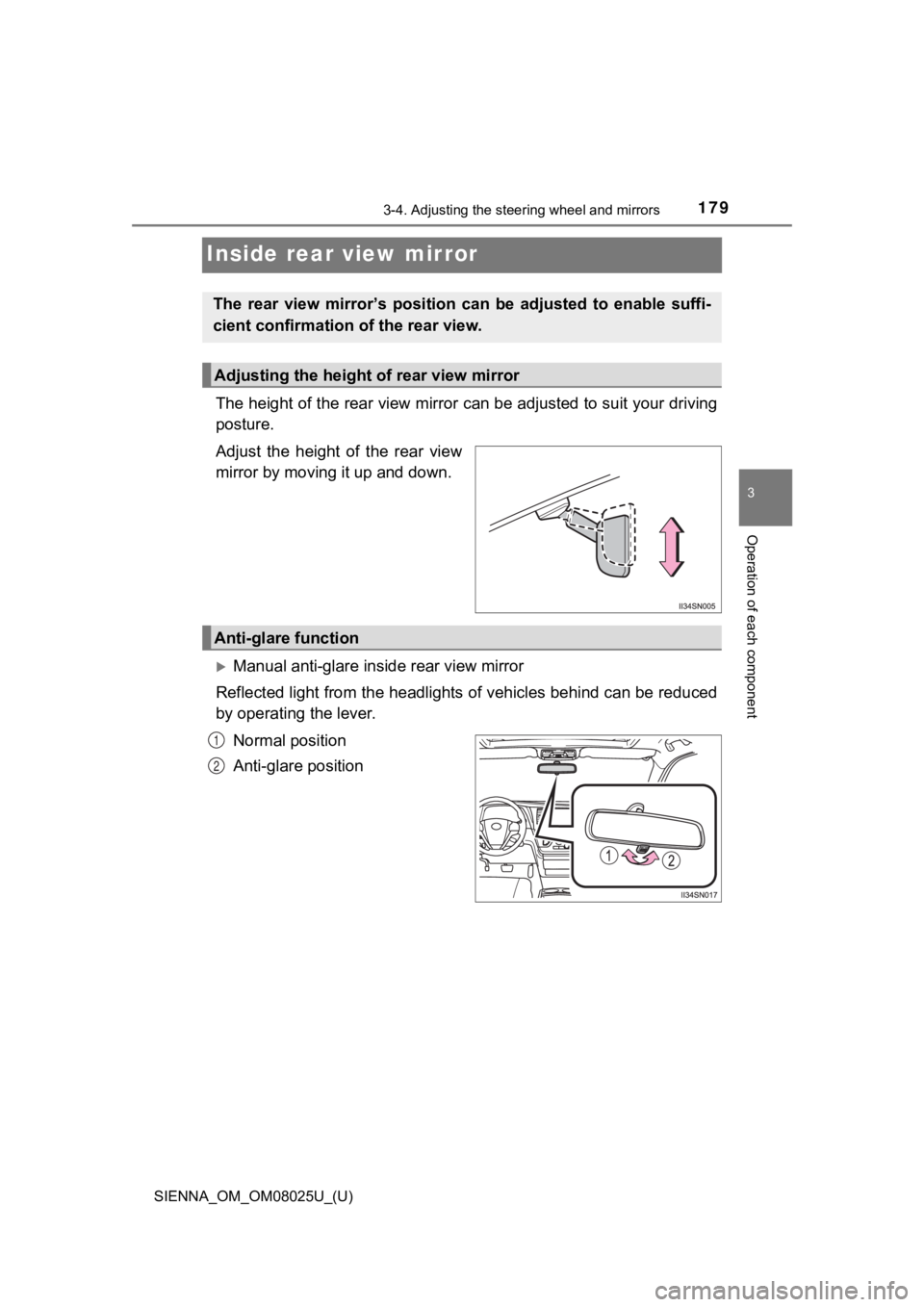
The height of the rear view mirror can be adjusted to suit your driving
posture.
Adjust the height of the rear view
mirror by moving it up and down.
Manual anti-glare inside rear view mirror
Reflected light from the headlights of vehicles behind can be r educed
by operating the lever.
Normal position
Anti-glare position
The rear view mirror’s position ca n be adjusted to enable suffi-
cient confirmation of the rear view.
Adjusting the height of rear view mirror
Anti-glare function
1
2
Page 180 of 584
1803-4. Adjusting the steering wheel and mirrors
SIENNA_OM_OM08025U_(U)
Auto anti-glare inside rear view mirror
Responding to the level of brightness of the headlights of vehi cles
behind, the reflected light is automatically reduced.
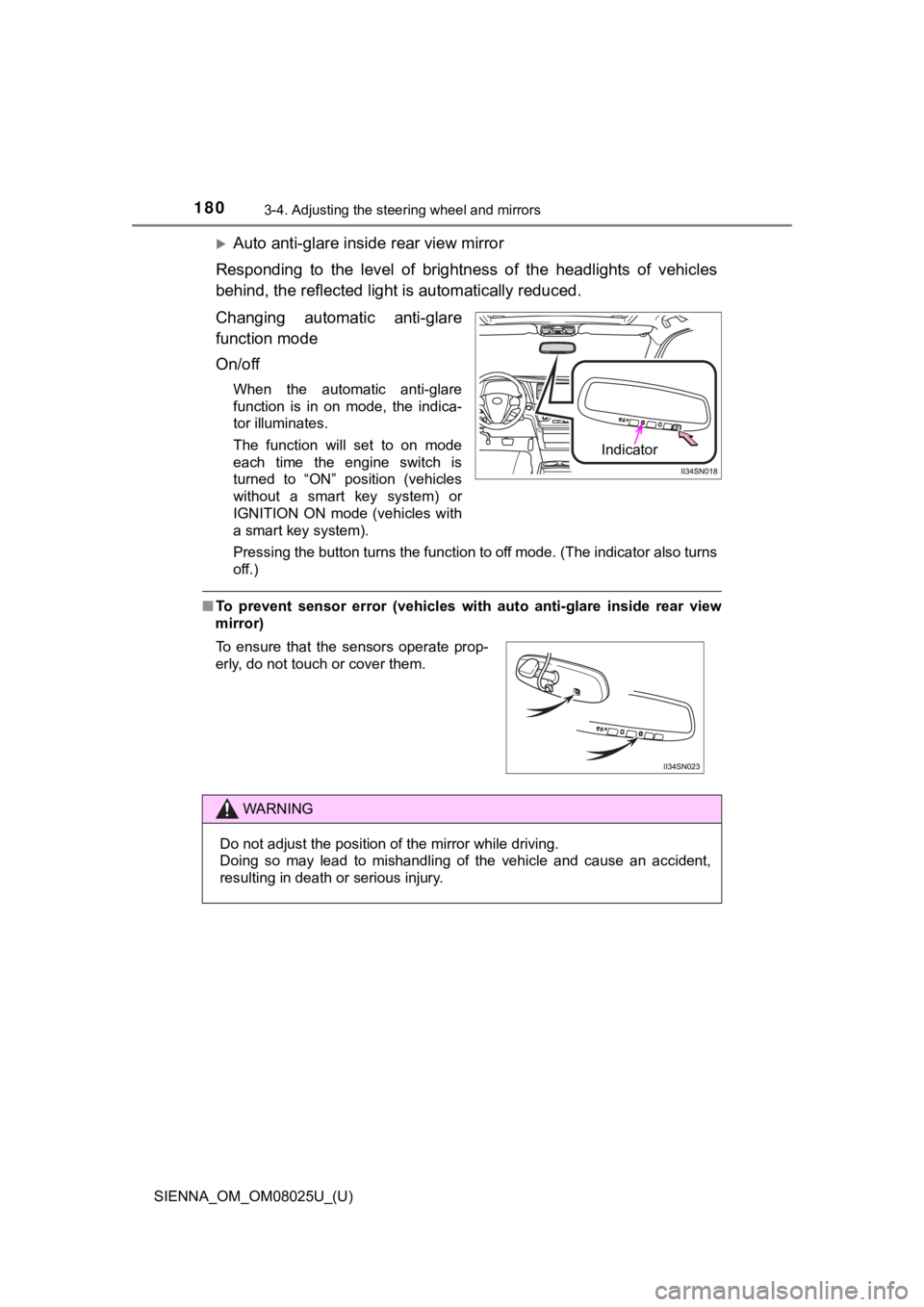
Changing automatic anti-glare
function mode
On/off
When the automatic anti-glare
function is in on mode, the indica-
tor illuminates.
The function will set to on mode
each time the engine switch is
turned to “ON” position (vehicles
without a smart key system) or
IGNITION ON mode (vehicles with
a smart key system).
Pressing the button turns the function to off mode. (The indica tor also turns
off.)
■ To prevent sensor error (vehicles with auto anti-glare inside rear view
mirror)
Indicator
To ensure that the sensors operate prop-
erly, do not touch or cover them.
WARNING
Do not adjust the position of the mirror while driving.
Doing so may lead to mishandling of the vehicle and cause an ac cident,
resulting in death or serious injury.
Page 241 of 584
241
SIENNA_OM_OM08025U_(U)
4-3. Operating the lights and wipers
4
Driving
Headlight switch
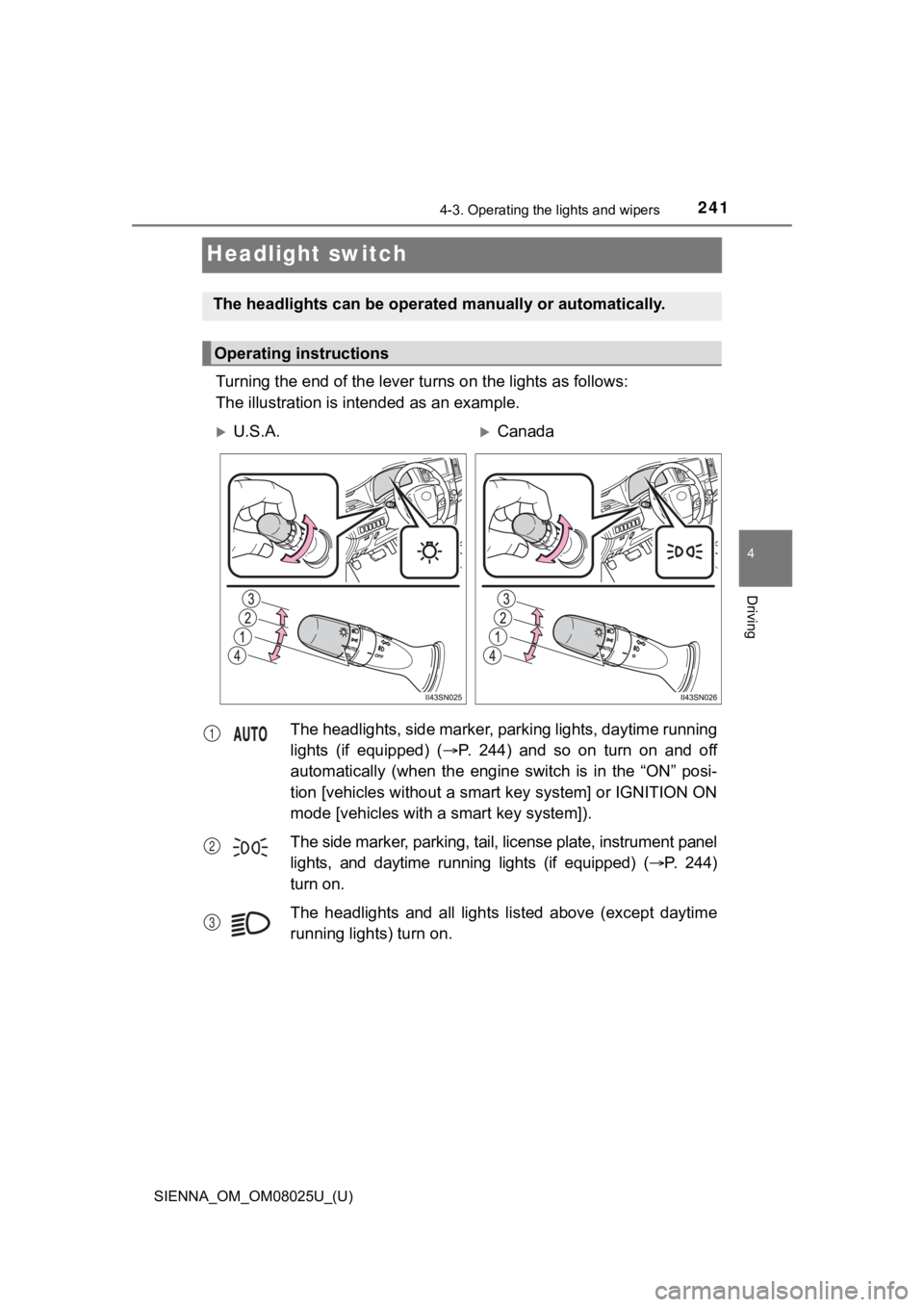
Turning the end of the lever turns on the lights as follows:
The illustration is intended as an example.
The headlights can be operate d manually or automatically.
Operating instructions
U.S.A.Canada
The headlights, side marker, parking lights, daytime running
lights (if equipped) (P. 244) and so on turn on and off
automatically (when the engine switch is in the “ON” posi-
tion [vehicles without a smart key system] or IGNITION ON
mode [vehicles with a smart key system]).
The side marker, parking, tail, license plate, instrument panel
lights, and daytime running lights (if equipped) ( P. 2 4 4 )
turn on.
The headlights and all lights listed above (except daytime
running lights) turn on.
1
2
3
Page 242 of 584
242
SIENNA_OM_OM08025U_(U)
4-3. Operating the lights and wipers
*1: Vehicles without a daytime running light system
*2: Vehicles with a daytime running light system
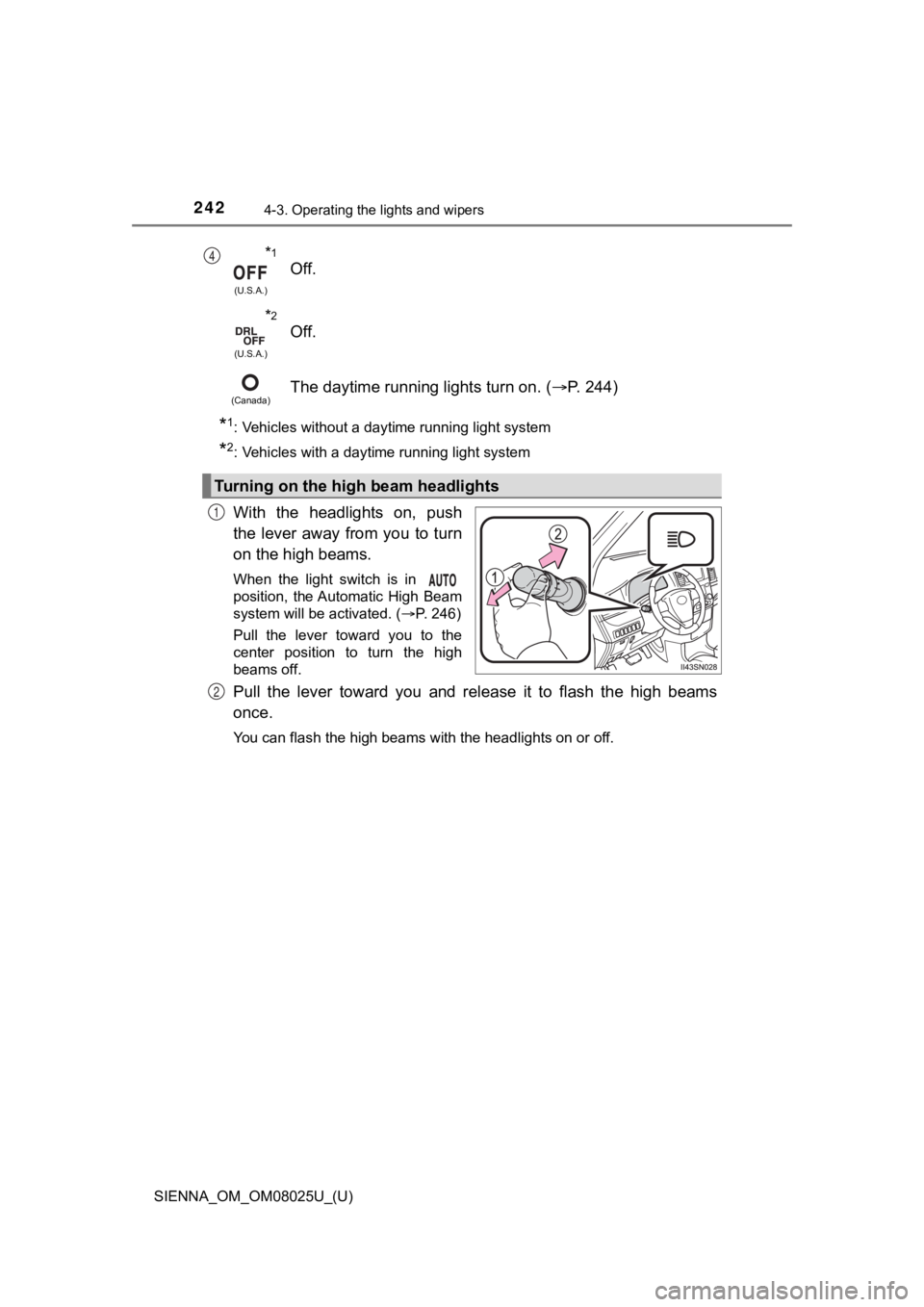
With the headlights on, push
the lever away from you to turn
on the high beams.
When the light switch is in
position, the Automatic High Beam
system will be activated. (P. 246)
Pull the lever toward you to the
center position to turn the high
beams off.
Pull the lever toward you and release it to flash the high beam s
once.
You can flash the high beams with the headlights on or off.
*1
(U.S.A.)
Off.
*2
(U.S.A.)
Off.
(Canada)The daytime running lights turn on. ( P. 244)
Turning on the high beam headlights
4
1
2
Page 244 of 584
244
SIENNA_OM_OM08025U_(U)
4-3. Operating the lights and wipers
■Daytime running light system (if equipped)
●Bulb type: The daytime running lights illuminate using the same lights as the
headlights and illuminate dimmer than the headlights.
● LED type: The daytime running lights illuminate using the same lights as the
parking lights and illuminate brighter than the parking lights.
● To make your vehicle more visible to other drivers during dayti me driving,
the daytime running lights turn on automatically when all of the following
conditions are met. (The daytime running lights are not designe d for use at
night.)
• The engine is running
• The parking brake is released
• The headlight switch is in the (Canada only), or “AUTO”
*
position
*: When the surroundings are bright
The daytime running lights remain on after they illuminate, even if the parking
brake is set again.
● For the U.S.A.: Daytime running lights can be turned off by ope rating the
headlight switch.
● Compared to turning on the headlights, the daytime running ligh t system
offers greater durability and consumes less electricity, so it can help improve
fuel economy.
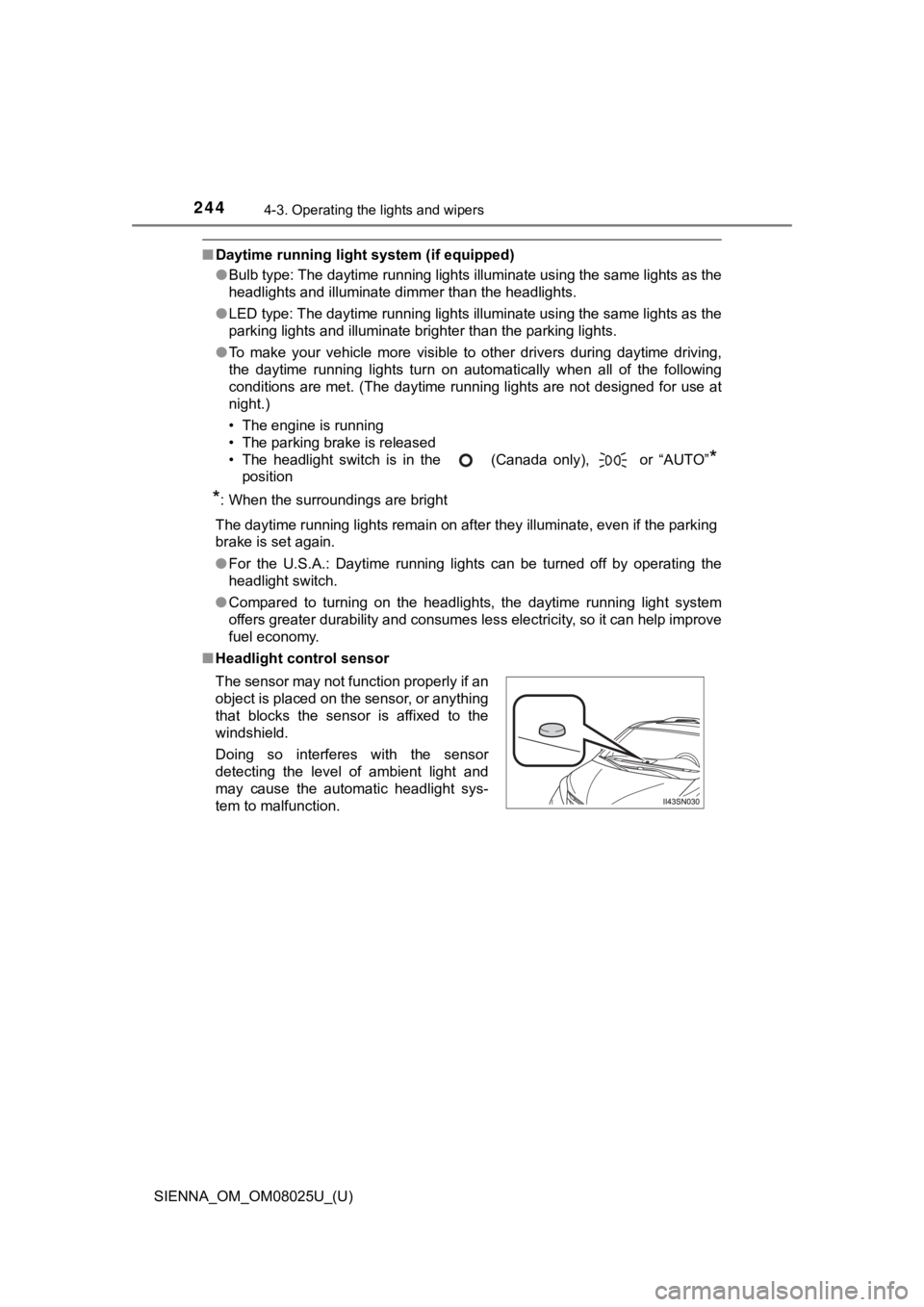
■ Headlight control sensor
The sensor may not function properly if an
object is placed on the sensor, or anything
that blocks the sensor is affixed to the
windshield.
Doing so interferes with the sensor
detecting the level of ambient light and
may cause the automatic headlight sys-
tem to malfunction.
Page 245 of 584
SIENNA_OM_OM08025U_(U)
2454-3. Operating the lights and wipers
4
Driving
■Automatic light off system
Vehicles without a smart key system
● When the headlights are on: The headlights and tail lights turn off 30 sec-
onds after a door is opened and closed if the engine switch is turned to the
“ACC” or “LOCK” position. (The lights turn off immediately if on the
key is pressed after all the doors are locked.)
● When only the tail lights are on: The tail lights turn off automatically if the
engine switch is turned to the “ACC” or “LOCK” position and the driver’s
door is opened.
To turn the lights on again, turn the engine switch to the “ON” position, or turn
the light switch off once and then back to the
or .
Vehicles with a smart key system
● When the headlights are on: The headlights and tail lights turn off 30 sec-
onds after a door is opened and closed if the engine switch is turned to
ACCESSORY mode or turned off. (The lights turn off immediately if
on the key is pressed after all the doors are locked.)
● When only the tail lights are on: The tail lights turn off automatically if the
engine switch is turned to ACCESSORY mode or turned off and the driver’s
door is opened.
To turn the lights on again, turn the engine switch to IGNITION ON mode, or
turn the light switch off and then back to or .
■ Light reminder buzzer
Vehicles without a smart key system
A buzzer sounds when the engine switch is turned to the “LOCK” position, the
key is removed and the driver’s door is opened while the lights are turned on.
Vehicles with a smart key system
A buzzer sounds when the engine switch is turned off and the driver’s door is
opened while the lights are turned on.
■ Customization
Settings (e.g. light sensor sensitivity) can be changed.
(Customizable features: P. 546)
NOTICE
■To prevent battery discharge
Do not leave the lights on longer than necessary when the engin e is not
running.
■ Headlight leveling
When the vehicle is loaded, headlight level should be adjusted to appropri-
ate dial setting. ( P. 243)
Page 246 of 584
246
SIENNA_OM_OM08025U_(U)
4-3. Operating the lights and wipers
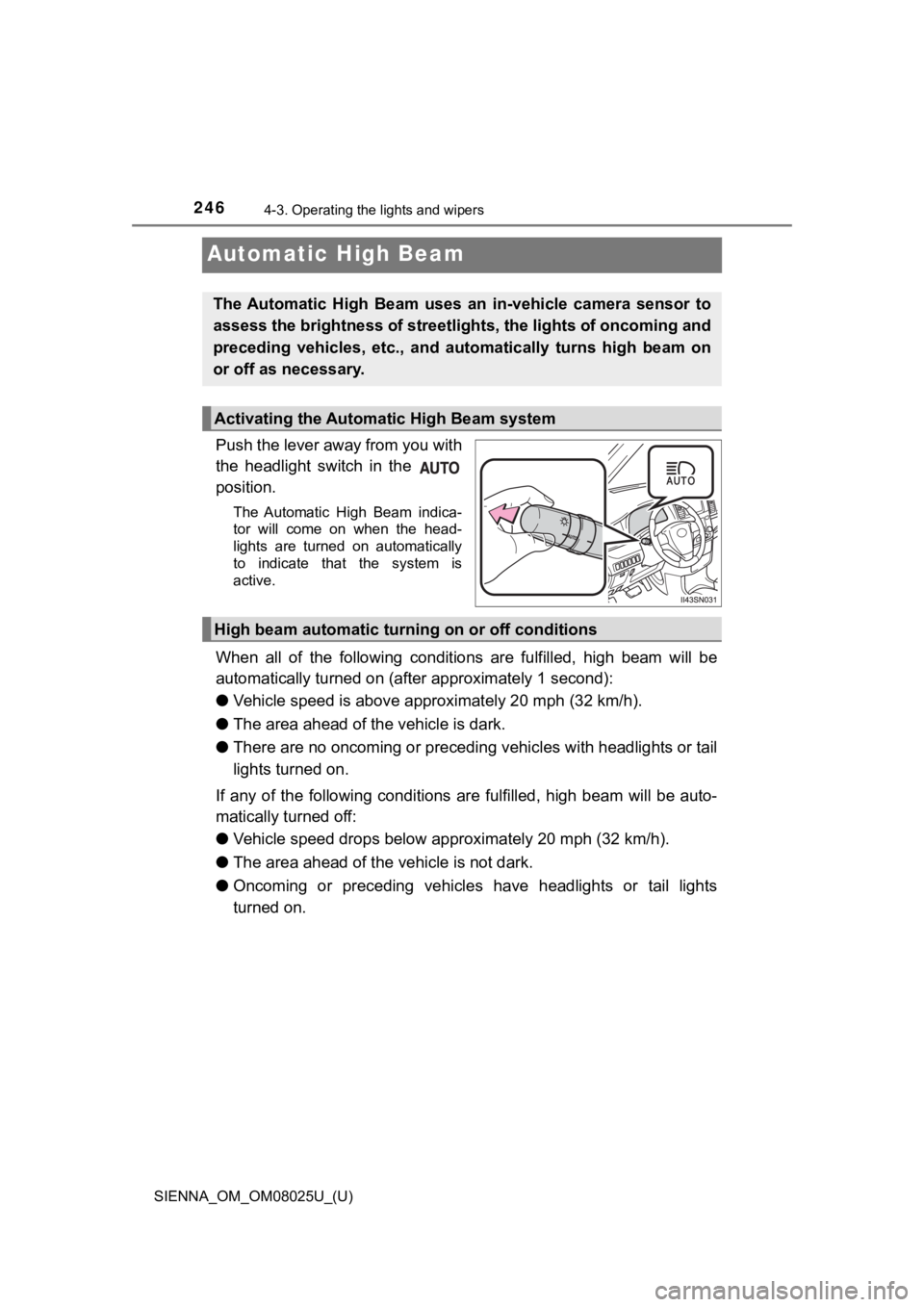
Automatic High Beam
Push the lever away from you with
the headlight switch in the
position.
The Automatic High Beam indica-
tor will come on when the head-
lights are turned on automatically
to indicate that the system is
active.
When all of the following conditions are fulfilled, high beam will be
automatically turned on (after approximately 1 second):
● Vehicle speed is above appr oximately 20 mph (32 km/h).
● The area ahead of the vehicle is dark.
● There are no oncoming or precedi ng vehicles with headlights or tail
lights turned on.
If any of the following conditions are fulfilled, high beam wil l be auto-
matically turned off:
● Vehicle speed drops below app roximately 20 mph (32 km/h).
● The area ahead of the vehicle is not dark.
● Oncoming or preceding vehicles have headlights or tail lights
turned on.
The Automatic High Beam uses an in-vehicle camera sensor to
assess the brightness of streetli ghts, the lights of oncoming and
preceding vehicles, etc., and au tomatically turns high beam on
or off as necessary.
Activating the Automatic High Beam system
High beam automatic tur ning on or off conditions
Page 248 of 584

248
SIENNA_OM_OM08025U_(U)
4-3. Operating the lights and wipers
■The Automatic High Beam can be operated when
The engine switch is in the “ON” position (vehicles without a s mart key sys-
tem) or IGNITION ON mode (vehicles with a smart key system).
■ Camera sensor detection information
●High beam may not be automatically turned off in the following situations:
• When oncoming vehicles suddenly appear from a curve.
• When the vehicle is cut in front of by another.
● High beam may be turned off if an oncoming vehicle that is usin g fog lights
without using the headlights is detected.
● Houselights, streetlights, red traffic signals, and illuminated billboards or
signs may cause the high beam to turn off.
● The following factors may affect the amount of time taken to tu rn high beam
on or off:
• The brightness of headlights, fog lights, and tail lights of o ncoming and
preceding vehicles
• Road conditions (wetness, ice, snow etc.)
• The number of passengers and amount of baggage
● High beam may be turned on or off when unexpected by the driver .