fuel cap TOYOTA SIENNA HYBRID 2021 Accessories, Audio & Navigation (in English)
[x] Cancel search | Manufacturer: TOYOTA, Model Year: 2021, Model line: SIENNA HYBRID, Model: TOYOTA SIENNA HYBRID 2021Pages: 332, PDF Size: 11.73 MB
Page 109 of 332
1093-4. Setup
3
Navigation system
releasing the accelerator pedal.
As a result, the battery charge
amount can be increased when
decelerating or stopping the
vehicle to enhance fuel econ-
omy.
The system reads the road and
traffic conditions ahead to effi-
ciently control the charging and
discharging of the hybrid battery
according to the actual driving
situation.
The capacity of the hybrid bat-
tery is limited. When it is fully
charged, regeneration cannot
occur, and when the battery is
depleted, it may be forcibly
charged by the engine. The sys-
tem predicts these situations to
adjust the battery charge level in
advance, effectively utilizing the
battery.
●The system operates when start-
ing route guidance and the posi-
tion of the vehicle is along the
guided route. (The system does
not operate in parking lots, etc.)
●When multiple destinations are
set, the system will continue to
operate to the last destination.
*: This function is not made avail-
able in some countries or areas.
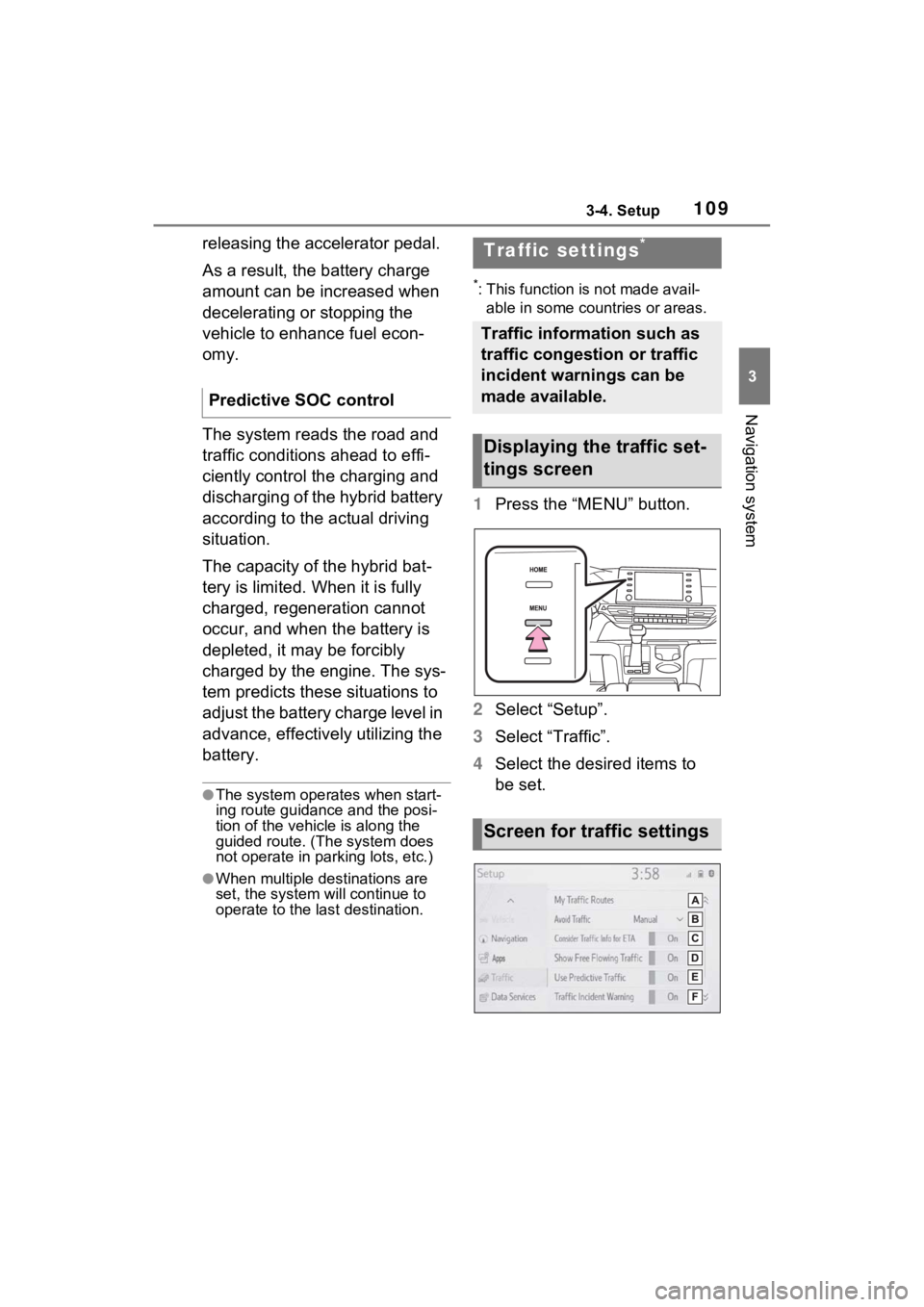
1 Press the “MENU” button.
2 Select “Setup”.
3 Select “Traffic”.
4 Select the desired items to
be set.
Predictive SOC control
Traffic settings*
Traffic information such as
traffic congestion or traffic
incident warnings can be
made available.
Displaying the traffic set-
tings screen
Screen for traffic settings
Page 245 of 332
2457-3. Panoramic view monitor
7
Peripheral monitoring system
on the standard of a flat road surface; the panoramic view/moving
view/see-through view may be displayed as follows.
• Objects may look collapsed; t hinner or bigger than usual.
• An object with a higher positi on than the road surface may look farther
away than it actually is or may not appear at all.
• Tall objects may appear protrudi ng from the non-displayed areas of the
image.
●Variations in the brightness of the image may appear for every camera.
●The displayed image may be shift ed by inclination of the vehicle body,
change in vehicle height, etc., d epending on the number of pass engers,
amount of luggage, fuel quantity, etc.
●If the front door s or back door are not c ompletely closed; neither the
image nor the guide lines are displayed.
●The position relations of the ve hicle icon and the road surface or obstacle
may differ from the actual positions.
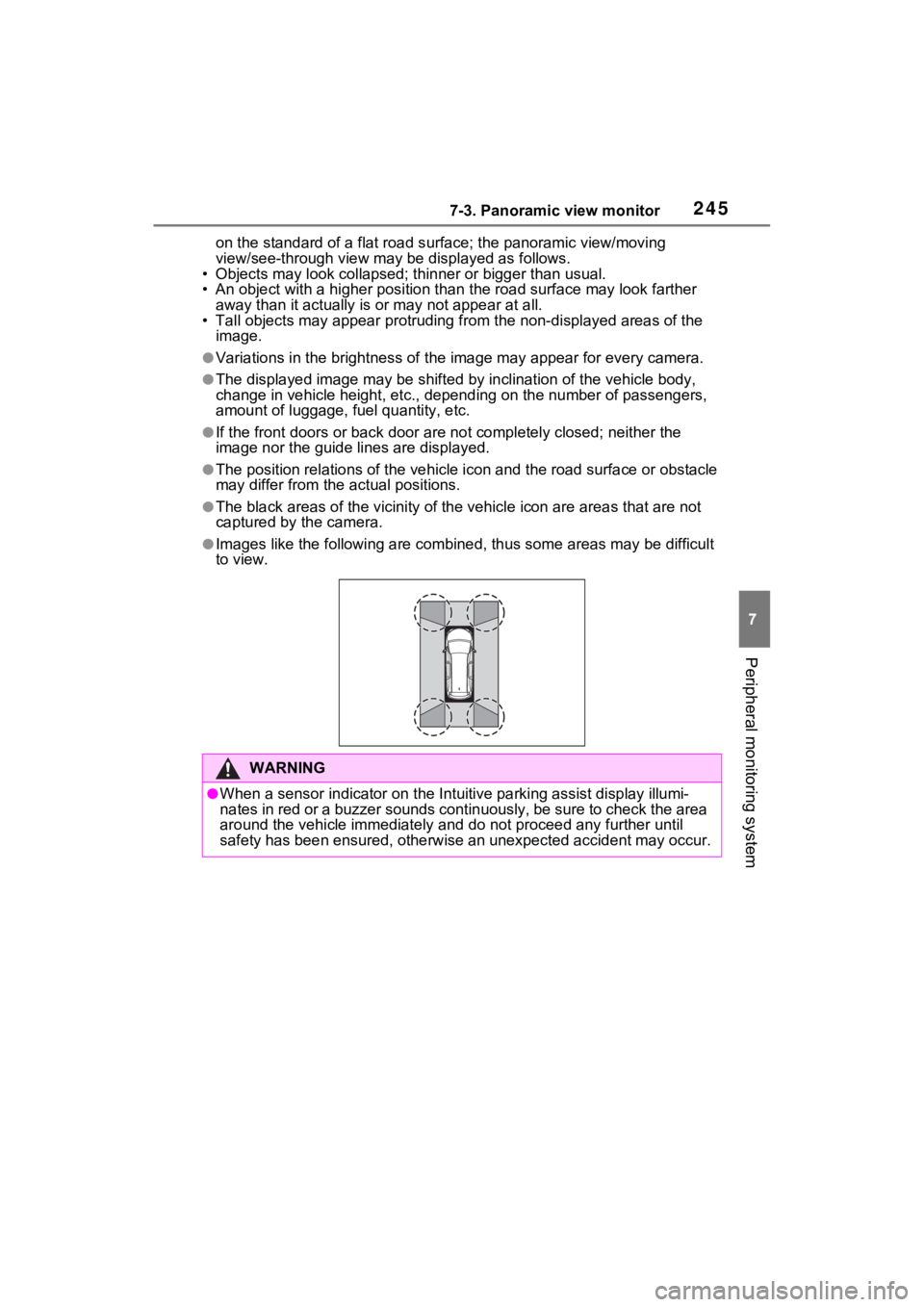
●The black areas of the vicinity of the vehicle icon are areas t hat are not
captured by the camera.
●Images like the following are combined, thus some areas may be difficult
to view.
WARNING
●When a sensor indicator on the In tuitive parking assist display illumi-
nates in red or a buzzer sounds continuously, be sure to check the area
around the vehicle immediately a nd do not proceed any further until
safety has been ensured, otherwise an unexpected accident may o ccur.