key TOYOTA SUPRA 1996 Owner's Manual
[x] Cancel search | Manufacturer: TOYOTA, Model Year: 1996, Model line: SUPRA, Model: TOYOTA SUPRA 1996Pages: 188, PDF Size: 3.84 MB
Page 84 of 188

82
3. Press the 1º button while holding the right side of TUNEº button in. - - -º and
the tape operation indicator will appear on
the display.4. Input your identification number by
pressing the 1º, 2º and 3º buttons re-
peatedly. Use the 1º button for the firstdigit, the 2º button for the second digit
and the 3º button for the last digit. For ex- ample, if your number is 824, press the 1º
button nine times, the 2º button three
times and the 3º button five times. If the
display returns to - - -º while inputting,
try again.
We recommend that your identification
number be associated with something
easy to remember. In case you are unsure
of the number, write it in a notebook you
normally carry. Do not leave it behind inyour vehicle.5. With your identification number ap-
pearing on the display, press the SCANº button and hold it in until SECº appears
on the display. SECº will go off to indicate the system is set. If invalid buttons have
been used, Errº will appear on the display
before SECº appears. Try again from the
step 3.
Once the system is set, the indicator light
turns on and off with the ignition switch in
OFFº and SECº will appear each time the key is turned to the ACCº position.
To change the identification number for some reason, cancel the system (See
Cancelling the anti-theft systemº) and
set it again with a new number.
Page 97 of 188

95
5. With your identification number ap-
pearing on the display, press the SCANº button and hold it in until SECº appears
on the display. SECº will go off to indicate the system is set. If invalid buttons have
been used, Errº will appear on the display
before SECº appears. Try again from the
step 3.
Once the system is set, the indicator light
turns on and off with the ignition switch in
OFFº and SECº will appear each time the key is turned to the ACCº position.
To change the identification number for some reason, cancel the system (See
Cancelling the anti-theft systemº) and
set it again with a new number.The system will be activated if the electri-
cal power source is disconnected from the
radio unit. When the system is activated,
the audio system cannot be turned on even after the power supply resumes and
SECº will appear on the display. If this
happens, such as when the battery is dis-
charged, see If the anti-theft system isactivatedº.Cancelling the anti-theft system
1. Follow the steps 1 to 4 described in
Setting the anti-theft systemº.
2. With your identification number ap-
pearing on the display, press the SCANº
button and hold it in until - - -º appears
on the display. - - -º will go off to indicate
the system is cancelled. If invalid buttons
have been used, Errº will appear on the
display and SECº appears. Try again from
step 3 in Setting the anti-theft systemº.
Page 105 of 188

Part 1Cigarette lighter and ashtray
Clock
103
OPERATION OF INSTRUMENTS AND CONTROLSÐ
Chapter 1-8 Other equipment
Clock
Cigarette lighter and ashtray
Glovebox
Luggage cover
Traction control system
Floor mat
The digital clock indicates the time
with the ignition key at the ACCº or
ONº position. To reset the hour, de-
press the
Hº button. To reset the min-
utes, depress the Mº button. To ad-
just the time to a full hour, depress the
:00º button.
For example, if the :00º button is de-
pressed when the time is between
1:01Ð1:29, the time will change to 1:00.
If the time is between 1:30Ð1:59, the time
will change to 2:00. When the instrument panel lights are turned on, the brightness of the time indi- cation will be reduced.
Once the electrical power source has
been disconnected from the clock, the
time is automatically set to 1:00 (oneo'clock).To operate the cigarette lighter, press
it in. When it becomes heated, it auto-
matically pops out ready for use.
If the engine is not running, the key must be in the ACCº position.
Do not hold the cigarette lighter pressed in. When finished with your cigarette, thor-
oughly extinguish it in the ashtray to pre-
vent other cigarette butts from catching
fire. After using the ashtray, close the ash-
tray cover completely.
To remove the ashtray, open the ashtray cover and pull it out.
Use a Toyota genuine cigarette lighter or equivalent for replacement.
Page 106 of 188

104
To open the glovebox door, pull the
lever. To lock the glovebox door, insert
the master key and turn it clockwise.
With the instrument panel lights on, the
glovebox light w ill come on when the door
is open.
To reduce the chance of injury in
case of an accident or a sudden
stop, always keep the glovebox
door closed while driving. CAUTION
!
When you open the back door, the lug-
gage cover tilts up for easy access to the luggage area.
For additional luggage space, unhook the retractable cords and lift the cover out of the retainers.AUTOMATIC MODE
The traction control system automati-
cally controls spinning of the rear
wheels which may occur when accel-
erating on
slippery road surfaces, thus
assisting driver control and driving
power to the rear wheels. When you turn the ignition switch on, the trac-
tion control system always turns on
automatically, and the slip indicator
light and SNOWº indicator light will come on. The indicator lights will go
off after about 3 seconds.
Glovebox Luggage cover Traction control system
Page 111 of 188
109
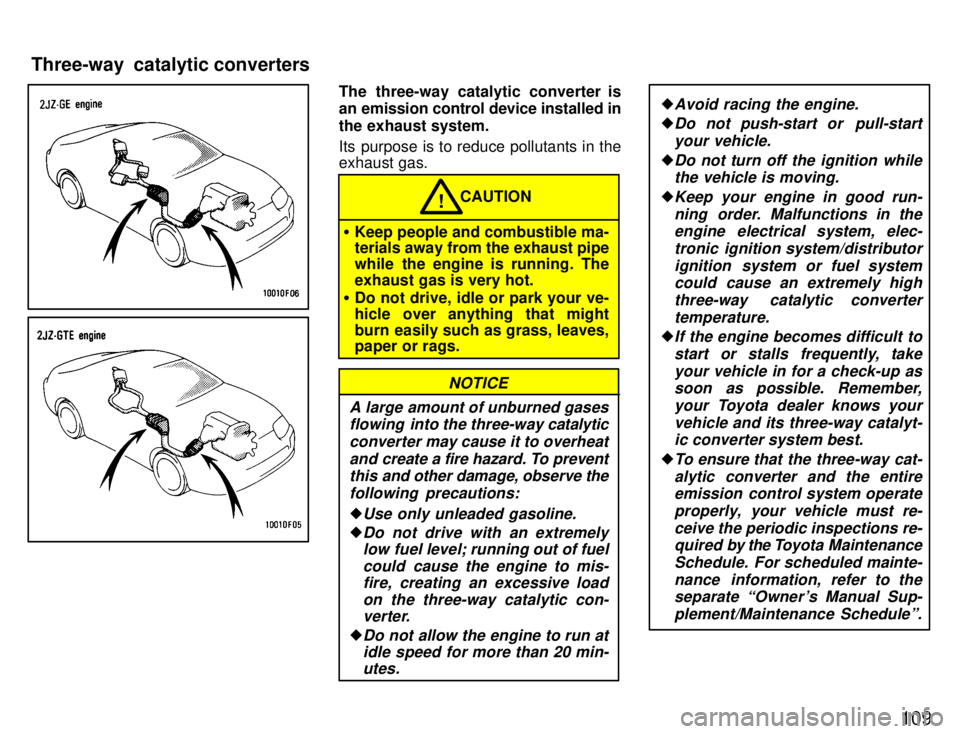
The three-way catalytic converter is
an emission control device installed in
the exhaust system.
Its purpose is to reduce pollutants in the exhaust gas.
CAUTION!
Keep people and combustible ma- terials away from the exhaust pipe
while the engine is running. The
exhaust gas is very hot.
Do not drive, idle or park your ve-
hicle over anything that might
burn easily such as grass, leaves, paper or rags.
A large amount of unburned gases
flowing into the three-way catalytic
converter may cause it to overheat and create a fire hazard. To preventthis and other damage, observe the
following precautions:
Use only unleaded gasoline.
Do not drive with an extremely low fuel level; running out of fuel
could cause the engine to mis-fire, creating an excessive load
on the three-way catalytic con-verter.
Do not allow the engine to run atidle speed for more than 20 min-
utes.
NOTICE
Avoid racing the engine.
Do not push-start or pull-start
your vehicle.
Do not turn off the ignition whilethe vehicle is moving.
Keep your engine in good run-
ning order. Malfunctions in theengine electrical system, elec-
tronic ignition system/distributorignition system or fuel systemcould cause an extremely high
three-way catalytic converter
temperature.
If the engine becomes difficult to start or stalls frequently, takeyour vehicle in for a check-up assoon as possible. Remember,
your Toyota dealer knows your
vehicle and its three-way catalyt-ic converter system best.
To ensure that the three-way cat-
alytic converter and the entireemission control system operate
properly, your vehicle must re-
ceive the periodic inspections re-quired by the Toyota Maintenance
Schedule. For scheduled mainte-
nance information, refer to theseparate Owner's Manual Sup-
plement/Maintenance Scheduleº.
Three-way catalytic converters
Page 114 of 188
11 2
Even if the power assist is com-
pletely lost, the brakes will still
work. But you will have to push the
pedal hardÐmuch harder t han nor-
mal. And your braking distance will
be longer.
ANTI-LOCK BRAKE SYSTEM
The anti-lock brake system is designed to prevent lock-up of the wheels during sud-
den braking or braking on slippery road surfaces. This assists the driver in con-
trolling the vehicle under these circum-stances.
The anti-lock brake system becomes op- erative after the vehicle has accelerated
to a speed in excess of approximately 10
km/h (6 mph). It stops operating when the
vehicle decelerates to a speed below
approximately 5 km/h (3 mph).
You may hear a sound in the engine
compartment for a few seconds when the
engine is started or just after the vehicle is started. This means that the anti-lock
brake system is in the self check mode,
and does not indicate a malfunction.
When the anti-lock brake system function is in action, you may feel the brake pedal
pulsating and hear a noise. In this situa-
tion, to let the anti-lock brake system work for you, just hold the brake pedal
down more firmly. Do not pump the brake. The brake pedal pulsation caused by the
anti-lock brake system may indicate haz- ardous road surface conditions. Althoughthe anti-lock brake system assists in pro-
viding
vehicle control, it is still important to
drive with all due care, because the anti-
lock brake system cannot overcome the
laws of physics that act on your vehicle: Braking c apability is dependent on tire
friction with the road surface.
Even though the anti-lock brake sys-
tem is operating, a driver cannot main- tain full control on certain slippery road
surfaces, when cornering at highspeeds, or in violent maneuvers.
Avoid high speeds on wet roads. The
anti-lock brake system cannot elimi-
nate the risk of hydroplaning and lossof tire friction.
Always maintain a safe distance from the
vehicle in front of you. Compared with ve-
hicles not fitted with an anti-lock brake
system, your vehicle may require a longer
stopping distance in the following cases: Driving on rough, gravel or snow-cov-
ered roads.
Driving with tire chains installed.
Driving on roads where the road sur-
face is pitted or has other differences in surface height.
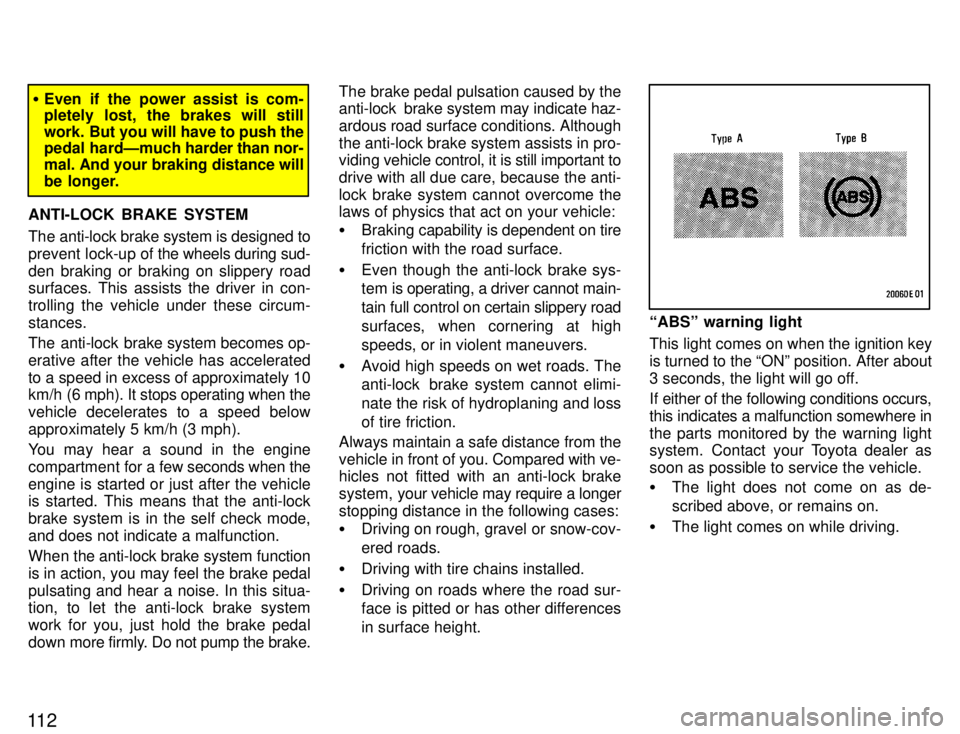
ABSº warning light
This light comes on when the ignition key is turned to the ONº position. After about
3 seconds, the light will go off.
If either of the following conditions occurs, this indicates a malfunction somewhere inthe parts monitored by the warning light
system. Contact your Toyota dealer as
soon as possible to service the vehicle. The light does not come on as de-
scribed above, or remains on.
The light comes on while driving.
Page 120 of 188

11 8Before starting the engine, be sure to fol-
low the instructions in (a) Before crank- ingº.
Normal starting procedure
The multiport fuel injection system/se-
quential multiport fuel injection system in
your engine automatically controls the
proper air-fuel mixture for starting. You can start a cold or hot engine as follows:
1. With your foot off the accelerator ped- al, crank the engine by turning the key to
STARTº. Release it when the enginestarts.
2. After
the engine runs for about 10 sec-
onds, you are ready to drive.
If the weather is below freezing, let the en-
gine warm up for a few minutes before driving.
If the engine stalls...
Simply restart it, using the correct proce- dure given in normal starting. If the engine will not startÐ
See If your vehicle will not startº in Part 4.
Do not crank for more than 15 sec-onds at a time. This may overheat
the starter and wiring systems.
Do not race a cold engine.
NOTICE
If the engine becomes difficult tostart or stalls frequently, have the
engine checked immediately.After high-speed or extended driving,
etc., requiring a heavy engine load, the
engine should be allowed to idle, as
shown in the chart, before turning it off.
Driving condition and required idling time
Normal city driving
Idling timeÐNot necessary
High-speed drivingAbout 80 km/h (50 mph)Idling timeÐAbout 20 seconds
About 100 km/h (63 mph)
Idling timeÐAbout 1 minute
Steep mountain slopes or continued driv-
ing above 100 km/h (63 mph) Idling timeÐAbout 2 minutes
Never turn the engine offimmediately after a heavy load. This
may cause severe engine damage.
NOTICE
(b) Starting the engine Precautions for turning off an
engine with turbocharger (2JZ-GTE engine)
Page 122 of 188

120Make sure you have ethylene-glycol
antifreeze in the radiator.
Do not use alcohol type antifreeze.
NOTICE
Check the condition of the battery and cables. Cold temperatures reduce the capacity of
any battery, so it must be in top shape to provide enough power for winter starting.Chapter 7-3 tells you how to visually in-
spect the battery. Your Toyota dealer and
most service stations will be pleased tocheck the level of charge.
Make sure the engine oil viscosity is
suitable for the cold weather.
See Chapter 7-2 for recommended vis-
cosity.
Leaving a heavy summer oil in your
vehicle during winter months may cause
harder starting. If you are not sure about
which oil to use, call your Toyota dealerÐ
he will be pleased to help. Keep the door locks from freezing. Squirt lock de-icer or glycerine into the
locks to keep them from freezing. To open
a frozen lock, try heating the key before in-serting it. Use a washer fluid containing an anti-
freeze solution.
This product is available at your Toyota
dealer and most auto parts stores. Follow
the manufacturer's directions for how
much to mix with water.NOTICE
Do not use engine antifreeze or any other substitute as washer fluid be-
cause it may damage your vehicle's
paint.
Do not use your parking brake when there is a possibility it could freeze. When parking, put the transmission into
Pº (automatic) or into first or reverse
(manual) and block the rear wheels. Do
not use the parking brake, or snow or wa-
ter accumulated in and around the parkingbrake mechanism may freeze, making it
hard to release. Keep ice and snow from accumulating
under the fenders.
Ice and snow built up under your fenders
can make steering difficult. During bad winter driving, stop and check under the
fenders occasionally. Depending on where you are driving,
we recommend you carry some emer- gency equipment.
Some of
the things you might put in the ve-
hicle are tire chains, window scraper, bag of sand or salt, flares, small shovel, jump- er cables, etc.
Winter driving tips
Page 125 of 188
Part 4If your vehicle will not startÐ
(a) Simple checks
123
IN CASE OF AN EMERGENCY
If your vehicle will not start
If your engine stalls while driving
If your vehicle overheats
If you have a flat tire
If your vehicle needs to be towed
If you cannot shift automatic transmission selector lever
If you lose your keys
Before making these checks, make sure
you have followed the correct starting pro-
cedure given in How to start the engineº
in Part 3 and that you have sufficient fuel.
If the engine is not turning over or is
turning over too slowlyÐ
1. Check that the battery terminals are
tight and clean.
2. If the battery terminals are O.K., switch
on the interior light.
3. If the light is out, dim or goes out when the starter is cranked, the battery is dis-
charged. You may try jump starting. See
(c) Jump startingº for further instructions.
If the light is O.K., but the engine still will
not start, it needs adjustment or repair.
Call a Toyota dealer or qualified repair shop.
NOTICE
Do not pull- or push-start the vehicle. It may damage the vehicle or
cause a collision when the engine starts. Also the three-way catalyticconverter may overheat and become
a fire hazard.
If the engine turns over at its normal
speed but will not startÐ
1. 2JZ-GE engineÐCheck that all the
push-on connectors are tight. (For exam-
ple, connectors at the distributor and spark plugs)
2. If the connectors are O.K., the engine
may be flooded because of repeated cranking. See (b) Starting a flooded en-
gineº for further instructions.
Page 126 of 188
124If the engine will not start, your engine
may be flooded because of repeated cranking.
If this happens, turn the key to STARTº with the accelerator pedal held down.
Keep
the key and accelerator pedal so for
15 seconds and release them. Then try
starting the engine with your foot off the accelerator pedal.
If the engine does not start after 15 sec-
onds of cranking, release the key, wait a few minutes and try again.
If the engine still will not start, it needs ad-
justment or repair. Call a Toyota dealer or
qualified repair shop for assistance.
NOTICE
Do not crank for more than 15 seconds at a time. This may o verheat
the starter and wiring systems.
To avoid serious personal injury and
damage to your vehicle which might
result from battery explosion, acid
burns, electrical burns, or damaged
electronic components, these instruc-
tions must be followed precisely.
If you are unsure about how to follow this procedure, we strongly recommend that you seek the help of a competent me-
chanic or towing service.
Batteries contain sulfuric acid
which is poisonous and corrosive.
Wear protective safety glasses
when jump starting, and avoid
spilling acid on your skin, cloth-
ing, or vehicle.
If you should accidentally get acid
on yourself or in your eyes, re- move any contaminated clothing
and flush the affected area with
water for at least 15 minutes. Then
get immediate medical attention. If
possible, continue to apply water
with a sponge or cloth while en
route to the medical office. CAUTION
!
The gas normally produced by a battery will explode if a flame or
spark is brought near. Use only
standardized cables designed for
jump starting and do not smoke or
light a match while jump starting.
NOTICE
The battery used for boosting must be 12 V. Do not jump start unless
you are sure that the booster battery is correct.
JUMP STARTING PROCEDURE
1. If the booster battery is installed in
another vehicle, make sure the vehicles
are not touching. Turn off all unnecessary
lights and accessories.
2. If required, remove all the vent plugs from the booster and discharged batter- ies. Lay a cloth over the open vents on the
batteries. (This helps reduce the explo-
sion hazard, personal injuries and burns.)
3. If the engine in the vehicle with the booster battery is not running, start it and
let it run for a few minutes. During jump
starting, run the engine at about 2000 rpm
with the accelerator pedal lightly de- pressed.
(b) Starting a flooded engine (c) Jump starting