rear view mirror TOYOTA SUPRA 2020 Owners Manual (in English)
[x] Cancel search | Manufacturer: TOYOTA, Model Year: 2020, Model line: SUPRA, Model: TOYOTA SUPRA 2020Pages: 352, PDF Size: 6.49 MB
Page 13 of 352
131-1. NOTES
Supra Owner's Manual
1
NOTES
Other Precautions
WA R N I N G
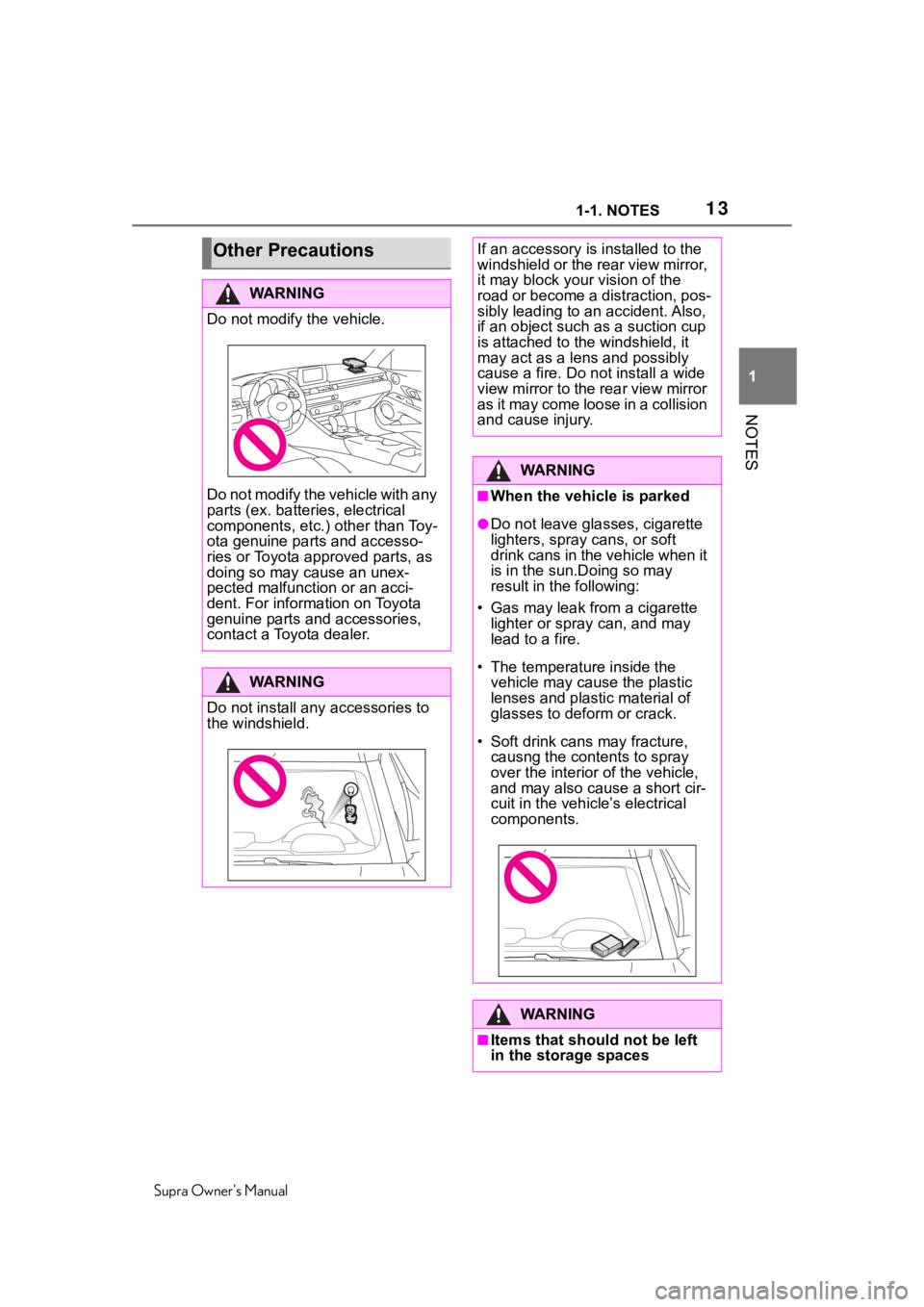
Do not modify the vehicle.
Do not modify the vehicle with any
parts (ex. batteries, electrical
components, etc.) other than Toy-
ota genuine parts and accesso-
ries or Toyota approved parts, as
doing so may cause an unex-
pected malfunction or an acci-
dent. For information on Toyota
genuine parts and accessories,
contact a Toyota dealer.
WA R N I N G
Do not install any accessories to
the windshield.
If an accessory is installed to the
windshield or the rear view mirror,
it may block your vision of the
road or become a distraction, pos-
sibly leading to an accident. Also,
if an object such as a suction cup
is attached to the windshield, it
may act as a lens and possibly
cause a fire. Do not install a wide
view mirror to the rear view mirror
as it may come loos e in a collision
and cause injury.
WA R N I N G
■When the vehicle is parked
●Do not leave gla sses, cigarette
lighters, spray cans, or soft
drink cans in the vehicle when it
is in the sun.Doing so may
result in the following:
• Gas may leak from a cigarette lighter or spray can, and may
lead to a fire.
• The temperature inside the vehicle may cause the plastic
lenses and plastic material of
glasses to deform or crack.
• Soft drink cans may fracture, causng the contents to spray
over the interior of the vehicle,
and may also cause a short cir-
cuit in the vehicl e’s electrical
components.
WA R N I N G
■Items that should not be left
in the storage spaces
Page 86 of 352

863-1. CONTROLS
Supra Owner's Manual
during unlocking. These settings
are also restored, if the vehicle
has been used in the meantime
by a person with a different
remote control.
Changes to the settings are
automatically stored in the driver
profile currently activated. If
another driver profile is selected
via Toyota Supra Command, the
settings stored in it will be
applied automatically.
The new driver profile is
assigned to the remote control
currently used.
There is an additional guest pro-
file available that is not assigned
to any remote control. It can be
used to apply settings in the
vehicle without changing the
personal driver profiles.
For the system to be able to
identify the driver profile associ-
ated to a particular driver, the
detected remote control must be
clearly allocated to the driver.
This is the case when:
• The driver is only carrying his or her own remote control.
• The driver unlocks the vehi- cle.
• The driver gets into the vehi- cle through the driver's door. After switching on the Control
Display, the name of the active
driver profile is displayed.
Select driver profile, refer to
page 87.
As soon as the engine is started
or any key is pressed, the last
selected display is shown on the
Control Display.
To exit the welcome screen via
Toyota Supra Command: "OK"
The settings for the following
systems and functions are
stored in the active driver profile.
The scope of storable settings
depends on country and equip-
ment.
• Unlocking and locking.
•Lights.
• Climate control.
• Radio.
• Instrument cluster.
• Programmable memory but-
tons.
• Volumes, tone.
• Control Display.
• Navigation.
• Parking Sensors.
• Rearview camera.
• Head-up Display.
• Sport mode switch.
• Seat position, exterior mirror position.
Functional requirementsActive driver profile
Settings
Page 186 of 352
1863-1. CONTROLS
Supra Owner's Manual
light, for instance from the sun
low in the sky.
If the field of view of the cam-
era or the windshield is dirty
or covered in the area of the
interior mirror.
If the camera has overheated
and been temporarily
switched off due to exces-
sively high temperatures.
Up to 10 seconds after the
start of the engine via the
Start/Stop button.
During calibration of the cam-
era immediately after vehicle
delivery.
A vehicle message may be dis-
played when the system is not
fully functional.
Blind spot monitor detects vehi-
cles in the blind spot or vehicles
approaching from behind in the
adjacent lane. A warning is
issued in various gradations in
these situations. Two radar sensors in the rear
bumper monitor the area behind
and next to the vehicle when
traveling faster than a minimum
speed.
The minimum speed is shown in
the menu for the Toyota Supra
Safety systems.
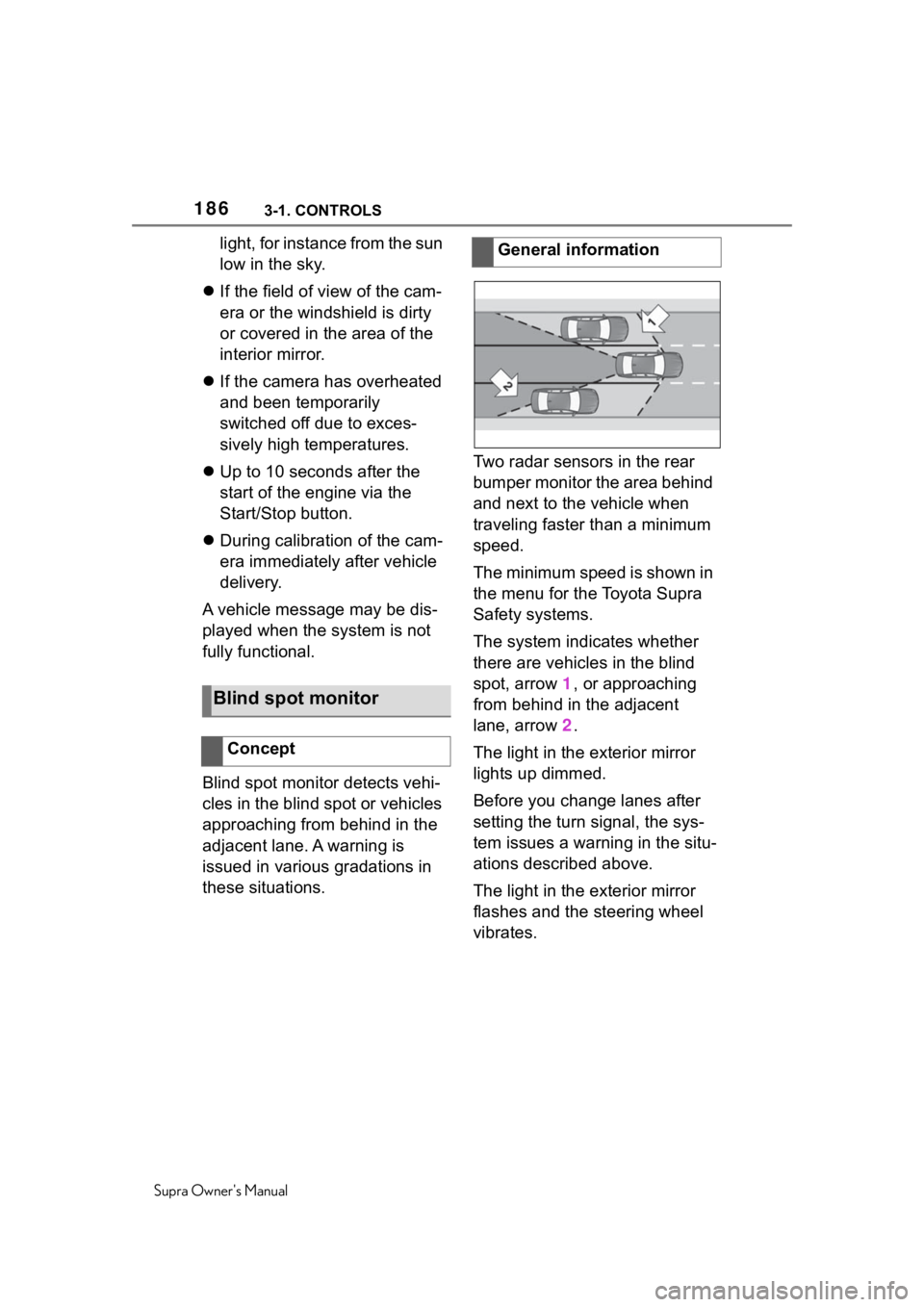
The system indicates whether
there are vehicles in the blind
spot, arrow 1, or approaching
from behind in the adjacent
lane, arrow
2.
The light in the exterior mirror
lights up dimmed.
Before you change lanes after
setting the turn signal, the sys-
tem issues a warning in the situ-
ations described above.
The light in the exterior mirror
flashes and the steering wheel
vibrates.
Blind spot monitor
Concept
General information
Page 222 of 352
2223-1. CONTROLS
Supra Owner's Manual
area of the radar sensors clean
and unobstructed.
1 Press park assistance
button.
2 Move the Controller to the
right.
3 "Settings"
4 "Cross traffic alert"
5 "Cross traffic alert"
Or via Toyota Supra Command:
1 "My vehicle"
2 "Vehicle settings"
3 "Parking"
4 "Cross traffic alert"
5 "Cross traffic alert"
If the system was activated on
the Control Display, it is auto-
matically switched on as soon
as Parking Sensors or Pan-
orama View is active and a gear
is engaged.
If reverse gear is engaged, the
rear system is switched on.
The system is automatically switched off in the following situ-
ations:
When the speed exceeds
walking speed.
When a certain driving dis-
tance is exceeded.
With an active parking opera-
tion of the parking assistant.
The respective display is called
up on the Control Display. A sig-
nal tone may sound and the light
in the exterior mirror may flash.
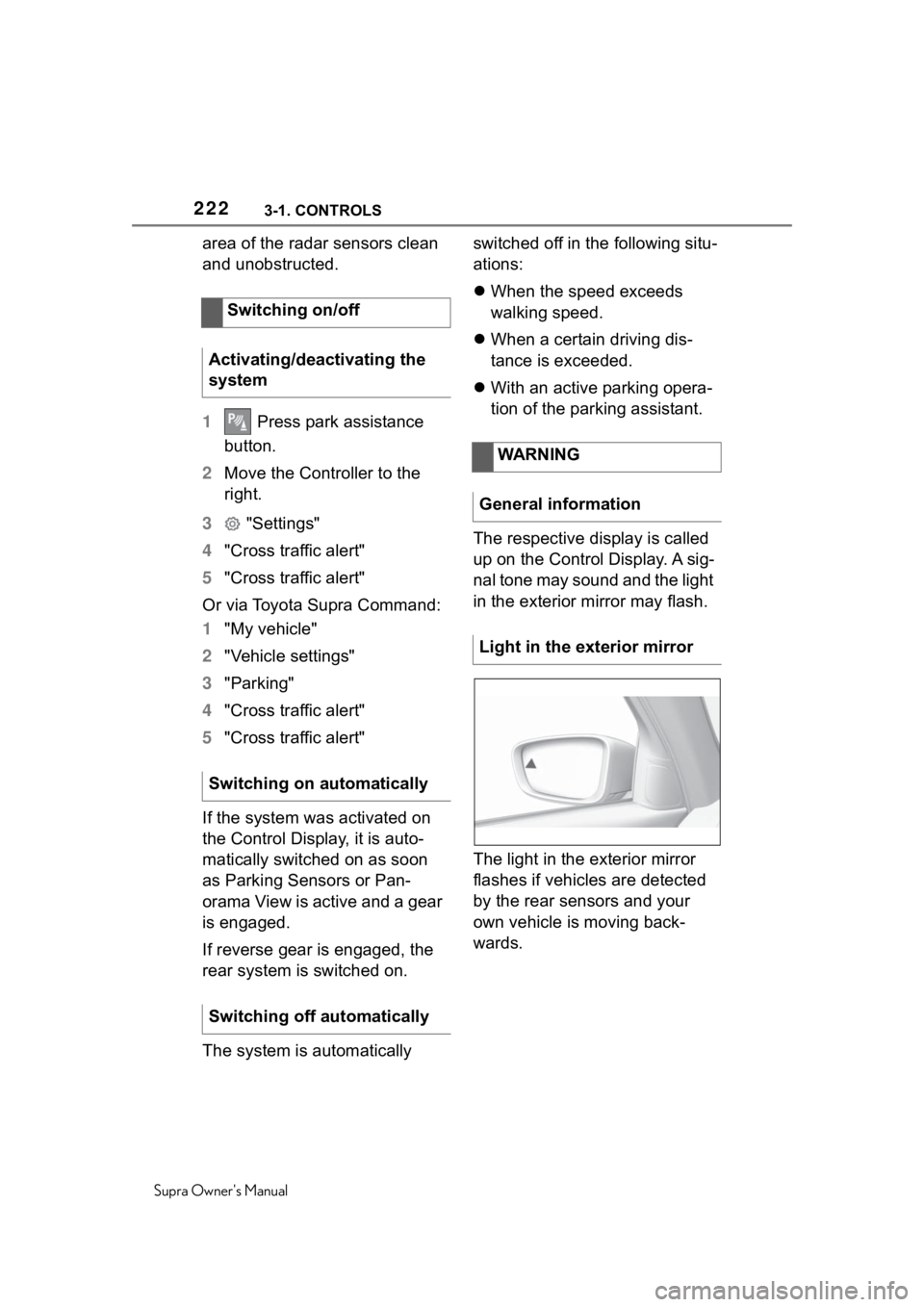
The light in the exterior mirror
flashes if vehicles are detected
by the rear sensors and your
own vehicle is moving back-
wards.
Switching on/off
Activating/deactivating the
system
Switching on automatically
Switching off automatically
WARNING
General information
Light in the exterior mirror
Page 304 of 352
3045-1. MOBILITY
Supra Owner's Manual
SymbolMeaning
VSC Vehicle Stability
Control System
Parking brake
Air conditioning
Blower motor, Interior
ventilation
Rear window heating
Seat heating
Seat setting
Crash-security module
Switching center column,
Light switch element,
steering Operating panel
Audio
HiFi amplifier, Video mod-
ule TV
Rear-view mirror
Overhead function cen-
ter, Exterior door handle
electronics
Instrument cluster
Additional battery: Dual
Accumulator System
(DSS)
Fuel pump control elec-
tronics, Natural Vacuum
Leak Detection, Gas gen-
erator for battery safety
terminal, Remote control
receiver
Electric window opener
Heating and air-condi-
tioning system
Vehicle's diagnostic port
(interface)
Interior lights in the boot
Vertical Dynamic platform
Vertical Dynamic platform
Vertical Dynamic platform
Mono Camera (Kafas)
Head Unit
Active Sound Design
USB Hub
Body Domain Controller
Controller (Toyota Supra
Command)
SymbolMeaning
Page 339 of 352
339
Supra Owner's Manual339Alphabetical Index
Battery, vehicle ....................... 299
Being towed, see Tow-starting and towing ............................ 311
Belts, see Safety belts ............. 98
Beverage holder, see Cup hold- ers .......................................... 241
Blind spot monitor ................. 186
Bluetooth connection .............. 66
Bottle holder, see Cup holders ............................................... 241
Brake assistant ....................... 193
Brake assistant, adaptive ...... 193
Brake discs, breaking in, see Brake system ........................ 247
Brake lights, see Lights and bulbs...................................... 299
Brake pads, breaking in, see Brake system ........................ 247
Brake system .......................... 247
Braking, information .............. 249
Break recommendation, see Driver attention control ....... 190
Breakdown assistance .. 307, 308
Break-in ................................... 246
Brightness, Control Display .... 62
Bulb replacement, see Lights and bulbs .............................. 299
Bulbs, replacing, see Lights and bulbs...................................... 299
Button, SOS, see Intelligent emergency call ..................... 308
Button, Start/Stop................... 113
Buttons on the steering wheel 38
Bypassing, see Jump-starting ............................................... 310
C
Cable for tow-starting/towing 312
California Proposition 65 Warn-ing .............................................. 6
Calling up mirror adjustment .. 89
Calling up seat adjustment...... 89 Calling up steering wheel adjust-
ment .........................................89
Camera lenses, care ...............320
Camera, rearview camera ......217
Camera-based assistance sys- tems, see Toyota Supra Safety...............................................170
Camera-based cruise control, see Adaptive Cruise Control
with Stop & Go ......................201
Can holder, see Cup holders .241
Car seats, see Transporting chil- dren safely.............................108
Car wash..................................314
Car washing ............................314
Care of displays, screens ......320
Care, Head-up Display ...........320
Care, see Washing the vehicle ...............................................314
Care, vehicle ...........................316
Cargo area ...............................241
Cargo area, loading, see Stowing and securing cargo ..............243
Cargo straps, see Lashing eyes in the cargo area ...................243
Cargo, stowing and securing 243
Carpet, care .............................319
CarPlay, connection to the vehi- cle ............................................70
Catalytic converter, see Hot exhaust gas system .............247
CBS Condition Based Service ...............................................296
CC, see Cruise cont rol ...........197
Center console..........................40
Central locking system ............81
Central screen, see Control Dis- play ..........................................48
Changes, technical, see For Your Own Safety ................................5
Changing parts ..... ..................298
Changing wheels ....................283
Page 345 of 352
345
Supra Owner's Manual345Alphabetical Index
Menu, instrument cluster, see Selection lists ....................... 142
Menus, operating, see Toyota Supra Command .................... 45
Messages .................................. 63
Messages, see Vehicle mes- sages ..................................... 131
Microfilter ................................ 230
Minimum tread depth, tires ... 265
Mirror, see Memory function . 105
Mobile communication devices in the vehicle ........................ 247
Mobile devices, m anaging ....... 71
Mobility System ...................... 269
Modifications, t echnical, see For
Your Own Safety ....................... 5
Monitor, see Control Display ... 48
Mounting of child restraint sys- tems ....................................... 109
Multi-function hook ................ 243
Multifunction steering wheel, buttons .................................... 38
N
Neck restraints, front, see Head restraints ............................... 102
Net, cargo area ....................... 244
Neutral cleaner, see Light-alloy wheels ................................... 318
New wheels and tires ............. 266
NORMAL, see Sport mode switch ............................................... 128
Nylon rope for tow-starting/tow- ing .......................................... 312
O
OBD Onboard Diagnosis ....... 296
Obstacle marking, rearview cam-era .......................................... 219
Octane rating, see Recom- mended fuel grade ............... 288Oil .............................................289
Oil change ...............................292
Oil change interval, see Service
requirements .........................139
Oil filler neck ...........................290
Oil types to add, engine .........291
Oil, adding ...............................290
Onboard Diagnosis OBD .......296
Onboard literature, printed ......15
Onboard vehicle tool kit.........298
On-call service, see Breakdown assistance .............................308
Opening and closing ................73
Operating concept, Toyota Supra Command ................................45
Operating with the Controller ..51
Operation via touchscreen ......53
Overheating of engine, see Cool- ant temperature ....................138
Overwintering, see Long-term vehicle storage .....................320
Owner's Manual, printed ..........15
P
Paint, vehicle...... .....................316
Panic alarm, see Panic mode ..91
Panic mode ...............................91
Parked-car ventilation ............231
Parking aid, see Parking Sensors ............................................... 211
Parking brake .......................... 116
Parking lights ..........................152
Parking Sensors ..................... 211
Parking Sensors with emergency braking function ...................183
Parking Sensors with emergency braking function, see Emer-
gency brake function ...........214
Parts and accessories................6
Passenger's side mirror, tilting, see Automatic Curb Monitor,
exterior mirror .......................104
Page 349 of 352
349
Supra Owner's Manual349Alphabetical Index
Turning circle .......................... 322
Turning radius lines, rearview camera................................... 219
U
Unintentional alarm, avoiding . 92
Units of measurement.............. 62
Universal remote control ....... 233
Unlock button, Automatic trans-mission.................................. 123
Unlocking with the remote con- trol ........................................... 74
Unlocking, automatic ............... 90
Unlocking, see Opening and Closing .................................... 73
Unlocking, settings .................. 88
Updates made after the editorial deadline..................................... 5
Upholstery material care ....... 318
USB connection ....................... 68
USB interface, position in vehicle ............................................... 238
Use, intended .............................. 5
Used battery, disposing of .... 301
V
Vanity mirror ........................... 237
Vehicle battery ........................ 299
Vehicle breakdown, see Break- down assistance .................. 307
Vehicle care ............................ 316
Vehicle care products ............ 316
Vehicle features and options..... 5
Vehicle identifi cation number . 12
Vehicle key, see Remote control ................................................. 73
Vehicle messages .................. 131
Vehicle paint ........................... 316
Vehicle position, vehicle location
................................................. 62
Vehicle Stability Control VSC 193 Vehicle status..........................147
Vehicle storage .......................320
Vehicle wash ...........................314
Vehicle, break-in .....................246
Vehicle, washing .....................314
Vent, see Ventilati
on ...............230
Ventilation ...............................230
Ventilation, see P arked-car venti-
lation ......................................231
Venting, see Ventilation .........230
VIN, see Vehicle identification number ....................................12
Voice activation system ...........57
VSC Vehicle Stability Control System ...................................193
W
Warning against cross traffic 221
Warning and indicator lights, see Vehicle messages .................131
Warning light in the exterior mir- ror, see Blind spot monitor ..186
Warning light in the exterior mir- ror, see Crossing traffic warn-
ing ..........................................221
Warning messages, see Vehicle messages ..............................131
Warning triangle .....................308
Warranty ......................................5
Washer nozzles, windshield ..122
Washer system ....................... 119
Washing the vehicle ...............314
Water on roads .......................249
Water, see Condensation water under the parked vehicle .....251
Weights....................................323
Welcome light during unlocking .................................................74
Welcome lights .......................153
Wheel cleaner, light-alloy wheels ...............................................318
Wheelbase, vehicle.................322