steering wheel TOYOTA SUPRA 2020 Owners Manual (in English)
[x] Cancel search | Manufacturer: TOYOTA, Model Year: 2020, Model line: SUPRA, Model: TOYOTA SUPRA 2020Pages: 356, PDF Size: 6.04 MB
Page 2 of 356
2
Supra Owner's ManualTABLE OF CONTENTS
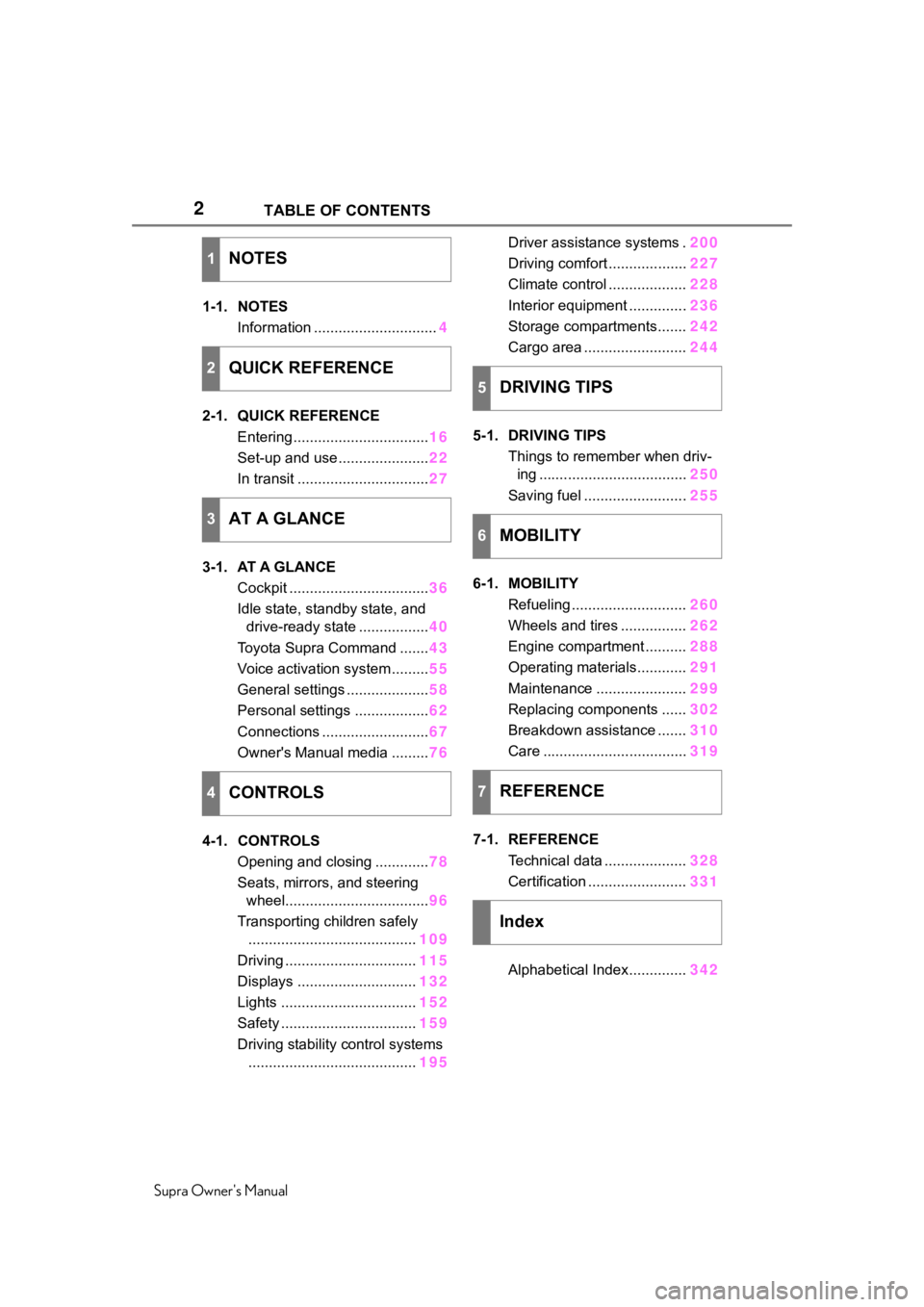
1-1. NOTES
Information .............................. 4
2-1. QUICK REFERENCE Entering ................................. 16
Set-up and use ...................... 22
In transit ................................ 27
3-1. AT A GLANCE Cockpit .................................. 36
Idle state, standby state, and drive-ready state ................. 40
Toyota Supra Command ....... 43
Voice activation system ......... 55
General settings .................... 58
Personal settings .................. 62
Connections .......................... 67
Owner's Manual media ......... 76
4-1. CONTROLS Opening and closing ............. 78
Seats, mirrors, and steering wheel................................... 96
Transporting children safely ......................................... 109
Driving ................................ 115
Displays ............................. 132
Lights ................................. 152
Safety ................................. 159
Driving stability control systems ......................................... 195Driver assistance systems .
200
Driving comfort ................... 227
Climate control ................... 228
Interior equipment .............. 236
Storage compartments....... 242
Cargo area ......................... 244
5-1. DRIVING TIPS Things to remember when driv-ing .................................... 250
Saving fuel ......................... 255
6-1. MOBILITY Refueling ............................ 260
Wheels and tires ................ 262
Engine compartment .......... 288
Operating materials............ 291
Maintenance ...................... 299
Replacing components ...... 302
Breakdown assistance ....... 310
Care ................................... 319
7-1. REFERENCE Technical data .................... 328
Certification ........................ 331
Alphabetical Index.............. 342
1NOTES
2QUICK REFERENCE
3AT A GLANCE
4CONTROLS
5DRIVING TIPS
6MOBILITY
7REFERENCE
Index
Page 22 of 356
222-1. QUICK REFERENCE
Supra Owner's Manual
■Activating the voice activa-
tion system
1 Press the button on the
steering wheel.
2 Wait for the signal.
3 Say the command.
If no other commands are possi-
ble, operate the function via Toy-
ota Supra Command.
■Terminating the voice acti-
vation system 1
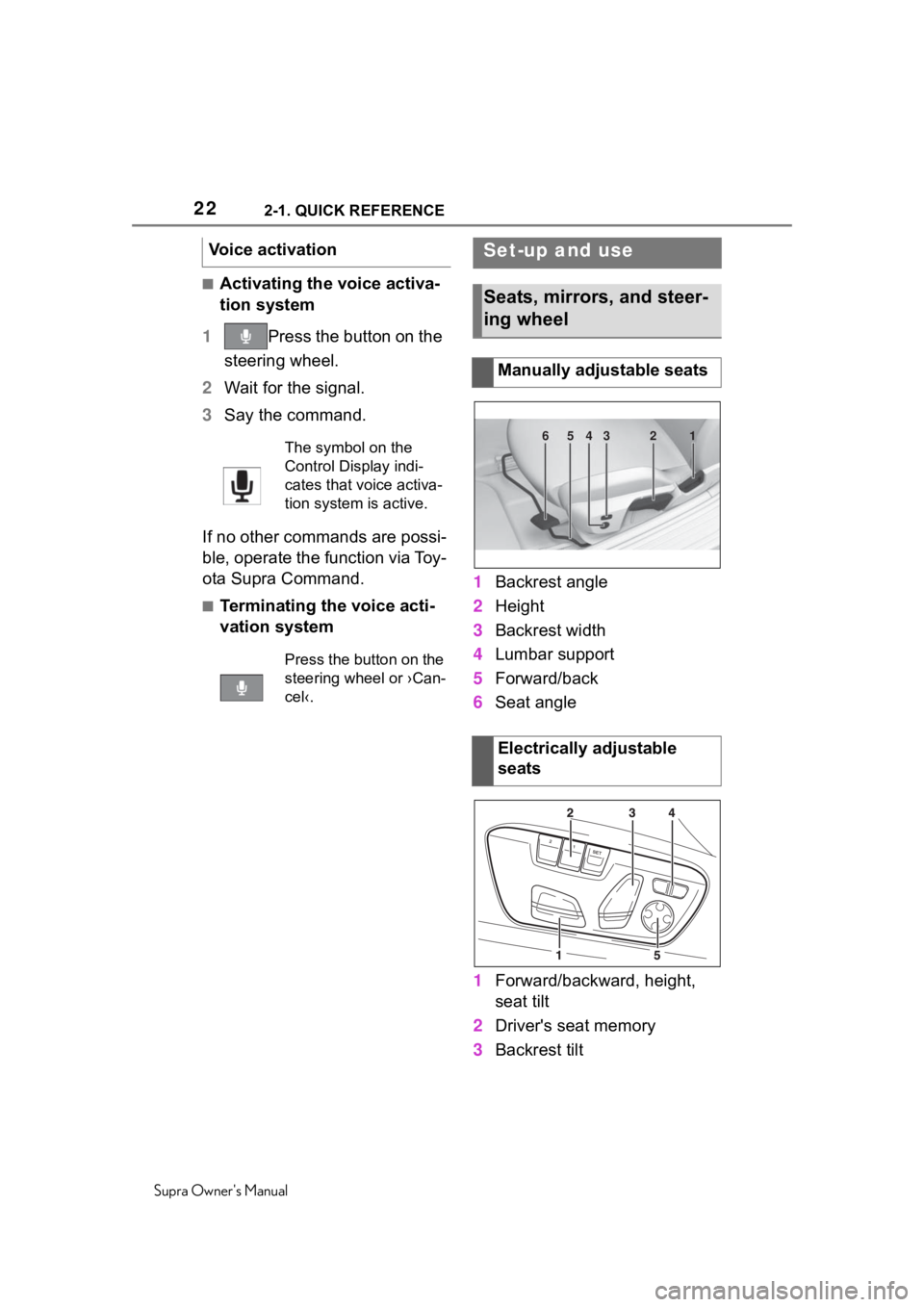
Backrest angle
2 Height
3 Backrest width
4 Lumbar support
5 Forward/back
6 Seat angle
1 Forward/backward, height,
seat tilt
2 Driver's seat memory
3 Backrest tilt
Voice activation
The symbol on the
Control Display indi-
cates that voice activa-
tion system is active.
Press the button on the
steering wheel or ›Can-
cel‹.
Set-up and use
Seats, mirrors, and steer-
ing wheel
Manually adjustable seats
Electrically adjustable
seats
654321
Page 23 of 356
232-1. QUICK REFERENCE
Supra Owner's Manual
2
QUICK REFERENCE
4 Backrest width
5 Lumbar support
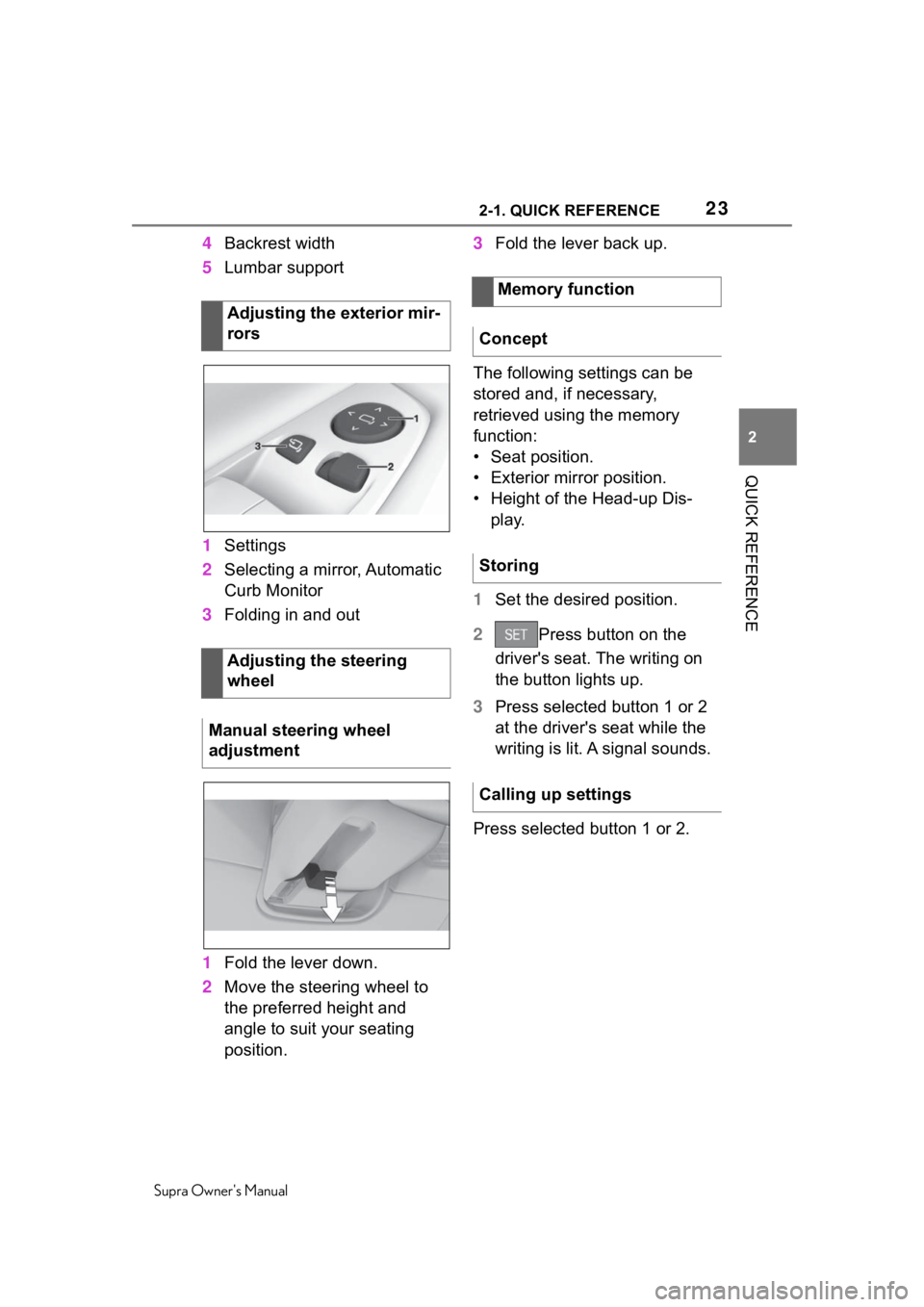
1 Settings
2 Selecting a mirror, Automatic
Curb Monitor
3 Folding in and out
1 Fold the lever down.
2 Move the steering wheel to
the preferred height and
angle to suit your seating
position. 3
Fold the lever back up.
The following settings can be
stored and, if necessary,
retrieved using the memory
function:
• Seat position.
• Exterior mirror position.
• Height of the Head-up Dis- play.
1 Set the desired position.
2 Press button on the
driver's seat. The writing on
the button lights up.
3 Press selected button 1 or 2
at the driver's seat while the
writing is lit. A signal sounds.
Press selected button 1 or 2.
Adjusting the exterior mir-
rors
Adjusting the steering
wheel
Manual steering wheel
adjustment
Memory function
Concept
Storing
Calling up settings
Page 25 of 356
252-1. QUICK REFERENCE
Supra Owner's Manual
2
QUICK REFERENCE
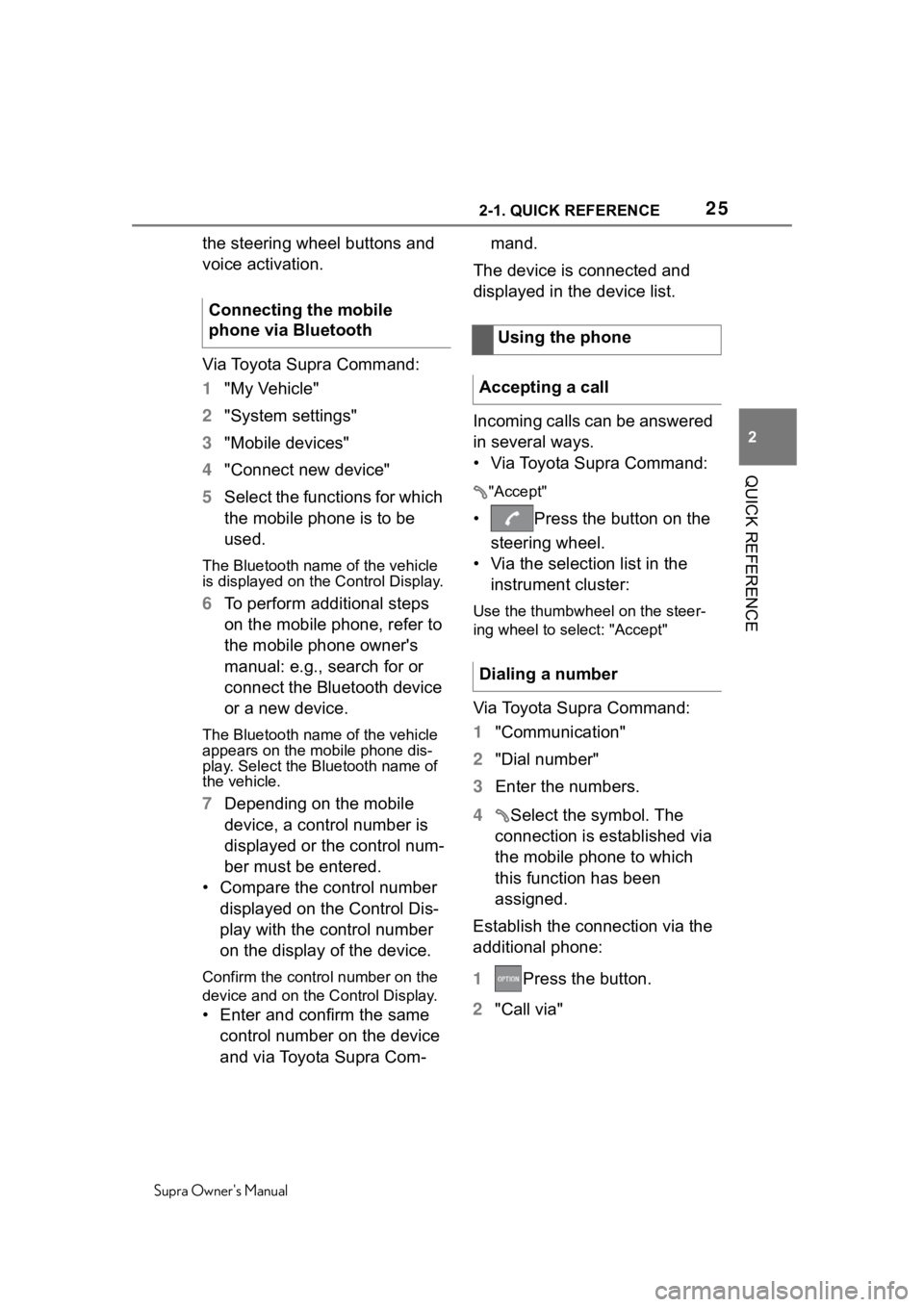
the steering wheel buttons and
voice activation.
Via Toyota Supra Command:
1 "My Vehicle"
2 "System settings"
3 "Mobile devices"
4 "Connect new device"
5 Select the functions for which
the mobile phone is to be
used.
The Bluetooth name of the vehicle
is displayed on the Control Display.
6To perform additional steps
on the mobile phone, refer to
the mobile phone owner's
manual: e.g., search for or
connect the Bluetooth device
or a new device.
The Bluetooth name of the vehicle
appears on the mobile phone dis-
play. Select the Bl uetooth name of
the vehicle.
7 Depending on the mobile
device, a control number is
displayed or the control num-
ber must be entered.
• Compare the control number displayed on the Control Dis-
play with the control number
on the display of the device.
Confirm the control number on the
device and on the Control Display.
• Enter and confirm the same control number on the device
and via Toyota Supra Com- mand.
The device is connected and
displayed in the device list.
Incoming calls can be answered
in several ways.
• Via Toyota Supra Command:
"Accept"
• Press the button on the steering wheel.
• Via the selection list in the instrument cluster:
Use the thumbwheel on the steer-
ing wheel to select: "Accept"
Via Toyota Supra Command:
1 "Communication"
2 "Dial number"
3 Enter the numbers.
4 Select the symbol. The
connection is established via
the mobile phone to which
this function has been
assigned.
Establish the connection via the
additional phone:
1 Press the button.
2 "Call via"
Connecting the mobile
phone via Bluetooth
Using the phone
Accepting a call
Dialing a number
Page 36 of 356
363-1. AT A GLANCE
Supra Owner's Manual
3-1.AT A GLANCE
This chapter describes all standard, country-specific and optional
features offered with the series . It also describes features and func-
tions that are not necessarily available in your vehicle, e.g., due to
the selected options or country versions. This also applies to
safety-related functions and systems. When using these functions
and systems, the applicable laws and regulations must be observ ed.
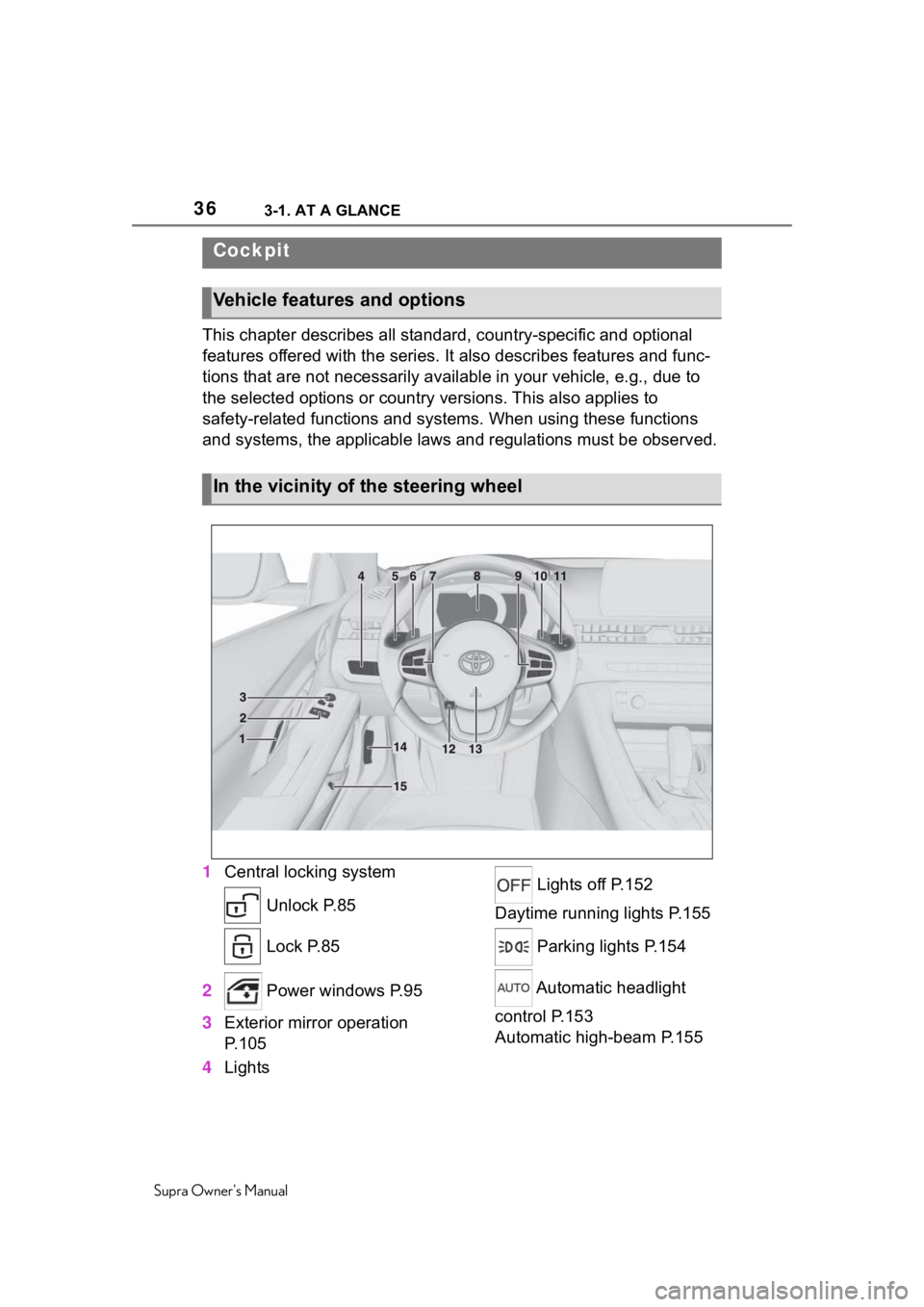
1 Central locking system
Unlock P.85
Lock P.85
2 Power windows P.95
3 Exterior mirror operation
P.105
4 Lights Lights off P.152
Daytime running lights P.155
Parking lights P.154
Automatic headlight
control P.153
Automatic high-beam P.155
Cockpit
Vehicle features and options
In the vicinity of the steering wheel
Page 37 of 356
373-1. AT A GLANCE
Supra Owner's Manual
3
AT A GLANCE
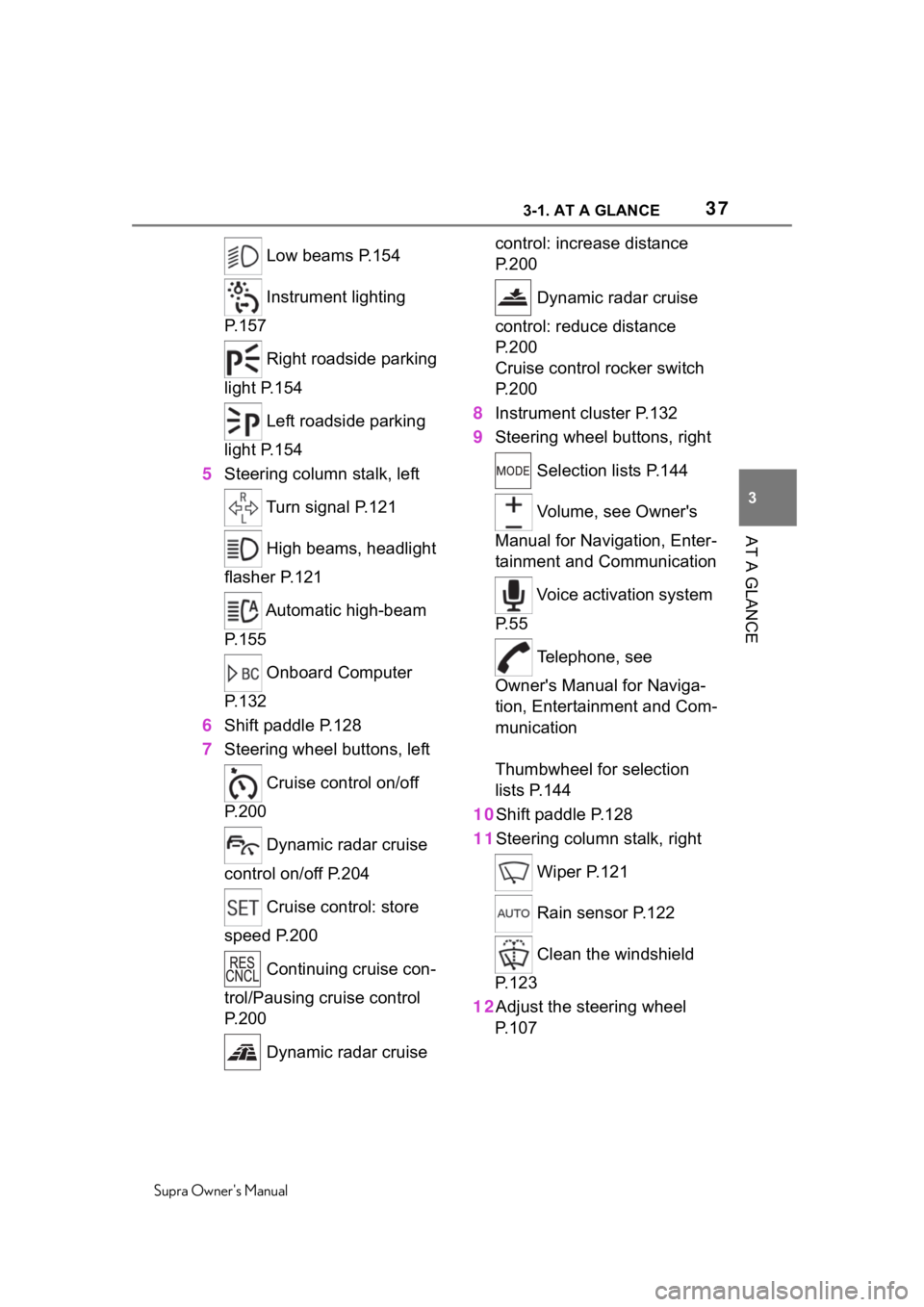
Low beams P.154
Instrument lighting
P.157
Right roadside parking
light P.154
Left roadside parking
light P.154
5 Steering column stalk, left
Turn signal P.121
High beams, headlight
flasher P.121
Automatic high-beam
P.155
Onboard Computer
P.132
6 Shift paddle P.128
7 Steering wheel buttons, left
Cruise control on/off
P.200
Dynamic radar cruise
control on/off P.204
Cruise control: store
speed P.200
Continuing cruise con-
trol/Pausing cruise control
P.200
Dynamic radar cruise control: increase distance
P. 2 0 0
Dynamic radar cruise
control: reduce distance
P. 2 0 0
Cruise control rocker switch
P. 2 0 0
8 Instrument cluster P.132
9 Steering wheel buttons, right
Selection lists P.144
Volume, see Owner's
Manual for Navigation, Enter-
tainment and Communication
Voice activation system
P. 5 5
Telephone, see
Owner's Manual for Naviga-
tion, Entertainment and Com-
munication
Thumbwheel for selection
lists P.144
10Shift paddle P.128
11Steering column stalk, right
Wiper P.121
Rain sensor P.122
Clean the windshield
P. 1 2 3
12Adjust the steering wheel P. 1 0 7
Page 55 of 356
553-1. AT A GLANCE
Supra Owner's Manual
3
AT A GLANCE
This chapter describes all stan-
dard, country-specific and
optional features offered with
the series. It also describes fea-
tures that are not necessarily
available in your vehicle, e. g.,
due to the selected options or
country versions. This also
applies to safety-related func-
tions and systems. When using
these functions and systems,
the applicable laws and regula-
tions must be observed.
Most functions displayed on the
Control Display can be operated
by voice commands via the
voice activation system. The
system supports you with
announcements during input.
• Functions that can only be used when the vehicle is sta-
tionary can only be operated
via the voice activation sys-
tem to a limited extent.
• The system uses a special microphone on the driver's
side.
• ›...‹ in the Owner's Manual denotes verbal instructions to
use with the voice activation
system.
• A language must be set via Toyota Supra Command that
is supported by the voice acti-
vation system. To set the lan-
guage, refer to page 58
• Always say commands in the language of the voice activa-
tion system.
1 Press the button on the
steering wheel.
2 Wait for the signal.
3 Say the command.
No other commands may be
available. In this case, operate
the function via Toyota Supra
Command.
Voice activation sys-
tem
Vehicle features and
options
Concept
General information
Functional requirements
Using the voice activa-
tion system
Activating the voice acti-
vation system
The symbol on the Control
Display indicates that
voice activation system is
active.
Page 56 of 356
563-1. AT A GLANCE
Supra Owner's Manual
Most menu items on the Control
Display can be voiced as com-
mands.
Commands from other menus
can also be spoken.
You may select list entries such
as phone list entries via voice
activation. Read these list
entries out loud exactly as they
are shown in the respective list.
The following is displayed in the
top area of the Control Display:
• Some possible commands for the current menu.
• Some possible commands from other menus.
• Status of the voice recogni- tion.
• Encrypted connection is not available.
• To have the available spoken instructions read out loud:
›Voice commands‹.
• To have information on the operating principle of the
voice activation system read
out loud: ›General information
on voice control‹.
• To have help for the current menu read out loud: ›Help‹.
Do not use the voice activation
system to initiate an Emergency
Request. In stressful situations,
the voice and vocal pitch can
change. This can unnecessarily
delay the establishment of a
phone connection.
Instead, use the SOS button,
refer to page 313, close to the
interior mirror.
The language to be used for
voice activation and system
announcements can be set.
Via Toyota Supra Command:
1 "My Vehicle"
2 "System settings"
3 If necessary, "Language"
4 "Language:"
5 Select the desired language.
Terminating the voice acti-
vation system
Press the button on the
steering wheel or ›Can-
cel‹.
Possible commands
General information
Displaying possible com-
mands
Help on the voice activa-
tion system
Information for Emergency
Requests
Adjusting
Setting the language
Page 58 of 356
583-1. AT A GLANCE
Supra Owner's Manual
A smartphone connected to the
vehicle can be used via voice
activation.
Activate voice command
response on the smartphone for
this purpose.
1Press and hold the but-
ton on the steering wheel for
approx. 3 seconds.
Voice command response is acti-
vated on the smartphone.
2Release the button.
If activation is successful, a confir-
mation appears on the Control Dis-
play.
If it was not possible to activate
voice command response, the
list of Bluetooth devices appears
on the Control Display. This chapter describes all stan-
dard, country-specific and
optional features offered with
the series. It also describes fea-
tures that are not necessarily
available in your vehicle, e. g.,
due to the selected options or
country versions. This also
applies to safety-related func-
tions and systems. When using
these functions and systems,
the applicable laws and regula-
tions must be observed.
Via Toyota Supra Command:
1
"My Vehicle"
2 "System settings"
3 If necessary, "Language"
4 "Language:"
5 Select the desired setting.
The setting is stored for the
driver profile currently used.
Voice dialog for the voice activa-
tion system, refer to page 56.
Using a smartphone via
voice activationGeneral settings
Vehicle features and
options
Language
Setting the language
Setting the voice dialog
Page 77 of 356
77
Supra Owner's Manual
4
4
CONTROLS
CONTROLS
.4-1. CONTROLSOpening and closing ...... 78
Seats, mirrors, and steering wheel ............................ 96
Transporting children safely .................................. 109
Driving ......................... 115
Displays ...................... 132
Lights .......................... 152
Safety .......................... 159
Driving stabilit y control sys-
tems .......................... 195
Driver assistance systems .................................. 200
Driving comfort ............ 227
Climate control ............ 228
Interior equipment ....... 236
Storage compartments .................................. 242
Cargo area .................. 244