climate control TOYOTA SUPRA 2021 Owners Manual (in English)
[x] Cancel search | Manufacturer: TOYOTA, Model Year: 2021, Model line: SUPRA, Model: TOYOTA SUPRA 2021Pages: 364, PDF Size: 10.43 MB
Page 2 of 364
2
Supra Owner’s Manual_U (from Mar. ’20
Prod.)TABLE OF CONTENTS
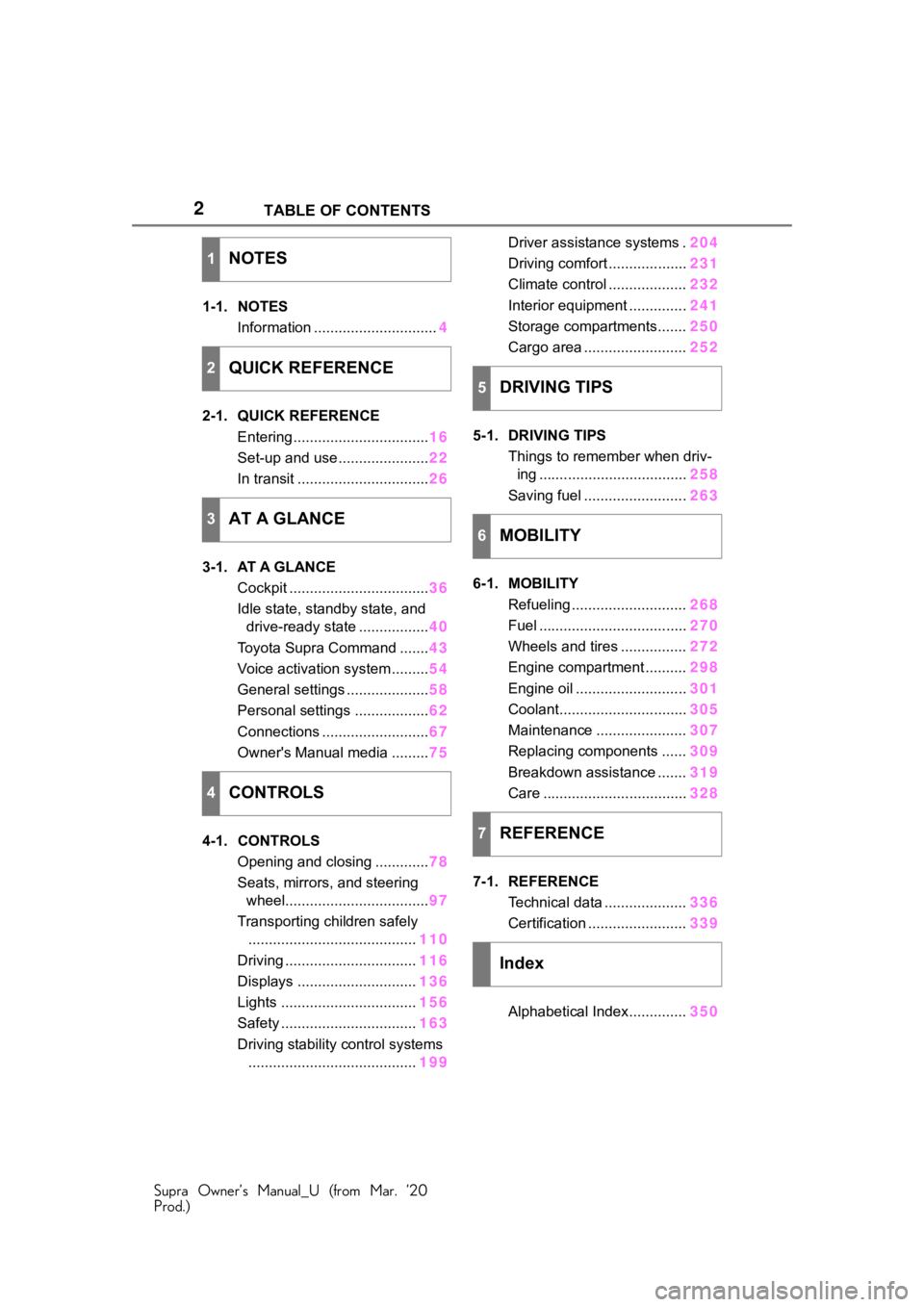
1-1. NOTES
Information .............................. 4
2-1. QUICK REFERENCE Entering ................................. 16
Set-up and use ...................... 22
In transit ................................ 26
3-1. AT A GLANCE Cockpit .................................. 36
Idle state, standby state, and drive-ready state ................. 40
Toyota Supra Command ....... 43
Voice activation system ......... 54
General settings .................... 58
Personal settings .................. 62
Connections .......................... 67
Owner's Manual media ......... 75
4-1. CONTROLS Opening and closing ............. 78
Seats, mirrors, and steering wheel................................... 97
Transporting children safely ......................................... 110
Driving ................................ 116
Displays ............................. 136
Lights ................................. 156
Safety ................................. 163
Driving stability control systems ......................................... 199Driver assistance systems .
204
Driving comfort ................... 231
Climate control ................... 232
Interior equipment .............. 241
Storage compartments....... 250
Cargo area ......................... 252
5-1. DRIVING TIPS Things to remember when driv-ing .................................... 258
Saving fuel ......................... 263
6-1. MOBILITY Refueling ............................ 268
Fuel .................................... 270
Wheels and tires ................ 272
Engine compartment .......... 298
Engine oil ........................... 301
Coolant............................... 305
Maintenance ...................... 307
Replacing components ...... 309
Breakdown assistance ....... 319
Care ................................... 328
7-1. REFERENCE Technical data .................... 336
Certification ........................ 339
Alphabetical Index.............. 350
1NOTES
2QUICK REFERENCE
3AT A GLANCE
4CONTROLS
5DRIVING TIPS
6MOBILITY
7REFERENCE
Index
Page 10 of 364

101-1. NOTES
Supra Owner’s Manual_U (from Mar. ’20
Prod.)
any time.
For example, this includes:
• Setting for the seat position.
• Suspension and climate con-trol settings.
If necessary, data can be trans-
ferred to the entertainment and
communication system of the
vehicle, e.g. via smartphone.
This includes the following
depending on the respective
equipment:
• Multimedia data such as music, films or photos for
playback in an integrated mul-
timedia system.
• Address book data for use in conjunction with an integrated
hands-free system or an inte-
grated navigation system.
• Entered navigation destina- tions.
• Data on the use of Internet services.
This data can be stored locally
in the vehicle or is found on a
device that has been connected
to the vehicle, e.g., a smart-
phone, USB stick or MP3 player.
If this data is stored in the vehi-
cle, it can be deleted at any
time.
This data is only transmitted to
third parties upon personal
request as part of the use of
online services. The transmis-
sion depends on the selected
settings for the use of the ser-
vices. Depending on the vehicle equip-
ment, mobile devices connected
to the vehicle, for instance
smartphones, can be controlled
via the vehicle control elements.
The sound and picture from the
mobile device can be played
back and displayed through the
multimedia system. Certain
information is transferred to the
mobile device at the same time.
Depending on the type of incor-
poration, this includes, for
instance position data and other
general vehicle information. This
optimizes the way in which
selected apps, for instance navi-
gation or music playback, work.
There is no further interaction
between the mobile device and
the vehicle, such as active
access to vehicle data.
How the data will be processed
further is determined by the pro-
vider of the particular app being
used. The extent of the possible
settings depends on the respec-
tive app and the operating sys-
tem of the mobile device.
If the vehicle has a wireless net-
work connection, this enables Incorporation of mobile
devices
Services
General information
Page 30 of 364
302-1. QUICK REFERENCE
Supra Owner’s Manual_U (from Mar. ’20
Prod.)
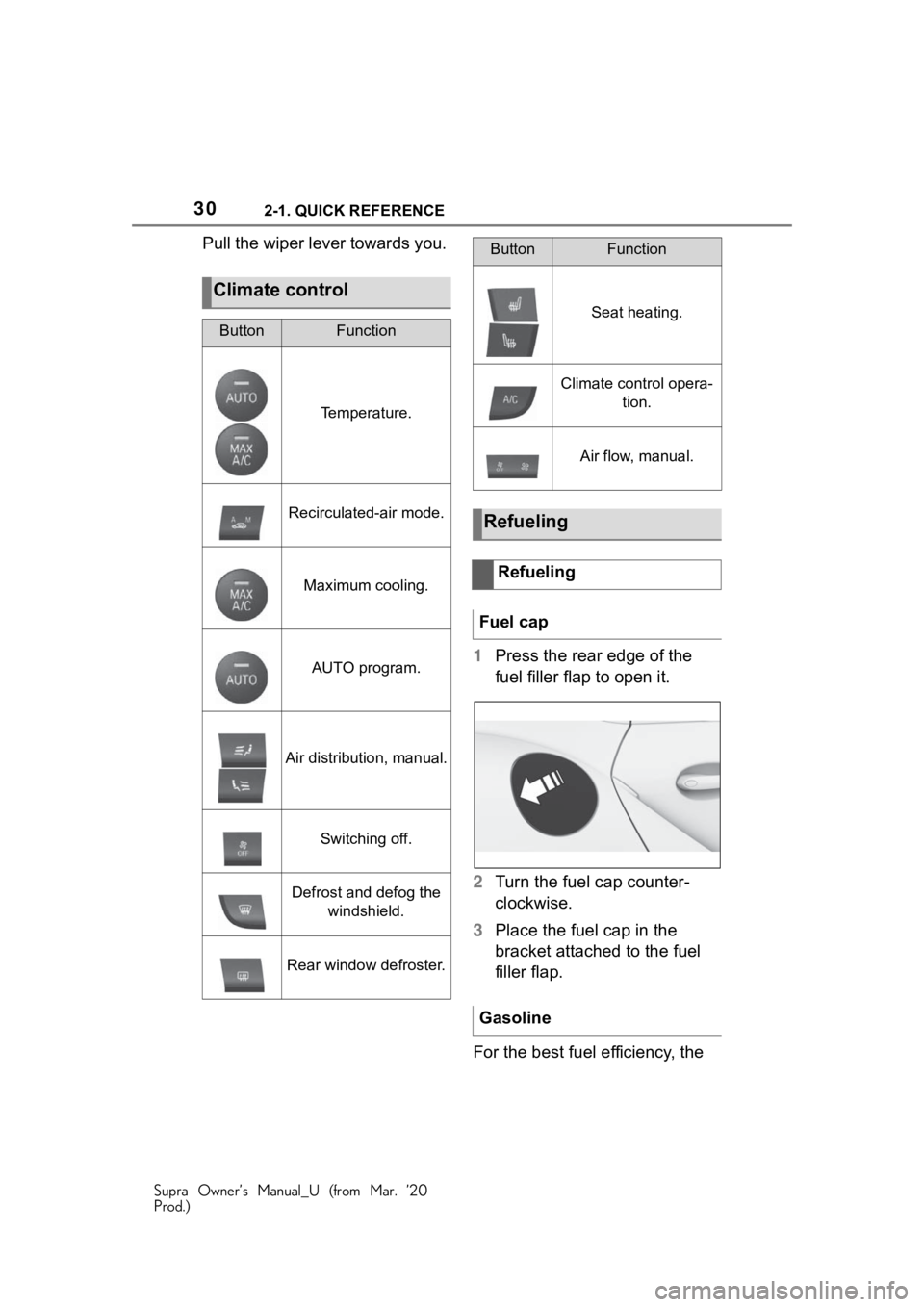
Pull the wiper lever towards you.1Press the rear edge of the
fuel filler flap to open it.
2 Turn the fuel cap counter-
clockwise.
3 Place the fuel cap in the
bracket attached to the fuel
filler flap.
For the best fuel efficiency, the
Climate control
ButtonFunction
Temperature.
Recirculated-air mode.
Maximum cooling.
AUTO program.
Air distribution, manual.
Switching off.
Defrost and defog the windshield.
Rear window defroster.
Seat heating.
Climate control opera- tion.
Air flow, manual.
Refueling
Refueling
Fuel cap
Gasoline
ButtonFunction
Page 64 of 364

643-1. AT A GLANCE
Supra Owner’s Manual_U (from Mar. ’20
Prod.)
is currently in use.
There is an additional guest pro-
file available that is not assigned
to any vehicle key. It can be
used to apply settings in the
vehicle without changing the
personal driver profiles.
For the system to be able to
identify the driver profile associ-
ated to a particular driver, the
detected remote control must be
clearly allocated to the driver.
This is the case when:
• The driver is only carrying his or her own remote control.
• The driver unlocks the vehi- cle.
• The driver gets into the vehi- cle through the driver's door.
After switching on the Control
Display, the name of the active
driver profile is displayed.
Select driver profile, refer to
page 64.
As soon as the engine is started
or any key is pressed, the last
selected display is shown on the
Control Display.
To exit the welcome screen via
Toyota Supra Command: "OK" The settings for the following
systems and functions are
stored in the active driver profile.
The scope of storable settings
depends on country and equip-
ment.
• Unlocking and locking.
•Lights.
• Climate control.
• Radio.
• Instrument cluster.
• Programmable memory but-
tons.
• Volumes, tone.
• Control Display.
•TV.
• Parking Sensors.
• Rearview camera.
• Head-up Display.
• Sport mode switch.
• Seat position, exterior mirror position.
Both the positions saved via the
seat memory and th e last position
set are saved.
• Toyota Supra Safety.
Regardless of the remote con-
trol in use, a different driver pro-
file may be activated. This
allows you to call up personal
vehicle settings, even if you did
not unlock the vehicle with your
own remote control.
Functional requirements
Active driver profile
Adjusting
Profile management
Selecting a driver profile
Page 77 of 364
77
Supra Owner’s Manual_U (from Mar. ’20
Prod.)
4
4
CONTROLS
CONTROLS
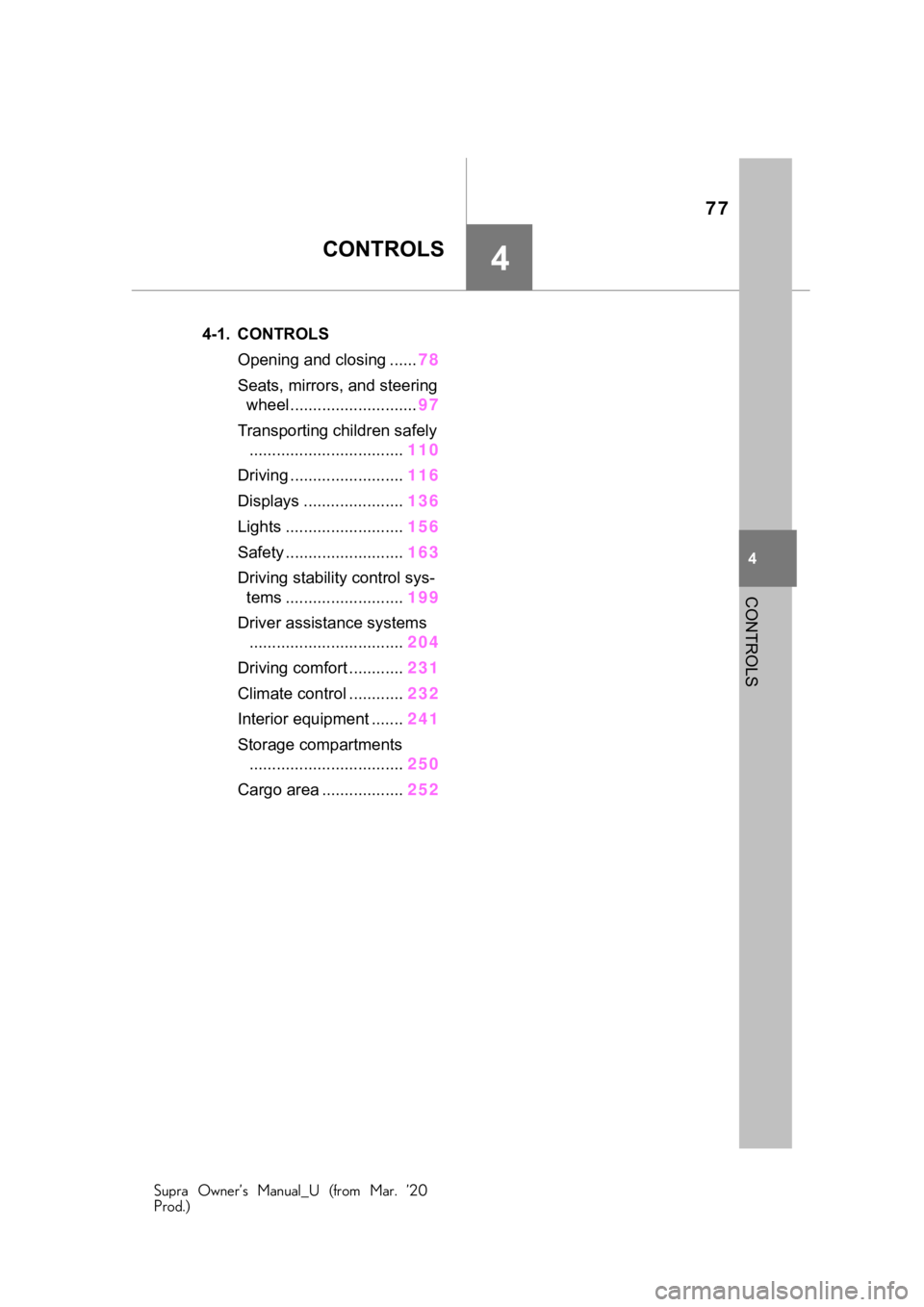
.4-1. CONTROLSOpening and closing ...... 78
Seats, mirrors, and steering wheel ............................ 97
Transporting children safely .................................. 110
Driving ......................... 116
Displays ...................... 136
Lights .......................... 156
Safety .......................... 163
Driving stabilit y control sys-
tems .......................... 199
Driver assistance systems .................................. 204
Driving comfort ............ 231
Climate control ............ 232
Interior equipment ....... 241
Storage compartments .................................. 250
Cargo area .................. 252
Page 232 of 364
2324-1. CONTROLS
Supra Owner’s Manual_U (from Mar. ’20
Prod.)
This chapter describes all stan-
dard, country-specific and
optional features offered with
the series. It also describes fea-
tures and functions that are not
necessarily available in your
vehicle, e.g., due to the selected
options or country versions. This
also applies to safety-related
functions and systems. When
using these functions and sys-
tems, the applicable laws and
regulations must be observed.
The air quality in the vehicle is
improved by the following com-
ponents:
Emission tested car's interior.
Microfilter.
Air conditioning system to
control the temperature, air
flow and recirculated-air
mode.
Automatic recirculated-air
control AUC.
Parked-car ventilation.
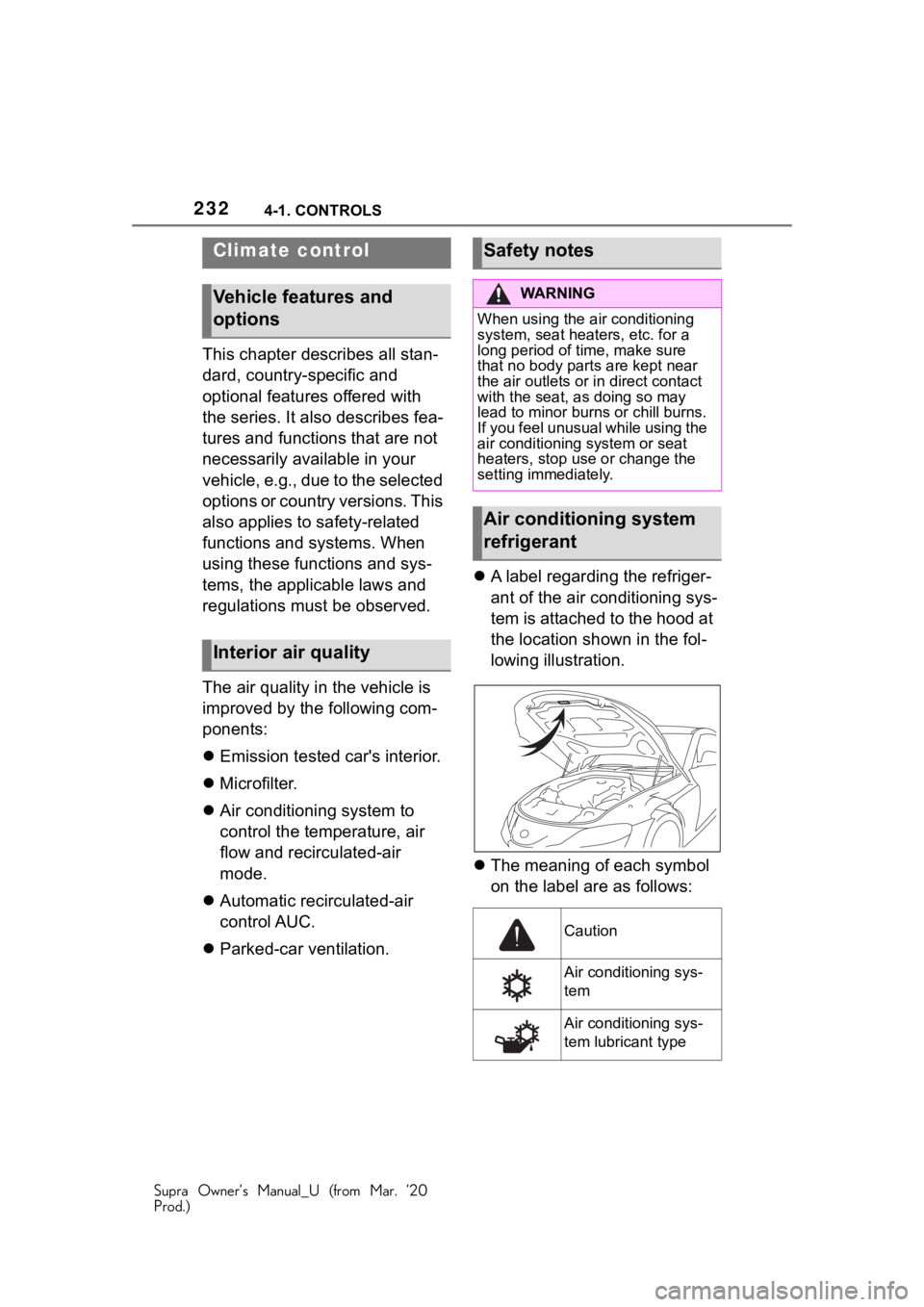
A label regarding the refriger-
ant of the air conditioning sys-
tem is attached to the hood at
the location shown in the fol-
lowing illustration.
The meaning of each symbol
on the label are as follows:
Climate control
Vehicle features and
options
Interior air quality
Safety notes
WA R N I N G
When using the air conditioning
system, seat heaters, etc. for a
long period of time, make sure
that no body parts are kept near
the air outlets or in direct contact
with the seat, as doing so may
lead to minor burn s or chill burns.
If you feel unusual while using the
air conditioning system or seat
heaters, stop use or change the
setting immediately.
Air conditioning system
refrigerant
Caution
Air conditioning sys-
tem
Air conditioning sys-
tem lubricant type
Page 233 of 364
2334-1. CONTROLS
Supra Owner’s Manual_U (from Mar. ’20
Prod.)
4
CONTROLS
Requires registered
technician to service
air conditioning sys-
tem
Flammable refrigerant
NOTICE
■When repairing/replacing
parts of the air conditioning
system
Have repair/replacement per-
formed by your Toyota dealer.
When a part of the air conditioning
system, such as the evaporator, is
to be replaced, it must be
replaced with a new one.
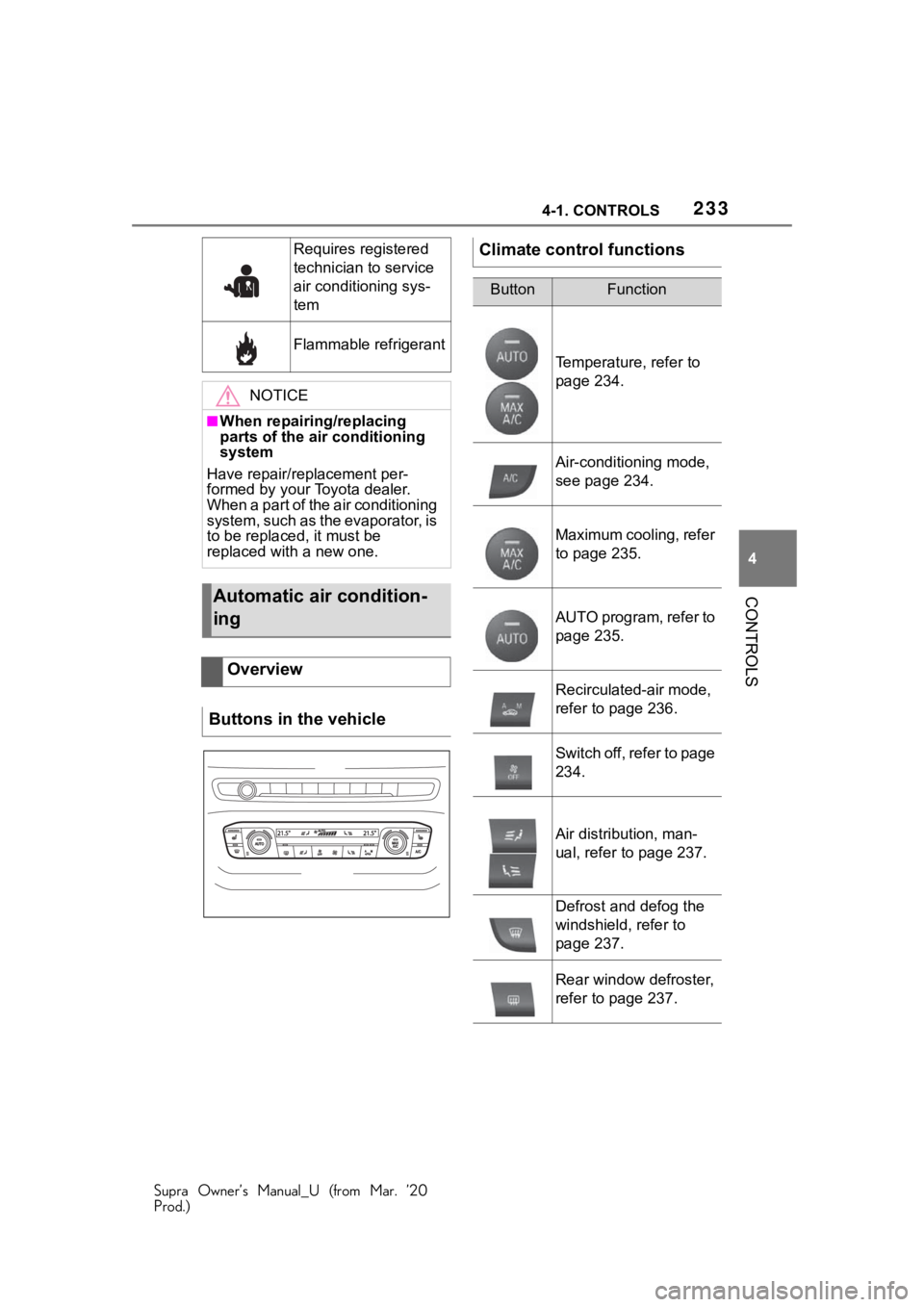
Automatic air condition-
ing
Overview
Buttons in the vehicle
Climate control functions
ButtonFunction
Temperature, refer to
page 234.
Air-conditioning mode,
see page 234.
Maximum cooling, refer
to page 235.
AUTO program, refer to
page 235.
Recirculated-air mode,
refer to page 236.
Switch off, refer to page
234.
Air distribution, man-
ual, refer to page 237.
Defrost and defog the
windshield, refer to
page 237.
Rear window defroster,
refer to page 237.
Page 234 of 364
2344-1. CONTROLS
Supra Owner’s Manual_U (from Mar. ’20
Prod.)
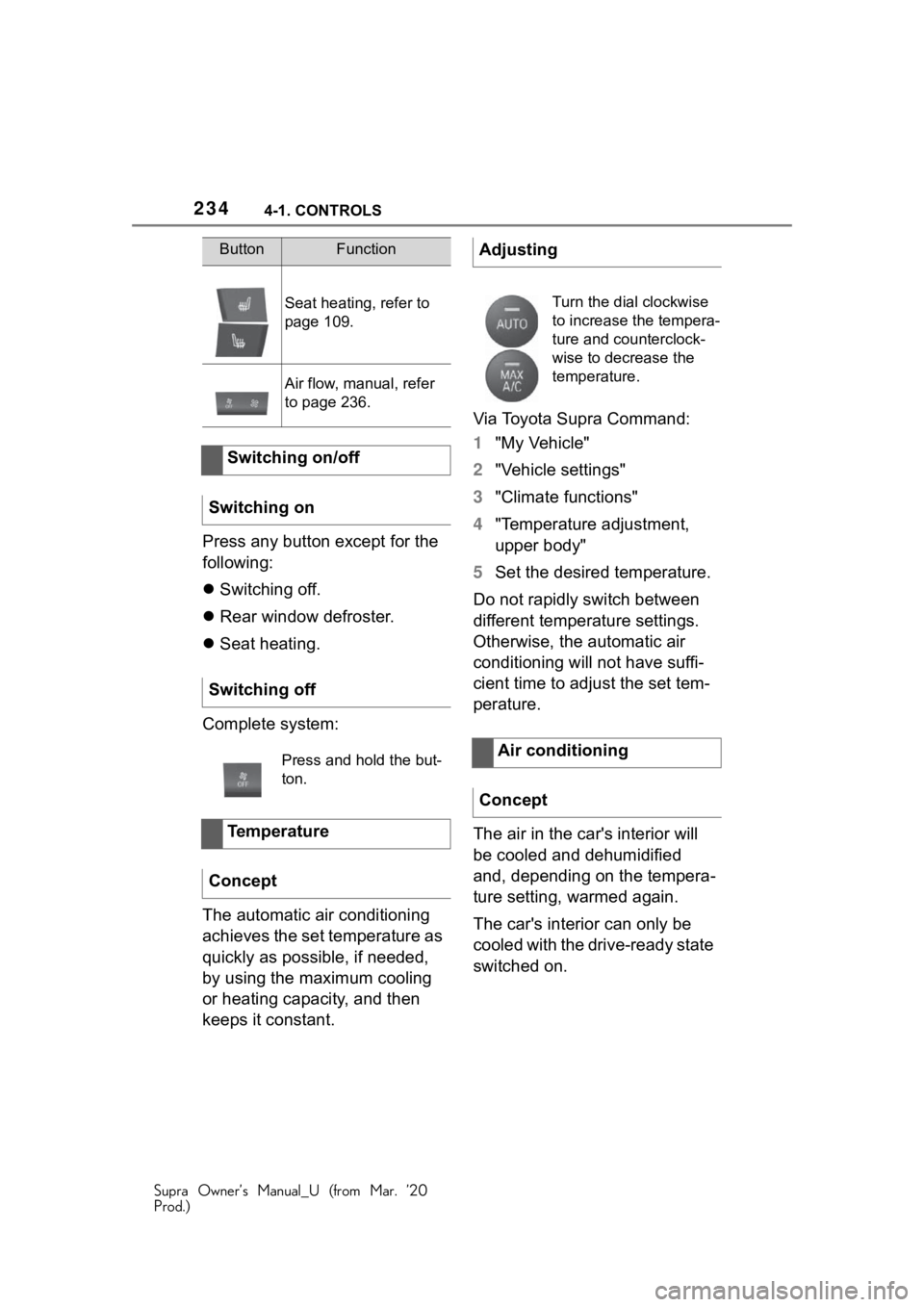
Press any button except for the
following:
Switching off.
Rear window defroster.
Seat heating.
Complete system:
The automatic air conditioning
achieves the set temperature as
quickly as possible, if needed,
by using the maximum cooling
or heating capacity, and then
keeps it constant. Via Toyota Supra Command:
1
"My Vehicle"
2 "Vehicle settings"
3 "Climate functions"
4 "Temperature adjustment,
upper body"
5 Set the desired temperature.
Do not rapidly switch between
different temperature settings.
Otherwise, the automatic air
conditioning will not have suffi-
cient time to adjust the set tem-
perature.
The air in the car's interior will
be cooled and dehumidified
and, depending on the tempera-
ture setting, warmed again.
The car's interior can only be
cooled with the drive-ready state
switched on.
Seat heating , refer to
page 109.
Air flow, manual, refer
to page 236.
Switching on/off
Switching on
Switching off
Press and hold the but-
ton.
Temperature
Concept
ButtonFunctionAdjusting
Turn the dial clockwise
to increase the tempera-
ture and counterclock-
wise to decrease the
temperature.
Air conditioning
Concept
Page 236 of 364
2364-1. CONTROLS
Supra Owner’s Manual_U (from Mar. ’20
Prod.)
body, and into the floor area.
The air conditioning, refer to
page 234, is switched on auto-
matically with the AUTO pro-
gram.
The AUTO program is switched
off automatically, when manual
air distribution is set.
You may react to unpleasant
odors or pollutants in the imme-
diate environment by temporar-
ily suspending the supply of
outside air. The system then
recirculates the air flow within
the vehicle.
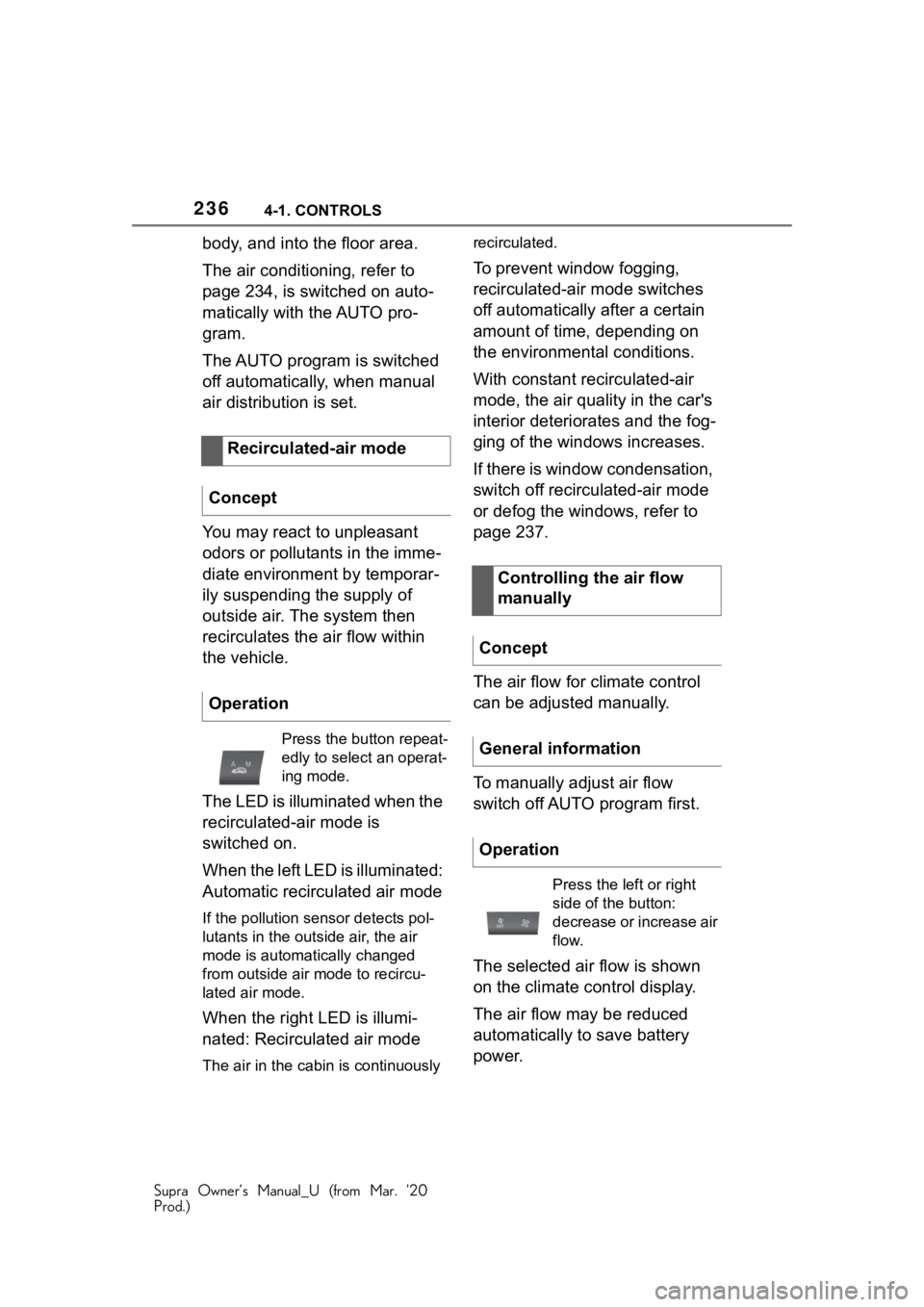
The LED is illuminated when the
recirculated-air mode is
switched on.
When the left LED is illuminated:
Automatic recirculated air mode
If the pollution sensor detects pol-
lutants in the outside air, the air
mode is automatically changed
from outside air mode to recircu-
lated air mode.
When the right LED is illumi-
nated: Recirculated air mode
The air in the cabin is continuously recirculated.
To prevent window fogging,
recirculated-air mode switches
off automatically after a certain
amount of time, depending on
the environmental conditions.
With constant recirculated-air
mode, the air quality in the car's
interior deteriorates and the fog-
ging of the windows increases.
If there is window condensation,
switch off recirculated-air mode
or defog the windows, refer to
page 237.
The air flow for climate control
can be adjusted manually.
To manually adjust air flow
switch off AUTO program first.
The selected air flow is shown
on the climate control display.
The air flow may be reduced
automatically to save battery
power.
Recirculated-air mode
Concept
Operation
Press the button repeat-
edly to select an operat-
ing mode.
Controlling the air flow
manually
Concept
General information
Operation
Press the left or right
side of the button:
decrease or increase air
flow.
Page 237 of 364
2374-1. CONTROLS
Supra Owner’s Manual_U (from Mar. ’20
Prod.)
4
CONTROLS
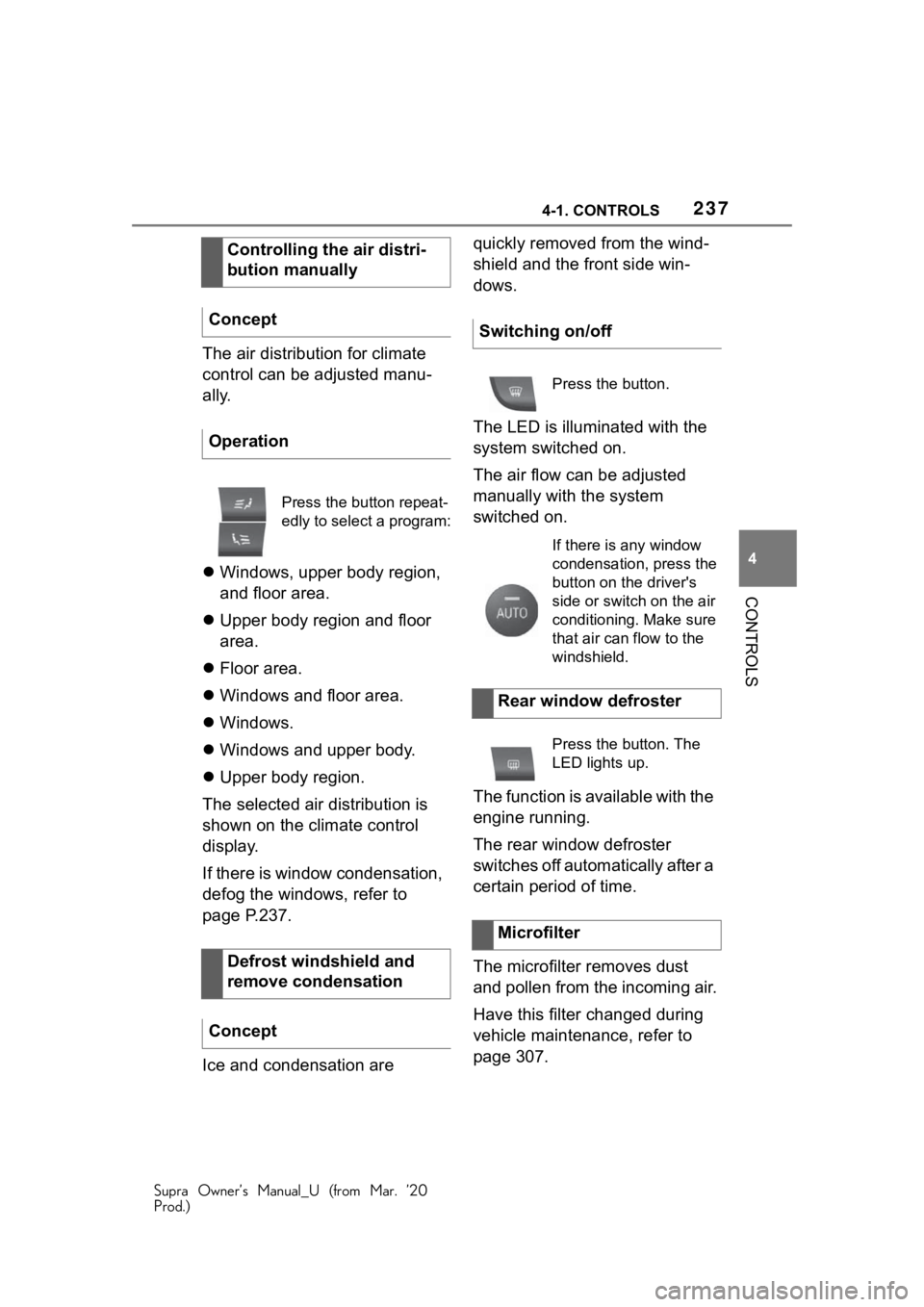
The air distribution for climate
control can be adjusted manu-
ally.
Windows, upper body region,
and floor area.
Upper body region and floor
area.
Floor area.
Windows and floor area.
Windows.
Windows and upper body.
Upper body region.
The selected air distribution is
shown on the climate control
display.
If there is window condensation,
defog the windows, refer to
page P.237.
Ice and condensation are quickly removed from the wind-
shield and the front side win-
dows.
The LED is illuminated with the
system switched on.
The air flow can be adjusted
manually with the system
switched on.
The function is available with the
engine running.
The rear window defroster
switches off automatically after a
certain period of time.
The microfilter removes dust
and pollen from the incoming air.
Have this filter changed during
vehicle maintenance, refer to
page 307.
Controlling the air distri-
bution manually
Concept
Operation
Press the button repeat-
edly to select a program:
Defrost windshield and
remove condensation
Concept
Switching on/off
Press the button.
If there is any window
condensation, press the
button on the driver's
side or switch on the air
conditioning. Make sure
that air can flow to the
windshield.
Rear window defroster
Press the button. The
LED lights up.
Microfilter