fuel TOYOTA SUPRA 2021 Owners Manual (in English)
[x] Cancel search | Manufacturer: TOYOTA, Model Year: 2021, Model line: SUPRA, Model: TOYOTA SUPRA 2021Pages: 364, PDF Size: 10.43 MB
Page 2 of 364
2
Supra Owner’s Manual_U (from Mar. ’20
Prod.)TABLE OF CONTENTS
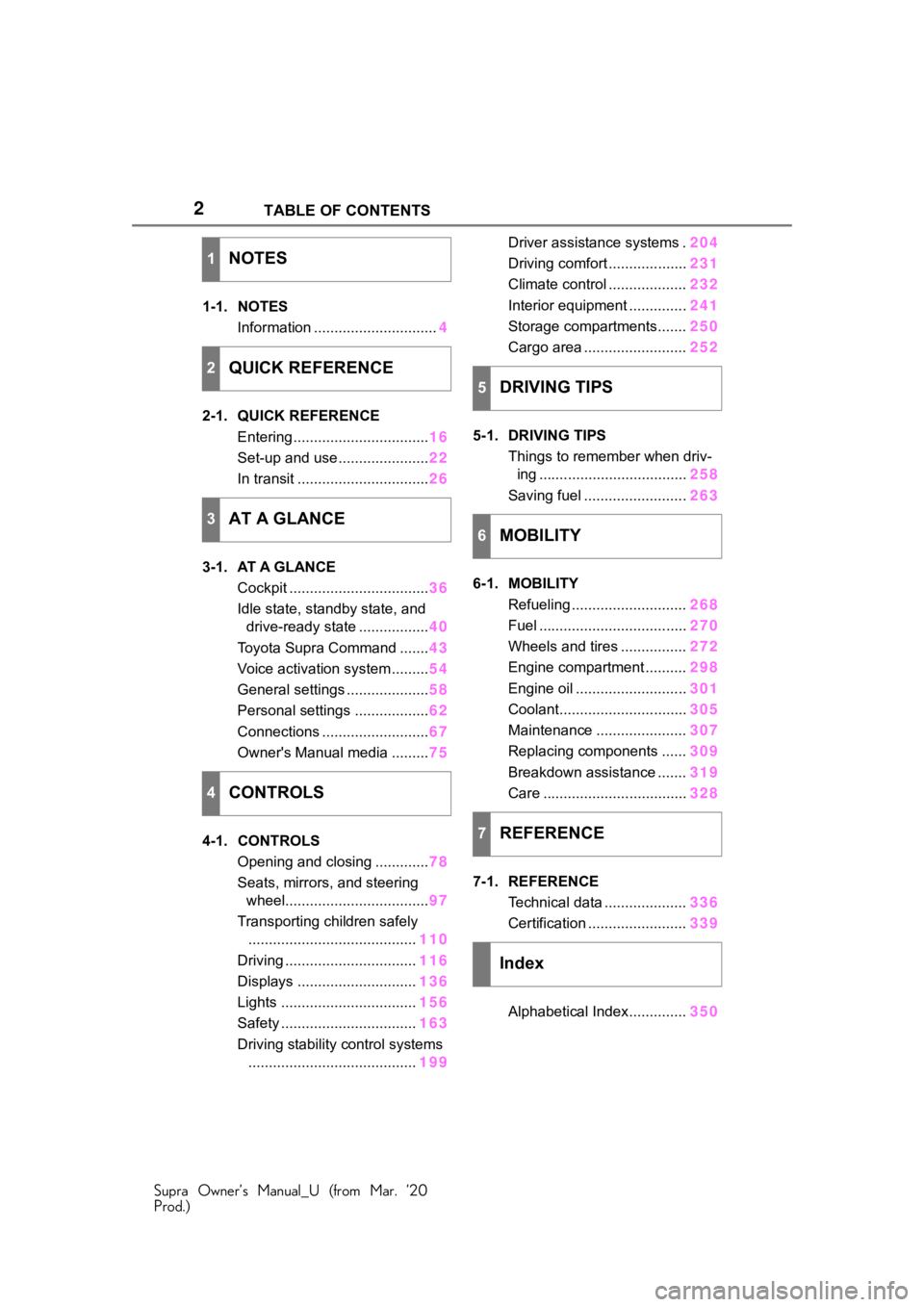
1-1. NOTES
Information .............................. 4
2-1. QUICK REFERENCE Entering ................................. 16
Set-up and use ...................... 22
In transit ................................ 26
3-1. AT A GLANCE Cockpit .................................. 36
Idle state, standby state, and drive-ready state ................. 40
Toyota Supra Command ....... 43
Voice activation system ......... 54
General settings .................... 58
Personal settings .................. 62
Connections .......................... 67
Owner's Manual media ......... 75
4-1. CONTROLS Opening and closing ............. 78
Seats, mirrors, and steering wheel................................... 97
Transporting children safely ......................................... 110
Driving ................................ 116
Displays ............................. 136
Lights ................................. 156
Safety ................................. 163
Driving stability control systems ......................................... 199Driver assistance systems .
204
Driving comfort ................... 231
Climate control ................... 232
Interior equipment .............. 241
Storage compartments....... 250
Cargo area ......................... 252
5-1. DRIVING TIPS Things to remember when driv-ing .................................... 258
Saving fuel ......................... 263
6-1. MOBILITY Refueling ............................ 268
Fuel .................................... 270
Wheels and tires ................ 272
Engine compartment .......... 298
Engine oil ........................... 301
Coolant............................... 305
Maintenance ...................... 307
Replacing components ...... 309
Breakdown assistance ....... 319
Care ................................... 328
7-1. REFERENCE Technical data .................... 336
Certification ........................ 339
Alphabetical Index.............. 350
1NOTES
2QUICK REFERENCE
3AT A GLANCE
4CONTROLS
5DRIVING TIPS
6MOBILITY
7REFERENCE
Index
Page 16 of 364
162-1. QUICK REFERENCE
Supra Owner’s Manual_U (from Mar. ’20
Prod.)
2-1.QUICK REFERENCE
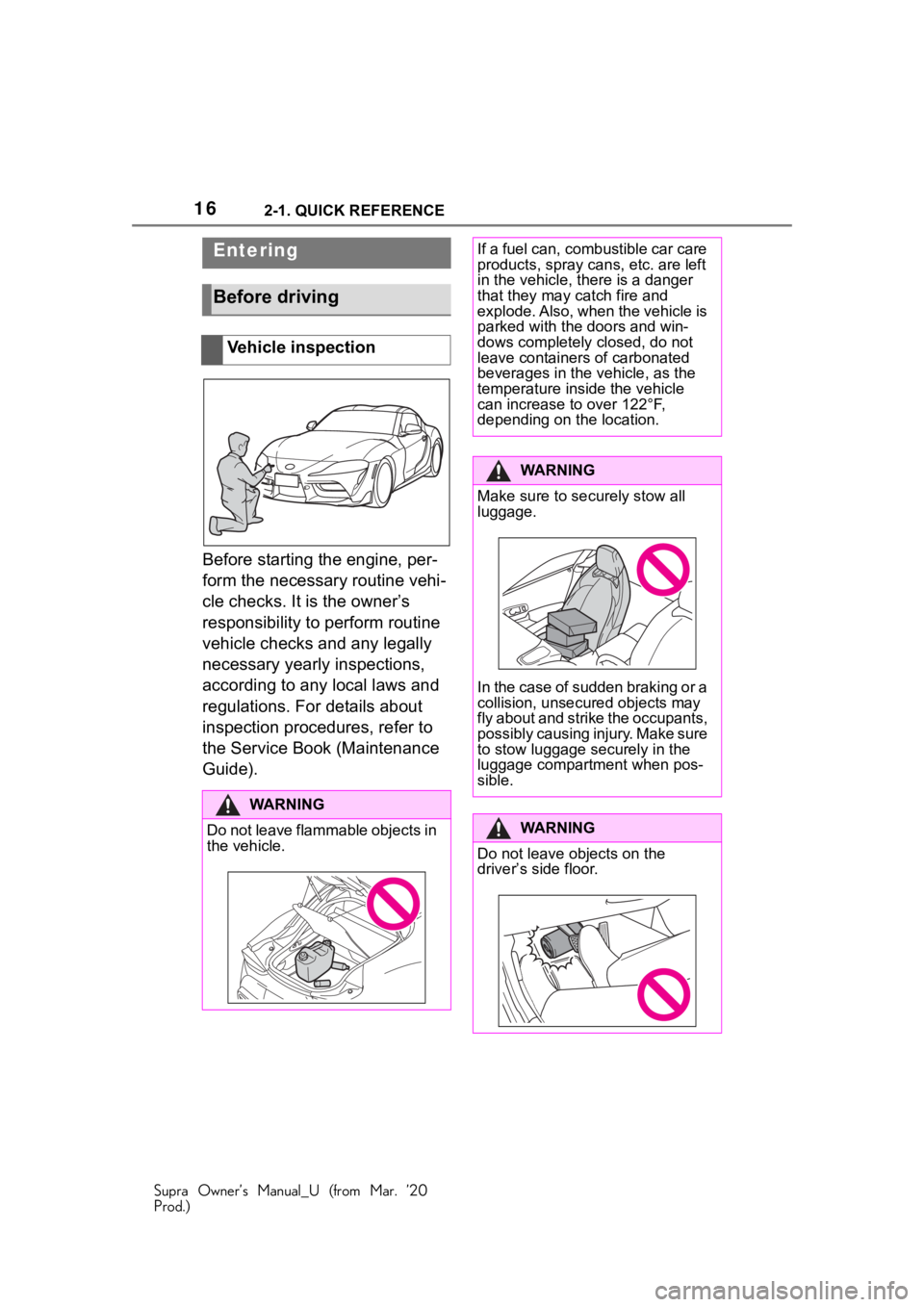
Before starting the engine, per-
form the necessary routine vehi-
cle checks. It is the owner’s
responsibility to perform routine
vehicle checks and any legally
necessary yearly inspections,
according to any local laws and
regulations. For details about
inspection procedures, refer to
the Service Book (Maintenance
Guide).
Entering
Before driving
Vehicle inspection
WA R N I N G
Do not leave flammable objects in
the vehicle.
If a fuel can, combustible car care
products, spray cans, etc. are left
in the vehicle, there is a danger
that they may catch fire and
explode. Also, when the vehicle is
parked with the doors and win-
dows completely closed, do not
leave containers of carbonated
beverages in the vehicle, as the
temperature inside the vehicle
can increase to over 122°F,
depending on the location.
WA R N I N G
Make sure to securely stow all
luggage.
In the case of sudden braking or a
collision, unsecured objects may
fly about and strike the occupants,
possibly causing injury. Make sure
to stow luggage securely in the
luggage compartment when pos-
sible.
WA R N I N G
Do not leave objects on the
driver
Page 19 of 364
192-1. QUICK REFERENCE
Supra Owner’s Manual_U (from Mar. ’20
Prod.)
2
QUICK REFERENCE
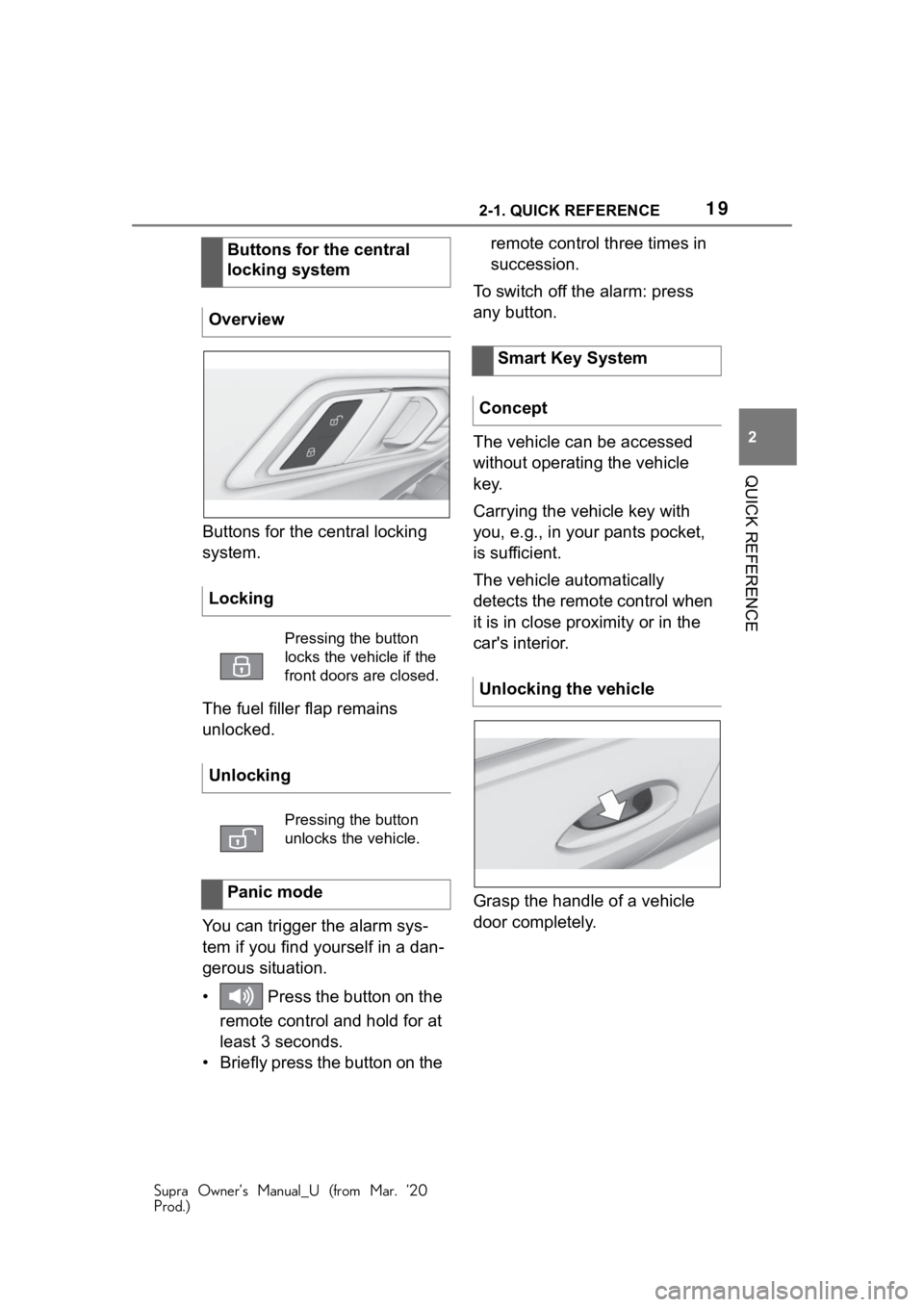
Buttons for the central locking
system.
The fuel filler flap remains
unlocked.
You can trigger the alarm sys-
tem if you find yourself in a dan-
gerous situation.
• Press the button on the remote control and hold for at
least 3 seconds.
• Briefly press the button on the remote control three times in
succession.
To switch off the alarm: press
any button.
The vehicle can be accessed
without operating the vehicle
key.
Carrying the vehicle key with
you, e.g., in your pants pocket,
is sufficient.
The vehicle automatically
detects the remote control when
it is in close proximity or in the
car's interior.
Grasp the handle of a vehicle
door completely.
Buttons for the central
locking system
Overview
Locking
Pressing the button
locks the vehicle if the
front doors are closed.
Unlocking
Pressing the button
unlocks the vehicle.
Panic mode
Smart Key System
Concept
Unlocking the vehicle
Page 26 of 364
262-1. QUICK REFERENCE
Supra Owner’s Manual_U (from Mar. ’20
Prod.)
1Depress the brake pedal.
2 Press the Start/Stop button.
1 Engage selector lever posi-
tion P with the vehicle
stopped.
2 Press the Start/Stop button.
The engine is switched off.
3Set the parking brake.
The Auto Start/Stop function
switches the engine off automat-
ically while stationary to save
fuel. The engine starts automati-
cally under the following precon-
ditions:
• By releasing the brake pedal. The LED and indicator light go
out.
The parking brake is released.
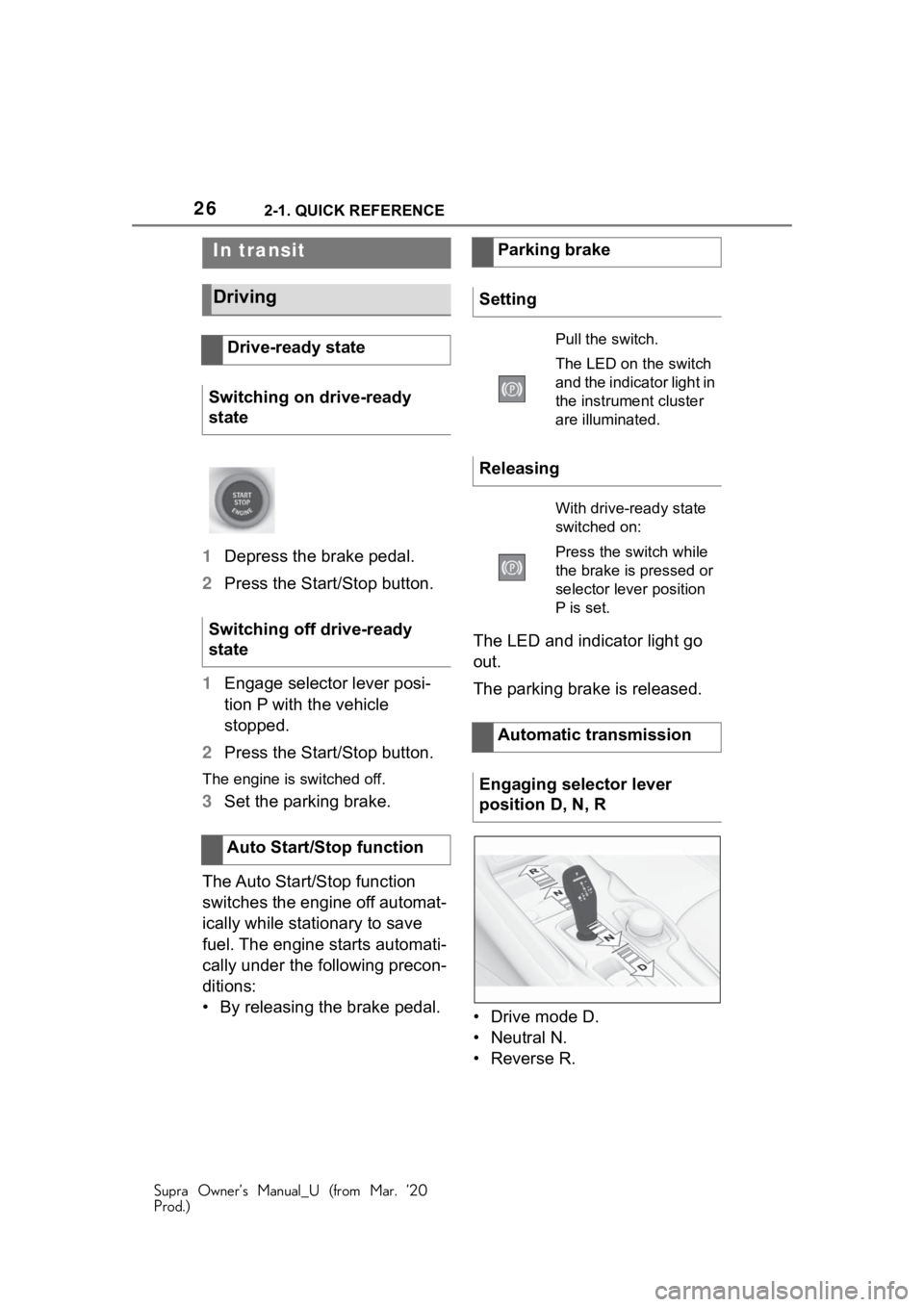
• Drive mode D.
• Neutral N.
•Reverse R.
In transit
Driving
Drive-ready state
Switching on drive-ready
state
Switching off drive-ready
state
Auto Start/Stop function
Parking brake
Setting
Pull the switch.
The LED on the switch
and the indicator light in
the instrument cluster
are illuminated.
Releasing
With drive-ready state
switched on:
Press the switch while
the brake is pressed or
selector lever position
P is set.
Automatic transmission
Engaging selector lever
position D, N, R
Page 30 of 364
302-1. QUICK REFERENCE
Supra Owner’s Manual_U (from Mar. ’20
Prod.)
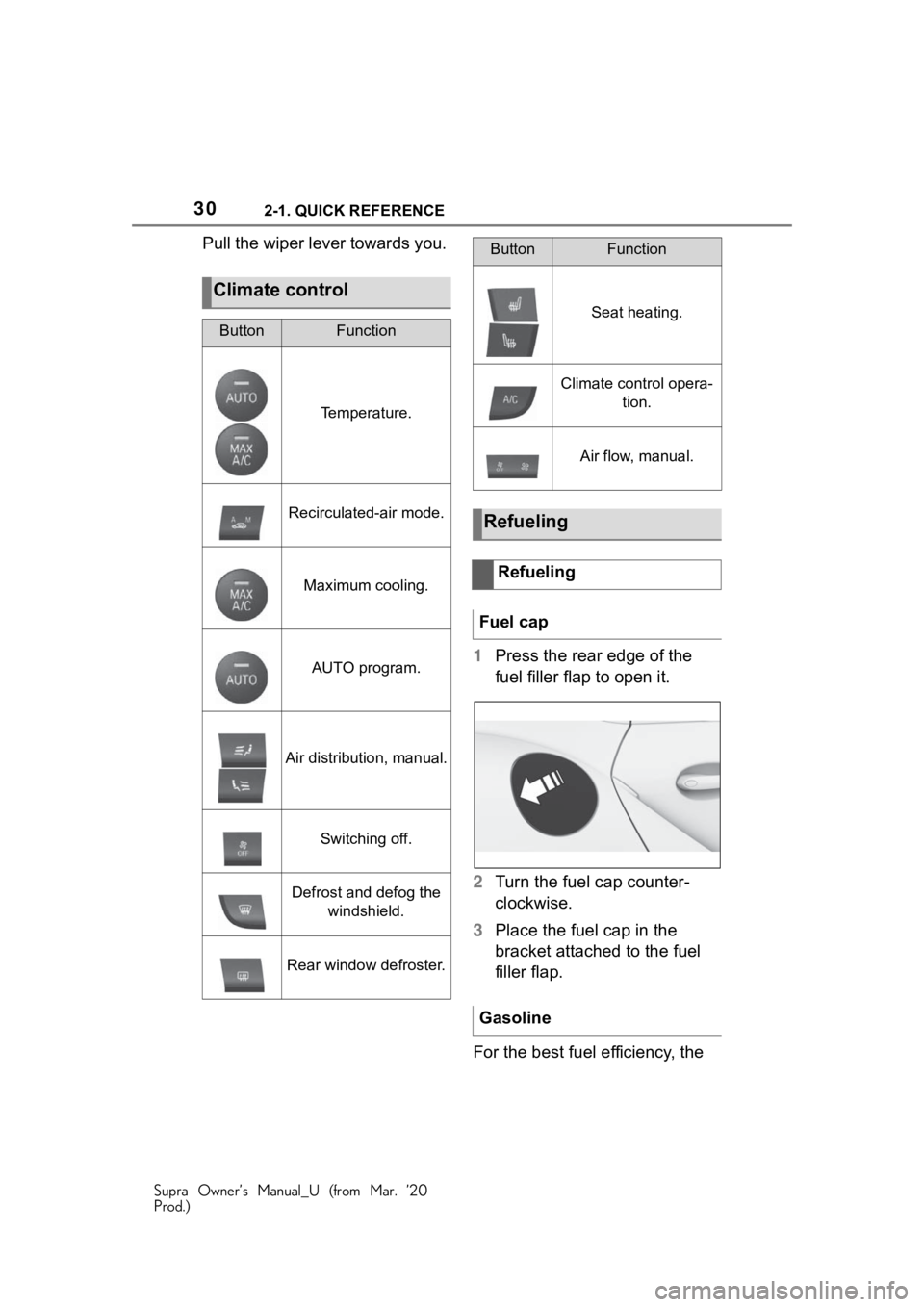
Pull the wiper lever towards you.1Press the rear edge of the
fuel filler flap to open it.
2 Turn the fuel cap counter-
clockwise.
3 Place the fuel cap in the
bracket attached to the fuel
filler flap.
For the best fuel efficiency, the
Climate control
ButtonFunction
Temperature.
Recirculated-air mode.
Maximum cooling.
AUTO program.
Air distribution, manual.
Switching off.
Defrost and defog the windshield.
Rear window defroster.
Seat heating.
Climate control opera- tion.
Air flow, manual.
Refueling
Refueling
Fuel cap
Gasoline
ButtonFunction
Page 31 of 364
312-1. QUICK REFERENCE
Supra Owner’s Manual_U (from Mar. ’20
Prod.)
2
QUICK REFERENCE
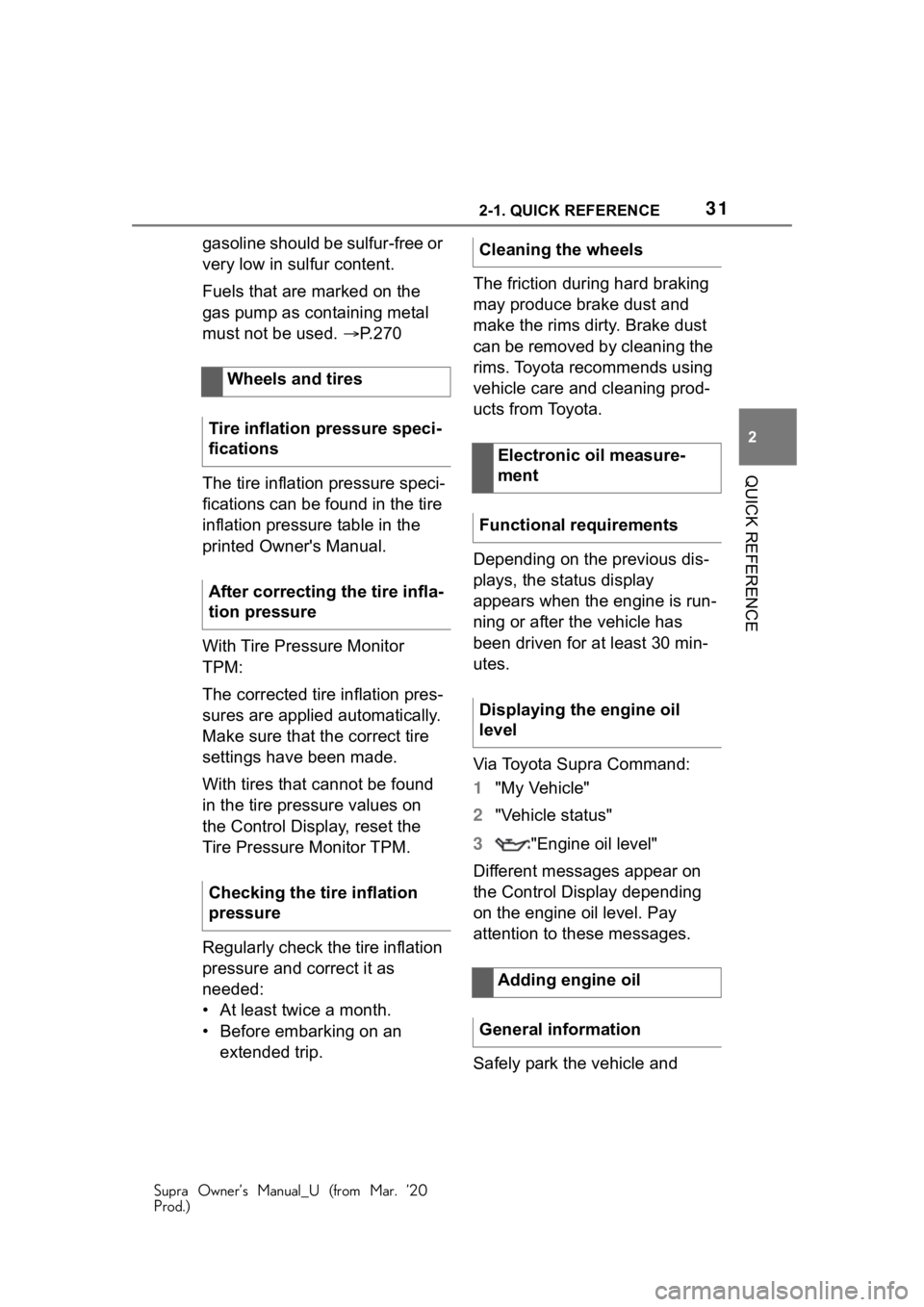
gasoline should be sulfur-free or
very low in sulfur content.
Fuels that are marked on the
gas pump as containing metal
must not be used. P.270
The tire inflation pressure speci-
fications can be found in the tire
inflation pressure table in the
printed Owner's Manual.
With Tire Pressure Monitor
TPM:
The corrected tire inflation pres-
sures are applied automatically.
Make sure that the correct tire
settings have been made.
With tires that cannot be found
in the tire pressure values on
the Control Display, reset the
Tire Pressure Monitor TPM.
Regularly check the tire inflation
pressure and correct it as
needed:
• At least twice a month.
• Before embarking on an extended trip. The friction during hard braking
may produce brake dust and
make the rims dirty. Brake dust
can be removed by cleaning the
rims. Toyota recommends using
vehicle care and cleaning prod-
ucts from Toyota.
Depending on the previous dis-
plays, the status display
appears when the engine is run-
ning or after the vehicle has
been driven for at least 30 min-
utes.
Via Toyota Supra Command:
1
"My Vehicle"
2 "Vehicle status"
3 "Engine oil level"
Different messages appear on
the Control Display depending
on the engine oil level. Pay
attention to these messages.
Safely park the vehicle and
Wheels and tires
Tire inflation pressure speci-
fications
After correcting the tire infla-
tion pressure
Checking the tire inflation
pressureCleaning the wheels
Electronic oil measure-
ment
Functional requirements
Displaying the engine oil
level
Adding engine oil
General information
Page 79 of 364
794-1. CONTROLS
Supra Owner’s Manual_U (from Mar. ’20
Prod.)
4
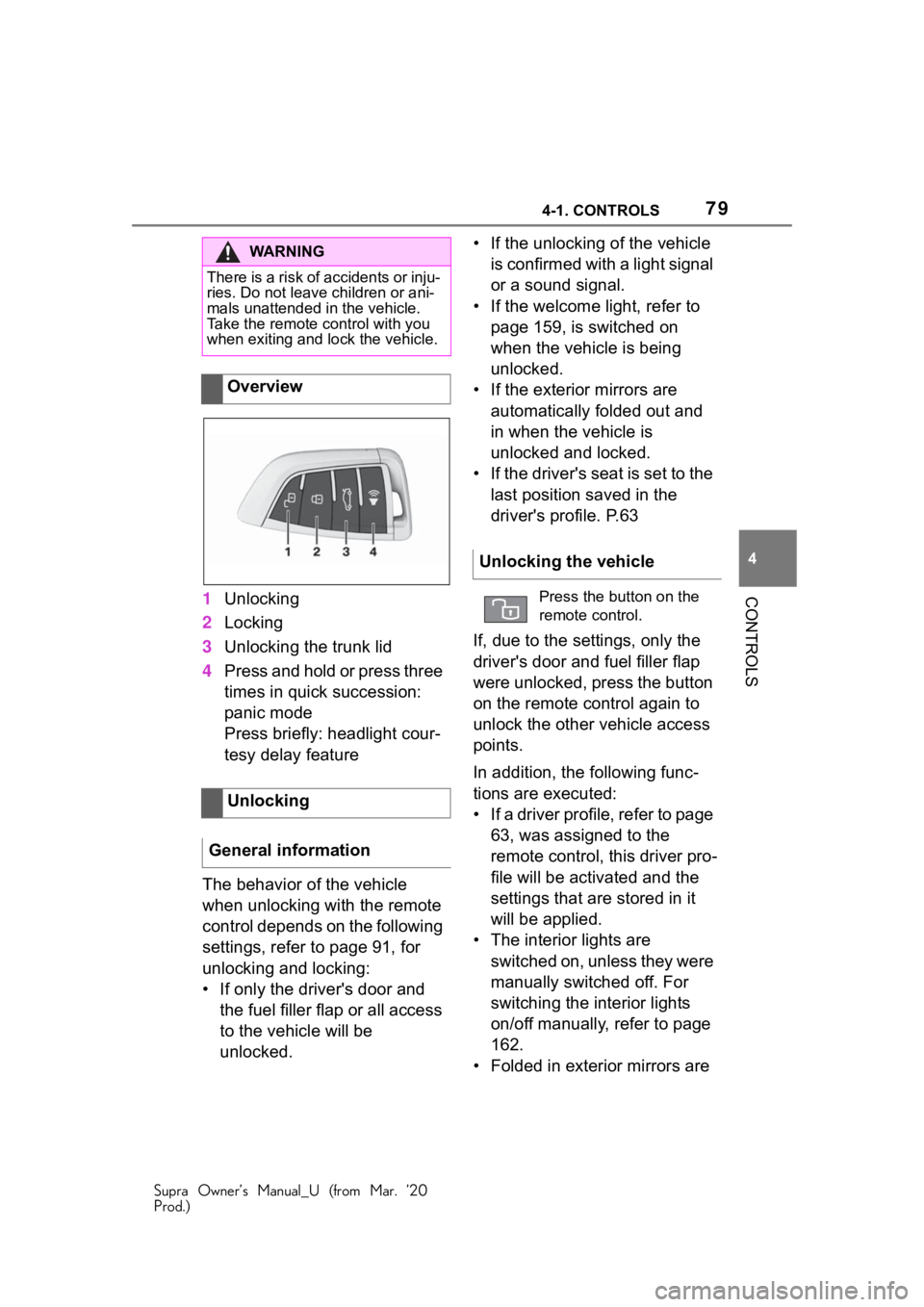
CONTROLS1 Unlocking
2 Locking
3 Unlocking the trunk lid
4 Press and hold or press three
times in quick succession:
panic mode
Press briefly: headlight cour-
tesy delay feature
The behavior of the vehicle
when unlocking with the remote
control depends on the following
settings, refer to page 91, for
unlocking and locking:
• If only the driver's door and the fuel filler flap or all access
to the vehicle will be
unlocked. • If the unlocking of the vehicle
is confirmed with a light signal
or a sound signal.
• If the welcome light, refer to page 159, is switched on
when the vehicle is being
unlocked.
• If the exterior mirrors are automatically folded out and
in when the vehicle is
unlocked and locked.
• If the driver's seat is set to the last position saved in the
driver's profile. P.63
If, due to the settings, only the
driver's door and fuel filler flap
were unlocked, press the button
on the remote control again to
unlock the other vehicle access
points.
In addition, the following func-
tions are executed:
• If a driver profile, refer to page 63, was assigned to the
remote control, this driver pro-
file will be activated and the
settings that are stored in it
will be applied.
• The interior lights are switched on, unless they were
manually switched off. For
switching the interior lights
on/off manually, refer to page
162.
• Folded in exterior mirrors are
WA R N I N G
There is a risk of accidents or inju-
ries. Do not leave children or ani-
mals unattended in the vehicle.
Take the remote control with you
when exiting and lock the vehicle.
Overview
Unlocking
General information
Unlocking the vehicle
Press the button on the
remote control.
Page 80 of 364
804-1. CONTROLS
Supra Owner’s Manual_U (from Mar. ’20
Prod.)
folded out.
If the exterior mirrors were folded in
via the button in the car’s interior,
they will not be folded out when
unlocking.
• With alarm system: The alarm
system, refer to page , will be
switched off.
After opening one of the front
doors, the vehicle is ready for
operation, refer to page 41.
The light functions may depend
on the ambient brightness.
The windows are opened, as
long as the button on the remote
control is pressed.
The behavior of the vehicle
during locking with the remote
control depends on the following
settings, refer to page 91:
• If the locking of the vehicle is confirmed with a light signal
or a sound signal.
• If the exterior mirrors are automatically folded in when
the vehicle is locked. The
exterior mirrors are not folded in when the hazard warning
flashers are switched on.
• If the headlight courtesy delay feature is activated during
locking.
1 Close the driver's door.
2 Press the button on the
remote control.
The following functions are exe-
cuted:
• All doors, the trunk lid, and the fuel filler flap are locked.
• With alarm system: The alarm system will be switched on.
If the drive-ready state is still
switched on when you lock the
vehicle, the vehicle horn honks
twice. In this case, the
drive-ready state must be
switched off by means of the
Start/Stop button.
Convenient opening
Opening
Press and hold the button
on the remote control.
Locking
General information
Locking the vehicle
With Smart Key System:
convenient closing
Safety information
WA R N I N G
With convenient closing, body
parts can be jammed. There is a
risk of injury. Mak e sure that the
area of movement of the doors is
clear during convenient closing.
Page 85 of 364
854-1. CONTROLS
Supra Owner’s Manual_U (from Mar. ’20
Prod.)
4
CONTROLS
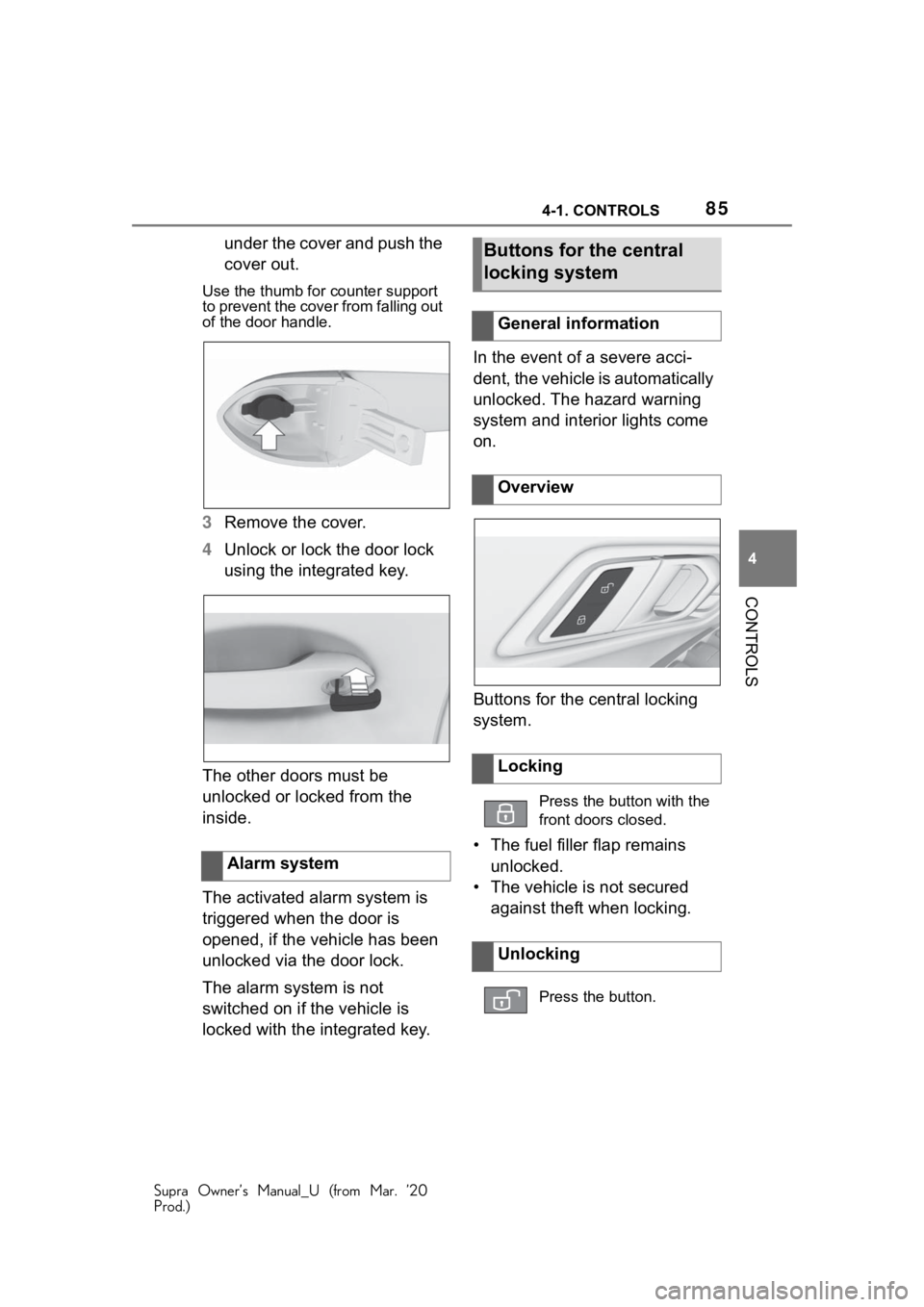
under the cover and push the
cover out.
Use the thumb for counter support
to prevent the cover from falling out
of the door handle.
3 Remove the cover.
4 Unlock or lock the door lock
using the integrated key.
The other doors must be
unlocked or locked from the
inside.
The activated alarm system is
triggered when the door is
opened, if the vehicle has been
unlocked via the door lock.
The alarm system is not
switched on if the vehicle is
locked with the integrated key. In the event of a severe acci-
dent, the vehicle is automatically
unlocked. The hazard warning
system and interior lights come
on.
Buttons for the central locking
system.
• The fuel filler flap remains
unlocked.
• The vehicle is not secured against theft when locking.
Alarm system
Buttons for the central
locking system
General information
Overview
Locking
Press the button with the
front doors closed.
Unlocking
Press the button.
Page 89 of 364
894-1. CONTROLS
Supra Owner’s Manual_U (from Mar. ’20
Prod.)
4
CONTROLS
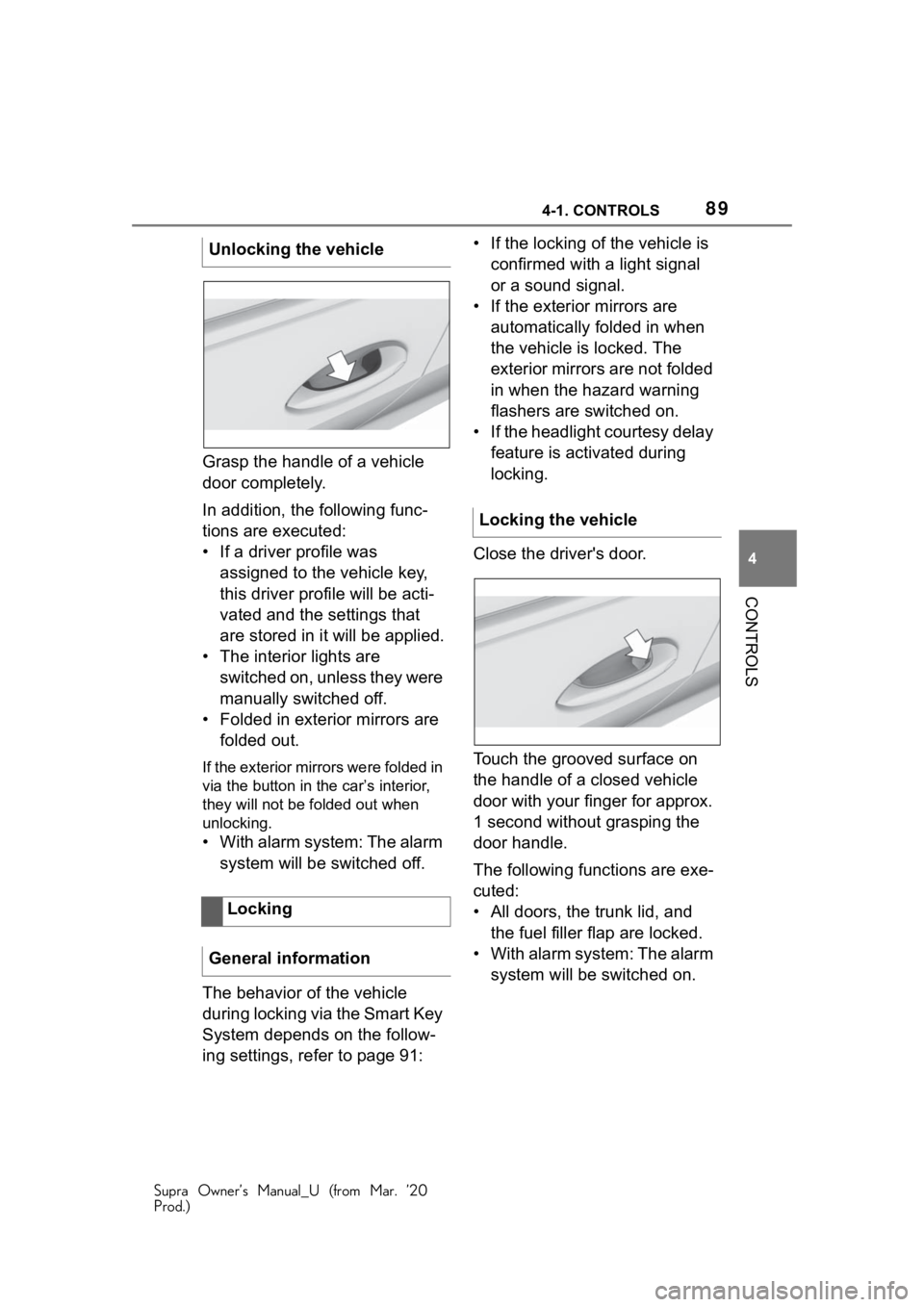
Grasp the handle of a vehicle
door completely.
In addition, the following func-
tions are executed:
• If a driver profile was assigned to the vehicle key,
this driver profile will be acti-
vated and the settings that
are stored in it will be applied.
• The interior lights are switched on, unless they were
manually switched off.
• Folded in exterior mirrors are folded out.
If the exterior mirrors were folded in
via the button in the car’s interior,
they will not be f olded out when
unlocking.
• With alarm system: The alarm
system will be switched off.
The behavior of the vehicle
during locking via the Smart Key
System depends on the follow-
ing settings, refer to page 91: • If the locking of the vehicle is
confirmed with a light signal
or a sound signal.
• If the exterior mirrors are automatically folded in when
the vehicle is locked. The
exterior mirrors are not folded
in when the hazard warning
flashers are switched on.
• If the headlight courtesy delay feature is activated during
locking.
Close the driver's door.
Touch the grooved surface on
the handle of a closed vehicle
door with your finger for approx.
1 second without grasping the
door handle.
The following functions are exe-
cuted:
• All doors, the trunk lid, and the fuel filler flap are locked.
• With alarm system: The alarm system will be switched on.
Unlocking the vehicle
Locking
General information
Locking the vehicle