fuse TOYOTA TACOMA 2010 Owners Manual (in English)
[x] Cancel search | Manufacturer: TOYOTA, Model Year: 2010, Model line: TACOMA, Model: TOYOTA TACOMA 2010Pages: 532, PDF Size: 15.03 MB
Page 4 of 532
TABLE OF CONTENTSIndex
4
3-5. Using the storage features
List of storage features....... 302
• Glove box ......................... 302
• Console boxes ................. 303
• Cup holders ...................... 304
• Bottle holders ................... 306
• Auxiliary boxes ................. 307
• Overhead console ............ 309
3-6. Other interior features
Sun visors .......................... 310
Vanity mirrors ..................... 311
Clock .................................. 312
Outside temperature display
(vehicles with accessory
meter) ............................... 313
Cigarette lighter .................. 314
Power outlet (12V DC) ....... 315
Power outlet (115V AC) ..... 316
Seatback table ................... 322
Floor mat ............................ 323
Luggage compartment
features ............................ 324
Garage door opener box .... 333
Compass (vehicles with
accessory meter).............. 337
4-1. Maintenance and care
Cleaning and protecting
the vehicle exterior ........... 344
Cleaning and protecting
the vehicle interior ............ 3474-2. Maintenance
Maintenance
requirements .................... 350
General maintenance ......... 352
Emission inspection and
maintenance (I/M)
programs .......................... 355
4-3. Do-it-yourself maintenance
Do-it-yourself service
precautions ....................... 356
Hood ................................... 360
Engine compartment .......... 362
Tires.................................... 378
Tire inflation pressure ......... 386
Wheels................................ 391
Air conditioning filter ........... 393
Wireless remote control
battery .............................. 396
Checking and replacing
fuses ................................. 398
Light bulbs .......................... 408
5-1. Essential information
Emergency flashers ............ 420
If your vehicle needs to be
towed ................................ 421
If you think something is
wrong ................................ 427
Fuel pump shut off
system .............................. 428
Event data recorder ............ 429
4Maintenance and care
5When trouble arises
Page 273 of 532
273 3-3. Using the hands-free phone system (for cellular phone)
3
Interior and exterior features
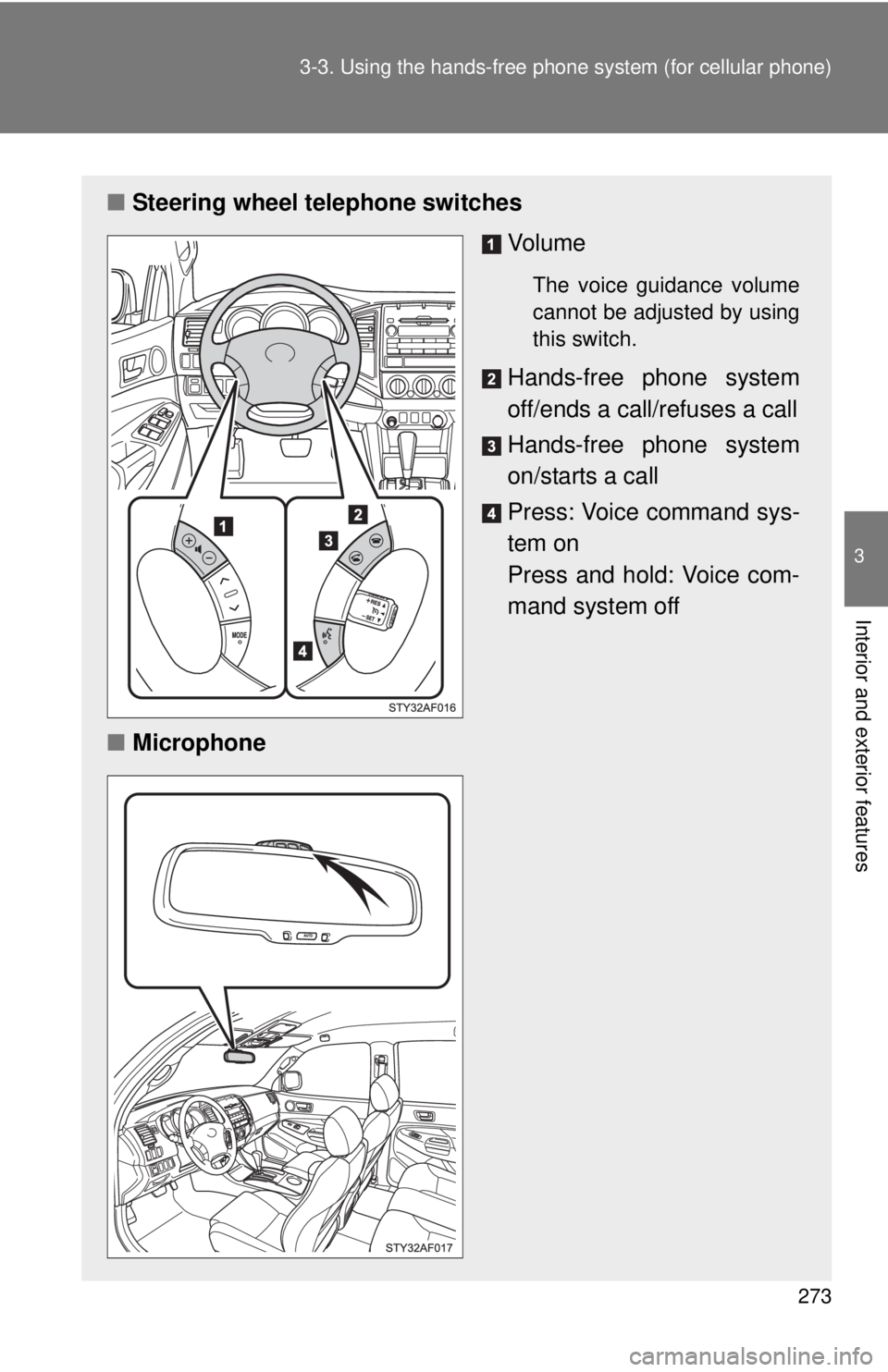
■Steering wheel telephone switches
Vo l u m e
The voice guidance volume
cannot be adjusted by using
this switch.
Hands-free phone system
off/ends a call/refuses a call
Hands-free phone system
on/starts a call
Press: Voice command sys-
tem on
Press and hold: Voice com-
mand system off
■Microphone
Page 315 of 532
315
3-6. Other interior features
3
Interior and exterior features
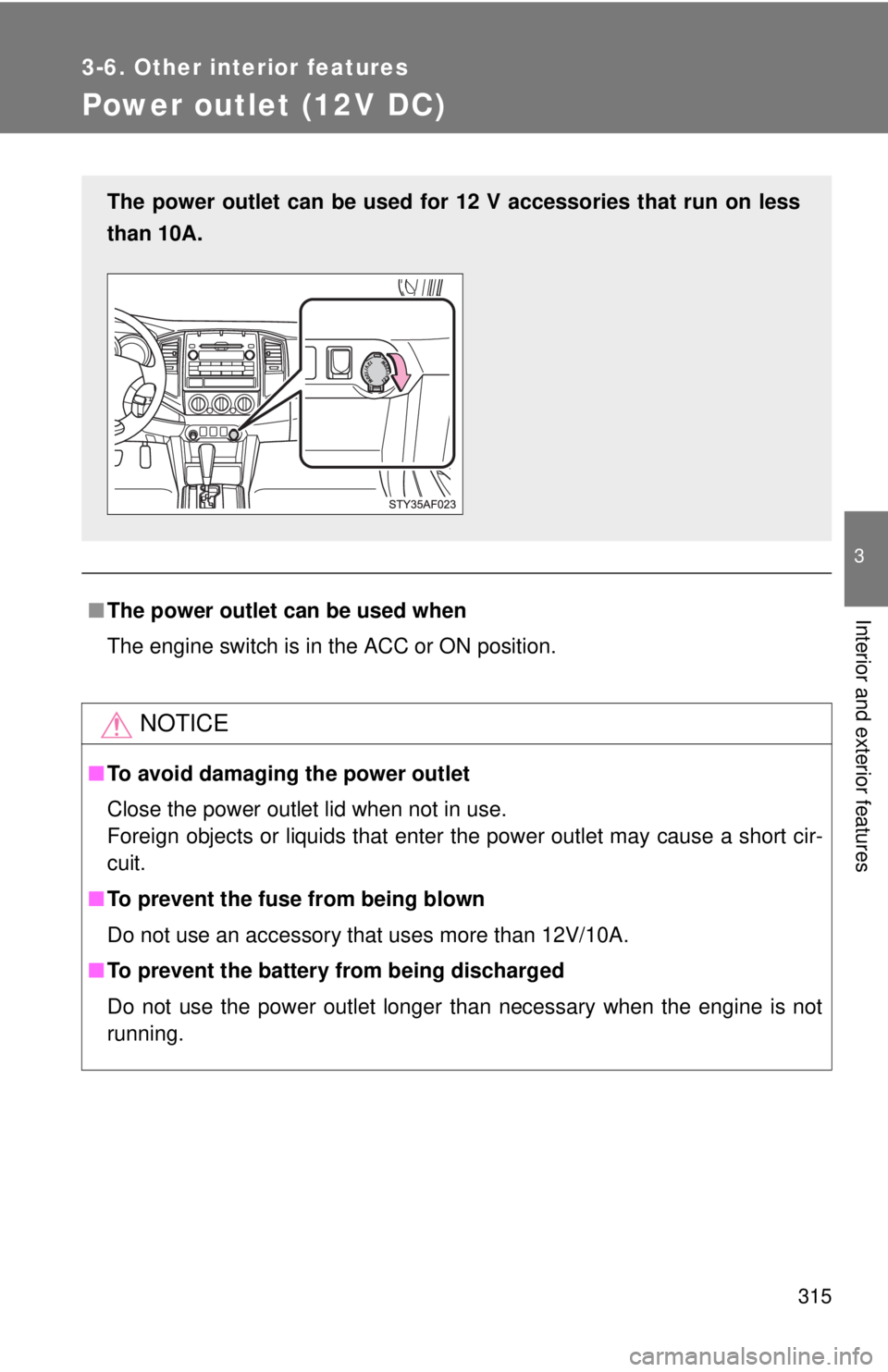
Power outlet (12V DC)
■The power outlet can be used when
The engine switch is in the ACC or ON position.
NOTICE
■To avoid damaging the power outlet
Close the power outlet lid when not in use.
Foreign objects or liquids that enter the power outlet may cause a short cir-
cuit.
■To prevent the fuse from being blown
Do not use an accessory that uses more than 12V/10A.
■To prevent the battery from being discharged
Do not use the power outlet longer than necessary when the engine is not
running.
The power outlet can be used for 12 V accessories that run on less
than 10A.
Page 320 of 532
320 3-6. Other interior features
NOTICE
■To avoid damaging the power outlet and the plug
●Close the power outlet lid when not in use.
●Foreign objects or liquids that enter the power outlet may cause a short
circuit.
●Do not use plug adaptors to connect too many plugs to the power outlet.
●After inserting a plug, gently close the power outlet lid.
■To prevent the fuse from being blown
Do not use a 115V AC appliance that requires more than maximum capacity.
If a 115V AC appliance that consumes more than maximum capacity is
used, the protection circuit will cut the power supply.
■Appliances that may not operate properly (115V AC)
The following 115V AC appliances may not operate even if their power con-
sumption is under maximum capacity.
●Appliances with high initial peak wattage
●Measuring devices that process precise data.
●Other appliances that require an extremely stable power supply
■To prevent the battery from being discharged
Turn off all the vehicle’s electronic equipment and accessories, such as the
headlights and air conditioning, when electrical appliances that consume in
excess of 100W are used continuously for long periods of time.
■To prevent any damage caused by heat
●Do not use any electrical appliances that give off intense heat such as
toasters, in any locations including the internal or external trim, seats and
deck.
●Do not use any electrical appliances, which are easily affected by vibration
or heat, inside the vehicle.
Vibration while driving, or the heat of the sun while parking, may result in
damage to those electrical appliances.
Page 343 of 532
Maintenance and care4
343
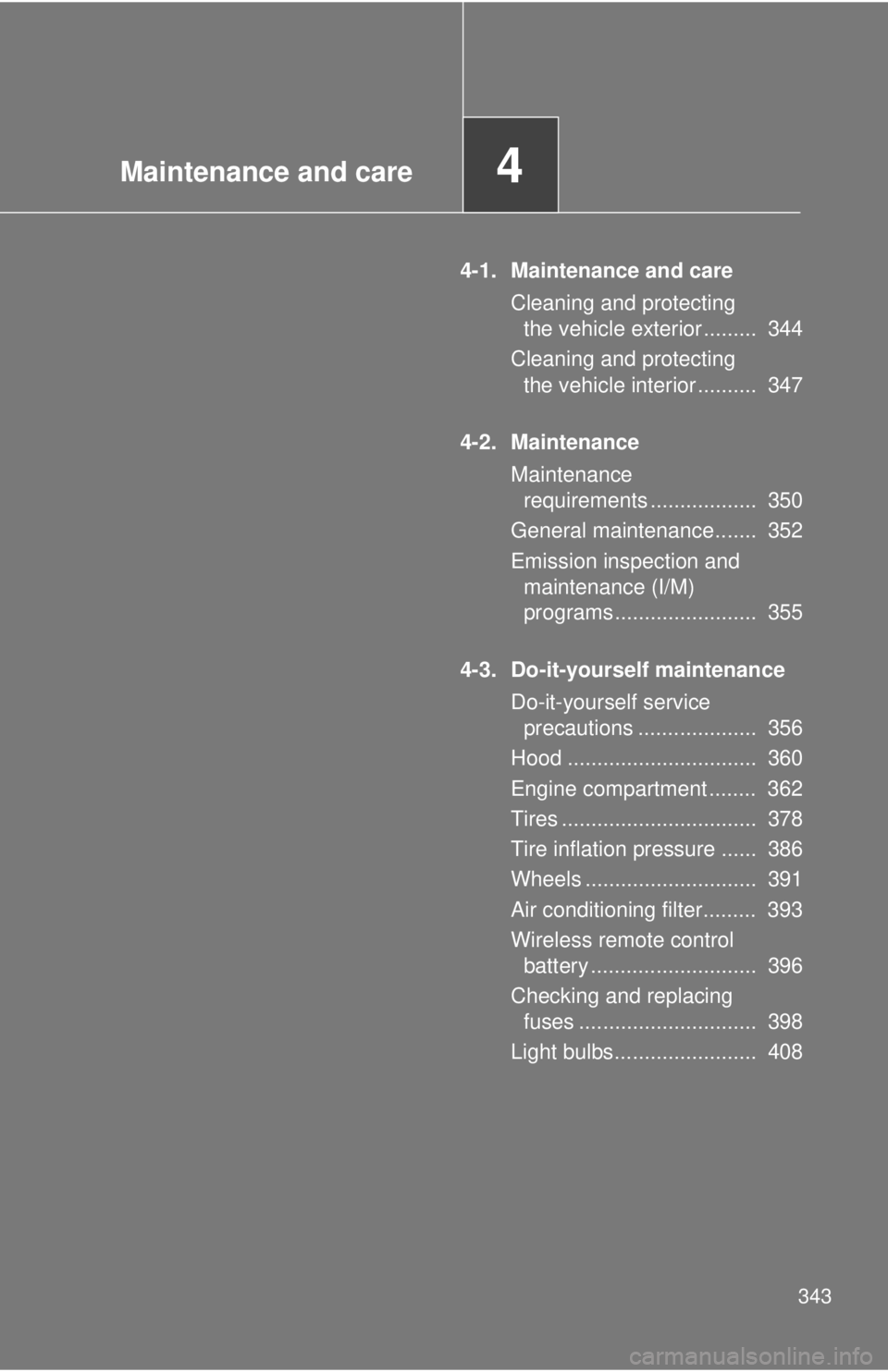
4-1. Maintenance and care
Cleaning and protecting
the vehicle exterior ......... 344
Cleaning and protecting
the vehicle interior .......... 347
4-2. Maintenance
Maintenance
requirements .................. 350
General maintenance....... 352
Emission inspection and
maintenance (I/M)
programs........................ 355
4-3. Do-it-yourself maintenance
Do-it-yourself service
precautions .................... 356
Hood ................................ 360
Engine compartment ........ 362
Tires ................................. 378
Tire inflation pressure ...... 386
Wheels ............................. 391
Air conditioning filter......... 393
Wireless remote control
battery ............................ 396
Checking and replacing
fuses .............................. 398
Light bulbs........................ 408
Page 356 of 532
356
4-3. Do-it-yourself maintenance
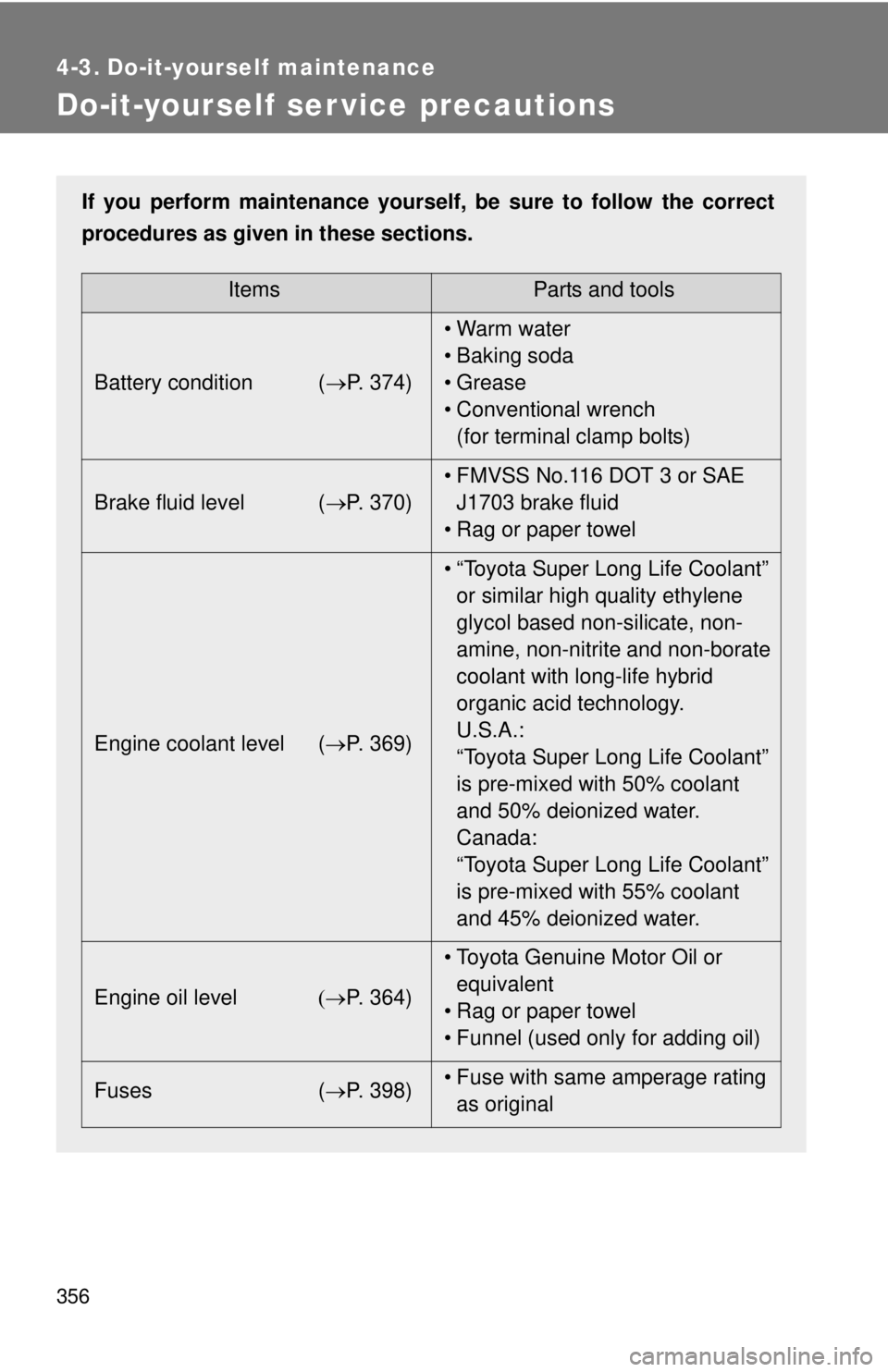
Do-it-yourself ser vice precautions
If you perform maintenance yourself, be sure to follow the correct
procedures as given in these sections.
ItemsParts and tools
Battery condition (P. 374)•Warm water
• Baking soda
• Grease
• Conventional wrench
(for terminal clamp bolts)
Brake fluid level (P. 370)• FMVSS No.116 DOT 3 or SAE
J1703 brake fluid
• Rag or paper towel
Engine coolant level (P. 369)• “Toyota Super Long Life Coolant”
or similar high quality ethylene
glycol based non-silicate, non-
amine, non-nitrite and non-borate
coolant with long-life hybrid
organic acid technology.
U.S.A.:
“Toyota Super Long Life Coolant”
is pre-mixed with 50% coolant
and 50% deionized water.
Canada:
“Toyota Super Long Life Coolant”
is pre-mixed with 55% coolant
and 45% deionized water.
Engine oil levelP. 364)• Toyota Genuine Motor Oil or
equivalent
• Rag or paper towel
• Funnel (used only for adding oil)
Fuses (P. 398)• Fuse with same amperage rating
as original
Page 362 of 532
362
4-3. Do-it-yourself maintenance
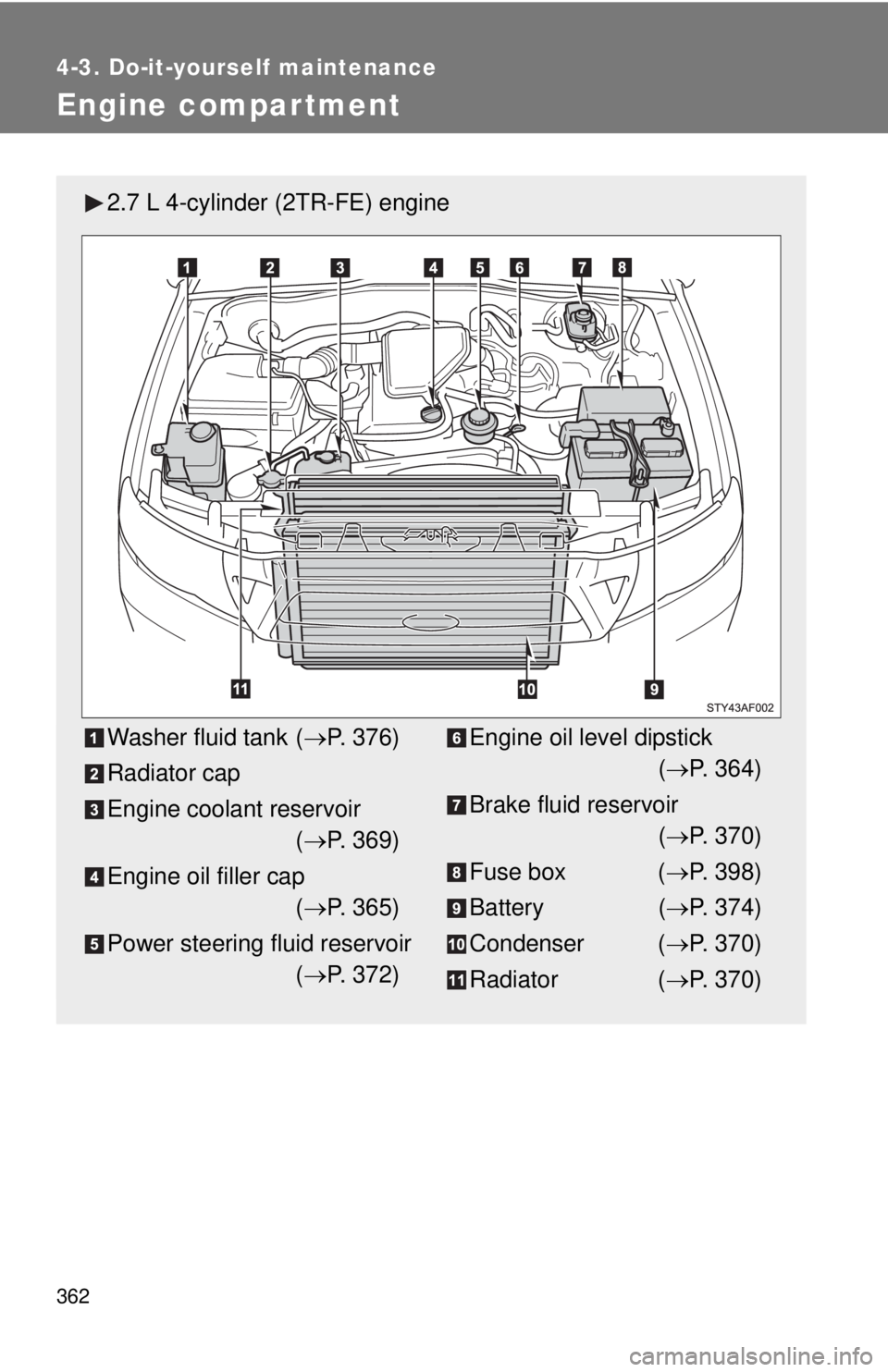
Engine compar tment
2.7 L 4-cylinder (2TR-FE) engine
Washer fluid tank (P. 376)
Radiator cap
Engine coolant reservoir
(P. 369)
Engine oil filler cap
(P. 365)
Power steering fluid reservoir
(P. 372)Engine oil level dipstick
(P. 364)
Brake fluid reservoir
(P. 370)
Fuse box (P. 398)
Battery (P. 374)
Condenser (P. 370)
Radiator (P. 370)
Page 363 of 532
363 4-3. Do-it-yourself maintenance
4
Maintenance and care
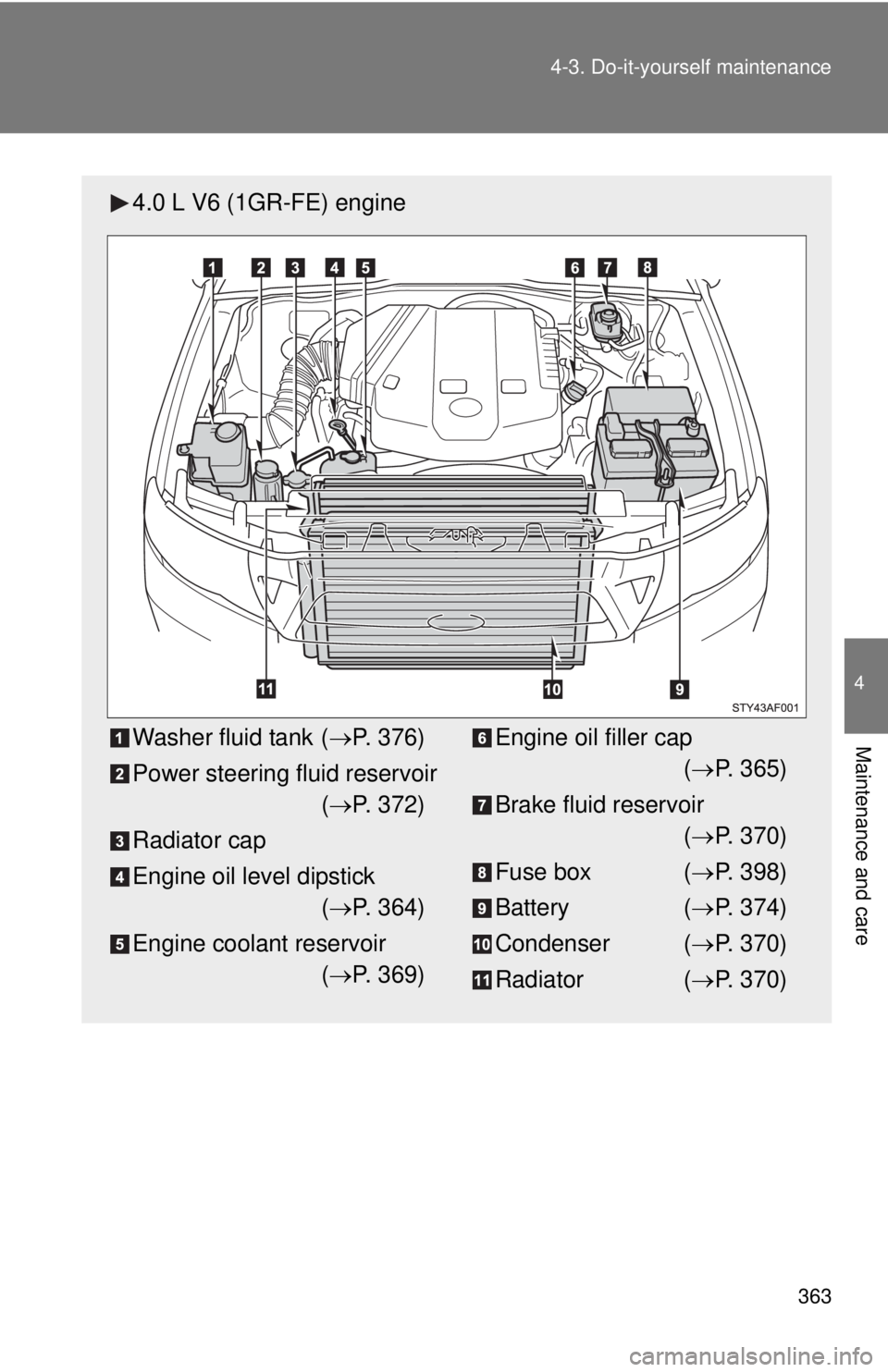
4.0 L V6 (1GR-FE) engine
Washer fluid tank (P. 376)
Power steering fluid reservoir
(P. 372)
Radiator cap
Engine oil level dipstick
(P. 364)
Engine coolant reservoir
(P. 369)Engine oil filler cap
(P. 365)
Brake fluid reservoir
(P. 370)
Fuse box (P. 398)
Battery (P. 374)
Condenser (P. 370)
Radiator (P. 370)
Page 398 of 532
398
4-3. Do-it-yourself maintenance
Checking and replacing fuses
If any of the electrical components do not operate, a fuse may have
blown. If this happens, check and replace the fuses as necessary.
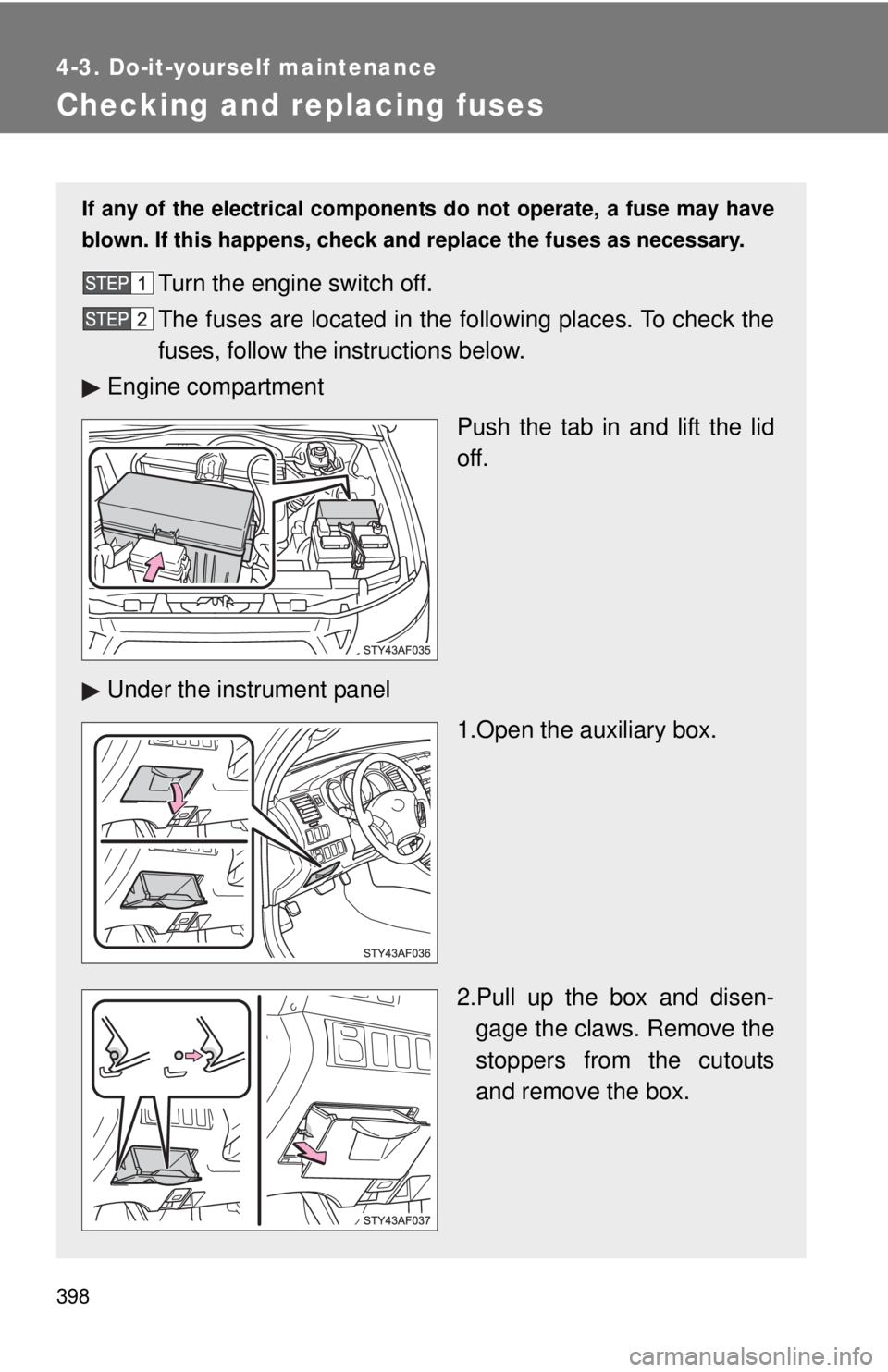
Turn the engine switch off.
The fuses are located in the following places. To check the
fuses, follow the instructions below.
Engine compartment
Push the tab in and lift the lid
off.
Under the instrument panel
1.Open the auxiliary box.
2.Pull up the box and disen-
gage the claws. Remove the
stoppers from the cutouts
and remove the box.
Page 399 of 532
399 4-3. Do-it-yourself maintenance
4
Maintenance and care
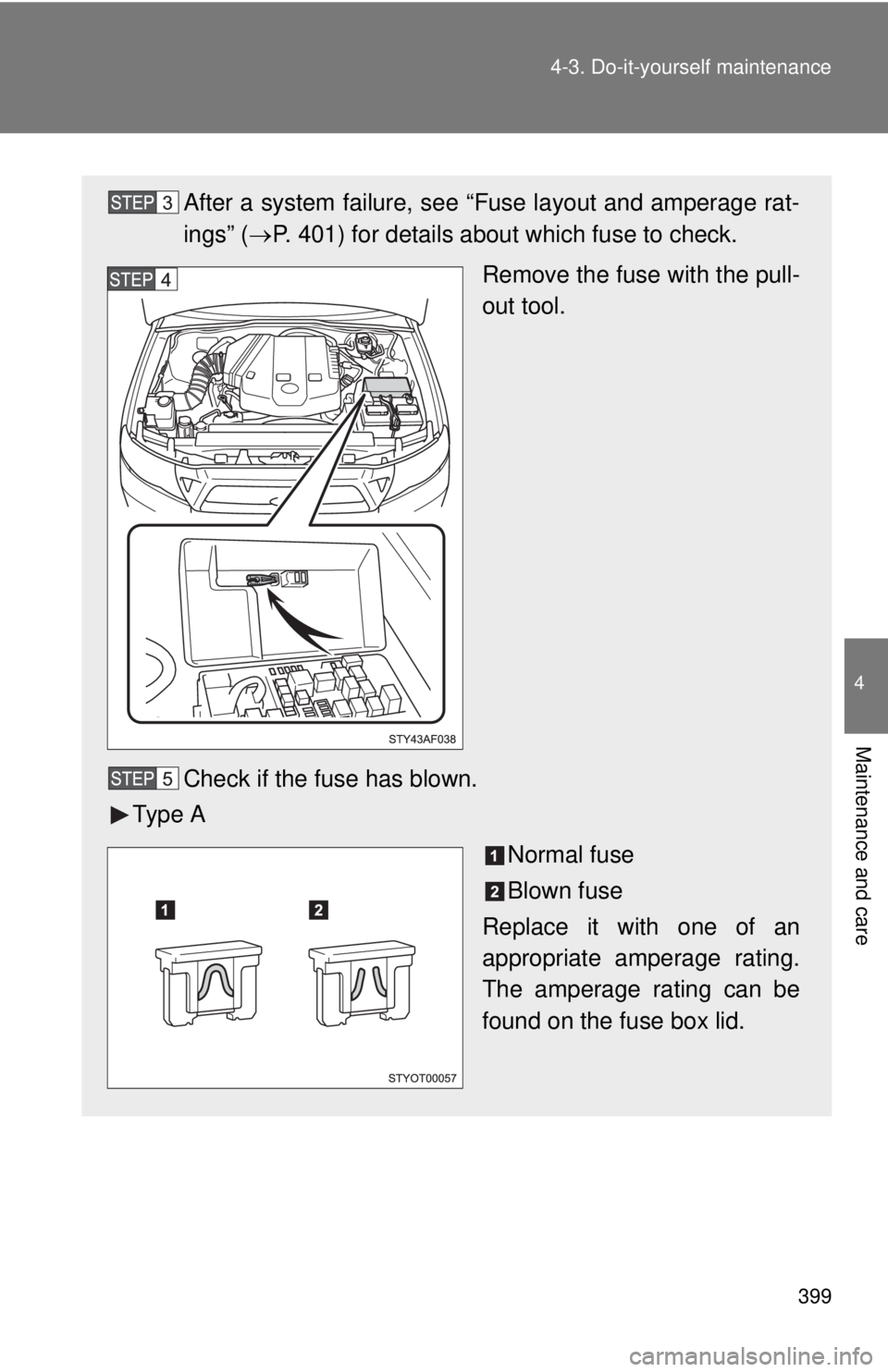
After a system failure, see “Fuse layout and amperage rat-
ings” (P. 401) for details about which fuse to check.
Remove the fuse with the pull-
out tool.
Check if the fuse has blown.
Ty p e A
Normal fuse
Blown fuse
Replace it with one of an
appropriate amperage rating.
The amperage rating can be
found on the fuse box lid.