phone TOYOTA TACOMA 2016 Accessories, Audio & Navigation (in English)
[x] Cancel search | Manufacturer: TOYOTA, Model Year: 2016, Model line: TACOMA, Model: TOYOTA TACOMA 2016Pages: 292, PDF Size: 4.64 MB
Page 1 of 292
1
*: Entune Premium Audio only
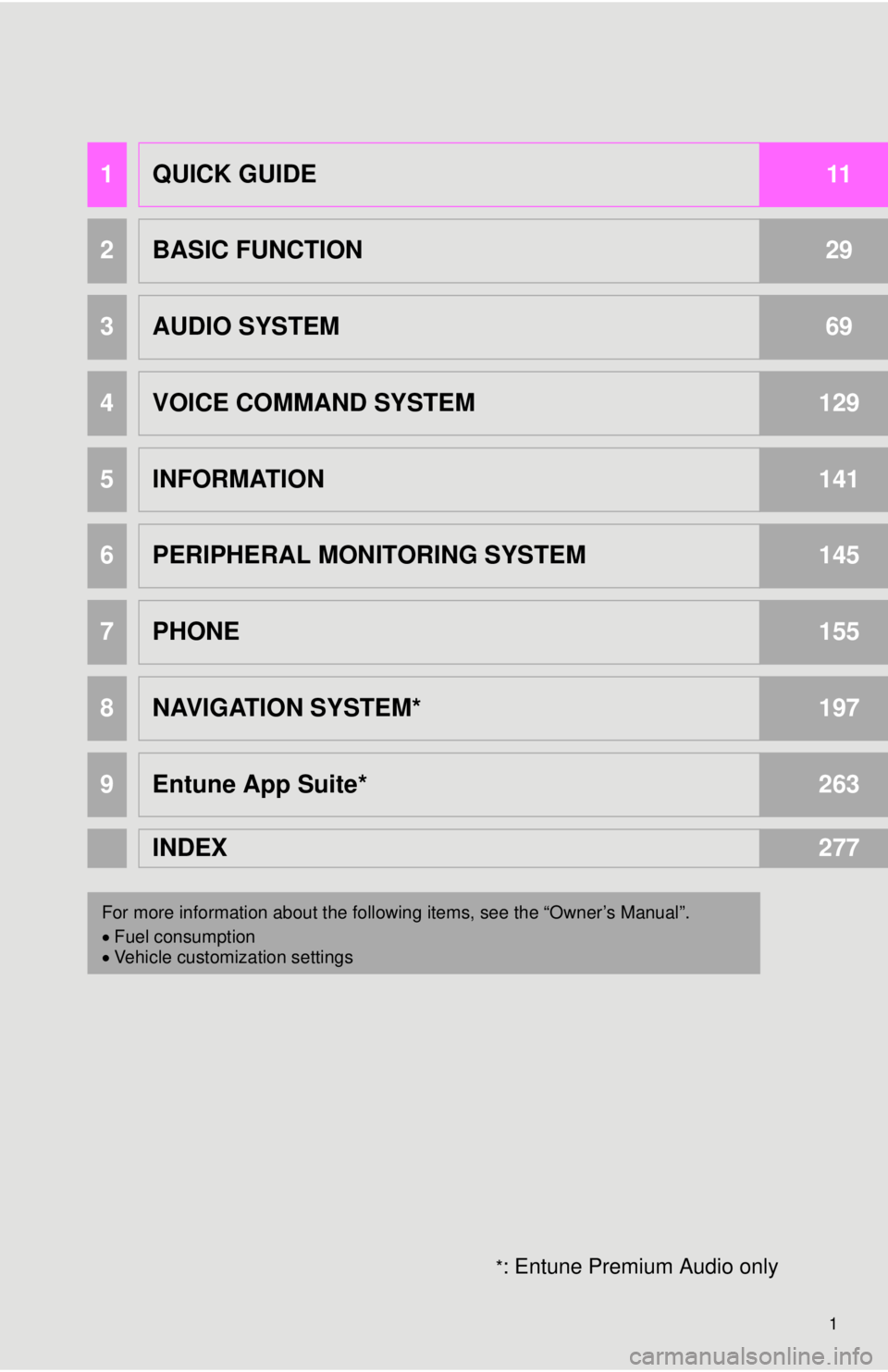
1QUICK GUIDE11
2BASIC FUNCTION29
3AUDIO SYSTEM69
4VOICE COMMAND SYSTEM129
5INFORMATION141
6PERIPHERAL MONITORING SYSTEM145
7PHONE155
8NAVIGATION SYSTEM*197
9Entune App Suite*263
INDEX277
For more information about the following items, see the “Owner’s Manual”.
Fuel consumption
Vehicle customization settings
Page 9 of 292
9
1
2
3
4
5
6
7
8
9
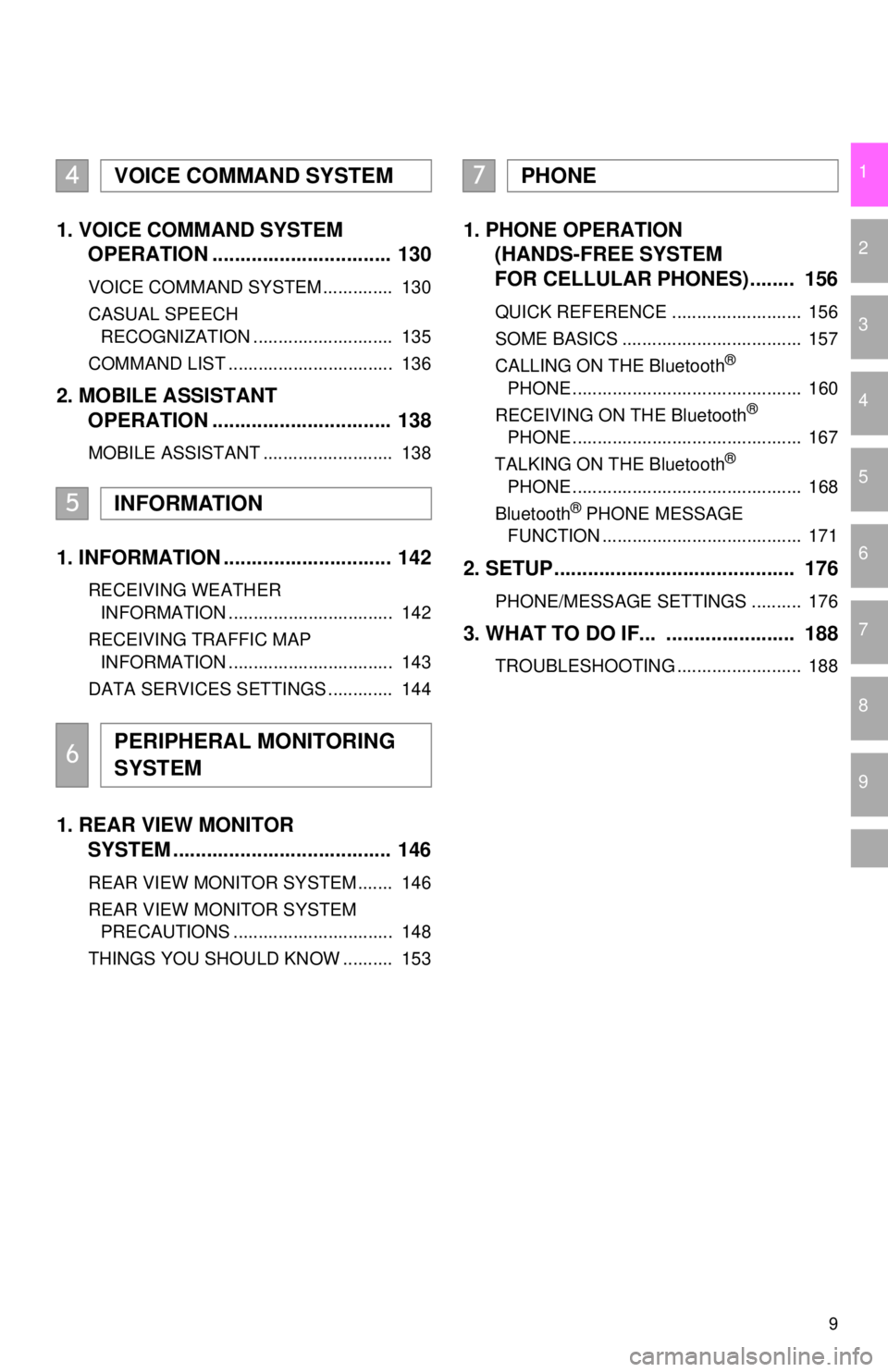
1. VOICE COMMAND SYSTEM OPERATION ................................ 130
VOICE COMMAND SYSTEM .............. 130
CASUAL SPEECH
RECOGNIZATION ............................ 135
COMMAND LIST ................................. 136
2. MOBILE ASSISTANT OPERATION ................................ 138
MOBILE ASSISTANT .......................... 138
1. INFORMATION .............................. 142
RECEIVING WEATHER
INFORMATION ................................. 142
RECEIVING TRAFFIC MAP INFORMATION ................................. 143
DATA SERVICES SETTINGS ............. 144
1. REAR VIEW MONITOR SYSTEM ......... .............................. 146
REAR VIEW MONITOR SYSTEM ....... 146
REAR VIEW MONITOR SYSTEM
PRECAUTIONS ................................ 148
THINGS YOU SHOULD KNOW .......... 153
1. PHONE OPERATION (HANDS-FREE SYSTEM
FOR CELLULAR PHONES)........ 156
QUICK REFERENCE .......................... 156
SOME BASICS .................................... 157
CALLING ON THE Bluetooth
®
PHONE .............................................. 160
RECEIVING ON THE Bluetooth
®
PHONE .............................................. 167
TALKING ON THE Bluetooth
®
PHONE .............................................. 168
Bluetooth
® PHONE MESSAGE
FUNCTION ........................................ 171
2. SETUP........................................... 176
PHONE/MESSAGE SETTINGS .......... 176
3. WHAT TO DO IF... ....................... 188
TROUBLESHOOTING ......................... 188
4VOICE COMMAND SYSTEM
5INFORMATION
6PERIPHERAL MONITORING
SYSTEM
7PHONE
Page 15 of 292
15
1. CONTROLS AND FEATURES
QUICK GUIDE
1No.FunctionPage
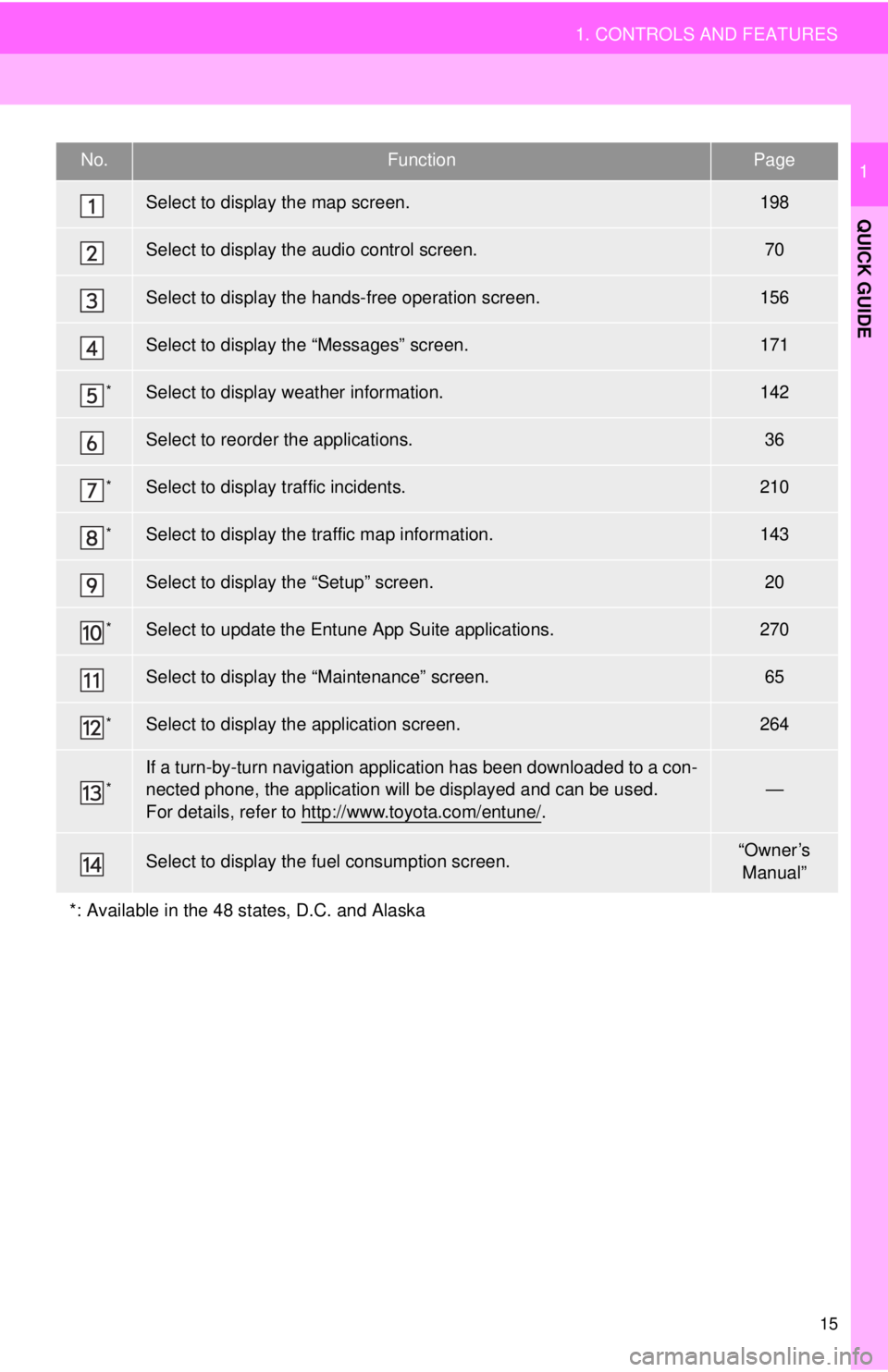
Select to display the map screen.198
Select to display the audio control screen.70
Select to display the hands-free operation screen.156
Select to display the “Messages” screen.171
*Select to display weather information.142
Select to reorder the applications.36
*Select to display traffic incidents.210
*Select to display the traffic map information.143
Select to display the “Setup” screen.20
*Select to update the Entune App Suite applications.270
Select to display the “Maintenance” screen.65
*Select to display the application screen.264
*If a turn-by-turn navigation application has been downloaded to a con-
nected phone, the application will be displayed and can be used.
For details, refer to http://www.toyota.com/entune/
.
—
Select to display the fuel consumption screen.“Owner’s Manual”
*: Available in the 48 states, D.C. and Alaska
Page 18 of 292
18
1. CONTROLS AND FEATURES
STATUS DISPLAY
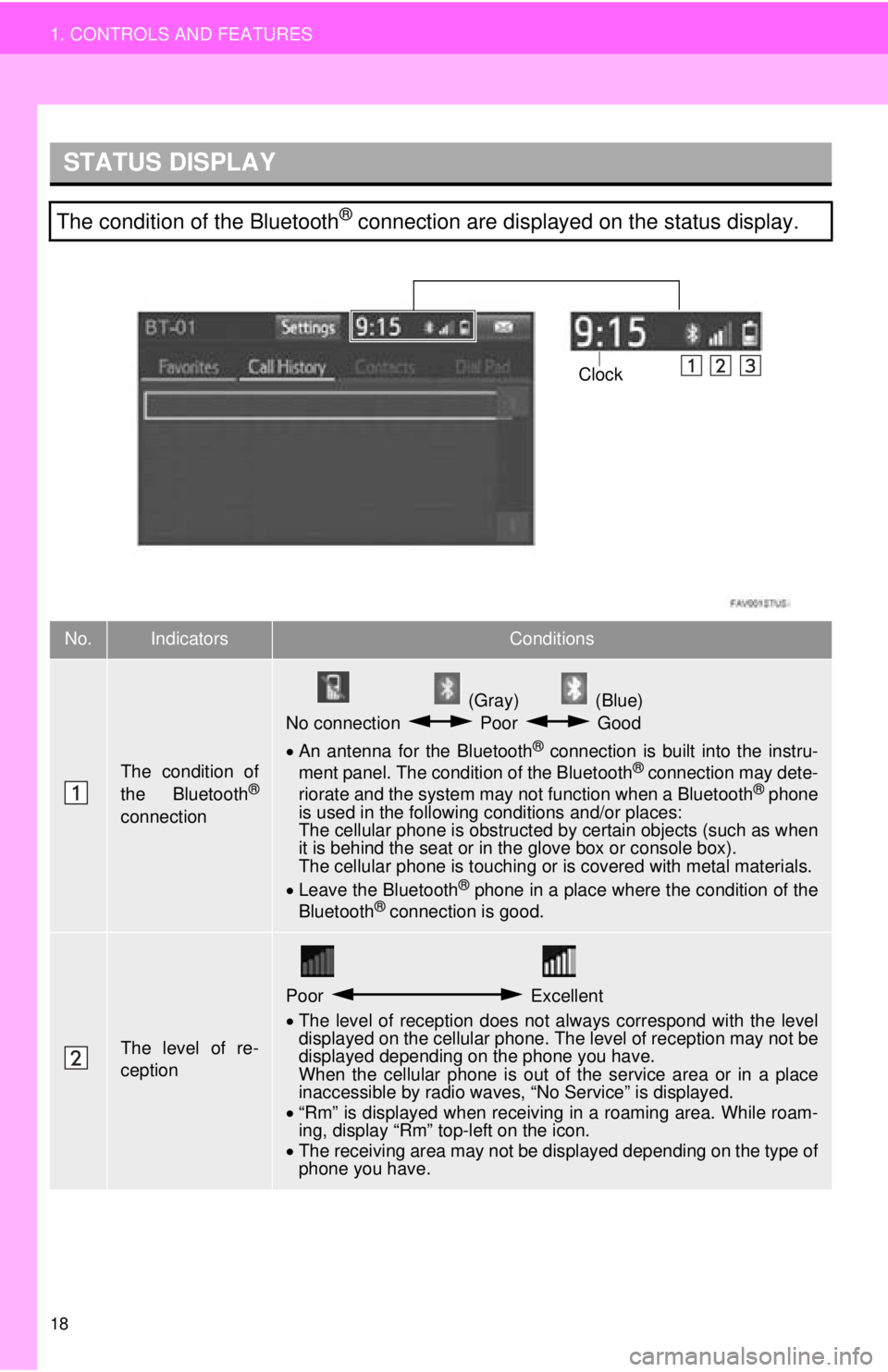
The condition of the Bluetooth® connection are displayed on the status display.
No.IndicatorsConditions
The condition of
the Bluetooth®
connection
(Gray) (Blue)
No connection Poor Good
An antenna for the Bluetooth
® connection is built into the instru-
ment panel. The condition of the Bluetooth® connection may dete-
riorate and the system may not function when a Bluetooth® phone
is used in the following conditions and/or places:
The cellular phone is obstructed by certain objects (such as when
it is behind the seat or in the glove box or console box).
The cellular phone is touching or is covered with metal materials.
Leave the Bluetooth
® phone in a place where the condition of the
Bluetooth® connection is good.
The level of re-
ception
Poor Excellent
The level of reception does not always correspond with the level
displayed on the cellular phone. The level of reception may not be
displayed depending on the phone you have.
When the cellular phone is out of the service area or in a place
inaccessible by radio waves, “No Service” is displayed.
“Rm” is displayed when receiving in a roaming area. While roam-
ing, display “Rm” top-left on the icon.
The receiving area may not be displayed depending on the type of
phone you have.
Clock
Page 21 of 292
21
1. CONTROLS AND FEATURES
QUICK GUIDE
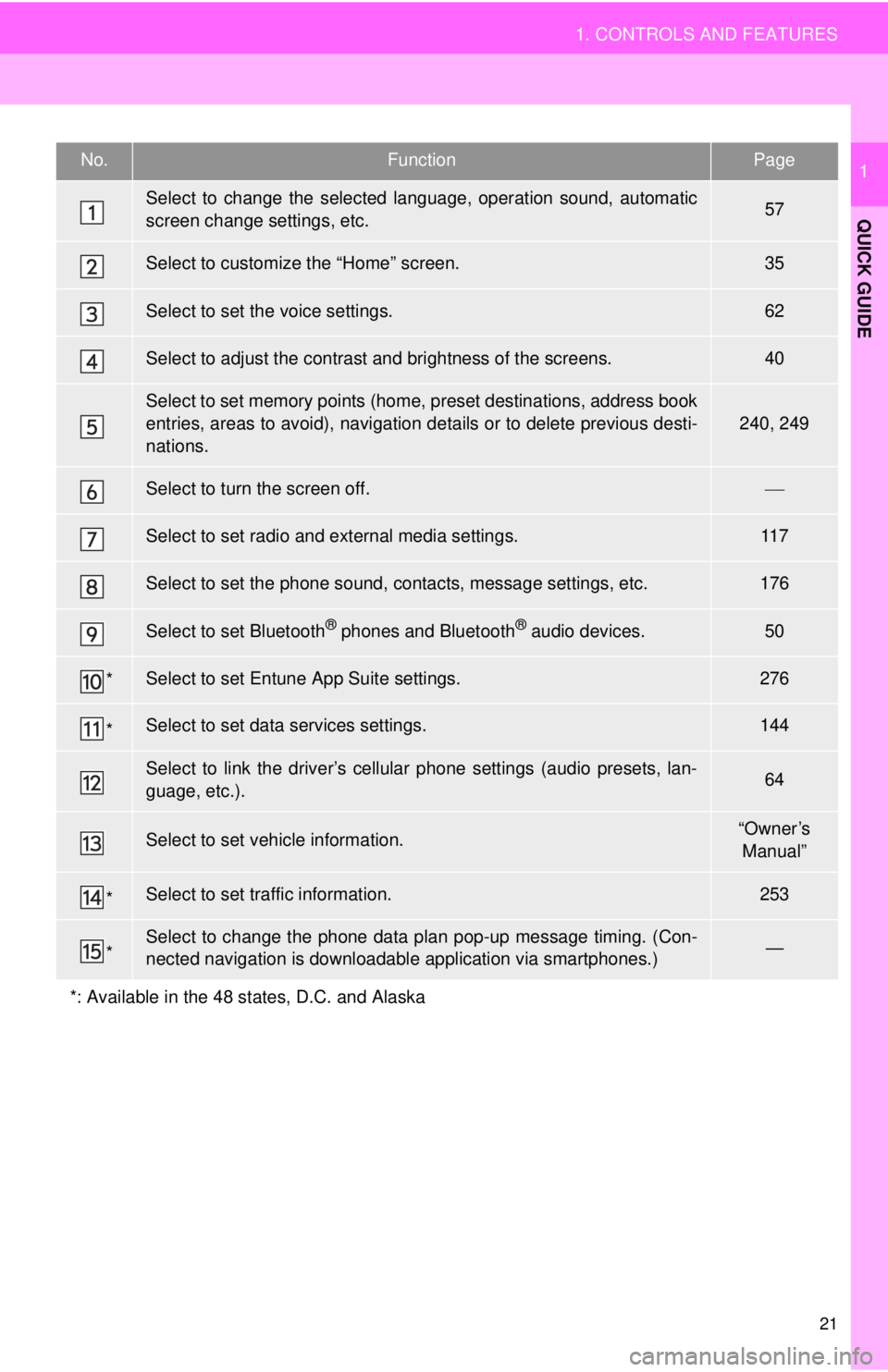
1No.FunctionPage
Select to change the selected language, operation sound, automatic
screen change settings, etc.57
Select to customize the “Home” screen.35
Select to set the voice settings.62
Select to adjust the contrast and brightness of the screens.40
Select to set memory points (home, preset destinations, address book
entries, areas to avoid), navigation details or to delete previous desti-
nations.
240, 249
Select to turn the screen off.
Select to set radio and external media settings.11 7
Select to set the phone sound, contacts, message settings, etc.176
Select to set Bluetooth® phones and Bluetooth® audio devices.50
*Select to set Entune App Suite settings.276
*Select to set data services settings.144
Select to link the driver’s cellular phone settings (audio presets, lan-
guage, etc.).64
Select to set vehicle information.“Owner’s
Manual”
*Select to set traffic information.253
*Select to change the phone data plan pop-up message timing. (Con-
nected navigation is downloadabl e application via smartphones.)—
*: Available in the 48 states, D.C. and Alaska
Page 23 of 292

23
2. NAVIGATION OPERATION
QUICK GUIDE
1Select “Enter”.
Select “OK”.
Registration of home is complete.
Registering home in a different way
P.241
Editing the name, location, phone num-
ber and icon
P.241
Setting home as the destination
P.216
7
8
Page 24 of 292
24
2. NAVIGATION OPERATION
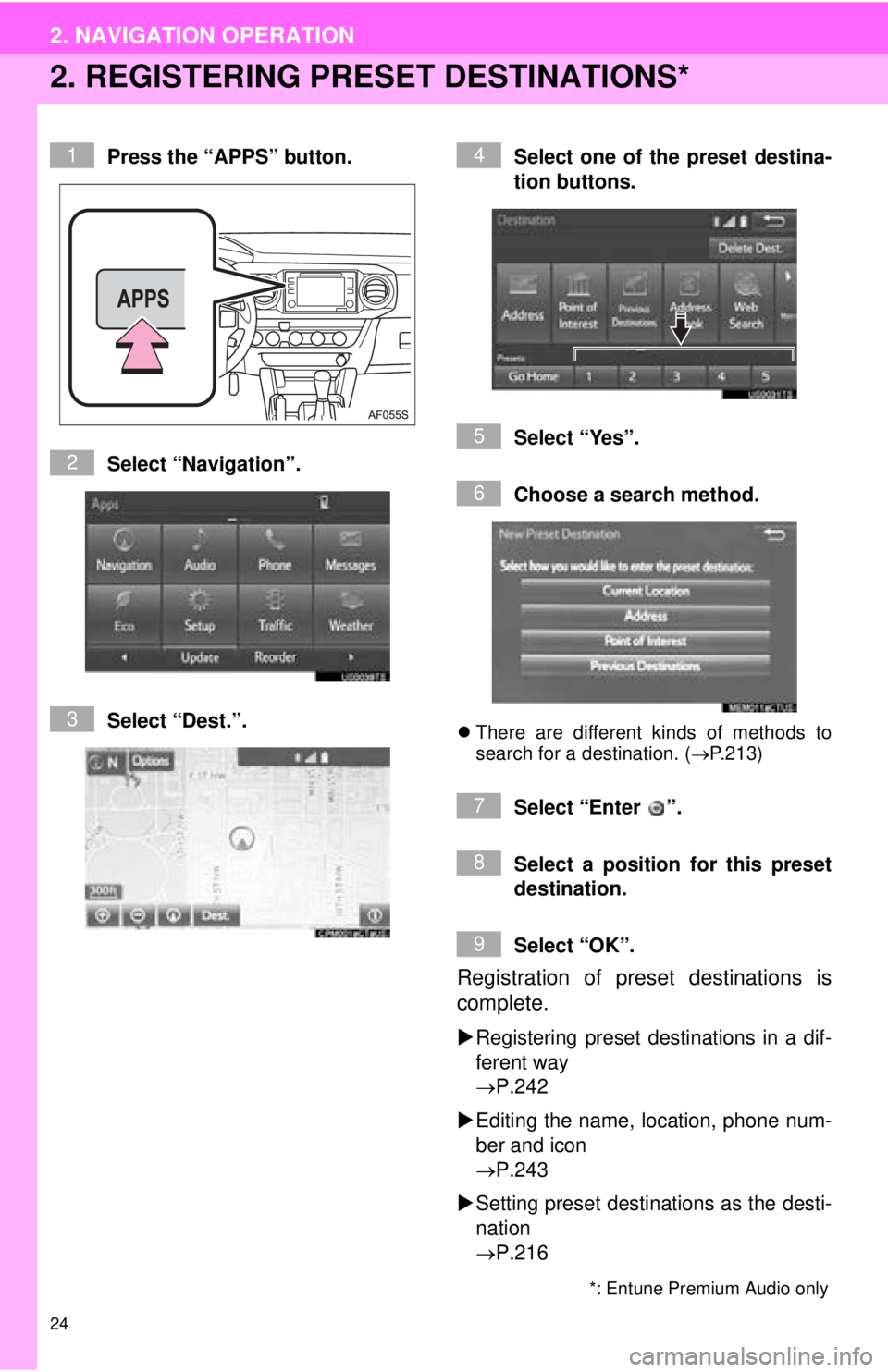
2. REGISTERING PRESET DESTINATIONS*
Press the “APPS” button.
Select “Navigation”.
Select “Dest.”. Select one of the preset destina-
tion buttons.
Select “Yes”.
Choose a search method.
There are different kinds of methods to
search for a destination. ( P.213)
Select “Enter ”.
Select a position for this preset
destination.
Select “OK”.
Registration of preset destinations is
complete.
Registering preset destinations in a dif-
ferent way
P.242
Editing the name, location, phone num-
ber and icon
P.243
Setting preset destinations as the desti-
nation
P.216
*: Entune Premium Audio only
1
2
3
4
5
6
7
8
9
Page 28 of 292
28
3. FUNCTION INDEX
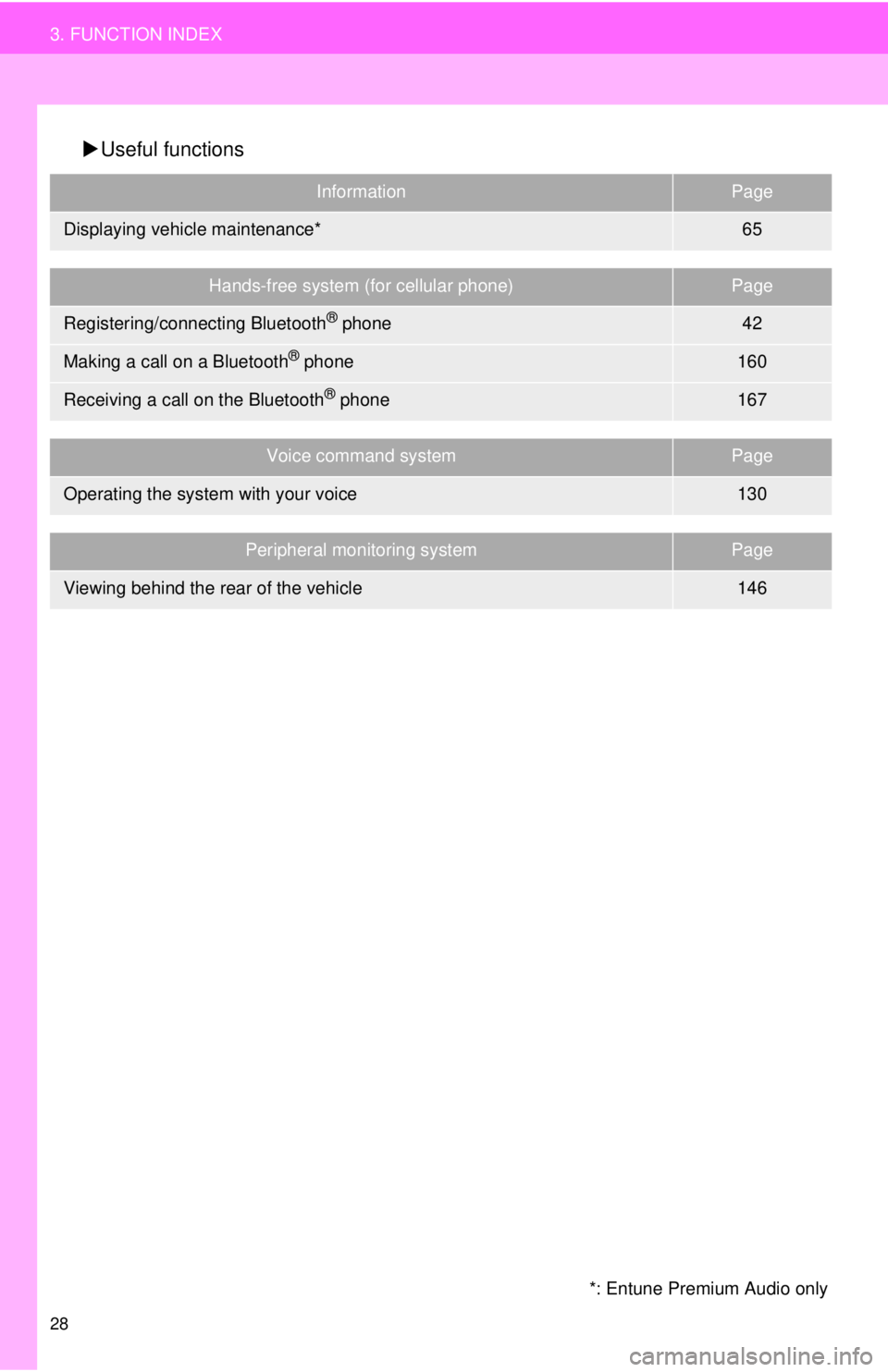
Useful functions
InformationPage
Displaying vehicle maintenance*65
Hands-free system (for cellular phone)Page
Registering/connecting Bluetooth® phone42
Making a call on a Bluetooth® phone160
Receiving a call on the Bluetooth® phone167
Voice command systemPage
Operating the system with your voice130
Peripheral monitoring systemPage
Viewing behind the rear of the vehicle146
*: Entune Premium Audio only
Page 29 of 292
2
29
1
2
3
4
5
6
7
8
9
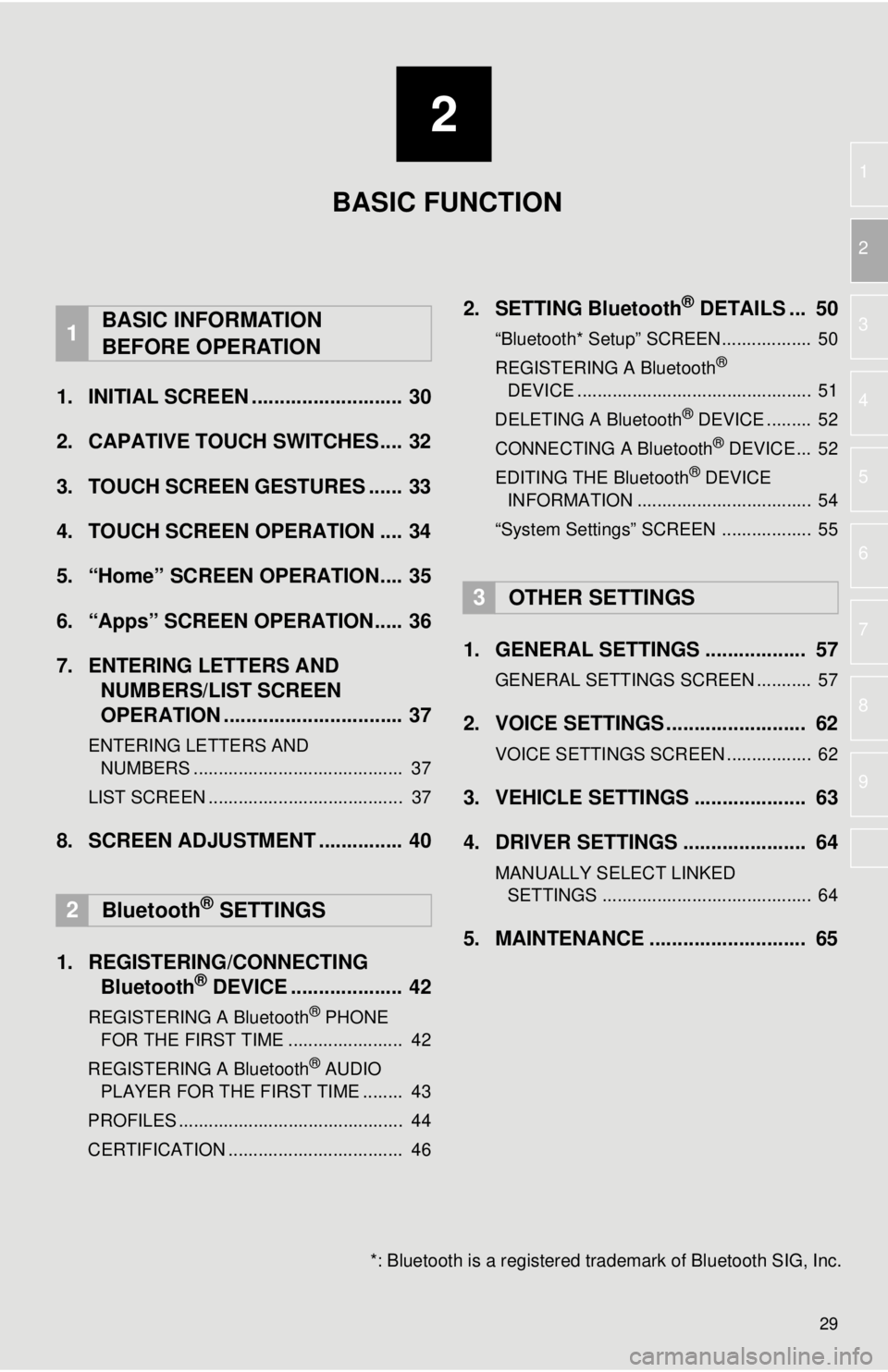
1. INITIAL SCREEN ........................... 30
2. CAPATIVE TOUCH SWITCHES.... 32
3. TOUCH SCREEN GESTURES ...... 33
4. TOUCH SCREEN OPERATION .... 34
5. “Home” SCREEN OPERATION.... 35
6. “Apps” SCREEN OPERATION..... 36
7. ENTERING LETTERS AND NUMBERS/LIST SCREEN
OPERATION ................................ 37
ENTERING LETTERS AND
NUMBERS .......................................... 37
LIST SCREEN ....................................... 37
8. SCREEN ADJUSTMENT ............... 40
1. REGISTERING/CONNECTING Bluetooth
® DEVICE .................... 42
REGISTERING A Bluetooth® PHONE
FOR THE FIRST TIME ....................... 42
REGISTERING A Bluetooth
® AUDIO
PLAYER FOR THE FIRST TIME ........ 43
PROFILES ............................................. 44
CERTIFICATION ................................... 46
2. SETTING Bluetooth® DETAILS ... 50
“Bluetooth* Setup” SCREEN.................. 50
REGISTERING A Bluetooth®
DEVICE ............................................... 51
DELETING A Bluetooth
® DEVICE ......... 52
CONNECTING A Bluetooth® DEVICE ... 52
EDITING THE Bluetooth® DEVICE
INFORMATION ................................... 54
“System Settings” SCREEN .................. 55
1. GENERAL SETTINGS .................. 57
GENERAL SETTINGS SCREEN ........... 57
2. VOICE SETTINGS ......................... 62
VOICE SETTINGS SCREEN ................. 62
3. VEHICLE SETTINGS .................... 63
4. DRIVER SETTINGS ...................... 64
MANUALLY SELECT LINKED SETTINGS .......................................... 64
5. MAINTENANCE ............................ 65
1BASIC INFORMATION
BEFORE OPERATION
2Bluetooth® SETTINGS
3OTHER SETTINGS
BASIC FUNCTION
*: Bluetooth is a registered tr ademark of Bluetooth SIG, Inc.
Page 30 of 292
30
1. BASIC INFORMATION BEFORE OPERATION
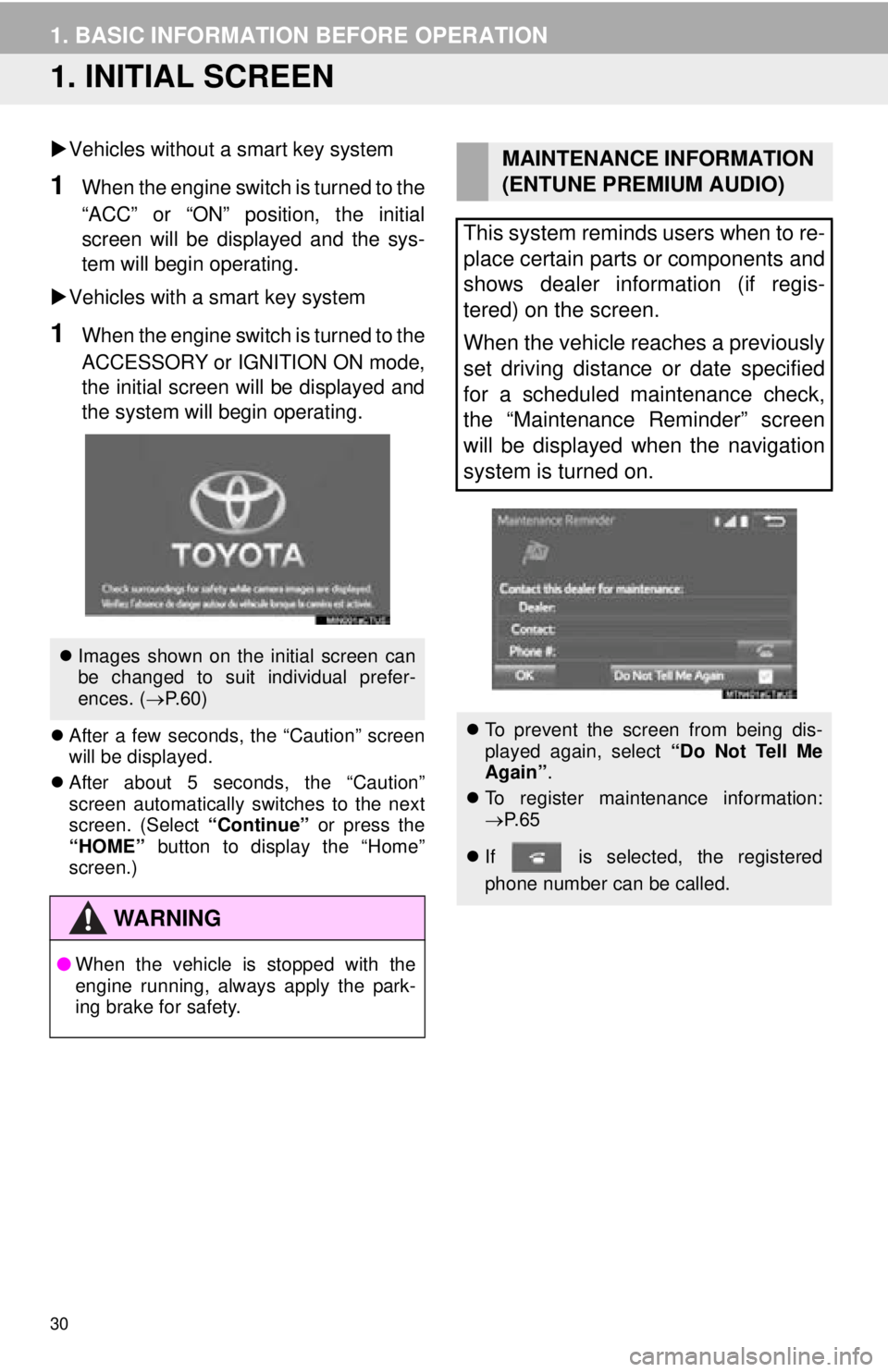
1. INITIAL SCREEN
Vehicles without a smart key system
1When the engine switch is turned to the
“ACC” or “ON” position, the initial
screen will be displayed and the sys-
tem will begin operating.
Vehicles with a smart key system
1When the engine switch is turned to the
ACCESSORY or IGNITION ON mode,
the initial screen will be displayed and
the system will b egin operating.
After a few seconds, the “Caution” screen
will be displayed.
After about 5 seconds, the “Caution”
screen automatically switches to the next
screen. (Select “Continue” or press the
“HOME” button to display the “Home”
screen.)
Images shown on the initial screen can
be changed to suit individual prefer-
ences. ( P.60)
WA R N I N G
● When the vehicle is stopped with the
engine running, always apply the park-
ing brake for safety.
MAINTENANCE INFORMATION
(ENTUNE PREMIUM AUDIO)
This system reminds users when to re-
place certain parts or components and
shows dealer information (if regis-
tered) on the screen.
When the vehicle reaches a previously
set driving distance or date specified
for a scheduled maintenance check,
the “Maintenance Reminder” screen
will be displayed when the navigation
system is turned on.
To prevent the screen from being dis-
played again, select “Do Not Tell Me
Again” .
To register maintenance information:
P. 6 5
If is selected, the registered
phone number can be called.