inflation pressure TOYOTA TACOMA 2016 Owners Manual (in English)
[x] Cancel search | Manufacturer: TOYOTA, Model Year: 2016, Model line: TACOMA, Model: TOYOTA TACOMA 2016Pages: 640, PDF Size: 40.18 MB
Page 5 of 640
5
1
9 8
7 5 4
3
2
10
6
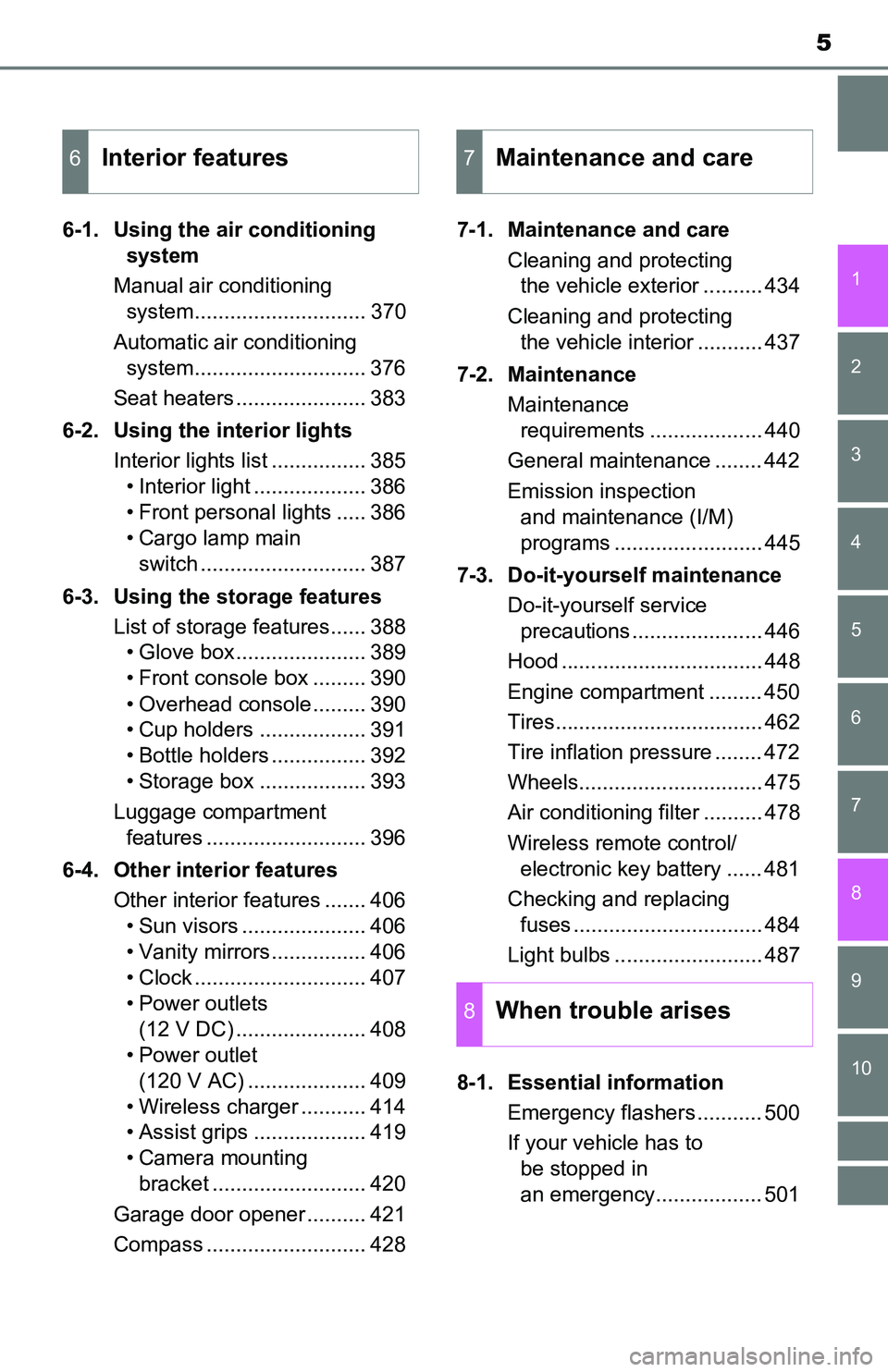
6-1. Using the air conditioning
system
Manual air conditioning
system............................. 370
Automatic air conditioning
system............................. 376
Seat heaters ...................... 383
6-2. Using the interior lights
Interior lights list ................ 385
• Interior light ................... 386
• Front personal lights ..... 386
• Cargo lamp main
switch ............................ 387
6-3. Using the storage features
List of storage features...... 388
• Glove box...................... 389
• Front console box ......... 390
• Overhead console ......... 390
• Cup holders .................. 391
• Bottle holders ................ 392
• Storage box .................. 393
Luggage compartment
features ........................... 396
6-4. Other interior features
Other interior features ....... 406
• Sun visors ..................... 406
• Vanity mirrors................ 406
• Clock ............................. 407
• Power outlets
(12 V DC) ...................... 408
• Power outlet
(120 V AC) .................... 409
• Wireless charger ........... 414
• Assist grips ................... 419
• Camera mounting
bracket .......................... 420
Garage door opener .......... 421
Compass ........................... 4287-1. Maintenance and care
Cleaning and protecting
the vehicle exterior .......... 434
Cleaning and protecting
the vehicle interior ........... 437
7-2. Maintenance
Maintenance
requirements ................... 440
General maintenance ........ 442
Emission inspection
and maintenance (I/M)
programs ......................... 445
7-3. Do-it-yourself maintenance
Do-it-yourself service
precautions ...................... 446
Hood .................................. 448
Engine compartment ......... 450
Tires................................... 462
Tire inflation pressure ........ 472
Wheels............................... 475
Air conditioning filter .......... 478
Wireless remote control/
electronic key battery ...... 481
Checking and replacing
fuses ................................ 484
Light bulbs ......................... 487
8-1. Essential information
Emergency flashers ........... 500
If your vehicle has to
be stopped in
an emergency.................. 501
6Interior features7Maintenance and care
8When trouble arises
Page 15 of 640
15Pictorial index
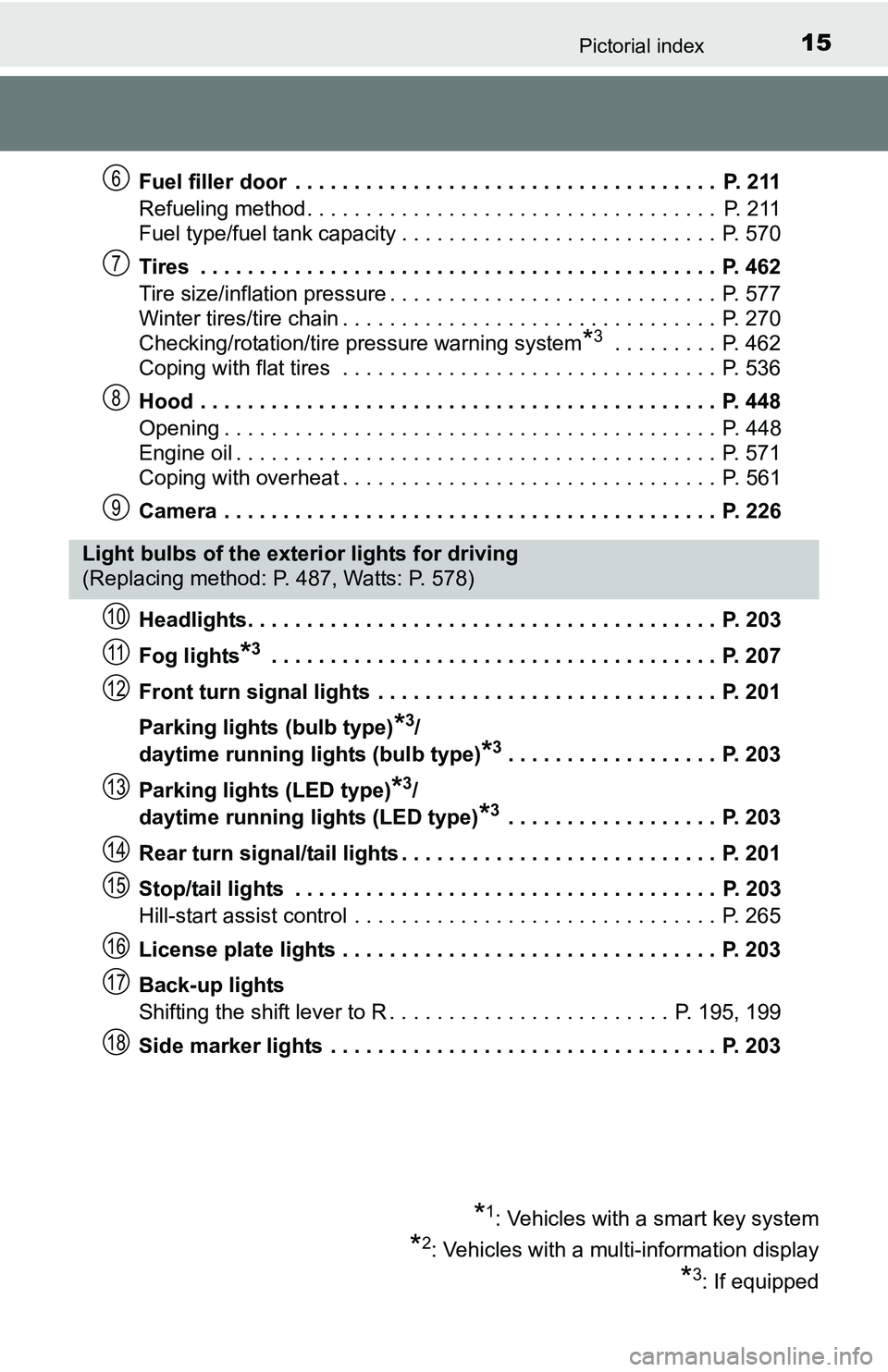
Fuel filler door . . . . . . . . . . . . . . . . . . . . . . . . . . . . . . . . . . . . P. 211
Refueling method . . . . . . . . . . . . . . . . . . . . . . . . . . . . . . . . . . . P. 211
Fuel type/fuel tank capacity . . . . . . . . . . . . . . . . . . . . . . . . . . . P. 570
Tires . . . . . . . . . . . . . . . . . . . . . . . . . . . . . . . . . . . . . . . . . . . . P. 462
Tire size/inflation pressure . . . . . . . . . . . . . . . . . . . . . . . . . . . . P. 577
Winter tires/tire chain . . . . . . . . . . . . . . . . . . . . . . . . . . . . . . . . P. 270
Checking/rotation/tire pressure warning system
*3 . . . . . . . . . P. 462
Coping with flat tires . . . . . . . . . . . . . . . . . . . . . . . . . . . . . . . . P. 536
Hood . . . . . . . . . . . . . . . . . . . . . . . . . . . . . . . . . . . . . . . . . . . . P. 448
Opening . . . . . . . . . . . . . . . . . . . . . . . . . . . . . . . . . . . . . . . . . . P. 448
Engine oil . . . . . . . . . . . . . . . . . . . . . . . . . . . . . . . . . . . . . . . . . P. 571
Coping with overheat . . . . . . . . . . . . . . . . . . . . . . . . . . . . . . . . P. 561
Camera . . . . . . . . . . . . . . . . . . . . . . . . . . . . . . . . . . . . . . . . . . P. 226
Headlights. . . . . . . . . . . . . . . . . . . . . . . . . . . . . . . . . . . . . . . . P. 203
Fog lights
*3 . . . . . . . . . . . . . . . . . . . . . . . . . . . . . . . . . . . . . . P. 207
Front turn signal lights . . . . . . . . . . . . . . . . . . . . . . . . . . . . . P. 201
Parking lights (bulb type)
*3/
daytime running lights (bulb type)
*3. . . . . . . . . . . . . . . . . . P. 203
Parking lights (LED type)
*3/
daytime running lights (LED type)
*3 . . . . . . . . . . . . . . . . . . P. 203
Rear turn signal/tail lights . . . . . . . . . . . . . . . . . . . . . . . . . . . P. 201
Stop/tail lights . . . . . . . . . . . . . . . . . . . . . . . . . . . . . . . . . . . . P. 203
Hill-start assist control . . . . . . . . . . . . . . . . . . . . . . . . . . . . . . . P. 265
License plate lights . . . . . . . . . . . . . . . . . . . . . . . . . . . . . . . . P. 203
Back-up lights
Shifting the shift lever to R . . . . . . . . . . . . . . . . . . . . . . . . P. 195, 199
Side marker lights . . . . . . . . . . . . . . . . . . . . . . . . . . . . . . . . . P. 203
6
7
8
9
Light bulbs of the exterior lights for driving
(Replacing method: P. 487, Watts: P. 578)
*1: Vehicles with a smart key system
*2: Vehicles with a multi-information display
*3: If equipped
10
11
12
13
14
15
16
17
18
Page 95 of 640
952. Instrument cluster
2
Instrument cluster
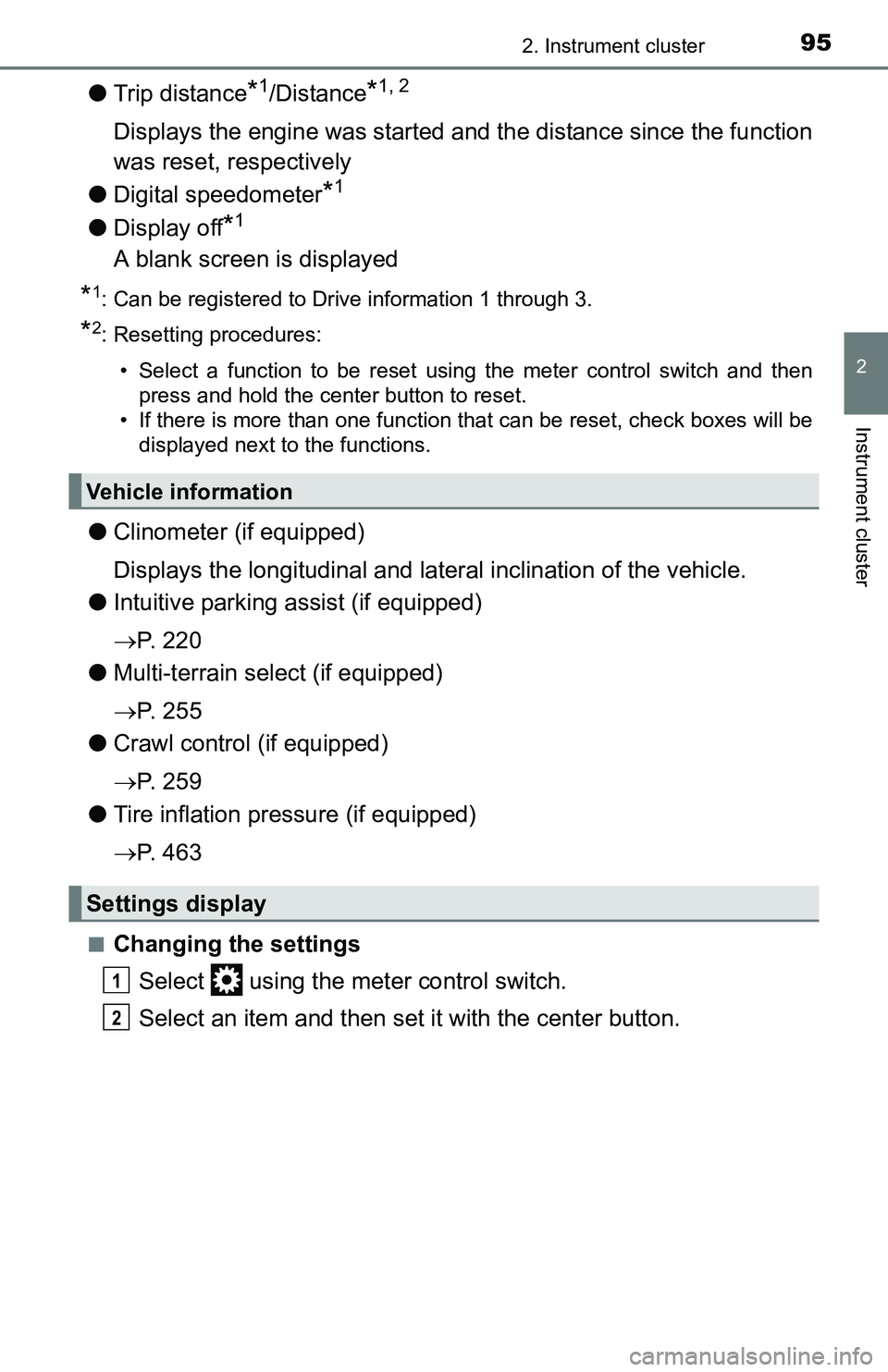
●Trip distance*1/Distance*1, 2
Displays the engine was started and the distance since the function
was reset, respectively
●Digital speedometer
*1
●Display off*1
A blank screen is displayed
*1: Can be registered to Drive information 1 through 3.
*2: Resetting procedures:
• Select a function to be reset using the meter control switch and then
press and hold the center button to reset.
• If there is more than one function that can be reset, check boxes will be
displayed next to the functions.
●Clinometer (if equipped)
Displays the longitudinal and lateral inclination of the vehicle.
●Intuitive parking assist (if equipped)
P. 2 2 0
●Multi-terrain select (if equipped)
P. 2 5 5
●Crawl control (if equipped)
P. 2 5 9
●Tire inflation pressure (if equipped)
P. 4 6 3
■Changing the settings
Select using the meter control switch.
Select an item and then set it with the center button.
Vehicle information
Settings display
1
2
Page 97 of 640
972. Instrument cluster
2
Instrument cluster
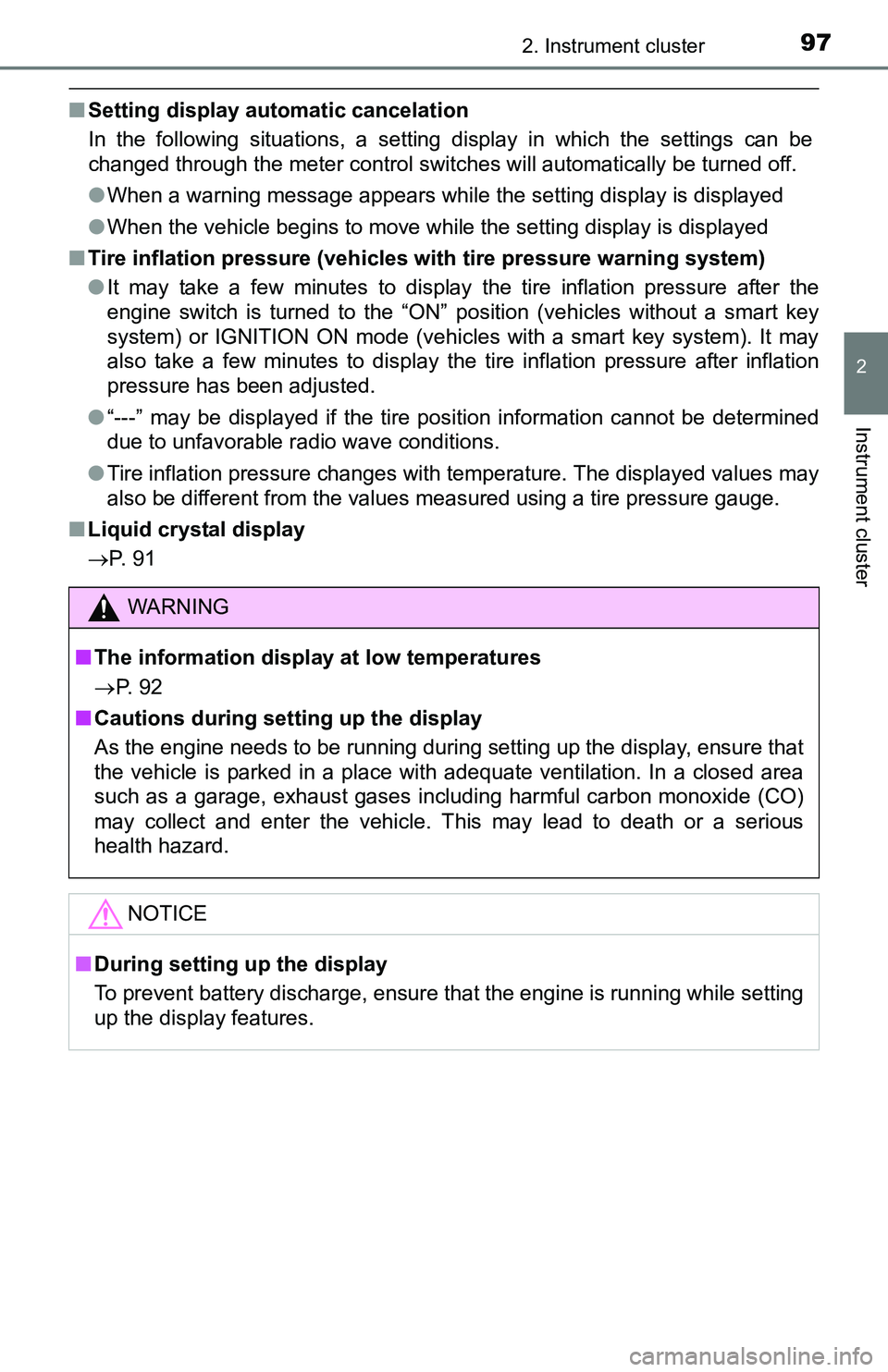
■Setting display automatic cancelation
In the following situations, a setting display in which the settings can be
changed through the meter control switches will automatically be turned off.
●When a warning message appears while the setting display is displayed
●When the vehicle begins to move while the setting display is displayed
■Tire inflation pressure (vehicles with tire pressure warning system)
●It may take a few minutes to display the tire inflation pressure after the
engine switch is turned to the “ON” position (vehicles without a smart key
system) or IGNITION ON mode (vehicles with a smart key system). It may
also take a few minutes to display the tire inflation pressure after inflation
pressure has been adjusted.
●“---” may be displayed if the tire position information cannot be determined
due to unfavorable radio wave conditions.
●Tire inflation pressure changes with temperature. The displayed values may
also be different from the values measured using a tire pressure gauge.
■Liquid crystal display
P. 9 1
WARNING
■The information display at low temperatures
P. 9 2
■Cautions during setting up the display
As the engine needs to be running during setting up the display, ensure that
the vehicle is parked in a place with adequate ventilation. In a closed area
such as a garage, exhaust gases including harmful carbon monoxide (CO)
may collect and enter the vehicle. This may lead to death or a serious
health hazard.
NOTICE
■During setting up the display
To prevent battery discharge, ensure that the engine is running while setting
up the display features.
Page 269 of 640
2694-5. Using the driving support systems
4
Driving
WARNING
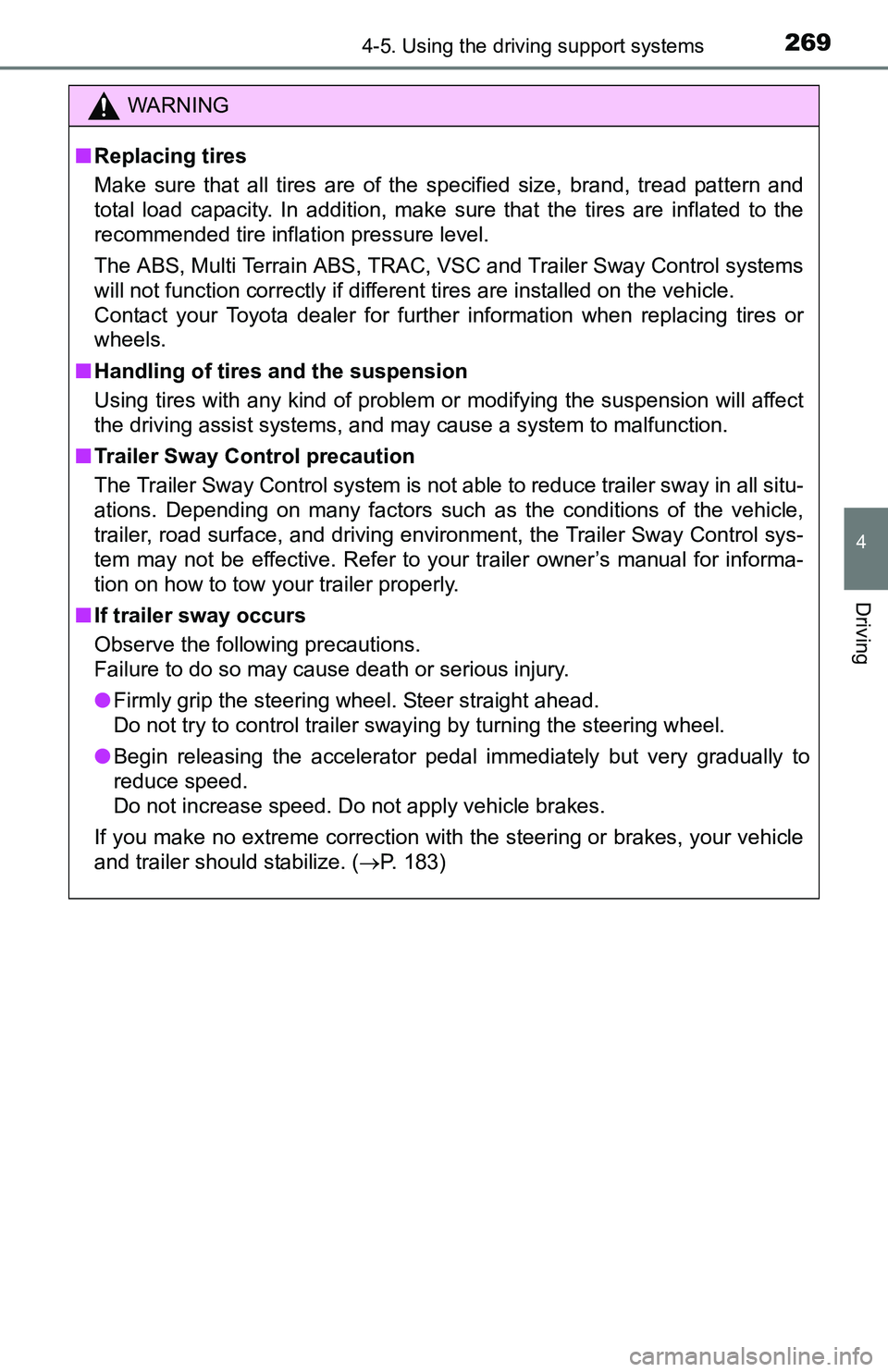
■Replacing tires
Make sure that all tires are of the specified size, brand, tread pattern and
total load capacity. In addition, make sure that the tires are inflated to the
recommended tire inflation pressure level.
The ABS, Multi Terrain ABS, TRAC, VSC and Trailer Sway Control systems
will not function correctly if different tires are installed on the vehicle.
Contact your Toyota dealer for further information when replacing tires or
wheels.
■Handling of tires and the suspension
Using tires with any kind of problem or modifying the suspension will affect
the driving assist systems, and may cause a system to malfunction.
■Trailer Sway Control precaution
The Trailer Sway Control system is not able to reduce trailer sway in all situ-
ations. Depending on many factors such as the conditions of the vehicle,
trailer, road surface, and driving environment, the Trailer Sway Control sys-
tem may not be effective. Refer to your trailer owner’s manual for informa-
tion on how to tow your trailer properly.
■If trailer sway occurs
Observe the following precautions.
Failure to do so may cause death or serious injury.
●Firmly grip the steering wheel. Steer straight ahead.
Do not try to control trailer swaying by turning the steering wheel.
●Begin releasing the accelerator pedal immediately but very gradually to
reduce speed.
Do not increase speed. Do not apply vehicle brakes.
If you make no extreme correction with the steering or brakes, your vehicle
and trailer should stabilize. (P. 183)
Page 433 of 640
433
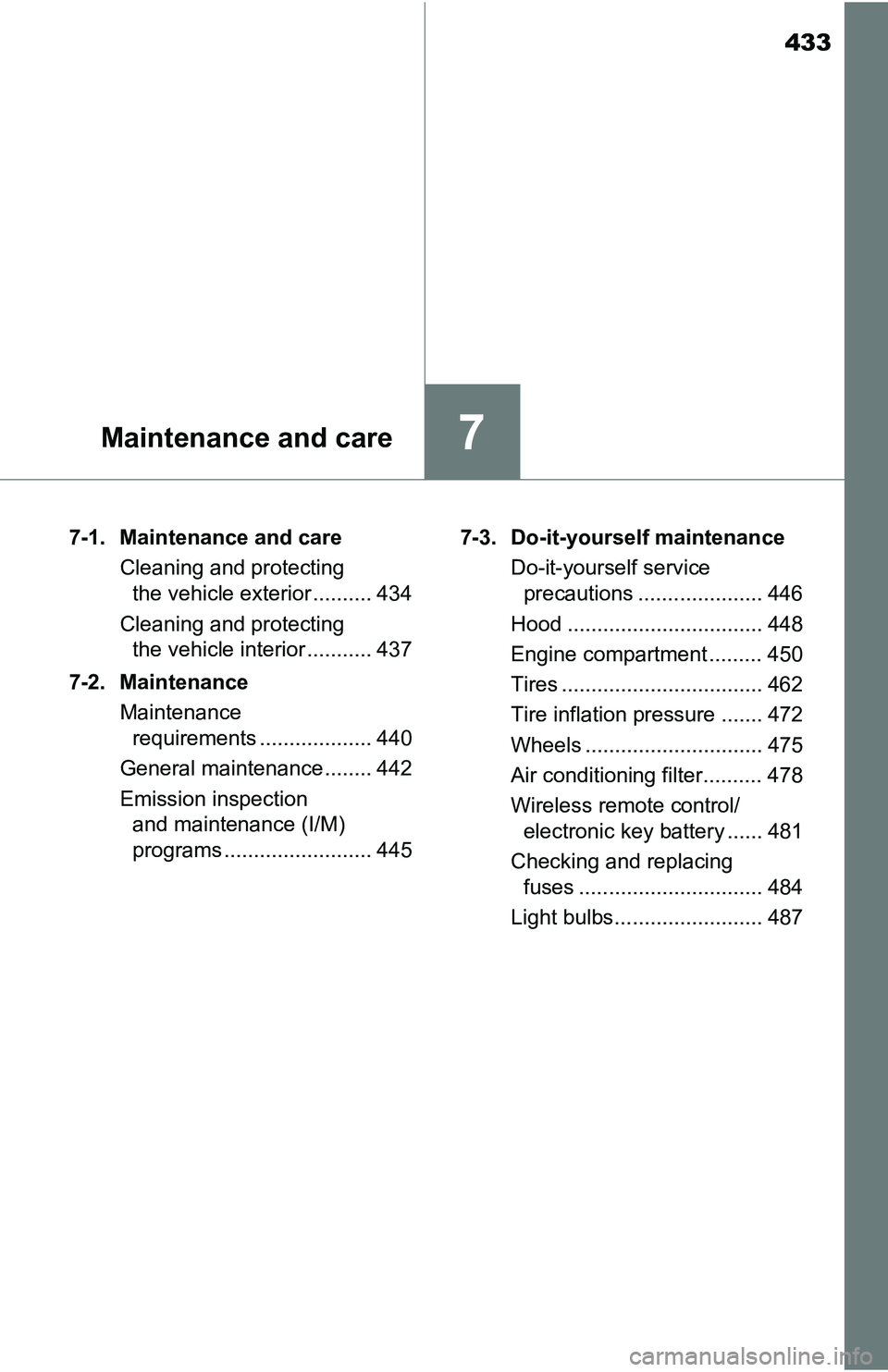
7Maintenance and care
7-1. Maintenance and care
Cleaning and protecting
the vehicle exterior .......... 434
Cleaning and protecting
the vehicle interior ........... 437
7-2. Maintenance
Maintenance
requirements ................... 440
General maintenance ........ 442
Emission inspection
and maintenance (I/M)
programs ......................... 4457-3. Do-it-yourself maintenance
Do-it-yourself service
precautions ..................... 446
Hood ................................. 448
Engine compartment ......... 450
Tires .................................. 462
Tire inflation pressure ....... 472
Wheels .............................. 475
Air conditioning filter.......... 478
Wireless remote control/
electronic key battery ...... 481
Checking and replacing
fuses ............................... 484
Light bulbs......................... 487
Page 444 of 640
4447-2. Maintenance
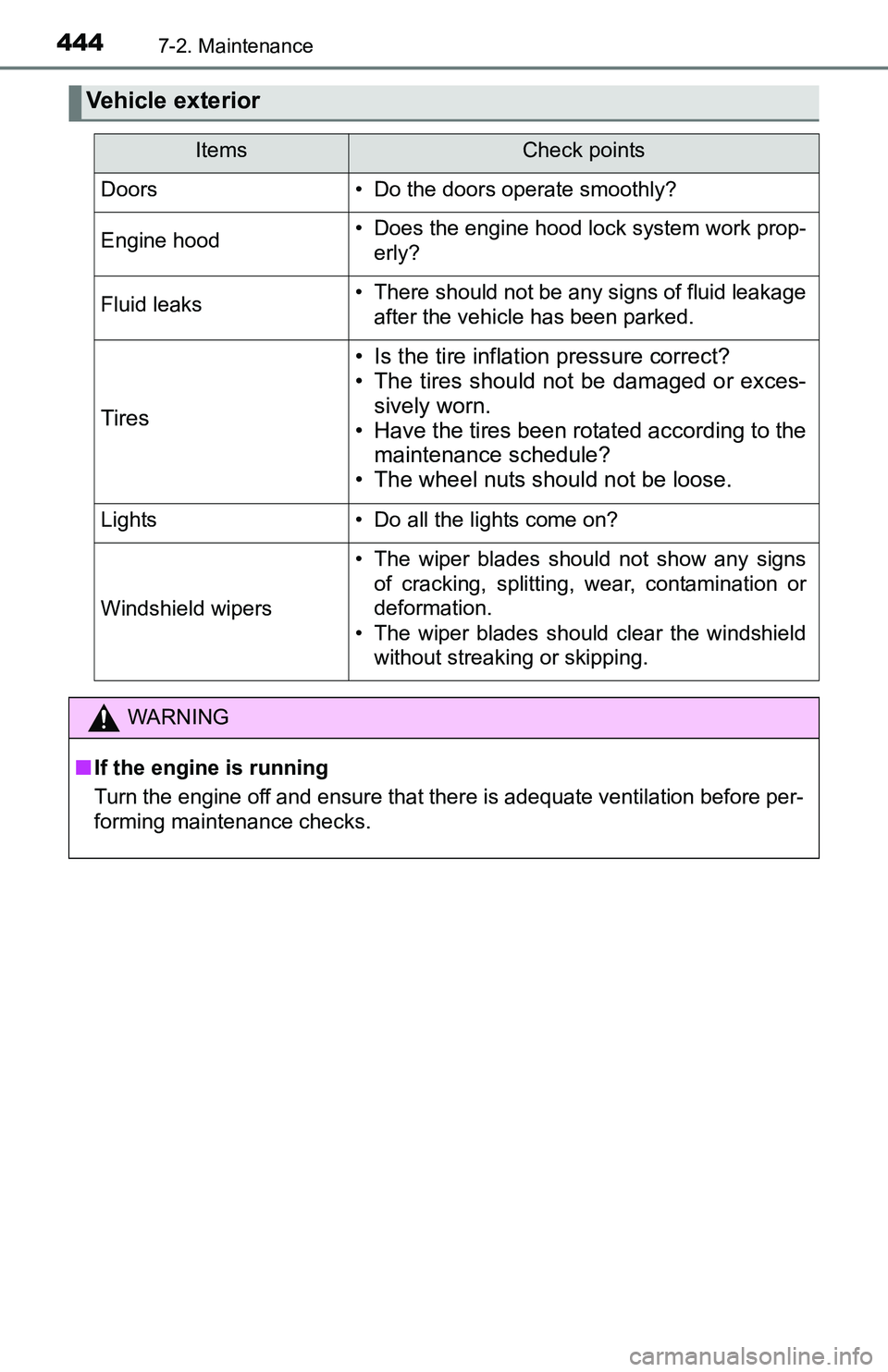
Vehicle exterior
ItemsCheck points
Doors• Do the doors operate smoothly?
Engine hood• Does the engine hood lock system work prop-
erly?
Fluid leaks• There should not be any signs of fluid leakage
after the vehicle has been parked.
Tires
• Is the tire inflation pressure correct?
• The tires should not be damaged or exces-
sively worn.
• Have the tires been rotated according to the
maintenance schedule?
• The wheel nuts should not be loose.
Lights• Do all the lights come on?
Windshield wipers
• The wiper blades should not show any signs
of cracking, splitting, wear, contamination or
deformation.
• The wiper blades should clear the windshield
without streaking or skipping.
WARNING
■If the engine is running
Turn the engine off and ensure that there is adequate ventilation before per-
forming maintenance checks.
Page 446 of 640
4467-3. Do-it-yourself maintenance
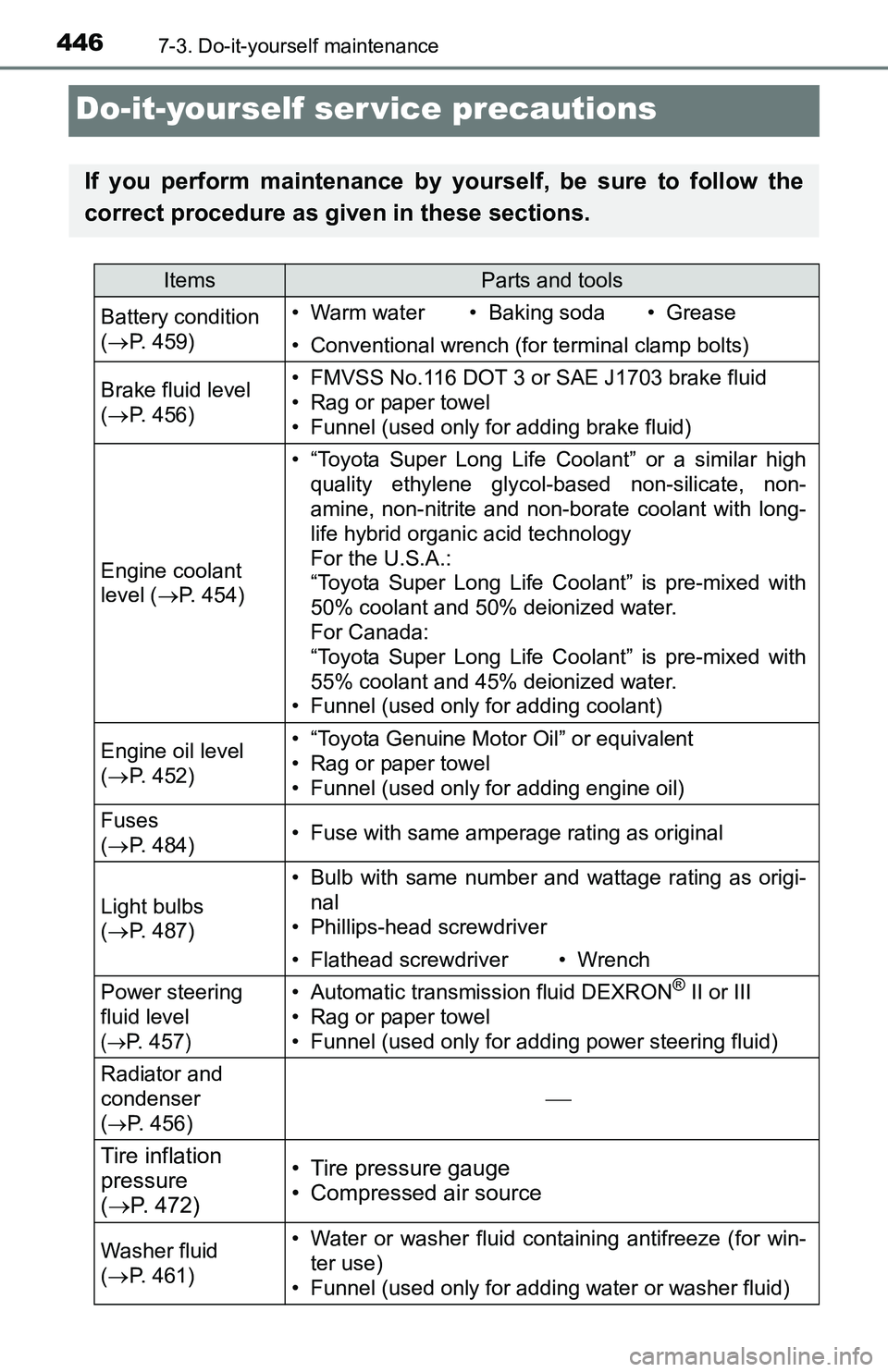
Do-it-yourself ser vice precautions
If you perform maintenance by yourself, be sure to follow the
correct procedure as given in these sections.
ItemsParts and tools
Battery condition
(P. 459)• Warm water• Baking soda• Grease
• Conventional wrench (for terminal clamp bolts)
Brake fluid level
(P. 456)• FMVSS No.116 DOT 3 or SAE J1703 brake fluid
• Rag or paper towel
• Funnel (used only for adding brake fluid)
Engine coolant
level (P. 454)
• “Toyota Super Long Life Coolant” or a similar high
quality ethylene glycol-based non-silicate, non-
amine, non-nitrite and non-borate coolant with long-
life hybrid organic acid technology
For the U.S.A.:
“Toyota Super Long Life Coolant” is pre-mixed with
50% coolant and 50% deionized water.
For Canada:
“Toyota Super Long Life Coolant” is pre-mixed with
55% coolant and 45% deionized water.
• Funnel (used only for adding coolant)
Engine oil level
(P. 452)• “Toyota Genuine Motor Oil” or equivalent
• Rag or paper towel
• Funnel (used only for adding engine oil)
Fuses
(P. 484)• Fuse with same amperage rating as original
Light bulbs
(P. 487)
• Bulb with same number and wattage rating as origi-
nal
• Phillips-head screwdriver
• Flathead screwdriver• Wrench
Power steering
fluid level
(
P. 457)
• Automatic transmission fluid DEXRON® II or III
• Rag or paper towel
• Funnel (used only for adding power steering fluid)
Radiator and
condenser
(
P. 456)
Tire inflation
pressure
(P. 472)• Tire pressure gauge
• Compressed air source
Washer fluid
(P. 461)• Water or washer fluid containing antifreeze (for win-
ter use)
• Funnel (used only for adding water or washer fluid)
Page 463 of 640
4637-3. Do-it-yourself maintenance
7
Maintenance and care
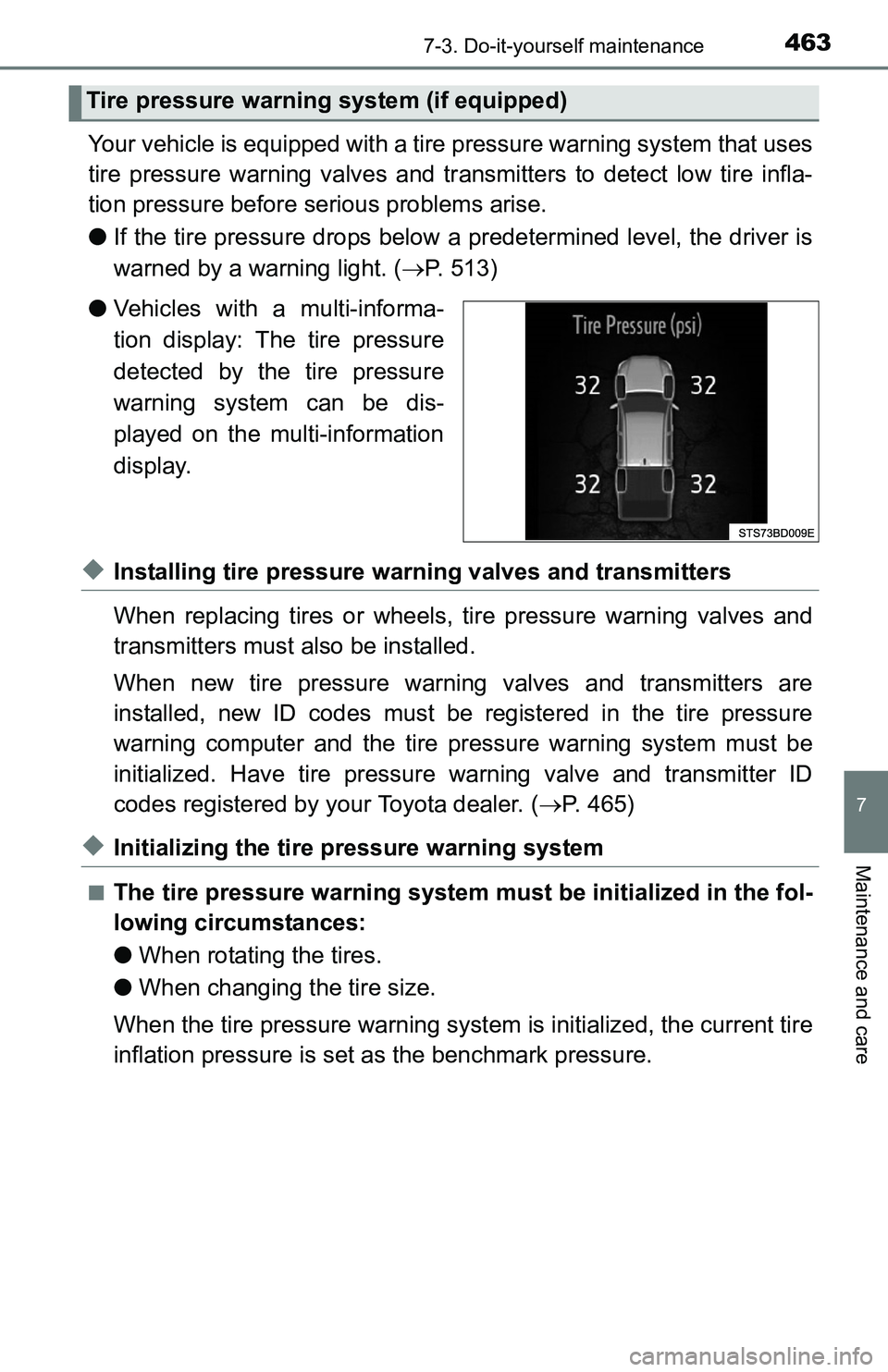
Your vehicle is equipped with a tire pressure warning system that uses
tire pressure warning valves and transmitters to detect low tire infla-
tion pressure before serious problems arise.
●If the tire pressure drops below a predetermined level, the driver is
warned by a warning light. (P. 513)
●Vehicles with a multi-informa-
tion display: The tire pressure
detected by the tire pressure
warning system can be dis-
played on the multi-information
display.
◆Installing tire pressure warning valves and transmitters
When replacing tires or wheels, tire pressure warning valves and
transmitters must also be installed.
When new tire pressure warning valves and transmitters are
installed, new ID codes must be registered in the tire pressure
warning computer and the tire pressure warning system must be
initialized. Have tire pressure warning valve and transmitter ID
codes registered by your Toyota dealer. (P. 465)
◆Initializing the tire pressure warning system
■The tire pressure warning system must be initialized in the fol-
lowing circumstances:
●When rotating the tires.
●When changing the tire size.
When the tire pressure warning system is initialized, the current tire
inflation pressure is set as the benchmark pressure.
Tire pressure warning system (if equipped)
Page 464 of 640
4647-3. Do-it-yourself maintenance
■How to initialize the tire pressure warning system
Vehicles without a smart key system:
Park the vehicle in a safe place and turn the engine switch to the
“LOCK” position.
Vehicles with a smart key system:
Park the vehicle in a safe place and turn the engine switch off.
Initialization cannot be performed while the vehicle is moving.
Adjust the tire inflation pressure to the specified cold tire inflation
pressure level. (P. 577)
Make sure to adjust the tire pressure to the specified cold tire infla-
tion pressure level. The tire pressure warning system will operate
based on this pressure level.
Vehicles without a smart key system:
Turn the engine switch to the “ON” position.
Vehicles with a smart key system:
Turn the engine switch to IGNITION ON mode.
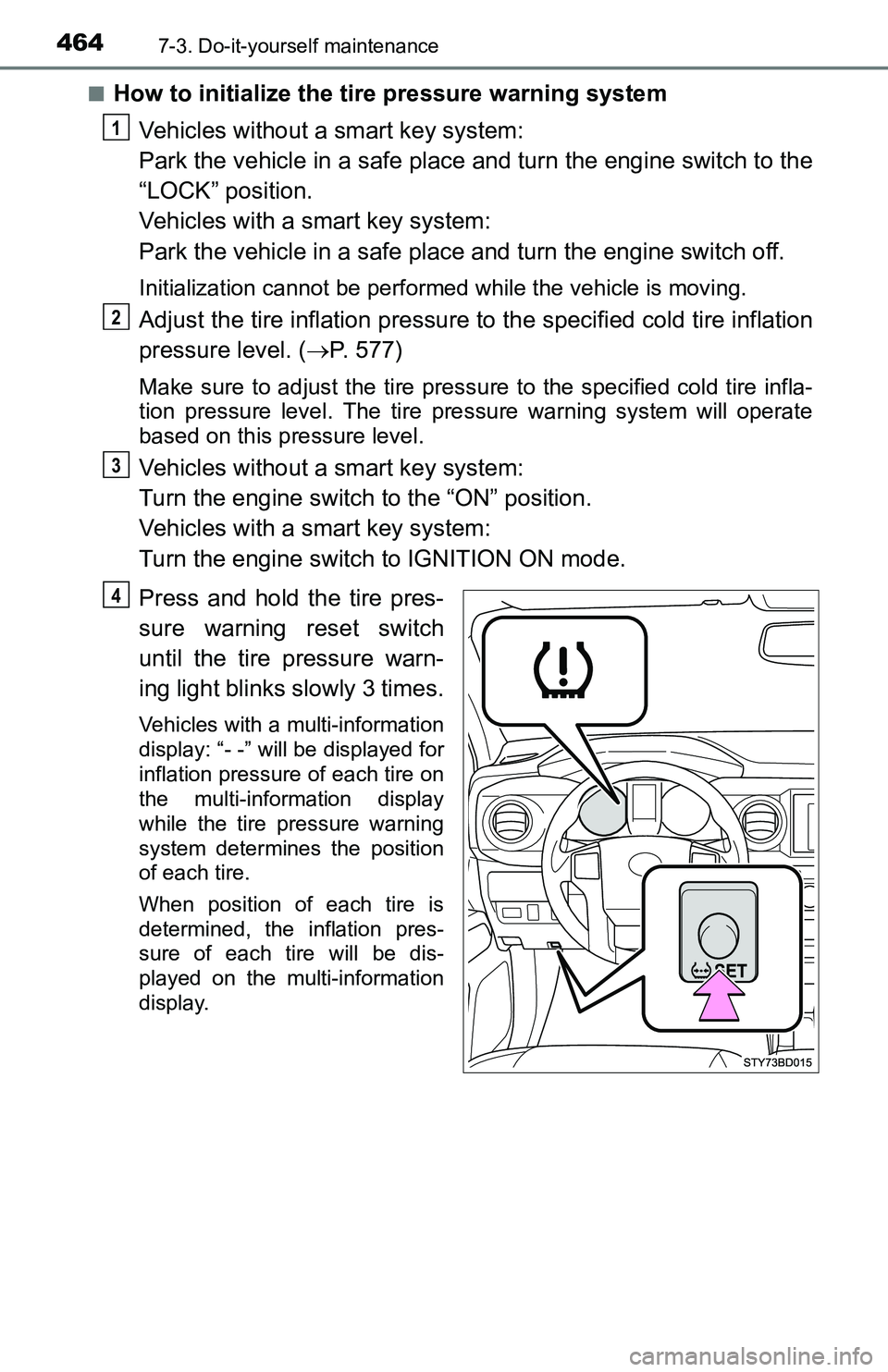
Press and hold the tire pres-
sure warning reset switch
until the tire pressure warn-
ing light blinks slowly 3 times.
Vehicles with a multi-information
display: “- -” will be displayed for
inflation pressure of each tire on
the multi-information display
while the tire pressure warning
system determines the position
of each tire.
When position of each tire is
determined, the inflation pres-
sure of each tire will be dis-
played on the multi-information
display.
1
2
3
4